

PythonでTenacityを使って関数を再試行する

Pythonプログラミング言語で強力で安定したプログラムを開発する際には、特に外部サービスやネットワーク操作を行う際に、一時的なエラーを優雅に処理する必要があることが一般的です。 ここで登場するのが、強力なPython汎用リトライライブラリであるTenacityです。 TenacityとIronPDFを組み合わせることで、開発者はPythonアプリケーションでPDFドキュメントを作成するための、機能豊富なフレームワークを使用して、PDF生成操作の信頼性と堅牢性を向上させることができます。
Tenacityは、ネットワークの不具合、タイムアウト、サービスの中断などの一時的な問題によって失敗する可能性のあるタスクのリトライのための適応性とカスタマイズ性のある構造を提供します。使いやすいAPIと豊富な機能セットにより、開発者は一時的な障害を心配するのではなく、信頼性の高いシステムの構築に集中することができます。
この記事では、TenacityライブラリとIronPDFの統合の利点を説明し、具体的な例を示し、Pythonアプリケーションで信頼性の高いPDF生成プロセスを作成する方法についてアドバイスを提供します。 Tenacityの力とIronPDFを組み合わせることで、開発者はアプリケーションの堅牢性と信頼性を向上させながら、ユーザーに高品質のPDFドキュメントを提供することができます。
デコレータベースのリトライ
Tenacityを使用することで、プログラマーはPythonのデコレータを使って関数やメソッドにリトライロジックを追加できます。 これにより、元のコードを変更せずに特定のアクションにリトライ動作を簡単に追加できます。
カスタマイズ可能なリトライ計画
Tenacityは、リトライ計画を指定するためのいくつかの調整可能なパラメータを提供します。 開発者は、リトライの最大回数、リトライ間の間隔、リトライが行われるべき条件のすべてをカスタマイズできます。
指数バックオフ
Tenacityは、試行のたびにリトライ間の間隔が指数的に増加する、現在よく使用されているリトライ呼び出し技術である指数バックオフを支持しています。 これにより、トラフィックや混雑が多い場合にリクエストでターゲットサービスをオーバーロードするのを避けることができます。
ジッターとランダム性
Tenacityは、シンクロナイゼーションの問題やサンダーハード問題を避けるために、リトライの遅延にランダム性やジッターを導入するオプションを提供します。 これにより、リトライの努力を時間に分散させることで、複数のクライアントが同時にリトライする可能性を減少させます。
リトライ条件と例外
操作の戻り値や発生した例外に応じて、開発者は独自のリトライ条件を設定できます。 これによって、リトライがいつ実行されるべきか、どのような条件で行われるべきかを正確に制御することが可能です。
タイムアウトと期限
Tenacityは、一般的な操作のタイムアウトや期限を作成することを容易にし、予め決められた閾値を超えた場合に操作が最終的に終了するようにして、リトライの試みが無限に続かないことを保証します。
人気のあるPythonフレームワークとの統合
Flask, Django, Celeryなどの有名なフレームワークとTenacityは、簡単に統合できます。 これにより、開発者は背景操作、ウェブエンドポイント、またはシステムの他の部分にリトライロジックを簡単に追加できます。
Tenacityの作成と設定
指数バックオフ
from tenacity import retry, wait_exponential

# Decorate the function with a retry mechanism
@retry(wait=wait_exponential(multiplier=1, min=1, max=10))
def my_function():
    # Your code logic here
    pass

# Explanation:
# - `multiplier`: Used to increase the interval between retries.
# - `min`: Minimum wait time in seconds between retries.
# - `max`: Maximum wait time allowed between retries.
from tenacity import retry, wait_exponential
# Decorate the function with a retry mechanism
@retry(wait=wait_exponential(multiplier=1, min=1, max=10))
def my_function():
# Your code logic here
pass
# Explanation:
# - `multiplier`: Used to increase the interval between retries.
# - `min`: Minimum wait time in seconds between retries.
# - `max`: Maximum wait time allowed between retries.ランダムジッター
from tenacity import retry, wait_random

@retry(wait=wait_random(min=1, max=10))
def my_function():
    # Your code logic here
    pass

# Explanation:
# - `min`: Minimum random wait time in seconds between retries.
# - `max`: Maximum random wait time in seconds between retries.
from tenacity import retry, wait_random
@retry(wait=wait_random(min=1, max=10))
def my_function():
# Your code logic here
pass
# Explanation:
# - `min`: Minimum random wait time in seconds between retries.
# - `max`: Maximum random wait time in seconds between retries.リトライ条件のカスタマイズ
例外によるリトライのカスタマイズ
from tenacity import retry, retry_if_exception_type

# Retry on specific exceptions like ConnectionError
@retry(retry=retry_if_exception_type(ConnectionError))
def my_function():
    # Your code logic here
    pass

# Explanation:
# Retry only if a ConnectionError exception is raised during the function execution.
from tenacity import retry, retry_if_exception_type
# Retry on specific exceptions like ConnectionError
@retry(retry=retry_if_exception_type(ConnectionError))
def my_function():
# Your code logic here
pass
# Explanation:
# Retry only if a ConnectionError exception is raised during the function execution.戻り値に基づくリトライ
from tenacity import retry, retry_if_result

@retry(retry=retry_if_result(lambda result: result is None))
def my_function():
    # Your code logic here
    return some_result

# Explanation:
# Retry if the function result is `None`.
from tenacity import retry, retry_if_result
@retry(retry=retry_if_result(lambda result: result is None))
def my_function():
# Your code logic here
return some_result
# Explanation:
# Retry if the function result is `None`.停止条件
from tenacity import retry, stop_after_delay

@retry(stop=stop_after_delay(30))
def my_function():
    # Your code logic here
    pass

# Explanation:
# Stop retrying after 30 seconds have elapsed since the first attempt.
from tenacity import retry, stop_after_delay
@retry(stop=stop_after_delay(30))
def my_function():
# Your code logic here
pass
# Explanation:
# Stop retrying after 30 seconds have elapsed since the first attempt.リトライコールバック
from tenacity import retry, after_log
import logging

logger = logging.getLogger(__name__)

@retry(after=after_log(logger, logging.DEBUG))
def my_function():
    # Your code logic here
    pass

# Explanation:
# Use a logger to log details of each retry attempt at the DEBUG level.
from tenacity import retry, after_log
import logging
logger = logging.getLogger(__name__)
@retry(after=after_log(logger, logging.DEBUG))
def my_function():
# Your code logic here
pass
# Explanation:
# Use a logger to log details of each retry attempt at the DEBUG level.開始方法
IronPDF とは何ですか?
人気のあるツールキットIronPDFを使用することで、プログラム内でPDFドキュメントを作成、編集、レンダリングすることができます。 PDFをさまざまな方法で操作します: HTMLページをPDFに変換したり、既存のものにテキスト、画像、形状を追加したり、既存のPDFからテキストや画像を抽出したりできます。HTMLコンテンツ、画像、または生データから新しいPDFページを作成することもできます。
IronPDFは非常に使いやすいことが主な利点の1つです。 Pythonの使いやすいAPIと豊富なドキュメントにより、開発者はプロジェクト内でPDFを簡単に作成し始めることができます。 IronPDFは速度と効率性の2つの特徴も持ち、開発者は高品質のPDFドキュメントを迅速に作成することができます。
IronPDFのいくつかの利点:
- 画像、生データ、HTMLをPDFに変換。
- PDFファイルからの画像とテキストの抽出。
- PDFファイルへのヘッダー、フッター、透かしの追加。
- PDFファイルのパスワードと暗号化による保護。
- 電子的な署名とフォームの入力機能の提供。
ライブラリのインストール
TenacityとIronPDFをPythonアプリケーションで一緒に使用するには、必要な依存関係をインストールし、両方のライブラリをPDF生成ワークフローに統合するのが最初のステップです。
pip install tenacity
pip install ironpdf
pip install tenacity
pip install ironpdfPythonスクリプト内で、TenacityとIronPDFから必要なモジュールをインポートします。
from tenacity import retry, stop_after_attempt, wait_fixed
from IronPdf import IronPdf

# Set up retry behavior on the PDF generating function
@retry(
    stop=stop_after_attempt(3),   # Stop retrying after 3 attempts
    wait=wait_fixed(2)            # Wait 2 seconds between retry attempts
)
def generate_pdf(html_content):
    iron_pdf = IronPdf()
    # Render the HTML content as a PDF
    iron_pdf.render_html_as_pdf(html_content)
    # Save the generated PDF to a file
    iron_pdf.save_as_pdf("output.pdf")

# Explanation:
# - `@retry(stop=stop_after_attempt(3))`: Stop after 3 failed attempts.
# - `wait_fixed(2)`: Wait 2 seconds before each retry attempt.
from tenacity import retry, stop_after_attempt, wait_fixed
from IronPdf import IronPdf
# Set up retry behavior on the PDF generating function
@retry(
stop=stop_after_attempt(3), # Stop retrying after 3 attempts
wait=wait_fixed(2) # Wait 2 seconds between retry attempts
)
def generate_pdf(html_content):
iron_pdf = IronPdf()
# Render the HTML content as a PDF
iron_pdf.render_html_as_pdf(html_content)
# Save the generated PDF to a file
iron_pdf.save_as_pdf("output.pdf")
# Explanation:
# - `@retry(stop=stop_after_attempt(3))`: Stop after 3 failed attempts.
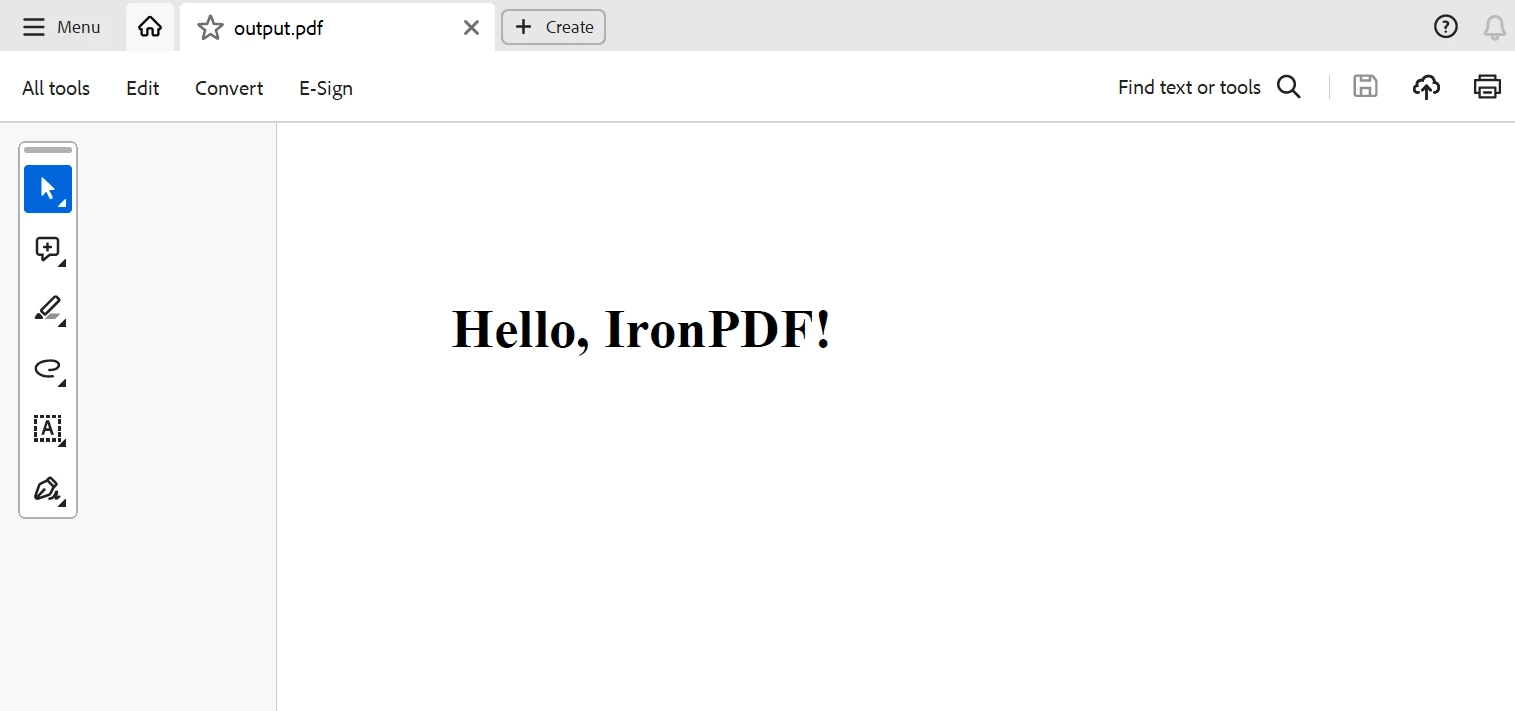
# - `wait_fixed(2)`: Wait 2 seconds before each retry attempt.HTMLテキストを渡してPDFを作成する関数を呼び出します。 例外が発生した場合、Tenacityはプリセットされたリトライブパラメータに従って機能を自動的に再試行します。
try:
    html_content = "<html><body><h1>Hello, IronPDF!</h1></body></html>"
    generate_pdf(html_content)
    print("PDF generated successfully")
except Exception as e:
    print("Failed to generate PDF:", e)

# Explanation:
# Attempt to generate a PDF and handle any exceptions that might occur during the process.
try:
html_content = "<html><body><h1>Hello, IronPDF!</h1></body></html>"
generate_pdf(html_content)
print("PDF generated successfully")
except Exception as e:
print("Failed to generate PDF:", e)
# Explanation:
# Attempt to generate a PDF and handle any exceptions that might occur during the process.リトライ動作をさらにカスタマイズすることができ、リトライの回数、リトライ条件と待機条件、リトライ間の間隔、リトライが行われるべき条件のような要素を変更できます。 Tenacityには、リトライ行動を要件に応じて調整するための異なるリトライ方法とリトライと待機条件戦略が含まれています。
サンプル出力
以下は、上記のコードから生成された出力です。
結論
要約すると、TenacityとIronPDFを組み合わせることで、Pythonアプリケーションで堅牢で信頼できるPDF生成ワークフローを作成する強力なソリューションを提供します。 IronPDFの強力なPDF生成機能とTenacityのカスタマイズ可能なリトライロジックを利用することで、開発者はPDF生成プロセスが一時的な障害やリトライに対して堅牢であることを確認できます。
Tenacityの豊富な機能セットを使用すると、開発者は複数の条件に合わせてリトライ戦略を正確に調整し、特別なリトライ条件を指定し、例外に対するリトライをカスタマイズし、複雑な設定オプションを含めることができます。 Tenacityは、ネットワークの中断やサービスの中断など、一時的な障害を優雅に処理することを可能にし、重要なPDF作成プロセスが即座に再試行されることを保証します。
結論として、TenacityをIronPDFと組み合わせて利用することで、開発者は信頼性が高く堅牢なPDF生成ソリューションを作成し、現実世界の環境の厳しさに対応することができます。 この組み合わせは、請求書、レポート、文書の作成を行うワークフローであろうと、Pythonアプリケーションでの信頼性が高くスケーラブルなPDF生成のワークフローを作成するための強力な基礎を提供します。
お手頃な料金でIronPDFのライフタイムライセンスがパッケージに含まれています。 多くのシステムでは、このパッケージを非常に手頃な$799で利用可能です。 ライセンスの所有者は、24時間体制のオンラインエンジニアリングサポートにアクセスできます。 料金の詳細については、ライセンスページをご覧ください。 Iron Softwareの製品について詳しく知りたい場合は、ライブラリページをご覧ください。









 無料で始めましょう
 無料で始めましょう
 無料ライブデモを予約



 クレジットカードやアカウントの作成は不要です。










