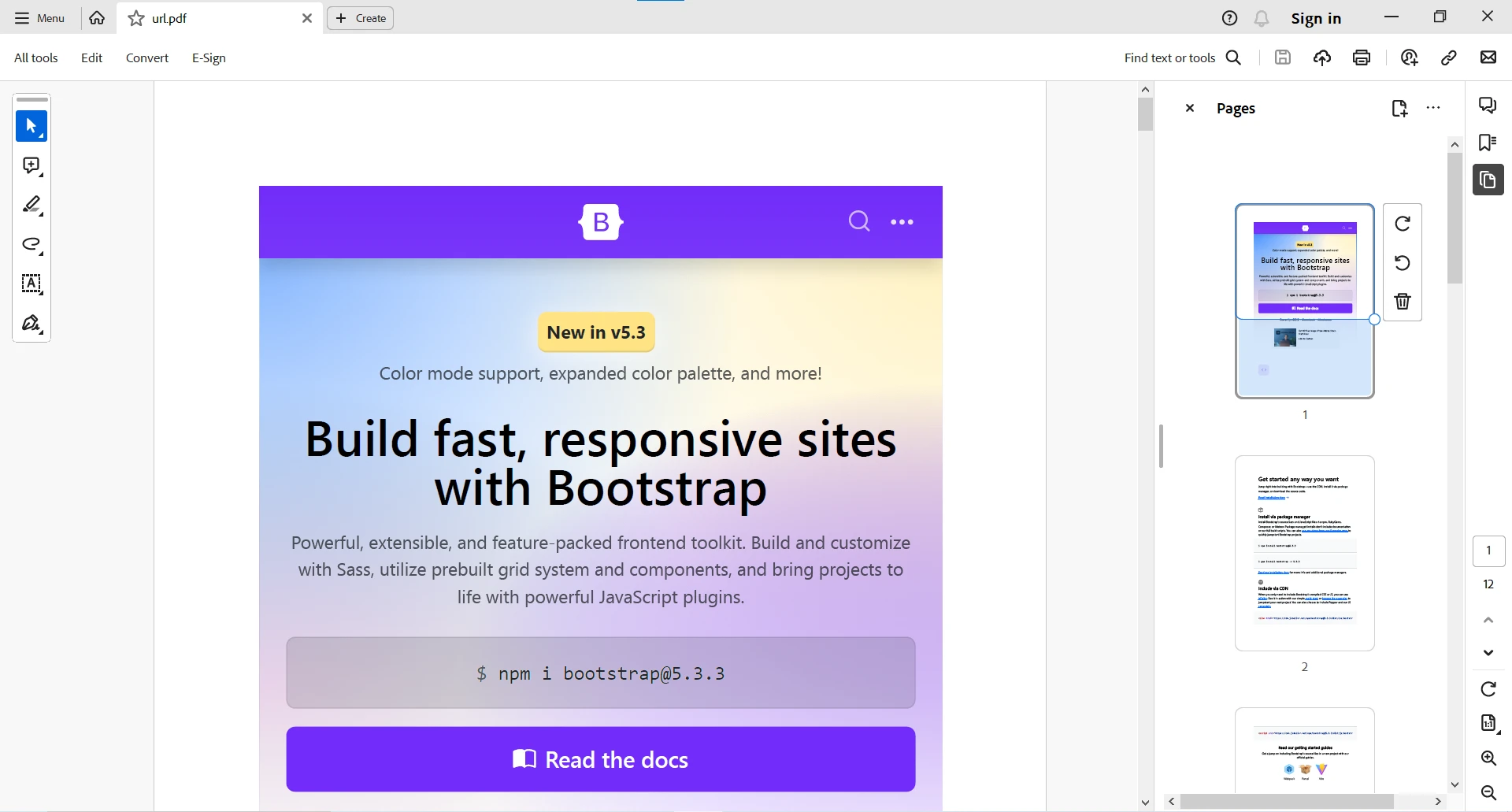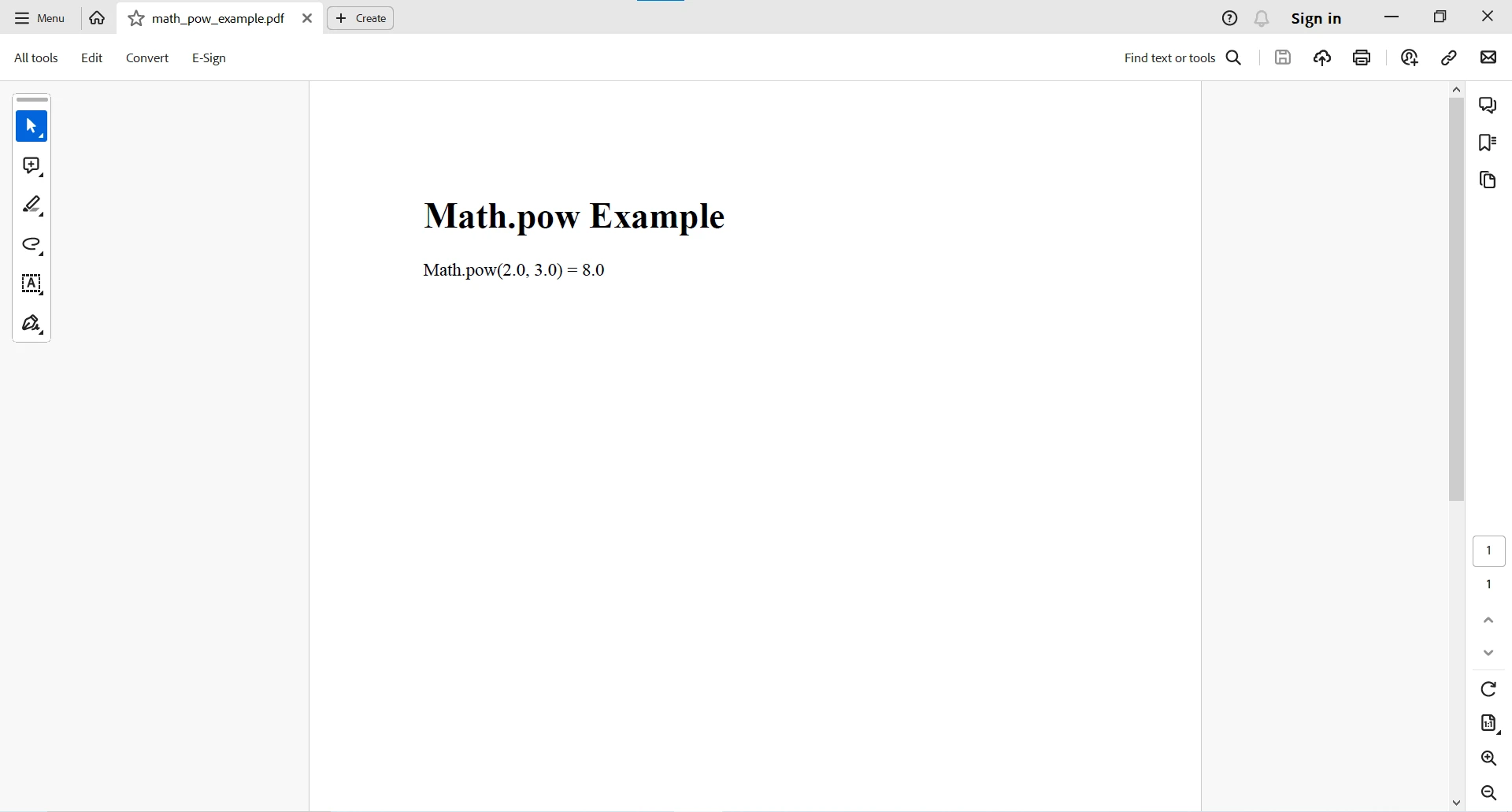
JAVA PDF 도구 Java의 Math.pow() 이해하기 커티스 차우 업데이트됨:7월 28, 2025 다운로드 IronPDF 메이븐 다운로드 JAR 다운로드 무료 체험 시작하기 LLM용 사본 LLM용 사본 LLM용 마크다운 형식으로 페이지를 복사하세요 ChatGPT에서 열기 ChatGPT에 이 페이지에 대해 문의하세요 제미니에서 열기 제미니에게 이 페이지에 대해 문의하세요 Grok에서 열기 Grok에게 이 페이지에 대해 문의하세요 혼란 속에서 열기 Perplexity에게 이 페이지에 대해 문의하세요 공유하다 페이스북에 공유하기 트위터에 공유하기 LinkedIn에 공유하기 URL 복사 이메일로 기사 보내기 Java, a widely-used and versatile programming language, equips developers with a robust set of mathematical functions to simplify complex operations. One such indispensable function is Math.pow(), which enables the exponentiation of numbers with ease. This article will help you explore the complexities of the Math.pow() method's algorithm, elucidating its syntax, practical usage, and providing illustrative examples to underscore its functionality. Understanding the Syntax of Math.pow() The pow() method is a part of the Math class and returns integer and floating point values. Before diving deeper into the applications of Math.pow() in Java, it's crucial to grasp the syntax and parameters of this method. The Math.pow() method, residing within the java.lang.Math class, follows a concise syntax: public static double pow(double base, double exponent) public static double pow(double base, double exponent) JAVA Here's a breakdown of the components: base: This parameter represents the base number that will undergo exponentiation. exponent: Denoting the power to which the base is raised, this parameter dictates the intensity of the exponentiation. Understanding the syntax sets the foundation for utilizing Math.pow() effectively in a variety of mathematical scenarios. The method's simplicity and adherence to standard mathematical notation contribute to its user-friendly nature, making it accessible for developers seeking to perform exponentiation in their Java programs. Usage and Return Value Utilizing Math.pow() is straightforward, as it returns the result of raising the base to the power of the exponent in the form of a double value. It allows developers to perform exponentiation without manually implementing complex mathematical algorithms. double result = Math.pow(base, exponent); double result = Math.pow(base, exponent); JAVA The Math.pow method in Java serves as a powerful tool for exponentiation, allowing the calculation of one value raised to the power of another. When working with negative finite odd integers, it's important to note that raising a negative number to an odd exponent will result in a negative outcome. For instance, Math.pow(-3, 5) would yield -243. Example Usage Let's explore some examples to understand how to use Math.pow() in various scenarios: Example 1: Basic Exponentiation In this example, Math.pow(2.0, 3.0) calculates 2 to the power of 3, resulting in 8.0. Here, note the method takes two arguments, with the first argument raised to the power of the second argument. The code then prints this result, showcasing the fundamental use of the Math.pow() method for basic exponentiation. double base = 2.0; double exponent = 3.0; double result = Math.pow(base, exponent); System.out.println(base + " raised to the power of " + exponent + " is: " + result); double base = 2.0; double exponent = 3.0; double result = Math.pow(base, exponent); System.out.println(base + " raised to the power of " + exponent + " is: " + result); JAVA Output 2.0 raised to the power of 3.0 is: 8.0 In scenarios involving positive infinity, the method returns infinity as the result. For example, Math.pow(5, Double.POSITIVE_INFINITY) results in Infinity. Example 2: Calculating Square Root The code demonstrates an alternative use of Math.pow() by calculating the square root of the integer 16.0. Utilizing Math.pow(number, 0.5), it raises 16.0 to the power of 0.5, yielding the square root, which is printed as 4.0. double number = 16.0; double squareRoot = Math.pow(number, 0.5); System.out.println("Square root of " + number + " is: " + squareRoot); double number = 16.0; double squareRoot = Math.pow(number, 0.5); System.out.println("Square root of " + number + " is: " + squareRoot); JAVA Output Square root of 16.0 is: 4.0 Example 3: Negative Exponent In this scenario, Math.pow(3, -2) showcases the flexibility of the method, allowing negative finite odd integer exponents along with positive finite odd integer bases. The result, approximately 0.1111, demonstrates how Math.pow() efficiently handles such mathematical computations. double result = Math.pow(3, -2); System.out.println("3 raised to the power of -2 is: " + result); double result = Math.pow(3, -2); System.out.println("3 raised to the power of -2 is: " + result); JAVA Output 3 raised to the power of -2 is: 0.1111111111111111 Example 4: Absolute Value When dealing with floating-point values, the Math.pow method accommodates both integer and non-integer exponents. The absolute value function (Math.abs) can be employed to ensure positive outcomes, especially when the result might be negative. double result = Math.abs(Math.pow(-2, 3)); System.out.println(result); double result = Math.abs(Math.pow(-2, 3)); System.out.println(result); JAVA Output 8.0 This would have resulted in -8.0 if the Math.abs method is not employed with the Java Math pow method. Introducing IronPDF for Java: An Overview IronPDF is a popular library designed to facilitate PDF generation and manipulation in Java applications. With IronPDF, developers can seamlessly create, edit, and manage PDF documents, providing a versatile solution for a wide range of use cases, from document generation to report creation. One of the notable features of IronPDF is its ease of use, allowing developers to integrate PDF functionality into their Java projects effortlessly. The library supports various PDF operations, including text and image placement, document encryption, and the incorporation of dynamic content, making it a valuable tool for businesses and developers alike. Define IronPDF as a Java Dependency To start using IronPDF in your Java project, you need to define it as a dependency in your project's configuration. The following steps demonstrate how to do this using Maven. pom.xml Dependency Add the following dependencies to your pom.xml file: <dependencies> <dependency> <groupId>com.ironsoftware</groupId> <artifactId>ironpdf</artifactId> <version>20xx.xx.xxxx</version> </dependency> <dependency> <groupId>org.slf4j</groupId> <artifactId>slf4j-simple</artifactId> <version>2.0.3</version> </dependency> </dependencies> <dependencies> <dependency> <groupId>com.ironsoftware</groupId> <artifactId>ironpdf</artifactId> <version>20xx.xx.xxxx</version> </dependency> <dependency> <groupId>org.slf4j</groupId> <artifactId>slf4j-simple</artifactId> <version>2.0.3</version> </dependency> </dependencies> XML Download JAR File Alternatively, you can download the JAR file manually from Sonatype for IronPDF. Create PDF Document using IronPDF Now that you have IronPDF integrated into your project, you can easily create a PDF from a URL document. The following example demonstrates how to render a URL as a PDF: package org.example; // Import statement for IronPDF Java import com.ironsoftware.ironpdf.*; import java.io.IOException; import java.nio.file.Paths; public class Main { public static void main(String[] args) throws IOException { // Create a PDF document from a URL PdfDocument myPdf = PdfDocument.renderUrlAsPdf("https://getbootstrap.com/"); // Save the PDF to a file myPdf.saveAs(Paths.get("url.pdf")); } } package org.example; // Import statement for IronPDF Java import com.ironsoftware.ironpdf.*; import java.io.IOException; import java.nio.file.Paths; public class Main { public static void main(String[] args) throws IOException { // Create a PDF document from a URL PdfDocument myPdf = PdfDocument.renderUrlAsPdf("https://getbootstrap.com/"); // Save the PDF to a file myPdf.saveAs(Paths.get("url.pdf")); } } JAVA This example creates a PDF document from the specified URL (in this case, the Bootstrap website) and saves it as "url.pdf" in your project directory. For more complex PDF tasks, you can visit these HTML to PDF code examples. Math.pow() in Java and Compatibility with IronPDF Now, let's address the compatibility of the Math.pow() method in Java with IronPDF. The Math.pow() function, being a part of the Java language standard library (java.lang.Math), is independent of external libraries like IronPDF. It is a fundamental mathematical function that can be used in any Java program, including those utilizing IronPDF for PDF generation. IronPDF primarily focuses on PDF-related operations and doesn't interfere with standard Java Math functions. Therefore, developers can freely incorporate the Math.pow() method into their Java applications, even when working with IronPDF. Here's a simple illustration: package org.example; import com.ironsoftware.ironpdf.*; import java.io.IOException; import java.nio.file.Paths; public class MathPowExample { public static void main(String [] args) throws IOException { // Apply your IronPDF license key License.setLicenseKey("YOUR-LICENSE-KEY"); // Set a log path Settings.setLogPath(Paths.get("C:/tmp/IronPdfEngine.log")); // Calculate a mathematical result using Math.pow double base = 2.0; double exponent = 3.0; double result = Math.pow(base, exponent); // Create a PDF document with the mathematical result PdfDocument myPdf = PdfDocument.renderHtmlAsPdf("<h1>Math.pow Example</h1>" + "<p>Math.pow(" + base + ", " + exponent + ") = " + result + "</p>"); // Save the PdfDocument to a file myPdf.saveAs(Paths.get("math_pow_example.pdf")); } } package org.example; import com.ironsoftware.ironpdf.*; import java.io.IOException; import java.nio.file.Paths; public class MathPowExample { public static void main(String [] args) throws IOException { // Apply your IronPDF license key License.setLicenseKey("YOUR-LICENSE-KEY"); // Set a log path Settings.setLogPath(Paths.get("C:/tmp/IronPdfEngine.log")); // Calculate a mathematical result using Math.pow double base = 2.0; double exponent = 3.0; double result = Math.pow(base, exponent); // Create a PDF document with the mathematical result PdfDocument myPdf = PdfDocument.renderHtmlAsPdf("<h1>Math.pow Example</h1>" + "<p>Math.pow(" + base + ", " + exponent + ") = " + result + "</p>"); // Save the PdfDocument to a file myPdf.saveAs(Paths.get("math_pow_example.pdf")); } } JAVA In the above example, you can see we can seamlessly integrate the Math.pow() with potential IronPDF-related tasks. The compatibility lies in the fact that IronPDF operates on PDF-related functionalities, while standard Java math functions, including Math.pow(), remain universally applicable. Output Conclusion The Math.pow() method in Java provides a convenient way to perform exponentiation, allowing developers to handle power operations without the need for complex calculations. Understanding its syntax and usage is crucial for efficient mathematical operations in Java programs. Whether you're working on scientific calculations, engineering applications, or any scenario requiring exponentiation, Math.pow() proves to be a valuable tool in your programming toolkit. In conclusion, developers can confidently leverage the power of Math.pow() in their Java applications, even in special cases when utilizing IronPDF for PDF generation, ensuring a harmonious blend of mathematical precision and document management capabilities. For more information on working with PDF-related tasks, please visit the IronPDF documentation. IronPDF offers a free-trial for commercial-use. You can download the library from IronPDF's Java page. 커티스 차우 지금 바로 엔지니어링 팀과 채팅하세요 기술 문서 작성자 커티스 차우는 칼턴 대학교에서 컴퓨터 과학 학사 학위를 취득했으며, Node.js, TypeScript, JavaScript, React를 전문으로 하는 프론트엔드 개발자입니다. 직관적이고 미적으로 뛰어난 사용자 인터페이스를 만드는 데 열정을 가진 그는 최신 프레임워크를 활용하고, 잘 구성되고 시각적으로 매력적인 매뉴얼을 제작하는 것을 즐깁니다. 커티스는 개발 분야 외에도 사물 인터넷(IoT)에 깊은 관심을 가지고 있으며, 하드웨어와 소프트웨어를 통합하는 혁신적인 방법을 연구합니다. 여가 시간에는 게임을 즐기거나 디스코드 봇을 만들면서 기술에 대한 애정과 창의성을 결합합니다. 관련 기사 업데이트됨 6월 22, 2025 Java에서 String.split을 사용하는 방법 Java의 String.split() 메서드는 매개변수로 제공된 문자열 구분 기호에 따라 문자열을 분할하는 데 사용되는 강력한 도구입니다. 이 메서드를 사용할 때 더 읽어보기 업데이트됨 6월 22, 2025 Java에서 Try Catch Block을 사용하는 방법 이 문서에서는 Java의 try-catch 블록의 기본 사항과 구문, 그리고 이 블록이 탄력적이고 오류에 강한 애플리케이션을 구축하는 데 어떻게 기여하는지에 대해 살펴봅니다. 더 읽어보기 업데이트됨 7월 28, 2025 Maven을 사용한 Log4j: Java용 로깅 Log4j는 Apache Software Foundation에서 개발한 매우 효율적인 로깅 프레임워크입니다. 강력한 로깅 기능으로 인해 Java 애플리케이션에서 널리 사용되고 있습니다 더 읽어보기 Java에서 String.split을 사용하는 방법Java에서 Try Catch Block을 사...
업데이트됨 6월 22, 2025 Java에서 String.split을 사용하는 방법 Java의 String.split() 메서드는 매개변수로 제공된 문자열 구분 기호에 따라 문자열을 분할하는 데 사용되는 강력한 도구입니다. 이 메서드를 사용할 때 더 읽어보기
업데이트됨 6월 22, 2025 Java에서 Try Catch Block을 사용하는 방법 이 문서에서는 Java의 try-catch 블록의 기본 사항과 구문, 그리고 이 블록이 탄력적이고 오류에 강한 애플리케이션을 구축하는 데 어떻게 기여하는지에 대해 살펴봅니다. 더 읽어보기
업데이트됨 7월 28, 2025 Maven을 사용한 Log4j: Java용 로깅 Log4j는 Apache Software Foundation에서 개발한 매우 효율적인 로깅 프레임워크입니다. 강력한 로깅 기능으로 인해 Java 애플리케이션에서 널리 사용되고 있습니다 더 읽어보기