푸터 콘텐츠로 바로가기
JAVA용 IRONPDF 사용

Java에서 Maven이란 무엇인가요(작동 방식 튜토리얼)

If you are a Java developer, you have likely heard of Maven. Maven is a powerful build automation tool that helps simplify the process of building and managing Java projects. This article will explore what Maven is, how it works, and why it is an important tool for Java developers.

What is Maven?

Maven is a build automation tool that is used primarily for Java projects. It was created by Jason van Zyl in 2002 and has since become one of the most widely used build tools in the Java community. Maven is built on the concept of a project object model (POM), which is an XML file that describes the project's dependencies, build process, and other important information.

Maven is designed to automate many of the tedious and error-prone tasks associated with building Java projects. For example, Maven can automatically download and install project dependencies, compile source code, and generate project documentation. It also makes it easy to package and deploy your project, whether it is a standalone application or a library that will be used by other developers.

How Does Maven Work?

At the core of Maven is the POM file. This file describes the project's dependencies, build process, and other important information. When you run a Maven build, Maven reads the POM file and uses it to determine what needs to be done.

One of the key features of Maven is its dependency management system. When you specify a dependency in your POM file, Maven will automatically download it from a central Maven repository or local Maven repository and add it to your project's classpath. This can save you much time and effort compared to manually downloading and installing dependencies.

Maven also uses a plugin architecture to perform various tasks during the build process. Plugins are small programs that can be added to your project's POM file to perform tasks like compiling source code, generating documentation, and packaging your project. There are hundreds of plugins available for Maven, and you can even create your own if you need to perform a custom task.

Why is Maven Important for Java Developers?

Maven is an essential tool for Java developers for several reasons:

  1. Standardization: Maven provides a standardized way to build and manage Java projects. This makes it easy for developers to understand how a project is built and how it works.
  2. Automation: Maven automates many of the tedious and error-prone tasks associated with building Java projects. This can save developers a lot of time and effort, allowing them to focus on writing code.
  3. Dependency management: Maven's dependency management system makes it easy to manage dependencies and ensure that your project is using the correct versions of each library.
  4. Plugin architecture: Maven's plugin architecture allows developers to easily extend the build process and perform custom tasks. This can be especially useful for complex projects that require custom build steps.
  5. Community support: Maven has a large and active community of developers who contribute to plugins, provide support, and share best practices. This makes it easy to get help and find solutions to common problems.

How to Get Started with Maven?

Getting started with Maven is easy. Here are the basic steps:

Install Maven

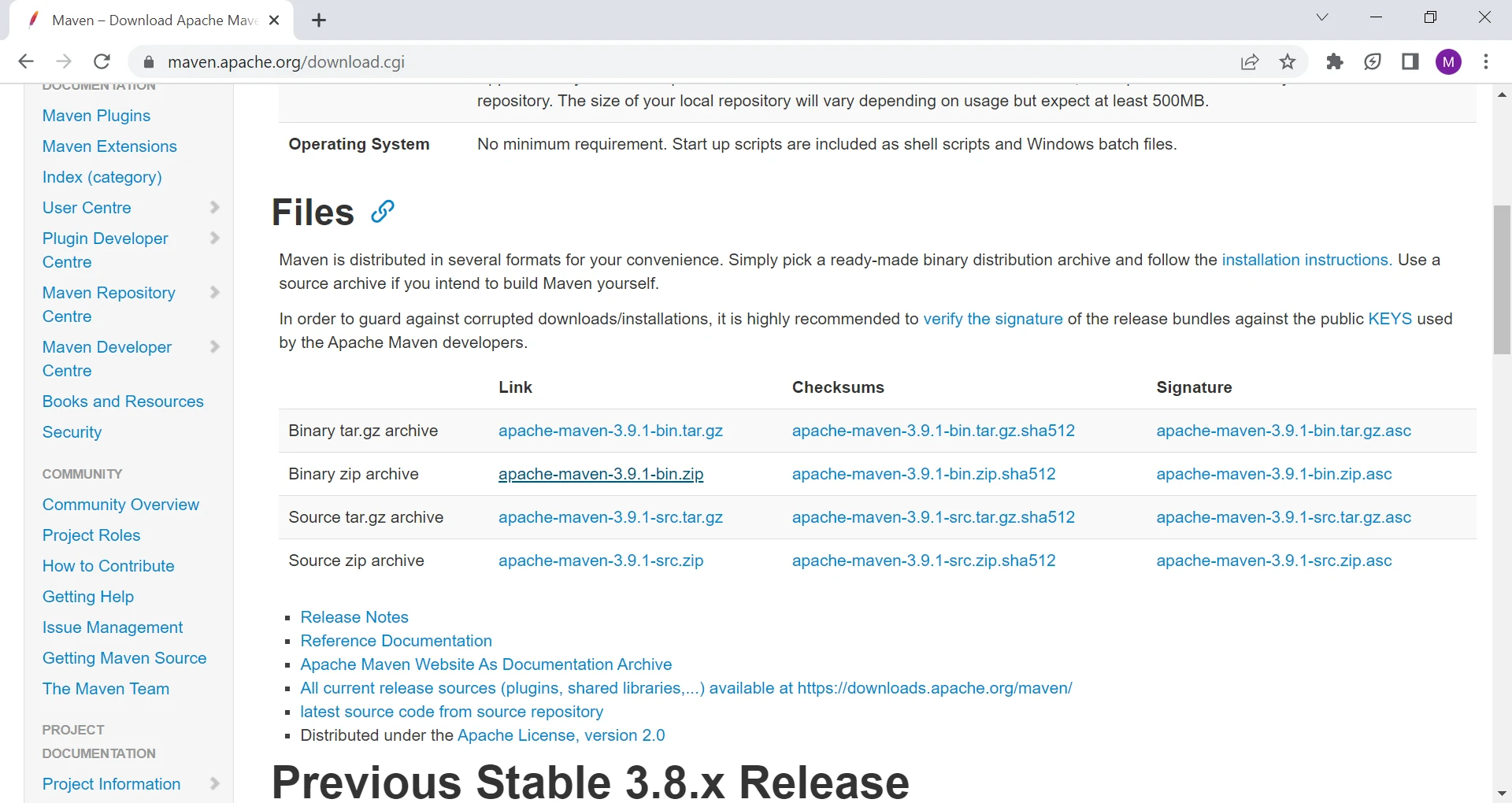
Maven can be downloaded from the official Apache Maven website. Once you have downloaded Maven, you can install it by following the instructions provided.

What is Maven in Java (How it Works Tutorial), Figure 1: The Maven installation website The Maven installation website

Create a New Maven Project

To create a new Maven project, you can use the following command:

mvn archetype:generate
SHELL

This will generate a basic Maven project structure that you can customize to meet your needs.

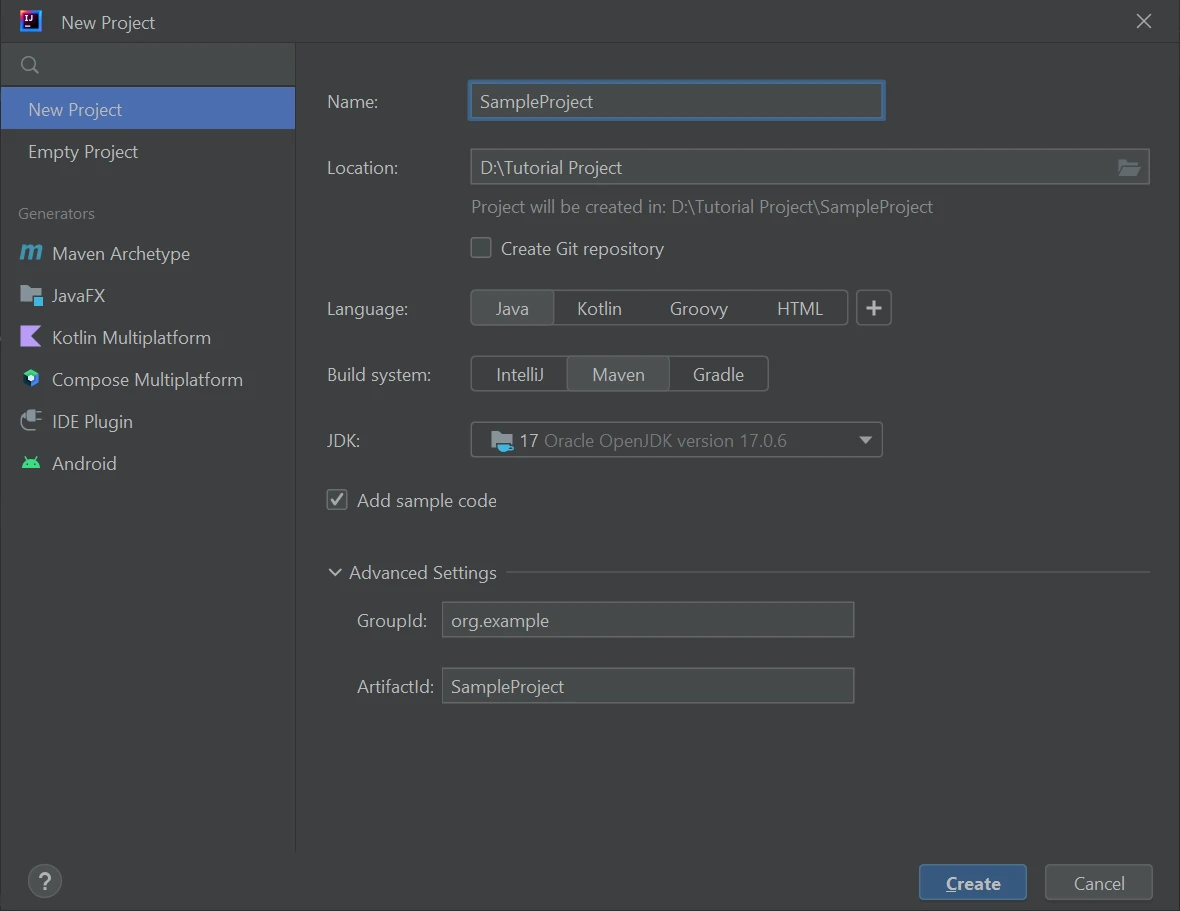
You can also create your Maven project by using an IDE. I am using the IntelliJ IDE, but you can use any as per your preference.

What is Maven in Java (How it Works Tutorial), Figure 2: Create a new Maven project Create a new Maven project

Configure Your Project

The next step is to configure your project's POM file. This file describes the project's dependencies, build process, and other important information. Consider the following example pom.xml file.

XML FILE

<?xml version="1.0" encoding="UTF-8"?>
<project xmlns="http://maven.apache.org/POM/4.0.0"
         xmlns:xsi="http://www.w3.org/2001/XMLSchema-instance"
         xsi:schemaLocation="http://maven.apache.org/POM/4.0.0 http://maven.apache.org/xsd/maven-4.0.0.xsd">
    <modelVersion>4.0.0</modelVersion>

    <groupId>org.example</groupId>
    <artifactId>SampleProject</artifactId>
    <version>1.0-SNAPSHOT</version>

    <properties>
        <maven.compiler.source>17</maven.compiler.source>
        <maven.compiler.target>17</maven.compiler.target>
        <project.build.sourceEncoding>UTF-8</project.build.sourceEncoding>
    </properties>
    <dependencies>
        <dependency>
            <groupId>com.ironsoftware</groupId>
            <artifactId>ironpdf</artifactId>
            <version>2024.9.1</version>
        </dependency>
        <dependency>
            <groupId>org.slf4j</groupId>
            <artifactId>slf4j-simple</artifactId>
            <version>2.0.5</version>
        </dependency>
    </dependencies>
</project>
<?xml version="1.0" encoding="UTF-8"?>
<project xmlns="http://maven.apache.org/POM/4.0.0"
         xmlns:xsi="http://www.w3.org/2001/XMLSchema-instance"
         xsi:schemaLocation="http://maven.apache.org/POM/4.0.0 http://maven.apache.org/xsd/maven-4.0.0.xsd">
    <modelVersion>4.0.0</modelVersion>

    <groupId>org.example</groupId>
    <artifactId>SampleProject</artifactId>
    <version>1.0-SNAPSHOT</version>

    <properties>
        <maven.compiler.source>17</maven.compiler.source>
        <maven.compiler.target>17</maven.compiler.target>
        <project.build.sourceEncoding>UTF-8</project.build.sourceEncoding>
    </properties>
    <dependencies>
        <dependency>
            <groupId>com.ironsoftware</groupId>
            <artifactId>ironpdf</artifactId>
            <version>2024.9.1</version>
        </dependency>
        <dependency>
            <groupId>org.slf4j</groupId>
            <artifactId>slf4j-simple</artifactId>
            <version>2.0.5</version>
        </dependency>
    </dependencies>
</project>
XML

The above pom.xml file defines a Maven project with the following details:

  • Group ID: org.example
  • Artifact ID: SampleProject
  • Version: 1.0-SNAPSHOT

This pom.xml file also includes a section to define project-level properties that can be referenced in other parts of the pom.xml file. In this example, the project build.sourceEncoding property is set to UTF-8.

It defines a project with two dependencies:

  • The IronPDF library (a popular library for generating PDF documents from HTML content in Java), version 2024.9.1, from the com.ironsoftware group.
  • The slf4j-simple library, version 2.0.5, from the org.slf4j group.

In addition to the dependencies, the pom.xml file also sets the source and target versions of the Java compiler to 17, using the maven.compiler.source and maven.compiler.target properties.

Note that this is just an example, and pom.xml files can vary widely in their contents and complexity depending on the needs of the project.

Build Your Maven Project

Once your project is configured, you can build it using the following command:

mvn clean install
mvn clean install
SHELL

Maven will automatically download and install any necessary dependencies, compile your source code, and generate any necessary artifacts, such as JAR or WAR files. In this case, It will install IronPDF.

Once you have installed the IronPDF dependency, you can use it in your project by importing the necessary classes and methods. The following is an example of how to use IronPDF to generate a PDF document from an HTML string.

Generate a PDF File From AN HTML String

import com.ironsoftware.ironpdf.PdfDocument; // Import necessary class from IronPDF

public class PDFGenerator {

    public static void main(String[] args) {
        // Create a PDF document from an HTML string
        PdfDocument pdf = PdfDocument.renderHtmlAsPdf("<h1>What is MVN in Java.?</h1><p>Sample PDF file</p>");

        // Save the PDF document to a file
        pdf.saveAs("MVN.pdf");
    }
}
import com.ironsoftware.ironpdf.PdfDocument; // Import necessary class from IronPDF

public class PDFGenerator {

    public static void main(String[] args) {
        // Create a PDF document from an HTML string
        PdfDocument pdf = PdfDocument.renderHtmlAsPdf("<h1>What is MVN in Java.?</h1><p>Sample PDF file</p>");

        // Save the PDF document to a file
        pdf.saveAs("MVN.pdf");
    }
}
JAVA

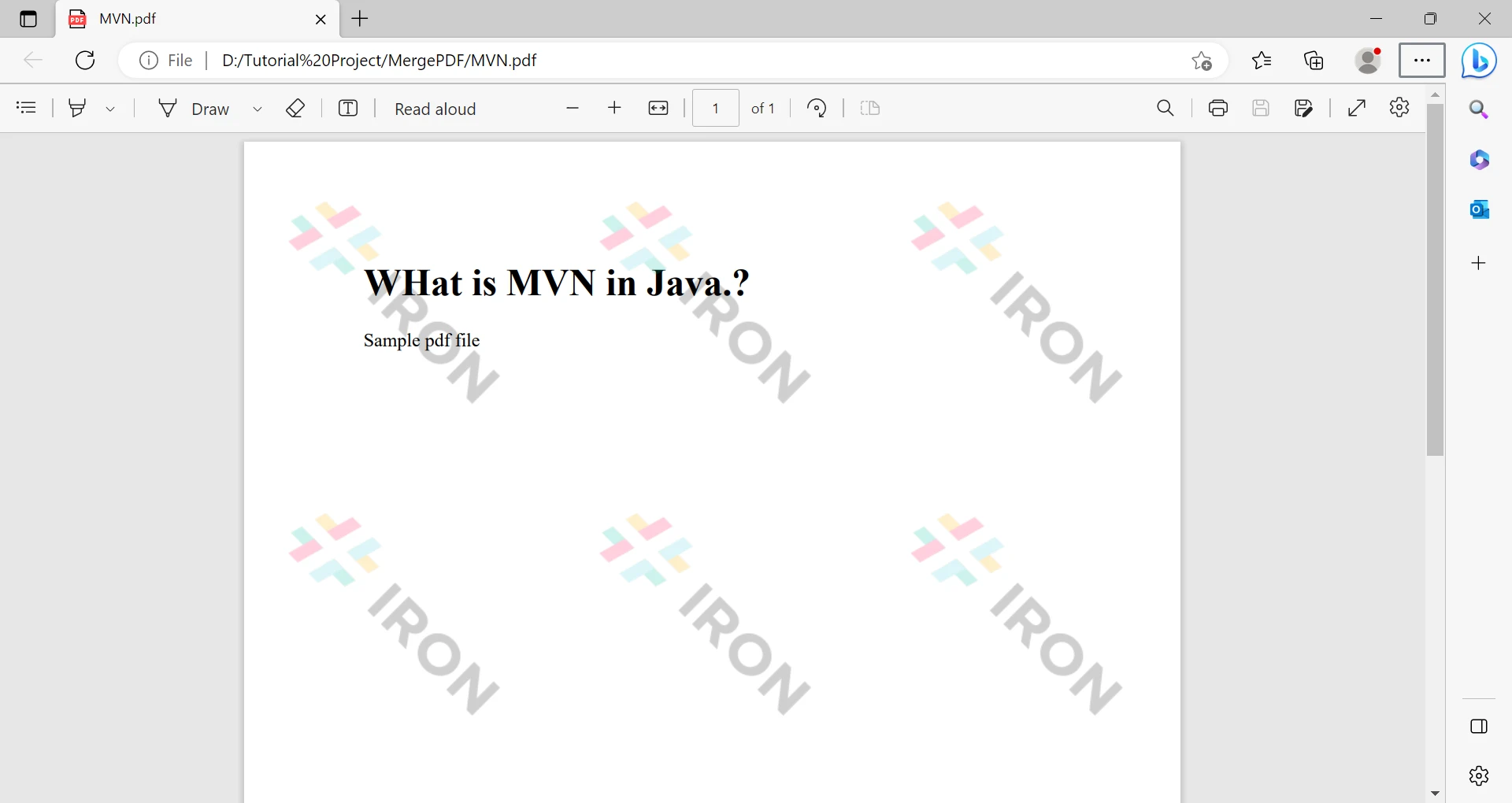
This code uses the IronPDF library to generate a PDF document from an HTML string and save it to a file. Here's how it works:

  1. First, we import the necessary class PdfDocument from the IronPDF library.
  2. In the main method, a PdfDocument object is created by calling the renderHtmlAsPdf method of the PdfDocument class. We pass an HTML string in this method. The HTML string in this case contains a heading and a paragraph that says "Sample PDF file".
  3. The renderHtmlAsPdf method generates a PDF document from the HTML string using the IronPDF library.
  4. The resulting PDF document is then saved to a file using the saveAs method of the PdfDocument class. In this case, we specify the file name "MVN.pdf" as the argument to the saveAs method.

What is Maven in Java (How it Works Tutorial), Figure 3: The output PDF file from an HTML string The output PDF file from an HTML string

Customize Your Build Process

If you need to perform custom tasks during the build process, you can add plugins to your project's POM file. There are many Maven plugins available, and you can even create your own if necessary.

Deploy Your Project

Once your project is built, you can deploy it to a remote or local repository or package it for distribution to other developers.

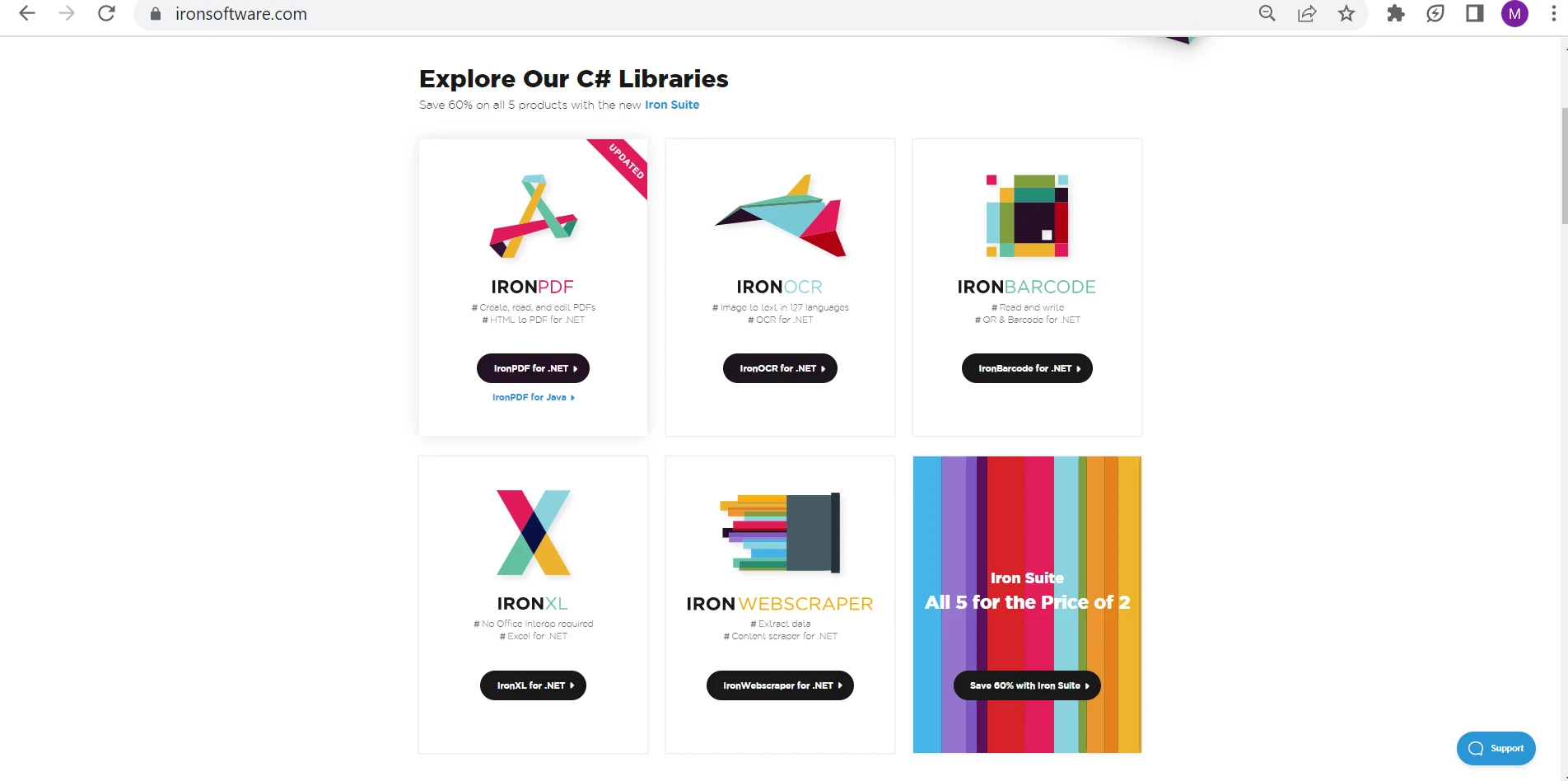
IronPDF is free to use for development purposes. However, if you intend to deploy it or use it for commercial purposes, you will need to obtain either a free trial license or a commercial license. If you're interested in purchasing IronPDF, you can get it at a discounted price by purchasing the complete Iron Suite.

Iron Suite is a comprehensive set of software development tools developed by Iron Software. The suite includes IronPDF, IronXL, IronOCR, and IronBarcode, which offer developers powerful capabilities for generating PDFs and Excels, performing OCR on scanned documents, and generating barcodes in their applications. The suite is designed to be user-friendly and adaptable, making it easy for developers to integrate it into their projects seamlessly and efficiently.

What is Maven in Java (How it Works Tutorial), Figure 4: Explore the Iron Suite Explore the Iron Suite

Summary

Maven is a powerful build automation tool that simplifies the building process of Java projects. It manages dependencies, plugins, and build lifecycles, and uses a POM file to describe the project configuration. IronPDF is a popular library for generating PDF documents from HTML content in Java. By using Maven and IronPDF together, you can easily generate PDF documents from HTML content in your Java project.

Overall, using IronPDF with Maven can save you a lot of time and effort by automating the process of generating PDF documents from HTML content. With its powerful features and easy-to-use API, IronPDF is a great tool for any Java developer who needs to generate PDF documents from HTML content in their Java-based project.

자주 묻는 질문

Java에서 Maven이란 무엇인가요?

Maven은 주로 Java 프로젝트에 사용되는 빌드 자동화 도구입니다. 종속성 다운로드, 소스 코드 컴파일, 문서 생성 등의 작업을 자동화하여 Java 프로젝트 빌드 및 관리 프로세스를 간소화합니다.

Maven은 어떻게 작동하나요?

Maven은 프로젝트의 종속성, 빌드 프로세스 및 기타 중요한 정보를 설명하는 프로젝트 객체 모델(POM) 파일을 기반으로 작동합니다. 빌드 프로세스 중에 수행해야 하는 작업을 결정하기 위해 POM 파일을 읽습니다.

Java에서 HTML을 PDF로 변환하려면 어떻게 해야 하나요?

Java에서 HTML을 PDF로 변환하려면 IronPDF 라이브러리를 사용할 수 있습니다. Maven 프로젝트의 pom.xml 파일에 IronPDF를 종속 요소로 추가하고 해당 API를 사용하여 HTML 콘텐츠를 PDF 문서로 변환하기만 하면 됩니다.

PDF 라이브러리를 Maven 프로젝트에 통합하려면 어떻게 해야 하나요?

IronPDF와 같은 PDF 라이브러리를 Maven 프로젝트에 통합하려면 pom.xml 파일에 종속 요소로 포함하세요. 이렇게 하면 Maven이 프로젝트 종속성의 일부로 라이브러리를 자동으로 다운로드하고 관리할 수 있습니다.

Maven에서 POM 파일이란 무엇인가요?

POM(프로젝트 객체 모델) 파일은 종속성, 빌드 순서, 필수 플러그인 등 프로젝트에 대한 정보와 Maven에서 프로젝트를 빌드하는 데 사용하는 구성 세부 정보가 포함된 XML 파일입니다.

Maven에서 종속성 문제를 해결하려면 어떻게 해야 하나요?

Maven에서 종속성 문제가 발생하는 경우 pom.xml 파일에 필요한 모든 종속성과 해당 버전이 올바르게 지정되어 있는지 확인하세요. 또한 Maven의 dependency:tree 명령을 사용하여 종속성 계층 구조를 보고 충돌을 식별할 수 있습니다.

Java 개발자에게 Maven이 중요한 이유는 무엇인가요?

Maven은 프로젝트 빌드 방식을 표준화하고, 오류가 발생하기 쉬운 작업을 자동화하며, 종속성 관리를 간소화하고, 사용자 지정 작업을 위한 플러그인 아키텍처를 지원하고, 강력한 커뮤니티 지원을 제공하기 때문에 Java 개발자에게 매우 중요합니다.

새 Maven 프로젝트는 어떻게 만들 수 있나요?

기본 Maven 프로젝트 구조를 생성하는 mvn archetype:generate 명령을 사용하여 새 Maven 프로젝트를 만들 수 있습니다. 또는 통합 개발 환경(IDE)을 사용하여 Maven 프로젝트를 만들 수도 있습니다.

Maven 플러그인이란 무엇인가요?

Maven 플러그인은 Maven의 빌드 기능을 확장하는 작은 프로그램입니다. 코드 컴파일, 문서 생성, 프로젝트 패키징과 같은 작업을 수행할 수 있습니다. 개발자는 pom.xml 파일에 플러그인을 추가하여 빌드 프로세스를 사용자 지정할 수 있습니다.

Maven은 종속성을 어떻게 관리하나요?

Maven은 pom.xml 파일의 사양에 따라 중앙 또는 로컬 Maven 리포지토리에서 종속성을 다운로드하여 종속성을 관리합니다. 그리고 이러한 종속성을 프로젝트의 클래스 경로에 자동으로 추가합니다.

커티스 차우
기술 문서 작성자

커티스 차우는 칼턴 대학교에서 컴퓨터 과학 학사 학위를 취득했으며, Node.js, TypeScript, JavaScript, React를 전문으로 하는 프론트엔드 개발자입니다. 직관적이고 미적으로 뛰어난 사용자 인터페이스를 만드는 데 열정을 가진 그는 최신 프레임워크를 활용하고, 잘 구성되고 시각적으로 매력적인 매뉴얼을 제작하는 것을 즐깁니다.


커티스는 개발 분야 외에도 사물 인터넷(IoT)에 깊은 관심을 가지고 있으며, 하드웨어와 소프트웨어를 통합하는 혁신적인 방법을 연구합니다. 여가 시간에는 게임을 즐기거나 디스코드 봇을 만들면서 기술에 대한 애정과 창의성을 결합합니다.