using IronPdf;

// Disable local disk access or cross-origin requests
Installation.EnableWebSecurity = true;

// Instantiate Renderer
var renderer = new ChromePdfRenderer();

// Create a PDF from a HTML string using C#
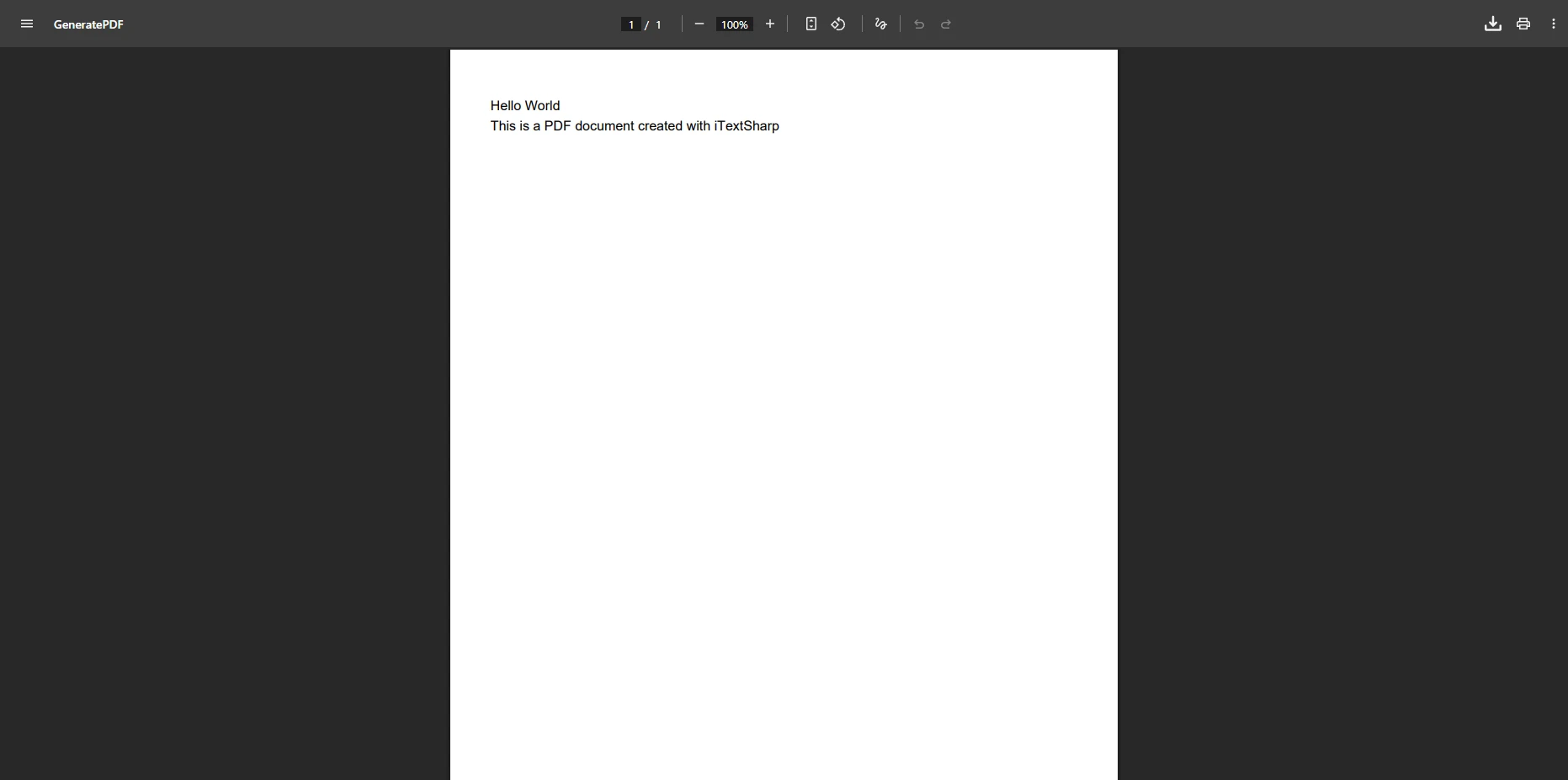
var pdf = renderer.RenderHtmlAsPdf("<h1>Hello World</h1>");

// Export to a file or Stream
pdf.SaveAs("output.pdf");

// Advanced Example with HTML Assets
// Load external html assets: Images, CSS and JavaScript.
// An optional BasePath 'C:\site\assets\' is set as the file location to load assets from
var myAdvancedPdf = renderer.RenderHtmlAsPdf("<img src='icons/iron.png'>", @"C:\site\assets\");
myAdvancedPdf.SaveAs("html-with-assets.pdf");
using IronPdf;// Disable local disk access or cross-origin requestsInstallation.EnableWebSecurity = true;// Instantiate Renderervar renderer = new ChromePdfRenderer();// Create a PDF from a HTML string using C#var pdf = renderer.RenderHtmlAsPdf("<h1>Hello World</h1>");// Export to a file or Streampdf.SaveAs("output.pdf");// Advanced Example with HTML Assets// Load external html assets: Images, CSS and JavaScript.// An optional BasePath 'C:\site\assets\' is set as the file location to load assets fromvar myAdvancedPdf = renderer.RenderHtmlAsPdf("<img src='icons/iron.png'>", @"C:\site\assets\");myAdvancedPdf.SaveAs("html-with-assets.pdf");
PM >Install-Package IronPdf
Install-Package IronPdf
NARZĘDZIA PDF
IronPDF vs EvoPdf: Która biblioteka PDF .NET dostarcza lepszą wartość w 2026?
Kiedy budujesz nowoczesne aplikacje .NET wymagające funkcjonalności PDF, wybór odpowiedniej biblioteki może znacząco wpłynąć na szybkość rozwoju, wydajność aplikacji i długoterminowe koszty utrzymania. [IronPDF](https://ironpdf.com/) i EvoPdf reprezentują dwa różne podejścia do generowania i manipulacji PDF w ekosystemie .NET, z unikalnymi zaletami, które odpowiadają różnym scenariuszom rozwoju.
To porównanie bada obie biblioteki w kluczowych wymiarach, w tym dokładność renderowania, projektowanie API, kwestie wydajności, kompatybilność z platformami i całkowity koszt posiadania. Niezależnie od tego, czy budujesz system przetwarzania dokumentów o dużej objętości, podpisujesz dokumenty, czy po prostu konwertujesz raporty HTML na PDF, zrozumienie tych różnic pomoże Ci podjąć świadomą decyzję, która będzie zgodna z Twoimi wymaganiami technicznymi i ograniczeniami budżetowymi.
## Jak IronPDF i EvoPdf Wypadają w Porównaniu na Pierwszy Rzut Oka?
Zanim zagłębimy się w szczegółowe porównania, oto przegląd, jak te biblioteki wypadają w kluczowych kategoriach, które są najważniejsze dla deweloperów .NET:
<link rel="stylesheet" type="text/css" href="/front/css/product-comparison-table.css" />
<div class="product__comprehensive-comparison-table">
<div class="table-container">
<div class="table-number">Przegląd Porównania Produktów</div>
<div class="table-title">Porównanie IronPDF i EvoPdf dla Generowania PDF w .NET</div>
<table>
<thead>
<tr>
<th>Kategoria</th>
<th>Funkcja/Aspekt</th>
<th>IronPDF</th>
<th>EvoPdf</th>
<th>Kluczowa Zaleta</th>
</tr>
</thead>
<tbody>
<tr>
<td><strong>Podstawowa Architektura</strong></td>
<td>Filozofia Projektowania</td>
<td>Prostota na pierwszym miejscu, intuicyjne API</td>
<td>Szczegółowa kontrola nad ustawieniami konwersji</td>
<td>Zależy od preferencji zespołu</td>
</tr>
<tr>
<td></td>
<td>Złożoność API</td>
<td>Proste metody jak <code>RenderHtmlAsPdf()</code></td>
<td>Klasa konwertera z metodami jak <code>ConvertHtml()</code></td>
<td>Oba: Konwersja jednym wywołaniem</td>
</tr>
<tr>
<td><strong>Wsparcie Platformy</strong></td>
<td>Cross-Platform</td>
<td>Windows, Linux, macOS poprzez specyficzne dla platformy pakiety NuGet</td>
<td>EvoPdf Next: Windows, Linux, macOS poprzez pakiety NuGet na platformę; EvoPdf Classic: Windows, plus klient cross-platformowy, który wywołuje oddzielnie hostowany serwer EVO PDF</td>
<td>Oba: Lokalna renderowanie cross-platformowe (EvoPdf Next)</td>
</tr>
<tr>
<td></td>
<td>Wersje .NET</td>
<td>.NET 10, 9, 8, 7, 6, 5, Core 3.1+, Standard 2.0, Framework 4.6.2+</td>
<td>Next: .NET 10, 9, 8, 7, 6, Standard 2.0, Framework 4.6.2+; Classic: Framework 2.0+</td>
<td>Oba: Wsparcie nowoczesnych frameworków</td>
</tr>
<tr>
<td></td>
<td>Systemy Operacyjne</td>
<td>Windows, Linux, macOS, Docker, Azure, AWS</td>
<td>Windows, Linux, macOS, Docker, Azure (EvoPdf Next)</td>
<td>Oba: Wsparcie dla Docker i chmury</td>
</tr>
<tr>
<td><strong>HTML do PDF</strong></td>
<td>Silnik Renderowania</td>
<td>Chromium (CEF 109 w standardowym pakiecie; CEF 131 w IronPdf.UpdatedChrome)</td>
<td>Chromium 142 (EvoPdf Next); własny silnik EVO (EvoPdf Classic)</td>
<td>Oba: Oparte na Chromium</td>
</tr>
<tr>
<td></td>
<td>Wsparcie CSS3/HTML5</td>
<td>Zależy od dołączonej wersji Chromium: na Windows, 109 w standardowym pakiecie i 131 w IronPdf.UpdatedChrome (np. Tailwind CSS v4 wymaga Chrome 111 lub nowszego)</td>
<td>Next: flexbox, grid, ES2015+, czcionki webowe</td>
<td>Oba: Zależy od wersji silnika</td>
</tr>
<tr>
<td></td>
<td>Wykonanie JavaScript</td>
<td>Wsparcie JavaScript z opóźnieniem renderowania</td>
<td>Wsparcie JavaScript z opóźnieniem konwersji</td>
<td>Oba: Dynamiczna zawartość</td>
</tr>
<tr>
<td><strong>Bezpieczeństwo i Szyfrowanie</strong></td>
<td>Poziomy Szyfrowania</td>
<td>RC4-128, AES-128, AES-256</td>
<td>RC4-40, RC4-128, AES-128, AES-256</td>
<td>Oba: Dostępne AES-256</td>
</tr>
<tr>
<td></td>
<td>Opcje Uprawnień</td>
<td>Szczegółowe kontrole uprawnień</td>
<td>Szczegółowe uprawnienia (drukowanie, kopiowanie, edycja, adnotacje, wypełnianie formularzy, montaż)</td>
<td>Oba: Szczegółowa kontrola</td>
</tr>
<tr>
<td></td>
<td>Podpisy Cyfrowe</td>
<td>Zintegrowane, wizualne podpisy</td>
<td>Widoczne podpisy z obsługą obrazu i znacznika czasu</td>
<td>Oba: Wizualne podpisy</td>
</tr>
<tr>
<td><strong>Manipulacja Treścią</strong></td>
<td>Metoda Redakcji</td>
<td>Prawdziwe usuwanie treści, API w jednej linii</td>
<td>Brak udokumentowanej funkcji redakcji</td>
<td>IronPDF: Wbudowana redakcja</td>
</tr>
<tr>
<td></td>
<td>Znakowanie</td>
<td>Oparte na HTML/CSS, pełne stylizowanie</td>
<td>Szablony HTML dla znaków wodnych i pieczęci</td>
<td>Oba: Oparte na HTML</td>
</tr>
<tr>
<td></td>
<td>Stemplowanie</td>
<td>Zunifikowane klasy stemplujące</td>
<td>Stemple HTML poprzez szablony</td>
<td>IronPDF: Dedykowane klasy stemplujące</td>
</tr>
<tr>
<td><strong>Konwersje Plików</strong></td>
<td>DOCX do PDF</td>
<td>Wbudowany <code>DocxToPdfRenderer</code></td>
<td>Dołączony w EVO PDF Toolkit (z `$evopdf.toolkit_deployment`), nie w licencji HTML do PDF</td>
<td>IronPDF: Dołączony w podstawowej licencji</td>
</tr>
<tr>
<td><strong>Doświadczenie Dewelopera</strong></td>
<td>Przykłady Kodów</td>
<td>100+ gotowych do uruchomienia przykładów</td>
<td>Przykłady kodu na GitHub, demo online</td>
<td>IronPDF: Obszerne zasoby</td>
</tr>
<tr>
<td></td>
<td>Dokumentacja</td>
<td>Samouczki, jak-to-zrobić, filmy, odniesienia API</td>
<td>Dokumentacja, odniesienia API, FAQ wsparcia</td>
<td>IronPDF: Wiele ścieżek nauki</td>
</tr>
<tr>
<td><strong>Wydajność</strong></td>
<td>Współbieżność</td>
<td>Asynchroniczne metody renderowania</td>
<td>Asynchroniczne metody (EvoPdf Next); trwały renderer dla równoległych konwersji</td>
<td>Oba: Współbieżne obciążenia</td>
</tr>
<tr>
<td><strong>Licencjonowanie i Ceny</strong></td>
<td>Poziom Wejściowy</td>
<td>Lite: `$liteLicense` (1 deweloper, 1 projekt)</td>
<td>Deployment: `$evopdf.deployment` (1 aplikacja na 1 serwerze, nieograniczeni deweloperzy, brak redystrybucji)</td>
<td>EvoPdf: Niższy początkowy koszt</td>
</tr>
<tr>
<td></td>
<td>Licencja Zespołowa</td>
<td>Plus: `$plusLicense` (3 deweloperów, 3 projekty)</td>
<td>Żaden poziom nie liczy deweloperów; Company: `$evopdf.company` (nieograniczone aplikacje i serwery)</td>
<td>EvoPdf: Cena nie zależy od wielkości zespołu</td>
</tr>
<tr>
<td></td>
<td>Redystrybucja</td>
<td>+`$oemRedistribution` bez opłat licencyjnych (OEM/SaaS); publiczne API, które eksponuje IronPDF, wymaga licencji SDK</td>
<td>Tylko licencja Company; nie jako samodzielna usługa konwersji lub SDK</td>
<td>EvoPdf: Dołączone w licencji Company</td>
</tr>
<tr>
<td></td>
<td>Opcja Suite</td>
<td>Iron Suite Lite: `$suitePrice` (10 produktów; 1 deweloper, 1 lokalizacja, 1 projekt)</td>
<td>EVO PDF Toolkit Company: `$evopdf.toolkit`</td>
<td>Różny zakres: Iron Suite dodaje OCR, narzędzia do kodów kreskowych i Office</td>
</tr>
<tr>
<td><strong>Wsparcie</strong></td>
<td>Wsparcie Wliczone</td>
<td>Tak: 24/5 czat na żywo; 24/7 wsparcie z Premium Support (wliczone podczas okresu próbnego)</td>
<td>Tak, pierwszy rok (standardowe lub priorytetowe, w zależności od licencji)</td>
<td>Oba: Wsparcie wliczone</td>
</tr>
<tr>
<td><strong>Najlepsze Dla</strong></td>
<td>Przypadki Użycia</td>
<td>Nowoczesne aplikacje webowe, złożone PDF-y, redakcja</td>
<td>HTML, Word i Excel do PDF z licencjonowaniem na poziomie firmy</td>
<td>Zależne od kontekstu</td>
</tr>
</tbody>
</table>
<div class="table-note">
<em>Uwaga.</em> EvoPdf oferuje konkurencyjne ceny dla dużych zespołów. IronPDF zawiera wbudowaną redakcję i konwersję DOCX do PDF w swojej podstawowej licencji.
</div>
</div>
</div>
## Zrozumienie IronPDF i EvoPdf: Główne Mocne Strony i Filozofia
### Co Wyróżnia IronPDF na Rynku Bibliotek PDF dla .NET?
[IronPDF](https://ironpdf.com) to biblioteka PDF dla .NET zaprojektowana z myślą o produktywności dewelopera. Zbudowana na fundamencie prostoty bez poświęcania mocy, IronPDF umożliwia deweloperom .NET tworzenie, edytowanie i manipulowanie dokumentami PDF za pomocą intuicyjnych API, które odzwierciedlają znane wzorce rozwoju webowego. Wyróżniającą cechą biblioteki jest jej silnik renderowania oparty na Chromium, który uruchamia JavaScript i ładuje czcionki webowe; jak wiele nowoczesnego CSS obsługuje, zależy od wersji Chromium, którą dostarczasz. Standardowy pakiet `IronPdf` zawiera Chromium 109 dla zgodności ze starszymi serwerami Windows; pakiet [IronPdf.UpdatedChrome](/troubleshooting/updated-chrome-rendering/) dla Windows zawiera Chromium 131 i poprawnie obsługuje nowsze funkcje CSS, takie jak `subgrid`, ale nie obsługuje procesów 32-bitowych, Windows Server 2012 ani trybu `SingleProcess`, więc oba pakiety nie są wymienne na każdym celu.
Biblioteka jest skierowana do aplikacji, które renderują dokumenty HTML, manipulują istniejącymi PDF-ami i chronią dokumenty za pomocą szyfrowania, podpisów i redakcji. Jej rozbudowany [zestaw funkcji](/features/) obejmuje nie tylko podstawowe generowanie PDF, ale także zaawansowane możliwości, takie jak podpisy cyfrowe, wypełnianie formularzy, integracja OCR przez [IronOCR](https://ironsoftware.com/csharp/ocr/) i konwersje formatów dokumentów, takie jak DOCX do PDF. Kompatybilność cross-platformowa IronPDF wykracza poza prostą obsługę frameworków, działając na Windows, Linux, macOS, kontenerach Docker i platformach chmurowych, takich jak Azure i AWS.
### Jak EvoPdf Podchodzi do Generowania PDF Inaczej?
EvoPdf koncentruje się na konwersji HTML do PDF z naciskiem na dostosowanie i kontrolę. Biblioteka zapewnia deweloperom szczegółową kontrolę nad procesem konwersji, umożliwiając precyzyjne dostosowanie parametrów renderowania, układów stron i ustawień konwersji. EvoPdf jest dostępny w dwóch edycjach: EvoPdf Next, który używa silnika renderowania opartego na Chromium (Chromium 142, według EVO PDF) i działa na Windows, Linux i macOS, oraz EvoPdf Classic, który używa własnego silnika renderowania EVO i działa na Windows. EVO PDF Toolkit dodaje konwersję Word, Excel, RTF i Markdown do PDF oraz komponenty przetwarzania PDF.
Zaletą EvoPdf jest jego licencjonowanie: żaden poziom licencji nie liczy deweloperów, a licencja Company obejmuje nieograniczone aplikacje i serwery oraz obejmuje redystrybucję wewnątrz własnych aplikacji. Dla obciążeń serwerowych o dużej objętości, EvoPdf Next dokumentuje tryb trwałego renderera, który utrzymuje silnik renderowania działający między konwersjami. Biblioteka obsługuje również scenariusze ASP.NET, takie jak konwersja stron wymagających plików cookie uwierzytelniających.
## Jak Wypadają Możliwości Cross-Platformowe Między Bibliotekami?
### Nowoczesna Architektura Cross-Platformowa IronPDF
IronPDF działa na kilku wersjach .NET, systemach operacyjnych i platformach chmurowych:
* **Wsparcie Wersji .NET:**
* .NET 10, 9, 8, 7, 6, 5 i Core 3.1+
* .NET Standard 2.0+
* .NET Framework 4.6.2+
* Pełne wsparcie dla C#, VB.NET i F#
* **Kompatybilność z Systemami Operacyjnymi:**
* Windows (x64; x86 tylko z pakietem standardowym, ponieważ IronPdf.UpdatedChrome nie obsługuje procesów 32-bitowych)
* Linux (Ubuntu, Debian, CentOS; Alpine przez kontener IronPdfEngine)
* macOS (Intel i Apple Silicon)
* Kontenery Docker z prekonfigurowanymi obrazami
* **Integracja z Platformami Chmurowymi:**
* Azure App Service, Functions i VMs
* AWS Lambda i EC2
* Wdrożenia Kubernetes
IronPDF dostarcza swoje binaria Chromium w specyficznych dla platformy pakietach NuGet (`IronPdf` dla Windows, `IronPdf.Linux`, `IronPdf.MacOs` i `IronPdf.MacOs.ARM`). Na Linux, IronPDF próbuje automatycznie zainstalować brakujące zależności systemowe domyślnie; wymaga to praw sudo, a w przeciwnym razie zależności są instalowane ręcznie. To skraca kroki wdrożenia dla większości środowisk.
### Wsparcie Platformowe EvoPdf
EvoPdf obsługuje podobny zakres wersji .NET, z wsparciem platformowym zależnym od edycji:
* **Wsparcie Frameworku .NET:**
* EvoPdf Next: .NET 10, 9, 8, 7 i 6, .NET Standard 2.0, .NET Framework 4.6.2 do 4.8.1
* EvoPdf Classic: .NET 10 do 6, .NET Standard 2.0, .NET Framework 2.0 i nowsze
* **Rozważania Platformowe:**
* EvoPdf Next: Windows (x64, ARM64), Linux (x64, ARM64) i macOS (ARM64), z jednym pakietem NuGet na platformę
* EvoPdf Next działa w Azure App Service, Azure Functions i Docker; silnik renderowania jest hostowany w procesie aplikacji, bez potrzeby instalacji przeglądarki
* EvoPdf Classic: renderuje lokalnie tylko na Windows
* Klient EvoPdf Classic: działa na Windows, Linux i macOS i wysyła konwersje do oddzielnie zainstalowanego serwera EVO PDF (zainstalowanego jako usługa chmurowa Azure, aplikacja IIS lub usługa Windows)
EvoPdf Next zapewnia natywne lokalne renderowanie na Windows, Linux i macOS. Aplikacja zbudowana na EvoPdf Classic, która musi działać na Linux lub macOS, może albo przejść na EvoPdf Next, dla którego EVO PDF publikuje przewodnik migracji z Classic do Next, albo utrzymać renderowanie Classic na oddzielnym serwerze EVO PDF i wywoływać go przez bibliotekę klienta.
## Która Biblioteka Oferuje Lepszą Funkcjonalność PDF dla Typowych Zadań?
Każdy przykład kodu w tym artykule to kompletny program konsolowy .NET 8: utwórz projekt za pomocą `dotnet new console`, dodaj pakiet NuGet nazwany w pierwszym komentarzu przykładu i zastąp `Program.cs` przykładem. Przykłady deklarują własne dyrektywy `using`, więc kompilują się z lub bez domyślnych użyć. Zostały skompilowane i uruchomione z IronPdf 2026.9.2, EvoPdf.HtmlToPdf 14.0.2 i EvoPdf.PdfSecurity 14.0.2. IronPDF potrzebuje klucza licencyjnego, takiego jak darmowy klucz próbny, ustawionego przez `IronPdf.License.LicenseKey` lub wpis `IronPdf.LicenseKey` w `appsettings.json`. EvoPdf działa bez klucza i dodaje znak wodny oceny do wyjścia.
### Konwersja HTML do PDF: Jakość Renderowania i Wydajność
Najbardziej podstawową funkcją obu bibliotek jest konwersja HTML do PDF, a ich API przyjmują różne podejścia.
#### Przykład HTML do PDF w IronPDF
```csharp
// NuGet: Install-Package IronPdf
using IronPdf;
using IronPdf.Engines.Chrome;
using IronPdf.Rendering;

var renderer = new ChromePdfRenderer
{
    RenderingOptions = new ChromePdfRenderOptions
    {
        EnableJavaScript = true,

        // Page margins in millimetres
        MarginTop = 20,
        MarginBottom = 20,
        MarginLeft = 15,
        MarginRight = 15,

        CssMediaType = PdfCssMediaType.Print,
        ViewPortWidth = 1920,
        FitToPaperMode = FitToPaperModes.Automatic
    }
};

// Render only after the page calls window.ironpdf.notifyRender(), or after 10 seconds at most
renderer.RenderingOptions.WaitFor.JavaScript(10000);

// The page loads Chart.js and a Google Font from their CDNs, so the renderer needs network access
var htmlContent = @"
<!DOCTYPE html>
<html>
<head>
    <link href='https://fonts.googleapis.com/css2?family=Roboto:wght@300;400;700&display=swap' rel='stylesheet'>
    <style>
        body { font-family: 'Roboto', sans-serif; }
        .chart-container { width: 100%; height: 400px; }
        @media print {
            .no-print { display: none; }
        }
    </style>
    <script src='https://cdn.jsdelivr.net/npm/chart.js@4.4.1/dist/chart.umd.min.js'></script>
</head>
<body>
    <h1>Dynamic Sales Report</h1>
    <div class='chart-container'>
        <canvas id='salesChart'></canvas>
    </div>
    <script>
        new Chart(document.getElementById('salesChart'), {
            type: 'line',
            data: {
                labels: ['Jan', 'Feb', 'Mar', 'Apr', 'May'],
                datasets: [{
                    label: 'Sales 2025',
                    data: [65, 78, 90, 81, 96],
                    borderColor: 'rgb(75, 192, 192)',
                    tension: 0.4
                }]
            },
            // No animation, so the chart is fully drawn when the constructor returns
            options: { animation: false }
        });
        window.ironpdf.notifyRender();
    </script>
</body>
</html>";

using var pdf = renderer.RenderHtmlAsPdf(htmlContent);
pdf.SaveAs("sales-report.pdf");
```
Ten przykład IronPDF pokazuje:
* **Wykonanie JavaScript:** JavaScript strony (tutaj Chart.js) uruchamia się przed renderowaniem
* **Wyraźny Sygnał Renderowania:** `WaitFor.JavaScript()` czeka, aż strona wywoła `window.ironpdf.notifyRender()` zamiast zgadywać z ustalonym opóźnieniem
* **Czcionki Webowe:** Czcionki referencjonowane przez stronę są ładowane i osadzane
* **Zapytania Mediów Drukowanych:** `CssMediaType.Print` stosuje zasady `@media print` strony
#### Przykład HTML do PDF w EvoPdf
```csharp
// NuGet: Install-Package EvoPdf.HtmlToPdf (EvoPdf Classic, Windows)
using System.IO;
using EvoPdf;
HtmlToPdfConverter converter = new HtmlToPdfConverter();
// Production use needs a license key. Leave this line out to evaluate:
// the output then carries an evaluation watermark. An invalid key makes the conversion throw.
// converter.LicenseKey = "<your EvoPdf license key>";
converter.PdfDocumentOptions.PdfPageSize = PdfPageSize.A4;
converter.PdfDocumentOptions.PdfPageOrientation = PdfPageOrientation.Portrait;
// EvoPdf margins are in points (1/72 inch): 57 pt is about 20 mm, 43 pt about 15 mm,
// matching the IronPDF example above, whose margins are in millimetres
converter.PdfDocumentOptions.TopMargin = 57;
converter.PdfDocumentOptions.BottomMargin = 57;
converter.PdfDocumentOptions.LeftMargin = 43;
converter.PdfDocumentOptions.RightMargin = 43;
converter.JavaScriptEnabled = true;
converter.ConversionDelay = 2; // seconds
// For pages behind HTTP authentication, also set
// converter.AuthenticationOptions.Username and .Password
// Convert HTML string
string htmlString = @"
<html>
<head>
<style>
body { font-family: Arial, sans-serif; }
table { border-collapse: collapse; width: 100%; }
th, td { border: 1px solid #ddd; padding: 8px; }
</style>
</head>
<body>
<h1>Invoice</h1>
<table>
<tr>
<th>Item</th>
<th>Quantity</th>
<th>Price</th>
</tr>
<tr>
<td>Product A</td>
<td>5</td>
<td>$50.00</td>
</tr>
</table>
</body>
</html>";
// Perform conversion
byte[] pdfBytes = converter.ConvertHtml(htmlString, "");
// Save to file
File.WriteAllBytes("invoice.pdf", pdfBytes);
```
Konwerter EvoPdf podąża za wzorcem skonfiguruj-then-konwertuj: ustaw `PdfDocumentOptions`, a następnie wywołaj `ConvertHtml()` lub `ConvertUrl()`. Każdy przykład EvoPdf w tym artykule używa API EvoPdf Classic (`EvoPdf.HtmlToPdf` package), które renderuje na Windows. EvoPdf Next, edycja oparta na Chromium, to oddzielny zestaw pakietów NuGet z własnym API: na przykład jego klucz licencyjny jest ustawiany raz na proces na statycznej właściwości `Licensing.LicenseKey`. EVO dokumentuje wsparcie w Next dla flexbox, grid, JavaScript ES2015+ i czcionek webowych.
### Bezpieczeństwo PDF i Szyfrowanie: Ochrona Wrażliwych Dokumentów
Bezpieczeństwo jest kluczowe przy pracy z wrażliwymi dokumentami. Obie biblioteki oferują ochronę hasłem, kontrolę uprawnień i szyfrowanie.
#### Zaawansowana Implementacja Bezpieczeństwa w IronPDF
```csharp
// NuGet: Install-Package IronPdf
using System;
using IronPdf;
using IronPdf.Editing;
using IronPdf.Security;
using IronPdf.Signing;
using IronSoftware.Drawing;
using var pdf = PdfDocument.FromFile("confidential-report.pdf");
// Finish every content change before signing
pdf.ApplyWatermark("<h2 style='color:red; opacity:0.5;'>CONFIDENTIAL</h2>",
45, VerticalAlignment.Middle, HorizontalAlignment.Center);
// Descriptive document properties (these do not restrict access)
pdf.MetaData.Author = "Finance Team";
pdf.MetaData.Title = "Quarterly Report (Internal)";
pdf.MetaData.ModifiedDate = DateTime.UtcNow;
// Owner password: required to change the permissions below
pdf.SecuritySettings.OwnerPassword = "owner-password";
// User password: required to open the document
pdf.SecuritySettings.UserPassword = "user-password";
pdf.SecuritySettings.AllowUserCopyPasteContentForAccessibility = false;
pdf.SecuritySettings.AllowUserAnnotations = false;
pdf.SecuritySettings.AllowUserCopyPasteContent = false;
pdf.SecuritySettings.AllowUserFormData = true;
pdf.SecuritySettings.AllowUserEdits = PdfEditSecurity.NoEdit;
pdf.SecuritySettings.AllowUserPrinting = PdfPrintSecurity.PrintLowQuality;
pdf.SecuritySettings.EncryptionType = PdfEncryptionType.Aes_256;
// Visible digital signature: image file, page index, and position/size on the page
var signature = new PdfSignature("certificate.pfx", "cert-password")
{
SigningReason = "Document Approval",
SigningLocation = "Head Office",
SigningContact = "security@example.com",
SignatureImage = new PdfSignatureImage("signature.png", 0, new Rectangle(100, 100, 200, 50))
};
pdf.Sign(signature);
// The signature is applied when the file is saved
pdf.SaveAs("secured-document.pdf");
```
Funkcje bezpieczeństwa IronPDF pokazane tutaj:
* **Szczegółowe Uprawnienia:** Kontrola jakości drukowania, kopiowania, adnotacji, wypełniania formularzy i edycji
* **Widoczne Podpisy Cyfrowe:** Podpis z powodem, lokalizacją i obrazem podpisu
* **Właściwości Dokumentu:** Ustawienie autora, tytułu i dat (tylko opisowe)
* **Warstwowa Ochrona:** Połączenie znaku wodnego, szyfrowania i podpisu w jednym dokumencie
#### Konfiguracja Bezpieczeństwa w EvoPdf
```csharp
// NuGet: Install-Package EvoPdf.PdfSecurity
// (licensed with the EVO PDF Toolkit; not included in the standalone HTML to PDF license)
using EvoPdf.PdfSecurity;
PdfSecurityOptions securityOptions = new PdfSecurityOptions();
// Set basic security parameters
securityOptions.UserPassword = "user123";
securityOptions.OwnerPassword = "owner456";
securityOptions.EncryptionAlgorithm = EncryptionAlgorithm.AES;
securityOptions.KeySize = EncryptionKeySize.EncryptKey256Bit;
// Configure permissions
securityOptions.CanPrint = true;
securityOptions.CanCopyContent = false;
securityOptions.CanEditContent = false;
securityOptions.CanEditAnnotations = false;
securityOptions.CanFillFormFields = true;
securityOptions.CanAssembleDocument = false;
// Apply security to existing PDF
PdfSecurityManager securityManager = new PdfSecurityManager(securityOptions);
securityManager.SaveSecuredPdfToFile("input.pdf", "secured-output.pdf");
```
EvoPdf obejmuje te same podstawowe kontrole: hasła użytkownika i właściciela, szyfrowanie i uprawnienia do drukowania, kopiowania, edycji, adnotacji, wypełniania formularzy i montażu dokumentów. EVO dokumentuje algorytm (RC4 lub AES) i rozmiar klucza (40, 128 lub 256 bitów) jako oddzielne ustawienia; w naszych testach z wersją 14.0.2, RC4 z kluczami 40 lub 128-bitowymi i AES z kluczami 128 lub 256-bitowymi produkowały oczekiwane szyfrowanie, więc używaj AES-128 lub AES-256; RC4 to algorytm legacy. Z samodzielną licencją HTML do PDF, własne `PdfSecurityOptions` konwertera stosują tę samą ochronę podczas generowania PDF, bez oddzielnego komponentu PDF Security.
### Redakcja Treści: Usuwanie Wrażliwych Informacji
Trwałe usuwanie wrażliwego tekstu przed udostępnieniem dokumentu jest powszechnym wymaganiem w aplikacjach obsługujących dane osobowe. Redakcja jest jednym z elementów budulcowych dla tej pracy; sama w sobie nie czyni aplikacji zgodną z regulacjami takimi jak GDPR, HIPAA czy CCPA.
#### Przykład Redakcji w IronPDF
```csharp
// NuGet: Install-Package IronPdf
using IronPdf;
using IronSoftware.Drawing;
// This example expects a PDF with at least three pages
using var pdf = PdfDocument.FromFile("customer-records.pdf");
// 1. Redact a specific value on every page
pdf.RedactTextOnAllPages("123-45-6789");
// 2. Redact a word on specific pages (zero-based page indexes)
pdf.RedactTextOnPages(new[] { 0, 1, 2 }, "Confidential", CaseSensitive: false);
// 3. Redact a rectangular region on the first page
pdf.RedactRegionOnPage(0, new RectangleF(100, 200, 300, 50));
// 4. Replace a complete sensitive value with a label instead of drawing a black box
pdf.RedactTextOnAllPages("ACCT-0042-7781", DrawRectangles: false, ReplacementText: "[REDACTED]");
pdf.SaveAs("redacted-records.pdf");
```
Możliwości redakcji IronPDF obejmują:
* **Usuwanie Treści:** Dopasowany tekst jest usuwany z treści strony, więc nie można go już wyodrębnić, nie tylko zakryć
* **Opcje Dopasowania:** Dopasowanie z uwzględnieniem wielkości liter i całych słów
* **Wygląd Redakcji:** Rysowanie czarnych pól lub wstawianie tekstu zastępczego
* **Selektywna Redakcja:** Celowanie w konkretne strony lub obszary
Redakcja tekstu dopasowuje tekst w treści strony. Tekst wewnątrz obrazów, takich jak zeskanowana strona, nie jest dopasowywany; redakcja obszaru zakrywa stały obszar niezależnie od tego, co się w nim znajduje. EvoPdf nie dokumentuje funkcji redakcji.
### Obsługa Formularzy: Tworzenie Interaktywnych PDF-ów
Obie biblioteki obsługują formularze PDF, ale z różnymi podejściami do tworzenia i manipulacji.
#### Przykład Formularzy w IronPDF
```csharp
// NuGet: Install-Package IronPdf
using System;
using IronPdf;
// Create a new PDF with an HTML form
var html = @"
<html>
<body>
<h2>Employee Information Form</h2>
<form>
<label>Full Name:</label>
<input type='text' name='fullName' required />
<label>Email:</label>
<input type='email' name='email' required />
<label>Department:</label>
<select name='department'>
<option value=''>Select Department</option>
<option value='IT'>Information Technology</option>
<option value='HR'>Human Resources</option>
<option value='Sales'>Sales</option>
</select>
<label>Start Date:</label>
<input type='text' name='startDate' placeholder='YYYY-MM-DD' />
<label>
<input type='checkbox' name='agreement' />
I agree to the terms and conditions
</label>
<button type='submit'>Submit</button>
</form>
</body>
</html>";
var renderer = new ChromePdfRenderer
{
RenderingOptions = new ChromePdfRenderOptions
{
CreatePdfFormsFromHtml = true // Enable form field creation
}
};
using var pdf = renderer.RenderHtmlAsPdf(html);
// Programmatically fill form fields
pdf.Form.FindFormField("fullName").Value = "John Doe";
pdf.Form.FindFormField("email").Value = "john.doe@example.com";
// A dropdown takes one of its displayed choices, not the HTML option value ("IT")
pdf.Form.FindFormField("department").Value = "Information Technology";
pdf.Form.FindFormField("startDate").Value = DateTime.Now.ToString("yyyy-MM-dd");
// "Yes" is the checkbox's checked state
pdf.Form.FindFormField("agreement").Value = "Yes";
// Make specific fields read-only
pdf.Form.FindFormField("email").ReadOnly = true;
// Save as fillable form
pdf.SaveAs("fillable-form.pdf");
// Or flatten the form (convert to static content)
pdf.Flatten();
pdf.SaveAs("completed-form.pdf");
```
Funkcje obsługi formularzy w IronPDF:
* **Automatyczne Generowanie Formularzy:** Konwertuje formularze HTML na formularze PDF
* **Programowa Manipulacja:** Wypełnianie, odczytywanie i modyfikowanie pól formularzy za pomocą API
* **Typy Pól:** Pola tekstowe (w tym wejścia e-mail, numer i telefon) i obszary tekstowe stają się polami tekstowymi; pola wyboru, przyciski radiowe i rozwijane zachowują swój typ. Wejścia daty HTML nie są konwertowane na pola formularzy, dlatego data początkowa powyżej używa wejścia tekstowego.
* **Właściwości Pól:** Ustawianie wartości i flag tylko do odczytu
* **Spłaszczanie Formularzy:** Konwertowanie wypełnionych formularzy na statyczne PDF-y
### Rozważania Wydajnościowe
Charakterystyki wydajnościowe znacznie się różnią w zależności od złożoności dokumentu i przypadku użycia:
#### Pomiar Czasu Partii Dokumentów
```csharp
// NuGet: Install-Package IronPdf
using System;
using System.Diagnostics;
using System.Linq;
using System.Threading;
using System.Threading.Tasks;
using IronPdf;
// Timing harness for a batch of documents. Replace the generated HTML with your own templates.
const int documentCount = 100;
const int maxConcurrency = 4;
var htmlDocuments = Enumerable.Range(1, documentCount)
.Select(i => $"<html><body><h1>Invoice {i}</h1><p>Amount due: {i * 10} USD</p></body></html>")
.ToList();
var renderer = new ChromePdfRenderer
{
RenderingOptions = new ChromePdfRenderOptions
{
EnableJavaScript = false // static content only
}
};
// Cap how many renders run at once instead of starting every render immediately
using var gate = new SemaphoreSlim(maxConcurrency);
var stopwatch = Stopwatch.StartNew();
var tasks = htmlDocuments.Select(async (html, index) =>
{
await gate.WaitAsync();
try
{
using var pdf = await renderer.RenderHtmlAsPdfAsync(html);
pdf.SaveAs($"invoice-{index + 1}.pdf");
}
finally
{
gate.Release();
}
});
await Task.WhenAll(tasks);
stopwatch.Stop();
Console.WriteLine($"Documents: {documentCount}, at most {maxConcurrency} at a time");
Console.WriteLine($"Total elapsed: {stopwatch.ElapsedMilliseconds} ms");
// Elapsed time divided by the document count: an amortized figure, not the latency of one request
Console.WriteLine($"Amortized time per document: {stopwatch.ElapsedMilliseconds / (double)documentCount:F1} ms");
// Resident memory of this process only, sampled once at the end; the Chromium helper
// processes are not included, and this is not the peak
Console.WriteLine($"Working set of this process at end: {Process.GetCurrentProcess().WorkingSet64 / 1024 / 1024} MB");
```
Ten artykuł nie przedstawia porównawczego benchmarku: wyniki zależą od szablonów, sprzętu i wdrożenia, więc mierz własne. Udokumentowane dźwignie dla każdej biblioteki:
* **Wersja silnika IronPDF:** Dla wolnych renderów nowoczesnych, ciężkich JavaScriptowo lub głęboko zagnieżdżonych stron, w tym stron zbudowanych na Bootstrap lub Tailwind, IronPDF zaleca pakiet [IronPdf.UpdatedChrome](/troubleshooting/updatedchrome-rendering-performance/), który zawiera Chromium 131 zamiast Chromium 109 w standardowym pakiecie
* **Współbieżność IronPDF:** Asynchroniczne metody renderowania, takie jak `RenderHtmlAsPdfAsync`, z własnym limitem na to, ile renderów działa jednocześnie
* **Tryby renderowania EvoPdf Next:** `GlobalSettings.HtmlRendererMode` ustawiony na `PersistentProcess` (domyślnie) utrzymuje jeden proces silnika renderowania działający między konwersjami, a `ProcessPerConversion` uruchamia jeden na konwersję; konwersje mogą działać równolegle, każda z własnym konwerterem, a `GlobalSettings.MaxParallelConversions` ogranicza, ile działa jednocześnie
* **Asynchroniczne metody EvoPdf Next:** `ConvertHtmlAsync` i `ConvertUrlAsync` dla kodu async/await
## Jak Wypadają Modele Cenowe dla Różnych Wielkości Zespołów?
### Struktura Licencjonowania IronPDF
IronPDF oferuje różne opcje cenowe, w tym licencje Lite, Plus i Professional, z opcją redystrybucji bez opłat licencyjnych. Model licencjonowania jest zaprojektowany tak, aby skalować się z potrzebami zespołu i projektu (ceny na wrzesień 2026):
* **Licencja Lite: `$liteLicense`**
* 1 deweloper
* 1 lokalizacja
* 1 projekt
* Wsparcie e-mail
* Idealna dla: Indywidualnych deweloperów, małych projektów
* **Licencja Plus: `$plusLicenseOriginal`**
* 3 deweloperów
* 3 lokalizacje
* 3 projekty
* Wsparcie e-mail (SLA 48-godzinne) i czat na żywo
* Idealna dla: Małych zespołów, wielu projektów
* **Licencja Professional: `$professionalLicenseOriginal`**
* 10 deweloperów
* 10 lokalizacji
* 10 projektów
* Wsparcie e-mail (SLA 24-godzinne), czat na żywo, telefon i wsparcie z udostępnianiem ekranu
* Idealna dla: Średnich i dużych zespołów
* **Dodatkowe Opcje:**
* Redystrybucja bez opłat licencyjnych (OEM/SaaS): +`$oemRedistribution`, dla komercyjnego oprogramowania i SaaS, gdzie użytkownicy końcowi nie wywołują bezpośrednio API IronPDF
* Licencja SDK: wymagana, gdy produkt eksponuje funkcjonalność IronPDF innym deweloperom przez publiczne API
* Przedłużenia wsparcia i aktualizacji: 1, 3 lub 5 lat, wyceniane według poziomu licencji
* [Iron Suite](https://ironsoftware.com/suite/): wszystkie 10 produktów Iron Software, licencjonowane w tych samych poziomach; Iron Suite Lite (1 deweloper, 1 lokalizacja, 1 projekt) to `$suitePrice`
### Opcje Licencjonowania EvoPdf
EVO PDF Toolkit i samodzielny konwerter HTML do PDF oferują dwie licencje, Deployment i Company (ceny na wrzesień 2026; zweryfikuj aktualne ceny na evopdf.com/buy). Licencja HTML do PDF obejmuje zarówno konwertery Next, jak i Classic; inne komponenty, takie jak PDF Security, są dołączone tylko w Toolkit.
* **Licencja Deployment:**
* EVO HTML do PDF: `$evopdf.deployment`
* EVO PDF Toolkit: `$evopdf.toolkit_deployment`
* Jedna aplikacja wdrożona na jednym serwerze, używana przez własną firmę
* Nieograniczeni deweloperzy pracujący nad tą aplikacją
* Wdrożenia zrównoważone obciążeniem, konteneryzowane lub autoskalowane wymagają licencji Company
* Brak redystrybucji
* Standardowe wsparcie pierwszy rok
* **Licencja Company:**
* EVO HTML do PDF: `$evopdf.company`
* EVO PDF Toolkit: `$evopdf.toolkit`
* Nieograniczeni deweloperzy, aplikacje i serwery
* Redystrybucja do własnych klientów wewnątrz własnych aplikacji; umowa licencyjna nie pozwala na oferowanie funkcjonalności konwersji jako samodzielnej usługi, hostowanego API lub SDK bez pisemnej zgody EVO
* Priorytetowe wsparcie pierwszy rok
### Analiza Całkowitego Kosztu Posiadania
Każdy scenariusz poniżej określa swoje założenia wdrożeniowe, ponieważ obaj dostawcy wyceniają według zakresu, jak i wielkości zespołu:
#### Scenariusz 1: Dwóch Deweloperów, Jedna Aplikacja Wewnętrzna na Jednym Serwerze
* IronPDF Plus: `$plusLicense` (Lite obejmuje 1 dewelopera, więc zespół 2-osobowy potrzebuje Plus, który obejmuje do 3)
* EvoPdf Deployment: `$evopdf.deployment` (jedna aplikacja na jednym serwerze; deweloperzy nie są liczeni)
* Jeśli aplikacja działa na kilku serwerach, za load balancerem lub w autoskalowanych kontenerach, EvoPdf potrzebuje licencji Company (`$evopdf.company`)
* **Niższy koszt licencji:** EvoPdf
#### Scenariusz 2: Pięciu Deweloperów, Kilka Aplikacji Wewnętrznych
* IronPDF Professional: `$professionalLicenseOriginal` (do 10 deweloperów, 10 lokalizacji, 10 projektów; Plus obejmuje tylko 3 deweloperów)
* EvoPdf Company: `$evopdf.company` (więcej niż jedna aplikacja wymaga licencji Company)
* **Niższy koszt licencji:** EvoPdf
#### Scenariusz 3: Dziesięciu Deweloperów Potrzebujących Narzędzi PDF i Innych Dokumentów
* Iron Suite Professional: 10 deweloperów, 10 lokalizacji, 10 projektów, wszystkie 10 produktów Iron Software (zobacz [stronę licencjonowania Iron Suite](https://ironsoftware.com/suite/) dla aktualnej ceny)
* EVO PDF Toolkit Company: `$evopdf.toolkit` (nieograniczeni deweloperzy, aplikacje i serwery; skoncentrowane na PDF, bez narzędzi OCR czy kodów kreskowych)
* **Różny zakres:** EVO PDF Toolkit kosztuje mniej, jeśli potrzebujesz tylko narzędzi PDF. Iron Suite dodaje OCR, kody kreskowe, Excel, Word i inne biblioteki, których Toolkit nie zastępuje. Porównaj oba tylko przy dopasowanym zakresie dewelopera i wdrożenia.
#### Scenariusz 4: Komercyjny Produkt SaaS Generujący PDF-y dla Swoich Klientów
* IronPDF Professional + OEM redystrybucja: `$professionalLicenseOriginal` + `$oemRedistribution` (obejmuje SaaS, gdzie użytkownicy końcowi nie wywołują bezpośrednio API IronPDF)
* EvoPdf Company: `$evopdf.company` (zawiera redystrybucję; generowanie PDF musi być funkcją Twojego produktu, a nie usługą ogólnego przeznaczenia)
* **Niższy koszt licencji:** EvoPdf, pod warunkiem, że produkt nie udostępnia funkcji konwersji jako usługi lub publicznego API; obaj dostawcy licencjonują ten przypadek osobno
## Jak Nowoczesne Frameworki CSS Wpływają na Twój Wybór?
Często niedocenianym czynnikiem przy wyborze biblioteki PDF jest wsparcie dla nowoczesnych frameworków CSS. Z Bootstrap, Tailwind CSS i Foundation szeroko stosowanymi w rozwoju webowym, zdolność Twojej biblioteki do obsługi tych frameworków bezpośrednio wpływa na efektywność rozwoju i jakość wyników.
### IronPDF: Wsparcie dla Frameworków Zależy od Wersji Chromium
Silnik Chromium IronPDF renderuje frameworki CSS tak, jak to robi dołączona wersja Chromium, więc sprawdź wymagania przeglądarki frameworka w stosunku do pakietu, który dostarczasz:
* **Bootstrap 5:** Układy Flexbox i CSS Grid są obsługiwane
* **Tailwind CSS:** Tailwind CSS v4 wymaga Chrome 111 lub nowszego, co jest nowsze niż Chromium 109 w standardowym pakiecie Windows, więc na Windows układy v4 potrzebują [pakietu IronPdf.UpdatedChrome](/troubleshooting/updated-chrome-rendering/) (Chromium 131). Tailwind zaleca pozostanie na v3.4, gdzie starsze przeglądarki muszą być obsługiwane. Przetestuj własne szablony z pakietem, który wdrażasz.
* **Nowoczesne CSS3:** Transformacje i właściwości niestandardowe są obsługiwane
* **Wersja silnika ma znaczenie:** Niektóre nowsze CSS, takie jak `subgrid`, przypadki brzegowe `overflow: hidden` i niestandardowe wysokości linii, renderują się poprawnie tylko z IronPdf.UpdatedChrome, który IronPDF również zaleca, gdy strony Bootstrap lub Tailwind renderują się wolno. IronPdf.UpdatedChrome nie obsługuje procesów 32-bitowych, Windows Server 2012 ani trybu `SingleProcess`, więc potwierdź swoje cele wdrożeniowe przed zmianą.
**Przykład Kodowy: Komponent Osi Czasu Bootstrap**
```csharp
// NuGet: Install-Package IronPdf
using IronPdf;
var renderer = new ChromePdfRenderer();
string bootstrapTimeline = @"
<!DOCTYPE html>
<html>
<head>
<link href='https://cdn.jsdelivr.net/npm/bootstrap@5.3.0/dist/css/bootstrap.min.css' rel='stylesheet'>
<style>
.timeline { position: relative; padding: 20px 0; }
.timeline::before {
content: '';
position: absolute;
left: 50%;
width: 2px;
height: 100%;
background: #dee2e6;
}
.timeline-item { position: relative; margin: 20px 0; }
</style>
</head>
<body>
<div class='container py-5'>
<h2 class='text-center mb-5'>Project Timeline</h2>
<div class='timeline'>
<div class='timeline-item'>
<div class='row'>
<div class='col-md-6'>
<div class='card shadow-sm'>
<div class='card-body'>
<h5 class='card-title'>Phase 1: Planning</h5>
<p class='text-muted'>Q1 2025</p>
<p class='card-text'>Initial project scope and requirements gathering completed.</p>
<span class='badge bg-success'>Completed</span>
</div>
</div>
</div>
</div>
</div>
<!-- Additional timeline items... -->
</div>
</div>
</body>
</html>";
// The page loads Bootstrap from a CDN, so the renderer needs network access
using var pdf = renderer.RenderHtmlAsPdf(bootstrapTimeline);
pdf.SaveAs("project-timeline.pdf");
```
### EvoPdf: Chromium w Next, Własny Silnik EVO w Classic
Dwie edycje EvoPdf obsługują nowoczesne CSS w różny sposób:
* **EvoPdf Next:** Silnik oparty na Chromium (Chromium 142, według EVO PDF) z udokumentowanym wsparciem dla flexbox, grid, JavaScript ES2015+ i czcionek webowych
* **EvoPdf Classic:** Własny silnik renderujący EVO, który EVO opisuje jako wspierający CSS3, SVG, czcionki webowe i JavaScript; Nowa Edycja dodaje ECMAScript 6, WOFF 2, HTTP/2 i TLS 1.3
**Wpływ na Rozwój:** Jeśli Twoja aplikacja intensywnie korzysta z Bootstrap lub Tailwind i potrzebujesz PDF-ów, które odpowiadają Twojemu interfejsowi webowemu, przetestuj swoje rzeczywiste szablony z wersją próbną każdej biblioteki. Z silnikami opartymi na Chromium po obu stronach (IronPDF i EvoPdf Next), różnice są bardziej prawdopodobne z powodu wersji silnika i konfiguracji niż z powodu wsparcia dla frameworków.
Więcej na temat kompatybilności z frameworkami CSS znajdziesz w [Przewodniku po Bootstrap & Flexbox CSS](/troubleshooting/bootstrap-flex-css/).
## Które Opcje Dokumentacji i Wsparcia Lepiej Służą Deweloperom?
### Zasoby Deweloperskie IronPDF
IronPDF zapewnia dokumentację, czat na żywo 24/5, wsparcie inżynieryjne 24/7 z Premium Support, samouczki wideo i regularne aktualizacje. Ekosystem wsparcia obejmuje:
* **Jakość Dokumentacji:**
* [Referencja API](https://ironpdf.com/object-reference/api/)
* [Samouczki krok po kroku](https://ironpdf.com/tutorials/html-to-pdf/)
* [Ponad 100 przykładów kodu](https://ironpdf.com/examples/using-html-to-create-a-pdf/)
* Samouczki wideo na YouTube](https://www.youtube.com/@ironsoftware)
* Przewodniki migracji z innych bibliotek
* **Kanały Wsparcia:**
* Wsparcie inżynieryjne 24/7 z Premium Support, dostępne dla płatnych licencji; użytkownicy próbni otrzymują Premium Support podczas próby
* SLA odpowiedzi e-mail: 48 godzin (Plus), 24 godziny (Professional), 12 godzin (Unlimited)
* Czat na żywo na wszystkich poziomach licencji, 24/5
* Wsparcie telefoniczne dla licencji Professional i Unlimited
* Udostępnianie ekranu na licencjach Professional i Unlimited
* **Zasoby Edukacyjne:**
* [Przewodniki wprowadzające](https://ironpdf.com/docs/)
* Przewodniki optymalizacji wydajności
* Najlepsze praktyki bezpieczeństwa
* Przewodniki wdrażania w chmurze
### Struktura Wsparcia EvoPdf
EvoPdf zapewnia dokumentację i wsparcie poprzez:
* **Dokumentacja:**
* Dokumentacja referencyjna API
* Przykłady kodu dla typowych scenariuszy, plus przykłady kodu na GitHub
* Aplikacja demo online
* FAQ wsparcia obejmujące licencjonowanie, wdrażanie i konwersję
* **Opcje Wsparcia:**
* Wsparcie techniczne wliczone w pierwszy rok i darmowe podczas oceny
* Standardowe wsparcie (licencja wdrożeniowa) lub wsparcie priorytetowe (licencja firmowa)
* Odnowienia utrzymania dostępne po pierwszym roku
Główna różnica to szerokość treści edukacyjnych IronPDF (samouczki, przewodniki i filmy) obok czatu na żywo 24/5 i wsparcia 24/7 z Premium Support.
## Jakie Są Najlepsze Przypadki Użycia dla Każdej Biblioteki?
### Kiedy Wybrać IronPDF
IronPDF wyróżnia się w scenariuszach wymagających:
**1. Integracji z Nowoczesnymi Aplikacjami Webowymi**
* Platformy SaaS generujące dynamiczne raporty
* Strony e-commerce tworzące faktury z wykresami
* Pulpity nawigacyjne business intelligence eksportowane jako PDF
* Aplikacje używające React, Angular lub Vue.js
**2. Dokumentów z Wrażliwą Zawartością**
* Usuwanie danych osobowych z dokumentów przed ich udostępnieniem
* Szyfrowanie i ochrona hasłem generowanych raportów
* Podpisywanie dokumentów, aby późniejsze zmiany były wykrywalne
* Zarządzanie dokumentami prawnymi z redakcją
**3. Złożonego Przetwarzania Dokumentów**
* Konwersja dokumentów w wielu formatach (DOCX, HTML, obrazy)
* OCR dla zeskanowanych dokumentów przez IronOCR
* Przetwarzanie wsadowe z równoległym wykonaniem
* Dokumenty z podpisami cyfrowymi
**4. Wdrożenia Krzyżowe**
* Aplikacje konteneryzowane w Dockerze
* Wdrożenia w chmurze oparte na Linuksie
* Architektury mikroserwisów
* Funkcje bezserwerowe (AWS Lambda, Azure Functions)
**Przykład: Ochrona Wygenerowanego Raportu**
```csharp
// NuGet: Install-Package IronPdf
using System.Net;
using IronPdf;
using IronPdf.Security;
using IronPdf.Signing;
var patient = new PatientRecord("P-10442", "Jane <Q.> Doe & Family", "123-45-6789", "open-sesame");
// HTML-encode text values, so characters such as & and < print as text instead of changing the markup
var html = $@"
<html>
<body>
<h1>Patient Summary</h1>
<p>Patient ID: {WebUtility.HtmlEncode(patient.PatientId)}</p>
<p>Name: {WebUtility.HtmlEncode(patient.Name)}</p>
<p>SSN: {WebUtility.HtmlEncode(patient.Ssn)}</p>
</body>
</html>";
var renderer = new ChromePdfRenderer();
using var pdf = renderer.RenderHtmlAsPdf(html);
// Remove the SSN from the page content wherever it appears
pdf.RedactTextOnAllPages(patient.Ssn);
// Descriptive document properties
pdf.MetaData.Author = "Records System";
pdf.MetaData.Title = $"Patient Summary {patient.PatientId}";
// Require a password to open the file, restrict copying, and encrypt with AES-256
pdf.SecuritySettings.UserPassword = patient.AccessCode;
pdf.SecuritySettings.OwnerPassword = "records-owner-password";
pdf.SecuritySettings.AllowUserCopyPasteContent = false;
pdf.SecuritySettings.AllowUserPrinting = PdfPrintSecurity.FullPrintRights;
pdf.SecuritySettings.EncryptionType = PdfEncryptionType.Aes_256;
// Sign last, so changes made to the file after signing can be detected
pdf.Sign(new PdfSignature("records-cert.pfx", "password")
{
SigningReason = "Record export",
SigningLocation = "Records Department"
});
pdf.SaveAs("patient-summary.pdf");
record PatientRecord(string PatientId, string Name, string Ssn, string AccessCode);
```
To są elementy budulcowe przetwarzania dokumentów. Czy aplikacja spełnia regulacje takie jak HIPAA, zależy również od tego, jak przechowuje, przesyła i kontroluje dostęp do danych, czego żadne ustawienie PDF nie ustala samo w sobie.
### Kiedy Wybrać EvoPdf
EvoPdf jest dobrze dostosowany do:
**1. Konwersji HTML do PDF**
* Raporty budowane z szablonów HTML
* Nowoczesny HTML, CSS i JavaScript z EvoPdf Next opartym na Chromium
* Faktury i paragony
* Masowe generowanie dokumentów z jednolitymi szablonami
**2. Zespołów Świadomych Budżetu**
* Nieograniczona liczba deweloperów na jednej licencji
* Niższy koszt wejścia (`$evopdf.deployment` licencja wdrożeniowa)
* Projekty, które nie potrzebują wbudowanej redakcji
**3. Specyficznych Środowisk Serwerowych**
* Aplikacje oparte na starszych wersjach .NET Framework (EvoPdf Classic obsługuje .NET Framework 2.0 i nowsze)
* Licencjonowanie na serwer dla jednej aplikacji
* Integracja z systemami legacy
**4. Wysokiej Wydajności Konwersji**
* Generowanie statycznych raportów
* Systemy dokumentacyjne
* Tworzenie dokumentów gotowych do druku
**Przykład z Rzeczywistego Świata: System Generowania Faktur**
```csharp
// NuGet: Install-Package EvoPdf.HtmlToPdf (EvoPdf Classic, Windows)
using System;
using System.Globalization;
using System.IO;
using System.Net;
using EvoPdf;
var invoice = new InvoiceData("INV-2026-0042", new DateTime(2026, 9, 1), "Smith & Sons <Ltd>", 1250.00m);
var converter = new HtmlToPdfConverter
{
// LicenseKey = "<your EvoPdf license key>",
JavaScriptEnabled = false, // not needed for static invoices
ConversionDelay = 0
};
converter.PdfDocumentOptions.PdfPageSize = PdfPageSize.A4;
converter.PdfDocumentOptions.TopMargin = 30; // points
converter.PdfDocumentOptions.BottomMargin = 30; // points
string template =
"<html><body><h1>Invoice {{InvoiceNumber}}</h1>" +
"<p>Date: {{Date}}</p><p>Customer: {{CustomerName}}</p><p>Total: {{Total}}</p></body></html>";
// HTML-encode text values, so characters such as & and < print as text instead of changing the markup
string html = template
.Replace("{{InvoiceNumber}}", WebUtility.HtmlEncode(invoice.InvoiceNumber))
.Replace("{{Date}}", invoice.Date.ToString("yyyy-MM-dd"))
.Replace("{{CustomerName}}", WebUtility.HtmlEncode(invoice.CustomerName))
.Replace("{{Total}}", invoice.Total.ToString("C", CultureInfo.GetCultureInfo("en-US")));
File.WriteAllBytes($"invoice-{invoice.InvoiceNumber}.pdf", converter.ConvertHtml(html, ""));
record InvoiceData(string InvoiceNumber, DateTime Date, string CustomerName, decimal Total);
```
## Zaawansowane Wzorce Implementacji i Najlepsze Praktyki
### Optymalizacja Wydajności w Produkcji
Obie biblioteki korzystają z odpowiedniej konfiguracji i wzorców użytkowania:
#### Optymalizacja Wydajności IronPDF
```csharp
// NuGet: Install-Package IronPdf
using System;
using System.IO;
using System.Linq;
using System.Threading;
using System.Threading.Tasks;
using IronPdf;
using IronPdf.Engines.Chrome;
using IronPdf.Rendering;
// Global engine settings: set once at startup, before the first render
Installation.ChromeGpuMode = ChromeGpuModes.Disabled; // servers usually have no GPU
// Set to false only if the Linux dependencies are already installed in your image
Installation.LinuxAndDockerDependenciesAutoConfig = false;
var service = new PdfService(maxConcurrency: 4);
var pages = Enumerable.Range(1, 8).Select(i => $"<h1>Report {i}</h1>");
byte[][] results = await Task.WhenAll(pages.Select(service.GeneratePdfAsync));
for (int i = 0; i < results.Length; i++)
File.WriteAllBytes($"report-{i + 1}.pdf", results[i]);
Console.WriteLine($"Generated {results.Length} PDFs");
public class PdfService
{
private readonly ChromePdfRenderer _renderer;
private readonly SemaphoreSlim _gate;
public PdfService(int maxConcurrency)
{
// Caps how many renders run at once
_gate = new SemaphoreSlim(maxConcurrency);
_renderer = new ChromePdfRenderer
{
RenderingOptions = new ChromePdfRenderOptions
{
EnableJavaScript = false, // only if the pages need no JavaScript
CssMediaType = PdfCssMediaType.Screen,
Timeout = 30 // seconds
}
};
}
public async Task<byte[]> GeneratePdfAsync(string html)
{
await _gate.WaitAsync();
try
{
using var pdf = await _renderer.RenderHtmlAsPdfAsync(html);
return pdf.BinaryData;
}
finally
{
_gate.Release();
}
}
}
```
#### Wzorce Wydajności EvoPdf
```csharp
// NuGet: Install-Package EvoPdf.HtmlToPdf (EvoPdf Classic, Windows)
using System;
using System.IO;
using System.Linq;
using System.Threading;
using System.Threading.Tasks;
using EvoPdf;
var service = new EvoPdfService(maxConcurrency: 4);
var pages = Enumerable.Range(1, 8).Select(i => $"<h1>Report {i}</h1>");
byte[][] results = await Task.WhenAll(pages.Select(service.GeneratePdfAsync));
for (int i = 0; i < results.Length; i++)
File.WriteAllBytes($"evopdf-report-{i + 1}.pdf", results[i]);
Console.WriteLine($"Generated {results.Length} PDFs");
public class EvoPdfService
{
private readonly SemaphoreSlim _gate;
// Caps how many conversions run at once
public EvoPdfService(int maxConcurrency) => _gate = new SemaphoreSlim(maxConcurrency);
public async Task<byte[]> GeneratePdfAsync(string html)
{
await _gate.WaitAsync();
try
{
// A new converter for each conversion, as EVO documents for parallel conversions
var converter = new HtmlToPdfConverter
{
// LicenseKey = "<your EvoPdf license key>",
JavaScriptEnabled = false,
ConversionDelay = 0
};
// The Classic API is synchronous, so run it on a thread-pool thread
return await Task.Run(() => converter.ConvertHtml(html, ""));
}
finally
{
_gate.Release();
}
}
}
```
Semafor to, co ogranicza współbieżność w obu przykładach. W EvoPdf Next, `GlobalSettings.MaxParallelConversions` ustawia ten sam rodzaj limitu wewnątrz biblioteki, a trwały renderer utrzymuje proces silnika renderującego działający między konwersjami.
### Obsługa Błędów i Debugowanie
Kod produkcyjny musi obsługiwać awarie renderowania, takie jak strona, która nie może zostać załadowana:
#### Obsługa Błędów IronPDF
```csharp
// NuGet: Install-Package IronPdf
using System;
using System.IO;
using System.Threading.Tasks;
using IronPdf;
using IronPdf.Exceptions;
// Write IronPDF's own diagnostics to a log file
IronPdf.Logging.Logger.LogFilePath = "ironpdf.log";
IronPdf.Logging.Logger.LoggingMode = IronPdf.Logging.Logger.LoggingModes.All;
var renderer = new ChromePdfRenderer();
renderer.RenderingOptions.Timeout = 60; // seconds
byte[] page = await TryRenderUrlAsync(renderer, "https://example.com/");
if (page != null)
{
File.WriteAllBytes("example.pdf", page);
Console.WriteLine($"Rendered {page.Length} bytes");
}
// A host that does not resolve makes the render throw, which exercises the error path
byte[] missing = await TryRenderUrlAsync(renderer, "https://nonexistent.invalid/");
Console.WriteLine(missing == null ? "Second render failed and was handled" : "Second render succeeded");
// Returns the PDF bytes, or null if the page could not be rendered
static async Task<byte[]> TryRenderUrlAsync(ChromePdfRenderer renderer, string url)
{
try
{
using var pdf = await renderer.RenderUrlAsPdfAsync(url);
if (pdf.PageCount == 0)
{
Console.Error.WriteLine($"No pages rendered for {url}");
return null;
}
return pdf.BinaryData;
}
catch (IronPdfNativeException ex)
{
// Raised by the rendering engine, for example when the page cannot be loaded
Console.Error.WriteLine($"Rendering failed for {url}: {ex.Message}");
return null;
}
}
```
## Przykłady Implementacji Specyficzne dla Branży
### Raporty Finansowe: Podpisane, Tylko do Odczytu Oświadczenia
Oświadczenie, które nie powinno się zmieniać po zatwierdzeniu, może łączyć znak wodny, ograniczone uprawnienia i podpis:
```csharp
// NuGet: Install-Package IronPdf
using System;
using IronPdf;
using IronPdf.Editing;
using IronPdf.Security;
using IronPdf.Signing;
using IronSoftware.Drawing;
var renderer = new ChromePdfRenderer();
using var pdf = renderer.RenderHtmlAsPdf(
"<h1>Quarterly Statement: Q3 2026</h1>" +
"<table><tr><td>Revenue</td><td>1,250,000</td></tr><tr><td>Expenses</td><td>980,000</td></tr></table>");
// Mark the document as a draft
pdf.ApplyWatermark(@"
<div style='color: rgba(0,0,0,0.1); font-size: 120px; transform: rotate(-45deg); font-family: Arial;'>
DRAFT
</div>", 30, VerticalAlignment.Middle, HorizontalAlignment.Center);
// Descriptive document properties: useful for search and filing, not a record of who changed what
pdf.MetaData.Author = "Financial Reporting System";
pdf.MetaData.Keywords = "Quarterly Statement, Q3 2026";
pdf.MetaData.CustomProperties.Add("ReportPeriod", "2026-Q3");
pdf.MetaData.CustomProperties.Add("GeneratedAt", DateTime.UtcNow.ToString("O"));
// Restrict editing; the owner password is needed to change these permissions
pdf.SecuritySettings.OwnerPassword = "finance-owner-password";
pdf.SecuritySettings.AllowUserEdits = PdfEditSecurity.NoEdit;
pdf.SecuritySettings.AllowUserCopyPasteContent = true;
pdf.SecuritySettings.AllowUserPrinting = PdfPrintSecurity.FullPrintRights;
pdf.SecuritySettings.EncryptionType = PdfEncryptionType.Aes_256;
// Sign last: readers can then detect changes made after signing
pdf.Sign(new PdfSignature("financial-cert.pfx", "password")
{
SigningReason = "Statement approval",
SigningLocation = "Finance Department",
// Visible signature image on the first page
SignatureImage = new PdfSignatureImage("cfo-signature.png", 0, new Rectangle(50, 50, 200, 60))
});
pdf.SaveAs("quarterly-statement.pdf");
```
Podpis sprawia, że późniejsze zmiany są wykrywalne, a uprawnienia zniechęcają do edycji; żadne z nich nie jest samo w sobie kontrolą zgodności ani śladem audytu, kto co zrobił.
### E-Commerce: Dynamiczne Generowanie Faktur
Platformy e-commerce potrzebują szybkiego, niezawodnego generowania faktur:
```csharp
// NuGet: Install-Package IronPdf
using System;
using System.Globalization;
using System.Linq;
using System.Net;
using IronPdf;
using IronPdf.Rendering;
var order = new Order("INV-1001", new DateTime(2026, 9, 1), new[]
{
new OrderItem("Widget <Deluxe> & Co. edition", 2, 19.99m),
new OrderItem("Gift wrap", 1, 4.50m)
});
var renderer = new ChromePdfRenderer
{
RenderingOptions = new ChromePdfRenderOptions
{
MarginTop = 10, // millimetres
MarginBottom = 10,
PaperSize = PdfPaperSize.A4
}
};
var usd = CultureInfo.GetCultureInfo("en-US");
// HTML-encode text values, so characters such as & and < print as text instead of changing the markup
string rows = string.Concat(order.Items.Select(item => $@"
<tr>
<td>{WebUtility.HtmlEncode(item.Name)}</td>
<td>{item.Quantity}</td>
<td>{item.Price.ToString("C", usd)}</td>
<td>{item.Total.ToString("C", usd)}</td>
</tr>"));
var html = $@"
<html>
<head>
<style>
body {{ font-family: Arial, sans-serif; }}
.invoice-header {{ background: #f0f0f0; padding: 20px; }}
table {{ width: 100%; border-collapse: collapse; }}
th, td {{ padding: 10px; border-bottom: 1px solid #ddd; text-align: left; }}
</style>
</head>
<body>
<div class='invoice-header'>
<h1>Invoice #{WebUtility.HtmlEncode(order.InvoiceNumber)}</h1>
<p>Date: {order.Date:yyyy-MM-dd}</p>
</div>
<table>
<tr><th>Item</th><th>Quantity</th><th>Price</th><th>Total</th></tr>
{rows}
<tr><td colspan='3'><strong>Total</strong></td><td><strong>{order.Total.ToString("C", usd)}</strong></td></tr>
</table>
<p>Thank you for your business!</p>
</body>
</html>";
using var pdf = await renderer.RenderHtmlAsPdfAsync(html);
pdf.SaveAs($"invoice-{order.InvoiceNumber}.pdf");
record OrderItem(string Name, int Quantity, decimal Price)
{
public decimal Total => Price * Quantity;
}
record Order(string InvoiceNumber, DateTime Date, OrderItem[] Items)
{
public decimal Total => Items.Sum(item => item.Total);
}
```
## Strategie Migracji: Przechodzenie Między Bibliotekami
Jeśli rozważasz przejście między bibliotekami, oto podejście do migracji:
### Migracja z EvoPdf do IronPDF
```csharp
// NuGet: Install-Package EvoPdf.HtmlToPdf (EvoPdf Classic, Windows)
// NuGet: Install-Package IronPdf
using System.IO;
using EvoPdf;
using IronPdf;
using IronPdf.Rendering;
string url = "https://example.com/";
// EvoPdf pattern
HtmlToPdfConverter evoPdfConverter = new HtmlToPdfConverter();
evoPdfConverter.PdfDocumentOptions.PdfPageSize = PdfPageSize.A4;
File.WriteAllBytes("evopdf.pdf", evoPdfConverter.ConvertUrl(url));
// Equivalent IronPDF pattern
var ironPdfRenderer = new ChromePdfRenderer
{
RenderingOptions = new ChromePdfRenderOptions
{
PaperSize = PdfPaperSize.A4
}
};
using (var pdf = ironPdfRenderer.RenderUrlAsPdf(url))
{
File.WriteAllBytes("ironpdf.pdf", pdf.BinaryData);
}
// During a gradual migration, both libraries can sit behind one interface
IPdfConverter converter = new IronPdfAdapter();
File.WriteAllBytes("adapter.pdf", converter.ConvertUrlToPdf(url));
public interface IPdfConverter
{
byte[] ConvertHtmlToPdf(string html);
byte[] ConvertUrlToPdf(string url);
}
public class IronPdfAdapter : IPdfConverter
{
private readonly ChromePdfRenderer _renderer = new ChromePdfRenderer();
public byte[] ConvertHtmlToPdf(string html)
{
using var pdf = _renderer.RenderHtmlAsPdf(html);
return pdf.BinaryData;
}
public byte[] ConvertUrlToPdf(string url)
{
using var pdf = _renderer.RenderUrlAsPdf(url);
return pdf.BinaryData;
}
}
public class EvoPdfAdapter : IPdfConverter
{
private readonly HtmlToPdfConverter _converter = new HtmlToPdfConverter();
public byte[] ConvertHtmlToPdf(string html)
{
return _converter.ConvertHtml(html, "");
}
public byte[] ConvertUrlToPdf(string url)
{
return _converter.ConvertUrl(url);
}
}
```
## Wniosek: Dokonanie Właściwego Wyboru dla Twojego Projektu
Zarówno [IronPDF](https://ironpdf.com), jak i EvoPdf pełnią ważne role w ekosystemie bibliotek PDF dla .NET, ale celują w różne przypadki użycia i filozofie rozwoju.
**Wybierz IronPDF, gdy potrzebujesz:**
* Wsparcia dla nowoczesnych standardów webowych (CSS3, JavaScript frameworks)
* Manipulacji PDF poza generowaniem, takich jak scalanie, formularze, redakcja i podpisywanie
* Funkcji bezpieczeństwa, takich jak szyfrowanie, podpisy i redakcja
* Elastyczności wdrożeń krzyżowych
* Rozbudowanej dokumentacji i bezpośredniego wsparcia inżynieryjnego
* Integracji z innymi narzędziami do przetwarzania dokumentów
**Wybierz EvoPdf, gdy potrzebujesz:**
* Konwersji HTML do PDF przy niższym koszcie licencji
* Licencjonowania na aplikację (Deployment) lub licencjonowania na całą firmę (Company), z redystrybucją w Twoich własnych aplikacjach wliczoną w licencję Company
* Licencji, które nie liczą deweloperów
* Wybór między silnikiem opartym na Chromium (EvoPdf Next) a silnikiem Windows, który obsługuje .NET Framework 2.0 i nowsze (EvoPdf Classic)
Decyzja ostatecznie zależy od Twoich specyficznych wymagań, ograniczeń budżetowych i potrzeb długoterminowej skalowalności. Dla nowoczesnych aplikacji, które potrzebują manipulacji PDF poza generowaniem, takich jak wbudowana redakcja i konwersja DOCX, zestaw funkcji i dokumentacja IronPDF czynią go silną inwestycją. EvoPdf jest również realną opcją, szczególnie dla zespołów, które cenią sobie jego licencjonowanie na całą firmę i wliczoną redystrybucję.
Rozważ rozpoczęcie od <a href="#trial-license" data-modal-id="trial-license" data-bs-toggle="modal" data-bs-target="#trial-license" class="js-modal-open fw-bold">30-dniowej darmowej wersji próbnej</a> IronPDF, aby ocenić jego możliwości w Twoim konkretnym przypadku użycia. Wersja próbna zapewnia dostęp do funkcji IronPDF, pozwalając na podjęcie świadomej decyzji na podstawie rzeczywistej wydajności w Twoim środowisku.
Pamiętaj, że prawdziwy koszt biblioteki PDF wykracza poza cenę licencji - uwzględnij czas rozwoju, koszty utrzymania i potencjalną potrzebę dodatkowych funkcji w miarę rozwoju aplikacji. Wybierz bibliotekę, która nie tylko spełnia Twoje obecne potrzeby, ale może skalować się z Twoimi przyszłymi wymaganiami.
[[i:(EvoPdf jest znakiem towarowym swojego właściciela. Ta strona nie jest powiązana, zatwierdzona ani sponsorowana przez EvoPdf. Wszystkie nazwy produktów, loga i marki są własnością ich właścicieli. Porównania mają charakter informacyjny i odzwierciedlają publicznie dostępne informacje w momencie pisania.)]]
Kiedy budujesz nowoczesne aplikacje .NET wymagające funkcjonalności PDF, wybór odpowiedniej biblioteki może znacząco wpłynąć na szybkość rozwoju, wydajność aplikacji i długoterminowe koszty utrzymania. IronPDF i EvoPdf reprezentują dwa różne podejścia do generowania i manipulacji PDF w ekosystemie .NET, z unikalnymi zaletami, które odpowiadają różnym scenariuszom rozwoju.
To porównanie bada obie biblioteki w kluczowych wymiarach, w tym dokładność renderowania, projektowanie API, kwestie wydajności, kompatybilność z platformami i całkowity koszt posiadania. Niezależnie od tego, czy budujesz system przetwarzania dokumentów o dużej objętości, podpisujesz dokumenty, czy po prostu konwertujesz raporty HTML na PDF, zrozumienie tych różnic pomoże Ci podjąć świadomą decyzję, która będzie zgodna z Twoimi wymaganiami technicznymi i ograniczeniami budżetowymi.
Jak IronPDF i EvoPdf Wypadają w Porównaniu na Pierwszy Rzut Oka?
Zanim zagłębimy się w szczegółowe porównania, oto przegląd, jak te biblioteki wypadają w kluczowych kategoriach, które są najważniejsze dla deweloperów .NET:
Przegląd Porównania Produktów
Porównanie IronPDF i EvoPdf dla Generowania PDF w .NET
Kategoria
Funkcja/Aspekt
IronPDF
EvoPdf
Kluczowa Zaleta
Podstawowa Architektura
Filozofia Projektowania
Prostota na pierwszym miejscu, intuicyjne API
Szczegółowa kontrola nad ustawieniami konwersji
Zależy od preferencji zespołu
Złożoność API
Proste metody jak RenderHtmlAsPdf()
Klasa konwertera z metodami jak ConvertHtml()
Oba: Konwersja jednym wywołaniem
Wsparcie Platformy
Cross-Platform
Windows, Linux, macOS poprzez specyficzne dla platformy pakiety NuGet
EvoPdf Next: Windows, Linux, macOS poprzez pakiety NuGet na platformę; EvoPdf Classic: Windows, plus klient cross-platformowy, który wywołuje oddzielnie hostowany serwer EVO PDF
Chromium (CEF 109 w standardowym pakiecie; CEF 131 w IronPdf.UpdatedChrome)
Chromium 142 (EvoPdf Next); własny silnik EVO (EvoPdf Classic)
Oba: Oparte na Chromium
Wsparcie CSS3/HTML5
Zależy od dołączonej wersji Chromium: na Windows, 109 w standardowym pakiecie i 131 w IronPdf.UpdatedChrome (np. Tailwind CSS v4 wymaga Chrome 111 lub nowszego)
Widoczne podpisy z obsługą obrazu i znacznika czasu
Oba: Wizualne podpisy
Manipulacja Treścią
Metoda Redakcji
Prawdziwe usuwanie treści, API w jednej linii
Brak udokumentowanej funkcji redakcji
IronPDF: Wbudowana redakcja
Znakowanie
Oparte na HTML/CSS, pełne stylizowanie
Szablony HTML dla znaków wodnych i pieczęci
Oba: Oparte na HTML
Stemplowanie
Zunifikowane klasy stemplujące
Stemple HTML poprzez szablony
IronPDF: Dedykowane klasy stemplujące
Konwersje Plików
DOCX do PDF
Wbudowany DocxToPdfRenderer
Dołączony w EVO PDF Toolkit (z $650), nie w licencji HTML do PDF
IronPDF: Dołączony w podstawowej licencji
Doświadczenie Dewelopera
Przykłady Kodów
100+ gotowych do uruchomienia przykładów
Przykłady kodu na GitHub, demo online
IronPDF: Obszerne zasoby
Dokumentacja
Samouczki, jak-to-zrobić, filmy, odniesienia API
Dokumentacja, odniesienia API, FAQ wsparcia
IronPDF: Wiele ścieżek nauki
Wydajność
Współbieżność
Asynchroniczne metody renderowania
Asynchroniczne metody (EvoPdf Next); trwały renderer dla równoległych konwersji
Oba: Współbieżne obciążenia
Licencjonowanie i Ceny
Poziom Wejściowy
Lite: $999 (1 deweloper, 1 projekt)
Deployment: $450 (1 aplikacja na 1 serwerze, nieograniczeni deweloperzy, brak redystrybucji)
EvoPdf: Niższy początkowy koszt
Licencja Zespołowa
Plus: $1,499 (3 deweloperów, 3 projekty)
Żaden poziom nie liczy deweloperów; Company: $1,200 (nieograniczone aplikacje i serwery)
EvoPdf: Cena nie zależy od wielkości zespołu
Redystrybucja
+$1,999 bez opłat licencyjnych (OEM/SaaS); publiczne API, które eksponuje IronPDF, wymaga licencji SDK
Tylko licencja Company; nie jako samodzielna usługa konwersji lub SDK
EvoPdf: Dołączone w licencji Company
Opcja Suite
Iron Suite Lite: $2,998 (10 produktów; 1 deweloper, 1 lokalizacja, 1 projekt)
EVO PDF Toolkit Company: $1,400
Różny zakres: Iron Suite dodaje OCR, narzędzia do kodów kreskowych i Office
Wsparcie
Wsparcie Wliczone
Tak: 24/5 czat na żywo; 24/7 wsparcie z Premium Support (wliczone podczas okresu próbnego)
Tak, pierwszy rok (standardowe lub priorytetowe, w zależności od licencji)
Oba: Wsparcie wliczone
Najlepsze Dla
Przypadki Użycia
Nowoczesne aplikacje webowe, złożone PDF-y, redakcja
HTML, Word i Excel do PDF z licencjonowaniem na poziomie firmy
Zależne od kontekstu
Uwaga. EvoPdf oferuje konkurencyjne ceny dla dużych zespołów. IronPDF zawiera wbudowaną redakcję i konwersję DOCX do PDF w swojej podstawowej licencji.
Zrozumienie IronPDF i EvoPdf: Główne Mocne Strony i Filozofia
Co Wyróżnia IronPDF na Rynku Bibliotek PDF dla .NET?
IronPDF to biblioteka PDF dla .NET zaprojektowana z myślą o produktywności dewelopera. Zbudowana na fundamencie prostoty bez poświęcania mocy, IronPDF umożliwia deweloperom .NET tworzenie, edytowanie i manipulowanie dokumentami PDF za pomocą intuicyjnych API, które odzwierciedlają znane wzorce rozwoju webowego. Wyróżniającą cechą biblioteki jest jej silnik renderowania oparty na Chromium, który uruchamia JavaScript i ładuje czcionki webowe; jak wiele nowoczesnego CSS obsługuje, zależy od wersji Chromium, którą dostarczasz. Standardowy pakiet IronPdf zawiera Chromium 109 dla zgodności ze starszymi serwerami Windows; pakiet IronPdf.UpdatedChrome dla Windows zawiera Chromium 131 i poprawnie obsługuje nowsze funkcje CSS, takie jak subgrid, ale nie obsługuje procesów 32-bitowych, Windows Server 2012 ani trybu SingleProcess, więc oba pakiety nie są wymienne na każdym celu.
Biblioteka jest skierowana do aplikacji, które renderują dokumenty HTML, manipulują istniejącymi PDF-ami i chronią dokumenty za pomocą szyfrowania, podpisów i redakcji. Jej rozbudowany zestaw funkcji obejmuje nie tylko podstawowe generowanie PDF, ale także zaawansowane możliwości, takie jak podpisy cyfrowe, wypełnianie formularzy, integracja OCR przez IronOCR i konwersje formatów dokumentów, takie jak DOCX do PDF. Kompatybilność cross-platformowa IronPDF wykracza poza prostą obsługę frameworków, działając na Windows, Linux, macOS, kontenerach Docker i platformach chmurowych, takich jak Azure i AWS.
Jak EvoPdf Podchodzi do Generowania PDF Inaczej?
EvoPdf koncentruje się na konwersji HTML do PDF z naciskiem na dostosowanie i kontrolę. Biblioteka zapewnia deweloperom szczegółową kontrolę nad procesem konwersji, umożliwiając precyzyjne dostosowanie parametrów renderowania, układów stron i ustawień konwersji. EvoPdf jest dostępny w dwóch edycjach: EvoPdf Next, który używa silnika renderowania opartego na Chromium (Chromium 142, według EVO PDF) i działa na Windows, Linux i macOS, oraz EvoPdf Classic, który używa własnego silnika renderowania EVO i działa na Windows. EVO PDF Toolkit dodaje konwersję Word, Excel, RTF i Markdown do PDF oraz komponenty przetwarzania PDF.
Zaletą EvoPdf jest jego licencjonowanie: żaden poziom licencji nie liczy deweloperów, a licencja Company obejmuje nieograniczone aplikacje i serwery oraz obejmuje redystrybucję wewnątrz własnych aplikacji. Dla obciążeń serwerowych o dużej objętości, EvoPdf Next dokumentuje tryb trwałego renderera, który utrzymuje silnik renderowania działający między konwersjami. Biblioteka obsługuje również scenariusze ASP.NET, takie jak konwersja stron wymagających plików cookie uwierzytelniających.
Jak Wypadają Możliwości Cross-Platformowe Między Bibliotekami?
Nowoczesna Architektura Cross-Platformowa IronPDF
IronPDF działa na kilku wersjach .NET, systemach operacyjnych i platformach chmurowych:
Wsparcie Wersji .NET:
.NET 10, 9, 8, 7, 6, 5 i Core 3.1+
.NET Standard 2.0+
.NET Framework 4.6.2+
Pełne wsparcie dla C#, VB.NET i F#
Kompatybilność z Systemami Operacyjnymi:
Windows (x64; x86 tylko z pakietem standardowym, ponieważ IronPdf.UpdatedChrome nie obsługuje procesów 32-bitowych)
Linux (Ubuntu, Debian, CentOS; Alpine przez kontener IronPdfEngine)
macOS (Intel i Apple Silicon)
Kontenery Docker z prekonfigurowanymi obrazami
Integracja z Platformami Chmurowymi:
Azure App Service, Functions i VMs
AWS Lambda i EC2
Wdrożenia Kubernetes
IronPDF dostarcza swoje binaria Chromium w specyficznych dla platformy pakietach NuGet (IronPdf dla Windows, IronPdf.Linux, IronPdf.MacOs i IronPdf.MacOs.ARM). Na Linux, IronPDF próbuje automatycznie zainstalować brakujące zależności systemowe domyślnie; wymaga to praw sudo, a w przeciwnym razie zależności są instalowane ręcznie. To skraca kroki wdrożenia dla większości środowisk.
Wsparcie Platformowe EvoPdf
EvoPdf obsługuje podobny zakres wersji .NET, z wsparciem platformowym zależnym od edycji:
Wsparcie Frameworku .NET:
EvoPdf Next: .NET 10, 9, 8, 7 i 6, .NET Standard 2.0, .NET Framework 4.6.2 do 4.8.1
EvoPdf Classic: .NET 10 do 6, .NET Standard 2.0, .NET Framework 2.0 i nowsze
Rozważania Platformowe:
EvoPdf Next: Windows (x64, ARM64), Linux (x64, ARM64) i macOS (ARM64), z jednym pakietem NuGet na platformę
EvoPdf Next działa w Azure App Service, Azure Functions i Docker; silnik renderowania jest hostowany w procesie aplikacji, bez potrzeby instalacji przeglądarki
EvoPdf Classic: renderuje lokalnie tylko na Windows
Klient EvoPdf Classic: działa na Windows, Linux i macOS i wysyła konwersje do oddzielnie zainstalowanego serwera EVO PDF (zainstalowanego jako usługa chmurowa Azure, aplikacja IIS lub usługa Windows)
EvoPdf Next zapewnia natywne lokalne renderowanie na Windows, Linux i macOS. Aplikacja zbudowana na EvoPdf Classic, która musi działać na Linux lub macOS, może albo przejść na EvoPdf Next, dla którego EVO PDF publikuje przewodnik migracji z Classic do Next, albo utrzymać renderowanie Classic na oddzielnym serwerze EVO PDF i wywoływać go przez bibliotekę klienta.
Która Biblioteka Oferuje Lepszą Funkcjonalność PDF dla Typowych Zadań?
Każdy przykład kodu w tym artykule to kompletny program konsolowy .NET 8: utwórz projekt za pomocą dotnet new console, dodaj pakiet NuGet nazwany w pierwszym komentarzu przykładu i zastąp Program.cs przykładem. Przykłady deklarują własne dyrektywy using, więc kompilują się z lub bez domyślnych użyć. Zostały skompilowane i uruchomione z IronPdf 2026.9.2, EvoPdf.HtmlToPdf 14.0.2 i EvoPdf.PdfSecurity 14.0.2. IronPDF potrzebuje klucza licencyjnego, takiego jak darmowy klucz próbny, ustawionego przez IronPdf.License.LicenseKey lub wpis IronPdf.LicenseKey w appsettings.json. EvoPdf działa bez klucza i dodaje znak wodny oceny do wyjścia.
Konwersja HTML do PDF: Jakość Renderowania i Wydajność
Najbardziej podstawową funkcją obu bibliotek jest konwersja HTML do PDF, a ich API przyjmują różne podejścia.
Przykład HTML do PDF w IronPDF
// NuGet: Install-Package IronPdfusing IronPdf;using IronPdf.Engines.Chrome;using IronPdf.Rendering;var renderer = new ChromePdfRenderer{RenderingOptions = new ChromePdfRenderOptions {EnableJavaScript = true, // Page margins in millimetresMarginTop = 20,MarginBottom = 20,MarginLeft = 15,MarginRight = 15,CssMediaType = PdfCssMediaType.Print,ViewPortWidth = 1920,FitToPaperMode = FitToPaperModes.Automatic }};// Render only after the page calls window.ironpdf.notifyRender(), or after 10 seconds at mostrenderer.RenderingOptions.WaitFor.JavaScript(10000);// The page loads Chart.js and a Google Font from their CDNs, so the renderer needs network accessvar htmlContent = @"<!DOCTYPE html><html><head> <link href='https://fonts.googleapis.com/css2?family=Roboto:wght@300;400;700&display=swap' rel='stylesheet'> <style> body { font-family: 'Roboto', sans-serif; } .chart-container { width: 100%; height: 400px; } @media print { .no-print { display: none; } } </style> <script src='https://cdn.jsdelivr.net/npm/chart.js@4.4.1/dist/chart.umd.min.js'></script></head><body> <h1>Dynamic Sales Report</h1> <div class='chart-container'> <canvas id='salesChart'></canvas> </div> <script> new Chart(document.getElementById('salesChart'), { type: 'line', data: { labels: ['Jan', 'Feb', 'Mar', 'Apr', 'May'], datasets: [{ label: 'Sales 2025', data: [65, 78, 90, 81, 96], borderColor: 'rgb(75, 192, 192)', tension: 0.4 }] }, // No animation, so the chart is fully drawn when the constructor returns options: { animation: false } }); window.ironpdf.notifyRender(); </script></body></html>";using var pdf = renderer.RenderHtmlAsPdf(htmlContent);pdf.SaveAs("sales-report.pdf");
// NuGet: Install-Package IronPdf
using IronPdf;
using IronPdf.Engines.Chrome;
using IronPdf.Rendering;

var renderer = new ChromePdfRenderer
{
    RenderingOptions = new ChromePdfRenderOptions
    {
        EnableJavaScript = true,

        // Page margins in millimetres
        MarginTop = 20,
        MarginBottom = 20,
        MarginLeft = 15,
        MarginRight = 15,

        CssMediaType = PdfCssMediaType.Print,
        ViewPortWidth = 1920,
        FitToPaperMode = FitToPaperModes.Automatic
    }
};

// Render only after the page calls window.ironpdf.notifyRender(), or after 10 seconds at most
renderer.RenderingOptions.WaitFor.JavaScript(10000);

// The page loads Chart.js and a Google Font from their CDNs, so the renderer needs network access
var htmlContent = @"
<!DOCTYPE html>
<html>
<head>
    <link href='https://fonts.googleapis.com/css2?family=Roboto:wght@300;400;700&display=swap' rel='stylesheet'>
    <style>
        body { font-family: 'Roboto', sans-serif; }
        .chart-container { width: 100%; height: 400px; }
        @media print {
            .no-print { display: none; }
        }
    </style>
    <script src='https://cdn.jsdelivr.net/npm/chart.js@4.4.1/dist/chart.umd.min.js'></script>
</head>
<body>
    <h1>Dynamic Sales Report</h1>
    <div class='chart-container'>
        <canvas id='salesChart'></canvas>
    </div>
    <script>
        new Chart(document.getElementById('salesChart'), {
            type: 'line',
            data: {
                labels: ['Jan', 'Feb', 'Mar', 'Apr', 'May'],
                datasets: [{
                    label: 'Sales 2025',
                    data: [65, 78, 90, 81, 96],
                    borderColor: 'rgb(75, 192, 192)',
                    tension: 0.4
                }]
            },
            // No animation, so the chart is fully drawn when the constructor returns
            options: { animation: false }
        });
        window.ironpdf.notifyRender();
    </script>
</body>
</html>";

using var pdf = renderer.RenderHtmlAsPdf(htmlContent);
pdf.SaveAs("sales-report.pdf");
' NuGet: Install-Package IronPdfImportsIronPdfImportsIronPdf.Engines.ChromeImportsIronPdf.RenderingDim renderer = New ChromePdfRendererWith { .RenderingOptions = New ChromePdfRenderOptionsWith { .EnableJavaScript = True, ' Page margins in millimetres .MarginTop = 20, .MarginBottom = 20, .MarginLeft = 15, .MarginRight = 15, .CssMediaType = PdfCssMediaType.Print, .ViewPortWidth = 1920, .FitToPaperMode = FitToPaperModes.Automatic }}' Render only after the page calls window.ironpdf.notifyRender(), or after 10 seconds at mostrenderer.RenderingOptions.WaitFor.JavaScript(10000)' The page loads Chart.js and a Google Font from their CDNs, so the renderer needs network accessDim htmlContent = "<!DOCTYPE html><html><head> <link href='https://fonts.googleapis.com/css2?family=Roboto:wght@300;400;700&display=swap' rel='stylesheet'> <style> body { font-family: 'Roboto', sans-serif; } .chart-container { width: 100%; height: 400px; } @media print { .no-print { display: none; } } </style> <script src='https://cdn.jsdelivr.net/npm/chart.js@4.4.1/dist/chart.umd.min.js'></script></head><body> <h1>Dynamic Sales Report</h1> <div class='chart-container'> <canvas id='salesChart'></canvas> </div> <script> new Chart(document.getElementById('salesChart'), { type: 'line', data: { labels: ['Jan', 'Feb', 'Mar', 'Apr', 'May'], datasets: [{ label: 'Sales 2025', data: [65, 78, 90, 81, 96], borderColor: 'rgb(75, 192, 192)', tension: 0.4 }] }, options: { animation: false } }); window.ironpdf.notifyRender(); </script></body></html>"Using pdf = renderer.RenderHtmlAsPdf(htmlContent) pdf.SaveAs("sales-report.pdf")EndUsing
' NuGet: Install-Package IronPdf
Imports IronPdf
Imports IronPdf.Engines.Chrome
Imports IronPdf.Rendering

Dim renderer = New ChromePdfRenderer With {
    .RenderingOptions = New ChromePdfRenderOptions With {
        .EnableJavaScript = True,
        ' Page margins in millimetres
        .MarginTop = 20,
        .MarginBottom = 20,
        .MarginLeft = 15,
        .MarginRight = 15,
        .CssMediaType = PdfCssMediaType.Print,
        .ViewPortWidth = 1920,
        .FitToPaperMode = FitToPaperModes.Automatic
    }
}

' Render only after the page calls window.ironpdf.notifyRender(), or after 10 seconds at most
renderer.RenderingOptions.WaitFor.JavaScript(10000)

' The page loads Chart.js and a Google Font from their CDNs, so the renderer needs network access
Dim htmlContent = "
<!DOCTYPE html>
<html>
<head>
    <link href='https://fonts.googleapis.com/css2?family=Roboto:wght@300;400;700&display=swap' rel='stylesheet'>
    <style>
        body { font-family: 'Roboto', sans-serif; }
        .chart-container { width: 100%; height: 400px; }
        @media print {
            .no-print { display: none; }
        }
    </style>
    <script src='https://cdn.jsdelivr.net/npm/chart.js@4.4.1/dist/chart.umd.min.js'></script>
</head>
<body>
    <h1>Dynamic Sales Report</h1>
    <div class='chart-container'>
        <canvas id='salesChart'></canvas>
    </div>
    <script>
        new Chart(document.getElementById('salesChart'), {
            type: 'line',
            data: {
                labels: ['Jan', 'Feb', 'Mar', 'Apr', 'May'],
                datasets: [{
                    label: 'Sales 2025',
                    data: [65, 78, 90, 81, 96],
                    borderColor: 'rgb(75, 192, 192)',
                    tension: 0.4
                }]
            },
            options: { animation: false }
        });
        window.ironpdf.notifyRender();
    </script>
</body>
</html>"

Using pdf = renderer.RenderHtmlAsPdf(htmlContent)
    pdf.SaveAs("sales-report.pdf")
End Using
Ten przykład IronPDF pokazuje:
Wykonanie JavaScript: JavaScript strony (tutaj Chart.js) uruchamia się przed renderowaniem
Wyraźny Sygnał Renderowania:WaitFor.JavaScript() czeka, aż strona wywoła window.ironpdf.notifyRender() zamiast zgadywać z ustalonym opóźnieniem
Czcionki Webowe: Czcionki referencjonowane przez stronę są ładowane i osadzane
Zapytania Mediów Drukowanych:CssMediaType.Print stosuje zasady @media print strony
Przykład HTML do PDF w EvoPdf
// NuGet: Install-Package EvoPdf.HtmlToPdf (EvoPdf Classic, Windows)using System.IO;using EvoPdf;HtmlToPdfConverter converter = new HtmlToPdfConverter();// Production use needs a license key. Leave this line out to evaluate:// the output then carries an evaluation watermark. An invalid key makes the conversion throw.// converter.LicenseKey = "<your EvoPdf license key>";converter.PdfDocumentOptions.PdfPageSize = PdfPageSize.A4;converter.PdfDocumentOptions.PdfPageOrientation = PdfPageOrientation.Portrait;// EvoPdf margins are in points (1/72 inch): 57 pt is about 20 mm, 43 pt about 15 mm,// matching the IronPDF example above, whose margins are in millimetresconverter.PdfDocumentOptions.TopMargin = 57;converter.PdfDocumentOptions.BottomMargin = 57;converter.PdfDocumentOptions.LeftMargin = 43;converter.PdfDocumentOptions.RightMargin = 43;converter.JavaScriptEnabled = true;converter.ConversionDelay = 2; // seconds// For pages behind HTTP authentication, also set// converter.AuthenticationOptions.Username and .Password// Convert HTML stringstring htmlString = @"<html><head> <style> body { font-family: Arial, sans-serif; } table { border-collapse: collapse; width: 100%; } th, td { border: 1px solid #ddd; padding: 8px; } </style></head><body> <h1>Invoice</h1> <table> <tr> <th>Item</th> <th>Quantity</th> <th>Price</th> </tr> <tr> <td>Product A</td> <td>5</td> <td>$50.00</td> </tr> </table></body></html>";// Perform conversionbyte[] pdfBytes = converter.ConvertHtml(htmlString, "");// Save to fileFile.WriteAllBytes("invoice.pdf", pdfBytes);
// NuGet: Install-Package EvoPdf.HtmlToPdf  (EvoPdf Classic, Windows)
using System.IO;
using EvoPdf;

HtmlToPdfConverter converter = new HtmlToPdfConverter();

// Production use needs a license key. Leave this line out to evaluate:
// the output then carries an evaluation watermark. An invalid key makes the conversion throw.
// converter.LicenseKey = "<your EvoPdf license key>";

converter.PdfDocumentOptions.PdfPageSize = PdfPageSize.A4;
converter.PdfDocumentOptions.PdfPageOrientation = PdfPageOrientation.Portrait;

// EvoPdf margins are in points (1/72 inch): 57 pt is about 20 mm, 43 pt about 15 mm,
// matching the IronPDF example above, whose margins are in millimetres
converter.PdfDocumentOptions.TopMargin = 57;
converter.PdfDocumentOptions.BottomMargin = 57;
converter.PdfDocumentOptions.LeftMargin = 43;
converter.PdfDocumentOptions.RightMargin = 43;

converter.JavaScriptEnabled = true;
converter.ConversionDelay = 2; // seconds

// For pages behind HTTP authentication, also set
// converter.AuthenticationOptions.Username and .Password

// Convert HTML string
string htmlString = @"
<html>
<head>
    <style>
        body { font-family: Arial, sans-serif; }
        table { border-collapse: collapse; width: 100%; }
        th, td { border: 1px solid #ddd; padding: 8px; }
    </style>
</head>
<body>
    <h1>Invoice</h1>
    <table>
        <tr>
            <th>Item</th>
            <th>Quantity</th>
            <th>Price</th>
        </tr>
        <tr>
            <td>Product A</td>
            <td>5</td>
            <td>$50.00</td>
        </tr>
    </table>
</body>
</html>";

// Perform conversion
byte[] pdfBytes = converter.ConvertHtml(htmlString, "");

// Save to file
File.WriteAllBytes("invoice.pdf", pdfBytes);
' NuGet: Install-Package EvoPdf.HtmlToPdf (EvoPdf Classic, Windows)ImportsSystem.IOImportsEvoPdfDim converter As New HtmlToPdfConverter()' Production use needs a license key. Leave this line out to evaluate:' the output then carries an evaluation watermark. An invalid key makes the conversion throw.' converter.LicenseKey = "<your EvoPdf license key>"converter.PdfDocumentOptions.PdfPageSize = PdfPageSize.A4converter.PdfDocumentOptions.PdfPageOrientation = PdfPageOrientation.Portrait' EvoPdf margins are in points (1/72 inch): 57 pt is about 20 mm, 43 pt about 15 mm,' matching the IronPDF example above, whose margins are in millimetresconverter.PdfDocumentOptions.TopMargin = 57converter.PdfDocumentOptions.BottomMargin = 57converter.PdfDocumentOptions.LeftMargin = 43converter.PdfDocumentOptions.RightMargin = 43converter.JavaScriptEnabled = Trueconverter.ConversionDelay = 2 ' seconds' For pages behind HTTP authentication, also set' converter.AuthenticationOptions.Username and .Password' Convert HTML stringDim htmlString AsString = "<html><head> <style> body { font-family: Arial, sans-serif; } table { border-collapse: collapse; width: 100%; } th, td { border: 1px solid #ddd; padding: 8px; } </style></head><body> <h1>Invoice</h1> <table> <tr> <th>Item</th> <th>Quantity</th> <th>Price</th> </tr> <tr> <td>Product A</td> <td>5</td> <td>$50.00</td> </tr> </table></body></html>"' Perform conversionDim pdfBytes() AsByte = converter.ConvertHtml(htmlString, "")' Save to fileFile.WriteAllBytes("invoice.pdf", pdfBytes)
' NuGet: Install-Package EvoPdf.HtmlToPdf  (EvoPdf Classic, Windows)
Imports System.IO
Imports EvoPdf

Dim converter As New HtmlToPdfConverter()

' Production use needs a license key. Leave this line out to evaluate:
' the output then carries an evaluation watermark. An invalid key makes the conversion throw.
' converter.LicenseKey = "<your EvoPdf license key>"

converter.PdfDocumentOptions.PdfPageSize = PdfPageSize.A4
converter.PdfDocumentOptions.PdfPageOrientation = PdfPageOrientation.Portrait

' EvoPdf margins are in points (1/72 inch): 57 pt is about 20 mm, 43 pt about 15 mm,
' matching the IronPDF example above, whose margins are in millimetres
converter.PdfDocumentOptions.TopMargin = 57
converter.PdfDocumentOptions.BottomMargin = 57
converter.PdfDocumentOptions.LeftMargin = 43
converter.PdfDocumentOptions.RightMargin = 43

converter.JavaScriptEnabled = True
converter.ConversionDelay = 2 ' seconds

' For pages behind HTTP authentication, also set
' converter.AuthenticationOptions.Username and .Password

' Convert HTML string
Dim htmlString As String = "
<html>
<head>
    <style>
        body { font-family: Arial, sans-serif; }
        table { border-collapse: collapse; width: 100%; }
        th, td { border: 1px solid #ddd; padding: 8px; }
    </style>
</head>
<body>
    <h1>Invoice</h1>
    <table>
        <tr>
            <th>Item</th>
            <th>Quantity</th>
            <th>Price</th>
        </tr>
        <tr>
            <td>Product A</td>
            <td>5</td>
            <td>$50.00</td>
        </tr>
    </table>
</body>
</html>"

' Perform conversion
Dim pdfBytes() As Byte = converter.ConvertHtml(htmlString, "")

' Save to file
File.WriteAllBytes("invoice.pdf", pdfBytes)
Konwerter EvoPdf podąża za wzorcem skonfiguruj-then-konwertuj: ustaw PdfDocumentOptions, a następnie wywołaj ConvertHtml() lub ConvertUrl(). Każdy przykład EvoPdf w tym artykule używa API EvoPdf Classic (EvoPdf.HtmlToPdf package), które renderuje na Windows. EvoPdf Next, edycja oparta na Chromium, to oddzielny zestaw pakietów NuGet z własnym API: na przykład jego klucz licencyjny jest ustawiany raz na proces na statycznej właściwości Licensing.LicenseKey. EVO dokumentuje wsparcie w Next dla flexbox, grid, JavaScript ES2015+ i czcionek webowych.
Bezpieczeństwo PDF i Szyfrowanie: Ochrona Wrażliwych Dokumentów
Bezpieczeństwo jest kluczowe przy pracy z wrażliwymi dokumentami. Obie biblioteki oferują ochronę hasłem, kontrolę uprawnień i szyfrowanie.
Zaawansowana Implementacja Bezpieczeństwa w IronPDF
// NuGet: Install-Package IronPdfusing System;using IronPdf;using IronPdf.Editing;using IronPdf.Security;using IronPdf.Signing;using IronSoftware.Drawing;using var pdf = PdfDocument.FromFile("confidential-report.pdf");// Finish every content change before signingpdf.ApplyWatermark("<h2 style='color:red; opacity:0.5;'>CONFIDENTIAL</h2>", 45, VerticalAlignment.Middle, HorizontalAlignment.Center);// Descriptive document properties (these do not restrict access)pdf.MetaData.Author = "Finance Team";pdf.MetaData.Title = "Quarterly Report (Internal)";pdf.MetaData.ModifiedDate = DateTime.UtcNow;// Owner password: required to change the permissions belowpdf.SecuritySettings.OwnerPassword = "owner-password";// User password: required to open the documentpdf.SecuritySettings.UserPassword = "user-password";pdf.SecuritySettings.AllowUserCopyPasteContentForAccessibility = false;pdf.SecuritySettings.AllowUserAnnotations = false;pdf.SecuritySettings.AllowUserCopyPasteContent = false;pdf.SecuritySettings.AllowUserFormData = true;pdf.SecuritySettings.AllowUserEdits = PdfEditSecurity.NoEdit;pdf.SecuritySettings.AllowUserPrinting = PdfPrintSecurity.PrintLowQuality;pdf.SecuritySettings.EncryptionType = PdfEncryptionType.Aes_256;// Visible digital signature: image file, page index, and position/size on the pagevar signature = new PdfSignature("certificate.pfx", "cert-password"){SigningReason = "Document Approval",SigningLocation = "Head Office",SigningContact = "security@example.com",SignatureImage = new PdfSignatureImage("signature.png", 0, new Rectangle(100, 100, 200, 50))};pdf.Sign(signature);// The signature is applied when the file is savedpdf.SaveAs("secured-document.pdf");
// NuGet: Install-Package IronPdf
using System;
using IronPdf;
using IronPdf.Editing;
using IronPdf.Security;
using IronPdf.Signing;
using IronSoftware.Drawing;

using var pdf = PdfDocument.FromFile("confidential-report.pdf");

// Finish every content change before signing
pdf.ApplyWatermark("<h2 style='color:red; opacity:0.5;'>CONFIDENTIAL</h2>",
    45, VerticalAlignment.Middle, HorizontalAlignment.Center);

// Descriptive document properties (these do not restrict access)
pdf.MetaData.Author = "Finance Team";
pdf.MetaData.Title = "Quarterly Report (Internal)";
pdf.MetaData.ModifiedDate = DateTime.UtcNow;

// Owner password: required to change the permissions below
pdf.SecuritySettings.OwnerPassword = "owner-password";

// User password: required to open the document
pdf.SecuritySettings.UserPassword = "user-password";

pdf.SecuritySettings.AllowUserCopyPasteContentForAccessibility = false;
pdf.SecuritySettings.AllowUserAnnotations = false;
pdf.SecuritySettings.AllowUserCopyPasteContent = false;
pdf.SecuritySettings.AllowUserFormData = true;
pdf.SecuritySettings.AllowUserEdits = PdfEditSecurity.NoEdit;
pdf.SecuritySettings.AllowUserPrinting = PdfPrintSecurity.PrintLowQuality;
pdf.SecuritySettings.EncryptionType = PdfEncryptionType.Aes_256;

// Visible digital signature: image file, page index, and position/size on the page
var signature = new PdfSignature("certificate.pfx", "cert-password")
{
    SigningReason = "Document Approval",
    SigningLocation = "Head Office",
    SigningContact = "security@example.com",
    SignatureImage = new PdfSignatureImage("signature.png", 0, new Rectangle(100, 100, 200, 50))
};
pdf.Sign(signature);

// The signature is applied when the file is saved
pdf.SaveAs("secured-document.pdf");
' NuGet: Install-Package IronPdfImportsSystemImportsIronPdfImportsIronPdf.EditingImportsIronPdf.SecurityImportsIronPdf.SigningImportsIronSoftware.DrawingDim pdf = PdfDocument.FromFile("confidential-report.pdf")' Finish every content change before signingpdf.ApplyWatermark("<h2 style='color:red; opacity:0.5;'>CONFIDENTIAL</h2>", 45, VerticalAlignment.Middle, HorizontalAlignment.Center)' Descriptive document properties (these do not restrict access)pdf.MetaData.Author = "Finance Team"pdf.MetaData.Title = "Quarterly Report (Internal)"pdf.MetaData.ModifiedDate = DateTime.UtcNow' Owner password: required to change the permissions belowpdf.SecuritySettings.OwnerPassword = "owner-password"' User password: required to open the documentpdf.SecuritySettings.UserPassword = "user-password"pdf.SecuritySettings.AllowUserCopyPasteContentForAccessibility = Falsepdf.SecuritySettings.AllowUserAnnotations = Falsepdf.SecuritySettings.AllowUserCopyPasteContent = Falsepdf.SecuritySettings.AllowUserFormData = Truepdf.SecuritySettings.AllowUserEdits = PdfEditSecurity.NoEditpdf.SecuritySettings.AllowUserPrinting = PdfPrintSecurity.PrintLowQualitypdf.SecuritySettings.EncryptionType = PdfEncryptionType.Aes_256' Visible digital signature: image file, page index, and position/size on the pageDim signature = New PdfSignature("certificate.pfx", "cert-password") With { .SigningReason = "Document Approval", .SigningLocation = "Head Office", .SigningContact = "security@example.com", .SignatureImage = New PdfSignatureImage("signature.png", 0, New Rectangle(100, 100, 200, 50))}pdf.Sign(signature)' The signature is applied when the file is savedpdf.SaveAs("secured-document.pdf")
' NuGet: Install-Package IronPdf
Imports System
Imports IronPdf
Imports IronPdf.Editing
Imports IronPdf.Security
Imports IronPdf.Signing
Imports IronSoftware.Drawing

Dim pdf = PdfDocument.FromFile("confidential-report.pdf")

' Finish every content change before signing
pdf.ApplyWatermark("<h2 style='color:red; opacity:0.5;'>CONFIDENTIAL</h2>", 45, VerticalAlignment.Middle, HorizontalAlignment.Center)

' Descriptive document properties (these do not restrict access)
pdf.MetaData.Author = "Finance Team"
pdf.MetaData.Title = "Quarterly Report (Internal)"
pdf.MetaData.ModifiedDate = DateTime.UtcNow

' Owner password: required to change the permissions below
pdf.SecuritySettings.OwnerPassword = "owner-password"

' User password: required to open the document
pdf.SecuritySettings.UserPassword = "user-password"

pdf.SecuritySettings.AllowUserCopyPasteContentForAccessibility = False
pdf.SecuritySettings.AllowUserAnnotations = False
pdf.SecuritySettings.AllowUserCopyPasteContent = False
pdf.SecuritySettings.AllowUserFormData = True
pdf.SecuritySettings.AllowUserEdits = PdfEditSecurity.NoEdit
pdf.SecuritySettings.AllowUserPrinting = PdfPrintSecurity.PrintLowQuality
pdf.SecuritySettings.EncryptionType = PdfEncryptionType.Aes_256

' Visible digital signature: image file, page index, and position/size on the page
Dim signature = New PdfSignature("certificate.pfx", "cert-password") With {
    .SigningReason = "Document Approval",
    .SigningLocation = "Head Office",
    .SigningContact = "security@example.com",
    .SignatureImage = New PdfSignatureImage("signature.png", 0, New Rectangle(100, 100, 200, 50))
}
pdf.Sign(signature)

' The signature is applied when the file is saved
pdf.SaveAs("secured-document.pdf")
Funkcje bezpieczeństwa IronPDF pokazane tutaj:
Szczegółowe Uprawnienia: Kontrola jakości drukowania, kopiowania, adnotacji, wypełniania formularzy i edycji
Widoczne Podpisy Cyfrowe: Podpis z powodem, lokalizacją i obrazem podpisu
Właściwości Dokumentu: Ustawienie autora, tytułu i dat (tylko opisowe)
Warstwowa Ochrona: Połączenie znaku wodnego, szyfrowania i podpisu w jednym dokumencie
Konfiguracja Bezpieczeństwa w EvoPdf
// NuGet: Install-Package EvoPdf.PdfSecurity// (licensed with the EVO PDF Toolkit; not included in the standalone HTML to PDF license)using EvoPdf.PdfSecurity;PdfSecurityOptions securityOptions = new PdfSecurityOptions();// Set basic security parameterssecurityOptions.UserPassword = "user123";securityOptions.OwnerPassword = "owner456";securityOptions.EncryptionAlgorithm = EncryptionAlgorithm.AES;securityOptions.KeySize = EncryptionKeySize.EncryptKey256Bit;// Configure permissionssecurityOptions.CanPrint = true;securityOptions.CanCopyContent = false;securityOptions.CanEditContent = false;securityOptions.CanEditAnnotations = false;securityOptions.CanFillFormFields = true;securityOptions.CanAssembleDocument = false;// Apply security to existing PDFPdfSecurityManager securityManager = new PdfSecurityManager(securityOptions);securityManager.SaveSecuredPdfToFile("input.pdf", "secured-output.pdf");
// NuGet: Install-Package EvoPdf.PdfSecurity
// (licensed with the EVO PDF Toolkit; not included in the standalone HTML to PDF license)
using EvoPdf.PdfSecurity;

PdfSecurityOptions securityOptions = new PdfSecurityOptions();

// Set basic security parameters
securityOptions.UserPassword = "user123";
securityOptions.OwnerPassword = "owner456";
securityOptions.EncryptionAlgorithm = EncryptionAlgorithm.AES;
securityOptions.KeySize = EncryptionKeySize.EncryptKey256Bit;

// Configure permissions
securityOptions.CanPrint = true;
securityOptions.CanCopyContent = false;
securityOptions.CanEditContent = false;
securityOptions.CanEditAnnotations = false;
securityOptions.CanFillFormFields = true;
securityOptions.CanAssembleDocument = false;

// Apply security to existing PDF
PdfSecurityManager securityManager = new PdfSecurityManager(securityOptions);
securityManager.SaveSecuredPdfToFile("input.pdf", "secured-output.pdf");
' NuGet: Install-Package EvoPdf.PdfSecurity' (licensed with the EVO PDF Toolkit; not included in the standalone HTML to PDF license)ImportsEvoPdf.PdfSecurityDim securityOptions As New PdfSecurityOptions()' Set basic security parameterssecurityOptions.UserPassword = "user123"securityOptions.OwnerPassword = "owner456"securityOptions.EncryptionAlgorithm = EncryptionAlgorithm.AESsecurityOptions.KeySize = EncryptionKeySize.EncryptKey256Bit' Configure permissionssecurityOptions.CanPrint = TruesecurityOptions.CanCopyContent = FalsesecurityOptions.CanEditContent = FalsesecurityOptions.CanEditAnnotations = FalsesecurityOptions.CanFillFormFields = TruesecurityOptions.CanAssembleDocument = False' Apply security to existing PDFDim securityManager As New PdfSecurityManager(securityOptions)securityManager.SaveSecuredPdfToFile("input.pdf", "secured-output.pdf")
' NuGet: Install-Package EvoPdf.PdfSecurity
' (licensed with the EVO PDF Toolkit; not included in the standalone HTML to PDF license)
Imports EvoPdf.PdfSecurity

Dim securityOptions As New PdfSecurityOptions()

' Set basic security parameters
securityOptions.UserPassword = "user123"
securityOptions.OwnerPassword = "owner456"
securityOptions.EncryptionAlgorithm = EncryptionAlgorithm.AES
securityOptions.KeySize = EncryptionKeySize.EncryptKey256Bit

' Configure permissions
securityOptions.CanPrint = True
securityOptions.CanCopyContent = False
securityOptions.CanEditContent = False
securityOptions.CanEditAnnotations = False
securityOptions.CanFillFormFields = True
securityOptions.CanAssembleDocument = False

' Apply security to existing PDF
Dim securityManager As New PdfSecurityManager(securityOptions)
securityManager.SaveSecuredPdfToFile("input.pdf", "secured-output.pdf")
EvoPdf obejmuje te same podstawowe kontrole: hasła użytkownika i właściciela, szyfrowanie i uprawnienia do drukowania, kopiowania, edycji, adnotacji, wypełniania formularzy i montażu dokumentów. EVO dokumentuje algorytm (RC4 lub AES) i rozmiar klucza (40, 128 lub 256 bitów) jako oddzielne ustawienia; w naszych testach z wersją 14.0.2, RC4 z kluczami 40 lub 128-bitowymi i AES z kluczami 128 lub 256-bitowymi produkowały oczekiwane szyfrowanie, więc używaj AES-128 lub AES-256; RC4 to algorytm legacy. Z samodzielną licencją HTML do PDF, własne PdfSecurityOptions konwertera stosują tę samą ochronę podczas generowania PDF, bez oddzielnego komponentu PDF Security.
Redakcja Treści: Usuwanie Wrażliwych Informacji
Trwałe usuwanie wrażliwego tekstu przed udostępnieniem dokumentu jest powszechnym wymaganiem w aplikacjach obsługujących dane osobowe. Redakcja jest jednym z elementów budulcowych dla tej pracy; sama w sobie nie czyni aplikacji zgodną z regulacjami takimi jak GDPR, HIPAA czy CCPA.
Przykład Redakcji w IronPDF
// NuGet: Install-Package IronPdfusing IronPdf;using IronSoftware.Drawing;// This example expects a PDF with at least three pagesusing var pdf = PdfDocument.FromFile("customer-records.pdf");// 1. Redact a specific value on every pagepdf.RedactTextOnAllPages("123-45-6789");// 2. Redact a word on specific pages (zero-based page indexes)pdf.RedactTextOnPages(new[] { 0, 1, 2 }, "Confidential", CaseSensitive: false);// 3. Redact a rectangular region on the first pagepdf.RedactRegionOnPage(0, new RectangleF(100, 200, 300, 50));// 4. Replace a complete sensitive value with a label instead of drawing a black boxpdf.RedactTextOnAllPages("ACCT-0042-7781", DrawRectangles: false, ReplacementText: "[REDACTED]");pdf.SaveAs("redacted-records.pdf");
// NuGet: Install-Package IronPdf
using IronPdf;
using IronSoftware.Drawing;

// This example expects a PDF with at least three pages
using var pdf = PdfDocument.FromFile("customer-records.pdf");

// 1. Redact a specific value on every page
pdf.RedactTextOnAllPages("123-45-6789");

// 2. Redact a word on specific pages (zero-based page indexes)
pdf.RedactTextOnPages(new[] { 0, 1, 2 }, "Confidential", CaseSensitive: false);

// 3. Redact a rectangular region on the first page
pdf.RedactRegionOnPage(0, new RectangleF(100, 200, 300, 50));

// 4. Replace a complete sensitive value with a label instead of drawing a black box
pdf.RedactTextOnAllPages("ACCT-0042-7781", DrawRectangles: false, ReplacementText: "[REDACTED]");

pdf.SaveAs("redacted-records.pdf");
' NuGet: Install-Package IronPdfImportsIronPdfImportsIronSoftware.Drawing' This example expects a PDF with at least three pagesDim pdf = PdfDocument.FromFile("customer-records.pdf")' 1. Redact a specific value on every pagepdf.RedactTextOnAllPages("123-45-6789")' 2. Redact a word on specific pages (zero-based page indexes)pdf.RedactTextOnPages(New Integer() {0, 1, 2}, "Confidential", CaseSensitive:=False)' 3. Redact a rectangular region on the first pagepdf.RedactRegionOnPage(0, New RectangleF(100, 200, 300, 50))' 4. Replace a complete sensitive value with a label instead of drawing a black boxpdf.RedactTextOnAllPages("ACCT-0042-7781", DrawRectangles:=False, ReplacementText:="[REDACTED]")pdf.SaveAs("redacted-records.pdf")
' NuGet: Install-Package IronPdf
Imports IronPdf
Imports IronSoftware.Drawing

' This example expects a PDF with at least three pages
Dim pdf = PdfDocument.FromFile("customer-records.pdf")

' 1. Redact a specific value on every page
pdf.RedactTextOnAllPages("123-45-6789")

' 2. Redact a word on specific pages (zero-based page indexes)
pdf.RedactTextOnPages(New Integer() {0, 1, 2}, "Confidential", CaseSensitive:=False)

' 3. Redact a rectangular region on the first page
pdf.RedactRegionOnPage(0, New RectangleF(100, 200, 300, 50))

' 4. Replace a complete sensitive value with a label instead of drawing a black box
pdf.RedactTextOnAllPages("ACCT-0042-7781", DrawRectangles:=False, ReplacementText:="[REDACTED]")

pdf.SaveAs("redacted-records.pdf")
Możliwości redakcji IronPDF obejmują:
Usuwanie Treści: Dopasowany tekst jest usuwany z treści strony, więc nie można go już wyodrębnić, nie tylko zakryć
Opcje Dopasowania: Dopasowanie z uwzględnieniem wielkości liter i całych słów
Wygląd Redakcji: Rysowanie czarnych pól lub wstawianie tekstu zastępczego
Selektywna Redakcja: Celowanie w konkretne strony lub obszary
Redakcja tekstu dopasowuje tekst w treści strony. Tekst wewnątrz obrazów, takich jak zeskanowana strona, nie jest dopasowywany; redakcja obszaru zakrywa stały obszar niezależnie od tego, co się w nim znajduje. EvoPdf nie dokumentuje funkcji redakcji.
Obie biblioteki obsługują formularze PDF, ale z różnymi podejściami do tworzenia i manipulacji.
Przykład Formularzy w IronPDF
// NuGet: Install-Package IronPdfusing System;using IronPdf;// Create a new PDF with an HTML formvar html = @"<html><body> <h2>Employee Information Form</h2> <form> <label>Full Name:</label> <input type='text' name='fullName' required /> <label>Email:</label> <input type='email' name='email' required /> <label>Department:</label> <select name='department'> <option value=''>Select Department</option> <option value='IT'>Information Technology</option> <option value='HR'>Human Resources</option> <option value='Sales'>Sales</option> </select> <label>Start Date:</label> <input type='text' name='startDate' placeholder='YYYY-MM-DD' /> <label> <input type='checkbox' name='agreement' /> I agree to the terms and conditions </label> <button type='submit'>Submit</button> </form></body></html>";var renderer = new ChromePdfRenderer{RenderingOptions = new ChromePdfRenderOptions {CreatePdfFormsFromHtml = true // Enable form field creation }};using var pdf = renderer.RenderHtmlAsPdf(html);// Programmatically fill form fieldspdf.Form.FindFormField("fullName").Value = "John Doe";pdf.Form.FindFormField("email").Value = "john.doe@example.com";// A dropdown takes one of its displayed choices, not the HTML option value ("IT")pdf.Form.FindFormField("department").Value = "Information Technology";pdf.Form.FindFormField("startDate").Value = DateTime.Now.ToString("yyyy-MM-dd");// "Yes" is the checkbox's checked statepdf.Form.FindFormField("agreement").Value = "Yes";// Make specific fields read-onlypdf.Form.FindFormField("email").ReadOnly = true;// Save as fillable formpdf.SaveAs("fillable-form.pdf");// Or flatten the form (convert to static content)pdf.Flatten();pdf.SaveAs("completed-form.pdf");
// NuGet: Install-Package IronPdf
using System;
using IronPdf;

// Create a new PDF with an HTML form
var html = @"
<html>
<body>
    <h2>Employee Information Form</h2>
    <form>
        <label>Full Name:</label>
        <input type='text' name='fullName' required />

        <label>Email:</label>
        <input type='email' name='email' required />

        <label>Department:</label>
        <select name='department'>
            <option value=''>Select Department</option>
            <option value='IT'>Information Technology</option>
            <option value='HR'>Human Resources</option>
            <option value='Sales'>Sales</option>
        </select>

        <label>Start Date:</label>
        <input type='text' name='startDate' placeholder='YYYY-MM-DD' />

        <label>
            <input type='checkbox' name='agreement' />
            I agree to the terms and conditions
        </label>

        <button type='submit'>Submit</button>
    </form>
</body>
</html>";

var renderer = new ChromePdfRenderer
{
    RenderingOptions = new ChromePdfRenderOptions
    {
        CreatePdfFormsFromHtml = true // Enable form field creation
    }
};

using var pdf = renderer.RenderHtmlAsPdf(html);

// Programmatically fill form fields
pdf.Form.FindFormField("fullName").Value = "John Doe";
pdf.Form.FindFormField("email").Value = "john.doe@example.com";
// A dropdown takes one of its displayed choices, not the HTML option value ("IT")
pdf.Form.FindFormField("department").Value = "Information Technology";
pdf.Form.FindFormField("startDate").Value = DateTime.Now.ToString("yyyy-MM-dd");
// "Yes" is the checkbox's checked state
pdf.Form.FindFormField("agreement").Value = "Yes";

// Make specific fields read-only
pdf.Form.FindFormField("email").ReadOnly = true;

// Save as fillable form
pdf.SaveAs("fillable-form.pdf");

// Or flatten the form (convert to static content)
pdf.Flatten();
pdf.SaveAs("completed-form.pdf");
' NuGet: Install-Package IronPdfImportsSystemImportsIronPdf' Create a new PDF with an HTML formDim html = "<html><body> <h2>Employee Information Form</h2> <form> <label>Full Name:</label> <input type='text' name='fullName' required /> <label>Email:</label> <input type='email' name='email' required /> <label>Department:</label> <select name='department'> <option value=''>Select Department</option> <option value='IT'>Information Technology</option> <option value='HR'>Human Resources</option> <option value='Sales'>Sales</option> </select> <label>Start Date:</label> <input type='text' name='startDate' placeholder='YYYY-MM-DD' /> <label> <input type='checkbox' name='agreement' /> I agree to the terms and conditions </label> <button type='submit'>Submit</button> </form></body></html>"Dim renderer = New ChromePdfRendererWith { .RenderingOptions = New ChromePdfRenderOptionsWith { .CreatePdfFormsFromHtml = True ' Enable form field creation }}Using pdf = renderer.RenderHtmlAsPdf(html) ' Programmatically fill form fields pdf.Form.FindFormField("fullName").Value = "John Doe" pdf.Form.FindFormField("email").Value = "john.doe@example.com" ' A dropdown takes one of its displayed choices, not the HTML option value ("IT") pdf.Form.FindFormField("department").Value = "Information Technology" pdf.Form.FindFormField("startDate").Value = DateTime.Now.ToString("yyyy-MM-dd") ' "Yes" is the checkbox's checked state pdf.Form.FindFormField("agreement").Value = "Yes" ' Make specific fields read-only pdf.Form.FindFormField("email").ReadOnly = True ' Save as fillable form pdf.SaveAs("fillable-form.pdf") ' Or flatten the form (convert to static content) pdf.Flatten() pdf.SaveAs("completed-form.pdf")EndUsing
' NuGet: Install-Package IronPdf
Imports System
Imports IronPdf

' Create a new PDF with an HTML form
Dim html = "
<html>
<body>
    <h2>Employee Information Form</h2>
    <form>
        <label>Full Name:</label>
        <input type='text' name='fullName' required />

        <label>Email:</label>
        <input type='email' name='email' required />

        <label>Department:</label>
        <select name='department'>
            <option value=''>Select Department</option>
            <option value='IT'>Information Technology</option>
            <option value='HR'>Human Resources</option>
            <option value='Sales'>Sales</option>
        </select>

        <label>Start Date:</label>
        <input type='text' name='startDate' placeholder='YYYY-MM-DD' />

        <label>
            <input type='checkbox' name='agreement' />
            I agree to the terms and conditions
        </label>

        <button type='submit'>Submit</button>
    </form>
</body>
</html>"

Dim renderer = New ChromePdfRenderer With {
    .RenderingOptions = New ChromePdfRenderOptions With {
        .CreatePdfFormsFromHtml = True ' Enable form field creation
    }
}

Using pdf = renderer.RenderHtmlAsPdf(html)
    ' Programmatically fill form fields
    pdf.Form.FindFormField("fullName").Value = "John Doe"
    pdf.Form.FindFormField("email").Value = "john.doe@example.com"
    ' A dropdown takes one of its displayed choices, not the HTML option value ("IT")
    pdf.Form.FindFormField("department").Value = "Information Technology"
    pdf.Form.FindFormField("startDate").Value = DateTime.Now.ToString("yyyy-MM-dd")
    ' "Yes" is the checkbox's checked state
    pdf.Form.FindFormField("agreement").Value = "Yes"

    ' Make specific fields read-only
    pdf.Form.FindFormField("email").ReadOnly = True

    ' Save as fillable form
    pdf.SaveAs("fillable-form.pdf")

    ' Or flatten the form (convert to static content)
    pdf.Flatten()
    pdf.SaveAs("completed-form.pdf")
End Using
Funkcje obsługi formularzy w IronPDF:
Automatyczne Generowanie Formularzy: Konwertuje formularze HTML na formularze PDF
Programowa Manipulacja: Wypełnianie, odczytywanie i modyfikowanie pól formularzy za pomocą API
Typy Pól: Pola tekstowe (w tym wejścia e-mail, numer i telefon) i obszary tekstowe stają się polami tekstowymi; pola wyboru, przyciski radiowe i rozwijane zachowują swój typ. Wejścia daty HTML nie są konwertowane na pola formularzy, dlatego data początkowa powyżej używa wejścia tekstowego.
Właściwości Pól: Ustawianie wartości i flag tylko do odczytu
Spłaszczanie Formularzy: Konwertowanie wypełnionych formularzy na statyczne PDF-y
Rozważania Wydajnościowe
Charakterystyki wydajnościowe znacznie się różnią w zależności od złożoności dokumentu i przypadku użycia:
Pomiar Czasu Partii Dokumentów
// NuGet: Install-Package IronPdfusing System;using System.Diagnostics;using System.Linq;using System.Threading;using System.Threading.Tasks;using IronPdf;// Timing harness for a batch of documents. Replace the generated HTML with your own templates.const int documentCount = 100;const int maxConcurrency = 4;var htmlDocuments = Enumerable.Range(1, documentCount) .Select(i => $"<html><body><h1>Invoice {i}</h1><p>Amount due: {i * 10} USD</p></body></html>") .ToList();var renderer = new ChromePdfRenderer{RenderingOptions = new ChromePdfRenderOptions {EnableJavaScript = false // static content only }};// Cap how many renders run at once instead of starting every render immediatelyusing var gate = new SemaphoreSlim(maxConcurrency);var stopwatch = Stopwatch.StartNew();var tasks = htmlDocuments.Select(async (html, index) =>{ await gate.WaitAsync(); try { using var pdf = await renderer.RenderHtmlAsPdfAsync(html); pdf.SaveAs($"invoice-{index + 1}.pdf"); } finally { gate.Release(); }});awaitTask.WhenAll(tasks);stopwatch.Stop();Console.WriteLine($"Documents: {documentCount}, at most {maxConcurrency} at a time");Console.WriteLine($"Total elapsed: {stopwatch.ElapsedMilliseconds} ms");// Elapsed time divided by the document count: an amortized figure, not the latency of one requestConsole.WriteLine($"Amortized time per document: {stopwatch.ElapsedMilliseconds / (double)documentCount:F1} ms");// Resident memory of this process only, sampled once at the end; the Chromium helper// processes are not included, and this is not the peakConsole.WriteLine($"Working set of this process at end: {Process.GetCurrentProcess().WorkingSet64 / 1024 / 1024} MB");
// NuGet: Install-Package IronPdf
using System;
using System.Diagnostics;
using System.Linq;
using System.Threading;
using System.Threading.Tasks;
using IronPdf;

// Timing harness for a batch of documents. Replace the generated HTML with your own templates.
const int documentCount = 100;
const int maxConcurrency = 4;

var htmlDocuments = Enumerable.Range(1, documentCount)
    .Select(i => $"<html><body><h1>Invoice {i}</h1><p>Amount due: {i * 10} USD</p></body></html>")
    .ToList();

var renderer = new ChromePdfRenderer
{
    RenderingOptions = new ChromePdfRenderOptions
    {
        EnableJavaScript = false // static content only
    }
};

// Cap how many renders run at once instead of starting every render immediately
using var gate = new SemaphoreSlim(maxConcurrency);
var stopwatch = Stopwatch.StartNew();

var tasks = htmlDocuments.Select(async (html, index) =>
{
    await gate.WaitAsync();
    try
    {
        using var pdf = await renderer.RenderHtmlAsPdfAsync(html);
        pdf.SaveAs($"invoice-{index + 1}.pdf");
    }
    finally
    {
        gate.Release();
    }
});
await Task.WhenAll(tasks);

stopwatch.Stop();
Console.WriteLine($"Documents: {documentCount}, at most {maxConcurrency} at a time");
Console.WriteLine($"Total elapsed: {stopwatch.ElapsedMilliseconds} ms");
// Elapsed time divided by the document count: an amortized figure, not the latency of one request
Console.WriteLine($"Amortized time per document: {stopwatch.ElapsedMilliseconds / (double)documentCount:F1} ms");
// Resident memory of this process only, sampled once at the end; the Chromium helper
// processes are not included, and this is not the peak
Console.WriteLine($"Working set of this process at end: {Process.GetCurrentProcess().WorkingSet64 / 1024 / 1024} MB");
' NuGet: Install-Package IronPdfImportsSystemImportsSystem.DiagnosticsImportsSystem.LinqImportsSystem.ThreadingImportsSystem.Threading.TasksImportsIronPdf' Timing harness for a batch of documents. Replace the generated HTML with your own templates.Const documentCount AsInteger = 100Const maxConcurrency AsInteger = 4Dim htmlDocuments = Enumerable.Range(1, documentCount) _ .Select(Function(i) $"<html><body><h1>Invoice {i}</h1><p>Amount due: {i * 10} USD</p></body></html>") _ .ToList()Dim renderer = New ChromePdfRendererWith { .RenderingOptions = New ChromePdfRenderOptionsWith { .EnableJavaScript = False ' static content only }}' Cap how many renders run at once instead of starting every render immediatelyUsing gate As New SemaphoreSlim(maxConcurrency) Dim stopwatch = Stopwatch.StartNew() Dim tasks = htmlDocuments.Select(Async Function(html, index)Await gate.WaitAsync()TryUsing pdf = Await renderer.RenderHtmlAsPdfAsync(html) pdf.SaveAs($"invoice-{index + 1}.pdf")EndUsingFinally gate.Release()EndTry End Function)AwaitTask.WhenAll(tasks) stopwatch.Stop()Console.WriteLine($"Documents: {documentCount}, at most {maxConcurrency} at a time")Console.WriteLine($"Total elapsed: {stopwatch.ElapsedMilliseconds} ms") ' Elapsed time divided by the document count: an amortized figure, not the latency of one requestConsole.WriteLine($"Amortized time per document: {stopwatch.ElapsedMilliseconds / CDbl(documentCount):F1} ms") ' Resident memory of this process only, sampled once at the end; the Chromium helper ' processes are not included, and this is not the peakConsole.WriteLine($"Working set of this process at end: {Process.GetCurrentProcess().WorkingSet64 / 1024 / 1024} MB")EndUsing
' NuGet: Install-Package IronPdf
Imports System
Imports System.Diagnostics
Imports System.Linq
Imports System.Threading
Imports System.Threading.Tasks
Imports IronPdf

' Timing harness for a batch of documents. Replace the generated HTML with your own templates.
Const documentCount As Integer = 100
Const maxConcurrency As Integer = 4

Dim htmlDocuments = Enumerable.Range(1, documentCount) _
    .Select(Function(i) $"<html><body><h1>Invoice {i}</h1><p>Amount due: {i * 10} USD</p></body></html>") _
    .ToList()

Dim renderer = New ChromePdfRenderer With {
    .RenderingOptions = New ChromePdfRenderOptions With {
        .EnableJavaScript = False ' static content only
    }
}

' Cap how many renders run at once instead of starting every render immediately
Using gate As New SemaphoreSlim(maxConcurrency)
    Dim stopwatch = Stopwatch.StartNew()

    Dim tasks = htmlDocuments.Select(Async Function(html, index)
        Await gate.WaitAsync()
        Try
            Using pdf = Await renderer.RenderHtmlAsPdfAsync(html)
                pdf.SaveAs($"invoice-{index + 1}.pdf")
            End Using
        Finally
            gate.Release()
        End Try
    End Function)
    Await Task.WhenAll(tasks)

    stopwatch.Stop()
    Console.WriteLine($"Documents: {documentCount}, at most {maxConcurrency} at a time")
    Console.WriteLine($"Total elapsed: {stopwatch.ElapsedMilliseconds} ms")
    ' Elapsed time divided by the document count: an amortized figure, not the latency of one request
    Console.WriteLine($"Amortized time per document: {stopwatch.ElapsedMilliseconds / CDbl(documentCount):F1} ms")
    ' Resident memory of this process only, sampled once at the end; the Chromium helper
    ' processes are not included, and this is not the peak
    Console.WriteLine($"Working set of this process at end: {Process.GetCurrentProcess().WorkingSet64 / 1024 / 1024} MB")
End Using
Ten artykuł nie przedstawia porównawczego benchmarku: wyniki zależą od szablonów, sprzętu i wdrożenia, więc mierz własne. Udokumentowane dźwignie dla każdej biblioteki:
Wersja silnika IronPDF: Dla wolnych renderów nowoczesnych, ciężkich JavaScriptowo lub głęboko zagnieżdżonych stron, w tym stron zbudowanych na Bootstrap lub Tailwind, IronPDF zaleca pakiet IronPdf.UpdatedChrome, który zawiera Chromium 131 zamiast Chromium 109 w standardowym pakiecie
Współbieżność IronPDF: Asynchroniczne metody renderowania, takie jak RenderHtmlAsPdfAsync, z własnym limitem na to, ile renderów działa jednocześnie
Tryby renderowania EvoPdf Next:GlobalSettings.HtmlRendererMode ustawiony na PersistentProcess (domyślnie) utrzymuje jeden proces silnika renderowania działający między konwersjami, a ProcessPerConversion uruchamia jeden na konwersję; konwersje mogą działać równolegle, każda z własnym konwerterem, a GlobalSettings.MaxParallelConversions ogranicza, ile działa jednocześnie
Asynchroniczne metody EvoPdf Next:ConvertHtmlAsync i ConvertUrlAsync dla kodu async/await
Jak Wypadają Modele Cenowe dla Różnych Wielkości Zespołów?
Struktura Licencjonowania IronPDF
IronPDF oferuje różne opcje cenowe, w tym licencje Lite, Plus i Professional, z opcją redystrybucji bez opłat licencyjnych. Model licencjonowania jest zaprojektowany tak, aby skalować się z potrzebami zespołu i projektu (ceny na wrzesień 2026):
Licencja Lite: $999
1 deweloper
1 lokalizacja
1 projekt
Wsparcie e-mail
Idealna dla: Indywidualnych deweloperów, małych projektów
Licencja Plus: $1,499
3 deweloperów
3 lokalizacje
3 projekty
Wsparcie e-mail (SLA 48-godzinne) i czat na żywo
Idealna dla: Małych zespołów, wielu projektów
Licencja Professional: $2,399
10 deweloperów
10 lokalizacji
10 projektów
Wsparcie e-mail (SLA 24-godzinne), czat na żywo, telefon i wsparcie z udostępnianiem ekranu
Idealna dla: Średnich i dużych zespołów
Dodatkowe Opcje:
Redystrybucja bez opłat licencyjnych (OEM/SaaS): +$1,999, dla komercyjnego oprogramowania i SaaS, gdzie użytkownicy końcowi nie wywołują bezpośrednio API IronPDF
Licencja SDK: wymagana, gdy produkt eksponuje funkcjonalność IronPDF innym deweloperom przez publiczne API
Przedłużenia wsparcia i aktualizacji: 1, 3 lub 5 lat, wyceniane według poziomu licencji
Iron Suite: wszystkie 10 produktów Iron Software, licencjonowane w tych samych poziomach; Iron Suite Lite (1 deweloper, 1 lokalizacja, 1 projekt) to $2,998
Opcje Licencjonowania EvoPdf
EVO PDF Toolkit i samodzielny konwerter HTML do PDF oferują dwie licencje, Deployment i Company (ceny na wrzesień 2026; zweryfikuj aktualne ceny na evopdf.com/buy). Licencja HTML do PDF obejmuje zarówno konwertery Next, jak i Classic; inne komponenty, takie jak PDF Security, są dołączone tylko w Toolkit.
Licencja Deployment:
EVO HTML do PDF: $450
EVO PDF Toolkit: $650
Jedna aplikacja wdrożona na jednym serwerze, używana przez własną firmę
Nieograniczeni deweloperzy pracujący nad tą aplikacją
Wdrożenia zrównoważone obciążeniem, konteneryzowane lub autoskalowane wymagają licencji Company
Brak redystrybucji
Standardowe wsparcie pierwszy rok
Licencja Company:
EVO HTML do PDF: $1,200
EVO PDF Toolkit: $1,400
Nieograniczeni deweloperzy, aplikacje i serwery
Redystrybucja do własnych klientów wewnątrz własnych aplikacji; umowa licencyjna nie pozwala na oferowanie funkcjonalności konwersji jako samodzielnej usługi, hostowanego API lub SDK bez pisemnej zgody EVO
Priorytetowe wsparcie pierwszy rok
Analiza Całkowitego Kosztu Posiadania
Każdy scenariusz poniżej określa swoje założenia wdrożeniowe, ponieważ obaj dostawcy wyceniają według zakresu, jak i wielkości zespołu:
Scenariusz 1: Dwóch Deweloperów, Jedna Aplikacja Wewnętrzna na Jednym Serwerze
IronPDF Plus: $1,499 (Lite obejmuje 1 dewelopera, więc zespół 2-osobowy potrzebuje Plus, który obejmuje do 3)
EvoPdf Deployment: $450 (jedna aplikacja na jednym serwerze; deweloperzy nie są liczeni)
Jeśli aplikacja działa na kilku serwerach, za load balancerem lub w autoskalowanych kontenerach, EvoPdf potrzebuje licencji Company ($1,200)
Niższy koszt licencji: EvoPdf
Scenariusz 2: Pięciu Deweloperów, Kilka Aplikacji Wewnętrznych
IronPDF Professional: $2,399 (do 10 deweloperów, 10 lokalizacji, 10 projektów; Plus obejmuje tylko 3 deweloperów)
EvoPdf Company: $1,200 (więcej niż jedna aplikacja wymaga licencji Company)
Niższy koszt licencji: EvoPdf
Scenariusz 3: Dziesięciu Deweloperów Potrzebujących Narzędzi PDF i Innych Dokumentów
Iron Suite Professional: 10 deweloperów, 10 lokalizacji, 10 projektów, wszystkie 10 produktów Iron Software (zobacz stronę licencjonowania Iron Suite dla aktualnej ceny)
EVO PDF Toolkit Company: $1,400 (nieograniczeni deweloperzy, aplikacje i serwery; skoncentrowane na PDF, bez narzędzi OCR czy kodów kreskowych)
Różny zakres: EVO PDF Toolkit kosztuje mniej, jeśli potrzebujesz tylko narzędzi PDF. Iron Suite dodaje OCR, kody kreskowe, Excel, Word i inne biblioteki, których Toolkit nie zastępuje. Porównaj oba tylko przy dopasowanym zakresie dewelopera i wdrożenia.
Scenariusz 4: Komercyjny Produkt SaaS Generujący PDF-y dla Swoich Klientów
IronPDF Professional + OEM redystrybucja: $2,399 + $1,999 (obejmuje SaaS, gdzie użytkownicy końcowi nie wywołują bezpośrednio API IronPDF)
EvoPdf Company: $1,200 (zawiera redystrybucję; generowanie PDF musi być funkcją Twojego produktu, a nie usługą ogólnego przeznaczenia)
Niższy koszt licencji: EvoPdf, pod warunkiem, że produkt nie udostępnia funkcji konwersji jako usługi lub publicznego API; obaj dostawcy licencjonują ten przypadek osobno
Jak Nowoczesne Frameworki CSS Wpływają na Twój Wybór?
Często niedocenianym czynnikiem przy wyborze biblioteki PDF jest wsparcie dla nowoczesnych frameworków CSS. Z Bootstrap, Tailwind CSS i Foundation szeroko stosowanymi w rozwoju webowym, zdolność Twojej biblioteki do obsługi tych frameworków bezpośrednio wpływa na efektywność rozwoju i jakość wyników.
IronPDF: Wsparcie dla Frameworków Zależy od Wersji Chromium
Silnik Chromium IronPDF renderuje frameworki CSS tak, jak to robi dołączona wersja Chromium, więc sprawdź wymagania przeglądarki frameworka w stosunku do pakietu, który dostarczasz:
Bootstrap 5: Układy Flexbox i CSS Grid są obsługiwane
Tailwind CSS: Tailwind CSS v4 wymaga Chrome 111 lub nowszego, co jest nowsze niż Chromium 109 w standardowym pakiecie Windows, więc na Windows układy v4 potrzebują pakietu IronPdf.UpdatedChrome (Chromium 131). Tailwind zaleca pozostanie na v3.4, gdzie starsze przeglądarki muszą być obsługiwane. Przetestuj własne szablony z pakietem, który wdrażasz.
Nowoczesne CSS3: Transformacje i właściwości niestandardowe są obsługiwane
Wersja silnika ma znaczenie: Niektóre nowsze CSS, takie jak subgrid, przypadki brzegowe overflow: hidden i niestandardowe wysokości linii, renderują się poprawnie tylko z IronPdf.UpdatedChrome, który IronPDF również zaleca, gdy strony Bootstrap lub Tailwind renderują się wolno. IronPdf.UpdatedChrome nie obsługuje procesów 32-bitowych, Windows Server 2012 ani trybu SingleProcess, więc potwierdź swoje cele wdrożeniowe przed zmianą.
' NuGet: Install-Package IronPdf
Imports IronPdf

Dim renderer As New ChromePdfRenderer()

Dim bootstrapTimeline As String = "
<!DOCTYPE html>
<html>
<head>
    <link href='https://cdn.jsdelivr.net/npm/bootstrap@5.3.0/dist/css/bootstrap.min.css' rel='stylesheet'>
    <style>
        .timeline { position: relative; padding: 20px 0; }
        .timeline::before {
            content: '';
            position: absolute;
            left: 50%;
            width: 2px;
            height: 100%;
            background: #dee2e6;
        }
        .timeline-item { position: relative; margin: 20px 0; }
    </style>
</head>
<body>
    <div class='container py-5'>
        <h2 class='text-center mb-5'>Project Timeline</h2>
        <div class='timeline'>
            <div class='timeline-item'>
                <div class='row'>
                    <div class='col-md-6'>
                        <div class='card shadow-sm'>
                            <div class='card-body'>
                                <h5 class='card-title'>Phase 1: Planning</h5>
                                <p class='text-muted'>Q1 2025</p>
                                <p class='card-text'>Initial project scope and requirements gathering completed.</p>
                                <span class='badge bg-success'>Completed</span>
                            </div>
                        </div>
                    </div>
                </div>
            </div>
            <!-- Additional timeline items... -->
        </div>
    </div>
</body>
</html>"

' The page loads Bootstrap from a CDN, so the renderer needs network access
Using pdf = renderer.RenderHtmlAsPdf(bootstrapTimeline)
    pdf.SaveAs("project-timeline.pdf")
End Using
EvoPdf: Chromium w Next, Własny Silnik EVO w Classic
Dwie edycje EvoPdf obsługują nowoczesne CSS w różny sposób:
EvoPdf Next: Silnik oparty na Chromium (Chromium 142, według EVO PDF) z udokumentowanym wsparciem dla flexbox, grid, JavaScript ES2015+ i czcionek webowych
EvoPdf Classic: Własny silnik renderujący EVO, który EVO opisuje jako wspierający CSS3, SVG, czcionki webowe i JavaScript; Nowa Edycja dodaje ECMAScript 6, WOFF 2, HTTP/2 i TLS 1.3
Wpływ na Rozwój: Jeśli Twoja aplikacja intensywnie korzysta z Bootstrap lub Tailwind i potrzebujesz PDF-ów, które odpowiadają Twojemu interfejsowi webowemu, przetestuj swoje rzeczywiste szablony z wersją próbną każdej biblioteki. Z silnikami opartymi na Chromium po obu stronach (IronPDF i EvoPdf Next), różnice są bardziej prawdopodobne z powodu wersji silnika i konfiguracji niż z powodu wsparcia dla frameworków.
Przykłady kodu dla typowych scenariuszy, plus przykłady kodu na GitHub
Aplikacja demo online
FAQ wsparcia obejmujące licencjonowanie, wdrażanie i konwersję
Opcje Wsparcia:
Wsparcie techniczne wliczone w pierwszy rok i darmowe podczas oceny
Standardowe wsparcie (licencja wdrożeniowa) lub wsparcie priorytetowe (licencja firmowa)
Odnowienia utrzymania dostępne po pierwszym roku
Główna różnica to szerokość treści edukacyjnych IronPDF (samouczki, przewodniki i filmy) obok czatu na żywo 24/5 i wsparcia 24/7 z Premium Support.
Jakie Są Najlepsze Przypadki Użycia dla Każdej Biblioteki?
Kiedy Wybrać IronPDF
IronPDF wyróżnia się w scenariuszach wymagających:
1. Integracji z Nowoczesnymi Aplikacjami Webowymi
Platformy SaaS generujące dynamiczne raporty
Strony e-commerce tworzące faktury z wykresami
Pulpity nawigacyjne business intelligence eksportowane jako PDF
Aplikacje używające React, Angular lub Vue.js
2. Dokumentów z Wrażliwą Zawartością
Usuwanie danych osobowych z dokumentów przed ich udostępnieniem
Szyfrowanie i ochrona hasłem generowanych raportów
Podpisywanie dokumentów, aby późniejsze zmiany były wykrywalne
Zarządzanie dokumentami prawnymi z redakcją
3. Złożonego Przetwarzania Dokumentów
Konwersja dokumentów w wielu formatach (DOCX, HTML, obrazy)
OCR dla zeskanowanych dokumentów przez IronOCR
Przetwarzanie wsadowe z równoległym wykonaniem
Dokumenty z podpisami cyfrowymi
4. Wdrożenia Krzyżowe
Aplikacje konteneryzowane w Dockerze
Wdrożenia w chmurze oparte na Linuksie
Architektury mikroserwisów
Funkcje bezserwerowe (AWS Lambda, Azure Functions)
Przykład: Ochrona Wygenerowanego Raportu
// NuGet: Install-Package IronPdfusing System.Net;using IronPdf;using IronPdf.Security;using IronPdf.Signing;var patient = new PatientRecord("P-10442", "Jane <Q.> Doe & Family", "123-45-6789", "open-sesame");// HTML-encode text values, so characters such as & and < print as text instead of changing the markupvar html = $@"<html><body> <h1>Patient Summary</h1> <p>Patient ID: {WebUtility.HtmlEncode(patient.PatientId)}</p> <p>Name: {WebUtility.HtmlEncode(patient.Name)}</p> <p>SSN: {WebUtility.HtmlEncode(patient.Ssn)}</p></body></html>";var renderer = new ChromePdfRenderer();using var pdf = renderer.RenderHtmlAsPdf(html);// Remove the SSN from the page content wherever it appearspdf.RedactTextOnAllPages(patient.Ssn);// Descriptive document propertiespdf.MetaData.Author = "Records System";pdf.MetaData.Title = $"Patient Summary {patient.PatientId}";// Require a password to open the file, restrict copying, and encrypt with AES-256pdf.SecuritySettings.UserPassword = patient.AccessCode;pdf.SecuritySettings.OwnerPassword = "records-owner-password";pdf.SecuritySettings.AllowUserCopyPasteContent = false;pdf.SecuritySettings.AllowUserPrinting = PdfPrintSecurity.FullPrintRights;pdf.SecuritySettings.EncryptionType = PdfEncryptionType.Aes_256;// Sign last, so changes made to the file after signing can be detectedpdf.Sign(new PdfSignature("records-cert.pfx", "password"){SigningReason = "Record export",SigningLocation = "Records Department"});pdf.SaveAs("patient-summary.pdf");record PatientRecord(stringPatientId, stringName, stringSsn, stringAccessCode);
// NuGet: Install-Package IronPdf
using System.Net;
using IronPdf;
using IronPdf.Security;
using IronPdf.Signing;

var patient = new PatientRecord("P-10442", "Jane <Q.> Doe & Family", "123-45-6789", "open-sesame");

// HTML-encode text values, so characters such as & and < print as text instead of changing the markup
var html = $@"
<html>
<body>
    <h1>Patient Summary</h1>
    <p>Patient ID: {WebUtility.HtmlEncode(patient.PatientId)}</p>
    <p>Name: {WebUtility.HtmlEncode(patient.Name)}</p>
    <p>SSN: {WebUtility.HtmlEncode(patient.Ssn)}</p>
</body>
</html>";

var renderer = new ChromePdfRenderer();
using var pdf = renderer.RenderHtmlAsPdf(html);

// Remove the SSN from the page content wherever it appears
pdf.RedactTextOnAllPages(patient.Ssn);

// Descriptive document properties
pdf.MetaData.Author = "Records System";
pdf.MetaData.Title = $"Patient Summary {patient.PatientId}";

// Require a password to open the file, restrict copying, and encrypt with AES-256
pdf.SecuritySettings.UserPassword = patient.AccessCode;
pdf.SecuritySettings.OwnerPassword = "records-owner-password";
pdf.SecuritySettings.AllowUserCopyPasteContent = false;
pdf.SecuritySettings.AllowUserPrinting = PdfPrintSecurity.FullPrintRights;
pdf.SecuritySettings.EncryptionType = PdfEncryptionType.Aes_256;

// Sign last, so changes made to the file after signing can be detected
pdf.Sign(new PdfSignature("records-cert.pfx", "password")
{
    SigningReason = "Record export",
    SigningLocation = "Records Department"
});

pdf.SaveAs("patient-summary.pdf");

record PatientRecord(string PatientId, string Name, string Ssn, string AccessCode);
' NuGet: Install-Package IronPdfImportsSystem.NetImportsIronPdfImportsIronPdf.SecurityImportsIronPdf.SigningDim patient = New PatientRecord("P-10442", "Jane <Q.> Doe & Family", "123-45-6789", "open-sesame")' HTML-encode text values, so characters such as & and < print as text instead of changing the markupDim html = $"<html><body> <h1>Patient Summary</h1> <p>Patient ID: {WebUtility.HtmlEncode(patient.PatientId)}</p> <p>Name: {WebUtility.HtmlEncode(patient.Name)}</p> <p>SSN: {WebUtility.HtmlEncode(patient.Ssn)}</p></body></html>"Dim renderer = New ChromePdfRenderer()Using pdf = renderer.RenderHtmlAsPdf(html) ' Remove the SSN from the page content wherever it appears pdf.RedactTextOnAllPages(patient.Ssn) ' Descriptive document properties pdf.MetaData.Author = "Records System" pdf.MetaData.Title = $"Patient Summary {patient.PatientId}" ' Require a password to open the file, restrict copying, and encrypt with AES-256 pdf.SecuritySettings.UserPassword = patient.AccessCode pdf.SecuritySettings.OwnerPassword = "records-owner-password" pdf.SecuritySettings.AllowUserCopyPasteContent = False pdf.SecuritySettings.AllowUserPrinting = PdfPrintSecurity.FullPrintRights pdf.SecuritySettings.EncryptionType = PdfEncryptionType.Aes_256 ' Sign last, so changes made to the file after signing can be detected pdf.Sign(New PdfSignature("records-cert.pfx", "password") With { .SigningReason = "Record export", .SigningLocation = "Records Department" }) pdf.SaveAs("patient-summary.pdf")EndUsingPublicRecordPatientRecord(PatientIdAsString, NameAsString, SsnAsString, AccessCodeAsString)
' NuGet: Install-Package IronPdf
Imports System.Net
Imports IronPdf
Imports IronPdf.Security
Imports IronPdf.Signing

Dim patient = New PatientRecord("P-10442", "Jane <Q.> Doe & Family", "123-45-6789", "open-sesame")

' HTML-encode text values, so characters such as & and < print as text instead of changing the markup
Dim html = $"
<html>
<body>
    <h1>Patient Summary</h1>
    <p>Patient ID: {WebUtility.HtmlEncode(patient.PatientId)}</p>
    <p>Name: {WebUtility.HtmlEncode(patient.Name)}</p>
    <p>SSN: {WebUtility.HtmlEncode(patient.Ssn)}</p>
</body>
</html>"

Dim renderer = New ChromePdfRenderer()
Using pdf = renderer.RenderHtmlAsPdf(html)

    ' Remove the SSN from the page content wherever it appears
    pdf.RedactTextOnAllPages(patient.Ssn)

    ' Descriptive document properties
    pdf.MetaData.Author = "Records System"
    pdf.MetaData.Title = $"Patient Summary {patient.PatientId}"

    ' Require a password to open the file, restrict copying, and encrypt with AES-256
    pdf.SecuritySettings.UserPassword = patient.AccessCode
    pdf.SecuritySettings.OwnerPassword = "records-owner-password"
    pdf.SecuritySettings.AllowUserCopyPasteContent = False
    pdf.SecuritySettings.AllowUserPrinting = PdfPrintSecurity.FullPrintRights
    pdf.SecuritySettings.EncryptionType = PdfEncryptionType.Aes_256

    ' Sign last, so changes made to the file after signing can be detected
    pdf.Sign(New PdfSignature("records-cert.pfx", "password") With {
        .SigningReason = "Record export",
        .SigningLocation = "Records Department"
    })

    pdf.SaveAs("patient-summary.pdf")

End Using

Public Record PatientRecord(PatientId As String, Name As String, Ssn As String, AccessCode As String)
To są elementy budulcowe przetwarzania dokumentów. Czy aplikacja spełnia regulacje takie jak HIPAA, zależy również od tego, jak przechowuje, przesyła i kontroluje dostęp do danych, czego żadne ustawienie PDF nie ustala samo w sobie.
Kiedy Wybrać EvoPdf
EvoPdf jest dobrze dostosowany do:
1. Konwersji HTML do PDF
Raporty budowane z szablonów HTML
Nowoczesny HTML, CSS i JavaScript z EvoPdf Next opartym na Chromium
Faktury i paragony
Masowe generowanie dokumentów z jednolitymi szablonami
2. Zespołów Świadomych Budżetu
Nieograniczona liczba deweloperów na jednej licencji
Niższy koszt wejścia ($450 licencja wdrożeniowa)
Projekty, które nie potrzebują wbudowanej redakcji
3. Specyficznych Środowisk Serwerowych
Aplikacje oparte na starszych wersjach .NET Framework (EvoPdf Classic obsługuje .NET Framework 2.0 i nowsze)
Licencjonowanie na serwer dla jednej aplikacji
Integracja z systemami legacy
4. Wysokiej Wydajności Konwersji
Generowanie statycznych raportów
Systemy dokumentacyjne
Tworzenie dokumentów gotowych do druku
Przykład z Rzeczywistego Świata: System Generowania Faktur
// NuGet: Install-Package EvoPdf.HtmlToPdf (EvoPdf Classic, Windows)using System;using System.Globalization;using System.IO;using System.Net;using EvoPdf;var invoice = new InvoiceData("INV-2026-0042", new DateTime(2026, 9, 1), "Smith & Sons <Ltd>", 1250.00m);var converter = new HtmlToPdfConverter{ // LicenseKey = "<your EvoPdf license key>",JavaScriptEnabled = false, // not needed for static invoicesConversionDelay = 0};converter.PdfDocumentOptions.PdfPageSize = PdfPageSize.A4;converter.PdfDocumentOptions.TopMargin = 30; // pointsconverter.PdfDocumentOptions.BottomMargin = 30; // pointsstring template = "<html><body><h1>Invoice {{InvoiceNumber}}</h1>" + "<p>Date: {{Date}}</p><p>Customer: {{CustomerName}}</p><p>Total: {{Total}}</p></body></html>";// HTML-encode text values, so characters such as & and < print as text instead of changing the markupstring html = template .Replace("{{InvoiceNumber}}", WebUtility.HtmlEncode(invoice.InvoiceNumber)) .Replace("{{Date}}", invoice.Date.ToString("yyyy-MM-dd")) .Replace("{{CustomerName}}", WebUtility.HtmlEncode(invoice.CustomerName)) .Replace("{{Total}}", invoice.Total.ToString("C", CultureInfo.GetCultureInfo("en-US")));File.WriteAllBytes($"invoice-{invoice.InvoiceNumber}.pdf", converter.ConvertHtml(html, ""));record InvoiceData(stringInvoiceNumber, DateTimeDate, stringCustomerName, decimalTotal);
// NuGet: Install-Package EvoPdf.HtmlToPdf  (EvoPdf Classic, Windows)
using System;
using System.Globalization;
using System.IO;
using System.Net;
using EvoPdf;

var invoice = new InvoiceData("INV-2026-0042", new DateTime(2026, 9, 1), "Smith & Sons <Ltd>", 1250.00m);

var converter = new HtmlToPdfConverter
{
    // LicenseKey = "<your EvoPdf license key>",
    JavaScriptEnabled = false, // not needed for static invoices
    ConversionDelay = 0
};
converter.PdfDocumentOptions.PdfPageSize = PdfPageSize.A4;
converter.PdfDocumentOptions.TopMargin = 30;    // points
converter.PdfDocumentOptions.BottomMargin = 30; // points

string template =
    "<html><body><h1>Invoice {{InvoiceNumber}}</h1>" +
    "<p>Date: {{Date}}</p><p>Customer: {{CustomerName}}</p><p>Total: {{Total}}</p></body></html>";

// HTML-encode text values, so characters such as & and < print as text instead of changing the markup
string html = template
    .Replace("{{InvoiceNumber}}", WebUtility.HtmlEncode(invoice.InvoiceNumber))
    .Replace("{{Date}}", invoice.Date.ToString("yyyy-MM-dd"))
    .Replace("{{CustomerName}}", WebUtility.HtmlEncode(invoice.CustomerName))
    .Replace("{{Total}}", invoice.Total.ToString("C", CultureInfo.GetCultureInfo("en-US")));

File.WriteAllBytes($"invoice-{invoice.InvoiceNumber}.pdf", converter.ConvertHtml(html, ""));

record InvoiceData(string InvoiceNumber, DateTime Date, string CustomerName, decimal Total);
' NuGet: Install-Package EvoPdf.HtmlToPdf (EvoPdf Classic, Windows)ImportsSystemImportsSystem.GlobalizationImportsSystem.IOImportsSystem.NetImportsEvoPdfDim invoice = New InvoiceData("INV-2026-0042", New DateTime(2026, 9, 1), "Smith & Sons <Ltd>", 1250.00D)Dim converter = New HtmlToPdfConverterWith { ' LicenseKey = "<your EvoPdf license key>", .JavaScriptEnabled = False, ' not needed for static invoices .ConversionDelay = 0}converter.PdfDocumentOptions.PdfPageSize = PdfPageSize.A4converter.PdfDocumentOptions.TopMargin = 30 ' pointsconverter.PdfDocumentOptions.BottomMargin = 30 ' pointsDim template AsString = "<html><body><h1>Invoice {{InvoiceNumber}}</h1>" + "<p>Date: {{Date}}</p><p>Customer: {{CustomerName}}</p><p>Total: {{Total}}</p></body></html>"' HTML-encode text values, so characters such as & and < print as text instead of changing the markupDim html AsString = template _ .Replace("{{InvoiceNumber}}", WebUtility.HtmlEncode(invoice.InvoiceNumber)) _ .Replace("{{Date}}", invoice.Date.ToString("yyyy-MM-dd")) _ .Replace("{{CustomerName}}", WebUtility.HtmlEncode(invoice.CustomerName)) _ .Replace("{{Total}}", invoice.Total.ToString("C", CultureInfo.GetCultureInfo("en-US")))File.WriteAllBytes($"invoice-{invoice.InvoiceNumber}.pdf", converter.ConvertHtml(html, ""))Public Class InvoiceData Public Property InvoiceNumberAsString Public Property DateAsDateTime Public Property CustomerNameAsString Public Property TotalAsDecimal Public Sub New(invoiceNumber AsString, [date] AsDateTime, customerName AsString, total AsDecimal)Me.InvoiceNumber = invoiceNumberMe.Date = [date]Me.CustomerName = customerNameMe.Total = total End SubEnd Class
' NuGet: Install-Package EvoPdf.HtmlToPdf  (EvoPdf Classic, Windows)
Imports System
Imports System.Globalization
Imports System.IO
Imports System.Net
Imports EvoPdf

Dim invoice = New InvoiceData("INV-2026-0042", New DateTime(2026, 9, 1), "Smith & Sons <Ltd>", 1250.00D)

Dim converter = New HtmlToPdfConverter With {
    ' LicenseKey = "<your EvoPdf license key>",
    .JavaScriptEnabled = False, ' not needed for static invoices
    .ConversionDelay = 0
}
converter.PdfDocumentOptions.PdfPageSize = PdfPageSize.A4
converter.PdfDocumentOptions.TopMargin = 30    ' points
converter.PdfDocumentOptions.BottomMargin = 30 ' points

Dim template As String =
    "<html><body><h1>Invoice {{InvoiceNumber}}</h1>" +
    "<p>Date: {{Date}}</p><p>Customer: {{CustomerName}}</p><p>Total: {{Total}}</p></body></html>"

' HTML-encode text values, so characters such as & and < print as text instead of changing the markup
Dim html As String = template _
    .Replace("{{InvoiceNumber}}", WebUtility.HtmlEncode(invoice.InvoiceNumber)) _
    .Replace("{{Date}}", invoice.Date.ToString("yyyy-MM-dd")) _
    .Replace("{{CustomerName}}", WebUtility.HtmlEncode(invoice.CustomerName)) _
    .Replace("{{Total}}", invoice.Total.ToString("C", CultureInfo.GetCultureInfo("en-US")))

File.WriteAllBytes($"invoice-{invoice.InvoiceNumber}.pdf", converter.ConvertHtml(html, ""))

Public Class InvoiceData
    Public Property InvoiceNumber As String
    Public Property Date As DateTime
    Public Property CustomerName As String
    Public Property Total As Decimal

    Public Sub New(invoiceNumber As String, [date] As DateTime, customerName As String, total As Decimal)
        Me.InvoiceNumber = invoiceNumber
        Me.Date = [date]
        Me.CustomerName = customerName
        Me.Total = total
    End Sub
End Class
Zaawansowane Wzorce Implementacji i Najlepsze Praktyki
Optymalizacja Wydajności w Produkcji
Obie biblioteki korzystają z odpowiedniej konfiguracji i wzorców użytkowania:
Optymalizacja Wydajności IronPDF
// NuGet: Install-Package IronPdfusing System;using System.IO;using System.Linq;using System.Threading;using System.Threading.Tasks;using IronPdf;using IronPdf.Engines.Chrome;using IronPdf.Rendering;// Global engine settings: set once at startup, before the first renderInstallation.ChromeGpuMode = ChromeGpuModes.Disabled; // servers usually have no GPU// Set to false only if the Linux dependencies are already installed in your imageInstallation.LinuxAndDockerDependenciesAutoConfig = false;var service = new PdfService(maxConcurrency: 4);var pages = Enumerable.Range(1, 8).Select(i => $"<h1>Report {i}</h1>");byte[][] results = awaitTask.WhenAll(pages.Select(service.GeneratePdfAsync));for (int i = 0; i < results.Length; i++)File.WriteAllBytes($"report-{i + 1}.pdf", results[i]);Console.WriteLine($"Generated {results.Length} PDFs");public class PdfService{ private readonly ChromePdfRenderer _renderer; private readonly SemaphoreSlim _gate; publicPdfService(int maxConcurrency) { // Caps how many renders run at once _gate = new SemaphoreSlim(maxConcurrency); _renderer = new ChromePdfRenderer {RenderingOptions = new ChromePdfRenderOptions {EnableJavaScript = false, // only if the pages need no JavaScriptCssMediaType = PdfCssMediaType.Screen,Timeout = 30 // seconds } }; } public async Task<byte[]> GeneratePdfAsync(string html) { await _gate.WaitAsync(); try { using var pdf = await _renderer.RenderHtmlAsPdfAsync(html); return pdf.BinaryData; } finally { _gate.Release(); } }}
// NuGet: Install-Package IronPdf
using System;
using System.IO;
using System.Linq;
using System.Threading;
using System.Threading.Tasks;
using IronPdf;
using IronPdf.Engines.Chrome;
using IronPdf.Rendering;

// Global engine settings: set once at startup, before the first render
Installation.ChromeGpuMode = ChromeGpuModes.Disabled; // servers usually have no GPU
// Set to false only if the Linux dependencies are already installed in your image
Installation.LinuxAndDockerDependenciesAutoConfig = false;

var service = new PdfService(maxConcurrency: 4);
var pages = Enumerable.Range(1, 8).Select(i => $"<h1>Report {i}</h1>");
byte[][] results = await Task.WhenAll(pages.Select(service.GeneratePdfAsync));

for (int i = 0; i < results.Length; i++)
    File.WriteAllBytes($"report-{i + 1}.pdf", results[i]);
Console.WriteLine($"Generated {results.Length} PDFs");

public class PdfService
{
    private readonly ChromePdfRenderer _renderer;
    private readonly SemaphoreSlim _gate;

    public PdfService(int maxConcurrency)
    {
        // Caps how many renders run at once
        _gate = new SemaphoreSlim(maxConcurrency);

        _renderer = new ChromePdfRenderer
        {
            RenderingOptions = new ChromePdfRenderOptions
            {
                EnableJavaScript = false, // only if the pages need no JavaScript
                CssMediaType = PdfCssMediaType.Screen,
                Timeout = 30 // seconds
            }
        };
    }

    public async Task<byte[]> GeneratePdfAsync(string html)
    {
        await _gate.WaitAsync();
        try
        {
            using var pdf = await _renderer.RenderHtmlAsPdfAsync(html);
            return pdf.BinaryData;
        }
        finally
        {
            _gate.Release();
        }
    }
}
ImportsSystemImportsSystem.IOImportsSystem.LinqImportsSystem.ThreadingImportsSystem.Threading.TasksImportsIronPdfImportsIronPdf.Engines.ChromeImportsIronPdf.Rendering' Global engine settings: set once at startup, before the first renderInstallation.ChromeGpuMode = ChromeGpuModes.Disabled' servers usually have no GPU' Set to false only if the Linux dependencies are already installed in your imageInstallation.LinuxAndDockerDependenciesAutoConfig = FalseDim service = New PdfService(MaxConcurrency:=4)Dim pages = Enumerable.Range(1, 8).Select(Function(i) $"<h1>Report {i}</h1>")Dim results AsByte()() = AwaitTask.WhenAll(pages.Select(Function(page) service.GeneratePdfAsync(page)))For i AsInteger = 0 To results.Length - 1File.WriteAllBytes($"report-{i + 1}.pdf", results(i))NextConsole.WriteLine($"Generated {results.Length} PDFs")Public Class PdfService PrivateReadOnly _renderer AsChromePdfRenderer PrivateReadOnly _gate AsSemaphoreSlim Public Sub New(maxConcurrency AsInteger) ' Caps how many renders run at once _gate = New SemaphoreSlim(maxConcurrency) _renderer = New ChromePdfRendererWith { .RenderingOptions = New ChromePdfRenderOptionsWith { .EnableJavaScript = False, ' only if the pages need no JavaScript .CssMediaType = PdfCssMediaType.Screen, .Timeout = 30 ' seconds } } End Sub PublicAsync Function GeneratePdfAsync(html AsString) AsTask(OfByte())Await _gate.WaitAsync()TryUsing pdf = Await _renderer.RenderHtmlAsPdfAsync(html) Return pdf.BinaryDataEndUsingFinally _gate.Release()EndTry End FunctionEnd Class
Imports System
Imports System.IO
Imports System.Linq
Imports System.Threading
Imports System.Threading.Tasks
Imports IronPdf
Imports IronPdf.Engines.Chrome
Imports IronPdf.Rendering

' Global engine settings: set once at startup, before the first render
Installation.ChromeGpuMode = ChromeGpuModes.Disabled ' servers usually have no GPU
' Set to false only if the Linux dependencies are already installed in your image
Installation.LinuxAndDockerDependenciesAutoConfig = False

Dim service = New PdfService(MaxConcurrency:=4)
Dim pages = Enumerable.Range(1, 8).Select(Function(i) $"<h1>Report {i}</h1>")
Dim results As Byte()() = Await Task.WhenAll(pages.Select(Function(page) service.GeneratePdfAsync(page)))

For i As Integer = 0 To results.Length - 1
    File.WriteAllBytes($"report-{i + 1}.pdf", results(i))
Next
Console.WriteLine($"Generated {results.Length} PDFs")

Public Class PdfService
    Private ReadOnly _renderer As ChromePdfRenderer
    Private ReadOnly _gate As SemaphoreSlim

    Public Sub New(maxConcurrency As Integer)
        ' Caps how many renders run at once
        _gate = New SemaphoreSlim(maxConcurrency)

        _renderer = New ChromePdfRenderer With {
            .RenderingOptions = New ChromePdfRenderOptions With {
                .EnableJavaScript = False, ' only if the pages need no JavaScript
                .CssMediaType = PdfCssMediaType.Screen,
                .Timeout = 30 ' seconds
            }
        }
    End Sub

    Public Async Function GeneratePdfAsync(html As String) As Task(Of Byte())
        Await _gate.WaitAsync()
        Try
            Using pdf = Await _renderer.RenderHtmlAsPdfAsync(html)
                Return pdf.BinaryData
            End Using
        Finally
            _gate.Release()
        End Try
    End Function
End Class
Wzorce Wydajności EvoPdf
// NuGet: Install-Package EvoPdf.HtmlToPdf (EvoPdf Classic, Windows)using System;using System.IO;using System.Linq;using System.Threading;using System.Threading.Tasks;using EvoPdf;var service = new EvoPdfService(maxConcurrency: 4);var pages = Enumerable.Range(1, 8).Select(i => $"<h1>Report {i}</h1>");byte[][] results = awaitTask.WhenAll(pages.Select(service.GeneratePdfAsync));for (int i = 0; i < results.Length; i++)File.WriteAllBytes($"evopdf-report-{i + 1}.pdf", results[i]);Console.WriteLine($"Generated {results.Length} PDFs");public class EvoPdfService{ private readonly SemaphoreSlim _gate; // Caps how many conversions run at once publicEvoPdfService(int maxConcurrency) => _gate = new SemaphoreSlim(maxConcurrency); public async Task<byte[]> GeneratePdfAsync(string html) { await _gate.WaitAsync(); try { // A new converter for each conversion, as EVO documents for parallel conversions var converter = new HtmlToPdfConverter { // LicenseKey = "<your EvoPdf license key>",JavaScriptEnabled = false,ConversionDelay = 0 }; // The Classic API is synchronous, so run it on a thread-pool thread return awaitTask.Run(() => converter.ConvertHtml(html, "")); } finally { _gate.Release(); } }}
// NuGet: Install-Package EvoPdf.HtmlToPdf  (EvoPdf Classic, Windows)
using System;
using System.IO;
using System.Linq;
using System.Threading;
using System.Threading.Tasks;
using EvoPdf;

var service = new EvoPdfService(maxConcurrency: 4);
var pages = Enumerable.Range(1, 8).Select(i => $"<h1>Report {i}</h1>");
byte[][] results = await Task.WhenAll(pages.Select(service.GeneratePdfAsync));

for (int i = 0; i < results.Length; i++)
    File.WriteAllBytes($"evopdf-report-{i + 1}.pdf", results[i]);
Console.WriteLine($"Generated {results.Length} PDFs");

public class EvoPdfService
{
    private readonly SemaphoreSlim _gate;

    // Caps how many conversions run at once
    public EvoPdfService(int maxConcurrency) => _gate = new SemaphoreSlim(maxConcurrency);

    public async Task<byte[]> GeneratePdfAsync(string html)
    {
        await _gate.WaitAsync();
        try
        {
            // A new converter for each conversion, as EVO documents for parallel conversions
            var converter = new HtmlToPdfConverter
            {
                // LicenseKey = "<your EvoPdf license key>",
                JavaScriptEnabled = false,
                ConversionDelay = 0
            };

            // The Classic API is synchronous, so run it on a thread-pool thread
            return await Task.Run(() => converter.ConvertHtml(html, ""));
        }
        finally
        {
            _gate.Release();
        }
    }
}
ImportsSystemImportsSystem.IOImportsSystem.LinqImportsSystem.ThreadingImportsSystem.Threading.TasksImportsEvoPdfDim service = New EvoPdfService(maxConcurrency:=4)Dim pages = Enumerable.Range(1, 8).[Select](Function(i) $"<h1>Report {i}</h1>")Dim results AsByte()() = AwaitTask.WhenAll(pages.[Select](Function(page) service.GeneratePdfAsync(page)))For i AsInteger = 0 To results.Length - 1File.WriteAllBytes($"evopdf-report-{i + 1}.pdf", results(i))NextConsole.WriteLine($"Generated {results.Length} PDFs")Public Class EvoPdfService PrivateReadOnly _gate AsSemaphoreSlim ' Caps how many conversions run at once Public Sub New(maxConcurrency AsInteger) _gate = New SemaphoreSlim(maxConcurrency) End Sub PublicAsync Function GeneratePdfAsync(html AsString) AsTask(OfByte())Await _gate.WaitAsync()Try ' A new converter for each conversion, as EVO documents for parallel conversions Dim converter = New HtmlToPdfConverterWith { ' LicenseKey = "<your EvoPdf license key>", .JavaScriptEnabled = False, .ConversionDelay = 0 } ' The Classic API is synchronous, so run it on a thread-pool thread ReturnAwaitTask.Run(Function() converter.ConvertHtml(html, ""))Finally _gate.Release()EndTry End FunctionEnd Class
Imports System
Imports System.IO
Imports System.Linq
Imports System.Threading
Imports System.Threading.Tasks
Imports EvoPdf

Dim service = New EvoPdfService(maxConcurrency:=4)
Dim pages = Enumerable.Range(1, 8).[Select](Function(i) $"<h1>Report {i}</h1>")
Dim results As Byte()() = Await Task.WhenAll(pages.[Select](Function(page) service.GeneratePdfAsync(page)))

For i As Integer = 0 To results.Length - 1
    File.WriteAllBytes($"evopdf-report-{i + 1}.pdf", results(i))
Next
Console.WriteLine($"Generated {results.Length} PDFs")

Public Class EvoPdfService
    Private ReadOnly _gate As SemaphoreSlim

    ' Caps how many conversions run at once
    Public Sub New(maxConcurrency As Integer)
        _gate = New SemaphoreSlim(maxConcurrency)
    End Sub

    Public Async Function GeneratePdfAsync(html As String) As Task(Of Byte())
        Await _gate.WaitAsync()
        Try
            ' A new converter for each conversion, as EVO documents for parallel conversions
            Dim converter = New HtmlToPdfConverter With {
                ' LicenseKey = "<your EvoPdf license key>",
                .JavaScriptEnabled = False,
                .ConversionDelay = 0
            }

            ' The Classic API is synchronous, so run it on a thread-pool thread
            Return Await Task.Run(Function() converter.ConvertHtml(html, ""))
        Finally
            _gate.Release()
        End Try
    End Function
End Class
Semafor to, co ogranicza współbieżność w obu przykładach. W EvoPdf Next, GlobalSettings.MaxParallelConversions ustawia ten sam rodzaj limitu wewnątrz biblioteki, a trwały renderer utrzymuje proces silnika renderującego działający między konwersjami.
Obsługa Błędów i Debugowanie
Kod produkcyjny musi obsługiwać awarie renderowania, takie jak strona, która nie może zostać załadowana:
Obsługa Błędów IronPDF
// NuGet: Install-Package IronPdfusing System;using System.IO;using System.Threading.Tasks;using IronPdf;using IronPdf.Exceptions;// Write IronPDF's own diagnostics to a log fileIronPdf.Logging.Logger.LogFilePath = "ironpdf.log";IronPdf.Logging.Logger.LoggingMode = IronPdf.Logging.Logger.LoggingModes.All;var renderer = new ChromePdfRenderer();renderer.RenderingOptions.Timeout = 60; // secondsbyte[] page = awaitTryRenderUrlAsync(renderer, "https://example.com/");if (page != null){File.WriteAllBytes("example.pdf", page);Console.WriteLine($"Rendered {page.Length} bytes");}// A host that does not resolve makes the render throw, which exercises the error pathbyte[] missing = awaitTryRenderUrlAsync(renderer, "https://nonexistent.invalid/");Console.WriteLine(missing == null ? "Second render failed and was handled" : "Second render succeeded");// Returns the PDF bytes, or null if the page could not be renderedstatic async Task<byte[]> TryRenderUrlAsync(ChromePdfRenderer renderer, string url){ try { using var pdf = await renderer.RenderUrlAsPdfAsync(url); if (pdf.PageCount == 0) {Console.Error.WriteLine($"No pages rendered for {url}"); return null; } return pdf.BinaryData; } catch (IronPdfNativeException ex) { // Raised by the rendering engine, for example when the page cannot be loadedConsole.Error.WriteLine($"Rendering failed for {url}: {ex.Message}"); return null; }}
// NuGet: Install-Package IronPdf
using System;
using System.IO;
using System.Threading.Tasks;
using IronPdf;
using IronPdf.Exceptions;

// Write IronPDF's own diagnostics to a log file
IronPdf.Logging.Logger.LogFilePath = "ironpdf.log";
IronPdf.Logging.Logger.LoggingMode = IronPdf.Logging.Logger.LoggingModes.All;

var renderer = new ChromePdfRenderer();
renderer.RenderingOptions.Timeout = 60; // seconds

byte[] page = await TryRenderUrlAsync(renderer, "https://example.com/");
if (page != null)
{
    File.WriteAllBytes("example.pdf", page);
    Console.WriteLine($"Rendered {page.Length} bytes");
}

// A host that does not resolve makes the render throw, which exercises the error path
byte[] missing = await TryRenderUrlAsync(renderer, "https://nonexistent.invalid/");
Console.WriteLine(missing == null ? "Second render failed and was handled" : "Second render succeeded");

// Returns the PDF bytes, or null if the page could not be rendered
static async Task<byte[]> TryRenderUrlAsync(ChromePdfRenderer renderer, string url)
{
    try
    {
        using var pdf = await renderer.RenderUrlAsPdfAsync(url);
        if (pdf.PageCount == 0)
        {
            Console.Error.WriteLine($"No pages rendered for {url}");
            return null;
        }
        return pdf.BinaryData;
    }
    catch (IronPdfNativeException ex)
    {
        // Raised by the rendering engine, for example when the page cannot be loaded
        Console.Error.WriteLine($"Rendering failed for {url}: {ex.Message}");
        return null;
    }
}
' NuGet: Install-Package IronPdfImportsSystemImportsSystem.IOImportsSystem.Threading.TasksImportsIronPdfImportsIronPdf.Exceptions' Write IronPDF's own diagnostics to a log fileIronPdf.Logging.Logger.LogFilePath = "ironpdf.log"IronPdf.Logging.Logger.LoggingMode = IronPdf.Logging.Logger.LoggingModes.AllDim renderer = New ChromePdfRenderer()renderer.RenderingOptions.Timeout = 60 ' secondsDim page AsByte() = AwaitTryRenderUrlAsync(renderer, "https://example.com/")If page IsNot Nothing ThenFile.WriteAllBytes("example.pdf", page)Console.WriteLine($"Rendered {page.Length} bytes")End If' A host that does not resolve makes the render throw, which exercises the error pathDim missing AsByte() = AwaitTryRenderUrlAsync(renderer, "https://nonexistent.invalid/")Console.WriteLine(If(missing Is Nothing, "Second render failed and was handled", "Second render succeeded"))' Returns the PDF bytes, or null if the page could not be renderedPrivateSharedAsync Function TryRenderUrlAsync(renderer AsChromePdfRenderer, url AsString) AsTask(OfByte())TryUsing pdf = Await renderer.RenderUrlAsPdfAsync(url) If pdf.PageCount = 0 ThenConsole.Error.WriteLine($"No pages rendered for {url}") Return Nothing End If Return pdf.BinaryDataEndUsingCatch ex AsIronPdfNativeException ' Raised by the rendering engine, for example when the page cannot be loadedConsole.Error.WriteLine($"Rendering failed for {url}: {ex.Message}") Return NothingEndTryEnd Function
' NuGet: Install-Package IronPdf
Imports System
Imports System.IO
Imports System.Threading.Tasks
Imports IronPdf
Imports IronPdf.Exceptions

' Write IronPDF's own diagnostics to a log file
IronPdf.Logging.Logger.LogFilePath = "ironpdf.log"
IronPdf.Logging.Logger.LoggingMode = IronPdf.Logging.Logger.LoggingModes.All

Dim renderer = New ChromePdfRenderer()
renderer.RenderingOptions.Timeout = 60 ' seconds

Dim page As Byte() = Await TryRenderUrlAsync(renderer, "https://example.com/")
If page IsNot Nothing Then
    File.WriteAllBytes("example.pdf", page)
    Console.WriteLine($"Rendered {page.Length} bytes")
End If

' A host that does not resolve makes the render throw, which exercises the error path
Dim missing As Byte() = Await TryRenderUrlAsync(renderer, "https://nonexistent.invalid/")
Console.WriteLine(If(missing Is Nothing, "Second render failed and was handled", "Second render succeeded"))

' Returns the PDF bytes, or null if the page could not be rendered
Private Shared Async Function TryRenderUrlAsync(renderer As ChromePdfRenderer, url As String) As Task(Of Byte())
    Try
        Using pdf = Await renderer.RenderUrlAsPdfAsync(url)
            If pdf.PageCount = 0 Then
                Console.Error.WriteLine($"No pages rendered for {url}")
                Return Nothing
            End If
            Return pdf.BinaryData
        End Using
    Catch ex As IronPdfNativeException
        ' Raised by the rendering engine, for example when the page cannot be loaded
        Console.Error.WriteLine($"Rendering failed for {url}: {ex.Message}")
        Return Nothing
    End Try
End Function
Przykłady Implementacji Specyficzne dla Branży
Raporty Finansowe: Podpisane, Tylko do Odczytu Oświadczenia
Oświadczenie, które nie powinno się zmieniać po zatwierdzeniu, może łączyć znak wodny, ograniczone uprawnienia i podpis:
// NuGet: Install-Package IronPdfusing System;using IronPdf;using IronPdf.Editing;using IronPdf.Security;using IronPdf.Signing;using IronSoftware.Drawing;var renderer = new ChromePdfRenderer();using var pdf = renderer.RenderHtmlAsPdf( "<h1>Quarterly Statement: Q3 2026</h1>" + "<table><tr><td>Revenue</td><td>1,250,000</td></tr><tr><td>Expenses</td><td>980,000</td></tr></table>");// Mark the document as a draftpdf.ApplyWatermark(@" <div style='color: rgba(0,0,0,0.1); font-size: 120px; transform: rotate(-45deg); font-family: Arial;'> DRAFT </div>", 30, VerticalAlignment.Middle, HorizontalAlignment.Center);// Descriptive document properties: useful for search and filing, not a record of who changed whatpdf.MetaData.Author = "Financial Reporting System";pdf.MetaData.Keywords = "Quarterly Statement, Q3 2026";pdf.MetaData.CustomProperties.Add("ReportPeriod", "2026-Q3");pdf.MetaData.CustomProperties.Add("GeneratedAt", DateTime.UtcNow.ToString("O"));// Restrict editing; the owner password is needed to change these permissionspdf.SecuritySettings.OwnerPassword = "finance-owner-password";pdf.SecuritySettings.AllowUserEdits = PdfEditSecurity.NoEdit;pdf.SecuritySettings.AllowUserCopyPasteContent = true;pdf.SecuritySettings.AllowUserPrinting = PdfPrintSecurity.FullPrintRights;pdf.SecuritySettings.EncryptionType = PdfEncryptionType.Aes_256;// Sign last: readers can then detect changes made after signingpdf.Sign(new PdfSignature("financial-cert.pfx", "password"){SigningReason = "Statement approval",SigningLocation = "Finance Department", // Visible signature image on the first pageSignatureImage = new PdfSignatureImage("cfo-signature.png", 0, new Rectangle(50, 50, 200, 60))});pdf.SaveAs("quarterly-statement.pdf");
// NuGet: Install-Package IronPdf
using System;
using IronPdf;
using IronPdf.Editing;
using IronPdf.Security;
using IronPdf.Signing;
using IronSoftware.Drawing;

var renderer = new ChromePdfRenderer();
using var pdf = renderer.RenderHtmlAsPdf(
    "<h1>Quarterly Statement: Q3 2026</h1>" +
    "<table><tr><td>Revenue</td><td>1,250,000</td></tr><tr><td>Expenses</td><td>980,000</td></tr></table>");

// Mark the document as a draft
pdf.ApplyWatermark(@"
    <div style='color: rgba(0,0,0,0.1); font-size: 120px; transform: rotate(-45deg); font-family: Arial;'>
        DRAFT
    </div>", 30, VerticalAlignment.Middle, HorizontalAlignment.Center);

// Descriptive document properties: useful for search and filing, not a record of who changed what
pdf.MetaData.Author = "Financial Reporting System";
pdf.MetaData.Keywords = "Quarterly Statement, Q3 2026";
pdf.MetaData.CustomProperties.Add("ReportPeriod", "2026-Q3");
pdf.MetaData.CustomProperties.Add("GeneratedAt", DateTime.UtcNow.ToString("O"));

// Restrict editing; the owner password is needed to change these permissions
pdf.SecuritySettings.OwnerPassword = "finance-owner-password";
pdf.SecuritySettings.AllowUserEdits = PdfEditSecurity.NoEdit;
pdf.SecuritySettings.AllowUserCopyPasteContent = true;
pdf.SecuritySettings.AllowUserPrinting = PdfPrintSecurity.FullPrintRights;
pdf.SecuritySettings.EncryptionType = PdfEncryptionType.Aes_256;

// Sign last: readers can then detect changes made after signing
pdf.Sign(new PdfSignature("financial-cert.pfx", "password")
{
    SigningReason = "Statement approval",
    SigningLocation = "Finance Department",
    // Visible signature image on the first page
    SignatureImage = new PdfSignatureImage("cfo-signature.png", 0, new Rectangle(50, 50, 200, 60))
});

pdf.SaveAs("quarterly-statement.pdf");
' NuGet: Install-Package IronPdfImportsSystemImportsIronPdfImportsIronPdf.EditingImportsIronPdf.SecurityImportsIronPdf.SigningImportsIronSoftware.DrawingDim renderer = New ChromePdfRenderer()Using pdf = renderer.RenderHtmlAsPdf( "<h1>Quarterly Statement: Q3 2026</h1>" & "<table><tr><td>Revenue</td><td>1,250,000</td></tr><tr><td>Expenses</td><td>980,000</td></tr></table>") ' Mark the document as a draft pdf.ApplyWatermark(" <div style='color: rgba(0,0,0,0.1); font-size: 120px; transform: rotate(-45deg); font-family: Arial;'> DRAFT </div>", 30, VerticalAlignment.Middle, HorizontalAlignment.Center) ' Descriptive document properties: useful for search and filing, not a record of who changed what pdf.MetaData.Author = "Financial Reporting System" pdf.MetaData.Keywords = "Quarterly Statement, Q3 2026" pdf.MetaData.CustomProperties.Add("ReportPeriod", "2026-Q3") pdf.MetaData.CustomProperties.Add("GeneratedAt", DateTime.UtcNow.ToString("O")) ' Restrict editing; the owner password is needed to change these permissions pdf.SecuritySettings.OwnerPassword = "finance-owner-password" pdf.SecuritySettings.AllowUserEdits = PdfEditSecurity.NoEdit pdf.SecuritySettings.AllowUserCopyPasteContent = True pdf.SecuritySettings.AllowUserPrinting = PdfPrintSecurity.FullPrintRights pdf.SecuritySettings.EncryptionType = PdfEncryptionType.Aes_256 ' Sign last: readers can then detect changes made after signing pdf.Sign(New PdfSignature("financial-cert.pfx", "password") With { .SigningReason = "Statement approval", .SigningLocation = "Finance Department", ' Visible signature image on the first page .SignatureImage = New PdfSignatureImage("cfo-signature.png", 0, New Rectangle(50, 50, 200, 60)) }) pdf.SaveAs("quarterly-statement.pdf")EndUsing
' NuGet: Install-Package IronPdf
Imports System
Imports IronPdf
Imports IronPdf.Editing
Imports IronPdf.Security
Imports IronPdf.Signing
Imports IronSoftware.Drawing

Dim renderer = New ChromePdfRenderer()
Using pdf = renderer.RenderHtmlAsPdf(
    "<h1>Quarterly Statement: Q3 2026</h1>" &
    "<table><tr><td>Revenue</td><td>1,250,000</td></tr><tr><td>Expenses</td><td>980,000</td></tr></table>")

    ' Mark the document as a draft
    pdf.ApplyWatermark("
    <div style='color: rgba(0,0,0,0.1); font-size: 120px; transform: rotate(-45deg); font-family: Arial;'>
        DRAFT
    </div>", 30, VerticalAlignment.Middle, HorizontalAlignment.Center)

    ' Descriptive document properties: useful for search and filing, not a record of who changed what
    pdf.MetaData.Author = "Financial Reporting System"
    pdf.MetaData.Keywords = "Quarterly Statement, Q3 2026"
    pdf.MetaData.CustomProperties.Add("ReportPeriod", "2026-Q3")
    pdf.MetaData.CustomProperties.Add("GeneratedAt", DateTime.UtcNow.ToString("O"))

    ' Restrict editing; the owner password is needed to change these permissions
    pdf.SecuritySettings.OwnerPassword = "finance-owner-password"
    pdf.SecuritySettings.AllowUserEdits = PdfEditSecurity.NoEdit
    pdf.SecuritySettings.AllowUserCopyPasteContent = True
    pdf.SecuritySettings.AllowUserPrinting = PdfPrintSecurity.FullPrintRights
    pdf.SecuritySettings.EncryptionType = PdfEncryptionType.Aes_256

    ' Sign last: readers can then detect changes made after signing
    pdf.Sign(New PdfSignature("financial-cert.pfx", "password") With {
        .SigningReason = "Statement approval",
        .SigningLocation = "Finance Department",
        ' Visible signature image on the first page
        .SignatureImage = New PdfSignatureImage("cfo-signature.png", 0, New Rectangle(50, 50, 200, 60))
    })

    pdf.SaveAs("quarterly-statement.pdf")
End Using
Podpis sprawia, że późniejsze zmiany są wykrywalne, a uprawnienia zniechęcają do edycji; żadne z nich nie jest samo w sobie kontrolą zgodności ani śladem audytu, kto co zrobił.
// NuGet: Install-Package IronPdfusing System;using System.Globalization;using System.Linq;using System.Net;using IronPdf;using IronPdf.Rendering;var order = new Order("INV-1001", new DateTime(2026, 9, 1), new[]{ new OrderItem("Widget <Deluxe> & Co. edition", 2, 19.99m), new OrderItem("Gift wrap", 1, 4.50m)});var renderer = new ChromePdfRenderer{RenderingOptions = new ChromePdfRenderOptions {MarginTop = 10, // millimetresMarginBottom = 10,PaperSize = PdfPaperSize.A4 }};var usd = CultureInfo.GetCultureInfo("en-US");// HTML-encode text values, so characters such as & and < print as text instead of changing the markupstring rows = string.Concat(order.Items.Select(item => $@" <tr> <td>{WebUtility.HtmlEncode(item.Name)}</td> <td>{item.Quantity}</td> <td>{item.Price.ToString("C", usd)}</td> <td>{item.Total.ToString("C", usd)}</td> </tr>"));var html = $@"<html><head> <style> body {{ font-family: Arial, sans-serif; }} .invoice-header {{ background: #f0f0f0; padding: 20px; }} table {{ width: 100%; border-collapse: collapse; }} th, td {{ padding: 10px; border-bottom: 1px solid #ddd; text-align: left; }} </style></head><body> <div class='invoice-header'> <h1>Invoice #{WebUtility.HtmlEncode(order.InvoiceNumber)}</h1> <p>Date: {order.Date:yyyy-MM-dd}</p> </div> <table> <tr><th>Item</th><th>Quantity</th><th>Price</th><th>Total</th></tr> {rows} <tr><td colspan='3'><strong>Total</strong></td><td><strong>{order.Total.ToString("C", usd)}</strong></td></tr> </table> <p>Thank you for your business!</p></body></html>";using var pdf = await renderer.RenderHtmlAsPdfAsync(html);pdf.SaveAs($"invoice-{order.InvoiceNumber}.pdf");record OrderItem(stringName, intQuantity, decimalPrice){ public decimalTotal => Price * Quantity;}record Order(stringInvoiceNumber, DateTimeDate, OrderItem[] Items){ public decimalTotal => Items.Sum(item => item.Total);}
// NuGet: Install-Package IronPdf
using System;
using System.Globalization;
using System.Linq;
using System.Net;
using IronPdf;
using IronPdf.Rendering;

var order = new Order("INV-1001", new DateTime(2026, 9, 1), new[]
{
    new OrderItem("Widget <Deluxe> & Co. edition", 2, 19.99m),
    new OrderItem("Gift wrap", 1, 4.50m)
});

var renderer = new ChromePdfRenderer
{
    RenderingOptions = new ChromePdfRenderOptions
    {
        MarginTop = 10,    // millimetres
        MarginBottom = 10,
        PaperSize = PdfPaperSize.A4
    }
};

var usd = CultureInfo.GetCultureInfo("en-US");

// HTML-encode text values, so characters such as & and < print as text instead of changing the markup
string rows = string.Concat(order.Items.Select(item => $@"
        <tr>
            <td>{WebUtility.HtmlEncode(item.Name)}</td>
            <td>{item.Quantity}</td>
            <td>{item.Price.ToString("C", usd)}</td>
            <td>{item.Total.ToString("C", usd)}</td>
        </tr>"));

var html = $@"
<html>
<head>
    <style>
        body {{ font-family: Arial, sans-serif; }}
        .invoice-header {{ background: #f0f0f0; padding: 20px; }}
        table {{ width: 100%; border-collapse: collapse; }}
        th, td {{ padding: 10px; border-bottom: 1px solid #ddd; text-align: left; }}
    </style>
</head>
<body>
    <div class='invoice-header'>
        <h1>Invoice #{WebUtility.HtmlEncode(order.InvoiceNumber)}</h1>
        <p>Date: {order.Date:yyyy-MM-dd}</p>
    </div>
    <table>
        <tr><th>Item</th><th>Quantity</th><th>Price</th><th>Total</th></tr>
        {rows}
        <tr><td colspan='3'><strong>Total</strong></td><td><strong>{order.Total.ToString("C", usd)}</strong></td></tr>
    </table>
    <p>Thank you for your business!</p>
</body>
</html>";

using var pdf = await renderer.RenderHtmlAsPdfAsync(html);
pdf.SaveAs($"invoice-{order.InvoiceNumber}.pdf");

record OrderItem(string Name, int Quantity, decimal Price)
{
    public decimal Total => Price * Quantity;
}

record Order(string InvoiceNumber, DateTime Date, OrderItem[] Items)
{
    public decimal Total => Items.Sum(item => item.Total);
}
' NuGet: Install-Package IronPdfImportsSystemImportsSystem.GlobalizationImportsSystem.LinqImportsSystem.NetImportsIronPdfImportsIronPdf.RenderingDim order = New Order("INV-1001", New DateTime(2026, 9, 1), { New OrderItem("Widget <Deluxe> & Co. edition", 2, 19.99D), New OrderItem("Gift wrap", 1, 4.5D)})Dim renderer = New ChromePdfRendererWith { .RenderingOptions = New ChromePdfRenderOptionsWith { .MarginTop = 10, ' millimetres .MarginBottom = 10, .PaperSize = PdfPaperSize.A4 }}Dim usd = CultureInfo.GetCultureInfo("en-US")' HTML-encode text values, so characters such as & and < print as text instead of changing the markupDim rows AsString = String.Concat(order.Items.Select(Function(item) $" <tr> <td>{WebUtility.HtmlEncode(item.Name)}</td> <td>{item.Quantity}</td> <td>{item.Price.ToString("C", usd)}</td> <td>{item.Total.ToString("C", usd)}</td> </tr>"))Dim html = $"<html><head> <style> body {{ font-family: Arial, sans-serif; }} .invoice-header {{ background: #f0f0f0; padding: 20px; }} table {{ width: 100%; border-collapse: collapse; }} th, td {{ padding: 10px; border-bottom: 1px solid #ddd; text-align: left; }} </style></head><body> <div class='invoice-header'> <h1>Invoice #{WebUtility.HtmlEncode(order.InvoiceNumber)}</h1> <p>Date: {order.Date:yyyy-MM-dd}</p> </div> <table> <tr><th>Item</th><th>Quantity</th><th>Price</th><th>Total</th></tr> {rows} <tr><td colspan='3'><strong>Total</strong></td><td><strong>{order.Total.ToString("C", usd)}</strong></td></tr> </table> <p>Thank you for your business!</p></body></html>"Using pdf = Await renderer.RenderHtmlAsPdfAsync(html) pdf.SaveAs($"invoice-{order.InvoiceNumber}.pdf")EndUsingPublicRecordOrderItem(NameAsString, QuantityAsInteger, PriceAsDecimal) PublicReadOnlyPropertyTotalAsDecimal Get ReturnPrice * QuantityEnd Get End PropertyEndRecordPublicRecordOrder(InvoiceNumberAsString, [Date] AsDateTime, ItemsAsOrderItem()) PublicReadOnlyPropertyTotalAsDecimal Get ReturnItems.Sum(Function(item) item.Total)End Get End PropertyEndRecord
' NuGet: Install-Package IronPdf
Imports System
Imports System.Globalization
Imports System.Linq
Imports System.Net
Imports IronPdf
Imports IronPdf.Rendering

Dim order = New Order("INV-1001", New DateTime(2026, 9, 1), {
    New OrderItem("Widget <Deluxe> & Co. edition", 2, 19.99D),
    New OrderItem("Gift wrap", 1, 4.5D)
})

Dim renderer = New ChromePdfRenderer With {
    .RenderingOptions = New ChromePdfRenderOptions With {
        .MarginTop = 10,   ' millimetres
        .MarginBottom = 10,
        .PaperSize = PdfPaperSize.A4
    }
}

Dim usd = CultureInfo.GetCultureInfo("en-US")

' HTML-encode text values, so characters such as & and < print as text instead of changing the markup
Dim rows As String = String.Concat(order.Items.Select(Function(item) $"
        <tr>
            <td>{WebUtility.HtmlEncode(item.Name)}</td>
            <td>{item.Quantity}</td>
            <td>{item.Price.ToString("C", usd)}</td>
            <td>{item.Total.ToString("C", usd)}</td>
        </tr>"))

Dim html = $"
<html>
<head>
    <style>
        body {{ font-family: Arial, sans-serif; }}
        .invoice-header {{ background: #f0f0f0; padding: 20px; }}
        table {{ width: 100%; border-collapse: collapse; }}
        th, td {{ padding: 10px; border-bottom: 1px solid #ddd; text-align: left; }}
    </style>
</head>
<body>
    <div class='invoice-header'>
        <h1>Invoice #{WebUtility.HtmlEncode(order.InvoiceNumber)}</h1>
        <p>Date: {order.Date:yyyy-MM-dd}</p>
    </div>
    <table>
        <tr><th>Item</th><th>Quantity</th><th>Price</th><th>Total</th></tr>
        {rows}
        <tr><td colspan='3'><strong>Total</strong></td><td><strong>{order.Total.ToString("C", usd)}</strong></td></tr>
    </table>
    <p>Thank you for your business!</p>
</body>
</html>"

Using pdf = Await renderer.RenderHtmlAsPdfAsync(html)
    pdf.SaveAs($"invoice-{order.InvoiceNumber}.pdf")
End Using

Public Record OrderItem(Name As String, Quantity As Integer, Price As Decimal)
    Public ReadOnly Property Total As Decimal
        Get
            Return Price * Quantity
        End Get
    End Property
End Record

Public Record Order(InvoiceNumber As String, [Date] As DateTime, Items As OrderItem())
    Public ReadOnly Property Total As Decimal
        Get
            Return Items.Sum(Function(item) item.Total)
        End Get
    End Property
End Record
Strategie Migracji: Przechodzenie Między Bibliotekami
Jeśli rozważasz przejście między bibliotekami, oto podejście do migracji:
Migracja z EvoPdf do IronPDF
// NuGet: Install-Package EvoPdf.HtmlToPdf (EvoPdf Classic, Windows)// NuGet: Install-Package IronPdfusing System.IO;using EvoPdf;using IronPdf;using IronPdf.Rendering;string url = "https://example.com/";// EvoPdf patternHtmlToPdfConverter evoPdfConverter = new HtmlToPdfConverter();evoPdfConverter.PdfDocumentOptions.PdfPageSize = PdfPageSize.A4;File.WriteAllBytes("evopdf.pdf", evoPdfConverter.ConvertUrl(url));// Equivalent IronPDF patternvar ironPdfRenderer = new ChromePdfRenderer{RenderingOptions = new ChromePdfRenderOptions {PaperSize = PdfPaperSize.A4 }};using (var pdf = ironPdfRenderer.RenderUrlAsPdf(url)){File.WriteAllBytes("ironpdf.pdf", pdf.BinaryData);}// During a gradual migration, both libraries can sit behind one interfaceIPdfConverter converter = new IronPdfAdapter();File.WriteAllBytes("adapter.pdf", converter.ConvertUrlToPdf(url));public interface IPdfConverter{ byte[] ConvertHtmlToPdf(string html); byte[] ConvertUrlToPdf(string url);}public class IronPdfAdapter : IPdfConverter{ private readonly ChromePdfRenderer _renderer = new ChromePdfRenderer(); public byte[] ConvertHtmlToPdf(string html) { using var pdf = _renderer.RenderHtmlAsPdf(html); return pdf.BinaryData; } public byte[] ConvertUrlToPdf(string url) { using var pdf = _renderer.RenderUrlAsPdf(url); return pdf.BinaryData; }}public class EvoPdfAdapter : IPdfConverter{ private readonly HtmlToPdfConverter _converter = new HtmlToPdfConverter(); public byte[] ConvertHtmlToPdf(string html) { return _converter.ConvertHtml(html, ""); } public byte[] ConvertUrlToPdf(string url) { return _converter.ConvertUrl(url); }}
// NuGet: Install-Package EvoPdf.HtmlToPdf  (EvoPdf Classic, Windows)
// NuGet: Install-Package IronPdf
using System.IO;
using EvoPdf;
using IronPdf;
using IronPdf.Rendering;

string url = "https://example.com/";

// EvoPdf pattern
HtmlToPdfConverter evoPdfConverter = new HtmlToPdfConverter();
evoPdfConverter.PdfDocumentOptions.PdfPageSize = PdfPageSize.A4;
File.WriteAllBytes("evopdf.pdf", evoPdfConverter.ConvertUrl(url));

// Equivalent IronPDF pattern
var ironPdfRenderer = new ChromePdfRenderer
{
    RenderingOptions = new ChromePdfRenderOptions
    {
        PaperSize = PdfPaperSize.A4
    }
};
using (var pdf = ironPdfRenderer.RenderUrlAsPdf(url))
{
    File.WriteAllBytes("ironpdf.pdf", pdf.BinaryData);
}

// During a gradual migration, both libraries can sit behind one interface
IPdfConverter converter = new IronPdfAdapter();
File.WriteAllBytes("adapter.pdf", converter.ConvertUrlToPdf(url));

public interface IPdfConverter
{
    byte[] ConvertHtmlToPdf(string html);
    byte[] ConvertUrlToPdf(string url);
}

public class IronPdfAdapter : IPdfConverter
{
    private readonly ChromePdfRenderer _renderer = new ChromePdfRenderer();

    public byte[] ConvertHtmlToPdf(string html)
    {
        using var pdf = _renderer.RenderHtmlAsPdf(html);
        return pdf.BinaryData;
    }

    public byte[] ConvertUrlToPdf(string url)
    {
        using var pdf = _renderer.RenderUrlAsPdf(url);
        return pdf.BinaryData;
    }
}

public class EvoPdfAdapter : IPdfConverter
{
    private readonly HtmlToPdfConverter _converter = new HtmlToPdfConverter();

    public byte[] ConvertHtmlToPdf(string html)
    {
        return _converter.ConvertHtml(html, "");
    }

    public byte[] ConvertUrlToPdf(string url)
    {
        return _converter.ConvertUrl(url);
    }
}
ImportsSystem.IOImportsEvoPdfImportsIronPdfImportsIronPdf.RenderingDim url AsString = "https://example.com/"' EvoPdf patternDim evoPdfConverter As New HtmlToPdfConverter()evoPdfConverter.PdfDocumentOptions.PdfPageSize = PdfPageSize.A4File.WriteAllBytes("evopdf.pdf", evoPdfConverter.ConvertUrl(url))' Equivalent IronPDF patternDim ironPdfRenderer As New ChromePdfRendererWith { .RenderingOptions = New ChromePdfRenderOptionsWith { .PaperSize = PdfPaperSize.A4 }}Using pdf = ironPdfRenderer.RenderUrlAsPdf(url)File.WriteAllBytes("ironpdf.pdf", pdf.BinaryData)EndUsing' During a gradual migration, both libraries can sit behind one interfaceDim converter AsIPdfConverter = New IronPdfAdapter()File.WriteAllBytes("adapter.pdf", converter.ConvertUrlToPdf(url))PublicInterfaceIPdfConverter Function ConvertHtmlToPdf(html AsString) AsByte() Function ConvertUrlToPdf(url AsString) AsByte()EndInterfacePublic Class IronPdfAdapterImplementsIPdfConverter PrivateReadOnly _renderer As New ChromePdfRenderer() Public Function ConvertHtmlToPdf(html AsString) AsByte() ImplementsIPdfConverter.ConvertHtmlToPdfUsing pdf = _renderer.RenderHtmlAsPdf(html) Return pdf.BinaryDataEndUsing End Function Public Function ConvertUrlToPdf(url AsString) AsByte() ImplementsIPdfConverter.ConvertUrlToPdfUsing pdf = _renderer.RenderUrlAsPdf(url) Return pdf.BinaryDataEndUsing End FunctionEnd ClassPublic Class EvoPdfAdapterImplementsIPdfConverter PrivateReadOnly _converter As New HtmlToPdfConverter() Public Function ConvertHtmlToPdf(html AsString) AsByte() ImplementsIPdfConverter.ConvertHtmlToPdf Return _converter.ConvertHtml(html, "") End Function Public Function ConvertUrlToPdf(url AsString) AsByte() ImplementsIPdfConverter.ConvertUrlToPdf Return _converter.ConvertUrl(url) End FunctionEnd Class
Imports System.IO
Imports EvoPdf
Imports IronPdf
Imports IronPdf.Rendering

Dim url As String = "https://example.com/"

' EvoPdf pattern
Dim evoPdfConverter As New HtmlToPdfConverter()
evoPdfConverter.PdfDocumentOptions.PdfPageSize = PdfPageSize.A4
File.WriteAllBytes("evopdf.pdf", evoPdfConverter.ConvertUrl(url))

' Equivalent IronPDF pattern
Dim ironPdfRenderer As New ChromePdfRenderer With {
    .RenderingOptions = New ChromePdfRenderOptions With {
        .PaperSize = PdfPaperSize.A4
    }
}
Using pdf = ironPdfRenderer.RenderUrlAsPdf(url)
    File.WriteAllBytes("ironpdf.pdf", pdf.BinaryData)
End Using

' During a gradual migration, both libraries can sit behind one interface
Dim converter As IPdfConverter = New IronPdfAdapter()
File.WriteAllBytes("adapter.pdf", converter.ConvertUrlToPdf(url))

Public Interface IPdfConverter
    Function ConvertHtmlToPdf(html As String) As Byte()
    Function ConvertUrlToPdf(url As String) As Byte()
End Interface

Public Class IronPdfAdapter
    Implements IPdfConverter

    Private ReadOnly _renderer As New ChromePdfRenderer()

    Public Function ConvertHtmlToPdf(html As String) As Byte() Implements IPdfConverter.ConvertHtmlToPdf
        Using pdf = _renderer.RenderHtmlAsPdf(html)
            Return pdf.BinaryData
        End Using
    End Function

    Public Function ConvertUrlToPdf(url As String) As Byte() Implements IPdfConverter.ConvertUrlToPdf
        Using pdf = _renderer.RenderUrlAsPdf(url)
            Return pdf.BinaryData
        End Using
    End Function
End Class

Public Class EvoPdfAdapter
    Implements IPdfConverter

    Private ReadOnly _converter As New HtmlToPdfConverter()

    Public Function ConvertHtmlToPdf(html As String) As Byte() Implements IPdfConverter.ConvertHtmlToPdf
        Return _converter.ConvertHtml(html, "")
    End Function

    Public Function ConvertUrlToPdf(url As String) As Byte() Implements IPdfConverter.ConvertUrlToPdf
        Return _converter.ConvertUrl(url)
    End Function
End Class
Wniosek: Dokonanie Właściwego Wyboru dla Twojego Projektu
Zarówno IronPDF, jak i EvoPdf pełnią ważne role w ekosystemie bibliotek PDF dla .NET, ale celują w różne przypadki użycia i filozofie rozwoju.
Wybierz IronPDF, gdy potrzebujesz:
Wsparcia dla nowoczesnych standardów webowych (CSS3, JavaScript frameworks)
Manipulacji PDF poza generowaniem, takich jak scalanie, formularze, redakcja i podpisywanie
Funkcji bezpieczeństwa, takich jak szyfrowanie, podpisy i redakcja
Elastyczności wdrożeń krzyżowych
Rozbudowanej dokumentacji i bezpośredniego wsparcia inżynieryjnego
Integracji z innymi narzędziami do przetwarzania dokumentów
Wybierz EvoPdf, gdy potrzebujesz:
Konwersji HTML do PDF przy niższym koszcie licencji
Licencjonowania na aplikację (Deployment) lub licencjonowania na całą firmę (Company), z redystrybucją w Twoich własnych aplikacjach wliczoną w licencję Company
Licencji, które nie liczą deweloperów
Wybór między silnikiem opartym na Chromium (EvoPdf Next) a silnikiem Windows, który obsługuje .NET Framework 2.0 i nowsze (EvoPdf Classic)
Decyzja ostatecznie zależy od Twoich specyficznych wymagań, ograniczeń budżetowych i potrzeb długoterminowej skalowalności. Dla nowoczesnych aplikacji, które potrzebują manipulacji PDF poza generowaniem, takich jak wbudowana redakcja i konwersja DOCX, zestaw funkcji i dokumentacja IronPDF czynią go silną inwestycją. EvoPdf jest również realną opcją, szczególnie dla zespołów, które cenią sobie jego licencjonowanie na całą firmę i wliczoną redystrybucję.
Rozważ rozpoczęcie od 30-dniowej darmowej wersji próbnej IronPDF, aby ocenić jego możliwości w Twoim konkretnym przypadku użycia. Wersja próbna zapewnia dostęp do funkcji IronPDF, pozwalając na podjęcie świadomej decyzji na podstawie rzeczywistej wydajności w Twoim środowisku.
Pamiętaj, że prawdziwy koszt biblioteki PDF wykracza poza cenę licencji - uwzględnij czas rozwoju, koszty utrzymania i potencjalną potrzebę dodatkowych funkcji w miarę rozwoju aplikacji. Wybierz bibliotekę, która nie tylko spełnia Twoje obecne potrzeby, ale może skalować się z Twoimi przyszłymi wymaganiami.
Zwróć uwagę: EvoPdf jest znakiem towarowym swojego właściciela. Ta strona nie jest powiązana, zatwierdzona ani sponsorowana przez EvoPdf. Wszystkie nazwy produktów, loga i marki są własnością ich właścicieli. Porównania mają charakter informacyjny i odzwierciedlają publicznie dostępne informacje w momencie pisania.
Jacob Mellor jest Chief Technology Officer w Iron Software i wizjonerskim inżynierem, pionierem technologii C# PDF. Jako pierwotny deweloper głównej bazy kodowej Iron Software, kształtuje architekturę produktów firmy od jej początku, przekształcając ją wspólnie z CEO Cameron Rimington w firmę liczącą ponad 50 osób, obsługującą NASA, Teslę i światowe agencje rządowe.