using IronPdf;

// Disable local disk access or cross-origin requests
Installation.EnableWebSecurity = true;

// Instantiate Renderer
var renderer = new ChromePdfRenderer();

// Create a PDF from a HTML string using C#
var pdf = renderer.RenderHtmlAsPdf("<h1>Hello World</h1>");

// Export to a file or Stream
pdf.SaveAs("output.pdf");

// Advanced Example with HTML Assets
// Load external html assets: Images, CSS and JavaScript.
// An optional BasePath 'C:\site\assets\' is set as the file location to load assets from
var myAdvancedPdf = renderer.RenderHtmlAsPdf("<img src='icons/iron.png'>", @"C:\site\assets\");
myAdvancedPdf.SaveAs("html-with-assets.pdf");
using IronPdf;// Disable local disk access or cross-origin requestsInstallation.EnableWebSecurity = true;// Instantiate Renderervar renderer = new ChromePdfRenderer();// Create a PDF from a HTML string using C#var pdf = renderer.RenderHtmlAsPdf("<h1>Hello World</h1>");// Export to a file or Streampdf.SaveAs("output.pdf");// Advanced Example with HTML Assets// Load external html assets: Images, CSS and JavaScript.// An optional BasePath 'C:\site\assets\' is set as the file location to load assets fromvar myAdvancedPdf = renderer.RenderHtmlAsPdf("<img src='icons/iron.png'>", @"C:\site\assets\");myAdvancedPdf.SaveAs("html-with-assets.pdf");
Nowoczesne aplikacje webowe wymagają więcej niż tylko tworzenia statycznych dokumentów. Czy to generowanie spersonalizowanych faktur, tworzenie raportów PDF opartych na danych, czy produkcja niestandardowych pól formularzy, deweloperzy potrzebują solidnych narzędzi do generowania dokumentów PDF w czasie wykonywania. IronPDF wyłania się jako wiodące rozwiązanie, oferujące potężne renderowanie oparte na Chrome do tworzenia dokumentów PDF z bezproblemową integracją C# do dynamicznego generowania PDF w środowiskach C# i .NET Framework.
What is Dynamic PDF Generation in C#?
Dynamiczne generowanie PDF w C# tworzy dokumenty PDF w czasie wykonywania, używając zmiennych danych z wielu źródeł danych, w tym baz danych, API lub danych wejściowych użytkownika. W przeciwieństwie do statycznych plików PDF, generowanie w czasie wykonania umożliwia spersonalizowaną zawartość, sekcje warunkowe i układy oparte na danych; są one niezbędne do faktur, raportów PDF, certyfikatów i formularzy, które dostosowują się do zmieniających się wymagań. To podejście do programowego tworzenia PDF stało się kluczowe dla nowoczesnych aplikacji opartych na .NET Framework i .NET Core.
Pierwsze kroki z IronPDF
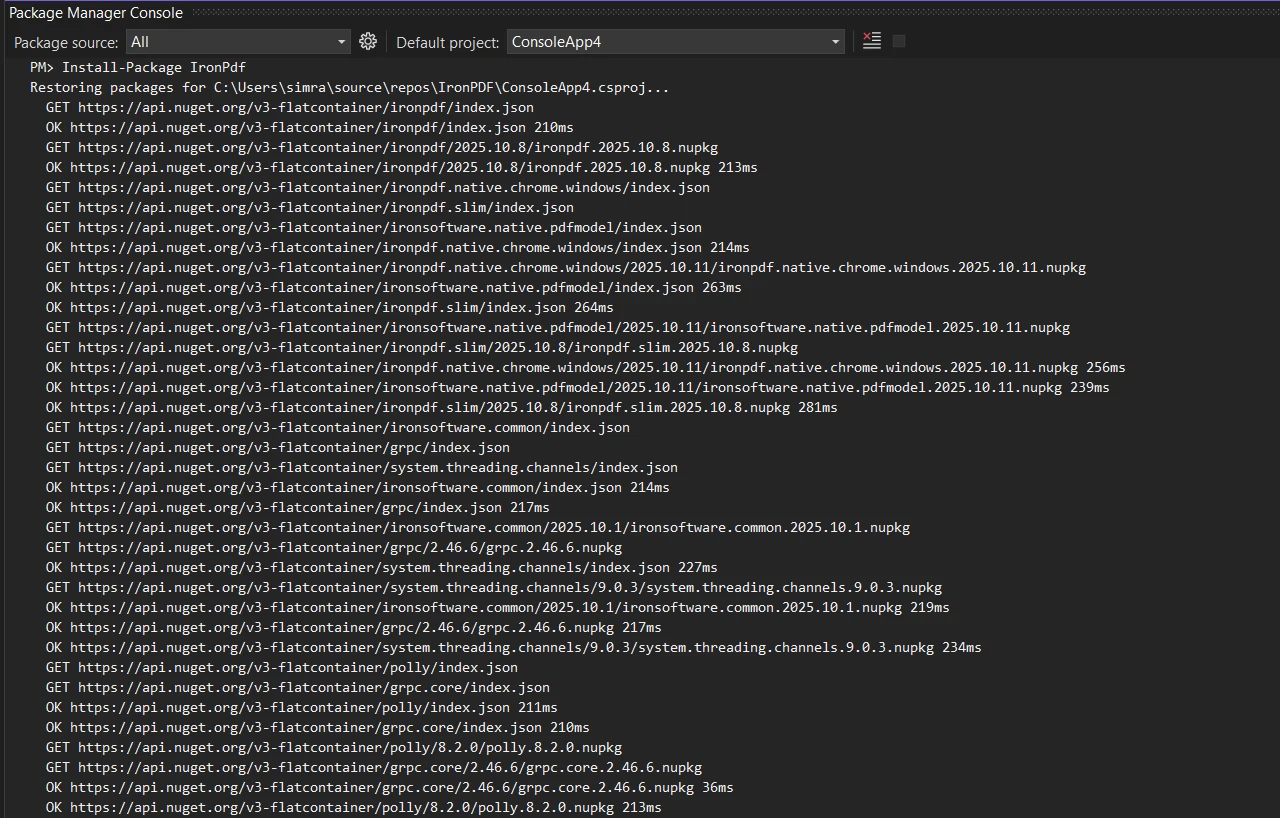
Rozpocznij od zainstalowania pakietu NuGet IronPDF za pomocą konsoli Menedżera pakietów w Visual Studio:
PM > Install-Package IronPdf
Install-Package IronPdf
Można też skorzystać z interfejsu NuGet Package Manager, aby pobrać i zainstalować pakiet. Zainicjuj ChromePdfRenderer w celu generowania plików PDF o idealnej rozdzielczości:
using IronPdf;// Create Chrome renderer instancevar renderer = new ChromePdfRenderer();// Configure rendering options for PDF formatrenderer.RenderingOptions.MarginTop = 50;renderer.RenderingOptions.MarginBottom = 50;renderer.RenderingOptions.PrintHtmlBackgrounds = true;
using IronPdf;
// Create Chrome renderer instance
var renderer = new ChromePdfRenderer();
// Configure rendering options for PDF format
renderer.RenderingOptions.MarginTop = 50;
renderer.RenderingOptions.MarginBottom = 50;
renderer.RenderingOptions.PrintHtmlBackgrounds = true;
ImportsIronPdf' Create Chrome renderer instanceDim renderer As New ChromePdfRenderer()' Configure rendering options for PDF formatrenderer.RenderingOptions.MarginTop = 50renderer.RenderingOptions.MarginBottom = 50renderer.RenderingOptions.PrintHtmlBackgrounds = True
Imports IronPdf

' Create Chrome renderer instance
Dim renderer As New ChromePdfRenderer()

' Configure rendering options for PDF format
renderer.RenderingOptions.MarginTop = 50
renderer.RenderingOptions.MarginBottom = 50
renderer.RenderingOptions.PrintHtmlBackgrounds = True
Klasa ChromePdfRenderer zapewnia podstawę do generowania PDF w czasie wykonywania. Ustawienie marginesów zapewnia miejsce dla nagłówków i stopki, podczas gdy PrintHtmlBackgrounds zachowuje elementy designu. Ta konfiguracja pomaga tworzyć dokumenty PDF dokładnie na podstawie treści HTML. Dowiedz się więcej o opcjach renderowania, aby dostosować swoje dokumenty PDF.
Jak dynamicznie tworzyć dokumenty PDF za pomocą szablonu
Twórz szablony HTML wielokrotnego użytku z symbolami zastępczymi do dynamicznego wstawiania danych:
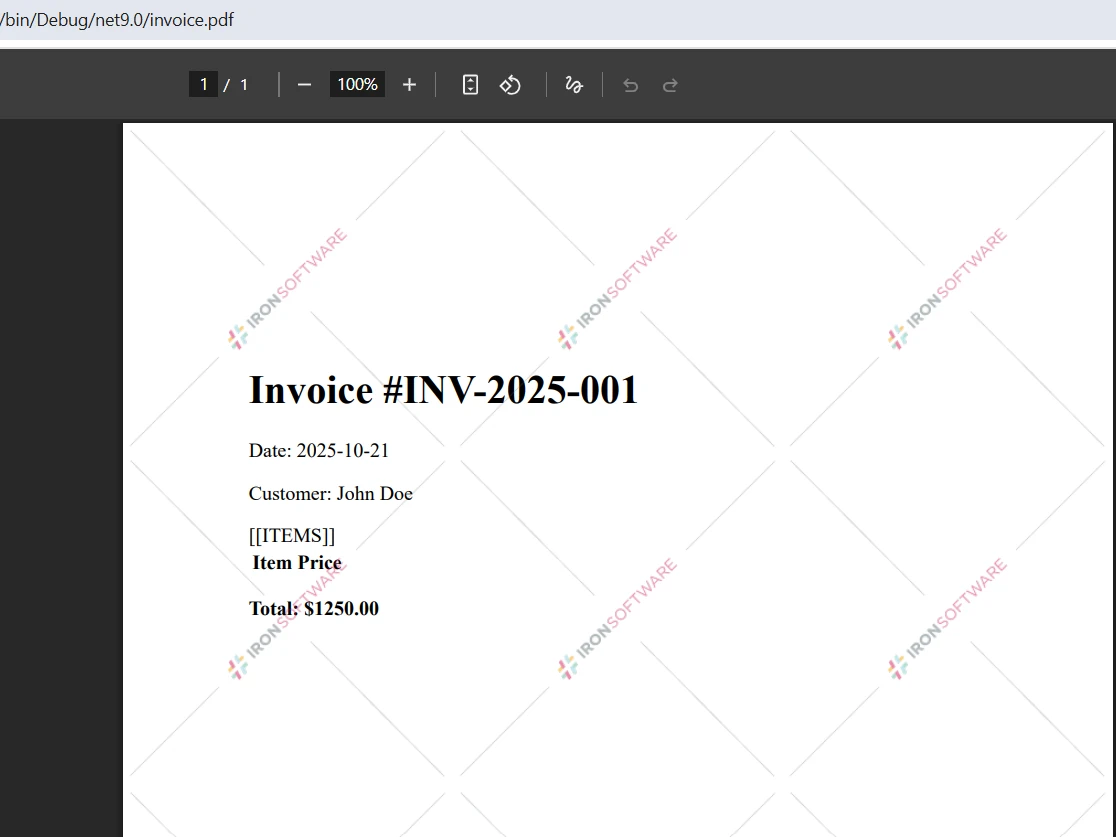
// Define HTML string template with placeholdersstring invoiceTemplate = @"<html><body> <h1>Invoice #[[INVOICE_NUMBER]]</h1> <p>Date: [[DATE]]</p> <p>Customer: [[CUSTOMER_NAME]]</p> <table> <tr><th>Item</th><th>Price</th></tr> [[ITEMS]] </table> <p><strong>Total: $[[TOTAL]]</strong></p></body></html>";// Replace placeholders with dynamic datavar invoiceData = new {InvoiceNumber = "INV-2025-001",Date = DateTime.Now.ToString("yyyy-MM-dd"),CustomerName = "John Doe",Total = 1250.00m};string finalHtml = invoiceTemplate .Replace("[[INVOICE_NUMBER]]", invoiceData.InvoiceNumber) .Replace("[[DATE]]", invoiceData.Date) .Replace("[[CUSTOMER_NAME]]", invoiceData.CustomerName) .Replace("[[TOTAL]]", invoiceData.Total.ToString());// Generate PDF from populated HTML contentvar pdf = renderer.RenderHtmlAsPdf(finalHtml);pdf.SaveAs("invoice.pdf");
// Define HTML string template with placeholders
string invoiceTemplate = @"
<html>
<body>
    <h1>Invoice #[[INVOICE_NUMBER]]</h1>
    <p>Date: [[DATE]]</p>
    <p>Customer: [[CUSTOMER_NAME]]</p>
    <table>
        <tr><th>Item</th><th>Price</th></tr>
        [[ITEMS]]
    </table>
    <p><strong>Total: $[[TOTAL]]</strong></p>
</body>
</html>";
// Replace placeholders with dynamic data
var invoiceData = new {
    InvoiceNumber = "INV-2025-001",
    Date = DateTime.Now.ToString("yyyy-MM-dd"),
    CustomerName = "John Doe",
    Total = 1250.00m
};
string finalHtml = invoiceTemplate
    .Replace("[[INVOICE_NUMBER]]", invoiceData.InvoiceNumber)
    .Replace("[[DATE]]", invoiceData.Date)
    .Replace("[[CUSTOMER_NAME]]", invoiceData.CustomerName)
    .Replace("[[TOTAL]]", invoiceData.Total.ToString());
// Generate PDF from populated HTML content
var pdf = renderer.RenderHtmlAsPdf(finalHtml);
pdf.SaveAs("invoice.pdf");
' Define HTML string template with placeholdersDim invoiceTemplate AsString = "<html><body> <h1>Invoice #[[INVOICE_NUMBER]]</h1> <p>Date: [[DATE]]</p> <p>Customer: [[CUSTOMER_NAME]]</p> <table> <tr><th>Item</th><th>Price</th></tr> [[ITEMS]] </table> <p><strong>Total: $[[TOTAL]]</strong></p></body></html>"' Replace placeholders with dynamic dataDim invoiceData = New With { .InvoiceNumber = "INV-2025-001", .Date = DateTime.Now.ToString("yyyy-MM-dd"), .CustomerName = "John Doe", .Total = 1250.00D}Dim finalHtml AsString = invoiceTemplate _ .Replace("[[INVOICE_NUMBER]]", invoiceData.InvoiceNumber) _ .Replace("[[DATE]]", invoiceData.Date) _ .Replace("[[CUSTOMER_NAME]]", invoiceData.CustomerName) _ .Replace("[[TOTAL]]", invoiceData.Total.ToString())' Generate PDF from populated HTML contentDim pdf = renderer.RenderHtmlAsPdf(finalHtml)pdf.SaveAs("invoice.pdf")
' Define HTML string template with placeholders
Dim invoiceTemplate As String = "
<html>
<body>
    <h1>Invoice #[[INVOICE_NUMBER]]</h1>
    <p>Date: [[DATE]]</p>
    <p>Customer: [[CUSTOMER_NAME]]</p>
    <table>
        <tr><th>Item</th><th>Price</th></tr>
        [[ITEMS]]
    </table>
    <p><strong>Total: $[[TOTAL]]</strong></p>
</body>
</html>"

' Replace placeholders with dynamic data
Dim invoiceData = New With {
    .InvoiceNumber = "INV-2025-001",
    .Date = DateTime.Now.ToString("yyyy-MM-dd"),
    .CustomerName = "John Doe",
    .Total = 1250.00D
}

Dim finalHtml As String = invoiceTemplate _
    .Replace("[[INVOICE_NUMBER]]", invoiceData.InvoiceNumber) _
    .Replace("[[DATE]]", invoiceData.Date) _
    .Replace("[[CUSTOMER_NAME]]", invoiceData.CustomerName) _
    .Replace("[[TOTAL]]", invoiceData.Total.ToString())

' Generate PDF from populated HTML content
Dim pdf = renderer.RenderHtmlAsPdf(finalHtml)
pdf.SaveAs("invoice.pdf")
To podejście oparte na szablonach oddziela prezentację od danych, umożliwiając projektantom modyfikowanie złożonych układów, podczas gdy programiści skupiają się na integracji danych. Metoda Replace zastępuje w szablonie zastępcze identyfikatory wartościami w czasie wykonania, tworząc spersonalizowane dokumenty PDF. W celu konwersji treści HTML zawierającej powtarzające się sekcje należy przed konwersją do formatu PDF dynamicznie zbudować kod HTML przy użyciu pętli. Poznaj więcej przykładów HTML to PDF do zaawansowanego szablonowania.
Wynik
Zaawansowane powiązanie danych z przetwarzaniem asynchronicznym
Skaluj generowanie PDF za pomocą metod asynchronicznych dla przetwarzania w dużych ilościach:
// Async batch generation for multiple PDF documentspublic async TaskGenerateMonthlyReportsAsync(List<Customer> customers){ var renderer = new ChromePdfRenderer(); var tasks = new List<Task>(); foreach (var customer in customers) { tasks.Add(Task.Run(async () => { // Create HTML content with dynamic data string html = $@" <h2>Monthly Report - {customer.Name}</h2> <p>Account Balance: ${customer.Balance:F2}</p> <p>Transactions: {customer.TransactionCount}</p> <div style='page-break-after: always;'></div>"; // Convert HTML to PDF format var document = await renderer.RenderHtmlAsPdfAsync(html); await document.SaveAs($"reports/{customer.Id}_report.pdf"); })); } awaitTask.WhenAll(tasks);}
// Async batch generation for multiple PDF documents
public async Task GenerateMonthlyReportsAsync(List<Customer> customers)
{
    var renderer = new ChromePdfRenderer();
    var tasks = new List<Task>();
    foreach (var customer in customers)
    {
        tasks.Add(Task.Run(async () =>
        {
            // Create HTML content with dynamic data
            string html = $@"
                <h2>Monthly Report - {customer.Name}</h2>
                <p>Account Balance: ${customer.Balance:F2}</p>
                <p>Transactions: {customer.TransactionCount}</p>
                <div style='page-break-after: always;'></div>";
            // Convert HTML to PDF format
            var document = await renderer.RenderHtmlAsPdfAsync(html);
            await document.SaveAs($"reports/{customer.Id}_report.pdf");
        }));
    }
    await Task.WhenAll(tasks);
}
ImportsSystem.Threading.TasksImportsSystem.Collections.Generic' Async batch generation for multiple PDF documentsPublicAsync Function GenerateMonthlyReportsAsync(customers AsList(OfCustomer)) AsTask Dim renderer = New ChromePdfRenderer() Dim tasks = New List(OfTask)() For Each customer In customers tasks.Add(Task.Run(Async Function() ' Create HTML content with dynamic data Dim html AsString = $" <h2>Monthly Report - {customer.Name}</h2> <p>Account Balance: ${customer.Balance:F2}</p> <p>Transactions: {customer.TransactionCount}</p> <div style='page-break-after: always;'></div>" ' Convert HTML to PDF format Dim document = Await renderer.RenderHtmlAsPdfAsync(html)Await document.SaveAs($"reports/{customer.Id}_report.pdf") End Function)) NextAwaitTask.WhenAll(tasks)End Function
Imports System.Threading.Tasks
Imports System.Collections.Generic

' Async batch generation for multiple PDF documents
Public Async Function GenerateMonthlyReportsAsync(customers As List(Of Customer)) As Task
    Dim renderer = New ChromePdfRenderer()
    Dim tasks = New List(Of Task)()

    For Each customer In customers
        tasks.Add(Task.Run(Async Function()
                               ' Create HTML content with dynamic data
                               Dim html As String = $"
                                   <h2>Monthly Report - {customer.Name}</h2>
                                   <p>Account Balance: ${customer.Balance:F2}</p>
                                   <p>Transactions: {customer.TransactionCount}</p>
                                   <div style='page-break-after: always;'></div>"
                               ' Convert HTML to PDF format
                               Dim document = Await renderer.RenderHtmlAsPdfAsync(html)
                               Await document.SaveAs($"reports/{customer.Id}_report.pdf")
                           End Function))
    Next

    Await Task.WhenAll(tasks)
End Function
Wzorzec async umożliwia równoległe generowanie PDF, dramatycznie zwiększając przepustowość podczas generowania dokumentów PDF w partiach. Task.WhenAll zapewnia, że wszystkie pliki PDF są ukończone przed kontynuowaniem. Powyższy kod używa właściwości CSS page-break, aby kontrolować paginację, zapewniając, że raport każdego klienta zaczyna się na nowej stronie. Przeglądaj dokumentację generowania PDF asynchronicznie dla aplikacji webowych klasy enterprise.
Tworzenie interaktywnych formularzy PDF dynamicznie
Programowo przekształcaj strony internetowe z formularzami HTML w pliki PDF z możliwością wypełniania:
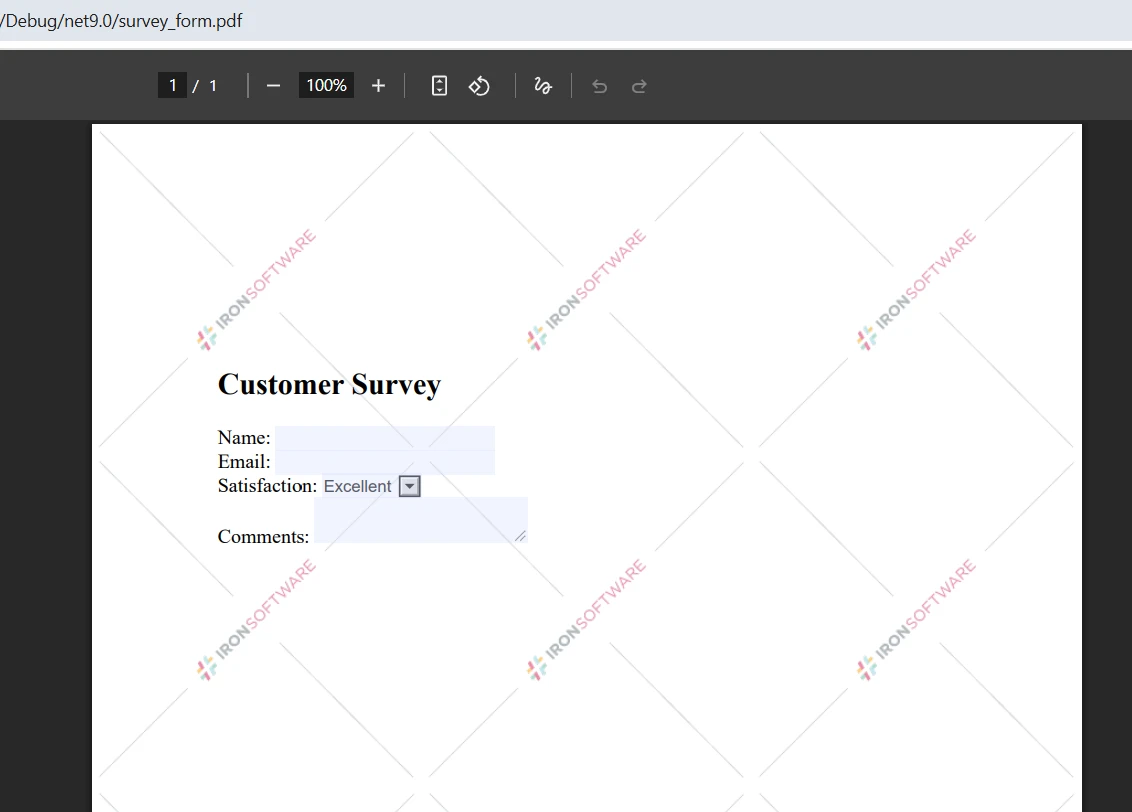
// Enable form fields creation in rendering optionsrenderer.RenderingOptions.CreatePdfFormsFromHtml = true;// Define HTML string with form elementsstring formHtml = @"<form> <h2>Customer Survey</h2> <label>Name: <label>Email: <label>Satisfaction: <select name='satisfaction'> <option>Excellent</option> <option>Good</option> <option>Fair</option> </select> </label><br> <label>Comments: <textarea name='comments'></textarea></label></form>";// Create a PDF with interactive form fieldsvar pdfDocument = renderer.RenderHtmlAsPdf(formHtml);pdfDocument.SaveAs("survey_form.pdf");
// Enable form fields creation in rendering options
renderer.RenderingOptions.CreatePdfFormsFromHtml = true;
// Define HTML string with form elements
string formHtml = @"
<form>
    <h2>Customer Survey</h2>
    <label>Name:
    <label>Email:
    <label>Satisfaction:
        <select name='satisfaction'>
            <option>Excellent</option>
            <option>Good</option>
            <option>Fair</option>
        </select>
    </label><br>
    <label>Comments: <textarea name='comments'></textarea></label>
</form>";
// Create a PDF with interactive form fields
var pdfDocument = renderer.RenderHtmlAsPdf(formHtml);
pdfDocument.SaveAs("survey_form.pdf");
' Enable form fields creation in rendering optionsrenderer.RenderingOptions.CreatePdfFormsFromHtml = True' Define HTML string with form elementsDim formHtml AsString = "<form> <h2>Customer Survey</h2> <label>Name: <label>Email: <label>Satisfaction: <select name='satisfaction'> <option>Excellent</option> <option>Good</option> <option>Fair</option> </select> </label><br> <label>Comments: <textarea name='comments'></textarea></label></form>"' Create a PDF with interactive form fieldsDim pdfDocument = renderer.RenderHtmlAsPdf(formHtml)pdfDocument.SaveAs("survey_form.pdf")
' Enable form fields creation in rendering options
renderer.RenderingOptions.CreatePdfFormsFromHtml = True
' Define HTML string with form elements
Dim formHtml As String = "
<form>
    <h2>Customer Survey</h2>
    <label>Name:
    <label>Email:
    <label>Satisfaction:
        <select name='satisfaction'>
            <option>Excellent</option>
            <option>Good</option>
            <option>Fair</option>
        </select>
    </label><br>
    <label>Comments: <textarea name='comments'></textarea></label>
</form>"
' Create a PDF with interactive form fields
Dim pdfDocument = renderer.RenderHtmlAsPdf(formHtml)
pdfDocument.SaveAs("survey_form.pdf")
Ustawienie CreatePdfFormsFromHtml konwertuje elementy formularza HTML na interaktywne pola formularza PDF. Użytkownicy mogą wypełniać, zapisywać i przesyłać te dokumenty PDF drogą elektroniczną. Ta funkcja upraszcza przepływy pracy, eliminując formularze papierowe przy jednoczesnym zachowaniu znanych wzorców rozwoju HTML. Obiekt PDFDocument zapewnia dostęp do manipulowania polami formularzy programowo. Dowiedz się o manipulacji formularzami PDF dla zaawansowanych implementacji, w tym podpisów cyfrowych.
Wynik
Dlaczego wybrać IronPDF zamiast innych metod
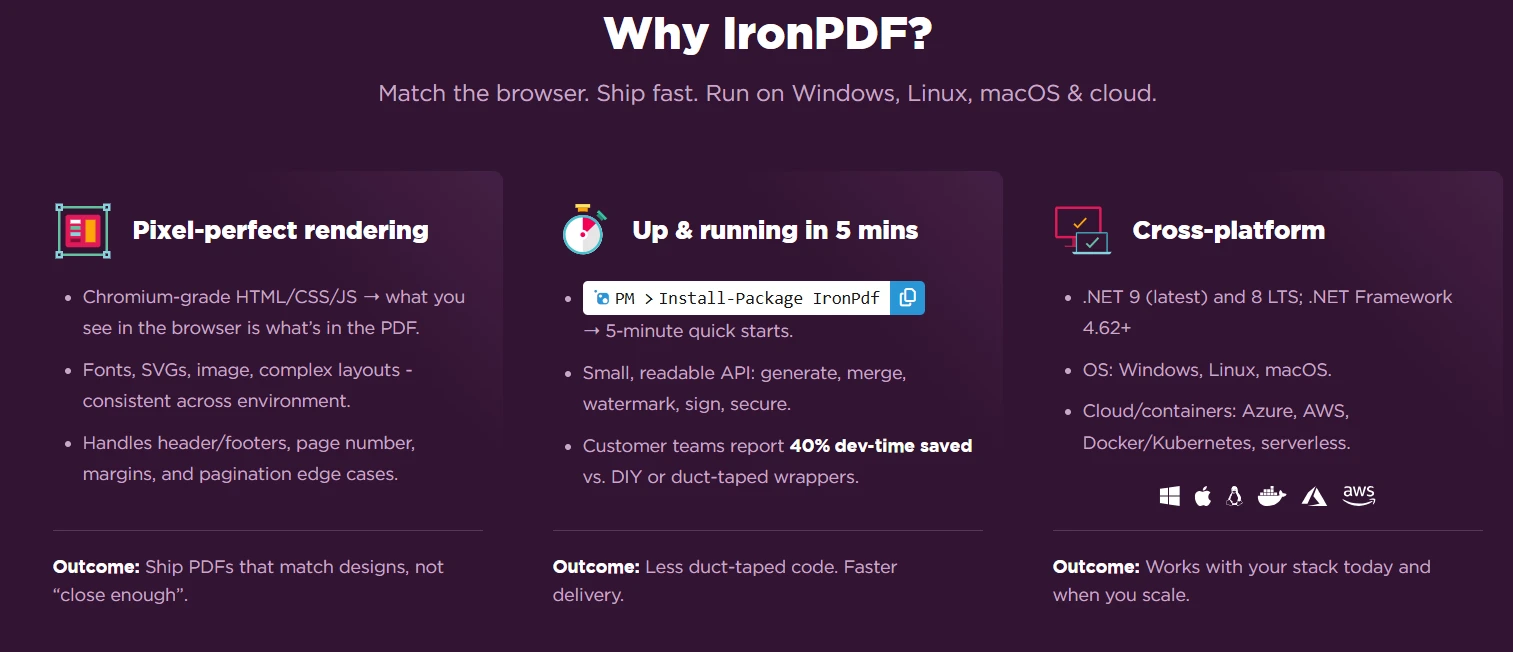
Chrome rendering engine IronPDF zapewnia doskonałą dokładność pikselową podczas tworzenia PDF, eliminując kompromisy starszych rozwiązań renderingowych WebKit. W przeciwieństwie do alternatyw bibliotek open source wymagających zewnętrznych plików wykonywalnych lub konfiguracji przeglądarki bezgłowej, IronPDF integruje się płynnie bez żadnych zależności. Fluent API i projektowanie API na wysokim poziomie sprawiają, że jest on lepszy od wbudowanych klas lub złożonych wdrożeń Crystal Reports.
Key advantages for dynamic PDF generation in C#
Pełna obsługa JavaScript, w przeciwieństwie do innych metod
Operacje bezpieczne dla wątków w aplikacjach webowych
Kompleksowe wsparcie asynchroniczne z następującymi wzorcami przykładów
Numery stron i kontrola rozmiaru czcionki przez prostą konfigurację punktu końcowego API
Konwersja HTML do PDF idealnie zgodna z Chrome
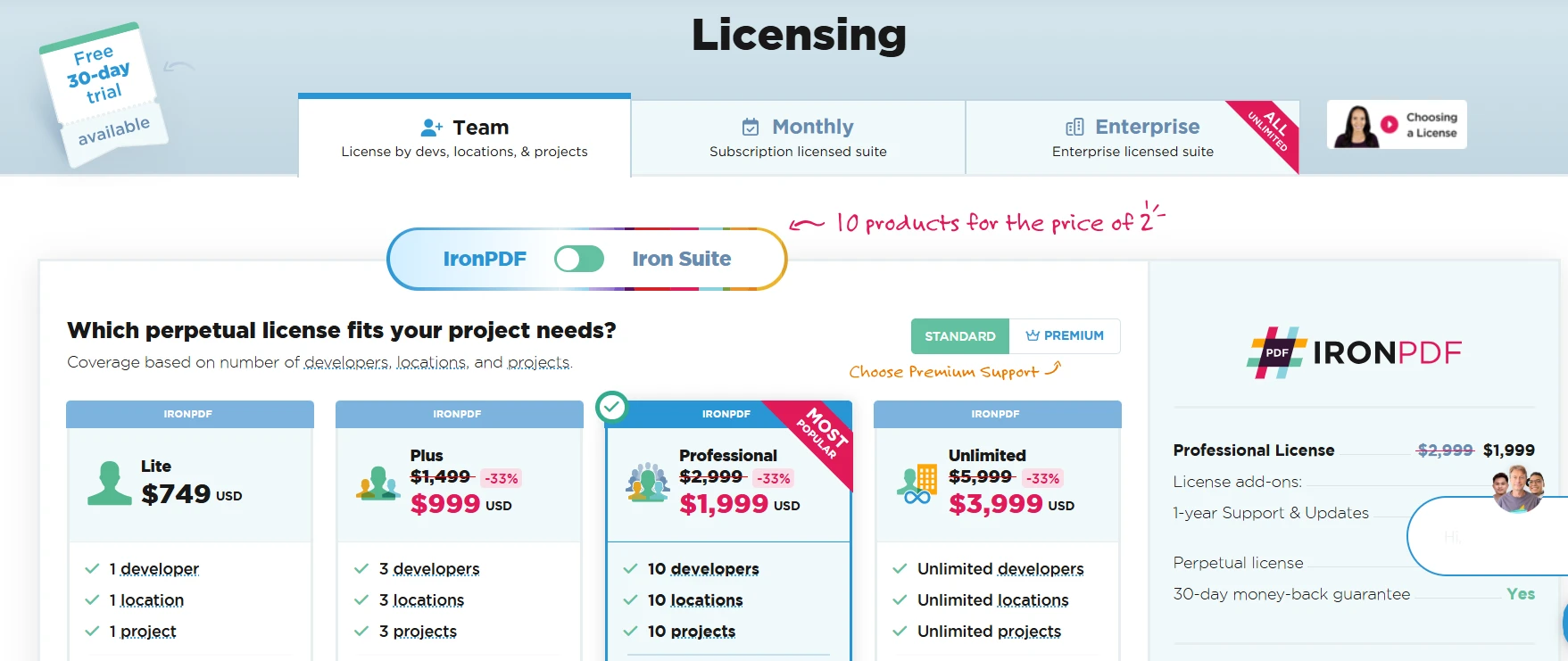
Licencjonowanie zaczyna się od $999 dla licencji dla jednego programisty, z dostępnymi opcjami zespołowymi i przedsiębiorstwowymi. Każdy pakiet ma swoje własne zalety, a inwestycja zwraca się oszczędnością czasu tworzenia. Uzyskaj dostęp do klucza API natychmiast po zakupie. Przeglądaj opcje licencji, aby znaleźć odpowiedni pakiet NuGet dla swojego projektu.
Wnioski
Dynamiczne generowanie PDF w C# przekształca sposób, w jaki aplikacje dostarczają spersonalizowane dokumenty w czasie wykonywania. IronPDF dostarcza niezbędnych narzędzi do generowania plików PDF z treści HTML, stron webowych i źródeł danych. Oparte na Chrome rendering zapewnia, że Twoje PDFy w C# idealnie odpowiadają specyfikacjom projektowym, podczas gdy wsparcie asynchroniczne umożliwia przetwarzanie w skali enterprise.
Następujące polecenie rozpoczyna twoją podróż: Install-Package IronPdf. Z IronPDFem, możesz konwertować ciągi HTML, tworzyć złożone PDFy z obrazami i tabelami, dodawać numery stron, kontrolować rozmiar czcionki i generować raporty PDF z dowolnego źródła danych. Każdy nowy dokument korzysta z doskonałego odwzorowywania pikseli, niezależnie od tego, czy tworzysz prosty var page, czy złożone układy z wieloma instancjami var document.
Curtis Chau posiada tytuł licencjata z informatyki (Uniwersytet Carleton) i specjalizuje się w front-endowym rozwoju, z ekspertką w Node.js, TypeScript, JavaScript i React. Pasjonuje się tworzeniem intuicyjnych i estetycznie przyjemnych interfejsów użytkownika, Curtis cieszy się pracą z nowoczesnymi frameworkami i tworzeniem dobrze zorganizowanych, atrakcyjnych wizualnie podręczników.