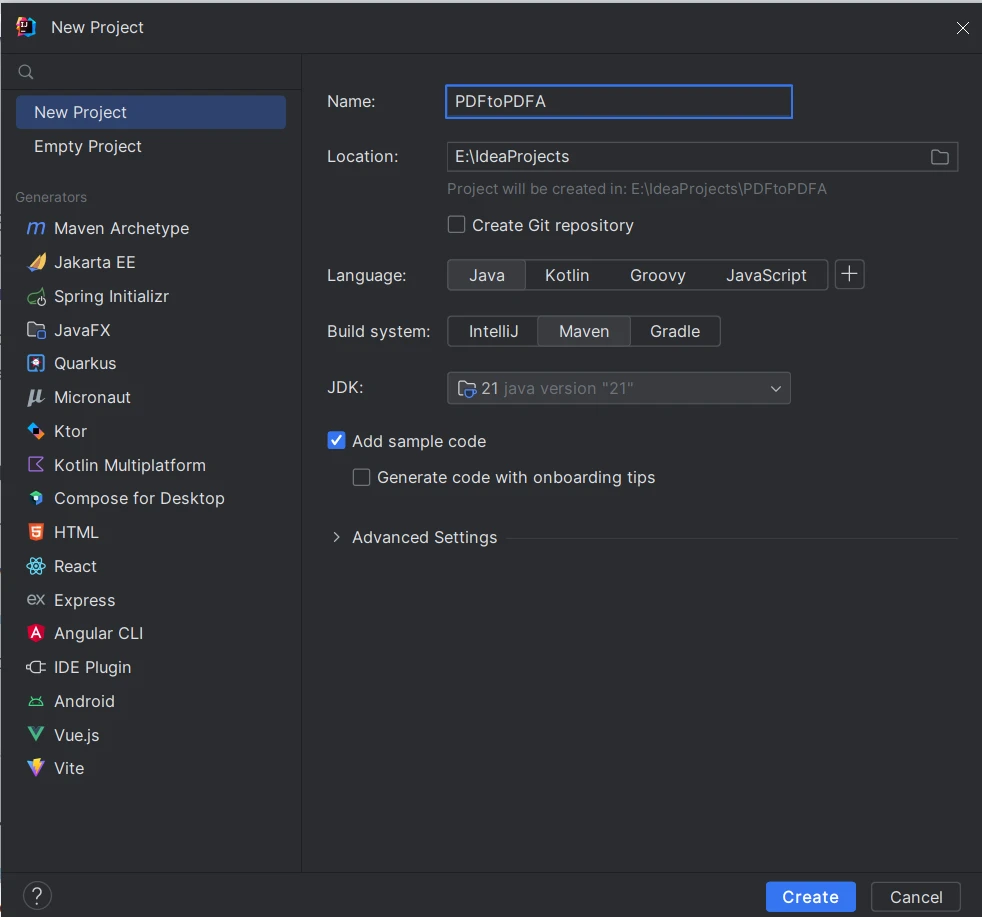
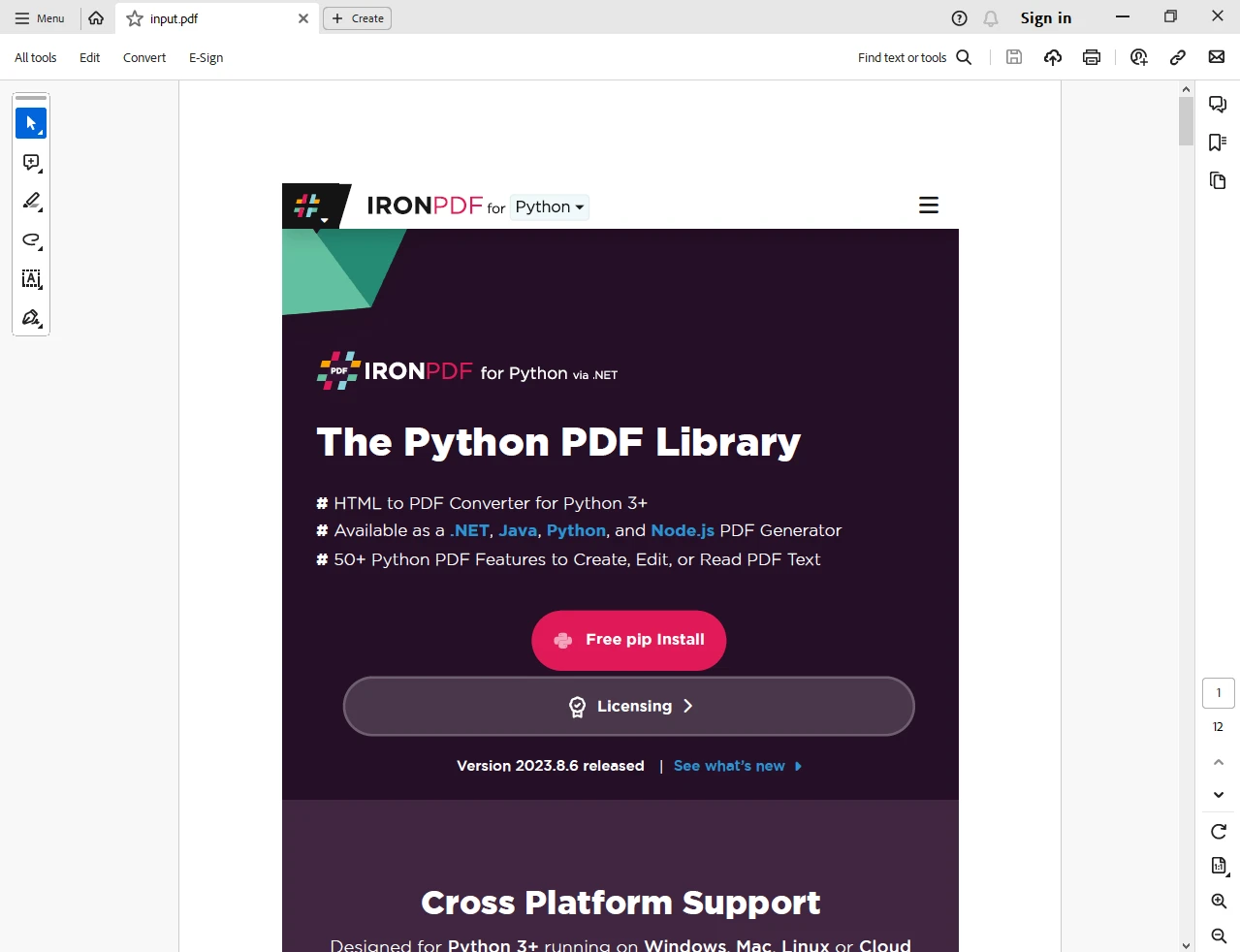
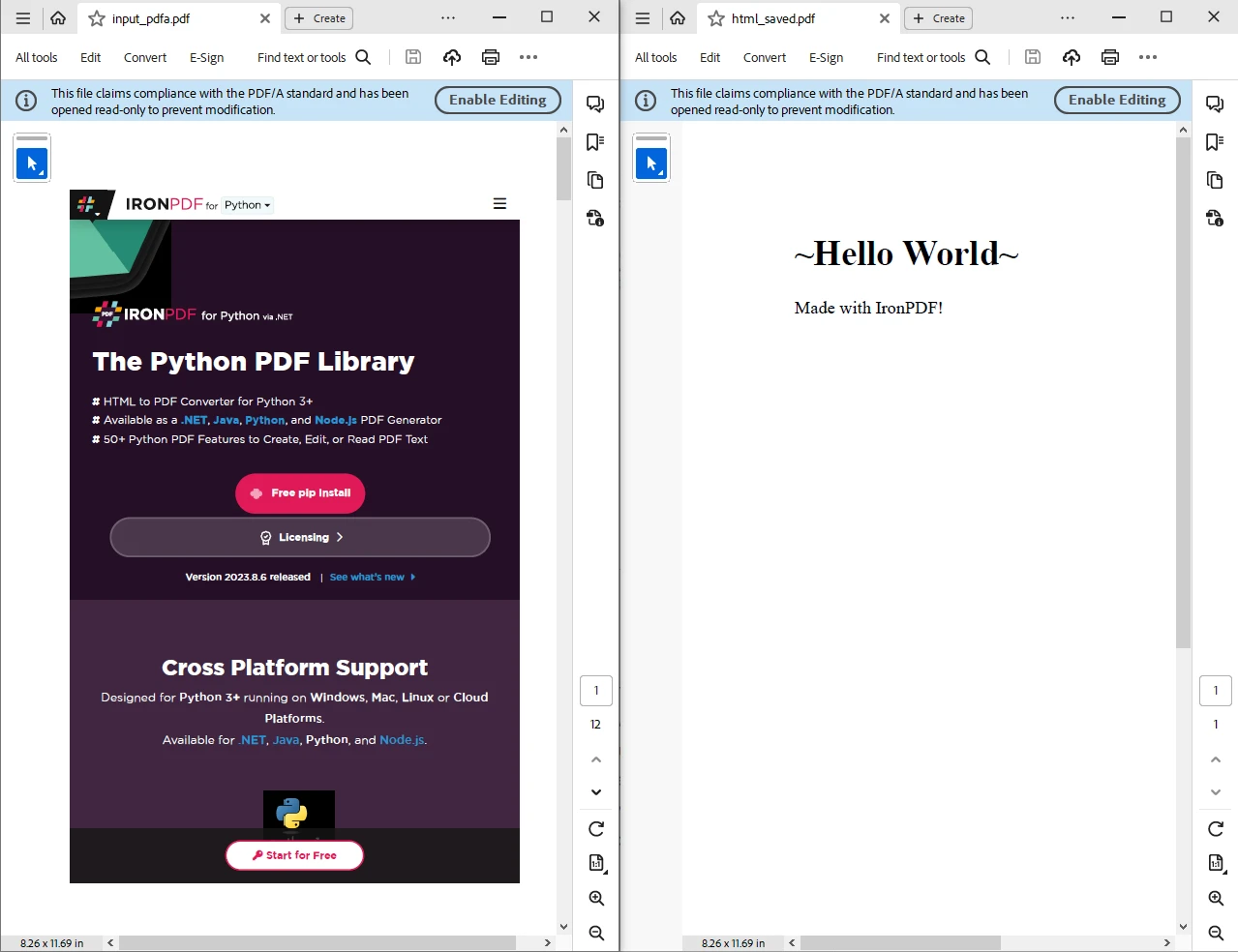
JAVA용 IRONPDF 사용 Java에서 PDF를 PDFA로 변환하는 방법 커티스 차우 업데이트됨:7월 28, 2025 다운로드 IronPDF 메이븐 다운로드 JAR 다운로드 무료 체험 시작하기 LLM용 사본 LLM용 사본 LLM용 마크다운 형식으로 페이지를 복사하세요 ChatGPT에서 열기 ChatGPT에 이 페이지에 대해 문의하세요 제미니에서 열기 제미니에게 이 페이지에 대해 문의하세요 Grok에서 열기 Grok에게 이 페이지에 대해 문의하세요 혼란 속에서 열기 Perplexity에게 이 페이지에 대해 문의하세요 공유하다 페이스북에 공유하기 트위터에 공유하기 LinkedIn에 공유하기 URL 복사 이메일로 기사 보내기 Portable Document Format (PDF) is a widely used file format for sharing and presenting documents. Unlike paper documents, data can be saved exactly the same way it was created. However, not all PDFs are created equal when it comes to long-term preservation and accessibility. To ensure that your PDF documents are archived and accessed reliably over time, you can convert them to the PDF/A format using a free and open-source library (PDF/A-1a or PDF/A-1b). PDF/A is an ISO-standardized version of PDF designed for the digital preservation of electronic documents. In this article, we will explore how to convert PDF files to PDF/A format in Java using IronPDF. How to Convert PDF to PDF/A in Java Install IronPDF Library Create PDF using PdfDocument.renderHtmlAsPdf Load an existing file using PdfDocument.fromFile Use the convertToPdfA method Save with saveAsPdfA IronPDF - Java PDF Library IronPDF - Official Website for Java is a powerful and versatile library for working with PDFs in Java. It allows you to create, manipulate, and convert PDF documents with ease. One of its key features is the ability to convert regular PDFs to the PDF/A format, ensuring long-term document preservation. IronPDF provides a simple and efficient way to perform this conversion within your Java applications. Prerequisites Before we get started, make sure you have the following prerequisites in place: Java Development Environment: Ensure you have a Java development environment set up on your system. You can use tools like IntelliJ IDEA, Eclipse, or any other Java IDE. IntelliJ IDEA (Optional): We will be demonstrating the process using IntelliJ IDEA Feature Overview, but you can use any Java IDE of your choice. Maven: Maven is a build automation and project management tool that we will use to manage project dependencies. Make sure you have Maven installed. In IntelliJ, it will be installed automatically. Create a Java Project using IntelliJ IDEA Open IntelliJ IDEA or your preferred Java IDE. Click on "New Project" or from "File" > "New" > "Project". Fill in the project details like name and location. Select "Maven" from the build version. Choose your project's JDK (Java version). Review the project settings, and click "Create" to create the project. Install IronPDF using Maven To include IronPDF in your project, you need to import the JAR dependency in your project's pom.xml file. Open the pom.xml file and add the following dependency: <dependency> <groupId>com.ironsoftware</groupId> <artifactId>ironpdf</artifactId> <version>YOUR_IRONPDF_VERSION</version> </dependency> <dependency> <groupId>com.ironsoftware</groupId> <artifactId>ironpdf</artifactId> <version>YOUR_IRONPDF_VERSION</version> </dependency> XML Another necessary JAR dependency is Slf4j-simple, which is required to work correctly with IronPDF. <dependency> <groupId>org.slf4j</groupId> <artifactId>slf4j-simple</artifactId> <version>2.0.9</version> </dependency> <dependency> <groupId>org.slf4j</groupId> <artifactId>slf4j-simple</artifactId> <version>2.0.9</version> </dependency> XML After adding dependencies, save the POM XML file, and Maven will automatically download and include the IronPDF library for Java in your project. Reload the Maven project to update the dependencies added to the POM file. Once installed, we are ready to use IronPDF to convert PDF files to PDF/A. Steps to Convert PDF to PDF/A Now that we have set up your project and added the IronPDF dependency, we can start converting PDFs to PDF/A within our Java application. Here are the steps that demonstrate how to convert PDF to PDF/A: Create a Regular PDF File IronPDF provides the facility to create a PDF file from an HTML string, file, or URL. It provides renderHtmlAsPdf, renderHtmlFileAsPdf, and renderUrlAsPdf methods respectively to create a PDF format designed using HTML. // Creating a PDF from an HTML string using IronPDF PdfDocument pdfDocument = PdfDocument.renderHtmlAsPdf("<h1>Hello World</h1> Made with IronPDF!"); // Creating a PDF from an HTML string using IronPDF PdfDocument pdfDocument = PdfDocument.renderHtmlAsPdf("<h1>Hello World</h1> Made with IronPDF!"); JAVA Load an Existing Regular PDF File Alternatively, we can load the existing PDF document that we want to convert to PDF/A using IronPDF. // Loading an existing PDF file PdfDocument pdfDocument = PdfDocument.fromFile(Paths.get("input.pdf")); // Loading an existing PDF file PdfDocument pdfDocument = PdfDocument.fromFile(Paths.get("input.pdf")); JAVA The input file looks like this: Convert to PDF/A Use IronPDF's convertToPdfA method to convert the loaded PDF document to PDF/A format. // Converting the PDF to PDF/A format PdfDocument pdfaDocument = pdfDocument.convertToPdfA(); // Converting the PDF to PDF/A format PdfDocument pdfaDocument = pdfDocument.convertToPdfA(); JAVA Save the PDF/A Document Save the converted PDF/A document to a new file. // Saving the converted PDF/A document pdfaDocument.saveAsPdfA("input_pdfa.pdf"); // Saving the converted PDF/A document pdfaDocument.saveAsPdfA("input_pdfa.pdf"); JAVA That's it! We have successfully converted a regular PDF to the PDF/A format using IronPDF in a Java application. Complete Java Code Here is the complete source code: package org.example; import com.ironsoftware.ironpdf.*; import java.io.IOException; import java.nio.file.Paths; public class Main { public static void main(String[] args) throws IOException { // Set your IronPDF license key here License.setLicenseKey("YOUR-LICENSE-KEY-HERE"); // Convert HTML String to PDF/A // Creating a PDF document from HTML string PdfDocument pdfDocument = PdfDocument.renderHtmlAsPdf("<h1>Hello World</h1> Made with IronPDF!"); // Convert to PDF/A PdfDocument pdfaDocument = pdfDocument.convertToPdfA(); // Save as PDF/A pdfaDocument.saveAsPdfA("html_saved.pdf"); // Convert an existing file to PDF/A // Load an existing PDF file pdfDocument = PdfDocument.fromFile(Paths.get("input.pdf")); // Convert to PDF/A pdfaDocument = pdfDocument.convertToPdfA(); // Save as PDF/A pdfaDocument.saveAsPdfA("input_pdfa.pdf"); } } package org.example; import com.ironsoftware.ironpdf.*; import java.io.IOException; import java.nio.file.Paths; public class Main { public static void main(String[] args) throws IOException { // Set your IronPDF license key here License.setLicenseKey("YOUR-LICENSE-KEY-HERE"); // Convert HTML String to PDF/A // Creating a PDF document from HTML string PdfDocument pdfDocument = PdfDocument.renderHtmlAsPdf("<h1>Hello World</h1> Made with IronPDF!"); // Convert to PDF/A PdfDocument pdfaDocument = pdfDocument.convertToPdfA(); // Save as PDF/A pdfaDocument.saveAsPdfA("html_saved.pdf"); // Convert an existing file to PDF/A // Load an existing PDF file pdfDocument = PdfDocument.fromFile(Paths.get("input.pdf")); // Convert to PDF/A pdfaDocument = pdfDocument.convertToPdfA(); // Save as PDF/A pdfaDocument.saveAsPdfA("input_pdfa.pdf"); } } JAVA The above code, when executed, results in two output files: one from HTML to PDF/A and the other from the original PDF file to PDF/A. To explore more features of IronPDF and its PDF-related functionalities, please visit the IronPDF Code Examples and IronPDF Documentation pages. Conclusion Converting PDF documents to PDF/A is essential for long-term document preservation and accessibility. IronPDF is a reliable Java library that simplifies this conversion process. In this article, we discussed the prerequisites, setting up a Java project using IntelliJ IDEA, and adding IronPDF as a Maven dependency. We also outlined the steps to convert a regular PDF to the PDF/A format. With IronPDF, you can ensure that your documents remain accessible and reliable over time, complying with ISO standards for archiving electronic documents. IronPDF offers a Free Trial for Commercial Use. Download the IronPDF JAR file from the IronPDF Java Download Page. 자주 묻는 질문 PDF/A란 무엇이며 왜 중요한가요? PDF/A는 전자 문서의 장기 보존과 접근성을 위해 설계된 ISO 표준화된 PDF 버전입니다. 시간이 지나도 문서의 신뢰성과 일관성을 유지할 수 있어 아카이빙 목적에 매우 중요합니다. Java에서 PDF를 PDF/A로 변환하려면 어떻게 해야 하나요? Java에서 PDF를 PDF/A로 변환하려면 IronPDF 라이브러리를 사용할 수 있습니다. PdfDocument.fromFile 메서드를 사용하여 PDF를 로드하고, convertToPdfA로 변환한 다음 saveAsPdfA로 결과를 저장합니다. PDF 변환을 위한 Java 환경을 설정하는 단계는 무엇인가요? IntelliJ IDEA와 같은 Java IDE를 설치하고 종속성 관리를 위해 Maven을 사용하여 Java 환경을 설정합니다. pom.xml 파일에 Maven 종속성을 추가하여 IronPDF 라이브러리를 가져옵니다. Java로 된 HTML 콘텐츠로 PDF를 생성할 수 있나요? 예, IronPDF의 renderHtmlAsPdf 메서드를 사용하여 Java의 HTML 콘텐츠로부터 PDF를 생성할 수 있습니다. 이를 통해 HTML 문자열, 파일 또는 URL에서 PDF를 생성할 수 있습니다. IronPDF에 무료 평가판이 있나요? IronPDF는 상업적 사용을 위한 무료 평가판을 제공하며, Java 다운로드 페이지에서 다운로드할 수 있습니다. 이를 통해 개발자는 구매하기 전에 라이브러리의 기능을 평가할 수 있습니다. PDF를 PDF/A로 변환할 때 흔히 발생하는 문제는 무엇인가요? 변환 중 흔히 발생하는 문제로는 글꼴 삽입 문제와 색상 관리 불일치가 있습니다. IronPDF를 사용하면 필요한 모든 리소스가 포함되고 PDF/A 표준을 준수하는지 확인하여 이러한 문제를 최소화할 수 있습니다. Java에서 PDF/A 변환 오류는 어떻게 처리하나요? PDF/A 변환 중 오류가 발생하면 누락된 리소스나 호환되지 않는 요소가 있는지 확인하세요. IronPDF는 문제를 진단하고 수정하는 데 도움이 되는 로깅 및 자세한 오류 메시지를 제공합니다. 커티스 차우 지금 바로 엔지니어링 팀과 채팅하세요 기술 문서 작성자 커티스 차우는 칼턴 대학교에서 컴퓨터 과학 학사 학위를 취득했으며, Node.js, TypeScript, JavaScript, React를 전문으로 하는 프론트엔드 개발자입니다. 직관적이고 미적으로 뛰어난 사용자 인터페이스를 만드는 데 열정을 가진 그는 최신 프레임워크를 활용하고, 잘 구성되고 시각적으로 매력적인 매뉴얼을 제작하는 것을 즐깁니다. 커티스는 개발 분야 외에도 사물 인터넷(IoT)에 깊은 관심을 가지고 있으며, 하드웨어와 소프트웨어를 통합하는 혁신적인 방법을 연구합니다. 여가 시간에는 게임을 즐기거나 디스코드 봇을 만들면서 기술에 대한 애정과 창의성을 결합합니다. 관련 기사 업데이트됨 6월 22, 2025 Java에서 TIFF를 PDF로 변환하는 방법 이 포괄적인 가이드는 IronPDF를 사용하여 Java에서 TIFF 이미지를 PDF로 원활하게 변환하는 방법에 대한 단계를 안내합니다. 더 읽어보기 업데이트됨 7월 28, 2025 Java로 PDF 문서를 만드는 방법 이 문서에서는 주요 개념, 최고의 라이브러리 및 예제를 다루는 Java에서 PDF 작업에 대한 포괄적인 가이드를 제공합니다. 더 읽어보기 업데이트됨 7월 28, 2025 Java에서 PDF 파일을 읽는 방법 이 문서에서는 IronPDF를 사용하여 Java에서 PDF 파일을 읽는 방법을 살펴봅니다. PDF 파일에서 텍스트와 메타데이터 객체를 읽고 암호화된 문서를 만드는 방법을 다룹니다. 더 읽어보기 Java에서 TIFF를 PDF로 변환하는 방법Java로 PDF 문서를 만드는 방법

업데이트됨 6월 22, 2025 Java에서 TIFF를 PDF로 변환하는 방법 이 포괄적인 가이드는 IronPDF를 사용하여 Java에서 TIFF 이미지를 PDF로 원활하게 변환하는 방법에 대한 단계를 안내합니다. 더 읽어보기
업데이트됨 7월 28, 2025 Java로 PDF 문서를 만드는 방법 이 문서에서는 주요 개념, 최고의 라이브러리 및 예제를 다루는 Java에서 PDF 작업에 대한 포괄적인 가이드를 제공합니다. 더 읽어보기
업데이트됨 7월 28, 2025 Java에서 PDF 파일을 읽는 방법 이 문서에서는 IronPDF를 사용하여 Java에서 PDF 파일을 읽는 방법을 살펴봅니다. PDF 파일에서 텍스트와 메타데이터 객체를 읽고 암호화된 문서를 만드는 방법을 다룹니다. 더 읽어보기