



已更新 2026年4月23日
deepstream io(開發人員的工作原理)
在這篇文章中,我們將學習如何使用開放即時伺服器 deepstream 和 IronPDF 生成 PDF。
閱讀更多

當開發使用Python程式語言的強大且穩健的程式時,通常需要優雅地處理臨時錯誤,特別是在處理外部服務或網路操作時。 這時,強大的通用Python重試庫Tenacity就派上用場了。 通過將Tenacity與IronPDF結合使用,開發人員可以提高PDF生成操作的可靠性和穩定性。IronPDF是一個功能豐富的框架,用於在Python應用程式中建立PDF文件。
Tenacity提供了一個適應性強且可自訂的架構,用於重試可能失敗或因臨時問題(如網路故障、超時或服務中斷)而引發異常的任務。Tenacity的使用者友好API和豐富功能集簡化了重試邏輯的開發,使開發人員能專注於建立可靠的系統,而不需擔心短暫的失敗。
在本文中,我們將介紹將Tenacity庫與IronPDF整合的優點,展示實用範例,以及提供建立可靠PDF生成過程的建議。 通過結合Tenacity的強大功能與IronPDF,開發人員可以提高應用程式的穩定性和可靠性,並為使用者提供高品質的PDF文件。
Tenacity使程式設計師能夠使用Python裝飾器將重試邏輯新增到函式或方法中。 因此,無需更改原始程式碼即可輕鬆為特定動作新增重試行為。
Tenacity提供多個可調參數以指定重試計劃。 開發人員可自訂重試的最大次數、重試間隔以及重試應發生的情況。
Tenacity支持指數退避,這是一種流行的當前重試調用技術,其中重試之間的間隔隨每次嘗試的次數成指數增長。 這樣可以避免在大量流量或擁堵的情況下用請求淹沒目標服務。
Tenacity提供選項以在重試延遲中引入抖動和隨機性,以防止同步問題和雷鳴般的羊群效應。 這減少了多個客戶端同時重試的可能性,因為重試嘗試在時間上分散開來。
開發人員可以根據操作的返回值或任何引發的異常建立獨特的重試條件。 這使得能夠精確控制何時以及在何種條件下進行重試。
Tenacity便於建立一般操作超時和截止時間,保證不會無限期進行重試嘗試,如果操作超出預定限制最終會被終止。
Tenacity可以輕鬆地與Flask、Django和Celery等框架互動。 這使得對背景操作、網頁端點或系統的任何其他部分新增重試邏輯變得簡單。
from tenacity import retry, wait_exponential

# Decorate the function with a retry mechanism
@retry(wait=wait_exponential(multiplier=1, min=1, max=10))
def my_function():
    # Your code logic here
    pass

# Explanation:
# - `multiplier`: Used to increase the interval between retries.
# - `min`: Minimum wait time in seconds between retries.
# - `max`: Maximum wait time allowed between retries.
from tenacity import retry, wait_random
@retry(wait=wait_random(min=1, max=10))
def my_function():
# Your code logic here
pass
# Explanation:
# - `min`: Minimum random wait time in seconds between retries.
# - `max`: Maximum random wait time in seconds between retries.from tenacity import retry, retry_if_exception_type
# Retry on specific exceptions like ConnectionError
@retry(retry=retry_if_exception_type(ConnectionError))
def my_function():
# Your code logic here
pass
# Explanation:
# Retry only if a ConnectionError exception is raised during the function execution.from tenacity import retry, retry_if_result
@retry(retry=retry_if_result(lambda result: result is None))
def my_function():
# Your code logic here
return some_result
# Explanation:
# Retry if the function result is `None`.from tenacity import retry, stop_after_delay
@retry(stop=stop_after_delay(30))
def my_function():
# Your code logic here
pass
# Explanation:
# Stop retrying after 30 seconds have elapsed since the first attempt.from tenacity import retry, after_log
import logging
logger = logging.getLogger(__name__)
@retry(after=after_log(logger, logging.DEBUG))
def my_function():
# Your code logic here
pass
# Explanation:
# Use a logger to log details of each retry attempt at the DEBUG level.我們可以利用受歡迎的工具包IronPDF在程式內建立、編輯和呈現PDF文件。 用多種方式處理PDF:您可以將HTML頁面轉換為PDF,向已存在的PDF中新增文字、圖像和形狀,並從已存在的PDF中提取文字和圖像。即使是從HTML內容、圖像或原始資料,也可以建立新的PDF頁面。
IronPDF極其容易使用,這是其主要優勢之一。 Python的人性化API和廣泛的文件使得開發人員輕鬆地從專案內開始建立PDF。 IronPDF還具有速度和效率這兩個特點,使開發人員能夠迅速建立高品質的PDF文件。
在Python應用中,同時使用Tenacity和IronPDF的第一步是安裝所需的依賴並將兩個程式庫整合到您的PDF生成工作流程中。
:ProductInstall pip install tenacity ironpdf在您的Python腳本中導入Tenacity和IronPDF的必需模組:
from tenacity import retry, stop_after_attempt, wait_fixed
from IronPdf import IronPdf

# Set up retry behavior on the PDF generating function
@retry(
    stop=stop_after_attempt(3),   # Stop retrying after 3 attempts
    wait=wait_fixed(2)            # Wait 2 seconds between retry attempts
)
def generate_pdf(html_content):
    iron_pdf = IronPdf()
    # Render the HTML content as a PDF
    iron_pdf.render_html_as_pdf(html_content)
    # Save the generated PDF to a file
    iron_pdf.save_as_pdf("output.pdf")

# Explanation:
# - `@retry(stop=stop_after_attempt(3))`: Stop after 3 failed attempts.
# - `wait_fixed(2)`: Wait 2 seconds before each retry attempt.調用您的函式以建立PDF並將其傳遞HTML文字。 若發生異常,Tenacity將自動根據預設的重試參數重新嘗試函式。
try:
    html_content = "<html><body><h1>Hello, IronPDF!</h1></body></html>"
    generate_pdf(html_content)
    print("PDF generated successfully")
except Exception as e:
    print("Failed to generate PDF:", e)

# Explanation:
# Attempt to generate a PDF and handle any exceptions that might occur during the process.通過修改重試次數、重試條件和等待條件、重試間隔以及重試應發生的情況等因素,您可以進一步更改重試行為。 Tenacity包含不同的重試方法以及重試和等待條件策略,您可以根據您的需求微調重試行為。
以下是上述程式碼生成的輸出:
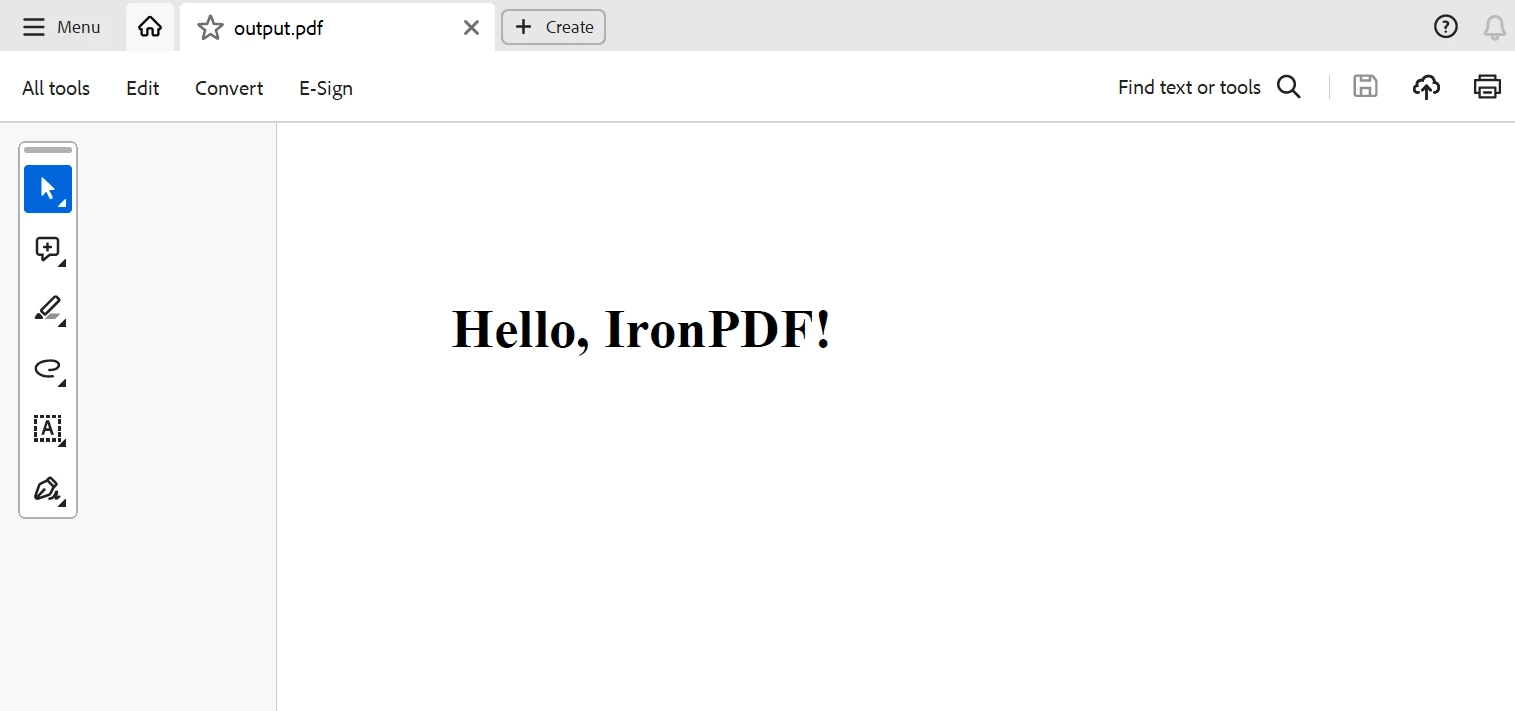
總結來說,Tenacity和IronPDF結合在一起,為在Python應用程式中建立強大和可靠的PDF生成工作流程提供了一個有力的解決方案。 通過利用IronPDF強大的PDF生成功能和Tenacity可自訂的重試邏輯,開發人員可以確保其PDF生成過程對臨時的失敗和重試具備穩定性和韌性。
使用Tenacity豐富的功能集,開發人員可精確調整多種條件的重試策略,指定獨特的重試標準,根據例外情況自訂重試,並納入高級配置選項。 Tenacity允許開發人員優雅地處理暫時性故障,如網路中斷或服務中斷,並確保關鍵的PDF建立過程得到立即重試。
總而言之,通過利用Tenacity與IronPDF,開發人員可以建立可靠且健全的PDF生產解決方案,能夠應對現實環境的挑戰。 這種組合為在Python應用中設計可靠且可擴展的PDF生成工作流程提供了堅實的基礎,無論該工作流程是用於生產發票,報告,還是文件。
套件中包含IronPDF的永久授權,以合理的費用提供。 該套件對許多系統來說非常實惠,$999。 授權持有人擁有24小時存取線上工程支持的權利。 請存取授權頁面以獲取費用的其他詳細資訊。 如需了解更多Iron Software的產品,請存取圖書館頁面。

Curtis Chau擁有Carleton大學的電腦科學學士學位,專精於前端開發,擁有Node.js、TypeScript、JavaScript和React的專業知識。Curtis熱衷於建立直觀且美觀的使用者介面,喜愛使用現代框架並建立結構良好、視覺吸引力的手冊。



IronPDF 是 IRONSUITE 的一部分
10 款適用於辦公室文件的 .NET API 產品

當您需要您的PDF看起來像HTML一樣快速。











