已更新 2026年4月21日
linkify-react(它是如何工作的:开发者指南)
Linkify React 是一个轻量且易于使用的 npm 包,可自动将包含 URL 的纯文本转换。
阅读更多

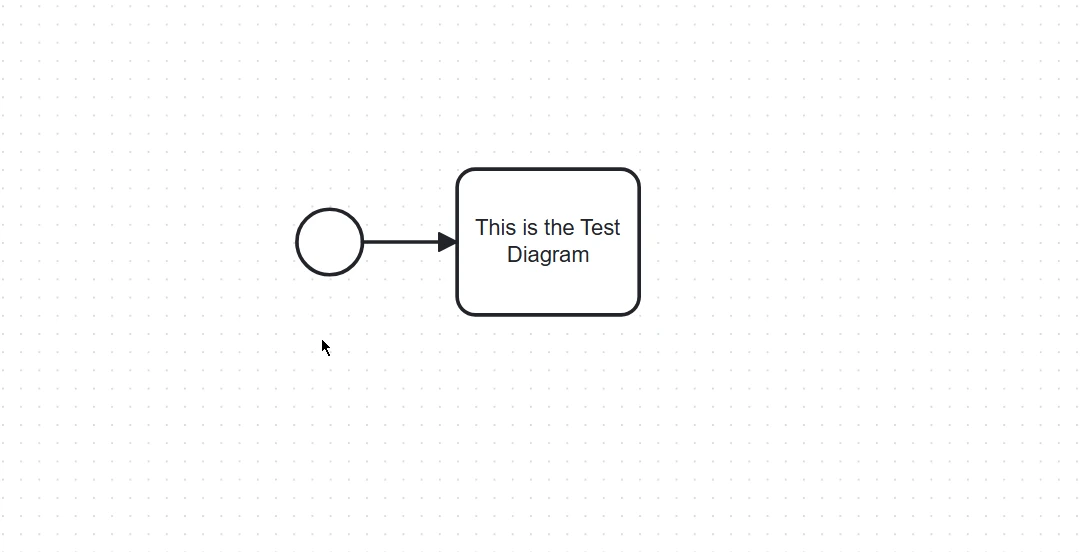
业务流程模型和符号(BPMN)是流程建模的标准,为在工作流中指定业务流程提供了图形表示法。 bpmn-js 是一个功能强大的库,允许您在网络应用程序中嵌入 BPMN 元素图,提供交互功能和广泛的自定义选项。 bpmn-js由 Camunda 开发,建立在现代网络建模技术之上,可无缝集成到 JavaScript 应用程序中。 我们还将了解如何使用 IronPDF 创建带有 BPMN 图表元素的 PDF。
2.**自定义:**该库可高度自定义,允许开发人员调整 BPMN 图表的外观和感觉,以符合其应用程序的品牌和要求。
3.可扩展性: bpmn-js 在设计时考虑到了可扩展性。 开发人员可以通过在 BPMN 图表交互模型中添加自定义元素、属性和行为来扩展核心功能。
5.符合标准: bpmn-js 遵循 BPMN 2.0 标准,确保创建的图表与其他 BPMN 工具和编辑工具包系统兼容。
要开始使用 bpmn-js,您需要建立一个基本的网络项目。
mkdir bpmn-js-demo
cd bpmn-js-demo
npm init -y接下来,安装 bpmn-js 库:
npm install bpmn-js<!DOCTYPE html>
<html lang="en">
<head>
<meta charset="UTF-8">
<meta name="viewport" content="width=device-width, initial-scale=1.0">
<title>bpmn-js Demo</title>
<style>
#canvas {
width: 100%;
height: 600px;
border: 1px solid #ccc;
}
</style>
</head>
<body>
<div id="canvas"></div>
<script src="app.js"></script>
</body>
</html>// Import the BpmnViewer class from bpmn-js
import BpmnViewer from 'bpmn-js/lib/NavigatedViewer';
// BPMN XML data as a string
const bpmnXML = `<?xml version="1.0" encoding="UTF-8"?>
<definitions xmlns="http://www.omg.org/spec/BPMN/20100524/MODEL"
xmlns:xsi="http://www.w3.org/2001/XMLSchema-instance"
xmlns:bpmndi="http://www.omg.org/spec/BPMN/20100524/DI"
xmlns:omgdc="http://www.omg.org/spec/DD/20100524/DC"
xmlns:omgdi="http://www.omg.org/spec/DD/20100524/DI"
id="sample-diagram"
targetNamespace="http://bpmn.io/schema/bpmn">
<process id="Process_1" isExecutable="false">
<startEvent id="StartEvent_1">
<outgoing>Flow_1a5niwu</outgoing>
</startEvent>
<task id="Activity_0ncu32f" name="This is the Test Diagram">
<incoming>Flow_1a5niwu</incoming>
</task>
<sequenceFlow id="Flow_1a5niwu" sourceRef="StartEvent_1" targetRef="Activity_0ncu32f" />
</process>
<bpmndi:BPMNDiagram id="BPMNDiagram_1">
<bpmndi:BPMNPlane id="BPMNPlane_1" bpmnElement="Process_1">
<bpmndi:BPMNShape id="StartEvent_1_di" bpmnElement="StartEvent_1">
<omgdc:Bounds x="152" y="102" width="36" height="36" />
</bpmndi:BPMNShape>
<bpmndi:BPMNShape id="Activity_0ncu32f_di" bpmnElement="Activity_0ncu32f">
<omgdc:Bounds x="240" y="80" width="100" height="80" />
<bpmndi:BPMNLabel />
</bpmndi:BPMNShape>
<bpmndi:BPMNEdge id="Flow_1a5niwu_di" bpmnElement="Flow_1a5niwu">
<omgdi:waypoint x="188" y="120" />
<omgdi:waypoint x="240" y="120" />
</bpmndi:BPMNEdge>
</bpmndi:BPMNPlane>
</bpmndi:BPMNDiagram>
</definitions>`;
// Initialize the viewer with the container where the BPMN diagram will be rendered
const viewer = new BpmnViewer({
container: '#canvas'
});
// Import the BPMN XML and render the diagram
viewer.importXML(bpmnXML, function(err) {
if (err) {
console.error('Error rendering', err); // Log an error message if rendering fails
} else {
console.log('BPMN diagram rendered'); // Log success message if rendering is successful
}
});
要运行该项目,您可以使用像http-server 这样的简单静态服务器:
npm install -g http-server
http-server .打开浏览器并导航至 **http://localhost:8080**,查看页面上呈现的 BPMN 图表。
上述示例涵盖了基础知识,而 bpmn-js 提供了更多高级功能,如添加自定义元素、与后台系统集成以及导出图表。 您可以在 bpmn-js 文档中了解这些功能。
IronPDF 是一个功能强大的库,允许开发人员以编程方式生成、处理和转换 PDF 文档。 IronPDF 最初是为 .NET 设计的,现已扩展到支持 JavaScript,为 Web 应用程序提供强大的 PDF 生成功能。
1.PDF 生成: 从 HTML、URL 或原始内容轻松创建 PDF。
2.PDF 操作: 合并、分割和修改现有 PDF 文档。
3.转换: 将各种文档格式(如 HTML 和图像)转换为 PDF。
4.**自定义:**使用大量样式选项自定义 PDF 的外观和布局。
为了演示 IronPDF 与 bpmn-js 的集成,让我们创建一个从 BPMN 图表生成 PDF 的 Node.js 项目。
为您的项目创建一个新目录并将其初始化:
mkdir bpmn-ironpdf-demo
cd bpmn-ironpdf-demo
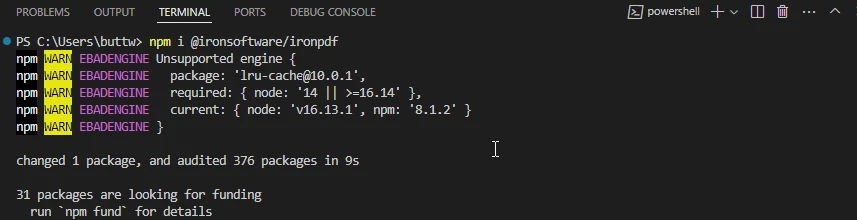
npm init -y安装 IronPDF:
创建一个名为generatePDF.js 的文件:
const fs = require('fs');
const { createCanvas } = require('canvas');
const BpmnViewer = require('bpmn-js/lib/Viewer');
const PdfGenerator = require('@ironsoftware/ironpdf');

// BPMN XML data
const bpmnXML = `<?xml version="1.0" encoding="UTF-8"?>
<definitions xmlns="http://www.omg.org/spec/BPMN/20100524/MODEL"
             xmlns:xsi="http://www.w3.org/2001/XMLSchema-instance"
             xmlns:bpmndi="http://www.omg.org/spec/BPMN/20100524/DI"
             xmlns:omgdc="http://www.omg.org/spec/DD/20100524/DC"
             xmlns:omgdi="http://www.omg.org/spec/DD/20100524/DI"
             xsi:schemaLocation="http://www.omg.org/spec/BPMN/20100524/MODEL BPMN20.xsd"
             id="sample-diagram"
             targetNamespace="http://bpmn.io/schema/bpmn">
  <process id="Process_1" isExecutable="false">
    <startEvent id="StartEvent_1"/>
  </process>
  <bpmndi:BPMNDiagram id="BPMNDiagram_1">
    <bpmndi:BPMNPlane id="BPMNPlane_1" bpmnElement="Process_1">
      <bpmndi:BPMNShape id="StartEvent_1_di" bpmnElement="StartEvent_1">
        <omgdc:Bounds x="173" y="102" width="36" height="36"/>
      </bpmndi:BPMNShape>
    </bpmndi:BPMNPlane>
  </bpmndi:BPMNDiagram>
</definitions>`;

// Create a canvas for rendering the BPMN diagram
const canvas = createCanvas(800, 600);
const viewer = new BpmnViewer({ container: canvas });

// Import the BPMN XML and render the diagram
viewer.importXML(bpmnXML, function(err) {
  if (err) {
    console.error('Error rendering BPMN diagram:', err);
    return;
  }

  // Fit the diagram to the viewport
  viewer.get('canvas').zoom('fit-viewport');

  // Create a PNG stream and save the diagram as an image
  const stream = canvas.createPNGStream();
  const out = fs.createWriteStream('diagram.png');

  stream.pipe(out);
  out.on('finish', () => {
    console.log('BPMN diagram saved as PNG');

    // Generate PDF from the saved PNG
    PdfGenerator.ImageToPdf(['diagram.png']).then((pdf) => {
      pdf.saveAs('diagram.pdf');
      console.log('PDF generated and saved as diagram.pdf');
    }).catch((error) => {
      console.error('Error generating PDF:', error);
    });
  });
});执行脚本生成 BPMN 图表并保存为 PDF 格式:
node generatePDF.js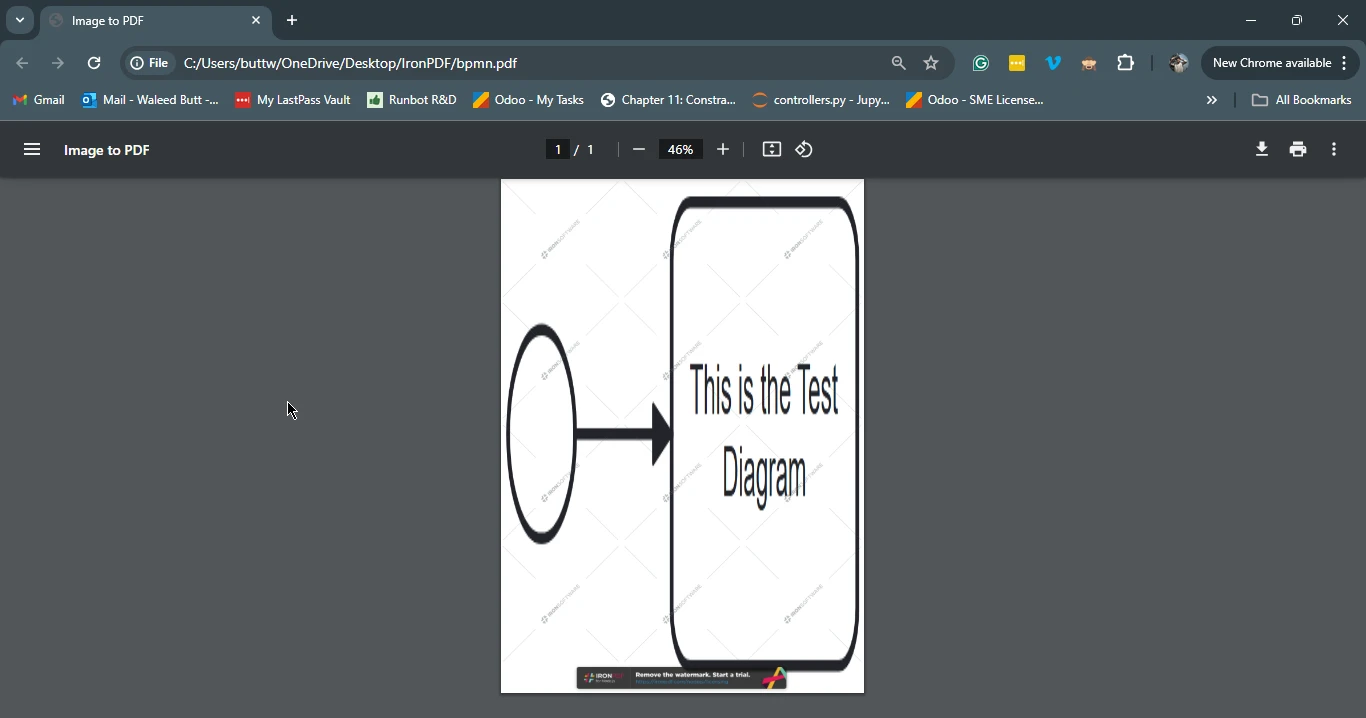
集成 bpmn-js 和 IronPDF 后,您可以创建交互式 BPMN 图表并将其转换为 PDF 文档,从而将可视化流程建模的强大功能与 PDF 生成的多功能性结合起来。 这种集成对于生成文档、报告或任何其他需要可视化流程的格式特别有用。 这两个库都提供了大量的文档和支持,使您可以轻松上手,并在所提供的基本示例基础上进行扩展。
有关 IronPDF 许可证的全面详情,请参阅 IronPDF 许可证 页面。 要获得更多了解或其他资源,请查看我们的详细教程HTML 到 PDF 转换。

Curtis Chau 拥有卡尔顿大学的计算机科学学士学位,专注于前端开发,精通 Node.js、TypeScript、JavaScript 和 React。他热衷于打造直观且美观的用户界面,喜欢使用现代框架并创建结构良好、视觉吸引力强的手册。

当您需要PDF看起来像HTML时,速度快。