Introduction to Unit Testing in C#
Las pruebas unitarias son una fase crítica en el desarrollo de software, que ayuda a los desarrolladores a verificar la funcionalidad de las unidades individuales del código fuente. En C#, las pruebas unitarias aseguran que cada componente o método funcione correctamente bajo diversas condiciones. Al aislar cada parte del programa y demostrar que las partes individuales están libres de errores, las pruebas unitarias contribuyen significativamente a la fiabilidad de su aplicación. En este artículo, exploraremos los fundamentos del proyecto de prueba unitaria de C# y la biblioteca IronPDF for .NET.
Cómo configurar su primera prueba unitaria en Visual Studio
Creación de un proyecto de pruebas unitarias
Para empezar con las pruebas unitarias en C#, deberá configurar uno de los proyectos de prueba unitaria en Visual Studio. Visual Studio proporciona un marco de pruebas unitarias integrado, que facilita un comienzo sencillo. Al crear un nuevo proyecto, seleccione la plantilla "Proyecto de prueba unitaria" en la categoría de C#. Esta plantilla configura todo lo que necesita para crear pruebas unitarias y ejecutarlas de manera eficiente.
using Microsoft.VisualStudio.TestTools.UnitTesting;
using System;

namespace Unit_Test_Project_Example
{
    // A simple calculator class with an Add method
    public class Calculator
    {
        public int Add(int a, int b)
        {
            return a + b;
        }
    }

    // A test class to validate the functionality of the Calculator class
    [TestClass]
    public class CalculatorTests
    {
        // A test method to check if the Add method in Calculator returns the correct sum
        [TestMethod]
        public void Add_ShouldReturnCorrectSum()
        {
            // Arrange
            var calculator = new Calculator();

            // Act
            var result = calculator.Add(2, 2);

            // Assert
            Assert.AreEqual(4, result);
        }
    }
}
using Microsoft.VisualStudio.TestTools.UnitTesting;
using System;

namespace Unit_Test_Project_Example
{
    // A simple calculator class with an Add method
    public class Calculator
    {
        public int Add(int a, int b)
        {
            return a + b;
        }
    }

    // A test class to validate the functionality of the Calculator class
    [TestClass]
    public class CalculatorTests
    {
        // A test method to check if the Add method in Calculator returns the correct sum
        [TestMethod]
        public void Add_ShouldReturnCorrectSum()
        {
            // Arrange
            var calculator = new Calculator();

            // Act
            var result = calculator.Add(2, 2);

            // Assert
            Assert.AreEqual(4, result);
        }
    }
}
Imports Microsoft.VisualStudio.TestTools.UnitTesting
Imports System
Namespace Unit_Test_Project_Example
' A simple calculator class with an Add method
Public Class Calculator
Public Function Add(ByVal a As Integer, ByVal b As Integer) As Integer
Return a + b
End Function
End Class
' A test class to validate the functionality of the Calculator class
<TestClass>
Public Class CalculatorTests
' A test method to check if the Add method in Calculator returns the correct sum
<TestMethod>
Public Sub Add_ShouldReturnCorrectSum()
' Arrange
Dim calculator As New Calculator()
' Act
Dim result = calculator.Add(2, 2)
' Assert
Assert.AreEqual(4, result)
End Sub
End Class
End Namespace
Imports Microsoft.VisualStudio.TestTools.UnitTesting
Imports System

Namespace Unit_Test_Project_Example
	' A simple calculator class with an Add method
	Public Class Calculator
		Public Function Add(ByVal a As Integer, ByVal b As Integer) As Integer
			Return a + b
		End Function
	End Class

	' A test class to validate the functionality of the Calculator class
	<TestClass>
	Public Class CalculatorTests
		' A test method to check if the Add method in Calculator returns the correct sum
		<TestMethod>
		Public Sub Add_ShouldReturnCorrectSum()
			' Arrange
			Dim calculator As New Calculator()

			' Act
			Dim result = calculator.Add(2, 2)

			' Assert
			Assert.AreEqual(4, result)
		End Sub
	End Class
End Namespace
Entender los métodos de prueba y las clases de prueba
En un proyecto de prueba unitaria, organiza las pruebas en clases y métodos. Una clase de prueba representa una colección de métodos de prueba unitaria que deben ejecutarse juntos. Cada método de prueba unitaria, decorado con el atributo [TestMethod], contiene la lógica para probar una función específica de su código. La clase de prueba en sí está marcada con el atributo [TestClass], indicando al marco de pruebas que contiene pruebas para ejecutar.
Cómo ejecutar y comprender las pruebas
Uso del explorador de pruebas en Visual Studio
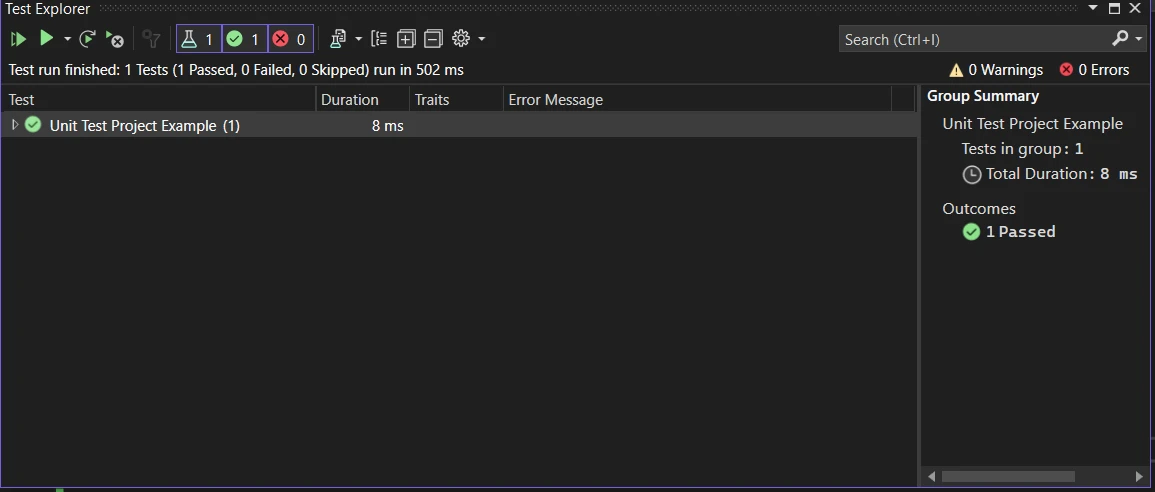
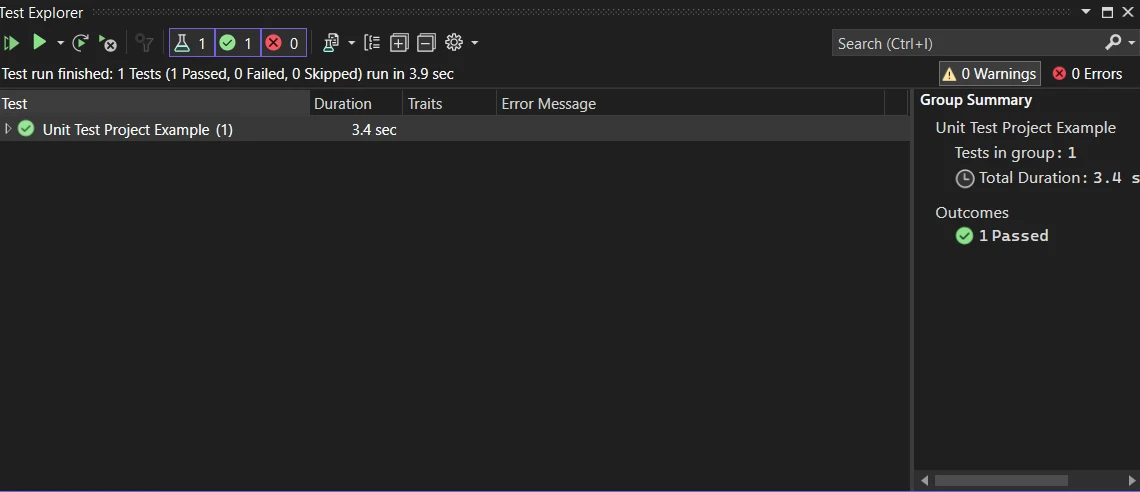
La ventana del Explorador de Pruebas de Visual Studio es su centro principal para ejecutar y gestionar todos los métodos de prueba. Puede ejecutar todas las pruebas, una selección de pruebas o pruebas individuales. Después de ejecutar las pruebas, el Explorador de Pruebas proporciona un resumen detallado de las pruebas aprobadas y fallidas, lo que le permite identificar y abordar problemas rápidamente.
Interpretación de los resultados de las pruebas
- Pruebas aprobadas: estas pruebas se ejecutaron correctamente, lo que indica que el código probado se comporta como se esperaba en las condiciones especificadas.
- Pruebas fallidas: indican una discrepancia entre los resultados esperados y los reales, señalando posibles errores o malentendidos en los requisitos o el código de prueba.
Es esencial investigar las pruebas fallidas de inmediato, ya que pueden proporcionar señales de advertencia tempranas de problemas en su base de código.
Técnicas Avanzadas y Mejores Prácticas para Escribir Pruebas Unitarias en C#
Más allá de solo escribir y ejecutar pruebas, dominar las pruebas unitarias en C# implica comprender algunas técnicas avanzadas y mejores prácticas. Estos enfoques pueden ayudarle a escribir pruebas más eficientes y efectivas, asegurando que su aplicación sea confiable y mantenible.
Organización eficaz de las pruebas
Una buena organización es clave para mantener una gran suite de pruebas. Agrupe sus pruebas lógicamente por la funcionalidad que cubren. Use nombres descriptivos para sus métodos de prueba y clases para indicar qué verifica cada prueba. Este enfoque facilita encontrar y comprender las pruebas más adelante, especialmente a medida que su suite de pruebas crece.
Mocking e inyección de dependencias
A menudo, el código que está probando interactúa con recursos externos u otras partes de su aplicación. En tales casos, use marcos de simulación como Moq o NSubstitute para crear objetos simulados. Estos sustitutos imitan el comportamiento de los objetos reales, permitiéndole probar su código en aislamiento. La inyección de dependencias hace que su código sea más comprobable, ya que le permite reemplazar dependencias reales con simulaciones o stubs durante las pruebas.
using Microsoft.VisualStudio.TestTools.UnitTesting;
using Moq;

// A sample test class demonstrating the use of mocks
[TestClass]
public class ProductServiceTests
{
    // A test method to verify the GetProductById method of ProductService
    [TestMethod]
    public void GetProductById_ShouldReturnCorrectProduct()
    {
        // Arrange
        var mockRepository = new Mock<IProductRepository>();
        mockRepository.Setup(x => x.FindById(1)).Returns(new Product { Id = 1, Name = "Laptop" });

        ProductService productService = new ProductService(mockRepository.Object);

        // Act
        Product result = productService.GetProductById(1);

        // Assert
        Assert.IsNotNull(result);
        Assert.AreEqual("Laptop", result.Name);
    }
}
using Microsoft.VisualStudio.TestTools.UnitTesting;
using Moq;

// A sample test class demonstrating the use of mocks
[TestClass]
public class ProductServiceTests
{
    // A test method to verify the GetProductById method of ProductService
    [TestMethod]
    public void GetProductById_ShouldReturnCorrectProduct()
    {
        // Arrange
        var mockRepository = new Mock<IProductRepository>();
        mockRepository.Setup(x => x.FindById(1)).Returns(new Product { Id = 1, Name = "Laptop" });

        ProductService productService = new ProductService(mockRepository.Object);

        // Act
        Product result = productService.GetProductById(1);

        // Assert
        Assert.IsNotNull(result);
        Assert.AreEqual("Laptop", result.Name);
    }
}
Imports Microsoft.VisualStudio.TestTools.UnitTesting
Imports Moq
' A sample test class demonstrating the use of mocks
<TestClass>
Public Class ProductServiceTests
' A test method to verify the GetProductById method of ProductService
<TestMethod>
Public Sub GetProductById_ShouldReturnCorrectProduct()
' Arrange
Dim mockRepository = New Mock(Of IProductRepository)()
mockRepository.Setup(Function(x) x.FindById(1)).Returns(New Product With {
.Id = 1,
.Name = "Laptop"
})
Dim productService As New ProductService(mockRepository.Object)
' Act
Dim result As Product = productService.GetProductById(1)
' Assert
Assert.IsNotNull(result)
Assert.AreEqual("Laptop", result.Name)
End Sub
End Class
Imports Microsoft.VisualStudio.TestTools.UnitTesting
Imports Moq

' A sample test class demonstrating the use of mocks
<TestClass>
Public Class ProductServiceTests
	' A test method to verify the GetProductById method of ProductService
	<TestMethod>
	Public Sub GetProductById_ShouldReturnCorrectProduct()
		' Arrange
		Dim mockRepository = New Mock(Of IProductRepository)()
		mockRepository.Setup(Function(x) x.FindById(1)).Returns(New Product With {
			.Id = 1,
			.Name = "Laptop"
		})

		Dim productService As New ProductService(mockRepository.Object)

		' Act
		Dim result As Product = productService.GetProductById(1)

		' Assert
		Assert.IsNotNull(result)
		Assert.AreEqual("Laptop", result.Name)
	End Sub
End Class
Utilización de pruebas basadas en datos
Las pruebas basadas en datos le permiten ejecutar el mismo método de prueba varias veces con diferentes datos de entrada. Esta técnica es particularmente útil para probar una amplia gama de entradas y escenarios sin escribir múltiples métodos de prueba. Visual Studio admite pruebas basadas en datos al permitirle especificar sus datos de prueba de varias fuentes, como datos en línea, archivos CSV o bases de datos.
Comprensión y uso eficaz de las aserciones
Las aserciones son el núcleo de sus métodos de prueba, ya que validan los resultados de sus pruebas. Comprenda la gama de métodos de aserción disponibles en su marco de pruebas y úselos apropiadamente para verificar valores esperados, excepciones o condiciones. Usar la aserción correcta puede hacer que sus pruebas sean más claras y robustas.
Integración continua y automatización de pruebas
Integre sus pruebas unitarias en su canalización de integración continua (CI). Esto asegura que las pruebas se ejecuten automáticamente cada vez que se realizan cambios en la base de código, ayudando a detectar y corregir problemas temprano. La automatización también facilita ejecutar pruebas con frecuencia y consistencia, lo cual es crucial para mantener una base de código saludable.
Mantener sincronizadas las pruebas y el código de producción
Sus pruebas unitarias son tan buenas como su alineación con el código de producción. Asegúrese de que cualquier cambio en la funcionalidad se refleje en las pruebas unitarias correspondientes. Esta práctica evita que las pruebas obsoletas pasen incorrectamente y asegura que su suite de pruebas represente con precisión el estado de su aplicación.
Aprender de las pruebas fallidas
Cuando una prueba falla, es una oportunidad para aprender y mejorar. Una prueba fallida puede revelar comportamientos inesperados, suposiciones incorrectas o áreas de su código que son más complejas y propensas a errores de lo necesario. Analice cuidadosamente las pruebas fallidas para comprender sus causas subyacentes y use estos conocimientos para mejorar tanto sus pruebas como su código de producción.
Introducción a IronPDF
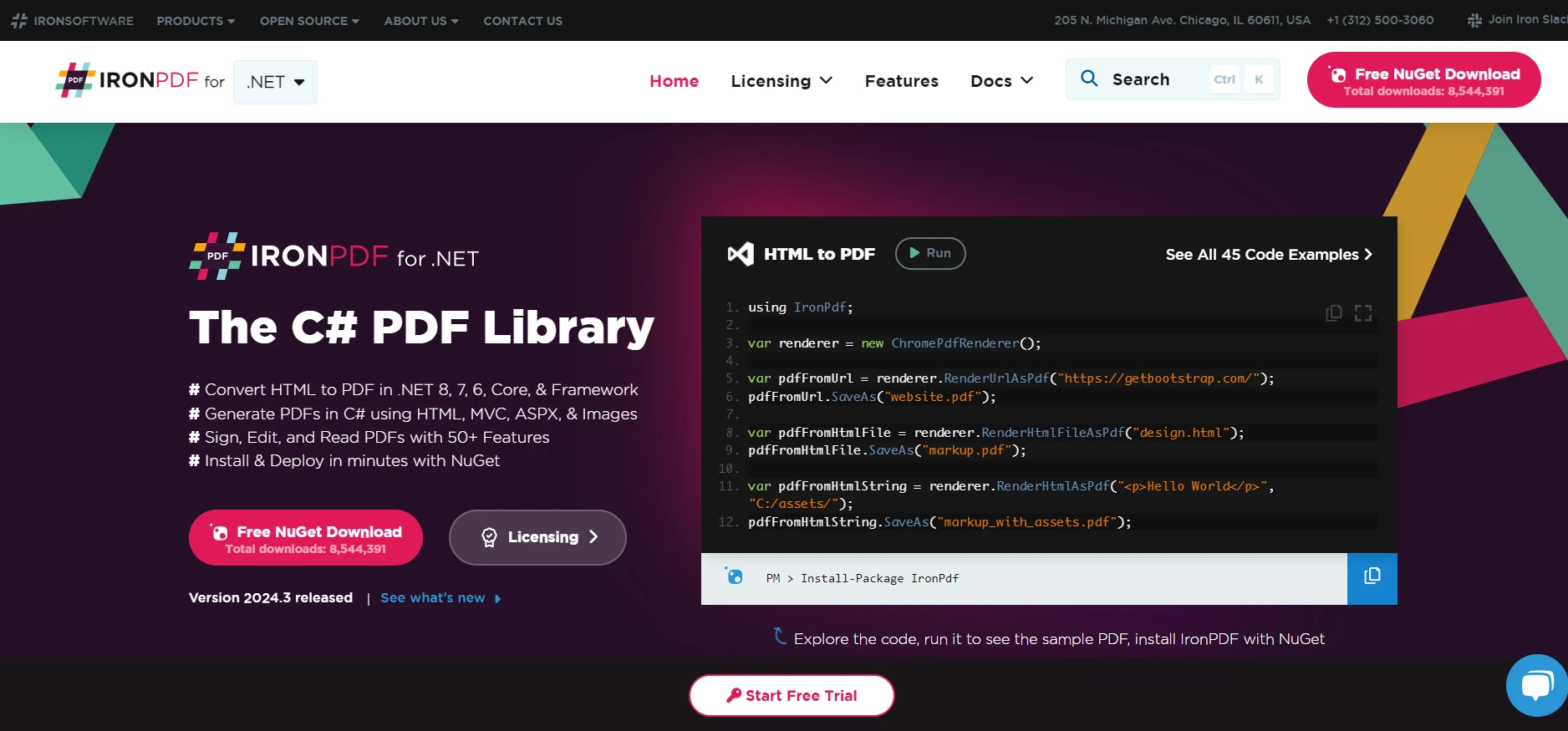
IronPDF para Desarrollo PDF en .NET es una biblioteca completa diseñada para desarrolladores .NET, que les permite generar, manipular y leer documentos PDF en sus aplicaciones. IronPDF es conocido por su capacidad para generar PDFs directamente desde el código HTML, CSS, imágenes y JavaScript para crear los mejores PDF. Admite una extensa gama de tipos de proyectos .NET y entornos de aplicación, incluyendo aplicaciones web y de escritorio, servicios y más, a través de varios sistemas operativos como Windows, Linux y macOS, así como en entornos Docker y en la nube como Azure y AWS.
IronPDF hace que sea sencillo convertir HTML, URL y páginas web completas en PDF profesionales que se ven como la fuente. Es perfecto para informes, facturas o archivar contenido web. Si está buscando una manera sencilla de convertir HTML a PDF, IronPDF lo hace a la perfección.
using IronPdf;

class Program
{
    static void Main(string[] args)
    {
        var renderer = new ChromePdfRenderer();

        // 1. Convert HTML String to PDF
        var htmlContent = "<h1>Hello, IronPDF!</h1><p>This is a PDF from an HTML string.</p>";
        var pdfFromHtmlString = renderer.RenderHtmlAsPdf(htmlContent);
        pdfFromHtmlString.SaveAs("HTMLStringToPDF.pdf");

        // 2. Convert HTML File to PDF
        var htmlFilePath = "path_to_your_html_file.html"; // Specify the path to your HTML file
        var pdfFromHtmlFile = renderer.RenderHtmlFileAsPdf(htmlFilePath);
        pdfFromHtmlFile.SaveAs("HTMLFileToPDF.pdf");

        // 3. Convert URL to PDF
        var url = "http://ironpdf.com"; // Specify the URL
        var pdfFromUrl = renderer.RenderUrlAsPdf(url);
        pdfFromUrl.SaveAs("URLToPDF.pdf");
    }
}
using IronPdf;

class Program
{
    static void Main(string[] args)
    {
        var renderer = new ChromePdfRenderer();

        // 1. Convert HTML String to PDF
        var htmlContent = "<h1>Hello, IronPDF!</h1><p>This is a PDF from an HTML string.</p>";
        var pdfFromHtmlString = renderer.RenderHtmlAsPdf(htmlContent);
        pdfFromHtmlString.SaveAs("HTMLStringToPDF.pdf");

        // 2. Convert HTML File to PDF
        var htmlFilePath = "path_to_your_html_file.html"; // Specify the path to your HTML file
        var pdfFromHtmlFile = renderer.RenderHtmlFileAsPdf(htmlFilePath);
        pdfFromHtmlFile.SaveAs("HTMLFileToPDF.pdf");

        // 3. Convert URL to PDF
        var url = "http://ironpdf.com"; // Specify the URL
        var pdfFromUrl = renderer.RenderUrlAsPdf(url);
        pdfFromUrl.SaveAs("URLToPDF.pdf");
    }
}
Imports IronPdf
Friend Class Program
Shared Sub Main(ByVal args() As String)
Dim renderer = New ChromePdfRenderer()
' 1. Convert HTML String to PDF
Dim htmlContent = "<h1>Hello, IronPDF!</h1><p>This is a PDF from an HTML string.</p>"
Dim pdfFromHtmlString = renderer.RenderHtmlAsPdf(htmlContent)
pdfFromHtmlString.SaveAs("HTMLStringToPDF.pdf")
' 2. Convert HTML File to PDF
Dim htmlFilePath = "path_to_your_html_file.html" ' Specify the path to your HTML file
Dim pdfFromHtmlFile = renderer.RenderHtmlFileAsPdf(htmlFilePath)
pdfFromHtmlFile.SaveAs("HTMLFileToPDF.pdf")
' 3. Convert URL to PDF
Dim url = "http://ironpdf.com" ' Specify the URL
Dim pdfFromUrl = renderer.RenderUrlAsPdf(url)
pdfFromUrl.SaveAs("URLToPDF.pdf")
End Sub
End Class
Imports IronPdf

Friend Class Program
	Shared Sub Main(ByVal args() As String)
		Dim renderer = New ChromePdfRenderer()

		' 1. Convert HTML String to PDF
		Dim htmlContent = "<h1>Hello, IronPDF!</h1><p>This is a PDF from an HTML string.</p>"
		Dim pdfFromHtmlString = renderer.RenderHtmlAsPdf(htmlContent)
		pdfFromHtmlString.SaveAs("HTMLStringToPDF.pdf")

		' 2. Convert HTML File to PDF
		Dim htmlFilePath = "path_to_your_html_file.html" ' Specify the path to your HTML file
		Dim pdfFromHtmlFile = renderer.RenderHtmlFileAsPdf(htmlFilePath)
		pdfFromHtmlFile.SaveAs("HTMLFileToPDF.pdf")

		' 3. Convert URL to PDF
		Dim url = "http://ironpdf.com" ' Specify the URL
		Dim pdfFromUrl = renderer.RenderUrlAsPdf(url)
		pdfFromUrl.SaveAs("URLToPDF.pdf")
	End Sub
End Class
Ejemplo de código
Aquí hay un ejemplo de cómo podría usar IronPDF en un escenario de pruebas unitarias de C#. Supongamos que desea probar una función que genera un PDF a partir de contenido HTML. Podría usar IronPDF para renderizar el HTML como un PDF y luego verificar la existencia o el contenido del PDF como parte de su prueba:
using IronPdf;
using Microsoft.VisualStudio.TestTools.UnitTesting;
using System;
using System.IO;

// A sample test class to verify PDF generation
[TestClass]
public class PdfGenerationTests
{
    // A test method to verify HTML to PDF generation using IronPDF
    [TestMethod]
    public void TestHtmlToPdfGeneration()
    {
        IronPdf.License.LicenseKey = "License-Key"; // Set your IronPDF license key

        var renderer = new ChromePdfRenderer();

        // Render HTML to a PDF
        var pdf = renderer.RenderHtmlAsPdf("<h1>Hello, world!</h1>");

        string filePath = Path.Combine(Path.GetTempPath(), "test.pdf");

        // Save the generated PDF to a file
        pdf.SaveAs(filePath);

        // Assert the PDF file was created successfully
        Assert.IsTrue(File.Exists(filePath), "The generated PDF does not exist.");

        // Additional assertions to verify the PDF content could be added here
        // Clean up generated file
        File.Delete(filePath);
    }
}
using IronPdf;
using Microsoft.VisualStudio.TestTools.UnitTesting;
using System;
using System.IO;

// A sample test class to verify PDF generation
[TestClass]
public class PdfGenerationTests
{
    // A test method to verify HTML to PDF generation using IronPDF
    [TestMethod]
    public void TestHtmlToPdfGeneration()
    {
        IronPdf.License.LicenseKey = "License-Key"; // Set your IronPDF license key

        var renderer = new ChromePdfRenderer();

        // Render HTML to a PDF
        var pdf = renderer.RenderHtmlAsPdf("<h1>Hello, world!</h1>");

        string filePath = Path.Combine(Path.GetTempPath(), "test.pdf");

        // Save the generated PDF to a file
        pdf.SaveAs(filePath);

        // Assert the PDF file was created successfully
        Assert.IsTrue(File.Exists(filePath), "The generated PDF does not exist.");

        // Additional assertions to verify the PDF content could be added here
        // Clean up generated file
        File.Delete(filePath);
    }
}
Imports IronPdf
Imports Microsoft.VisualStudio.TestTools.UnitTesting
Imports System
Imports System.IO
' A sample test class to verify PDF generation
<TestClass>
Public Class PdfGenerationTests
' A test method to verify HTML to PDF generation using IronPDF
<TestMethod>
Public Sub TestHtmlToPdfGeneration()
IronPdf.License.LicenseKey = "License-Key" ' Set your IronPDF license key
Dim renderer = New ChromePdfRenderer()
' Render HTML to a PDF
Dim pdf = renderer.RenderHtmlAsPdf("<h1>Hello, world!</h1>")
Dim filePath As String = Path.Combine(Path.GetTempPath(), "test.pdf")
' Save the generated PDF to a file
pdf.SaveAs(filePath)
' Assert the PDF file was created successfully
Assert.IsTrue(File.Exists(filePath), "The generated PDF does not exist.")
' Additional assertions to verify the PDF content could be added here
' Clean up generated file
File.Delete(filePath)
End Sub
End Class
Imports IronPdf
Imports Microsoft.VisualStudio.TestTools.UnitTesting
Imports System
Imports System.IO

' A sample test class to verify PDF generation
<TestClass>
Public Class PdfGenerationTests

    ' A test method to verify HTML to PDF generation using IronPDF
    <TestMethod>
    Public Sub TestHtmlToPdfGeneration()
        IronPdf.License.LicenseKey = "License-Key" ' Set your IronPDF license key

        Dim renderer = New ChromePdfRenderer()

        ' Render HTML to a PDF
        Dim pdf = renderer.RenderHtmlAsPdf("<h1>Hello, world!</h1>")

        Dim filePath As String = Path.Combine(Path.GetTempPath(), "test.pdf")

        ' Save the generated PDF to a file
        pdf.SaveAs(filePath)

        ' Assert the PDF file was created successfully
        Assert.IsTrue(File.Exists(filePath), "The generated PDF does not exist.")

        ' Additional assertions to verify the PDF content could be added here
        ' Clean up generated file
        File.Delete(filePath)
    End Sub
End Class
Este ejemplo demuestra una prueba unitaria sencilla que utiliza IronPDF para generar un PDF a partir de una cadena HTML, guardarlo en un archivo temporal y luego verificar la existencia del archivo.
Conclusión
Las pruebas unitarias son una parte indispensable del ciclo de vida del desarrollo de software. Al configurar y escribir pruebas efectivas, ejecutarlas a través del Explorador de Pruebas de Visual Studio y usar herramientas de cobertura de código, asegura que sus aplicaciones C# sean fiables y mantengan altos estándares de calidad. Al comprender y aplicar los principios del desarrollo guiado por pruebas, puede mejorar aún más la calidad de sus proyectos de pruebas unitarias en C#. Recuerde, el objetivo de las pruebas unitarias no es solo encontrar errores, sino crear una base robusta para su aplicación que facilita actualizaciones, depuración y adición de funciones más sencillas. Explore las opciones de licencia de IronPDF con opciones de licencia a partir de $$ liteLicense.























