



Actualizado 21 de abril de 2026
linkify-react (Cómo funciona: Una guía para desarrolladores)
Linkify React es un paquete npm ligero y fácil de usar que automatiza la conversión de texto simple que contiene URLs
Leer más

Node Fetch es un módulo ligero popular en el ecosistema de Node.js, diseñado para hacer solicitudes HTTP simples e intuitivas. Proporciona una forma ligera y familiar de interactuar con APIs web, inspirada en la API Fetch disponible en el entorno del navegador. Node-fetch proporciona soporte para la API Fetch en Node.js, permitiendo a los service workers manejar cabeceras HTTP y realizar solicitudes HTTPS de manera eficiente.
Este artículo te ayudará a explorar las características clave y el uso de Node-fetch, ofreciendo una guía completa para desarrolladores que buscan simplificar el manejo de solicitudes HTTP en Node.js. También utilizaremos IronPDF, una biblioteca de PDF for Node.js que permite a los programadores crear y editar PDFs, convertir contenido HTML a PDF, y mucho más.
Node fetch es un módulo que trae la API Fetch a Node.js. La API Fetch es una interfaz moderna para realizar solicitudes HTTP, comúnmente usada en navegadores web. Node.js fetch replica esta funcionalidad, permitiendo a las aplicaciones Node.js realizar solicitudes HTTP con la misma facilidad y simplicidad. Esto lo hace una excelente opción para desarrolladores que ya están familiarizados con la API Fetch o aquellos que buscan una forma sencilla de manejar solicitudes HTTP en sus aplicaciones Node.js.
Node.js fetch imita la API Fetch que se encuentra en los navegadores, proporcionando una interfaz simple y familiar para los desarrolladores.
Al igual que la API Fetch, Node.js fetch está basado en promesas, permitiendo a los desarrolladores escribir código asincrónico de una manera más legible y manejable.
Node.js fetch es una biblioteca minimalista, haciéndolo rápido y eficiente. No viene con la sobrecarga de librerías HTTP más grandes, manteniendo tu aplicación ligera.
Node.js fetch soporta una amplia gama de métodos HTTP, cabeceras y tipos de respuesta, haciéndolo altamente versátil.
Soporta respuestas en streaming, lo cual es útil para manejar cargas grandes de manera eficiente.
Para comenzar con Node-fetch, necesitas instalarlo a través de NPM (Node Package Manager). Ejecuta el siguiente comando en el directorio de tu proyecto:
npm install node-fetchAquí hay un ejemplo básico de cómo usar Node.js fetch para hacer una solicitud GET:
import fetch from 'node-fetch';

const url = 'https://jsonplaceholder.typicode.com/posts';

// Make a GET request to fetch data
fetch(url)
    .then(response => {
        // Check if the response status is OK
        if (!response.ok) {
            throw new Error('Network response was not ok');
        }
        // Parse the response as JSON
        return response.json();
    })
    .then(data => {
        // Process the JSON data
        console.log(data);
    })
    .catch(error => {
        // Handle any errors that occur during the fetch
        console.error('There has been a problem with your fetch operation:', error);
});Este fragmento de código demuestra una simple solicitud GET para obtener datos JSON de una API. La función fetch devuelve una promesa que se resuelve en el objeto de respuesta. Luego puedes llamar a métodos que retornan respuestas, como json() para analizar el cuerpo de la respuesta.
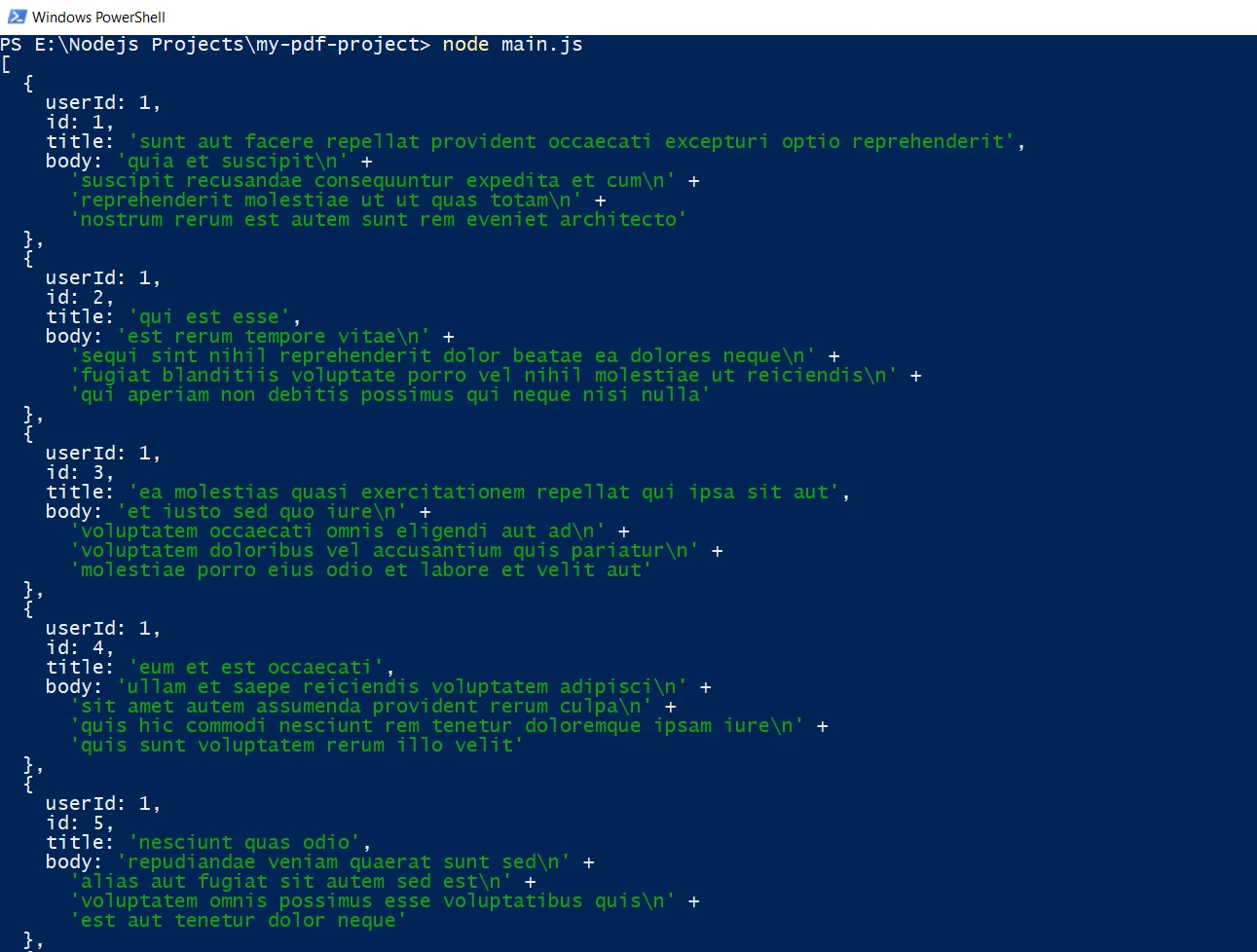
Node.js fetch también soporta características más avanzadas, como hacer solicitudes POST, establecer cabeceras de solicitud personalizadas y manejar diferentes tipos de respuesta.
import fetch from 'node-fetch';

const url = 'https://jsonplaceholder.typicode.com/posts';
const data = { key: 'value' };

// Make a POST request with JSON payload
fetch(url, {
    method: 'POST',
    headers: {
        // Specify content type as JSON
        'Content-Type': 'application/json'
    },
    body: JSON.stringify(data)
})
    .then(response => {
        // Check if the response status is OK
        if (!response.ok) {
            throw new Error('Network response was not ok');
        }
        // Parse the response as JSON
        return response.json();
    })
    .then(data => {
        // Process the JSON data
        console.log(data);
    })
    .catch(error => {
        // Handle any errors that occur during the fetch
        console.error('There has been a problem with your fetch operation:', error);
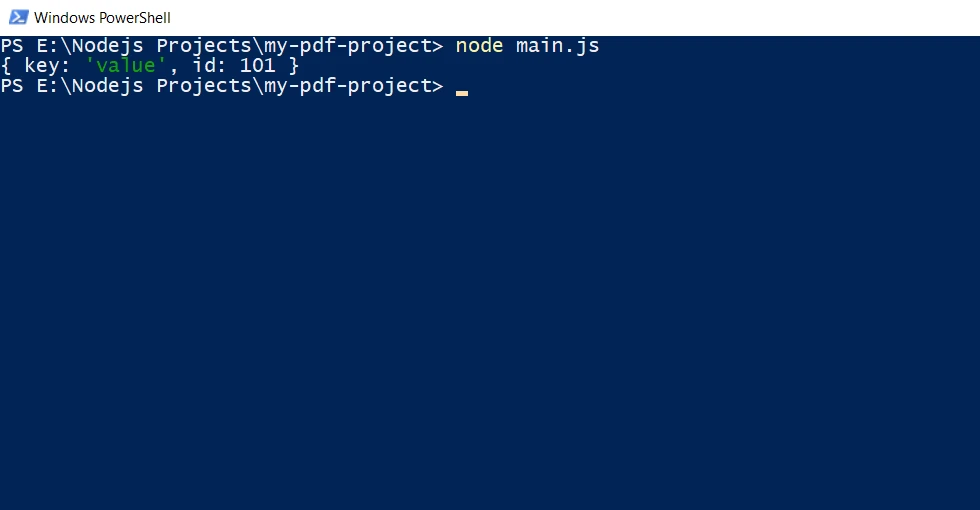
});Este ejemplo muestra cómo enviar una solicitud POST con una carga de JSON. La opción headers se utiliza para especificar el tipo de contenido de la respuesta, y la opción body contiene los datos JSON serializados.
import fetch from 'node-fetch';
import fs from 'fs';

const url = 'https://jsonplaceholder.typicode.com/posts';

// Make a GET request to fetch data and stream it to a file
fetch(url)
    .then(response => {
        // Check if the response status is OK
        if (!response.ok) {
            throw new Error('Network response was not ok');
        }
        // Pipe the response body as a file stream to 'large-data.json'
        const dest = fs.createWriteStream('./large-data.json');
        response.body.pipe(dest);
    })
    .catch(error => {
        // Handle any errors that occur during the fetch
        console.error('There has been a problem with your fetch operation:', error);
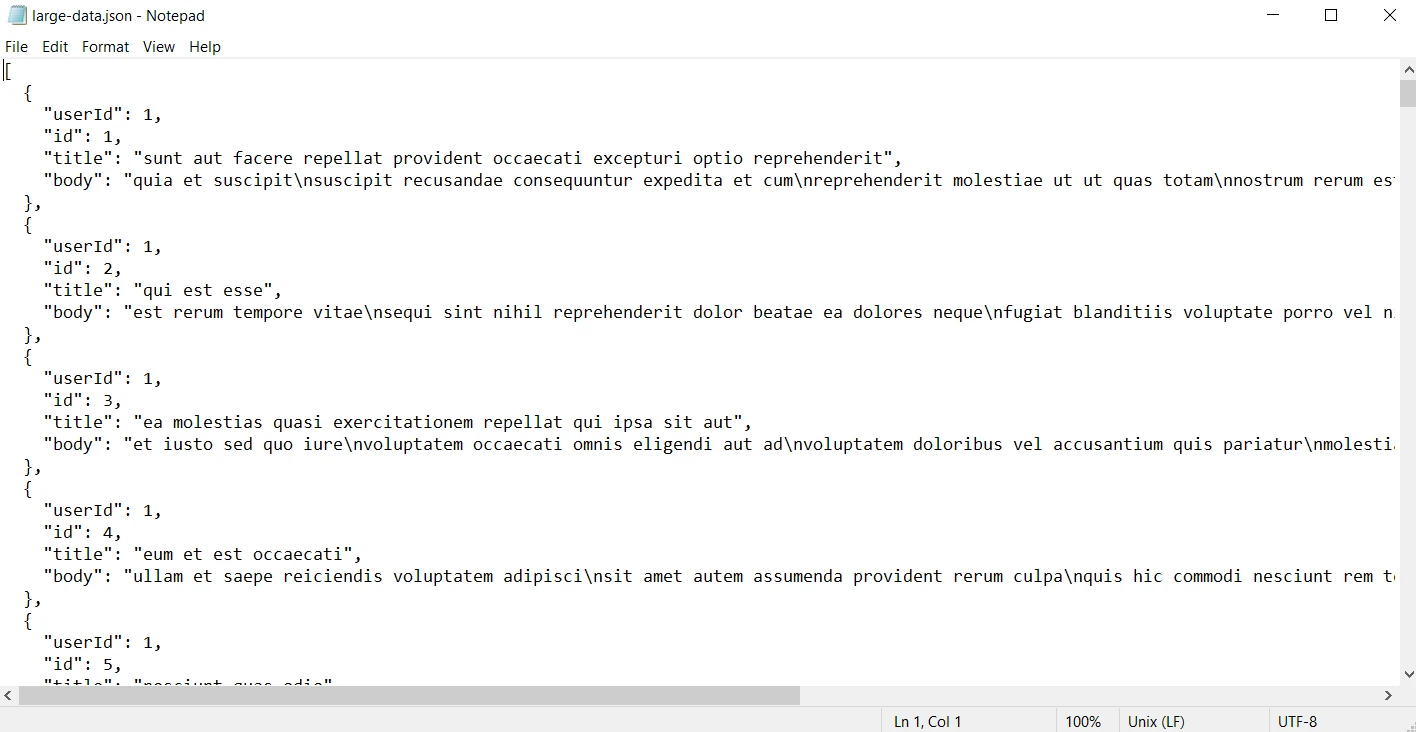
});En este ejemplo, el cuerpo de la respuesta se canaliza al servidor como un flujo de archivos, demostrando cómo manejar respuestas grandes de manera eficiente.
El manejo adecuado de errores es crucial cuando se trabaja con solicitudes HTTP. Node.js fetch proporciona una manera sencilla de captar y manejar errores usando promesas.
fetch(url)
    .then(response => {
        // Check if the response status is OK
        if (!response.ok) {
            throw new Error(`HTTP error! status: ${response.status}`);
        }
        // Parse the response as JSON
        return response.json();
    })
    .then(data => {
        // Process the JSON data
        console.log(data);
    })
    .catch(error => {
        // Handle any errors that occur during the fetch
        console.error('Fetch error:', error);
});Aquí, se lanza un error si el estado de la respuesta no está en el rango 200-299, y el bloque catch maneja cualquier error que ocurra durante la solicitud. De lo contrario, se devuelve la respuesta JSON válida.
Node fetch es una biblioteca popular en el ecosistema de Node.js para realizar solicitudes fetch HTTP. Cuando se combina con IronPDF, una poderosa biblioteca de generación de PDF, se convierte en una herramienta versátil para crear PDFs desde varios recursos web.
IronPDF es una biblioteca robusta que permite a los desarrolladores crear, editar y extraer contenido de PDFs de manera sencilla y eficiente. Disponible para C#, Python, Java, y Node.js, IronPDF hace que la manipulación de PDFs sea simple con su API intuitiva.
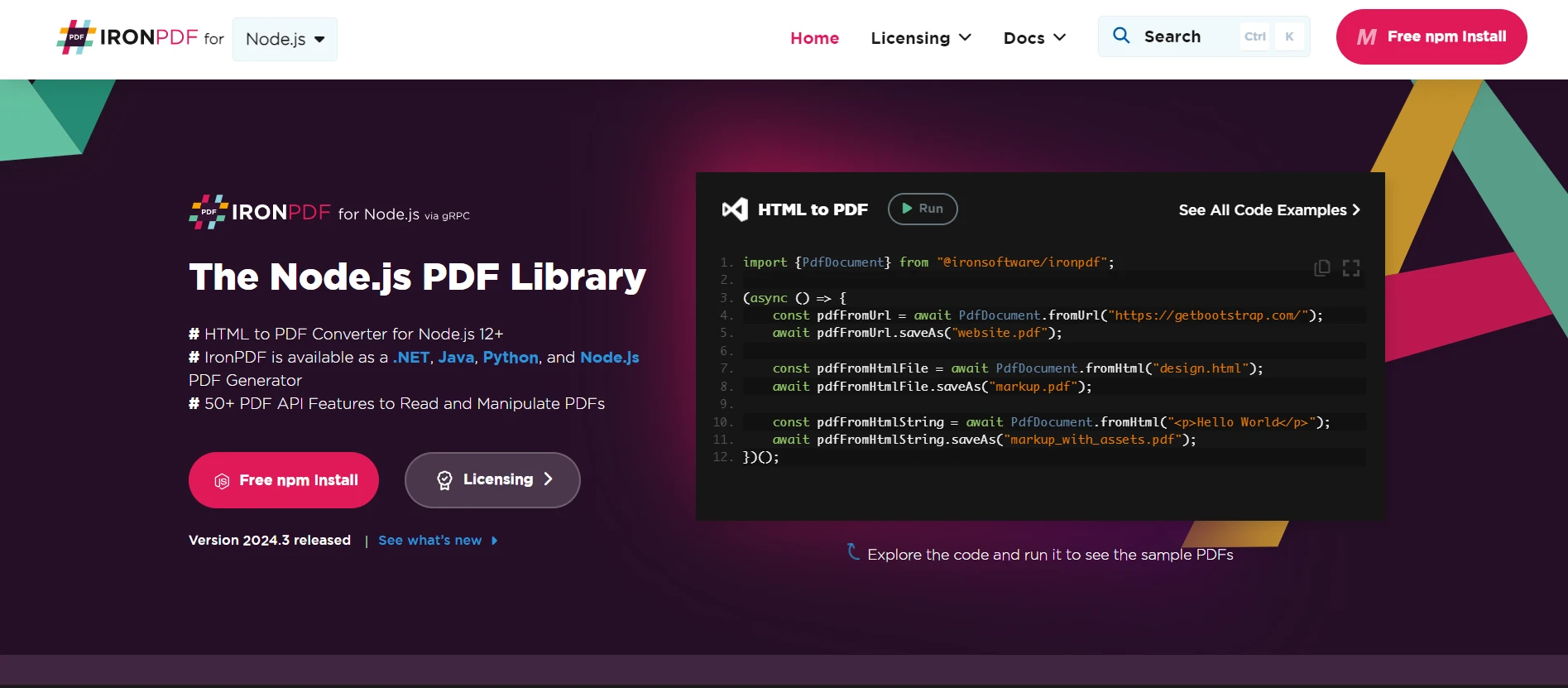
Primero, necesitas instalar IronPDF en tu proyecto. Usa el siguiente comando de npm para instalar la biblioteca:
Exploremos cómo usar Node.js fetch con IronPDF para generar PDFs desde fuentes de contenido web.
Puedes aprovechar el poder tanto de Node.js fetch como de IronPDF para obtener contenido web dinámicamente y generar PDFs. Por ejemplo, puedes obtener los datos de un endpoint de API, generar HTML dinámico, y convertirlo a un PDF. El siguiente ejemplo demuestra cómo puedes realizar esta tarea:
import fetch from 'node-fetch';
import { PdfDocument } from '@ironsoftware/ironpdf';

(async () => {
    // Replace the apiUrl with the actual URL
    const apiUrl = "https://jsonplaceholder.typicode.com/posts";

    // Fetch data from API
    const response = await fetch(apiUrl);
    const data = await response.json();

    // Create dynamic HTML content with a table
    const htmlContent = `
        <!DOCTYPE html>
        <html>
        <head>
            <title>Data Report</title>
            <style>
                body {
                    font-family: Arial, sans-serif;
                    margin: 40px;
                }
                table {
                    width: 100%;
                    border-collapse: collapse;
                }
                table, th, td {
                    border: 1px solid black;
                }
                th, td {
                    padding: 10px;
                    text-align: left;
                }
                th {
                    background-color: #f2f2f2;
                }
                h1 {
                    text-align: center;
                }
            </style>
        </head>
        <body>
            <h1>Data Report</h1>
            <table>
                <tr>
                    <th>User ID</th>
                    <th>ID</th>
                    <th>Title</th>
                    <th>Body</th>
                </tr>
                ${data.map(item => `
                    <tr>
                        <td>${item.userId}</td>
                        <td>${item.id}</td>
                        <td>${item.title}</td>
                        <td>${item.body}</td>
                    </tr>
                `).join('')}
            </table>
        </body>
        </html>
    `;

    // Generate PDF from the HTML string
    const pdfFromHtmlString = await PdfDocument.fromHtml(htmlContent);
    await pdfFromHtmlString.saveAs("dynamic_report.pdf");
    console.log("PDF generated from API data successfully!");
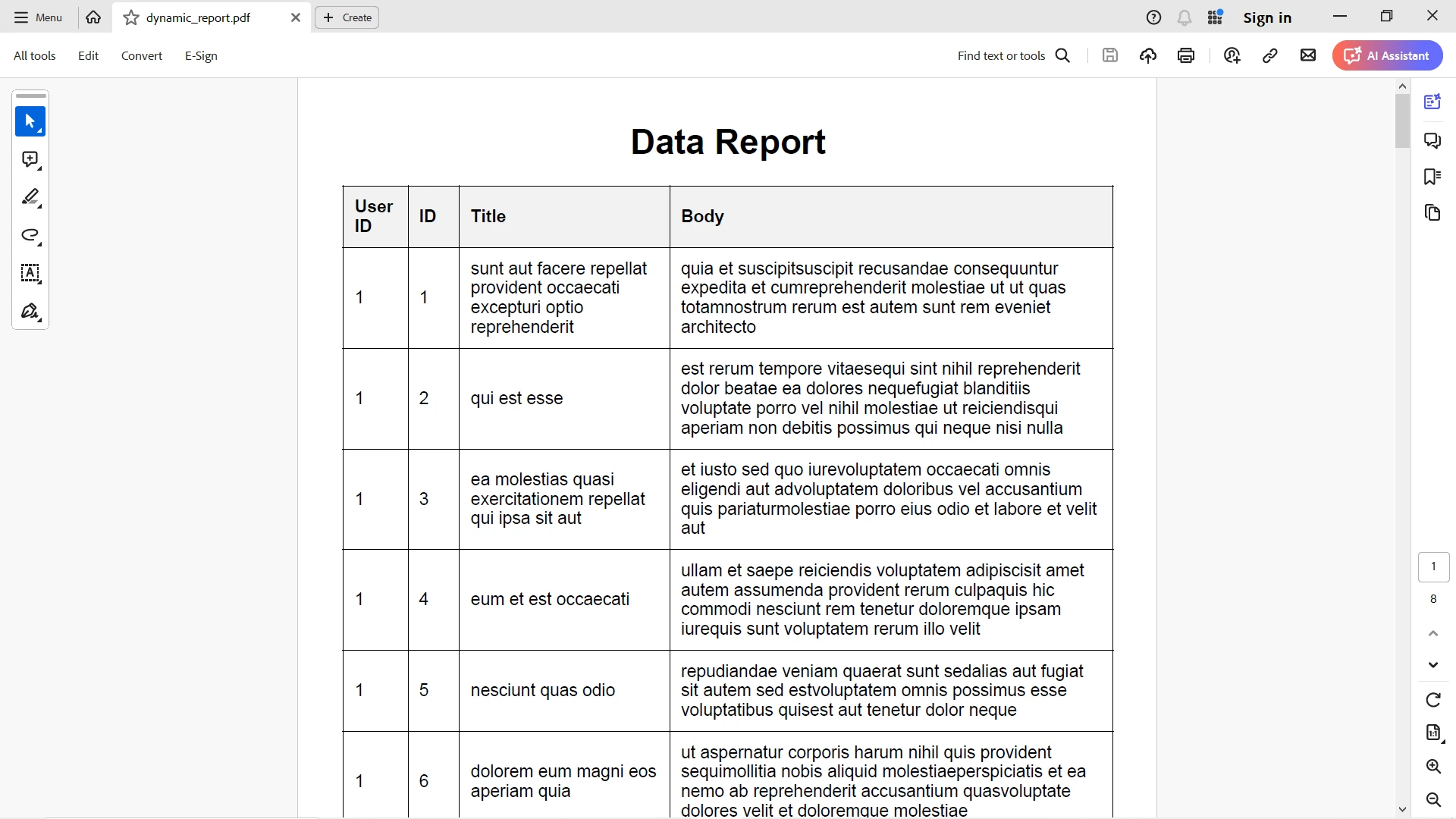
})();La salida de la respuesta JSON se mapea elegantemente a la tabla HTML y IronPDF la convierte con todo su estilo de manera precisa.
Para más detalles sobre IronPDF y sus funcionalidades, por favor consulta esta página de documentación.
Node fetch es una herramienta poderosa pero sencilla para realizar solicitudes HTTP en Node.js. Su API familiar, el enfoque basado en promesas y su naturaleza ligera la hacen una excelente opción tanto para principiantes como para desarrolladores experimentados. Ya sea que estés realizando solicitudes GET básicas o manejando solicitudes POST complejas con cabeceras personalizadas, Node fetch proporciona una forma limpia y eficiente de interactuar con APIs web.
Combinar Node fetch con IronPDF proporciona una manera poderosa y flexible de generar PDFs desde varias fuentes de contenido web en Node.js. Al integrar estas dos bibliotecas, puedes crear aplicaciones robustas que aprovechan los datos web y generan PDFs profesionales con facilidad.
IronPDF a partir de $999. Experimenta sus potentes características de generación de PDF sin riesgo. ¡Pruébalo hoy y siente la diferencia por ti mismo!

Curtis Chau tiene una licenciatura en Ciencias de la Computación (Carleton University) y se especializa en el desarrollo front-end con experiencia en Node.js, TypeScript, JavaScript y React. Apasionado por crear interfaces de usuario intuitivas y estéticamente agradables, disfruta trabajando con frameworks modernos y creando manuales bien estructurados y visualmente atractivos.


IronPDF es parte de IRONSUITE
10 productos API .NET para tus documentos de oficina











Cuando necesitas que tu PDF se parezca al HTML, rápido.

