

Axios NPM (개발자를 위한 사용 방법)

웹 개발이라는 광대한 영역에서 HTTP 요청 처리는 기본적인 작업입니다. 단순한 웹 애플리케이션을 구축하든 복잡한 API 기반 시스템을 구축하든, 클라이언트와 서버 간의 응답 데이터 교환을 효율적으로 관리하는 것은 매우 중요합니다. 바로 이 지점에서 인기 있는 NPM 패키지 관리자인 Axios가 중요한 역할을 합니다. Axios는 개발자에게 HTTP 요청을 수행하는 간단하고 우아한 솔루션을 제공합니다.
Axios NPM이란 무엇인가요?
Axios는 Promise 기반 HTTP 클라이언트이므로 브라우저와 Node.js 환경 모두에서 원활하게 작동합니다. 직관적인 인터페이스는 GET, POST, PUT, DELETE 같은 다양한 HTTP 작업을 간소화합니다. 또한 Axios는 요청 및 응답 가로채기 또는 응답 변환 요청과 같은 기능을 지원하여 개발자가 요청과 응답을 가로채 필요에 따라 조작할 수 있도록 합니다. 이 기능은 요청 데이터나 응답 데이터를 변환하는 등의 작업에 특히 유용하며, 클라이언트와 서버 간의 통신이 특정 요구 사항에 맞게 조정되도록 보장합니다.
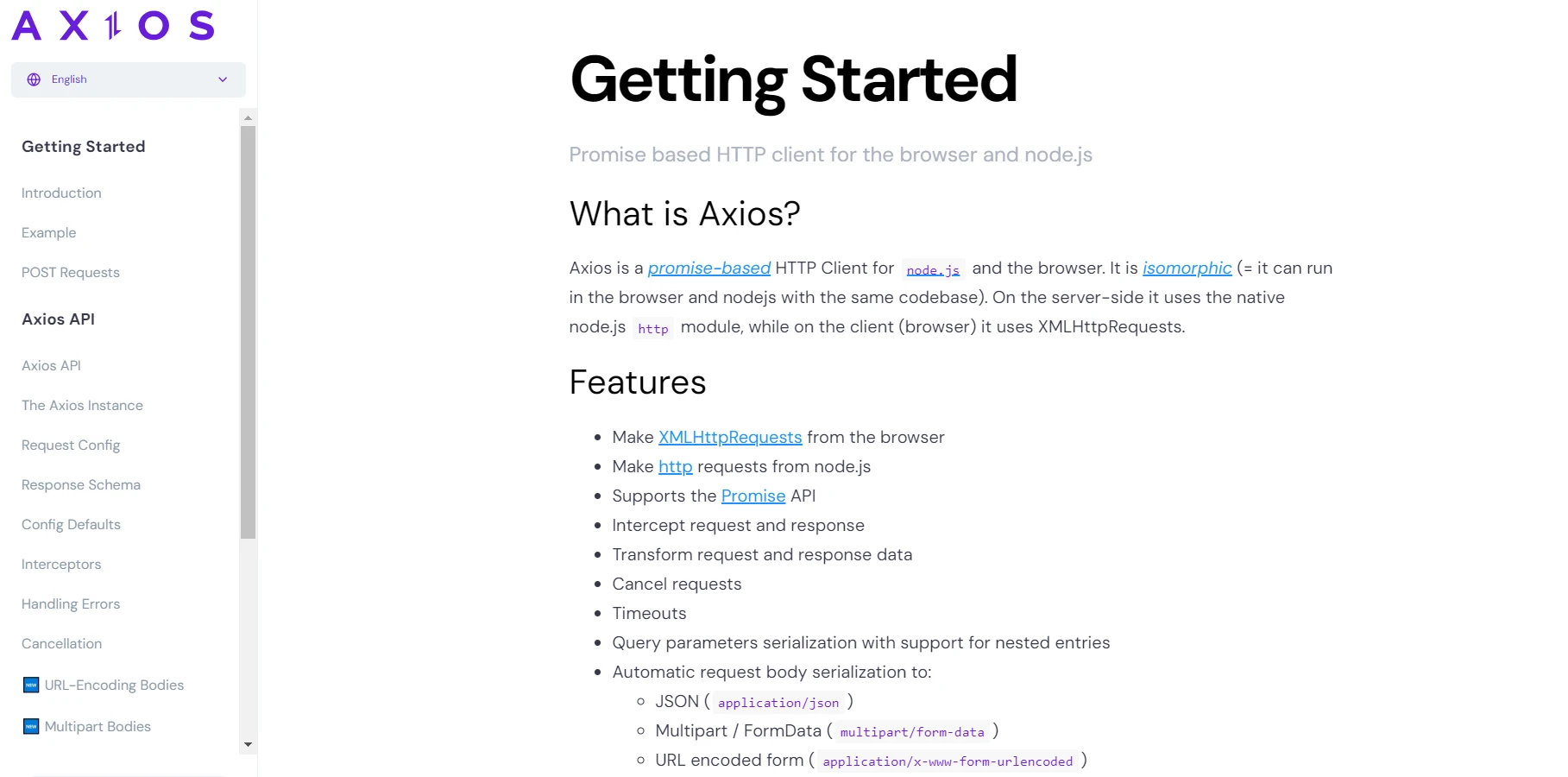
Axios의 주목할 만한 기능 중 하나는 x-www-form-urlencoded 형식으로 인코딩된 폼 데이터를 처리하는 것을 지원하는 것입니다. 이 형식은 웹 페이지에서 양식을 제출하는 것과 같이 데이터를 구조화된 방식으로 전송해야 하는 시나리오에 매우 중요합니다. Axios를 사용하면 개발자는 애플리케이션 요구 사항에 따라 HTTP 요청을 사용자 지정하기 위해 URL, 데이터 구성 및 요청 매개변수를 쉽게 구성할 수 있습니다.
Axios는 강력한 기능 세트 외에도 뛰어난 브라우저 지원을 자랑하여 클라이언트 측 개발에 다재다능한 선택지가 됩니다. 최신 웹 애플리케이션을 구축하든 기존 시스템을 구축하든, Axios는 프로젝트에 원활하게 통합되어 클라이언트 측 요청과 서버 API 간의 원활한 통신을 지원합니다.
왜 Axios를 선택해야 할까요?
1. 단순함
Axios는 XMLHttpRequest 및 Fetch API 호출을 처리하는 복잡성을 추상화하여 HTTP 요청을 만드는 과정을 단순화합니다. 깔끔하고 직관적인 API 덕분에 개발자는 최소한의 상용구 코드로 일반적인 HTTP 작업을 쉽게 수행할 수 있습니다.
2. 약속 기반
Axios는 Promise을 활용하여 비동기 코드를 쉽게 작성하고 비동기 요청에 대한 응답을 보다 체계적이고 가독성 있게 처리할 수 있도록 합니다. 이를 통해 개발자는 콜백 지옥을 피하고 더 깔끔하고 유지보수하기 쉬운 코드를 작성할 수 있습니다.
3. 브라우저 및 Node.js 지원
클라이언트 측 웹 애플리케이션을 구축하든 서버 측 Node.js 애플리케이션을 구축하든, Axios는 모든 것을 지원합니다. 이 시스템은 두 환경 모두와 원활하게 통합되어 다양한 플랫폼에서 HTTP 요청을 수행하기 위한 일관된 API를 제공합니다.
4. 요격기
Axios API 인터셉트 요청 및 응답은 then 또는 catch 콜백에 의해 처리됩니다. 이 강력한 API 요청 가로채기 기능을 통해 개발자는 사용자 지정 헤더 추가, 요청 로깅, 오류 처리와 같은 일반적인 작업을 중앙 집중식으로 수행할 수 있습니다.
5. JSON 자동 파싱
Axios는 JSON 응답을 자동으로 파싱하여 수동 파싱의 필요성을 없애고 반복적인 코드 작성을 줄여줍니다. 이 덕분에 개발자는 데이터를 파싱하는 대신 데이터를 소비하는 데 집중할 수 있으므로 API에서 JSON 데이터를 다루는 것이 매우 간편해집니다.
Axios 시작하기
Axios 패키지를 프로젝트에 통합하려면 제공된 import axios 문을 사용하여 간단히 가져오십시오. 또는 Node.js 환경에서 작업하는 경우 Node.js 패키지 관리자(NPM)를 활용하여 Axios를 설치하고 종속성을 손쉽게 관리할 수 있습니다.
프로젝트에서 Axios를 사용하는 것은 간단합니다. NPM 또는 Yarn을 통해 설치할 수 있습니다.
# Install Axios via NPM
npm install axios
# or
# Install Axios via Yarn
yarn add axios
# Install Axios via NPM
npm install axios
# or
# Install Axios via Yarn
yarn add axios설치가 완료되면 바로 HTTP 요청을 시작할 수 있습니다.
사용 예시
Axios는 직관적인 URL 데이터 설정을 통해 HTTP 요청 관리를 간소화합니다. 응답을 변환하고 요청을 원활하게 가로채어 API와의 매끄러운 통합을 보장합니다. 프로미스 기반 반환을 통해 오류 처리가 간소화되어 HTTP 상태 코드 및 메시지를 효율적으로 처리할 수 있으므로 application/x-www-form-urlencoded 요청 처리에 이상적입니다.
다음은 GET 요청을 하는 강력한 예입니다:
URL 및 구성 정의
// Define the API endpoint URL
const url = 'https://api.example.com/data';

// Define the Axios request configuration
const config = {
  params: {
    // Add query parameters if needed
    page: 1,
    limit: 10
  },
  headers: {
    // Add custom headers if needed
    'Authorization': 'Bearer YOUR_ACCESS_TOKEN'
  }
};
// Define the API endpoint URL
const url = 'https://api.example.com/data';
// Define the Axios request configuration
const config = {
params: {
// Add query parameters if needed
page: 1,
limit: 10
},
headers: {
// Add custom headers if needed
'Authorization': 'Bearer YOUR_ACCESS_TOKEN'
}
};URL과 설정을 사용하여 GET 요청을 보냅니다.
// Make a GET request to the API endpoint with the defined URL and configuration
axios.get(url, config)
  .then(response => {
    // Transform response data if required
    const transformedData = response.data.map(item => {
      return {
        id: item.id,
        name: item.name.toUpperCase()
      };
    });
    // Log transformed data
    console.log('Transformed Data:', transformedData);
  })
  .catch(error => {
    // Handle request error return promise
    if (error.response) {
      // The request was made and the server responded with a status code and HTTP status message
      console.error('Server responded with status code:', error.response.status);
      console.error('Response data:', error.response.data);
    } else if (error.request) {
      // The request was made but no response was received
      console.error('No response received:', error.request);
    } else {
      // Something happened in setting up the request that triggered an Error
      console.error('Error setting up the request:', error.message);
    }
  });
// Make a GET request to the API endpoint with the defined URL and configuration
axios.get(url, config)
.then(response => {
// Transform response data if required
const transformedData = response.data.map(item => {
return {
id: item.id,
name: item.name.toUpperCase()
};
});
// Log transformed data
console.log('Transformed Data:', transformedData);
})
.catch(error => {
// Handle request error return promise
if (error.response) {
// The request was made and the server responded with a status code and HTTP status message
console.error('Server responded with status code:', error.response.status);
console.error('Response data:', error.response.data);
} else if (error.request) {
// The request was made but no response was received
console.error('No response received:', error.request);
} else {
// Something happened in setting up the request that triggered an Error
console.error('Error setting up the request:', error.message);
}
});Axios는 POST, PUT, DELETE 등과 같은 다른 HTTP 메서드도 지원하여 유사한 방식으로 요청과 응답을 변환할 수 있습니다.
IronPDF 소개합니다
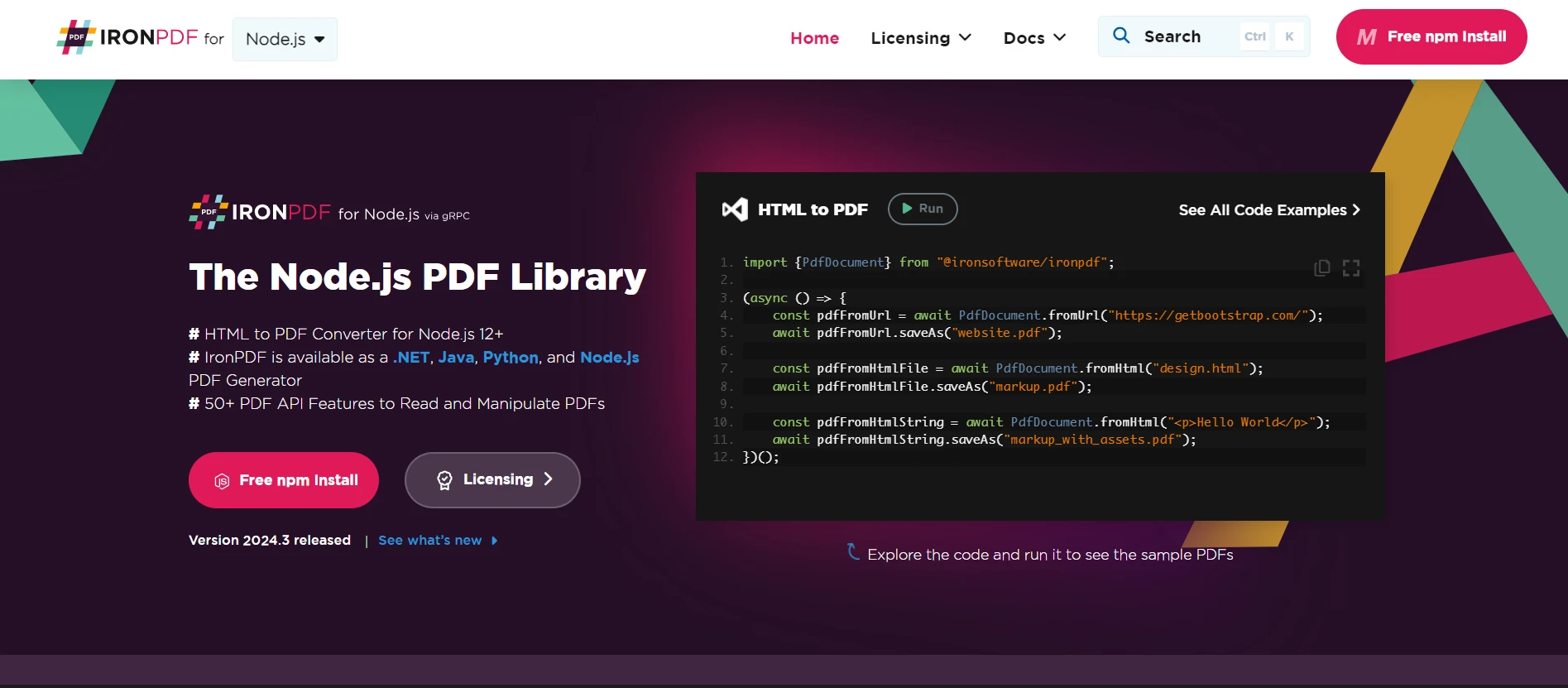
IronPDF 는 개발자가 PDF 문서를 프로그래밍 방식으로 생성, 편집 및 조작할 수 있도록 해주는 강력한 .NET 라이브러리입니다. IronPDF 사용하면 HTML 콘텐츠, URL 또는 원시 HTML 문자열에서 고품질 PDF를 손쉽게 생성할 수 있습니다. 이 프로그램은 머리글과 바닥글, 페이지 번호 매기기, 암호화 등을 포함한 풍부한 기능을 제공하여 다양한 PDF 생성 작업에 활용할 수 있는 다재다능한 도구입니다.
Axios와 IronPDF 결합하기
개발자는 Axios를 활용하여 웹 API에서 동적 콘텐츠를 가져오고 IronPDF 사용하여 해당 콘텐츠를 PDF로 변환함으로써 동적 PDF 문서를 즉시 생성할 수 있습니다. 이 접근 방식은 유연성과 확장성을 제공하여 HTTP를 통해 접근 가능한 모든 양식 데이터 또는 웹 콘텐츠에서 PDF를 생성할 수 있도록 합니다.
사용 시나리오
사용자 입력에 따라 동적으로 송장을 생성하는 웹 애플리케이션이 있다고 가정해 보겠습니다. Axios를 사용하여 서버 엔드포인트에서 송장 데이터를 가져온 다음 IronPDF 사용하여 해당 데이터를 PDF 문서로 변환할 수 있습니다.
1단계: Axios와 IronPDF 설치합니다.
먼저, 프로젝트에 Axios와 IronPDF 모두 설치되어 있는지 확인하십시오.
# Install Axios
npm i axios
# Install IronPDF (Node.js binding)
npm i @ironsoftware/ironpdf
# Install Axios
npm i axios
# Install IronPDF (Node.js binding)
npm i @ironsoftware/ironpdf2단계: Axios를 사용하여 데이터 가져오기
Axios를 사용하여 서버에서 송장 데이터를 가져오는 HTTP 요청을 보냅니다.
// Require Axios for HTTP requests
const axios = require('axios');

// Make a GET request to retrieve invoice data
axios.get('https://api.example.com/invoice')
  .then(response => {
    const invoiceData = response.data;
    // Proceed to PDF generation
  })
  .catch(error => {
    console.error('Error fetching invoice data:', error);
  });
// Require Axios for HTTP requests
const axios = require('axios');
// Make a GET request to retrieve invoice data
axios.get('https://api.example.com/invoice')
.then(response => {
const invoiceData = response.data;
// Proceed to PDF generation
})
.catch(error => {
console.error('Error fetching invoice data:', error);
});3단계: IronPDF 사용하여 PDF 생성
송장 데이터를 가져온 후에는 IronPDF 사용하여 요청 및 응답 데이터를 PDF 문서로 생성하십시오.
// Require necessary modules
const axios = require('axios');
const { PdfDocument } = require('@ironsoftware/ironpdf');

// Async function to handle PDF generation
(async () => {
    try {
        // Fetch HTML content using Axios
        const response = await axios.get('https://api.example.com/invoice');
        const invoiceHtml = response.data;

        // Create a PDF from the fetched HTML content
        const pdf = await PdfDocument.fromHtml(invoiceHtml);

        // Export the PDF to a file
        await pdf.saveAs("invoice.pdf");
        console.log("PDF generated successfully!");
    } catch (error) {
        console.error("Error generating PDF:", error);
    }
})();
// Require necessary modules
const axios = require('axios');
const { PdfDocument } = require('@ironsoftware/ironpdf');
// Async function to handle PDF generation
(async () => {
try {
// Fetch HTML content using Axios
const response = await axios.get('https://api.example.com/invoice');
const invoiceHtml = response.data;
// Create a PDF from the fetched HTML content
const pdf = await PdfDocument.fromHtml(invoiceHtml);
// Export the PDF to a file
await pdf.saveAs("invoice.pdf");
console.log("PDF generated successfully!");
} catch (error) {
console.error("Error generating PDF:", error);
}
})();IronPDF 로 변환하기 전에 가져온 송장 데이터로 HTML 콘텐츠를 동적으로 채울 수 있습니다.
결론
결론적으로, Axios는 웹 개발 프로젝트에서 HTTP 요청을 관리하는 데 있어 신뢰할 수 있는 기반을 제공합니다. 다양한 기능, 여러 환경과의 원활한 통합, 그리고 강력한 오류 처리 기능을 갖춘 이 도구는 클라이언트와 서버 간의 통신을 간소화하려는 개발자에게 매우 유용한 도구입니다. 간단한 POST 요청을 보내든, 멀티파트 폼 데이터에 대한 동시 요청을 처리하든, Axios는 HTTP 통신의 복잡성을 단순화하는 안정적인 솔루션을 제공합니다.
Axios의 동적 콘텐츠 가져오기 기능과 IronPDF 의 PDF 생성 기능을 결합함으로써 개발자는 웹 콘텐츠에서 PDF 문서를 생성하는 원활한 솔루션을 구축할 수 있습니다. 더 자세한 정보는 IronPDF 문서를 참조하십시오.
IronPDF는 상업적 요구를 위한 궁극적인 솔루션으로, 무료 체험판을 시작 가격 $999으로 제공하며, 환불 보장을 합니다. 이는 문서 관리 분야에 대한 위험 부담 없는 투자입니다. 지금 바로 IronPDF 다운로드하고 완벽한 PDF 통합의 강력한 기능을 활용해 보세요!








 무료로 시작하세요
 무료로 시작하세요
 무료 라이브 데모 예약하기





 신용카드나 계정 생성은 필요하지 않습니다.










