

date-fns NPM (개발자를 위한 작동 방식)

React 애플리케이션에서 날짜 작업을 할 때, date-fns은(는) JavaScript 날짜 조작을 수월하게 해주는 강력하고 가벼운 최신 JavaScript 날짜 유틸리티 라이브러리입니다. date-fns은(는) 기존의 네이티브 날짜 데이터 타입을 사용하며, 안전을 위해 기본 객체를 확장하지 않습니다. 즉, 빌트인 날짜 데이터 타입에 기능을 수정하거나 추가하지 않으므로 잠재적인 오류나 충돌을 피할 수 있습니다. 이 글에서는 date-fns을(를) React 프로젝트에 통합하는 방법을 탐구하고 몇 가지 실용적인 예제도 제공합니다.
date-fns를 사용하는 이유는 무엇인가요?
date-fns은(는) 여러 가지 장점을 제공합니다:
- 모듈형: 필요한 함수만 가져올 수 있어 번들 크기를 줄일 수 있습니다.
- 불변성: 순수 함수로 구성되어 있으므로 이러한 함수는 원본 날짜 객체를 변경하지 않습니다.
- 포괄적 기능: 날짜 조작 및 서식 지정을 위한 광범위한 기능을 제공합니다.
- 국제화: 여러 지역 언어를 지원합니다.
시작하기
먼저, npm을 통해 date-fns npm 패키지를 설치하십시오:
npm install date-fns
# or
yarn add date-fns
npm install date-fns
# or
yarn add date-fns날짜 형식 지정
가장 일반적인 작업 중 하나는 date-fns을(를) 사용하여 날짜를 형식화하는 것입니다. 사용자의 시간대에 맞춰 현재 날짜를 읽기 쉬운 형식으로 표시하는 간단한 컴포넌트를 만들어 보겠습니다.
import React from 'react';
import { format } from 'date-fns';

// A functional component to format the current date using date-fns
const FormattedDate = () => {
  const currentDate = new Date(); // Get current date
  const formattedDate = format(currentDate, 'MMMM do, yyyy'); // Format date as "Month day, year"
  return <p>{formattedDate}</p>; // Render formatted date in a paragraph
};

export default FormattedDate;
import React from 'react';
import { format } from 'date-fns';
// A functional component to format the current date using date-fns
const FormattedDate = () => {
const currentDate = new Date(); // Get current date
const formattedDate = format(currentDate, 'MMMM do, yyyy'); // Format date as "Month day, year"
return <p>{formattedDate}</p>; // Render formatted date in a paragraph
};
export default FormattedDate;산출
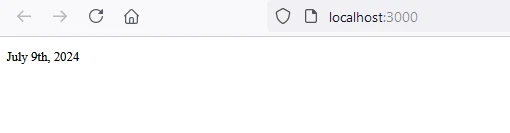
날짜 구문 분석
문자열에서 날짜를 추출할 수도 있습니다. 다음은 날짜 문자열을 구문 분석하여 다른 형식으로 표시하는 예입니다.
import React from 'react';
import { parse, format } from 'date-fns';

// A functional component to parse and format a date string
const ParsedDate = () => {
  const dateString = '2024-06-23'; // Define a date string
  const parsedDate = parse(dateString, 'yyyy-MM-dd', new Date()); // Parse date string into a JavaScript Date object
  const formattedDate = format(parsedDate, 'MMMM do, yyyy'); // Format parsed date
  return <p>{formattedDate}</p>; // Render formatted date
};

export default ParsedDate;
import React from 'react';
import { parse, format } from 'date-fns';
// A functional component to parse and format a date string
const ParsedDate = () => {
const dateString = '2024-06-23'; // Define a date string
const parsedDate = parse(dateString, 'yyyy-MM-dd', new Date()); // Parse date string into a JavaScript Date object
const formattedDate = format(parsedDate, 'MMMM do, yyyy'); // Format parsed date
return <p>{formattedDate}</p>; // Render formatted date
};
export default ParsedDate;산출
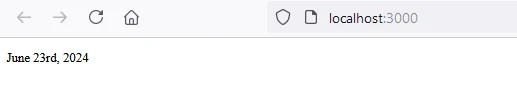
날짜 더하기와 빼기
date-fns은(는) 날짜에 시간 추가 또는 차감을 쉽게 할 수 있게 합니다. 현재 날짜에 7일을 더하는 예는 다음과 같습니다.
import React from 'react';
import { addDays, format } from 'date-fns';

// A functional component to add days to the current date and format it
const AddDaysExample = () => {
  const currentDate = new Date(); // Current date
  const futureDate = addDays(currentDate, 7); // Add 7 days to the current date
  const formattedDate = format(futureDate, 'MMMM do, yyyy'); // Format the new date
  return <p>{formattedDate}</p>; // Render formatted date
};

export default AddDaysExample;
import React from 'react';
import { addDays, format } from 'date-fns';
// A functional component to add days to the current date and format it
const AddDaysExample = () => {
const currentDate = new Date(); // Current date
const futureDate = addDays(currentDate, 7); // Add 7 days to the current date
const formattedDate = format(futureDate, 'MMMM do, yyyy'); // Format the new date
return <p>{formattedDate}</p>; // Render formatted date
};
export default AddDaysExample;산출
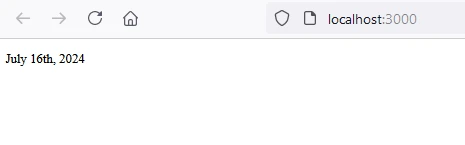
국제화
date-fns은(는) 여러 로케일을 지원합니다. 특정 로케일을 사용하려면 해당 로케일을 가져와서 서식 지정 함수에 전달해야 합니다.
import React from 'react';
import { format } from 'date-fns';
import { fr } from 'date-fns/locale';

// A functional component to format the current date using a specific locale
const FrenchDate = () => {
  const currentDate = new Date(); // Current date
  const formattedDate = format(currentDate, 'MMMM do, yyyy', { locale: fr }); // Format date in French locale
  return <p>{formattedDate}</p>; // Render formatted date
};

export default FrenchDate;
import React from 'react';
import { format } from 'date-fns';
import { fr } from 'date-fns/locale';
// A functional component to format the current date using a specific locale
const FrenchDate = () => {
const currentDate = new Date(); // Current date
const formattedDate = format(currentDate, 'MMMM do, yyyy', { locale: fr }); // Format date in French locale
return <p>{formattedDate}</p>; // Render formatted date
};
export default FrenchDate;산출
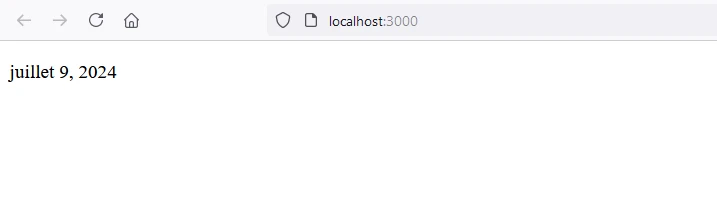
IronPDF 소개합니다
IronPDF Node.js용 는 개발자가 Node.js 프로젝트에서 PDF를 생성하고 편집할 수 있도록 해주는 강력한 Node.js PDF 라이브러리입니다. HTML에서 PDF를 생성하거나, 기존 PDF를 수정하거나, 웹 페이지를 PDF 형식으로 변환해야 하는 경우 IronPDF 모든 것을 해결해 드립니다.
주요 특징
HTML을 PDF로 변환
HTML 콘텐츠를 PDF 문서로 손쉽게 변환하세요. 이 기능은 웹 콘텐츠에서 동적 PDF를 생성하는 데 특히 유용합니다.
URL을 PDF로 변환
URL에서 직접 PDF를 생성하여 웹 페이지의 콘텐츠를 캡처하고 프로그램 방식으로 PDF 파일로 저장할 수 있습니다.
PDF 조작
기존 PDF 문서를 손쉽게 병합, 분할 및 편집하세요. IronPDF 페이지 추가, 문서 분할 등의 기능을 제공합니다.
PDF 보안
PDF 문서를 암호로 암호화하거나 디지털 서명을 적용하여 보안을 강화하세요. IronPDF 무단 접근으로부터 중요한 문서를 보호할 수 있는 다양한 옵션을 제공합니다.
고품질 출력
텍스트, 이미지 및 서식이 정확하게 표현된 고품질 PDF 문서를 제작하세요. IronPDF 생성된 PDF 파일이 원본 콘텐츠와 동일한 품질을 유지하도록 보장합니다.
크로스 플랫폼 호환성
IronPDF 는 Windows, Linux, macOS를 비롯한 다양한 플랫폼과 호환되므로 폭넓은 개발 환경에 적합합니다.
간단한 통합
IronPDF의 npm 패키지를 사용하면 IronPDF Node.js 애플리케이션에 쉽게 통합할 수 있습니다. API 문서가 잘 되어 있어 프로젝트에 PDF 생성 기능을 쉽게 통합할 수 있습니다.
설치
IronPDF NPM 패키지를 설치하려면 다음 명령어를 사용하십시오.
yarn add @ironsoftware/ironpdf @ironsoftware/ironpdf-engine-windows-x64yarn add @ironsoftware/ironpdf @ironsoftware/ironpdf-engine-windows-x64IronPDF 사용하여 PDF 문서를 생성하고 date-fns를 사용합니다.
필수 구성 요소 설치: 먼저 다음 명령어를 사용하여 새 Next.js 프로젝트를 생성합니다(아직 생성하지 않았다면). 자세한 내용은 여기를 참조하세요.
npx create-next-app@latest date-pdf --use-npm --example "https://github.com/vercel/next-learn/tree/main/basics/learn-starter"npx create-next-app@latest date-pdf --use-npm --example "https://github.com/vercel/next-learn/tree/main/basics/learn-starter"다음으로 프로젝트 디렉토리로 이동하세요.
cd date-pdfcd date-pdf필요한 패키지를 설치하세요:
yarn add @ironsoftware/ironpdf @ironsoftware/ironpdf-engine-windows-x64
yarn add date-fns
yarn add @ironsoftware/ironpdf @ironsoftware/ironpdf-engine-windows-x64
yarn add date-fnsPDF 생성
이제 IronPDF 사용하여 간단한 PDF 생성 예제를 만들어 보겠습니다. Next.js 컴포넌트 (예: pages/index.tsx)에 다음 코드를 추가하세요:
PDF 생성 API: 첫 번째 단계는 PDF 문서를 생성하는 백엔드 API를 만드는 것입니다. IronPDF 서버 측에서만 실행되므로 사용자가 PDF를 생성하고자 할 때 호출할 API를 만들어야 합니다. 경로 pages/api/pdf.js에 파일을 생성하고 아래 내용을 추가하세요.
IronPDF 사용하려면 라이선스 키가 필요합니다. 라이선스 페이지 에서 라이선스 키를 받아 아래 코드에 붙여넣으세요.
// pages/api/pdf.js
import { IronPdfGlobalConfig, PdfDocument } from "@ironsoftware/ironpdf";
import { format } from 'date-fns';

// Apply your IronPDF license key
IronPdfGlobalConfig.getConfig().licenseKey = "Your license key";

export default async function handler(req, res) {
  try {
    const currentDate = new Date(); // Get the current date
    const formattedDate = format(currentDate, 'MMMM do, yyyy'); // Format the date
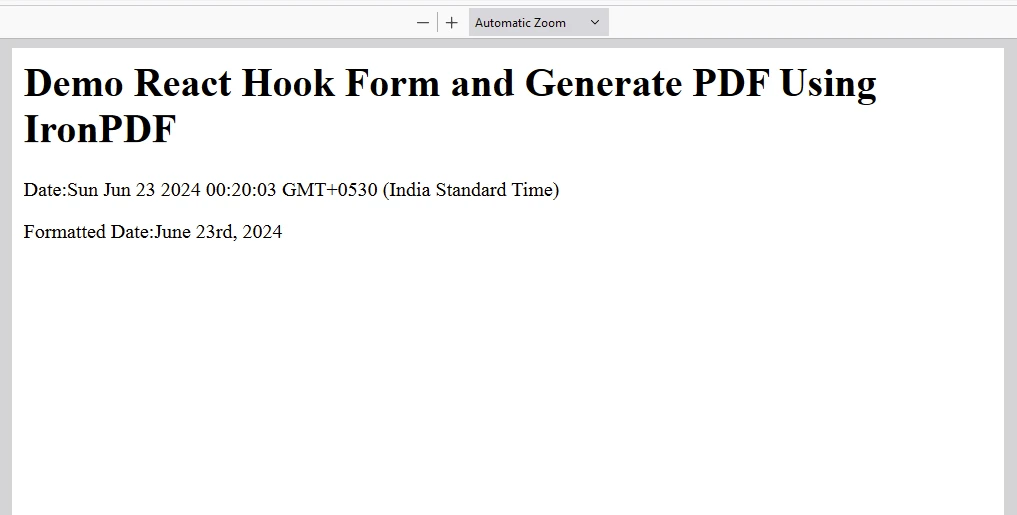
    let content = "<h1>Demo React Hook Form and Generate PDF Using IronPDF</h1>";
    content += "<p>Date:" + currentDate + "</p>";
    content += "<p>Formatted Date:" + formattedDate + "</p>";
    const pdf = await PdfDocument.fromHtml(content); // Generate PDF from HTML content
    const data = await pdf.saveAsBuffer(); // Save as buffer
    console.error("data PDF:", data); // Log the PDF data
    res.setHeader("Content-Type", "application/pdf"); // Set response headers
    res.setHeader(
      "Content-Disposition",
      "attachment; filename=awesomeIron.pdf",
    );
    res.send(data); // Send PDF data as response
  } catch (error) {
    console.error("Error generating PDF:", error); // Log errors
    res.status(500).end(); // End response on error
  }
}
// pages/api/pdf.js
import { IronPdfGlobalConfig, PdfDocument } from "@ironsoftware/ironpdf";
import { format } from 'date-fns';
// Apply your IronPDF license key
IronPdfGlobalConfig.getConfig().licenseKey = "Your license key";
export default async function handler(req, res) {
try {
const currentDate = new Date(); // Get the current date
const formattedDate = format(currentDate, 'MMMM do, yyyy'); // Format the date
let content = "<h1>Demo React Hook Form and Generate PDF Using IronPDF</h1>";
content += "<p>Date:" + currentDate + "</p>";
content += "<p>Formatted Date:" + formattedDate + "</p>";
const pdf = await PdfDocument.fromHtml(content); // Generate PDF from HTML content
const data = await pdf.saveAsBuffer(); // Save as buffer
console.error("data PDF:", data); // Log the PDF data
res.setHeader("Content-Type", "application/pdf"); // Set response headers
res.setHeader(
"Content-Disposition",
"attachment; filename=awesomeIron.pdf",
);
res.send(data); // Send PDF data as response
} catch (error) {
console.error("Error generating PDF:", error); // Log errors
res.status(500).end(); // End response on error
}
}이제 index.js을(를) 수정하고 아래 코드를 추가하세요:
import Head from "next/head";
import styles from "../styles/Home.module.css";
import React, { useState, useEffect } from "react";
import { format } from 'date-fns';

// React component for the home page
export default function Home() {
  const [text, setText] = useState("");

  useEffect(() => {
    const currentDate = new Date(); // Get a new date instance
    const formattedDate = format(currentDate, 'MMMM do, yyyy'); // Format the date
    setText(formattedDate); // Set formatted date to state
  }, []);

  const generatePdf = async () => {
    try {
      const response = await fetch("/api/pdf-datefns?f=" + text); // Fetch the PDF from API
      const blob = await response.blob(); // Convert to blob
      const url = window.URL.createObjectURL(new Blob([blob])); // Create URL for download
      const link = document.createElement("a");
      link.href = url;
      link.setAttribute("download", "awesomeIron.pdf"); // Set download attribute
      document.body.appendChild(link);
      link.click(); // Simulate click to download
      link.parentNode.removeChild(link);
    } catch (error) {
      console.error("Error generating PDF:", error); // Log errors
    }
  };

  return (
    <div className={styles.container}>
      <Head>
        <title>Generate PDF Using IronPDF</title>
        <link rel="icon" href="/favicon.ico" />
      </Head>
      <main>
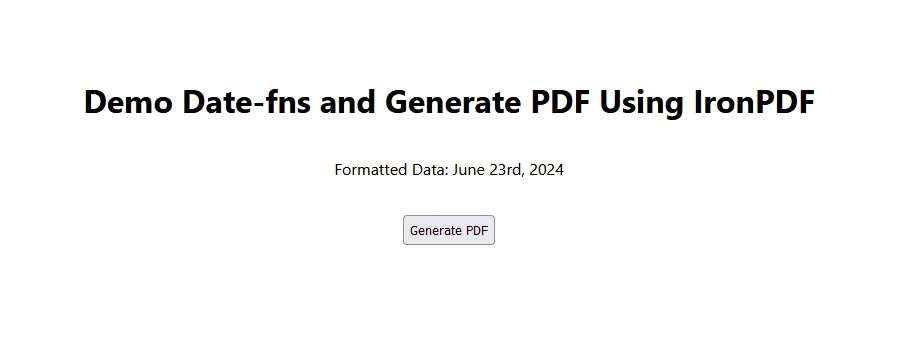
        <h1>Demo Date-fns and Generate PDF Using IronPDF</h1>
        <p>
          Formatted Data: {text}
        </p>
        <button style={{margin: 20, padding: 5}} onClick={generatePdf}>
          Generate PDF
        </button>
      </main>
      <style jsx>{`
        main {
          padding: 5rem 0;
          flex: 1;
          display: flex;
          flex-direction: column;
          justify-content: center;
          align-items: center;
        }
        footer {
          width: 100%;
          height: 100px;
          border-top: 1px solid #eaeaea;
          display: flex;
          justify-content: center;
          align-items: center;
        }
        footer img {
          margin-left: 0.5rem;
        }
        footer a {
          display: flex;
          justify-content: center;
          align-items: center;
          text-decoration: none;
          color: inherit;
        }
        code {
          background: #fafafa;
          border-radius: 5px;
          padding: 0.75rem;
          font-size: 1.1rem;
          font-family:
            Menlo,
            Monaco,
            Lucida Console,
            Liberation Mono,
            DejaVu Sans Mono,
            Bitstream Vera Sans Mono,
            Courier New,
            monospace;
        }
      `}</style>
      <style jsx global>{`
        html,
        body {
          padding: 0;
          margin: 0;
          font-family:
            -apple-system,
            BlinkMacSystemFont,
            Segoe UI,
            Roboto,
            Oxygen,
            Ubuntu,
            Cantarell,
            Fira Sans,
            Droid Sans,
            Helvetica Neue,
            sans-serif;
        }
        * {
          box-sizing: border-box;
        }
      `}</style>
    </div>
  );
}
import Head from "next/head";
import styles from "../styles/Home.module.css";
import React, { useState, useEffect } from "react";
import { format } from 'date-fns';
// React component for the home page
export default function Home() {
const [text, setText] = useState("");
useEffect(() => {
const currentDate = new Date(); // Get a new date instance
const formattedDate = format(currentDate, 'MMMM do, yyyy'); // Format the date
setText(formattedDate); // Set formatted date to state
}, []);
const generatePdf = async () => {
try {
const response = await fetch("/api/pdf-datefns?f=" + text); // Fetch the PDF from API
const blob = await response.blob(); // Convert to blob
const url = window.URL.createObjectURL(new Blob([blob])); // Create URL for download
const link = document.createElement("a");
link.href = url;
link.setAttribute("download", "awesomeIron.pdf"); // Set download attribute
document.body.appendChild(link);
link.click(); // Simulate click to download
link.parentNode.removeChild(link);
} catch (error) {
console.error("Error generating PDF:", error); // Log errors
}
};
return (
<div className={styles.container}>
<Head>
<title>Generate PDF Using IronPDF</title>
<link rel="icon" href="/favicon.ico" />
</Head>
<main>
<h1>Demo Date-fns and Generate PDF Using IronPDF</h1>
<p>
Formatted Data: {text}
</p>
<button style={{margin: 20, padding: 5}} onClick={generatePdf}>
Generate PDF
</button>
</main>
<style jsx>{`
main {
padding: 5rem 0;
flex: 1;
display: flex;
flex-direction: column;
justify-content: center;
align-items: center;
}
footer {
width: 100%;
height: 100px;
border-top: 1px solid #eaeaea;
display: flex;
justify-content: center;
align-items: center;
}
footer img {
margin-left: 0.5rem;
}
footer a {
display: flex;
justify-content: center;
align-items: center;
text-decoration: none;
color: inherit;
}
code {
background: #fafafa;
border-radius: 5px;
padding: 0.75rem;
font-size: 1.1rem;
font-family:
Menlo,
Monaco,
Lucida Console,
Liberation Mono,
DejaVu Sans Mono,
Bitstream Vera Sans Mono,
Courier New,
monospace;
}
`}</style>
<style jsx global>{`
html,
body {
padding: 0;
margin: 0;
font-family:
-apple-system,
BlinkMacSystemFont,
Segoe UI,
Roboto,
Oxygen,
Ubuntu,
Cantarell,
Fira Sans,
Droid Sans,
Helvetica Neue,
sans-serif;
}
* {
box-sizing: border-box;
}
`}</style>
</div>
);
}산출
IronPDF 라이선스
IronPDF .
라이선스 키를 여기에 입력하세요:
import { IronPdfGlobalConfig, PdfDocument } from "@ironsoftware/ironpdf";
// Apply your IronPDF license key
IronPdfGlobalConfig.getConfig().licenseKey = "Add Your key here";
import { IronPdfGlobalConfig, PdfDocument } from "@ironsoftware/ironpdf";
// Apply your IronPDF license key
IronPdfGlobalConfig.getConfig().licenseKey = "Add Your key here";결론
date-fns은(는) React 애플리케이션에서 날짜를 다루기 위한 강력하면서도 간단하고 일관된 도구 세트를 제공하는 다재다능하고 효율적인 라이브러리입니다. 모듈식 접근 방식을 통해 필요한 기능만 포함할 수 있으므로 번들 크기를 작게 유지할 수 있습니다. 날짜 조작 및 형식화에 대한 포괄적인 지원을 통해 date-fns은(는) React 프로젝트를 크게 향상시킬 수 있습니다.
Node.js 용 IronPDF 는 개발자가 PDF 문서를 프로그래밍 방식으로 원활하게 생성, 조작 및 작업할 수 있도록 지원하는 강력한 라이브러리입니다. HTML, URL 또는 기타 형식을 PDF로 변환해야 하는 경우, IronPDF 이러한 작업을 효율적으로 수행할 수 있는 간편한 API를 제공합니다. 이 소프트웨어는 PDF 양식 처리, 보안 조치 적용, OCR 수행 등 다양한 기능을 제공합니다.








 무료로 시작하세요
 무료로 시작하세요
 무료 라이브 데모 예약하기





 신용카드나 계정 생성은 필요하지 않습니다.










