#IronPDF vs. wkhtmltopdf: Porównanie funkcji, renderingu i architektury
IronPDF i wkhtmltopdf - Porównanie z innymi komponentami to narzędzia, które mogą być używane do konwersji stron HTML lub całych witryn, w tym obrazów, do formatu PDF. Istnieje jednak kilka różnic między tymi dwoma narzędziami pod względem ich funkcji, wydajności i łatwości użycia.
Co to jest wkhtmltopdf?
wkhtmltopdf to open-source narzędzie wiersza poleceń, które pozwala konwertować strony HTML lub witryny na format PDF. Jest dostępne dla systemów operacyjnych Windows, Linux i macOS X i może być używane z kilkoma językami programowania, w tym C# i Java.

How to Install wkhtmltopdf on Java and C#
Oto kroki do zainstalowania wkhtmltopdf na serwerze Windows zarówno w C#, jak i w Java:
Installing wkhtmltopdf for C#
-
Pobierz aktualną wersję dla Windows z oficjalnego URL: Pobrania wkhtmltopdf
-
Kliknij dwukrotnie pobrany instalator i wykonaj instrukcje w kreatorze instalacji, aby zainstalować wkhtmltopdf.
-
Po zainstalowaniu, zmodyfikuj ścieżkę, dodając wykonywalny wkhtmltopdf do zmiennej środowiskowej PATH systemu. Można to zrobić poprzez wiersz poleceń przy użyciu następującej komendy:
set PATH=%PATH%;C:\Program Files\wkhtmltopdf\bin
set PATH=%PATH%;C:\Program Files\wkhtmltopdf\bin
SHELL
Instalacja wkhtmltopdf dla Java
- Pobierz najnowszą wersję wkhtmltopdf dla Windows z oficjalnej strony: Pobrania wkhtmltopdf
- Wyodrębnij zawartość pobranego archiwum do folderu docelowego na systemie.
Zarówno w C#, jak i w Java, instalacja i użycie wkhtmltopdf polega na wykonaniu polecenia wkhtmltopdf przez wiersz polecenia lub użyciu klasy ProcessBuilder do programowego wykonania polecenia. Ważne jest, aby upewnić się, że plik wykonywalny wkhtmltopdf jest dodany do zmiennej środowiskowej PATH systemu i że podałeś niezbędne przełączniki i opcje, aby wygenerować pożądany plik PDF. Dla zespołów planujących migrację z wkhtmltopdf, przewodnik migracji z wkhtmltopdf do IronPDF krok po kroku zawiera szczegóły procesu.
Co to jest IronPDF i jak go zainstalować w C# i Java
Poznaj funkcje i instalację IronPDF to biblioteka, która pozwala deweloperom tworzyć, manipulować i konwertować PDFy używając C# i Java. Oferuje szeroki zakres funkcji, w tym konwersję HTML na PDF, generowanie plików PDF od podstaw i manipulację plikami PDF.
To install IronPDF for C#
-
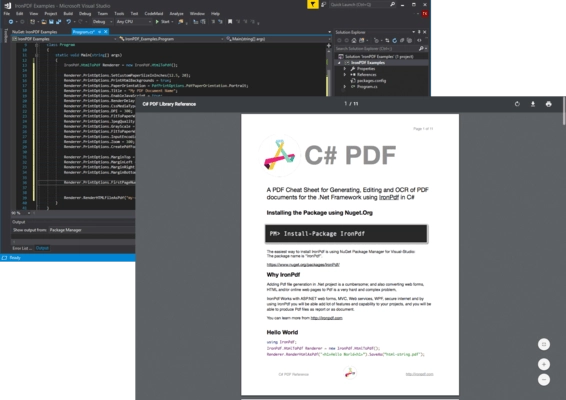
Zainstaluj pakiet IronPDF NuGet przy użyciu Konsoli Menedżera Pakietów lub interfejsu Visual Studio.
-
W swoim kodzie dodaj następujące użycie polecenia, aby zaimportować przestrzeń nazw IronPDF:
using IronPdf;
using IronPdf;
Imports IronPdf
Imports IronPdf
-
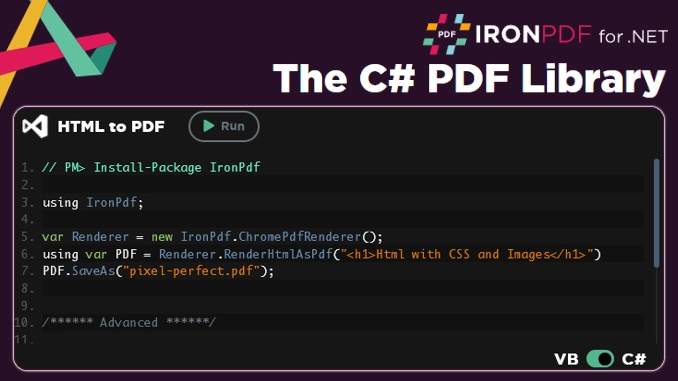
Aby wygenerować PDF z ciągu HTML, użyj następującego kodu:
var Renderer = new ChromePdfRenderer();
Renderer.RenderHtmlAsPdf("IronFile.html").SaveAs("IronPDF-file.pdf");
var Renderer = new ChromePdfRenderer();
Renderer.RenderHtmlAsPdf("IronFile.html").SaveAs("IronPDF-file.pdf");
Dim Renderer = New ChromePdfRenderer()
Renderer.RenderHtmlAsPdf("IronFile.html").SaveAs("IronPDF-file.pdf")
Dim Renderer = New ChromePdfRenderer()
Renderer.RenderHtmlAsPdf("IronFile.html").SaveAs("IronPDF-file.pdf")
-
Aby utworzyć PDF od podstaw, użyj następującego kodu:
using IronPdf;

var Renderer = new ChromePdfRenderer();
// Create a PDF from a URL or local file path
using var pdf = Renderer.RenderUrlAsPdf("https://www.amazon.com/?tag=hp2-brobookmark-us-20");
// Export to a file or a Stream
pdf.SaveAs("url.pdf");
using IronPdf;

var Renderer = new ChromePdfRenderer();
// Create a PDF from a URL or local file path
using var pdf = Renderer.RenderUrlAsPdf("https://www.amazon.com/?tag=hp2-brobookmark-us-20");
// Export to a file or a Stream
pdf.SaveAs("url.pdf");
Imports IronPdf
Private Renderer = New ChromePdfRenderer()
' Create a PDF from a URL or local file path
Private pdf = Renderer.RenderUrlAsPdf("https://www.amazon.com/?tag=hp2-brobookmark-us-20")
' Export to a file or a Stream
pdf.SaveAs("url.pdf")
Imports IronPdf

Private Renderer = New ChromePdfRenderer()
' Create a PDF from a URL or local file path
Private pdf = Renderer.RenderUrlAsPdf("https://www.amazon.com/?tag=hp2-brobookmark-us-20")
' Export to a file or a Stream
pdf.SaveAs("url.pdf")
Aby zainstalowaćIronPDF dla Java
-
Pobierz BibliotekęIronPDF dla Java ze strony internetowej IronPDF.
-
Dodaj plik JAR IronPDF do ścieżki klas projektu.
-
W kodzie zaimportuj paczkę IronPDF:
import com.ironsoftware.ironpdf.*;
import com.ironsoftware.ironpdf.*;
Java
-
Po zainstalowaniu wygeneruj PDF ze źródła HTML przy użyciu następującego kodu:
import com.ironsoftware.ironpdf.*;
import java.io.IOException;
import java.nio.file.Paths;

public class PdfExample {
    public static void main(String[] args) throws IOException {
        // Apply your license key
        License.setLicenseKey("YOUR-LICENSE-KEY");

        // Set a log path
        Settings.setLogPath(Paths.get("C:/tmp/IronPdfEngine.log"));

        // Render the HTML as a PDF, stored in myPdf as type PdfDocument
        PdfDocument myPdf = PdfDocument.renderHtmlAsPdf(" ~Hello World~  Made with IronPDF!");

        // Save the PdfDocument to a file
        myPdf.saveAs(Paths.get("html_saved.pdf"));
    }
}
import com.ironsoftware.ironpdf.*;
import java.io.IOException;
import java.nio.file.Paths;

public class PdfExample {
    public static void main(String[] args) throws IOException {
        // Apply your license key
        License.setLicenseKey("YOUR-LICENSE-KEY");

        // Set a log path
        Settings.setLogPath(Paths.get("C:/tmp/IronPdfEngine.log"));

        // Render the HTML as a PDF, stored in myPdf as type PdfDocument
        PdfDocument myPdf = PdfDocument.renderHtmlAsPdf(" ~Hello World~  Made with IronPDF!");

        // Save the PdfDocument to a file
        myPdf.saveAs(Paths.get("html_saved.pdf"));
    }
}
Java
Zauważ, że IronPDF używa własnego silnika konwersji z HTML na PDF i nie polega na zewnętrznych narzędziach takich jak wkhtmltopdf. Deweloperzy mogą również dostosować jakość wyjścia za pomocą marginesów, nagłówków, DPI i innych opcji renderowania.
Poniższa tabela podsumowuje kluczowe różnice między obiema bibliotekami na pierwszy rzut oka.
Dla zespołów oceniających IronPDF jako zamiennik wkhtmltopdf na Windows, dostępna jest bezpłatna 30-dniowa wersja próbna bez konieczności użycia karty kredytowej.
How to use IronPDF and wkhtmltopdf to manipulate PDF files in C#
IronPDF i wkhtmltopdf to dwie biblioteki, które można wykorzystać do manipulowania plikami PDF w C#. W tej sekcji przedstawimy, jak korzystać z obu bibliotek do manipulowania plikami PDF.
Manipulacja plikami PDF przy użyciu IronPDF
IronPDF to biblioteka C#, która może być używana do tworzenia, manipulowania i renderowania dokumentów PDF. Oferuje łatwe w użyciu API, które pozwala programistom wykonywać różne operacje na plikach PDF, takie jak dodawanie tekstu, obrazów i tabel, a także łączenie, dzielenie i konwersja plików PDF. Oto przykład, jak użyćIronPDF do dodania tekstu do pliku PDF:
using IronPdf;

var Renderer = new ChromePdfRenderer();
// Render a local HTML file as PDF
using var PDF = Renderer.RenderHtmlFileAsPdf("Project/MyHtmlDocument.html");
// Save the PDF to disk
PDF.SaveAs("Project/MyOutput.pdf");
using IronPdf;

var Renderer = new ChromePdfRenderer();
// Render a local HTML file as PDF
using var PDF = Renderer.RenderHtmlFileAsPdf("Project/MyHtmlDocument.html");
// Save the PDF to disk
PDF.SaveAs("Project/MyOutput.pdf");
Imports IronPdf
Private Renderer = New ChromePdfRenderer()
' Render a local HTML file as PDF
Private PDF = Renderer.RenderHtmlFileAsPdf("Project/MyHtmlDocument.html")
' Save the PDF to disk
PDF.SaveAs("Project/MyOutput.pdf")
Imports IronPdf

Private Renderer = New ChromePdfRenderer()
' Render a local HTML file as PDF
Private PDF = Renderer.RenderHtmlFileAsPdf("Project/MyHtmlDocument.html")
' Save the PDF to disk
PDF.SaveAs("Project/MyOutput.pdf")
Manipulacja plikami PDF przy użyciu wkhtmltopdf
wkhtmltopdf to narzędzie wiersza poleceń, które konwertuje strony HTML na pliki PDF. Używa silnika renderującego Qt WebKit do renderowania HTML do formatu PDF. Zauważ, że Qt WebKit nie jest już aktywnie utrzymywany, więc jego wsparcie dla nowoczesnych funkcji HTML5, CSS3 i JavaScript nie nadąża za silnikami opartymi na Chromium.
using System.Text;
using System.Diagnostics;

class PdfGenerator
{
    static void Main(string[] args)
    {
        // Function to convert HTML to PDF using wkhtmltopdf
        ConvertHtmlToPdf("URL", "Sample.pdf");
        Console.WriteLine("PDF successfully created!");
        Console.ReadKey();
    }

    // Function to configure and start the wkhtmltopdf process
    public static void ConvertHtmlToPdf(string url, string filename)
    {
        // Construct the command line parameters
        StringBuilder paramsBuilder = new StringBuilder();
        paramsBuilder.AppendFormat("\"{0}\" \"{1}\"", url, filename);

        // Create and configure the process
        using (Process process = new Process())
        {
            // Specify the path to wkhtmltopdf executable
            process.StartInfo.FileName = "C:\\Program Files (x86)\\wkhtmltopdf\\bin\\wkhtmltopdf.exe";
            process.StartInfo.Arguments = paramsBuilder.ToString();

            // Configure process settings
            process.StartInfo.UseShellExecute = false;
            process.StartInfo.RedirectStandardOutput = true;
            process.StartInfo.RedirectStandardError = true;

            // Start the process and wait for it to exit
            process.Start();
            if (!process.WaitForExit(60000))
            {
                process.Kill();
                Console.WriteLine("Process terminated as it exceeded the time limit.");
            }
        }
    }
}
using System.Text;
using System.Diagnostics;

class PdfGenerator
{
    static void Main(string[] args)
    {
        // Function to convert HTML to PDF using wkhtmltopdf
        ConvertHtmlToPdf("URL", "Sample.pdf");
        Console.WriteLine("PDF successfully created!");
        Console.ReadKey();
    }

    // Function to configure and start the wkhtmltopdf process
    public static void ConvertHtmlToPdf(string url, string filename)
    {
        // Construct the command line parameters
        StringBuilder paramsBuilder = new StringBuilder();
        paramsBuilder.AppendFormat("\"{0}\" \"{1}\"", url, filename);

        // Create and configure the process
        using (Process process = new Process())
        {
            // Specify the path to wkhtmltopdf executable
            process.StartInfo.FileName = "C:\\Program Files (x86)\\wkhtmltopdf\\bin\\wkhtmltopdf.exe";
            process.StartInfo.Arguments = paramsBuilder.ToString();

            // Configure process settings
            process.StartInfo.UseShellExecute = false;
            process.StartInfo.RedirectStandardOutput = true;
            process.StartInfo.RedirectStandardError = true;

            // Start the process and wait for it to exit
            process.Start();
            if (!process.WaitForExit(60000))
            {
                process.Kill();
                Console.WriteLine("Process terminated as it exceeded the time limit.");
            }
        }
    }
}
Imports System.Text
Imports System.Diagnostics
Friend Class PdfGenerator
Shared Sub Main(ByVal args() As String)
' Function to convert HTML to PDF using wkhtmltopdf
ConvertHtmlToPdf("URL", "Sample.pdf")
Console.WriteLine("PDF successfully created!")
Console.ReadKey()
End Sub
' Function to configure and start the wkhtmltopdf process
Public Shared Sub ConvertHtmlToPdf(ByVal url As String, ByVal filename As String)
' Construct the command line parameters
Dim paramsBuilder As New StringBuilder()
paramsBuilder.AppendFormat("""{0}"" ""{1}""", url, filename)
' Create and configure the process
Using process As New Process()
' Specify the path to wkhtmltopdf executable
process.StartInfo.FileName = "C:\Program Files (x86)\wkhtmltopdf\bin\wkhtmltopdf.exe"
process.StartInfo.Arguments = paramsBuilder.ToString()
' Configure process settings
process.StartInfo.UseShellExecute = False
process.StartInfo.RedirectStandardOutput = True
process.StartInfo.RedirectStandardError = True
' Start the process and wait for it to exit
process.Start()
If Not process.WaitForExit(60000) Then
process.Kill()
Console.WriteLine("Process terminated as it exceeded the time limit.")
End If
End Using
End Sub
End Class
Imports System.Text
Imports System.Diagnostics

Friend Class PdfGenerator
	Shared Sub Main(ByVal args() As String)
		' Function to convert HTML to PDF using wkhtmltopdf
		ConvertHtmlToPdf("URL", "Sample.pdf")
		Console.WriteLine("PDF successfully created!")
		Console.ReadKey()
	End Sub

	' Function to configure and start the wkhtmltopdf process
	Public Shared Sub ConvertHtmlToPdf(ByVal url As String, ByVal filename As String)
		' Construct the command line parameters
		Dim paramsBuilder As New StringBuilder()
		paramsBuilder.AppendFormat("""{0}"" ""{1}""", url, filename)

		' Create and configure the process
		Using process As New Process()
			' Specify the path to wkhtmltopdf executable
			process.StartInfo.FileName = "C:\Program Files (x86)\wkhtmltopdf\bin\wkhtmltopdf.exe"
			process.StartInfo.Arguments = paramsBuilder.ToString()

			' Configure process settings
			process.StartInfo.UseShellExecute = False
			process.StartInfo.RedirectStandardOutput = True
			process.StartInfo.RedirectStandardError = True

			' Start the process and wait for it to exit
			process.Start()
			If Not process.WaitForExit(60000) Then
				process.Kill()
				Console.WriteLine("Process terminated as it exceeded the time limit.")
			End If
		End Using
	End Sub
End Class
Podsumowując,IronPDF i wkhtmltopdf to dwa potężne narzędzia, które można wykorzystać do manipulowania plikami PDF w C#.IronPDF oferuje łatwe w użyciu API do tworzenia, manipulowania i renderowania plików PDF, podczas gdy wkhtmltopdf to narzędzie wiersza poleceń, które można użyć do konwersji stron HTML na pliki PDF. Oba narzędzia mają własne mocne i słabe strony, a deweloperzy powinni wybrać to, które najlepiej odpowiada ich potrzebom.
Manipulacja plikiem PDF przy użyciu IronPDF i wkhtmltopdf w Java z użyciem silnika renderującego Qt WebKit
Manipulacja plikami PDF jest kluczową częścią zarządzania dokumentami i deweloperzy potrzebują niezawodnych narzędzi, aby to osiągnąć. Programiści Java mają dostęp do różnorodnych bibliotek i narzędzi do manipulacji PDF, z IronPDF i wkhtmltopdf jako popularnymi opcjami. W tym porównaniu przedstawimy, jak deweloperzy Java mogą manipulować plikami PDF przy użyciu tych narzędzi.
IronPDF to biblioteka PDF C# oferująca łatwe i szybkie możliwości manipulacji PDF. Posiada również wersję Java, co pozwala deweloperom Java korzystać z tych samych funkcji.IronPDF oferuje API do pracy z PDF, w tym tworzenie, edycję i renderowanie dokumentów PDF. Oferuje także wsparcie dla formularzy PDF, adnotacji i funkcji bezpieczeństwa PDF, takich jak szyfrowanie i hasła.
Aby rozpocząć pracę z IronPDF w Java, deweloperzy muszą pobrać bibliotekę IronPDF Java z oficjalnej strony i zaimportować ją do swojego projektu Java.
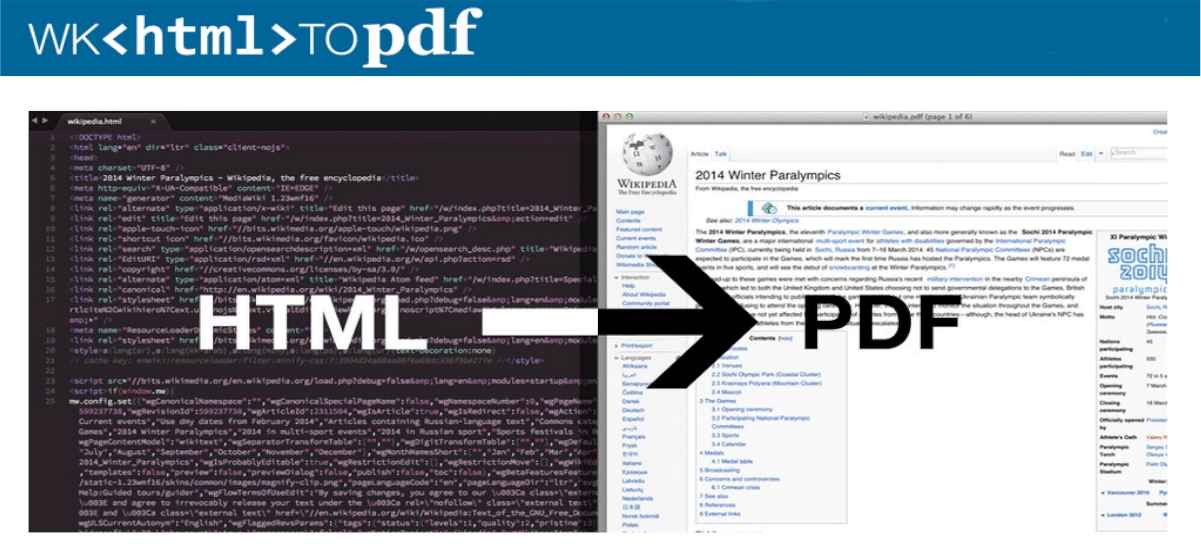
Z drugiej strony, wkhtmltopdf to narzędzie wiersza poleceń, które konwertuje treści HTML do formatu przenośnych dokumentów za pomocą silnika renderującego Qt WebKit w wersji legacy. Jest to narzędzie open-source dostępne dla Windows, Linux i macOS. Podczas gdy wkhtmltopdf oferuje różne opcje i przełączniki do dostosowywania wyjściowego pliku PDF (takie jak ustawienie marginesów, rozmiaru strony i orientacji), jego silnik Qt WebKit nie jest już aktywnie utrzymywany i nie został zaktualizowany, aby wspierać nowoczesne standardy internetowe.
Aby używać wkhtmltopdf w Java, programiści mogą wykonać narzędzie wkhtmltopdf używając klasy Process w Java.
Zarówno IronPDF, jak i wkhtmltopdf oferują niezawodne możliwości generowania PDF w Java.IronPDF jest dobrze dopasowany do deweloperów preferujących pracę z natywnym API, podczas gdy wkhtmltopdf przyciąga deweloperów komfortowych z narzędziami wiersza poleceń.IronPDF obejmuje szerszy zakres funkcji - w tym edycję, szyfrowanie i obsługę formularzy - podczas gdy wkhtmltopdf ma mniejszy rozmiar instalacji i minimalne zasoby do prostych konwersji.
Jak wkhtmltopdf i IronPDF Porównują się?
Funkcje
-IronPDF to w pełni funkcjonalny konwerter HTML na PDF, który obejmuje wsparcie dla CSS, JavaScript i HTML5. Może być również używany do dodawania nagłówków, stopek i znaków wodnych do dokumentów PDF oraz do łączenia wielu plików PDF w jeden dokument. Dodatkowo, zawiera funkcjonalność OCR do konwersji skanowanych dokumentów na przeszukiwalne PDF.
- wkhtmltopdf koncentruje się na konwersji HTML na PDF poprzez linię komend. Obejmuje wsparcie dla CSS i JavaScript, jednak wsparcie HTML5 jest poza jego obecnym zakresem. Funkcje takie jak dodawanie nagłówków czy stopek lub łączenie plików PDF nie są uwzględnione - zespoły potrzebujące tych funkcji zazwyczaj aplikują dodatkowe narzędzia lub oceniajają bibliotekę, taką jak IronPDF.
Wydajność
-IronPDF działa w procesie jako biblioteka .NET (lub biblioteka Java przez IKVM), eliminując narzut spowodowany uruchamianiem i komunikacją z zewnętrznym plikiem wykonywalnym. Używa obecnego stabilnego silnika Chromium, który obsługuje duże i złożone dokumenty HTML w jednym procesie renderowania.
- wkhtmltopdf polega na zewnętrznym procesie dla każdej konwersji, co wprowadza narzut startu procesu i I/O - szczególnie zauważalny przy przetwarzaniu dużych plików HTML lub wykonywaniu konwersji w szybkim tempie.
Łatwość użytkowania
-IronPDF został zaprojektowany tak, by był łatwy w użyciu i obejmuje prosty API, który można zintegrować bezpośrednio z aplikacją C# lub Java. Posiada również szczegółową dokumentację i zasoby wsparcia, które pomagają deweloperom szybko rozpocząć pracę.
- wkhtmltopdf wymaga od deweloperów pracy z interfejsem wiersza poleceń, co może wymagać więcej ustawień i nadmiaru skryptowego. Jego dokumentacja i zasoby wsparcia są napędzane przez społeczność, a nie komercyjnie wspierane, więc zespoły mogą potrzebować polegać na problemach GitHub i Stack Overflow w celu uzyskania wskazówek.
-IronPDF to biblioteka .NET, która może być używana z każdą platformą opartą na .NET, w tym Windows, Linux i macOS. Można go również używać z Javą przy użyciu środowiska uruchomieniowego IKVM.NET.
- wkhtmltopdf to narzędzie wiersza poleceń dostępne dla systemów Windows, Linux i macOS. Może być również używany z kilkoma językami programowania, w tym C# i Java.
Koszt
-IronPDF jest produktem komercyjnym, który wymaga płatnej licencji do użytku w środowiskach produkcyjnych. Oferuje jednak bezpłatną wersję próbną, dzięki której programiści mogą przetestować i ocenić to narzędzie.
- wkhtmltopdf to narzędzie typu open source, z którego można korzystać bezpłatnie zarówno do celów komercyjnych, jak i niekomercyjnych.
Podsumowując,IronPDF oferuje szerszy zestaw funkcji oraz natywny interfejs API, który integruje się bezpośrednio z aplikacjami napisanymi w języku C# lub Java. Jest to produkt komercyjny, który wymaga płatnej licencji do użytku produkcyjnego. Natomiast wkhtmltopdf to darmowe narzędzie typu open source działające z wiersza poleceń, które jest kompatybilne z kilkoma językami programowania - jego zakres działania dobrze obejmuje konwersję HTML do PDF, choć zespoły, których wymagania sięgają manipulacji dokumentami lub zaawansowanego renderowania, zazwyczaj stwierdzają, że te możliwości wykraczają poza granice jego projektu.
Ceny i licencje
IronPDF i wkhtmltopdf to dwa popularne narzędzia służące do generowania dokumentów PDF na podstawie treści HTML. Chociaż oba te narzędzia oferują podobną funkcjonalność, istnieją różnice w zakresie ich licencjonowania i cen.
IronPDF to komercyjna biblioteka oprogramowania, która wymaga licencji na użytkowanie komercyjne. Oferuje szereg opcji licencyjnych, w tym licencje na programistę, na serwer i na wdrożenie.IronPDF zapewnia wsparcie techniczne i aktualizacje oprogramowania dla licencjonowanych użytkowników. Ceny IronPDF różnią się w zależności od wybranej opcji licencji.
Z drugiej strony, wkhtmltopdf to narzędzie typu open source, które jest dostępne za darmo. Jest on objęty licencją LGPLv3, która zezwala na użytkowanie, modyfikację i dystrybucję oprogramowania. Nie oferuje jednak żadnego wsparcia technicznego ani aktualizacji oprogramowania. Społeczność użytkowników zapewnia wsparcie i aktualizacje za pośrednictwem różnych kanałów, takich jak zgłoszenia na GitHubie i Stack Overflow.
Jeśli chodzi o ceny,IronPDF jest droższy niż wkhtmltopdf. Ceny za IronPDF zaczynają się od 399 USD za licencję programisty, podczas gdy wkhtmltopdf jest darmowy.
Oprócz kosztów licencji, całkowity koszt projektu obejmuje godziny pracy programistów poświęcone na zarządzanie zewnętrznym procesem CLI, pisanie obejść dla ograniczonej obsługi CSS3 przez Qt WebKit oraz radzenie sobie z brakiem wbudowanej edycji plików PDF lub szyfrowania plików PDF za pomocą hasła. Dla zespołów oceniających koszty w perspektywie wieloletniego cyklu życia projektu, te godziny poświęcone na integrację i utrzymanie często przewyższają różnicę między licencjami open source a komercyjnymi.
Warto zauważyć, że IronPDF i wkhtmltopdf używają różnych silników renderujących:IronPDF korzysta z nowoczesnego silnika renderującego Chromium (Blink), zapewniającego pełną obsługę HTML5, CSS3 i JavaScript, podczas gdy wkhtmltopdf używa silnika renderującego Qt WebKit, który nie został zaktualizowany zgodnie z aktualnymi standardami internetowymi.IronPDF oferuje kompleksowy interfejs API .NET, natomiast wkhtmltopdf udostępnia narzędzia wiersza poleceń. Oba obsługują szereg formatów wejściowych, w tym HTML, adresy URL i pliki lokalne.
Podsumowując,IronPDF i wkhtmltopdf oferują podobną funkcjonalność w zakresie generowania dokumentów PDF z treści HTML. Główne różnice dotyczą modeli licencjonowania i cenowych.IronPDF to komercyjna biblioteka oprogramowania, która wymaga licencji do użytku komercyjnego, natomiast wkhtmltopdf to narzędzie typu open source, które jest dostępne za darmo. Oba są bardzo przydatne podczas tworzenia aplikacji do obsługi plików PDF.
Wsparcie dla nowoczesnych frameworków CSS
Kluczową różnicą między IronPDF a wkhtmltopdf jest obsługa nowoczesnych frameworków CSS, takich jak Bootstrap, Tailwind CSS i Foundation.
IronPDF: Pełna obsługa Bootstrap
Silnik renderujący Chromium firmy IronPDF zapewnia pełną obsługę nowoczesnych frameworków CSS:
- Bootstrap 5: Pełne wsparcie dla flexbox i CSS Grid dla układów responsywnych
- Złożone układy: renderuje stronę główną Bootstrap oraz szablony Bootstrap z idealną dokładnością pikselową
- Nowoczesne funkcje: Animacje CSS3, transformacje, przejścia i zapytania medialne
- Frameworki CSS: Bootstrap, Tailwind CSS, Foundation, Bulma działają bezproblemowo
Przykład kodu: Renderowanie treści Bootstrap
using IronPdf;

// Render a Bootstrap 5 layout
var renderer = new ChromePdfRenderer();

// Example: Bootstrap navigation and card layout
string bootstrapHtml = @"
<!DOCTYPE html>
<html>
<head>
    <link href='https://cdn.jsdelivr.net/npm/bootstrap@5.3.0/dist/css/bootstrap.min.css' rel='stylesheet'>
</head>
<body>
    <nav class='navbar navbar-expand-lg navbar-dark bg-primary'>
        <div class='container'>
            <a class='navbar-brand' href='#'>My Company</a>
        </div>
    </nav>

    <div class='container mt-4'>
        <div class='row'>
            <div class='col-md-4'>
                <div class='card'>
                    <div class='card-body'>
                        <h5 class='card-title'>Feature 1</h5>
                        <p class='card-text'>Modern flexbox-based layout.</p>
                    </div>
                </div>
            </div>
            <div class='col-md-4'>
                <div class='card'>
                    <div class='card-body'>
                        <h5 class='card-title'>Feature 2</h5>
                        <p class='card-text'>Responsive grid system.</p>
                    </div>
                </div>
            </div>
            <div class='col-md-4'>
                <div class='card'>
                    <div class='card-body'>
                        <h5 class='card-title'>Feature 3</h5>
                        <p class='card-text'>CSS3 animations supported.</p>
                    </div>
                </div>
            </div>
        </div>
    </div>
</body>
</html>";

var pdf = renderer.RenderHtmlAsPdf(bootstrapHtml);
pdf.SaveAs("bootstrap-layout.pdf");
using IronPdf;

// Render a Bootstrap 5 layout
var renderer = new ChromePdfRenderer();

// Example: Bootstrap navigation and card layout
string bootstrapHtml = @"
<!DOCTYPE html>
<html>
<head>
    <link href='https://cdn.jsdelivr.net/npm/bootstrap@5.3.0/dist/css/bootstrap.min.css' rel='stylesheet'>
</head>
<body>
    <nav class='navbar navbar-expand-lg navbar-dark bg-primary'>
        <div class='container'>
            <a class='navbar-brand' href='#'>My Company</a>
        </div>
    </nav>

    <div class='container mt-4'>
        <div class='row'>
            <div class='col-md-4'>
                <div class='card'>
                    <div class='card-body'>
                        <h5 class='card-title'>Feature 1</h5>
                        <p class='card-text'>Modern flexbox-based layout.</p>
                    </div>
                </div>
            </div>
            <div class='col-md-4'>
                <div class='card'>
                    <div class='card-body'>
                        <h5 class='card-title'>Feature 2</h5>
                        <p class='card-text'>Responsive grid system.</p>
                    </div>
                </div>
            </div>
            <div class='col-md-4'>
                <div class='card'>
                    <div class='card-body'>
                        <h5 class='card-title'>Feature 3</h5>
                        <p class='card-text'>CSS3 animations supported.</p>
                    </div>
                </div>
            </div>
        </div>
    </div>
</body>
</html>";

var pdf = renderer.RenderHtmlAsPdf(bootstrapHtml);
pdf.SaveAs("bootstrap-layout.pdf");
Imports IronPdf
' Render a Bootstrap 5 layout
Dim renderer As New ChromePdfRenderer()
' Example: Bootstrap navigation and card layout
Dim bootstrapHtml As String = "
<!DOCTYPE html>
<html>
<head>
<link href='https://cdn.jsdelivr.net/npm/bootstrap@5.3.0/dist/css/bootstrap.min.css' rel='stylesheet'>
</head>
<body>
<nav class='navbar navbar-expand-lg navbar-dark bg-primary'>
<div class='container'>
<a class='navbar-brand' href='#'>My Company</a>
</div>
</nav>
<div class='container mt-4'>
<div class='row'>
<div class='col-md-4'>
<div class='card'>
<div class='card-body'>
<h5 class='card-title'>Feature 1</h5>
<p class='card-text'>Modern flexbox-based layout.</p>
</div>
</div>
</div>
<div class='col-md-4'>
<div class='card'>
<div class='card-body'>
<h5 class='card-title'>Feature 2</h5>
<p class='card-text'>Responsive grid system.</p>
</div>
</div>
</div>
<div class='col-md-4'>
<div class='card'>
<div class='card-body'>
<h5 class='card-title'>Feature 3</h5>
<p class='card-text'>CSS3 animations supported.</p>
</div>
</div>
</div>
</div>
</div>
</body>
</html>"
Dim pdf = renderer.RenderHtmlAsPdf(bootstrapHtml)
pdf.SaveAs("bootstrap-layout.pdf")
Imports IronPdf

' Render a Bootstrap 5 layout
Dim renderer As New ChromePdfRenderer()

' Example: Bootstrap navigation and card layout
Dim bootstrapHtml As String = "
<!DOCTYPE html>
<html>
<head>
    <link href='https://cdn.jsdelivr.net/npm/bootstrap@5.3.0/dist/css/bootstrap.min.css' rel='stylesheet'>
</head>
<body>
    <nav class='navbar navbar-expand-lg navbar-dark bg-primary'>
        <div class='container'>
            <a class='navbar-brand' href='#'>My Company</a>
        </div>
    </nav>

    <div class='container mt-4'>
        <div class='row'>
            <div class='col-md-4'>
                <div class='card'>
                    <div class='card-body'>
                        <h5 class='card-title'>Feature 1</h5>
                        <p class='card-text'>Modern flexbox-based layout.</p>
                    </div>
                </div>
            </div>
            <div class='col-md-4'>
                <div class='card'>
                    <div class='card-body'>
                        <h5 class='card-title'>Feature 2</h5>
                        <p class='card-text'>Responsive grid system.</p>
                    </div>
                </div>
            </div>
            <div class='col-md-4'>
                <div class='card'>
                    <div class='card-body'>
                        <h5 class='card-title'>Feature 3</h5>
                        <p class='card-text'>CSS3 animations supported.</p>
                    </div>
                </div>
            </div>
        </div>
    </div>
</body>
</html>"

Dim pdf = renderer.RenderHtmlAsPdf(bootstrapHtml)
pdf.SaveAs("bootstrap-layout.pdf")
Powyższy kod wyświetla się idealnie w IronPDF, zachowując wszystkie style Bootstrap, układy flexbox oraz responsywne systemy siatek.
wkhtmltopdf: Obsługa węższych frameworków CSS
Silnik Qt WebKit programu wkhtmltopdf nie został zaprojektowany z myślą o specyfikacjach CSS, na których opierają się nowoczesne frameworki:
- Luki w Flexbox: Bootstrap 4+ w dużym stopniu opiera się na flexboxie, którego silnik Qt WebKit nie obsługuje w pełni
- CSS Grid nie jest obsługiwany: nowoczesne układy siatki wykraczają poza możliwości renderowania Qt WebKit
- Wiek silnika: Qt WebKit był ostatnio aktualizowany w 2016 roku, więc nowoczesne funkcje CSS3, takie jak
clamp(), aspect-ratio, i zapytania kontenerowe, są poza jego zakresem wsparcia
- Wymagane rozwiązania alternatywne: Programiści muszą korzystać ze starszych wersji Bootstrap (Bootstrap 3 lub wcześniejsze) lub wdrożyć rozwiązania awaryjne oparte na tabelach
Więcej szczegółów na temat wsparcia frameworków CSS i rozwiązywania problemów z renderowaniem flexbox/Bootstrap znajdziesz w Przewodniku CSS Bootstrap & Flexbox.
Którą bibliotekę wybrać?
IronPDF to kompleksowa biblioteka do obsługi plików PDF stworzona dla języków .NET, zaprojektowana w celu zapewnienia programistom prostego interfejsu API do tworzenia, edycji i manipulowania plikami PDF. Dzięki naciskowi na łatwość użytkowania i nowoczesnemu silnikowi renderowania Chromium jest to doskonały wybór dla zespołów, które potrzebują pełnej obsługi plików PDF w języku C# lub Java.
wkhtmltopdf to narzędzie typu open source działające z wiersza poleceń, które konwertuje HTML na pliki PDF przy użyciu silnika renderującego Qt WebKit. Działa na systemach Windows, Linux i macOS i niezawodnie obsługuje proste konwersje HTML na PDF. Należy jednak zauważyć, że Qt WebKit nie jest już aktywnie rozwijany, więc jego obsługa nowoczesnych standardów internetowych nie nadąża za silnikami przeglądarek. Zakres działania wkhtmltopdf koncentruje się na konwersji, a nie na szerszej obróbce dokumentów, a jego konfiguracja wymaga pewnej znajomości narzędzi wiersza poleceń i zarządzania procesami.
Istotną różnicą między nimi jest model wsparcia. Licencja komercyjna IronPDF obejmuje dedykowane wsparcie techniczne i regularne aktualizacje, co może zmniejszyć ryzyko dla zespołów wdrażających funkcjonalność PDF w aplikacjach produkcyjnych.
Pod względem możliwości technicznych IronPDF oferuje bardziej wszechstronny zestaw funkcji niż wkhtmltopdf. Obejmuje to zmianę rozmiaru strony, kompresję obrazów i szyfrowanie dokumentów jako operacje pierwszego rzędu - funkcje, które wykraczają poza zakres projektu wkhtmltopdf.IronPDF obsługuje również szerszy zakres formatów obrazów i udostępnia natywny interfejs API .NET, co zmniejsza nakłady związane z integracją w porównaniu z wywoływaniem procesu zewnętrznego.
Na koniec warto wspomnieć, że IronPDF jest częścią pakietu produktów Iron Software, który zawiera inne przydatne biblioteki do programowania w środowisku .NET. Programiści mogą kupić wszystkie pięć produktów Iron Software w cenie dwóch licencji, co czyni ten pakiet atrakcyjnym dla osób pragnących uzyskać jak najwięcej za swoje pieniądze.
Aby sprawdzić, jak IronPDF radzi sobie z Twoimi procesami konwersji HTML do PDF, [pobierz bezpłatną 30-dniową wersję próbną](Licencja Trial) i przetestuj ją na swoich szablonach produkcyjnych.
wkhtmltopdf jest zarejestrowanym znakiem towarowym jego wlasciciela. Ta strona nie jest powiazana, zatwierdzona ani sponsorowana przez wkhtmltopdf. Wszystkie nazwy produktów, logo i marki są własnością ich odpowiednich właścicieli. Porównania mają charakter wyłącznie informacyjny i odzwierciedlają informacje dostępne publicznie w momencie pisania.













