using IronPdf;

// Disable local disk access or cross-origin requests
Installation.EnableWebSecurity = true;

// Instantiate Renderer
var renderer = new ChromePdfRenderer();

// Create a PDF from a HTML string using C#
var pdf = renderer.RenderHtmlAsPdf("<h1>Hello World</h1>");

// Export to a file or Stream
pdf.SaveAs("output.pdf");

// Advanced Example with HTML Assets
// Load external html assets: Images, CSS and JavaScript.
// An optional BasePath 'C:\site\assets\' is set as the file location to load assets from
var myAdvancedPdf = renderer.RenderHtmlAsPdf("<img src='icons/iron.png'>", @"C:\site\assets\");
myAdvancedPdf.SaveAs("html-with-assets.pdf");
using IronPdf;// Disable local disk access or cross-origin requestsInstallation.EnableWebSecurity = true;// Instantiate Renderervar renderer = new ChromePdfRenderer();// Create a PDF from a HTML string using C#var pdf = renderer.RenderHtmlAsPdf("<h1>Hello World</h1>");// Export to a file or Streampdf.SaveAs("output.pdf");// Advanced Example with HTML Assets// Load external html assets: Images, CSS and JavaScript.// An optional BasePath 'C:\site\assets\' is set as the file location to load assets fromvar myAdvancedPdf = renderer.RenderHtmlAsPdf("<img src='icons/iron.png'>", @"C:\site\assets\");myAdvancedPdf.SaveAs("html-with-assets.pdf");
PM >Install-Package IronPdf
Install-Package IronPdf
AKTUALNOŚCI DLA PROGRAMISTÓW
Microsoft.Extensions .DependencyInjection .NET 9 (Praca z PDF)
[Microsoft.Extensions.DependencyInjection](https://www.nuget.org/packages/Microsoft.Extensions.DependencyInjection) to potężna biblioteka dostarczona przez Microsoft .NET, ułatwiająca wdrożenie Dependency Injection (DI), wzorca projektowego, który promuje luźne powiązanie i zwiększa testowalność aplikacji. DI jest często implementowane za pomocą wbudowanego kontenera DI w [.NET Core](https://learn.microsoft.com/en-us/aspnet/core/getting-started/?view=aspnetcore-8.0&tabs=windows) lub bibliotek takich jak Autofac i Unity. DI polega na wstrzykiwaniu zależności (obiektów, których klasa potrzebuje) do klasy, zamiast tego, żeby klasa sama tworzyła swoje zależności. Zwykle realizuje się to poprzez wstrzykiwanie w konstruktor, metodę lub właściwość.
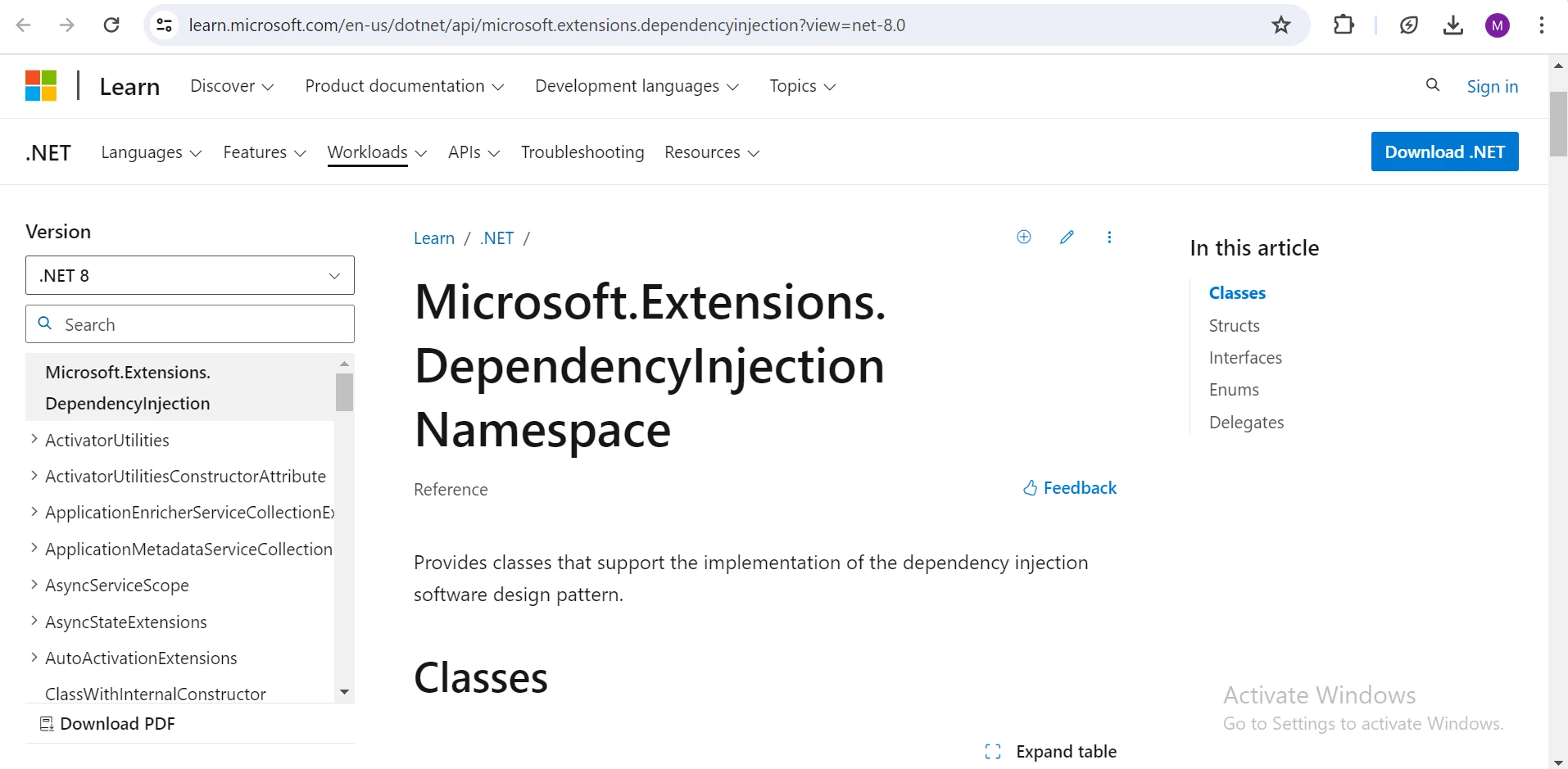
### Kontener wstrzykiwania zależności
1. **Rejestracja usługi:** Zależności są rejestrowane w kontenerze DI, zazwyczaj w głównym miejscu składowym aplikacji. Te rejestracje określają, w jaki sposób kontener powinien tworzyć i zarządzać zależnościami.
2. **Rozwiązywanie zależności:** Gdy komponent żąda zależności, kontener DI rozwiązuje zależność, tworząc instancję zarejestrowanego typu, który używa metody rozszerzenia.
### Rodzaje wstrzykiwania zależności
* **Wstrzykiwanie konstruktora:** Zarejestrowane usługi są dostarczane do klasy poprzez jej konstruktor, co jest najczęstszą i rekomendowaną formą DI.
* **Wstrzykiwanie metodą:** Usługi są rozwiązywane i przekazywane jako parametry do metody.
* **Wstrzykiwanie właściwości:** Usługi singletonowe lub usługi z zakresem scoped mogą być przypisywane do właściwości klasy. Niemniej jednak takie podejście jest mniej powszechne i często uważane za gorsze od wstrzykiwania konstruktora, ponieważ może wprowadzać ukryte zależności.
### Zrozumienie okresów życia we wstrzykiwaniu zależności (DI): Scoped, Transient i Singleton
1. **Scoped:** Zależności o zakresie scoped są tworzone raz na żądanie lub zakres życia, co oznacza, że kontener dostarcza tę samą instancję w obrębie jednego żądania lub operacji. Ta spójność jest szczególnie przydatna w aplikacjach webowych, gdzie zależności scoped pomagają utrzymać stabilną zależność w trakcie żądania webowego.
2. **Transient:** Zależności transient są instancjonowane za każdym razem, gdy są żądane z kontenera. Oznacza to, że nowa instancja zależności przejściowej jest generowana zawsze wtedy, gdy jest potrzebna. Zazwyczaj zależności przejściowe są używane w przypadku lekkich, bezstanowych usług lub komponentów.
3. **Singleton:** Zależności typu singleton są instancjonowane tylko raz i współdzielone przez cały okres działania aplikacji. Gwarantuje to, że ta sama instancja zależności typu singleton jest używana dla wszystkich żądań przez cały czas działania aplikacji. Zależności typu singleton są zazwyczaj stosowane w przypadku usług lub komponentów stanowych, które muszą być powszechnie dostępne w całej aplikacji.
### **Instalacja** pakietu Microsoft.Extensions.DependencyInjection
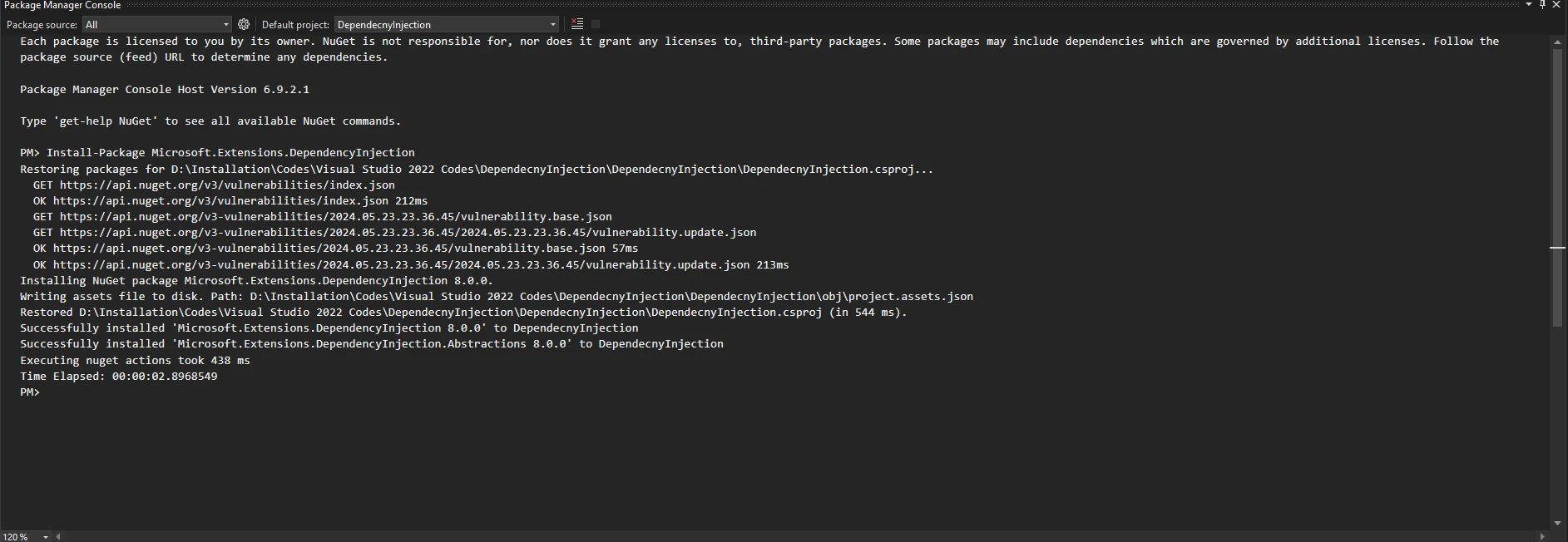
Aby rozpocząć korzystanie z wstrzykiwania zależności w projekcie .NET Core, należy najpierw zainstalować [pakiet](https://www.nuget.org/packages/Microsoft.Extensions.DependencyInjection) [Microsoft.Extensions.DependencyInjection](https://www.nuget.org/packages/Microsoft.Extensions.DependencyInjection). Można to zrobić za pomocą konsoli menedżera pakietów NuGet w Visual Studio, używając następującego polecenia:
```shell
:InstallCmd Install-Package Microsoft.Extensions.DependencyInjection
```
#### Zrzut ekranu
## Przykład: Podstawowe wstrzykiwanie zależności
W tym przykładzie stworzymy przykładową aplikację (aplikację konsolową), w której wykorzystamy dostawcę usług do rozpoznawania usług i wstrzykiwania ich do naszego programu.
```csharp
using Microsoft.Extensions.DependencyInjection;
using System;

// Define a service interface
public interface IMessageService
{
    void SendMessage(string message);
}

// Implement the service interface
public class ConsoleMessageService : IMessageService
{
    public void SendMessage(string message)
    {
        Console.WriteLine(message); // Output the message to the console
    }
}
```
Fragment kodu tworzy interfejs `IMessageService` do wysyłania wiadomości, jak kontrakt na sposób wysyłki wiadomości. Klasa `ConsoleMessageService` implementuje ten interfejs, używając `Console.WriteLine` do wysyłania wiadomości. Takie rozdzielenie pozwala na zmianę koncepcji wysyłania wiadomości niezależnie od sposobu ich wysyłania, dzięki czemu system jest elastyczny i łatwy w zarządzaniu.
```csharp
class Program
{
static void Main(string[] args)
{
// Create a service provider
var serviceProvider = new ServiceCollection()
// Register the service implementation
.AddTransient<IMessageService, ConsoleMessageService>()
.BuildServiceProvider();
// Resolve the service
var messageService = serviceProvider.GetRequiredService<IMessageService>();
// Use the service to send a message
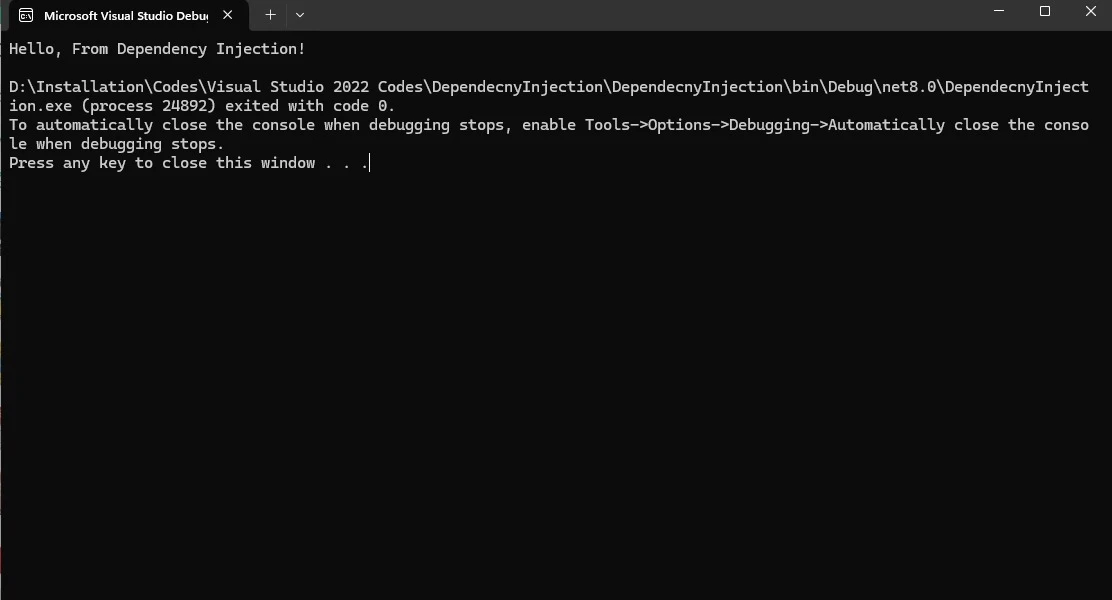
messageService.SendMessage("Hello, From Dependency Injection!");
}
}
```
Ten kod konfiguruje obiekt **serviceProvider** do zarządzania usługami. Rejestruje **ConsoleMessageService** jako implementację dla **IMessageService**, dzięki czemu można go wstrzyknąć tam, gdzie jest to wymagane. Metoda `Main` następnie pobiera instancję **IMessageService** z **serviceProvider** i używa jej do wysłania wiadomości do konsoli.
**Wynik:** Program wyświetla komunikat "Hello, From Dependency Injection!".
## IronPDF: biblioteka PDF dla języka C#
[IronPDF](/) to potężna biblioteka dla języka C#, która upraszcza złożony proces generowania plików PDF, oferując szeroki zakres funkcji do manipulacji plikami PDF, w tym możliwość generowania [plików PDF z HTML](/examples/using-html-to-create-a-pdf/), dodawania [tekstu do plików PDF](/examples/csharp-add-attachment-to-pdf/) i [edycji plików PDF z obrazami](/examples/editing-pdfs/), tworzenia bezpiecznych dokumentów i wiele więcej.
### Korzystanie z IronPDF z wstrzykiwaniem zależności
Aby zintegrować bibliotekę IronPDF z aplikacją .NET Core, wykorzystując funkcje wstrzykiwania zależności i metody rozszerzeń za pomocą Microsoft.Extensions.DependencyInjection, można postępować w następujący sposób:
1. Utwórz interfejs do zdefiniowania usługi generowania plików PDF.
2. Zaimplementuj interfejs.
3. Wykorzystaj metody rozszerzeń, aby zarejestrować usługę w kontenerze wstrzykiwania zależności.
4. Włącz usługę do swojej aplikacji zgodnie z wymaganiami.
#### Zdefiniuj interfejs
Utwórz interfejs do definiowania usługi generowania plików PDF.
```csharp
public interface IPdfService
{
void GeneratePdf(string baseUrl, string query, string filePath);
}
```
#### Zaimplementuj interfejs
Zaimplementuj interfejs przy użyciu IronPDF do tworzenia pliku PDF.
```csharp
using IronPdf;
using System;
using System.Web;
// Implement the PDF generation interface
public class IronPdfService : IPdfService
{
public void GeneratePdf(string baseUrl, string query, string filePath)
{
License.LicenseKey = "Your-License-Key"; // Set the IronPDF license key
string encodedQuery = HttpUtility.UrlEncode(query); // Encode the query string
string fullUrl = $"{baseUrl}?query={encodedQuery}"; // Construct the full URL
var renderer = new ChromePdfRenderer(); // Create a PDF renderer
var pdf = renderer.RenderUrlAsPdf(fullUrl); // Render the PDF from the URL
pdf.SaveAs(filePath); // Save the PDF to the specified file path
Console.WriteLine($"PDF successfully created from: {fullUrl}");
Console.WriteLine($"Saved to: {filePath}");
}
}
```
#### Zarejestruj usługę
W swojej klasie `Program.cs`, skonfiguruj wstrzykiwanie zależności:
```csharp
builder.Services.AddSingleton<IPdfService, IronPdfService>();
```
Ta konfiguracja rozwiązuje zależności poprzez implementację interfejsu **IPdfService** za pomocą **IronPdfService**, tworząc singletonowy typ usługi do generowania plików PDF. Następnie jest on wykorzystywany w całej aplikacji, zapewniając spójną funkcjonalność generowania plików PDF.
#### Zastosowanie
Wstrzyknij **IPdfService** do swojego kontrolera lub usługi i korzystaj z niego:
```csharp
public class MyController : Controller
{
private readonly IPdfService _pdfService;
public MyController(IPdfService pdfService)
{
_pdfService = pdfService;
}
public IActionResult GeneratePdf()
{
string baseUrl = "https://ironpdf.com/";
string query = "Hello World from IronPDF !";
string filePath = "Demo.pdf";
// Use the injected PDF service to generate a PDF
_pdfService.GeneratePdf(baseUrl, query, filePath);
return View();
}
}
```
Ta konfiguracja gwarantuje, że **IronPdfService** jest tworzony i zarządzany przez kontener wstrzykiwania zależności Microsoft Extensions. Możesz bez trudu zastąpić domyślną usługę generowania plików PDF, oferując alternatywną implementację interfejsu **IPdfService**, a wszystko to bez zmiany kodu użytkownika.
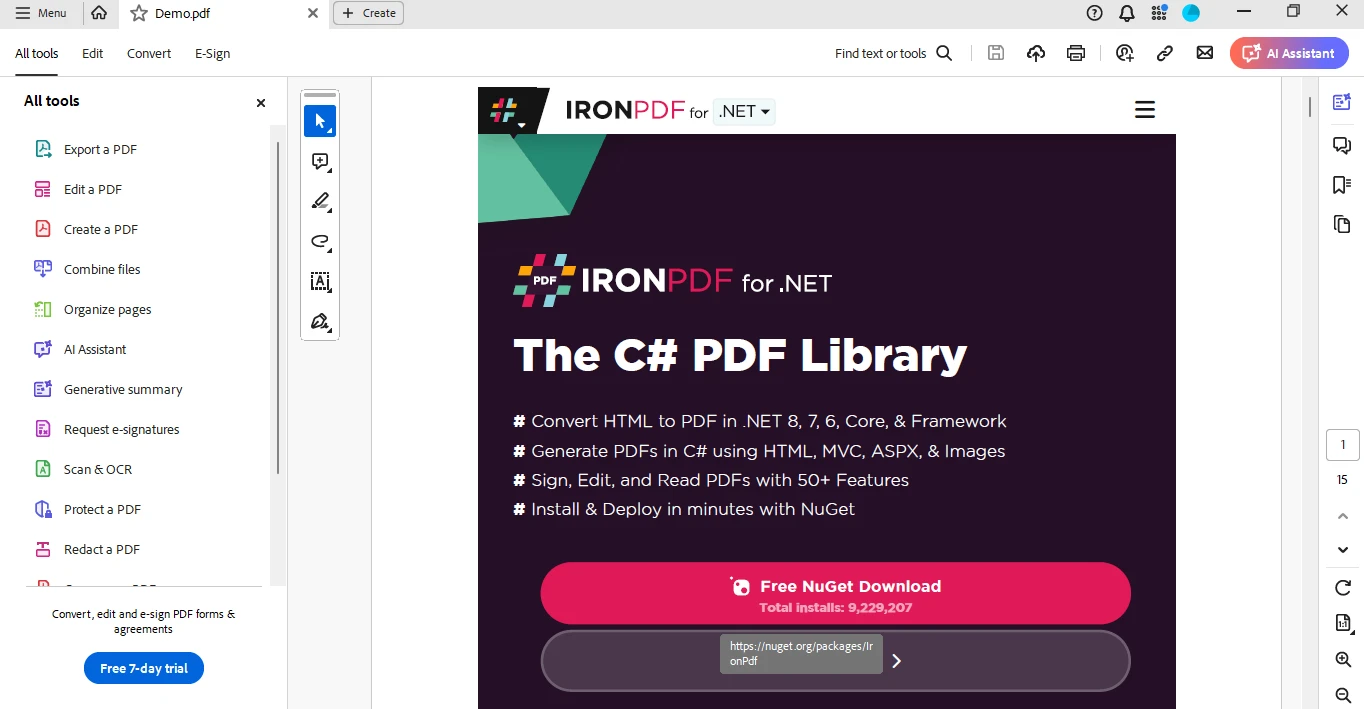
#### Zrzut ekranu pliku PDF
## Wnioski
Microsoft.Extensions.DependencyInjection to potężne narzędzie w .NET 6 służące do wdrażania wstrzykiwania zależności, które sprzyja luźnemu sprzężeniu i zwiększa testowalność aplikacji. Dzięki integracji z IronPDF, bogatą w funkcje biblioteką C#, programiści mogą z łatwością generować kompleksowe dokumenty PDF przy minimalnym wysiłku. Dostępne są [licencje na IronPDF](/licensing/).
Microsoft.Extensions.DependencyInjection to potężna biblioteka dostarczona przez Microsoft .NET, ułatwiająca wdrożenie Dependency Injection (DI), wzorca projektowego, który promuje luźne powiązanie i zwiększa testowalność aplikacji. DI jest często implementowane za pomocą wbudowanego kontenera DI w .NET Core lub bibliotek takich jak Autofac i Unity. DI polega na wstrzykiwaniu zależności (obiektów, których klasa potrzebuje) do klasy, zamiast tego, żeby klasa sama tworzyła swoje zależności. Zwykle realizuje się to poprzez wstrzykiwanie w konstruktor, metodę lub właściwość.
Kontener wstrzykiwania zależności
Rejestracja usługi: Zależności są rejestrowane w kontenerze DI, zazwyczaj w głównym miejscu składowym aplikacji. Te rejestracje określają, w jaki sposób kontener powinien tworzyć i zarządzać zależnościami.
Rozwiązywanie zależności: Gdy komponent żąda zależności, kontener DI rozwiązuje zależność, tworząc instancję zarejestrowanego typu, który używa metody rozszerzenia.
Rodzaje wstrzykiwania zależności
Wstrzykiwanie konstruktora: Zarejestrowane usługi są dostarczane do klasy poprzez jej konstruktor, co jest najczęstszą i rekomendowaną formą DI.
Wstrzykiwanie metodą: Usługi są rozwiązywane i przekazywane jako parametry do metody.
Wstrzykiwanie właściwości: Usługi singletonowe lub usługi z zakresem scoped mogą być przypisywane do właściwości klasy. Niemniej jednak takie podejście jest mniej powszechne i często uważane za gorsze od wstrzykiwania konstruktora, ponieważ może wprowadzać ukryte zależności.
Zrozumienie okresów życia we wstrzykiwaniu zależności (DI): Scoped, Transient i Singleton
Scoped: Zależności o zakresie scoped są tworzone raz na żądanie lub zakres życia, co oznacza, że kontener dostarcza tę samą instancję w obrębie jednego żądania lub operacji. Ta spójność jest szczególnie przydatna w aplikacjach webowych, gdzie zależności scoped pomagają utrzymać stabilną zależność w trakcie żądania webowego.
Transient: Zależności transient są instancjonowane za każdym razem, gdy są żądane z kontenera. Oznacza to, że nowa instancja zależności przejściowej jest generowana zawsze wtedy, gdy jest potrzebna. Zazwyczaj zależności przejściowe są używane w przypadku lekkich, bezstanowych usług lub komponentów.
Singleton: Zależności typu singleton są instancjonowane tylko raz i współdzielone przez cały okres działania aplikacji. Gwarantuje to, że ta sama instancja zależności typu singleton jest używana dla wszystkich żądań przez cały czas działania aplikacji. Zależności typu singleton są zazwyczaj stosowane w przypadku usług lub komponentów stanowych, które muszą być powszechnie dostępne w całej aplikacji.
Aby rozpocząć korzystanie z wstrzykiwania zależności w projekcie .NET Core, należy najpierw zainstalować pakietMicrosoft.Extensions.DependencyInjection. Można to zrobić za pomocą konsoli menedżera pakietów NuGet w Visual Studio, używając następującego polecenia:
W tym przykładzie stworzymy przykładową aplikację (aplikację konsolową), w której wykorzystamy dostawcę usług do rozpoznawania usług i wstrzykiwania ich do naszego programu.
using Microsoft.Extensions.DependencyInjection;using System;// Define a service interfacepublic interface IMessageService{ voidSendMessage(string message);}// Implement the service interfacepublic class ConsoleMessageService : IMessageService{ public voidSendMessage(string message) {Console.WriteLine(message); // Output the message to the console }}
using Microsoft.Extensions.DependencyInjection;
using System;

// Define a service interface
public interface IMessageService
{
    void SendMessage(string message);
}

// Implement the service interface
public class ConsoleMessageService : IMessageService
{
    public void SendMessage(string message)
    {
        Console.WriteLine(message); // Output the message to the console
    }
}
ImportsMicrosoft.Extensions.DependencyInjectionImportsSystem' Define a service interfacePublicInterfaceIMessageService Sub SendMessage(ByVal message AsString)EndInterface' Implement the service interfacePublic Class ConsoleMessageServiceImplementsIMessageService Public Sub SendMessage(ByVal message AsString) ImplementsIMessageService.SendMessageConsole.WriteLine(message) ' Output the message to the console End SubEnd Class
Imports Microsoft.Extensions.DependencyInjection
Imports System

' Define a service interface
Public Interface IMessageService
	Sub SendMessage(ByVal message As String)
End Interface

' Implement the service interface
Public Class ConsoleMessageService
	Implements IMessageService

	Public Sub SendMessage(ByVal message As String) Implements IMessageService.SendMessage
		Console.WriteLine(message) ' Output the message to the console
	End Sub
End Class
Fragment kodu tworzy interfejs IMessageService do wysyłania wiadomości, jak kontrakt na sposób wysyłki wiadomości. Klasa ConsoleMessageService implementuje ten interfejs, używając Console.WriteLine do wysyłania wiadomości. Takie rozdzielenie pozwala na zmianę koncepcji wysyłania wiadomości niezależnie od sposobu ich wysyłania, dzięki czemu system jest elastyczny i łatwy w zarządzaniu.
class Program{ static voidMain(string[] args) { // Create a service provider var serviceProvider = new ServiceCollection() // Register the service implementation .AddTransient<IMessageService, ConsoleMessageService>() .BuildServiceProvider(); // Resolve the service var messageService = serviceProvider.GetRequiredService<IMessageService>(); // Use the service to send a message messageService.SendMessage("Hello, From Dependency Injection!"); }}
class Program
{
    static void Main(string[] args)
    {
        // Create a service provider
        var serviceProvider = new ServiceCollection()
            // Register the service implementation
            .AddTransient<IMessageService, ConsoleMessageService>()
            .BuildServiceProvider();

        // Resolve the service
        var messageService = serviceProvider.GetRequiredService<IMessageService>();

        // Use the service to send a message
        messageService.SendMessage("Hello, From Dependency Injection!");
    }
}
Friend Class ProgramShared Sub Main(ByVal args() AsString) ' Create a service provider Dim serviceProvider = (New ServiceCollection()).AddTransient(OfIMessageService, ConsoleMessageService)().BuildServiceProvider() ' Resolve the service Dim messageService = serviceProvider.GetRequiredService(OfIMessageService)() ' Use the service to send a message messageService.SendMessage("Hello, From Dependency Injection!") End SubEnd Class
Friend Class Program
	Shared Sub Main(ByVal args() As String)
		' Create a service provider
		Dim serviceProvider = (New ServiceCollection()).AddTransient(Of IMessageService, ConsoleMessageService)().BuildServiceProvider()

		' Resolve the service
		Dim messageService = serviceProvider.GetRequiredService(Of IMessageService)()

		' Use the service to send a message
		messageService.SendMessage("Hello, From Dependency Injection!")
	End Sub
End Class
Ten kod konfiguruje obiekt serviceProvider do zarządzania usługami. Rejestruje ConsoleMessageService jako implementację dla IMessageService, dzięki czemu można go wstrzyknąć tam, gdzie jest to wymagane. Metoda Main następnie pobiera instancję IMessageService z serviceProvider i używa jej do wysłania wiadomości do konsoli.
Wynik: Program wyświetla komunikat "Hello, From Dependency Injection!".
IronPDF: biblioteka PDF dla języka C#
IronPDF to potężna biblioteka dla języka C#, która upraszcza złożony proces generowania plików PDF, oferując szeroki zakres funkcji do manipulacji plikami PDF, w tym możliwość generowania plików PDF z HTML, dodawania tekstu do plików PDF i edycji plików PDF z obrazami, tworzenia bezpiecznych dokumentów i wiele więcej.
Korzystanie z IronPDF z wstrzykiwaniem zależności
Aby zintegrować bibliotekę IronPDF z aplikacją .NET Core, wykorzystując funkcje wstrzykiwania zależności i metody rozszerzeń za pomocą Microsoft.Extensions.DependencyInjection, można postępować w następujący sposób:
Utwórz interfejs do zdefiniowania usługi generowania plików PDF.
Zaimplementuj interfejs.
Wykorzystaj metody rozszerzeń, aby zarejestrować usługę w kontenerze wstrzykiwania zależności.
Włącz usługę do swojej aplikacji zgodnie z wymaganiami.
Zdefiniuj interfejs
Utwórz interfejs do definiowania usługi generowania plików PDF.
public interface IPdfService{ voidGeneratePdf(string baseUrl, string query, string filePath);}
PublicInterfaceIPdfService Sub GeneratePdf(baseUrl AsString, query AsString, filePath AsString)EndInterface
Public Interface IPdfService
    Sub GeneratePdf(baseUrl As String, query As String, filePath As String)
End Interface
Zaimplementuj interfejs
Zaimplementuj interfejs przy użyciu IronPDF do tworzenia pliku PDF.
using IronPdf;using System;using System.Web;// Implement the PDF generation interfacepublic class IronPdfService : IPdfService{ public voidGeneratePdf(string baseUrl, string query, string filePath) {License.LicenseKey = "Your-License-Key"; // Set the IronPDF license key string encodedQuery = HttpUtility.UrlEncode(query); // Encode the query string string fullUrl = $"{baseUrl}?query={encodedQuery}"; // Construct the full URL var renderer = new ChromePdfRenderer(); // Create a PDF renderer var pdf = renderer.RenderUrlAsPdf(fullUrl); // Render the PDF from the URL pdf.SaveAs(filePath); // Save the PDF to the specified file pathConsole.WriteLine($"PDF successfully created from: {fullUrl}");Console.WriteLine($"Saved to: {filePath}"); }}
using IronPdf;
using System;
using System.Web;

// Implement the PDF generation interface
public class IronPdfService : IPdfService
{
    public void GeneratePdf(string baseUrl, string query, string filePath)
    {
        License.LicenseKey = "Your-License-Key"; // Set the IronPDF license key
        string encodedQuery = HttpUtility.UrlEncode(query); // Encode the query string
        string fullUrl = $"{baseUrl}?query={encodedQuery}"; // Construct the full URL
        var renderer = new ChromePdfRenderer(); // Create a PDF renderer
        var pdf = renderer.RenderUrlAsPdf(fullUrl); // Render the PDF from the URL
        pdf.SaveAs(filePath); // Save the PDF to the specified file path
        Console.WriteLine($"PDF successfully created from: {fullUrl}");
        Console.WriteLine($"Saved to: {filePath}");
    }
}
ImportsIronPdfImportsSystemImportsSystem.Web' Implement the PDF generation interfacePublic Class IronPdfServiceImplementsIPdfService Public Sub GeneratePdf(ByVal baseUrl AsString, ByVal query AsString, ByVal filePath AsString)License.LicenseKey = "Your-License-Key" ' Set the IronPDF license key Dim encodedQuery AsString = HttpUtility.UrlEncode(query) ' Encode the query string Dim fullUrl AsString = $"{baseUrl}?query={encodedQuery}" ' Construct the full URL Dim renderer = New ChromePdfRenderer() ' Create a PDF renderer Dim pdf = renderer.RenderUrlAsPdf(fullUrl) ' Render the PDF from the URL pdf.SaveAs(filePath) ' Save the PDF to the specified file pathConsole.WriteLine($"PDF successfully created from: {fullUrl}")Console.WriteLine($"Saved to: {filePath}") End SubEnd Class
Imports IronPdf
Imports System
Imports System.Web

' Implement the PDF generation interface
Public Class IronPdfService
	Implements IPdfService

	Public Sub GeneratePdf(ByVal baseUrl As String, ByVal query As String, ByVal filePath As String)
		License.LicenseKey = "Your-License-Key" ' Set the IronPDF license key
		Dim encodedQuery As String = HttpUtility.UrlEncode(query) ' Encode the query string
		Dim fullUrl As String = $"{baseUrl}?query={encodedQuery}" ' Construct the full URL
		Dim renderer = New ChromePdfRenderer() ' Create a PDF renderer
		Dim pdf = renderer.RenderUrlAsPdf(fullUrl) ' Render the PDF from the URL
		pdf.SaveAs(filePath) ' Save the PDF to the specified file path
		Console.WriteLine($"PDF successfully created from: {fullUrl}")
		Console.WriteLine($"Saved to: {filePath}")
	End Sub
End Class
Zarejestruj usługę
W swojej klasie Program.cs, skonfiguruj wstrzykiwanie zależności:
Ta konfiguracja rozwiązuje zależności poprzez implementację interfejsu IPdfService za pomocą IronPdfService, tworząc singletonowy typ usługi do generowania plików PDF. Następnie jest on wykorzystywany w całej aplikacji, zapewniając spójną funkcjonalność generowania plików PDF.
Zastosowanie
Wstrzyknij IPdfService do swojego kontrolera lub usługi i korzystaj z niego:
public class MyController : Controller{ private readonly IPdfService _pdfService; publicMyController(IPdfService pdfService) { _pdfService = pdfService; } public IActionResultGeneratePdf() { string baseUrl = "https://ironpdf.com/"; string query = "Hello World from IronPDF !"; string filePath = "Demo.pdf"; // Use the injected PDF service to generate a PDF _pdfService.GeneratePdf(baseUrl, query, filePath); returnView(); }}
public class MyController : Controller
{
    private readonly IPdfService _pdfService;

    public MyController(IPdfService pdfService)
    {
        _pdfService = pdfService;
    }

    public IActionResult GeneratePdf()
    {
        string baseUrl = "https://ironpdf.com/";
        string query = "Hello World from IronPDF !";
        string filePath = "Demo.pdf";

        // Use the injected PDF service to generate a PDF
        _pdfService.GeneratePdf(baseUrl, query, filePath);

        return View();
    }
}
Public Class MyControllerInheritsController PrivateReadOnly _pdfService AsIPdfService Public Sub New(pdfService AsIPdfService) _pdfService = pdfService End Sub Public Function GeneratePdf() AsIActionResult Dim baseUrl AsString = "https://ironpdf.com/" Dim query AsString = "Hello World from IronPDF !" Dim filePath AsString = "Demo.pdf" ' Use the injected PDF service to generate a PDF _pdfService.GeneratePdf(baseUrl, query, filePath) ReturnView() End FunctionEnd Class
Public Class MyController
    Inherits Controller

    Private ReadOnly _pdfService As IPdfService

    Public Sub New(pdfService As IPdfService)
        _pdfService = pdfService
    End Sub

    Public Function GeneratePdf() As IActionResult
        Dim baseUrl As String = "https://ironpdf.com/"
        Dim query As String = "Hello World from IronPDF !"
        Dim filePath As String = "Demo.pdf"

        ' Use the injected PDF service to generate a PDF
        _pdfService.GeneratePdf(baseUrl, query, filePath)

        Return View()
    End Function
End Class
Ta konfiguracja gwarantuje, że IronPdfService jest tworzony i zarządzany przez kontener wstrzykiwania zależności Microsoft Extensions. Możesz bez trudu zastąpić domyślną usługę generowania plików PDF, oferując alternatywną implementację interfejsu IPdfService, a wszystko to bez zmiany kodu użytkownika.
Zrzut ekranu pliku PDF
Wnioski
Microsoft.Extensions.DependencyInjection to potężne narzędzie w .NET 6 służące do wdrażania wstrzykiwania zależności, które sprzyja luźnemu sprzężeniu i zwiększa testowalność aplikacji. Dzięki integracji z IronPDF, bogatą w funkcje biblioteką C#, programiści mogą z łatwością generować kompleksowe dokumenty PDF przy minimalnym wysiłku. Dostępne są licencje na IronPDF.
Jacob Mellor jest Chief Technology Officer w Iron Software i wizjonerskim inżynierem, pionierem technologii C# PDF. Jako pierwotny deweloper głównej bazy kodowej Iron Software, kształtuje architekturę produktów firmy od jej początku, przekształcając ją wspólnie z CEO Cameron Rimington w firmę liczącą ponad 50 osób, obsługującą NASA, Teslę i światowe agencje rządowe.


















