


Microsoft.Extensions.DependencyInjection .NET 9(PDFの作業)

Microsoft.Extensions.DependencyInjection は、依存性注入 (DI) を容易にするための Microsoft .NET によって提供される強力なライブラリであり、疎結合を促進し、アプリケーションのテスト容易性を向上させるソフトウェアデザインパターンです。 DI は、多くの場合、.NET Core に組み込まれた DI コンテナや、Autofac、Unity のようなライブラリを使用して実装されます。 DI は、クラスが必要とする依存性(オブジェクト)をクラスに注入するのではなく、クラスがその依存性を生成する方法に関与します。 これは通常、コンストラクター、メソッド、またはプロパティの注入を通じて行われます。
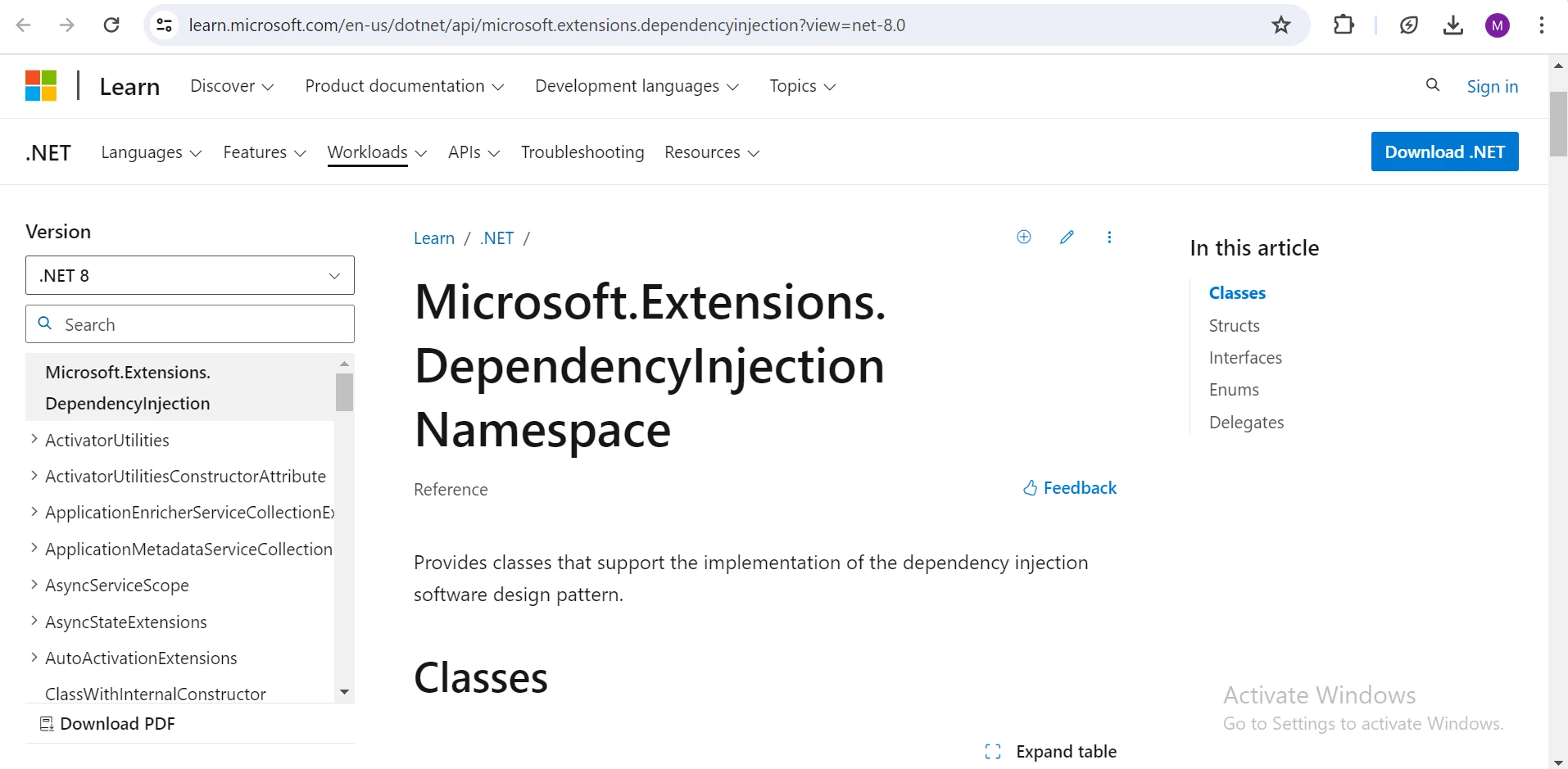
依存性注入コンテナ
-
サービス登録: 依存性は通常、アプリケーションの作曲ルートで DI コンテナに登録されます。 これらの登録は、コンテナが依存性を作成し管理する方法を指定します。
- 依存性の解決: コンポーネントが依存性を要求するとき、DI コンテナは拡張メソッドを使用して登録されたタイプのインスタンスを作成することにより依存性を解決します。
依存性注入のタイプ
- コンストラクター注入: 登録されたサービスはクラスを通じてそのコンストラクターを通じて提供されます。これは最も一般的で推奨される DI の形式です。
- メソッド注入: サービスは解決され、メソッドにパラメーターとして渡されます。
- プロパティ注入: シングルトンサービスまたはスコープされたライフタイムを持つサービスは、クラスのプロパティに割り当てられます。 しかし、このアプローチは一般的ではなく、コンストラクター注入よりも劣ると見なされることが多いです。なぜなら、隠れた依存性を招く可能性があるからです。
依存性注入 (DI) におけるライフタイムの理解: スコープ、トランジェント、シングルトン
- スコープ: スコープされた依存性は、リクエストまたはライフタイムスコープごとに一度作成され、コンテナは単一のリクエストまたは操作内で同じインスタンスを提供します。 この一貫性は、特に Web アプリケーションで有用であり、スコープされた依存性は Web リクエストを通じて安定した依存性を維持するのに役立ちます。
- トランジェント: トランジェント依存性は、コンテナから要求されるたびにインスタンス化されます。 このことは、トランジェント依存性が必要になるたびに新しいインスタンスが生成されることを意味します。 通常、トランジェント依存性は軽量でステートレスなサービスやコンポーネントに使用されます。
- シングルトン: シングルトン依存性は一度だけインスタンス化され、アプリケーションの全体のライフタイムを通じて共有されます。これにより、アプリケーションの期間中、すべてのリクエストに対して同じインスタンスが使用されます。 シングルトン依存性は、通常、アプリケーション全体で普遍的にアクセス可能である必要がある状態を持つサービスやコンポーネントに使用されます。
Microsoft.Extensions.DependencyInjection パッケージのインストール
.NET Core プロジェクトで依存性注入を開始するには、まず Microsoft.Extensions.DependencyInjection パッケージ をインストールする必要があります。 これは、Visual Studio の NuGet パッケージマネージャーコンソールで次のコマンドを使用して実施できます。
Install-Package Microsoft.Extensions.DependencyInjection
スクリーンショット
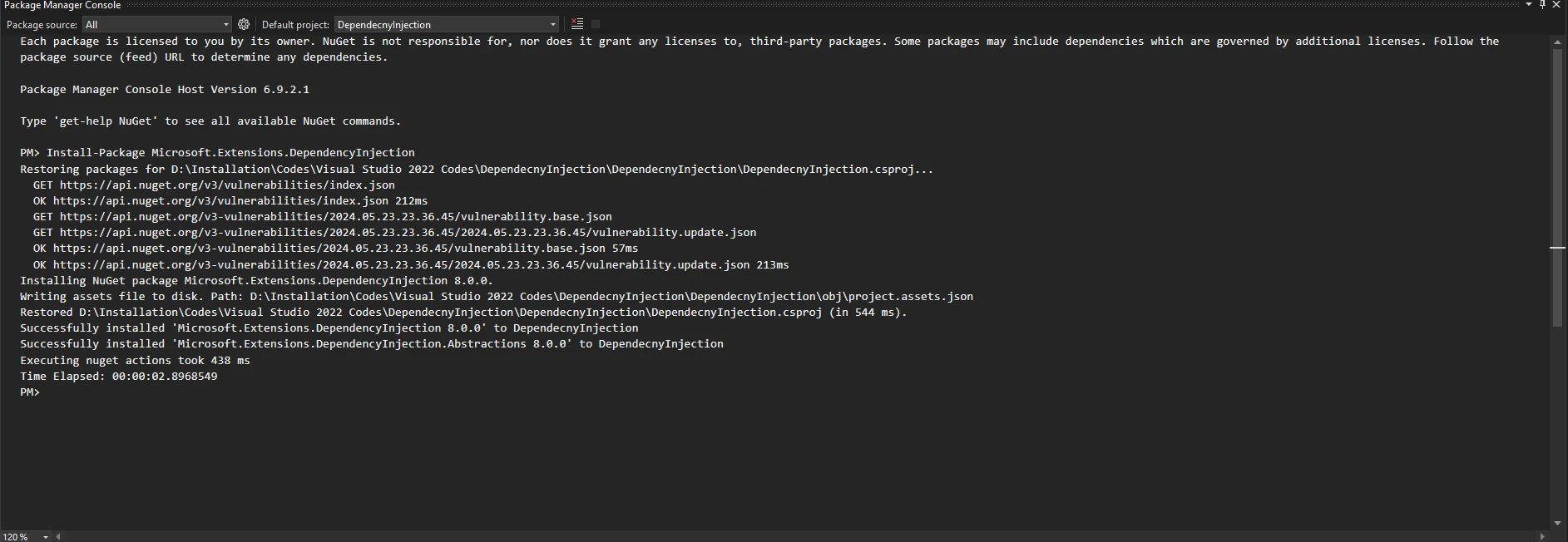
例: 基本的な依存性注入
この例では、サービスプロバイダーを使用してサービスを解決し、プログラムに注入するサンプルアプリ (コンソールアプリケーション) を作成してみましょう。
using Microsoft.Extensions.DependencyInjection;
using System;

// Define a service interface
public interface IMessageService
{
    void SendMessage(string message);
}

// Implement the service interface
public class ConsoleMessageService : IMessageService
{
    public void SendMessage(string message)
    {
        Console.WriteLine(message); // Output the message to the console
    }
}
using Microsoft.Extensions.DependencyInjection;
using System;
// Define a service interface
public interface IMessageService
{
void SendMessage(string message);
}
// Implement the service interface
public class ConsoleMessageService : IMessageService
{
public void SendMessage(string message)
{
Console.WriteLine(message); // Output the message to the console
}
}Imports Microsoft.Extensions.DependencyInjection
Imports System
' Define a service interface
Public Interface IMessageService
Sub SendMessage(ByVal message As String)
End Interface
' Implement the service interface
Public Class ConsoleMessageService
Implements IMessageService
Public Sub SendMessage(ByVal message As String) Implements IMessageService.SendMessage
Console.WriteLine(message) ' Output the message to the console
End Sub
End Classコードスニペットはメッセージ送信用のインターフェースIMessageServiceを作成し、それはメッセージの送信方法に関する契約のようなものです。 クラスConsole.WriteLineを使ってメッセージを送信します。 この分離により、メッセージを送信するという概念を、送信方法とは独立して変更することができ、システムが柔軟かつ管理しやすくなります。
class Program
{
    static void Main(string[] args)
    {
        // Create a service provider
        var serviceProvider = new ServiceCollection()
            // Register the service implementation
            .AddTransient<IMessageService, ConsoleMessageService>()
            .BuildServiceProvider();

        // Resolve the service
        var messageService = serviceProvider.GetRequiredService<IMessageService>();

        // Use the service to send a message
        messageService.SendMessage("Hello, From Dependency Injection!");
    }
}
class Program
{
static void Main(string[] args)
{
// Create a service provider
var serviceProvider = new ServiceCollection()
// Register the service implementation
.AddTransient<IMessageService, ConsoleMessageService>()
.BuildServiceProvider();
// Resolve the service
var messageService = serviceProvider.GetRequiredService<IMessageService>();
// Use the service to send a message
messageService.SendMessage("Hello, From Dependency Injection!");
}
}Friend Class Program
Shared Sub Main(ByVal args() As String)
' Create a service provider
Dim serviceProvider = (New ServiceCollection()).AddTransient(Of IMessageService, ConsoleMessageService)().BuildServiceProvider()
' Resolve the service
Dim messageService = serviceProvider.GetRequiredService(Of IMessageService)()
' Use the service to send a message
messageService.SendMessage("Hello, From Dependency Injection!")
End Sub
End Classこのコードは、サービスを管理するための serviceProvider を設定します。 ConsoleMessageService を IMessageService の実装として登録し、必要な場所に注入できるようにします。 メソッドMainは、その後、serviceProviderからIMessageServiceのインスタンスを取得し、それを使ってコンソールにメッセージを送信します。
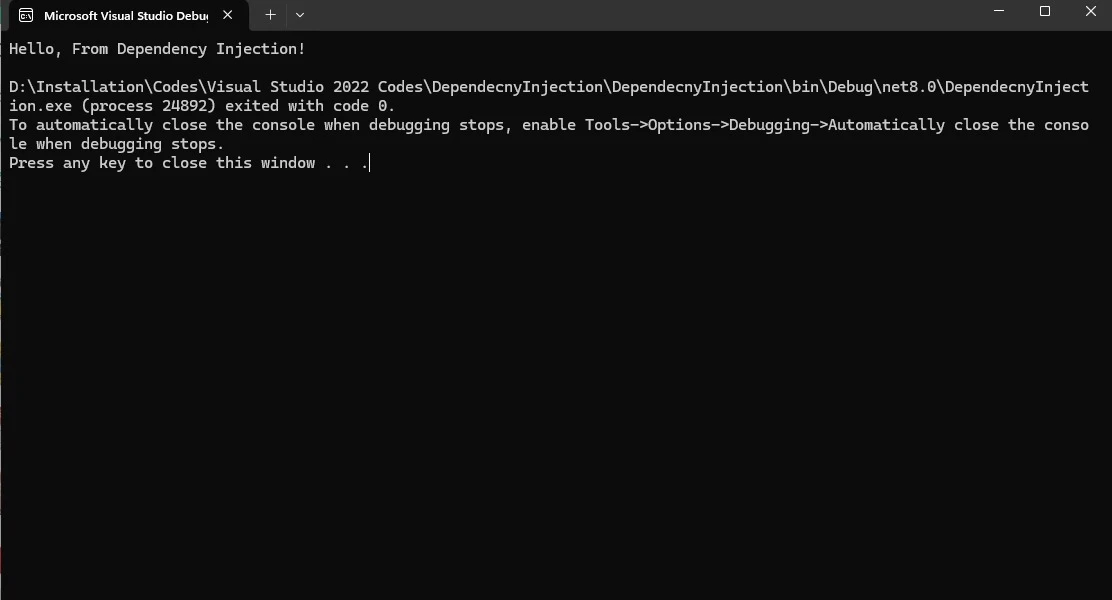
出力: プログラムは文字列メッセージ "Hello, From Dependency Injection!" を表示します。
IronPDF: C# PDFライブラリ
IronPDF は、PDF 生成の複雑なプロセスを簡素化し、PDF の操作に関する多くの機能を提供する C# の強力なライブラリであり、HTML から PDF を生成したり、PDF にテキストを追加したり、画像で PDF を編集したり、安全な文書を作成することができます。
依存性注入で IronPDF を使用する
Microsoft.Extensions.DependencyInjection の拡張機能および依存性注入機能を利用して、.NET Core アプリケーションに IronPDF ライブラリを統合するには、次の手順に従います。
- PDF 生成サービスを定義するインターフェイスを作成します。
- インターフェイスを実装します。
- 拡張メソッドを利用して、依存性注入コンテナにサービスを登録します。
- アプリケーションに必要に応じてサービスを注入します。
インターフェイスの定義
PDF 生成サービスを定義するインターフェイスを作成します。
public interface IPdfService
{
    void GeneratePdf(string baseUrl, string query, string filePath);
}
public interface IPdfService
{
void GeneratePdf(string baseUrl, string query, string filePath);
}Public Interface IPdfService
Sub GeneratePdf(baseUrl As String, query As String, filePath As String)
End Interfaceインターフェイスの実装
IronPDF を使用して PDF ファイルを作成するためにインターフェイスを実装します。
using IronPdf;
using System;
using System.Web;

// Implement the PDF generation interface
public class IronPdfService : IPdfService
{
    public void GeneratePdf(string baseUrl, string query, string filePath)
    {
        License.LicenseKey = "Your-License-Key"; // Set the IronPDF license key
        string encodedQuery = HttpUtility.UrlEncode(query); // Encode the query string
        string fullUrl = $"{baseUrl}?query={encodedQuery}"; // Construct the full URL
        var renderer = new ChromePdfRenderer(); // Create a PDF renderer
        var pdf = renderer.RenderUrlAsPdf(fullUrl); // Render the PDF from the URL
        pdf.SaveAs(filePath); // Save the PDF to the specified file path
        Console.WriteLine($"PDF successfully created from: {fullUrl}");
        Console.WriteLine($"Saved to: {filePath}");
    }
}
using IronPdf;
using System;
using System.Web;
// Implement the PDF generation interface
public class IronPdfService : IPdfService
{
public void GeneratePdf(string baseUrl, string query, string filePath)
{
License.LicenseKey = "Your-License-Key"; // Set the IronPDF license key
string encodedQuery = HttpUtility.UrlEncode(query); // Encode the query string
string fullUrl = $"{baseUrl}?query={encodedQuery}"; // Construct the full URL
var renderer = new ChromePdfRenderer(); // Create a PDF renderer
var pdf = renderer.RenderUrlAsPdf(fullUrl); // Render the PDF from the URL
pdf.SaveAs(filePath); // Save the PDF to the specified file path
Console.WriteLine($"PDF successfully created from: {fullUrl}");
Console.WriteLine($"Saved to: {filePath}");
}
}Imports IronPdf
Imports System
Imports System.Web
' Implement the PDF generation interface
Public Class IronPdfService
Implements IPdfService
Public Sub GeneratePdf(ByVal baseUrl As String, ByVal query As String, ByVal filePath As String)
License.LicenseKey = "Your-License-Key" ' Set the IronPDF license key
Dim encodedQuery As String = HttpUtility.UrlEncode(query) ' Encode the query string
Dim fullUrl As String = $"{baseUrl}?query={encodedQuery}" ' Construct the full URL
Dim renderer = New ChromePdfRenderer() ' Create a PDF renderer
Dim pdf = renderer.RenderUrlAsPdf(fullUrl) ' Render the PDF from the URL
pdf.SaveAs(filePath) ' Save the PDF to the specified file path
Console.WriteLine($"PDF successfully created from: {fullUrl}")
Console.WriteLine($"Saved to: {filePath}")
End Sub
End Classサービスの登録
あなたのProgram.csクラスで、依存性の注入を設定してください:
builder.Services.AddSingleton<IPdfService, IronPdfService>();builder.Services.AddSingleton<IPdfService, IronPdfService>();このセットアップは、IronPDFService を使用して IPdfService インターフェイスを実装することにより依存性を解決し、PDF 生成のシングルトンサービスタイプを確立します。 その後、アプリケーション全体で参照され、PDF 生成の一貫した機能を確保します。
使用法
IPdfService をコントローラーまたはサービスに注入し、それを使用します。
public class MyController : Controller
{
    private readonly IPdfService _pdfService;

    public MyController(IPdfService pdfService)
    {
        _pdfService = pdfService;
    }

    public IActionResult GeneratePdf()
    {
        string baseUrl = "https://ironpdf.com/";
        string query = "Hello World from IronPDF !";
        string filePath = "Demo.pdf";

        // Use the injected PDF service to generate a PDF
        _pdfService.GeneratePdf(baseUrl, query, filePath);

        return View();
    }
}
public class MyController : Controller
{
private readonly IPdfService _pdfService;
public MyController(IPdfService pdfService)
{
_pdfService = pdfService;
}
public IActionResult GeneratePdf()
{
string baseUrl = "https://ironpdf.com/";
string query = "Hello World from IronPDF !";
string filePath = "Demo.pdf";
// Use the injected PDF service to generate a PDF
_pdfService.GeneratePdf(baseUrl, query, filePath);
return View();
}
}Public Class MyController
Inherits Controller
Private ReadOnly _pdfService As IPdfService
Public Sub New(ByVal pdfService As IPdfService)
_pdfService = pdfService
End Sub
Public Function GeneratePdf() As IActionResult
Dim baseUrl As String = "https://ironpdf.com/"
Dim query As String = "Hello World from IronPDF !"
Dim filePath As String = "Demo.pdf"
' Use the injected PDF service to generate a PDF
_pdfService.GeneratePdf(baseUrl, query, filePath)
Return View()
End Function
End Classこのセットアップにより、IronPDFService は Microsoft Extensions Dependency Injection コンテナによって作成および管理されます。 IPdfService インターフェイスの代替実装を提供することで、書き換えなしでデフォルトの PDF 生成サービスを簡単に置き換えることができます。
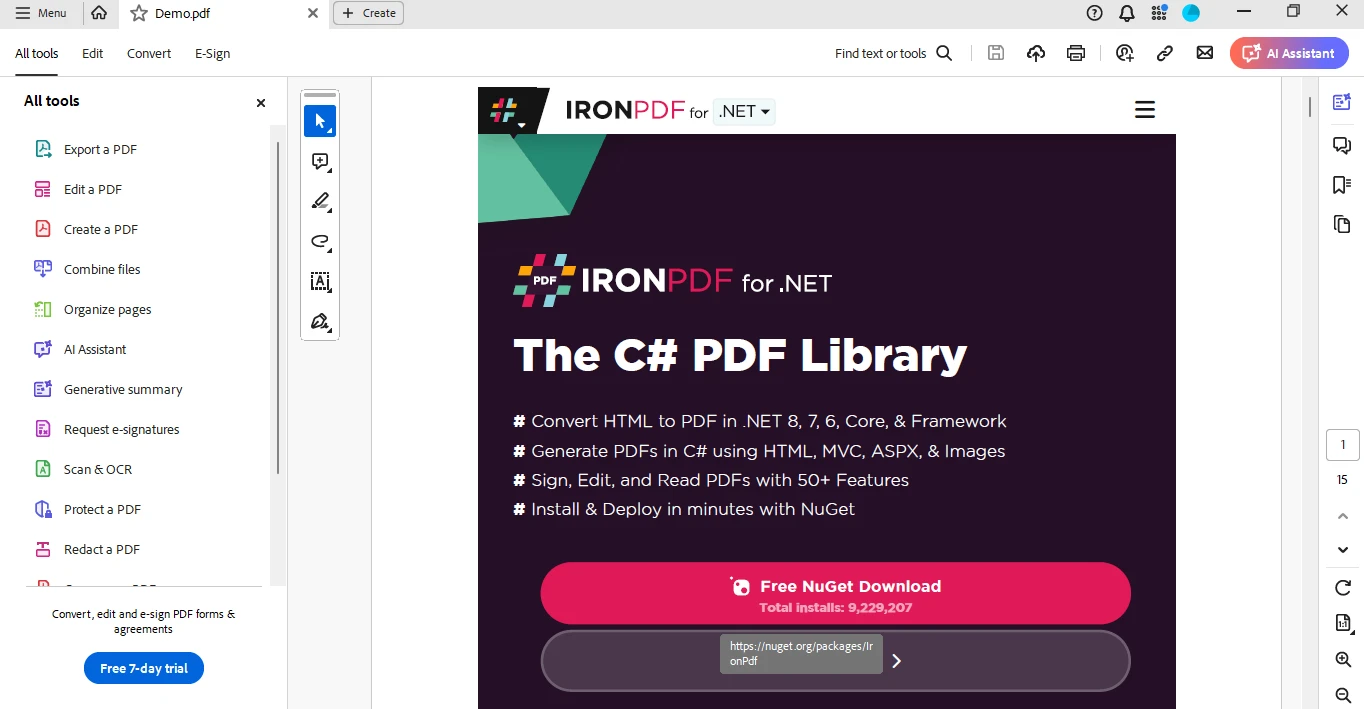
PDF ファイルのスクリーンショット
結論
Microsoft.Extensions.DependencyInjection は、依存性注入を実装するための .NET 6 の強力なツールであり、疎結合を促進し、アプリケーションのテストのしやすさを向上させます。 IronPDF を統合することにより、豊富な機能を備えた C# ライブラリを使用して、開発者は容易に包括的な PDF ドキュメントを生成することができます。 IronPDF のライセンス が利用可能です。
よくある質問
Microsoft.Extensions.DependencyInjection の .NET 6 における役割は何ですか?
Microsoft.Extensions.DependencyInjection は、.NET 6 で依存性注入を実装するために使用されるデザインパターンで、サービスのライフタイムと依存性を DI コンテナを使用して管理することにより、疎結合なアプリケーションの作成を支援します。
依存性注入がアプリケーションのテスト性をどのように向上させますか?
依存性注入は、クラスに依存性を注入できるようにすることでテスト性を向上させ、テスト中に実装ではなくモックオブジェクトを容易に代替させることができます。
.NET アプリケーションで依存性注入を使用する利点は何ですか?
.NET アプリケーションで依存性注入を使用する利点には、コードの保守性向上、拡張性、および実行時に依存性を簡単に管理および設定できることが含まれます。
.NET Core アプリケーションで依存性注入をどのように実装しますか?
.NET Core アプリケーションでは、アプリケーションの起動時に DI コンテナでサービスを構成し、必要に応じてコンストラクタまたはメソッドに注入することで依存性注入を実装します。
.NET Core アプリケーションで HTML を PDF に変換するにはどうすればよいですか?
IronPDF の RenderHtmlAsPdf メソッドなどを使用して HTML 文字列や RenderHtmlFileAsPdf メソッドを使用して HTML ファイルを .NET Core アプリケーションで PDF に変換できます。
依存性注入におけるサービスのさまざまなライフタイムとは何であり、これらがアプリケーションの動作にどのように影響を与えますか?
依存性注入におけるサービスのライフタイムには Scoped、Transient、Singleton があります。Scoped サービスはリクエストごとに一度作成され、Transient サービスは要求されるたびに作成され、Singleton サービスは一度作成され、アプリケーション全体で共有されます。
依存性注入を使用して .NET Core プロジェクトに C# PDF ライブラリをどのように統合できますか?
.NET Core プロジェクトに C# PDF ライブラリ like IronPDF を依存性注入を使用して統合するには、PDF サービス用のインターフェイスを作成し、実装し、DI コンテナにサービスを登録し、必要に応じてクラスに注入します。
Microsoft.Extensions.DependencyInjection パッケージをインストールするプロセスは何ですか?
Microsoft.Extensions.DependencyInjection パッケージは、Visual Studio の NuGet パッケージ マネージャ コンソールを使用して、次のコマンドでインストールできます: Install-Package Microsoft.Extensions.DependencyInjection。
IronPDF はどのように依存性注入を使用して PDF を生成できますか?
IronPDF は、PDF サービスインターフェイスを設定し、IronPDF メソッドで実装し、DI コンテナに登録することで依存性注入を使用して利用できます。サービスは注入された後、URL や HTML コンテンツから PDF を生成するために使用できます。
DI のセットアップで消費コードを変更せずに C# PDF ライブラリを置き換えることができますか?
はい、PDF サービス用のインターフェイスの代替を実装することで DI セットアップで C# PDF ライブラリを置き換えることができ、ライブラリを変更することなく消費コードを変更できます。










 無料で始めましょう
 無料で始めましょう
 無料ライブデモを予約
















