We wspolczesnym rozwoju Java, efektywne obslugiwanie zapytan HTTP jest kluczowe do budowania solidnych aplikacji, szczegolnie tych, ktore opieraja sie na uslugach webowych i API. OkHttp, potężny klient HTTP i HTTP/2 dla Java i Kotlin, staje sie popularnym wyborem, dzieki swojej wydajnosci, latwosci uzycia i zaawansowanym funkcjom.
Ten artykul stanowi kompleksowy przewodnik po OkHttp, omawiajac jego kluczowe funkcje, instalacje i powszechne przypadki uzycia.
Czym jest OkHttp?
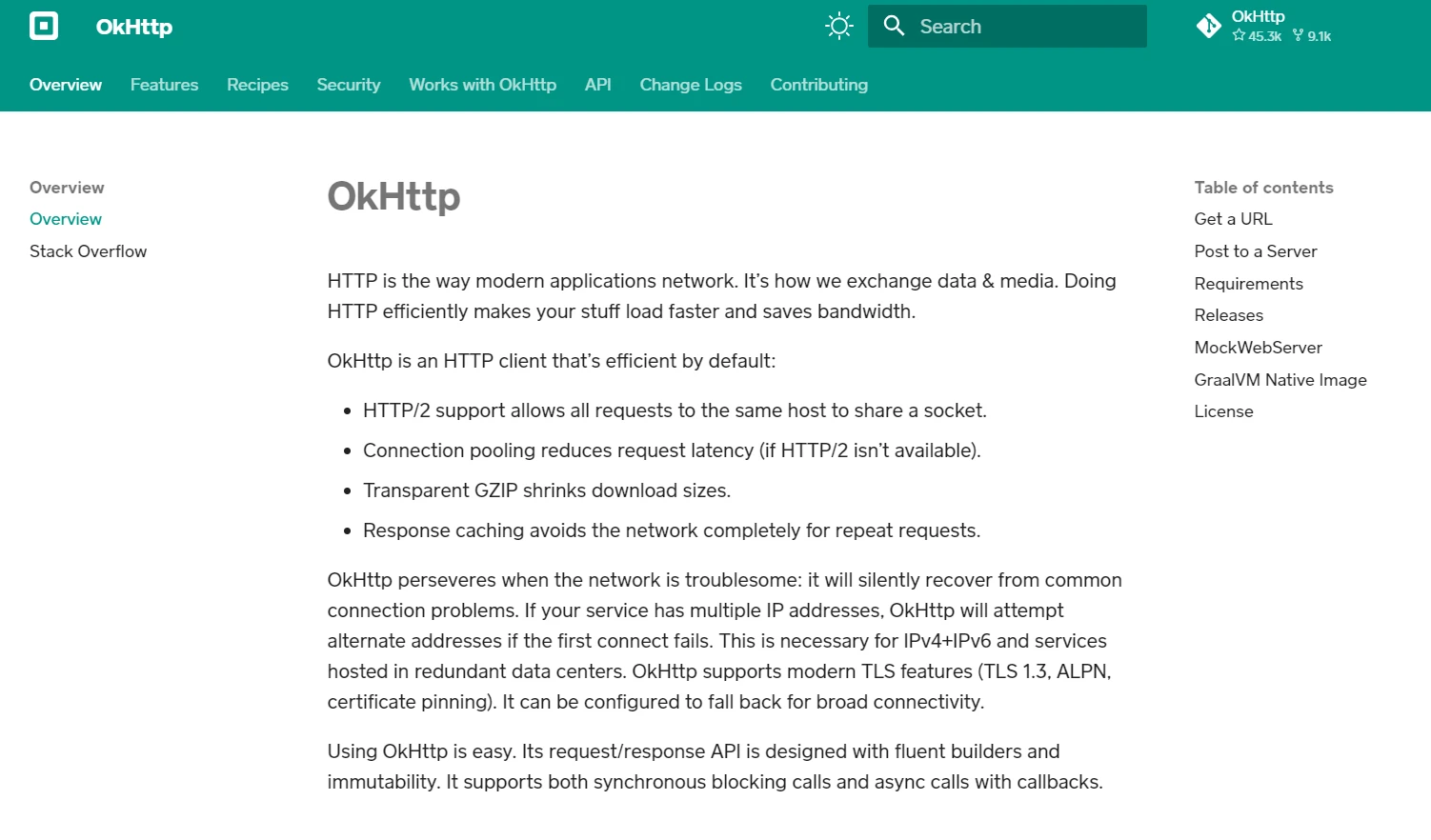
OkHttp to wszechstronna, otwartozrodlowa biblioteka Java do obslugi zapytan HTTP, oferujaca wszechstronny zestaw funkcji do latwej integracji z Twoimi aplikacjami. Dzieki intuicyjnemu API, tworzenie nowego zapytania lub wykonywanie prostego zapytania POST jest tak proste jak skonfigurowanie nowego konstruktora zapytania z parametrami zapytania i URL tekstowym.
Dodatkowo, OkHttp ulatwia efektywna obsluge odpowiedzi, zapewniajac dostep do tresci odpowiedzi, naglowkow odpowiedzi, a nawet wspierajac cache'owanie odpowiedzi w celu optymalizacji ruchu sieciowego i zmniejszenia problemow z dostepnoscia serwera. Niezaleznie czy wykonujesz wywolania synchroniczne czy asynchroniczne, pooling laczy w OkHttp zapewnia optymalna wydajnosc, nawet przy obsludze wielu adresow IP.
Dla deweloperow przyzwyczajonych do uzywania klienta HTTP Apache, OkHttp oferuje bardziej nowoczesna i efektywna alternatywe, z poprawiona wydajnoscia i elastycznoscia. Jego wsparcie dla asynchronicznych wywolan i callbackow czyni go preferowanym wyborem dla aplikacji wymagajacych elastycznosci i skalowalnosci.
Dzieki OkHttp, zarzadzanie wieloma klientami HTTP i zapytaniami staje sie bezproblemowe, umozliwiajac deweloperom skupienie sie na budowaniu solidnych i niezawodnych aplikacji bez kompromisow w kwestii wydajnosci czy funkcjonalnosci.
Najważniejsze cechy
Kluczowe funkcje OkHttp obejmuja:
- Obsluga zapytan synchronicznych i asynchronicznych: OkHttp pozwala na operacje synchroniczne (blokujace) i asynchroniczne (nieblokujace).
- Pooling laczy: Ponowne wykorzystywanie polaczen HTTP w celu minimalizacji problemow polaczeniowych klientów i poprawy wydajnosci.
- Przezroczysta kompresja GZIP: Zmniejsza rozmiar odpowiedzi HTTP, oszczedzajac pasmo i przyspieszajac transfer danych.
- Cache'owanie: Wspiera cache'owanie odpowiedzi, zmniejszajac potrzebe powtarzanych zapytan sieciowych.
- Wsparcie dla HTTP/2: Poprawia wydajnosc poprzez umozliwienie multipleksji wielu zapytan i odpowiedzi na jednym polaczeniu.
- Timeouty i ponawianie prob: Oferuje szczegolowa kontrole nad timeoutami laczenia i odczytu, a takze mechanizmy ponawiania prob dla nieudanych zapytan.
Instalacja OkHttp
Aby rozpoczac korzystanie z OkHttp w swoim projekcie Java, musisz uwzglednic jego zaleznosc w swojej konfiguracji budowy. Jesli uzywasz Maven, dodaj nastepujaca zaleznosc do pliku pom.xml:
<dependency>
    <groupId>com.squareup.okhttp3</groupId>
    <artifactId>okhttp</artifactId>
    <version>5.0.0-alpha.14</version>
</dependency>
<dependency>
    <groupId>com.squareup.okhttp3</groupId>
    <artifactId>okhttp</artifactId>
    <version>5.0.0-alpha.14</version>
</dependency>
XML
Dla Gradle, dodaj ten wiersz do pliku build.gradle:
implementation 'com.squareup.okhttp3:okhttp:5.0.0-alpha.14'
implementation 'com.squareup.okhttp3:okhttp:5.0.0-alpha.14'
Text
Upewnij sie, ze sprawdzasz najnowsza wersje na Maven Central lub GitHub.
Podstawowe zastosowanie
Tworzenie OkHttpClient
Klasa OkHttpClient jest glowna metoda wejscia do wykonywania zadanych HTTP. Zaleca sie stworzenie jednej instancji OkHttpClient i korzystanie z niej w calym programie, aby skorzystac z puli polaczen.
import okhttp3.OkHttpClient;

OkHttpClient client = new OkHttpClient();
import okhttp3.OkHttpClient;

OkHttpClient client = new OkHttpClient();
Java
Wykonywanie zapytan GET
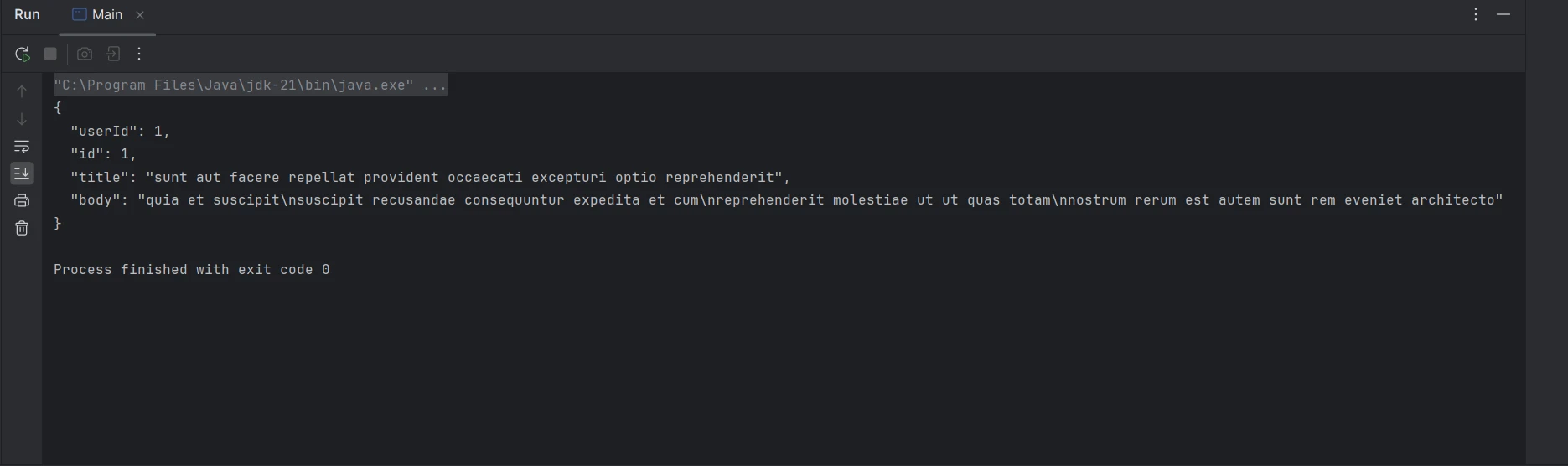
Aby wykonac proste zadanie GET, nalezy stworzyc obiekt Request i wykonac go przy uzyciu OkHttpClient.
import okhttp3.OkHttpClient;
import okhttp3.Request;
import okhttp3.Response;
import java.io.IOException;

public class OkHttpExample {
    public static void main(String[] args) {
        OkHttpClient client = new OkHttpClient();

        // Create a request specifying the URL
        Request request = new Request.Builder()
                .url("https://jsonplaceholder.typicode.com/posts/1")
                .build();

        // Execute the request and handle the response
        try (Response response = client.newCall(request).execute()) {
            if (response.isSuccessful()) { // Check if the response was successful
                System.out.println(response.body().string()); // Print the response body
            } else {
                System.err.println("Request failed: " + response.code()); // Print error code
            }
        } catch (IOException e) {
            e.printStackTrace(); // Handle exceptions
        }
    }
}
import okhttp3.OkHttpClient;
import okhttp3.Request;
import okhttp3.Response;
import java.io.IOException;

public class OkHttpExample {
    public static void main(String[] args) {
        OkHttpClient client = new OkHttpClient();

        // Create a request specifying the URL
        Request request = new Request.Builder()
                .url("https://jsonplaceholder.typicode.com/posts/1")
                .build();

        // Execute the request and handle the response
        try (Response response = client.newCall(request).execute()) {
            if (response.isSuccessful()) { // Check if the response was successful
                System.out.println(response.body().string()); // Print the response body
            } else {
                System.err.println("Request failed: " + response.code()); // Print error code
            }
        } catch (IOException e) {
            e.printStackTrace(); // Handle exceptions
        }
    }
}
Java
Wykonywanie zapytan POST
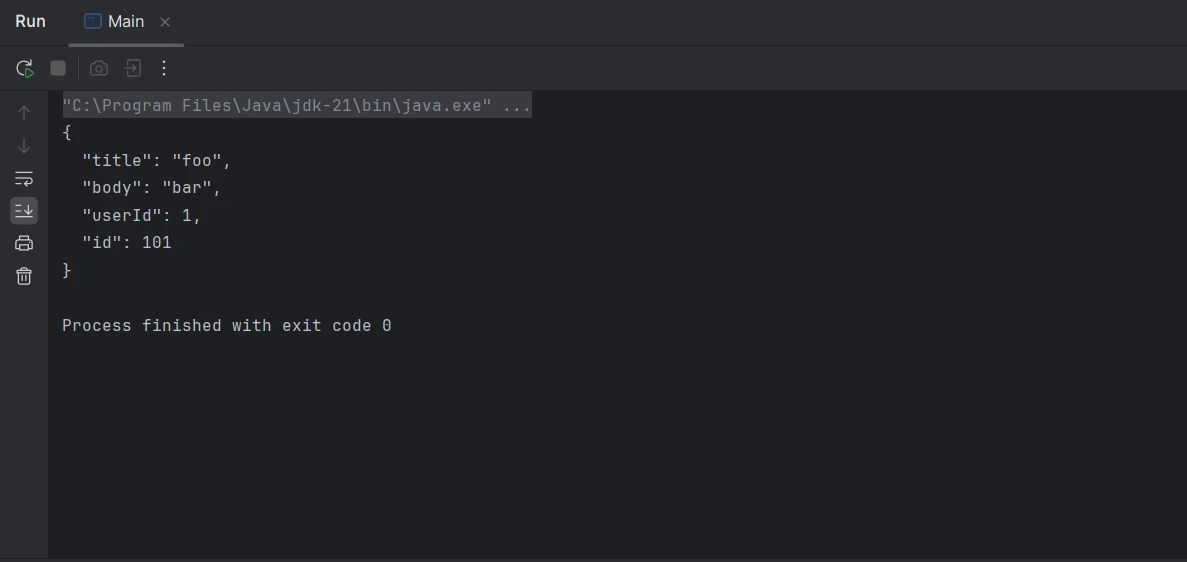
Dla zapytania POST musisz dolaczyc body zapytania i zwrocic odpowiedz. OkHttp zapewnia klase RequestBody do obslugi tego.
import okhttp3.MediaType;
import okhttp3.OkHttpClient;
import okhttp3.Request;
import okhttp3.RequestBody;
import okhttp3.Response;
import java.io.IOException;

public class OkHttpExample {
    // Define the JSON media type
    public static final MediaType JSON = MediaType.get("application/json; charset=utf-8");

    public static void main(String[] args) {
        OkHttpClient client = new OkHttpClient();

        // JSON data to be sent
        String json = "{\"title\":\"foo\",\"body\":\"bar\",\"userId\":1}";

        // Create request body with JSON data
        RequestBody body = RequestBody.create(json, JSON);

        // Build the POST request
        Request request = new Request.Builder()
                .url("https://jsonplaceholder.typicode.com/posts")
                .post(body)
                .build();

        // Execute the request and handle the response
        try (Response response = client.newCall(request).execute()) {
            if (response.isSuccessful()) { // Check if the response was successful
                System.out.println(response.body().string()); // Print the response body
            } else {
                System.err.println("Request failed: " + response.code()); // Print error code
            }
        } catch (IOException e) {
            e.printStackTrace(); // Handle exceptions
        }
    }
}
import okhttp3.MediaType;
import okhttp3.OkHttpClient;
import okhttp3.Request;
import okhttp3.RequestBody;
import okhttp3.Response;
import java.io.IOException;

public class OkHttpExample {
    // Define the JSON media type
    public static final MediaType JSON = MediaType.get("application/json; charset=utf-8");

    public static void main(String[] args) {
        OkHttpClient client = new OkHttpClient();

        // JSON data to be sent
        String json = "{\"title\":\"foo\",\"body\":\"bar\",\"userId\":1}";

        // Create request body with JSON data
        RequestBody body = RequestBody.create(json, JSON);

        // Build the POST request
        Request request = new Request.Builder()
                .url("https://jsonplaceholder.typicode.com/posts")
                .post(body)
                .build();

        // Execute the request and handle the response
        try (Response response = client.newCall(request).execute()) {
            if (response.isSuccessful()) { // Check if the response was successful
                System.out.println(response.body().string()); // Print the response body
            } else {
                System.err.println("Request failed: " + response.code()); // Print error code
            }
        } catch (IOException e) {
            e.printStackTrace(); // Handle exceptions
        }
    }
}
Java
Zapytania asynchroniczne
Zapytania asynchroniczne sa obslugiwanie z uzyciem callbackow, co pozwala aplikacji pozostac elastyczna podczas oczekiwania na odpowiedz.
import okhttp3.Call;
import okhttp3.Callback;
import okhttp3.OkHttpClient;
import okhttp3.Request;
import okhttp3.Response;
import java.io.IOException;

public class OkHttpExample {
    public static void main(String[] args) {
        OkHttpClient client = new OkHttpClient();

        // Create a request specifying the URL
        Request request = new Request.Builder()
                .url("https://jsonplaceholder.typicode.com/posts/1")
                .build();

        // Enqueue the request to be executed asynchronously
        client.newCall(request).enqueue(new Callback() {

            // Handle failure of the request
            @Override
            public void onFailure(Call call, IOException e) {
                e.printStackTrace(); // Handle exceptions
            }

            // Handle successful response
            @Override
            public void onResponse(Call call, Response response) throws IOException {
                if (response.isSuccessful()) { // Check if the response was successful
                    System.out.println(response.body().string()); // Print the response body
                } else {
                    System.err.println("Request failed: " + response.code()); // Print error code
                }
            }
        });
    }
}
import okhttp3.Call;
import okhttp3.Callback;
import okhttp3.OkHttpClient;
import okhttp3.Request;
import okhttp3.Response;
import java.io.IOException;

public class OkHttpExample {
    public static void main(String[] args) {
        OkHttpClient client = new OkHttpClient();

        // Create a request specifying the URL
        Request request = new Request.Builder()
                .url("https://jsonplaceholder.typicode.com/posts/1")
                .build();

        // Enqueue the request to be executed asynchronously
        client.newCall(request).enqueue(new Callback() {

            // Handle failure of the request
            @Override
            public void onFailure(Call call, IOException e) {
                e.printStackTrace(); // Handle exceptions
            }

            // Handle successful response
            @Override
            public void onResponse(Call call, Response response) throws IOException {
                if (response.isSuccessful()) { // Check if the response was successful
                    System.out.println(response.body().string()); // Print the response body
                } else {
                    System.err.println("Request failed: " + response.code()); // Print error code
                }
            }
        });
    }
}
Java
Zaawansowane funkcje
Interceptory
Interceptory to potężna funkcja, ktora pozwala na inspekcje, modyfikowanie lub ponawianie zapytan oraz odpowiedzi. Moga byc uzywane do logowania, dodawania naglowkow lub obslugi uwierzytelnienia.
import okhttp3.Interceptor;
import okhttp3.OkHttpClient;
import okhttp3.Request;
import okhttp3.Response;
import java.io.IOException;

public class OkHttpExample {
    public static void main(String[] args) {
        // Add an interceptor for modifying requests
        OkHttpClient client = new OkHttpClient.Builder()
                .addInterceptor(new Interceptor() {
                    @Override
                    public Response intercept(Chain chain) throws IOException {
                        // Modify the request to add the authorization header
                        Request request = chain.request().newBuilder()
                                .addHeader("Authorization", "Bearer your_token_here")
                                .build();
                        return chain.proceed(request);
                    }
                })
                .build();

        // Create a request specifying the URL
        Request request = new Request.Builder()
                .url("https://jsonplaceholder.typicode.com/posts/1")
                .build();

        // Execute the request and handle the response
        try (Response response = client.newCall(request).execute()) {
            if (response.isSuccessful()) { // Check if the response was successful
                System.out.println(response.body().string()); // Print the response body
            } else {
                System.err.println("Request failed: " + response.code()); // Print error code
            }
        } catch (IOException e) {
            e.printStackTrace(); // Handle exceptions
        }
    }
}
import okhttp3.Interceptor;
import okhttp3.OkHttpClient;
import okhttp3.Request;
import okhttp3.Response;
import java.io.IOException;

public class OkHttpExample {
    public static void main(String[] args) {
        // Add an interceptor for modifying requests
        OkHttpClient client = new OkHttpClient.Builder()
                .addInterceptor(new Interceptor() {
                    @Override
                    public Response intercept(Chain chain) throws IOException {
                        // Modify the request to add the authorization header
                        Request request = chain.request().newBuilder()
                                .addHeader("Authorization", "Bearer your_token_here")
                                .build();
                        return chain.proceed(request);
                    }
                })
                .build();

        // Create a request specifying the URL
        Request request = new Request.Builder()
                .url("https://jsonplaceholder.typicode.com/posts/1")
                .build();

        // Execute the request and handle the response
        try (Response response = client.newCall(request).execute()) {
            if (response.isSuccessful()) { // Check if the response was successful
                System.out.println(response.body().string()); // Print the response body
            } else {
                System.err.println("Request failed: " + response.code()); // Print error code
            }
        } catch (IOException e) {
            e.printStackTrace(); // Handle exceptions
        }
    }
}
Java
Obsluga timeoutow
OkHttp dostarcza metody do ustawiania timeoutow dla roznych etapow samego zapytania HTTP.
import okhttp3.OkHttpClient;
import okhttp3.Request;
import okhttp3.Response;
import java.io.IOException;
import java.util.concurrent.TimeUnit;

public class OkHttpExample {
    public static void main(String[] args) {
        // Configure timeouts for connections, writes, and reads
        OkHttpClient client = new OkHttpClient.Builder()
                .connectTimeout(10, TimeUnit.SECONDS)
                .writeTimeout(10, TimeUnit.SECONDS)
                .readTimeout(30, TimeUnit.SECONDS)
                .build();

        // Create a request specifying the URL
        Request request = new Request.Builder()
                .url("https://jsonplaceholder.typicode.com/posts/1")
                .build();

        // Execute the request and handle the response
        try (Response response = client.newCall(request).execute()) {
            if (response.isSuccessful()) { // Check if the response was successful
                System.out.println(response.body().string()); // Print the response body
            } else {
                System.err.println("Request failed: " + response.code()); // Print error code
            }
        } catch (IOException e) {
            e.printStackTrace(); // Handle exceptions
        }
    }
}
import okhttp3.OkHttpClient;
import okhttp3.Request;
import okhttp3.Response;
import java.io.IOException;
import java.util.concurrent.TimeUnit;

public class OkHttpExample {
    public static void main(String[] args) {
        // Configure timeouts for connections, writes, and reads
        OkHttpClient client = new OkHttpClient.Builder()
                .connectTimeout(10, TimeUnit.SECONDS)
                .writeTimeout(10, TimeUnit.SECONDS)
                .readTimeout(30, TimeUnit.SECONDS)
                .build();

        // Create a request specifying the URL
        Request request = new Request.Builder()
                .url("https://jsonplaceholder.typicode.com/posts/1")
                .build();

        // Execute the request and handle the response
        try (Response response = client.newCall(request).execute()) {
            if (response.isSuccessful()) { // Check if the response was successful
                System.out.println(response.body().string()); // Print the response body
            } else {
                System.err.println("Request failed: " + response.code()); // Print error code
            }
        } catch (IOException e) {
            e.printStackTrace(); // Handle exceptions
        }
    }
}
Java
Cache'owanie odpowiedzi
OkHttp moze przechowywac odpowiedzi w cache, aby zmniejszyc opoznienie zapytan i poprawic wydajnosc. Wymaga to skonfigurowania katalogu pamięci podręcznej i jej rozmiaru.
import okhttp3.Cache;
import okhttp3.OkHttpClient;
import okhttp3.Request;
import okhttp3.Response;
import java.io.File;
import java.io.IOException;

public class OkHttpExample {
    public static void main(String[] args) {
        // Define the cache directory and size
        File cacheDirectory = new File("cacheDirectory");
        Cache cache = new Cache(cacheDirectory, 10 * 1024 * 1024); // 10 MB cache

        // Build OkHttpClient with caching capability
        OkHttpClient client = new OkHttpClient.Builder()
                .cache(cache)
                .build();

        // Create a request specifying the URL
        Request request = new Request.Builder()
                .url("https://jsonplaceholder.typicode.com/posts/1")
                .build();

        // Execute the request and handle the response
        try (Response response = client.newCall(request).execute()) {
            if (response.isSuccessful()) { // Check if the response was successful
                System.out.println(response.body().string()); // Print the response body
            } else {
                System.err.println("Request failed: " + response.code()); // Print error code
            }
        } catch (IOException e) {
            e.printStackTrace(); // Handle exceptions
        }
    }
}
import okhttp3.Cache;
import okhttp3.OkHttpClient;
import okhttp3.Request;
import okhttp3.Response;
import java.io.File;
import java.io.IOException;

public class OkHttpExample {
    public static void main(String[] args) {
        // Define the cache directory and size
        File cacheDirectory = new File("cacheDirectory");
        Cache cache = new Cache(cacheDirectory, 10 * 1024 * 1024); // 10 MB cache

        // Build OkHttpClient with caching capability
        OkHttpClient client = new OkHttpClient.Builder()
                .cache(cache)
                .build();

        // Create a request specifying the URL
        Request request = new Request.Builder()
                .url("https://jsonplaceholder.typicode.com/posts/1")
                .build();

        // Execute the request and handle the response
        try (Response response = client.newCall(request).execute()) {
            if (response.isSuccessful()) { // Check if the response was successful
                System.out.println(response.body().string()); // Print the response body
            } else {
                System.err.println("Request failed: " + response.code()); // Print error code
            }
        } catch (IOException e) {
            e.printStackTrace(); // Handle exceptions
        }
    }
}
Java
Integracja OkHttp z IronPDF w Javie
Połączenie możliwości OkHttp i IronPDF pozwala programistom Java pobierać dane z sieci i konwertować je do formatu PDF. OkHttp to solidny klient HTTP do obsługi żądań sieciowych, natomiast IronPDF to potężna biblioteka do generowania plików PDF z różnych źródeł.
IronPDF - przegląd
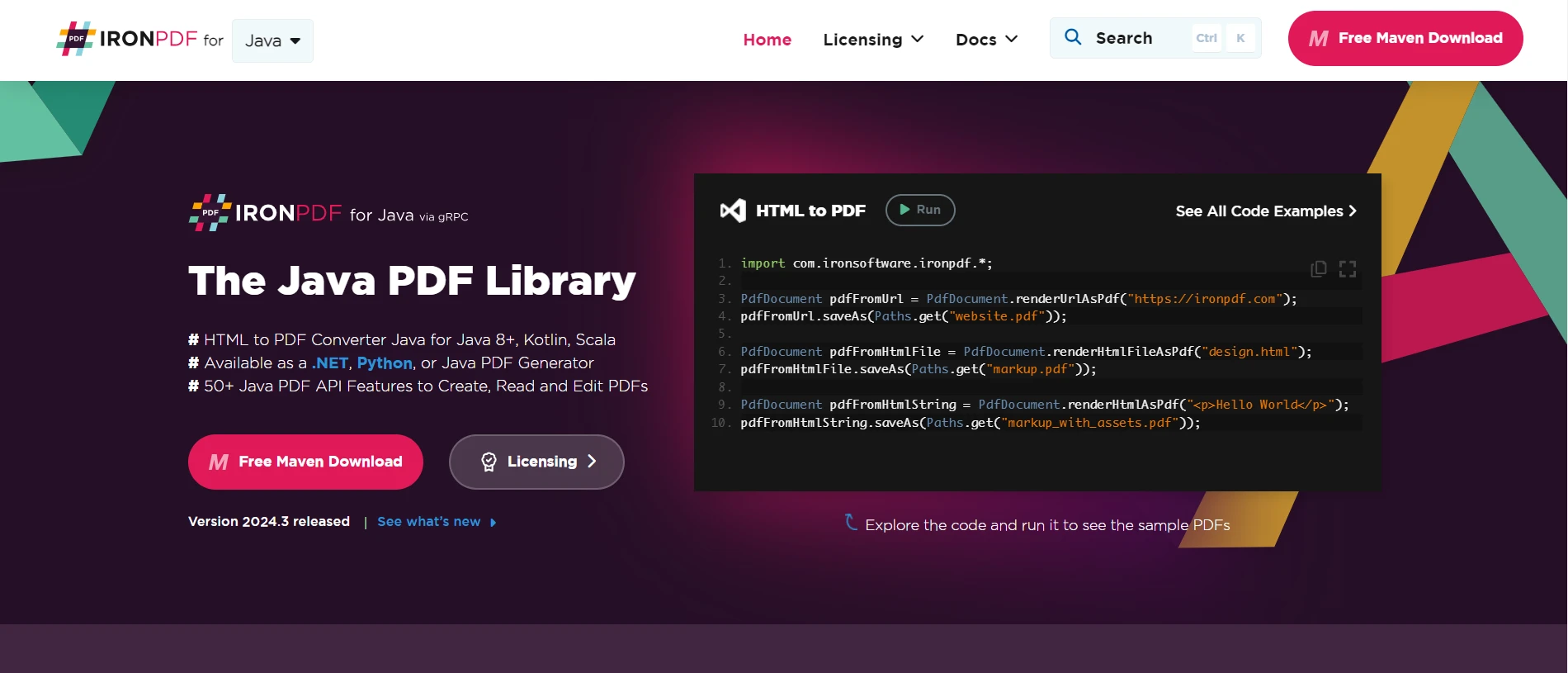
IronPDF for Java to kompleksowa biblioteka zaprojektowana w celu uproszczenia generowania plików PDF w aplikacjach Java. Korzystając z intuicyjnego interfejsu API, programiści mogą bez wysiłku tworzyć, modyfikować i renderować dokumenty PDF z różnych źródeł danych, w tym HTML, obrazów i tekstu.
Dzięki obsłudze zaawansowanych funkcji, takich jak szyfrowanie plików PDF, podpisy cyfrowe i interaktywne wypełnianie formularzy, IronPDF umożliwia programistom tworzenie profesjonalnych plików PDF dostosowanych do ich konkretnych wymagań. Płynna integracja i obszerna dokumentacja sprawiają, że jest to idealne rozwiązanie dla programistów Java, którzy chcą wzbogacić swoje aplikacje o solidne funkcje generowania plików PDF.
Konfigurowanie zależności
Najpierw dodaj niezbedne zaleznosci do pliku pom.xml (dla Maven) lub pliku build.gradle (dla Gradle).
Maven
<dependency>
    <groupId>com.ironsoftware</groupId>
    <artifactId>ironpdf</artifactId>
    <version>2024.3.1</version>
</dependency>
<dependency>
    <groupId>com.ironsoftware</groupId>
    <artifactId>ironpdf</artifactId>
    <version>2024.3.1</version>
</dependency>
XML
Gradle
implementation 'com.ironsoftware:ironpdf:2024.3.1'
implementation 'com.ironsoftware:ironpdf:2024.3.1'
Text
Integracja OkHttp i IronPDF
Teraz połączmy te dwie funkcje: pobieranie treści HTML za pomocą OkHttp i generowanie pliku PDF za pomocą IronPDF.
import com.ironsoftware.ironpdf.PdfDocument;
import okhttp3.OkHttpClient;
import okhttp3.Request;
import okhttp3.Response;
import java.io.IOException;
import java.nio.file.Paths;

public class OkHttpToPdf {
    private final OkHttpClient client = new OkHttpClient(); // Initialize the OkHttpClient

    // Method to fetch HTML content from a given URL
    public String fetchHtml(String url) throws IOException {
        Request request = new Request.Builder()
                .url(url)
                .build();

        // Execute the request and return the response body as a string
        try (Response response = client.newCall(request).execute()) {
            if (!response.isSuccessful()) throw new IOException("Unexpected code " + response);
            return response.body().string();
        }
    }

    // Method to generate a PDF from a URL
    public void generatePdfFromUrl(String url, String outputFilePath) {
        try {
            String htmlContent = fetchHtml(url); // Fetch the HTML content
            PdfDocument pdf = PdfDocument.renderHtmlAsPdf(htmlContent); // Render HTML as PDF
            pdf.saveAs(Paths.get(outputFilePath)); // Save the PDF to the specified path
            System.out.println("PDF generated successfully at " + outputFilePath);
        } catch (IOException e) {
            System.err.println("Failed to fetch HTML content: " + e.getMessage());
        } catch (Exception e) {
            System.err.println("Failed to generate PDF: " + e.getMessage());
        }
    }

    // Main method to demonstrate fetching HTML and generating a PDF
    public static void main(String[] args) {
        OkHttpToPdf converter = new OkHttpToPdf(); // Create an instance of OkHttpToPdf
        converter.generatePdfFromUrl("https://ironpdf.com/java", "website.pdf"); // Fetch HTML and generate PDF
    }
}
import com.ironsoftware.ironpdf.PdfDocument;
import okhttp3.OkHttpClient;
import okhttp3.Request;
import okhttp3.Response;
import java.io.IOException;
import java.nio.file.Paths;

public class OkHttpToPdf {
    private final OkHttpClient client = new OkHttpClient(); // Initialize the OkHttpClient

    // Method to fetch HTML content from a given URL
    public String fetchHtml(String url) throws IOException {
        Request request = new Request.Builder()
                .url(url)
                .build();

        // Execute the request and return the response body as a string
        try (Response response = client.newCall(request).execute()) {
            if (!response.isSuccessful()) throw new IOException("Unexpected code " + response);
            return response.body().string();
        }
    }

    // Method to generate a PDF from a URL
    public void generatePdfFromUrl(String url, String outputFilePath) {
        try {
            String htmlContent = fetchHtml(url); // Fetch the HTML content
            PdfDocument pdf = PdfDocument.renderHtmlAsPdf(htmlContent); // Render HTML as PDF
            pdf.saveAs(Paths.get(outputFilePath)); // Save the PDF to the specified path
            System.out.println("PDF generated successfully at " + outputFilePath);
        } catch (IOException e) {
            System.err.println("Failed to fetch HTML content: " + e.getMessage());
        } catch (Exception e) {
            System.err.println("Failed to generate PDF: " + e.getMessage());
        }
    }

    // Main method to demonstrate fetching HTML and generating a PDF
    public static void main(String[] args) {
        OkHttpToPdf converter = new OkHttpToPdf(); // Create an instance of OkHttpToPdf
        converter.generatePdfFromUrl("https://ironpdf.com/java", "website.pdf"); // Fetch HTML and generate PDF
    }
}
Java
Wyjaśnienie kodu
Powyższy kod pokazuje, jak pobrać zawartość HTML z adresu URL i przekonwertować ją na plik PDF przy użyciu bibliotek OkHttp i IronPDF w Javie:
-
Instrukcje importu: Importowane są niezbędne biblioteki, w tym IronPDF do generowania plików PDF oraz OkHttp do żądań HTTP.
-
Inicjalizacja OkHttpClient: Tworzona jest instancja OkHttpClient.
-
Metoda fetchHtml: Ta metoda pobiera zawartosc HTML ze wskazanego URL.
- Żądanie jest tworzone na podstawie podanego adresu URL.
- Żądanie zostaje wykonane i uzyskana zostaje odpowiedź.
- Jesli odpowiedz nie jest pomyslna, wyrzucany jest
IOException.
- Treść odpowiedzi jest zwracana jako ciąg znaków.
-
Metoda generatePdfFromUrl: Ta metoda generuje PDF z zawartosci HTML wskazanego URL i zapisuje go w podanej sciezce pliku.
- Zawartosc HTML jest pobierana przy uzyciu metody
fetchHtml.
- Zawartosc HTML jest renderowana jako PDF przy uzyciu
IronPDF.
- Plik PDF jest zapisywany w określonej ścieżce.
- Odpowiednia obsługa błędów jest uwzględniona zarówno w przypadku pobierania HTML, jak i generowania plików PDF.
-
Metoda main: To wejscie do programu.
- Tworzona jest instancja
OkHttpToPdf.
- Metoda
generatePdfFromUrl jest wywolywana z okreslonym URL i sciezka wyjsciowego pliku.
Wynik
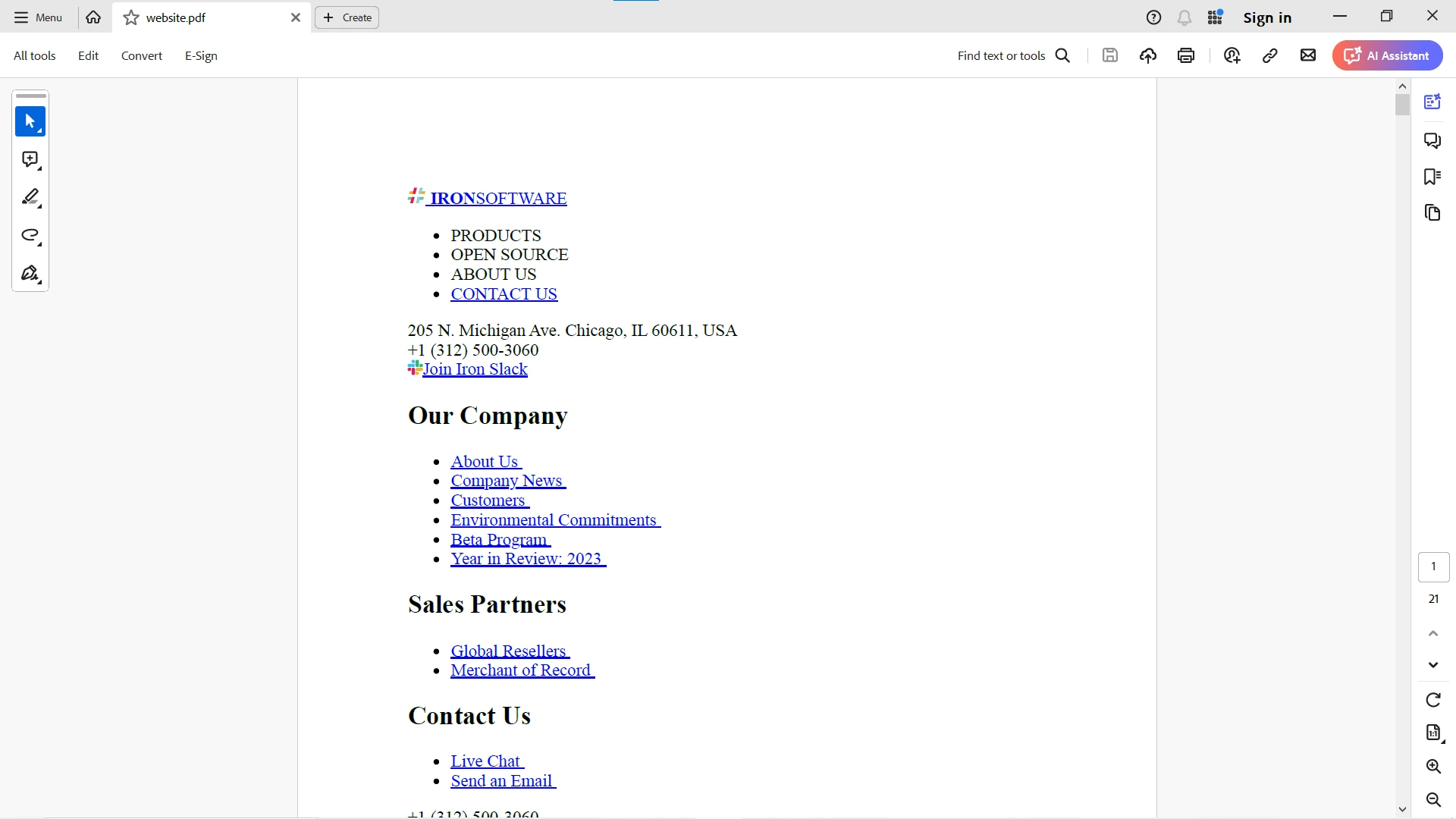
Dane z adresu URL są pobierane za pomocą klienta OkHttp, a następnie renderowane przy użyciu biblioteki IronPDF w celu wydajnej konwersji do formatu PDF, jak pokazano poniżej:
Aby uzyskać bardziej szczegółowe informacje na temat IronPDF, odwiedź tę stronę dokumentacji IronPDF. Aby uzyskać więcej informacji na temat wykorzystania IronPDF, prosimy również zapoznać się ze stroną Przykłady kodu IronPDF oraz Dokumentacja API IronPDF.
Wnioski
OkHttp to wszechstronny i wydajny klient HTTP dla Javy i Androida, który upraszcza proces wysyłania żądań sieciowych. Dzięki obsłudze operacji synchronicznych i asynchronicznych, puli połączeń, przezroczystej kompresji GZIP, buforowaniu i HTTP/2, klient OkHttp doskonale nadaje się do szerokiego zakresu zastosowań. Dzięki integracji OkHttp z aplikacjami Java można zwiększyć ich wydajność, niezawodność i efektywność.
Dzięki integracji OkHttp z IronPDF można efektywnie pobierać treści HTML ze źródeł internetowych i konwertować je na dokumenty PDF. Takie podejście jest szczególnie przydatne w przypadku aplikacji, które muszą generować raporty, zapisywać strony internetowe lub konwertować treści internetowe na dokumenty offline.
Wykorzystaj potencjał generowania plików PDF w swoich aplikacjach Java dzięki bezpłatnej wersji próbnej IronPDF, która umożliwia płynną integrację profesjonalnego generowania plików PDF z Twoimi projektami. Pobierz teraz i popraw jakość generowania plików PDF!