using IronPdf;

// Disable local disk access or cross-origin requests
Installation.EnableWebSecurity = true;

// Instantiate Renderer
var renderer = new ChromePdfRenderer();

// Create a PDF from a HTML string using C#
var pdf = renderer.RenderHtmlAsPdf("<h1>Hello World</h1>");

// Export to a file or Stream
pdf.SaveAs("output.pdf");

// Advanced Example with HTML Assets
// Load external html assets: Images, CSS and JavaScript.
// An optional BasePath 'C:\site\assets\' is set as the file location to load assets from
var myAdvancedPdf = renderer.RenderHtmlAsPdf("<img src='icons/iron.png'>", @"C:\site\assets\");
myAdvancedPdf.SaveAs("html-with-assets.pdf");
using IronPdf;// Disable local disk access or cross-origin requestsInstallation.EnableWebSecurity = true;// Instantiate Renderervar renderer = new ChromePdfRenderer();// Create a PDF from a HTML string using C#var pdf = renderer.RenderHtmlAsPdf("<h1>Hello World</h1>");// Export to a file or Streampdf.SaveAs("output.pdf");// Advanced Example with HTML Assets// Load external html assets: Images, CSS and JavaScript.// An optional BasePath 'C:\site\assets\' is set as the file location to load assets fromvar myAdvancedPdf = renderer.RenderHtmlAsPdf("<img src='icons/iron.png'>", @"C:\site\assets\");myAdvancedPdf.SaveAs("html-with-assets.pdf");
[GraphQL](https://github.com/graphql-dotnet/graphql-dotnet), esnek ve verimli web hizmetleri oluşturmak için RESTful API'lere bir alternatif olarak önemli bir popülerlik kazanmıştır. GraphQL, Java, Python, ASP .NET core gibi birçok farklı dilde mevcuttur. Bununla birlikte, bu makalede C# bağlamında GraphQL kullanımına derinlemesine bakacağız, kavramlarını, uygulanmasını ve pratik örneklerle kullanımını inceleyeceğiz. Ayrıca, PDF dosyaları oluşturmak için GraphQL şema tanımı sorgu sınıfının yardımıyla C# için [IronPDF](https://ironpdf.com) kullanacağız.
## GraphQL Nedir?
GraphQL, istemcilerin tam olarak ihtiyaç duydukları verileri istemelerine olanak tanıyan bir API sorgu dilidir. RESTful API'lerin birden fazla uç noktasının sabit veri yapıları döndürebileceği durumun aksine, GraphQL servisleri, istemcilerin ihtiyaç duydukları verilerin biçimini belirlemelerine olanak tanır, bu da onu daha verimli ve esnek hale getirir.
## Setting up GraphQL in C#
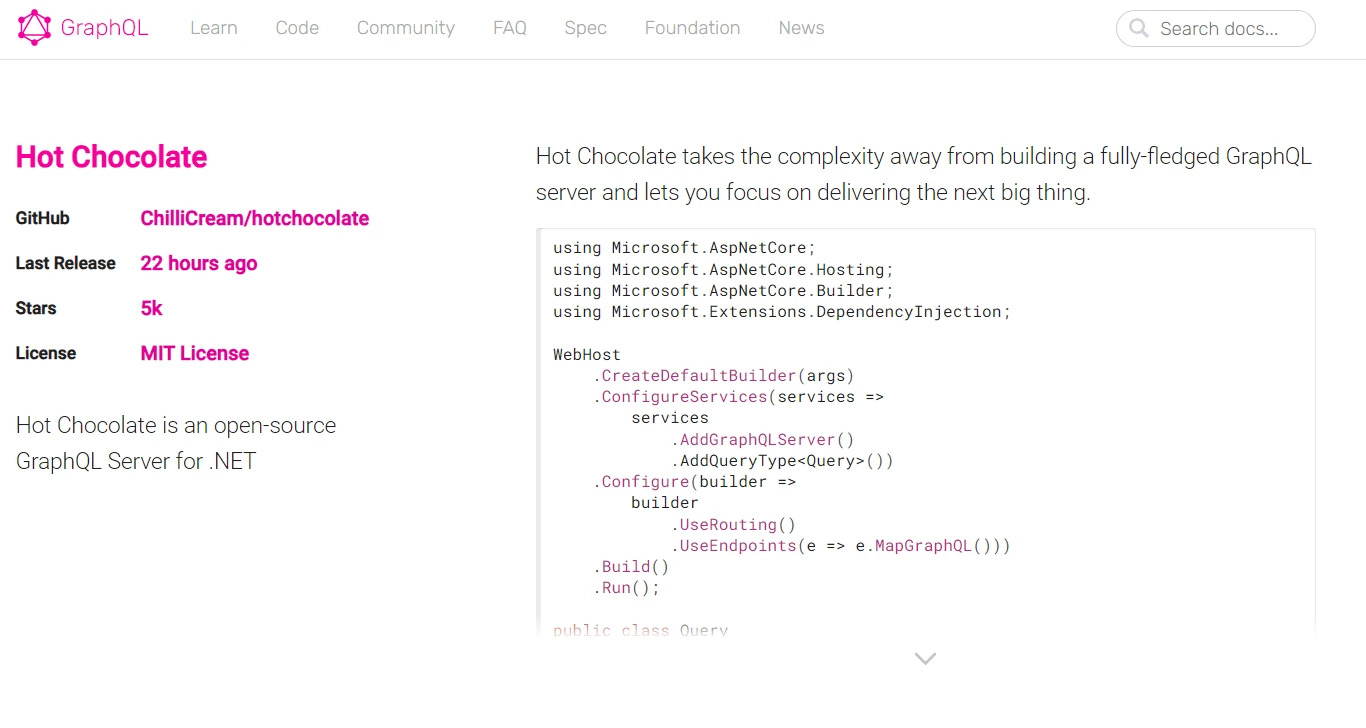
C# projesinde GraphQL kullanmak için, .NET için popüler bir GraphQL uç nokta sunucu uygulaması olan HotChocolate kütüphanesine ihtiyacınız olacaktır.
Öncelikle, Hot Chocolate NuGet paketini yükleyin:
```shell
:InstallCmd Install-Package HotChocolate.AspNetCore
```
## Bir GraphQL Şeması Oluşturma
Bir GraphQL şeması, API'nizde kullanılabilir veri türlerini ve işlemleri tanımlar. İşte blog uygulaması için şema-öncelikli uygulamanın basit bir örneği:
```csharp
using HotChocolate.Types;

public class QueryType : ObjectType
{
    protected override void Configure(IObjectTypeDescriptor descriptor)
    {
        descriptor.Field("helloWorld")
            .Type<StringType>()
            .Resolve(context => "Hello, GraphQL!");
    }
}
```
Bu örnekte, sorgulandığında "Merhaba, GraphQL!" dizesini döndüren bir `helloWorld` alanı tanımlarız.
## GraphQL Sunucusu Oluşturma
Sonraki adımda, ASP.NET Core kullanarak bir GraphQL sunucusu kurun:
```csharp
using Microsoft.AspNetCore.Builder;
using Microsoft.AspNetCore.Hosting;
using Microsoft.Extensions.DependencyInjection;
public class Startup
{
public void ConfigureServices(IServiceCollection services)
{
services.AddGraphQLServer()
.AddQueryType<QueryType>();
}
public void Configure(IApplicationBuilder app, IWebHostEnvironment env)
{
app.UseRouting();
app.UseEndpoints(endpoints =>
{
endpoints.MapGraphQL();
});
}
}
```
## Querying GraphQL from C#
Şimdi, `GraphQL.Client` NuGet paketini kullanarak C# istemcisinden bu GraphQL API'sini nasıl sorgulayacağımızı görelim:
```csharp
using GraphQL.Client.Http;
using GraphQL.Client.Serializer.Newtonsoft;
using System;
using System.Threading.Tasks;
// GraphQL query class to interact with the API
public class Query
{
public static async Task Main()
{
// Set up the GraphQL client
using var graphQLClient = new GraphQLHttpClient(new GraphQLHttpClientOptions
{
EndPoint = new Uri("http://localhost:5000/graphql") // GraphQL endpoint
}, new NewtonsoftJsonSerializer());
// Define the GraphQL query
var request = new GraphQLRequest
{
Query = @"
{
helloWorld
}"
};
var response = await graphQLClient.SendQueryAsync<dynamic>(request);
// Print the response from the GraphQL server
Console.WriteLine((string)response.Data.helloWorld);
}
}
```
GraphQL C#, API'leri tasarlamak için güçlü ve esnek bir yol sunar ve HotChocolate gibi kütüphanelerle, GraphQL backend'i C# uygulamalarınıza entegre etmek kolaylaşır. Bir şema tanımlayarak ve bir sunucu kurarak, verilerinizi bir GraphQL API aracılığıyla ortaya koyabilir ve C# istemcilerinden verimli bir şekilde sorgulayabilirsiniz.
### Çıktı
## Intro to IronPDF in C#
[IronPDF](https://ironpdf.com), PDF belgelerini kolayca oluşturmanıza, düzenlemenize ve işlemenize olanak tanıyan çok yönlü bir C# kütüphanesidir. Bu bölümde, IronPDF'i tanıtacağız ve GraphQL ile birlikte dinamik PDF raporları oluşturmak için nasıl kullanılacağını göstereceğiz.
IronPDF, tüm düzenleri ve stilleri koruyarak [HTML'den PDF'ye dönüştürme işlevi](/tutorials/html-to-pdf/) ile mükemmelleşir. Web içeriğinden PDF oluşturulmasına olanak tanır, raporlar, faturalar ve dokümantasyon için mükemmeldir. HTML dosyaları, URL'ler ve HTML dizeleri sorunsuz bir şekilde PDF'lere dönüştürülebilir.
```csharp
using IronPdf;
class Program
{
static void Main(string[] args)
{
var renderer = new ChromePdfRenderer();
// Convert HTML String to PDF
var htmlContent = "<h1>Hello, IronPDF!</h1><p>This is a PDF from an HTML string.</p>";
var pdfFromHtmlString = renderer.RenderHtmlAsPdf(htmlContent);
pdfFromHtmlString.SaveAs("HTMLStringToPDF.pdf");
// Convert HTML File to PDF
var htmlFilePath = "path_to_your_html_file.html"; // Specify the path to your HTML file
var pdfFromHtmlFile = renderer.RenderHtmlFileAsPdf(htmlFilePath);
pdfFromHtmlFile.SaveAs("HTMLFileToPDF.pdf");
// Convert URL to PDF
var url = "http://ironpdf.com"; // Specify the URL
var pdfFromUrl = renderer.RenderUrlAsPdf(url);
pdfFromUrl.SaveAs("URLToPDF.pdf");
}
}
```
### Installing IronPDF
IronPDF ile başlamanız için NuGet paketini yükleyin:
```shell
:ProductInstall
```
### IronPDF Kullanarak GraphQL Verileriyle PDF Oluşturma
GraphQL API'mizden kullanıcı verilerini alıp biçimlendirilmiş bir şekilde gösteren bir PDF raporu oluşturalım.
#### Örnek
```csharp
using IronPdf;
using GraphQL.Client.Http;
using GraphQL.Client.Serializer.Newtonsoft;
using System;
using System.Threading.Tasks;
public class PdfGenerator
{
public async Task GeneratePdfAsync()
{
// Initialize GraphQL client
var graphQLClient = new GraphQLHttpClient(new GraphQLHttpClientOptions
{
EndPoint = new Uri("http://localhost:5000/graphql")
}, new NewtonsoftJsonSerializer());
// Define GraphQL query
var query = new GraphQLRequest
{
Query = @"
{
helloWorld
}"
};
var response = await graphQLClient.SendQueryAsync<dynamic>(query);
var helloMessage = response.Data.helloWorld.ToString();
// Create HTML content for the PDF
var htmlContent = $@"
<html>
<head><title>GraphQL Report</title></head>
<body>
<h1>GraphQL Report</h1>
<p>{helloMessage}</p>
</body>
</html>";
var renderer = new ChromePdfRenderer();
var pdf = renderer.RenderHtmlAsPdf(htmlContent);
pdf.SaveAs("GraphQLReport.pdf");
}
}
```
Bu örnekte, GraphQL istemcisini kullanarak GraphQL API'mizden `helloWorld` mesajını almak için kullanıyoruz. Daha sonra, bu mesajı içeren bir HTML şablonu oluşturur ve IronPDF'nin `ChromePdfRenderer` kullanarak bu HTML'yi bir PDF dosyasına dönüştürürüz.
#### Çıktı
## Sonuç
GraphQL, API geliştirmede devrim yaratarak, geleneksel RESTful API'lere kıyasla veri sorgulama ve manipülasyonu için daha esnek ve verimli bir yol sunmaktadır. İstemcilerin sadece ihtiyaç duydukları türde sorgu verilerini istemelerine izin vermesi, özellikle performans ve esnekliğin ön planda olduğu modern web uygulamaları için çekici kılmaktadır.
Ayrıca, GraphQL'i [IronPDF](https://ironpdf.com) gibi araçlar ve paketlerle birleştirmek, dinamik ve veri odaklı PDF raporları oluşturma konusunda heyecan verici imkanlar sunar. Fatura oluşturuyor, rapor üretiyor veya başka türden belgeler hazırlıyorsanız, IronPDF ile C#'da GraphQL entegrasyonu, PDF oluşturmayı otomatikleştirmek için güçlü ve verimli bir yol sağlar.
Özetle, GraphQL ve C#, modern, esnek ve verimli web uygulamaları inşa etmek için güçlü bir kombinasyon oluşturur. HotChocolate gibi kütüphaneler, `GraphQL.Client` ve IronPDF ile, geliştiriciler günümüzün dijital dünyasının taleplerini karşılayan sağlam, veri odaklı uygulamalar oluşturmak için ihtiyaç duydukları tüm araçlara sahiptirler.
[IronPDF Lisans Kılavuzu](/licensing/)'nda kullanıcılar için HTML'den PDF'ye dönüştürme eğitimi bulunmaktadır.
GraphQL, esnek ve verimli web hizmetleri oluşturmak için RESTful API'lere bir alternatif olarak önemli bir popülerlik kazanmıştır. GraphQL, Java, Python, ASP .NET core gibi birçok farklı dilde mevcuttur. Bununla birlikte, bu makalede C# bağlamında GraphQL kullanımına derinlemesine bakacağız, kavramlarını, uygulanmasını ve pratik örneklerle kullanımını inceleyeceğiz. Ayrıca, PDF dosyaları oluşturmak için GraphQL şema tanımı sorgu sınıfının yardımıyla C# için IronPDF kullanacağız.
GraphQL Nedir?
GraphQL, istemcilerin tam olarak ihtiyaç duydukları verileri istemelerine olanak tanıyan bir API sorgu dilidir. RESTful API'lerin birden fazla uç noktasının sabit veri yapıları döndürebileceği durumun aksine, GraphQL servisleri, istemcilerin ihtiyaç duydukları verilerin biçimini belirlemelerine olanak tanır, bu da onu daha verimli ve esnek hale getirir.
Setting up GraphQL in C#
C# projesinde GraphQL kullanmak için, .NET için popüler bir GraphQL uç nokta sunucu uygulaması olan HotChocolate kütüphanesine ihtiyacınız olacaktır.
Öncelikle, Hot Chocolate NuGet paketini yükleyin:
PM > Install-Package HotChocolate.AspNetCore
Install-Package HotChocolate.AspNetCore
Bir GraphQL Şeması Oluşturma
Bir GraphQL şeması, API'nizde kullanılabilir veri türlerini ve işlemleri tanımlar. İşte blog uygulaması için şema-öncelikli uygulamanın basit bir örneği:
using HotChocolate.Types;public class QueryType : ObjectType{ protected override voidConfigure(IObjectTypeDescriptor descriptor) { descriptor.Field("helloWorld") .Type<StringType>() .Resolve(context => "Hello, GraphQL!"); }}
using HotChocolate.Types;

public class QueryType : ObjectType
{
    protected override void Configure(IObjectTypeDescriptor descriptor)
    {
        descriptor.Field("helloWorld")
            .Type<StringType>()
            .Resolve(context => "Hello, GraphQL!");
    }
}
ImportsHotChocolate.TypesPublic Class QueryTypeInheritsObjectTypeProtectedOverrides Sub Configure(ByVal descriptor AsIObjectTypeDescriptor) descriptor.Field("helloWorld").Type(OfStringType)().Resolve(Function(context) "Hello, GraphQL!") End SubEnd Class
Imports HotChocolate.Types

Public Class QueryType
	Inherits ObjectType

	Protected Overrides Sub Configure(ByVal descriptor As IObjectTypeDescriptor)
		descriptor.Field("helloWorld").Type(Of StringType)().Resolve(Function(context) "Hello, GraphQL!")
	End Sub
End Class
Bu örnekte, sorgulandığında "Merhaba, GraphQL!" dizesini döndüren bir helloWorld alanı tanımlarız.
GraphQL Sunucusu Oluşturma
Sonraki adımda, ASP.NET Core kullanarak bir GraphQL sunucusu kurun:
using Microsoft.AspNetCore.Builder;using Microsoft.AspNetCore.Hosting;using Microsoft.Extensions.DependencyInjection;public class Startup{ public voidConfigureServices(IServiceCollection services) { services.AddGraphQLServer() .AddQueryType<QueryType>(); } public voidConfigure(IApplicationBuilder app, IWebHostEnvironment env) { app.UseRouting(); app.UseEndpoints(endpoints => { endpoints.MapGraphQL(); }); }}
using Microsoft.AspNetCore.Builder;
using Microsoft.AspNetCore.Hosting;
using Microsoft.Extensions.DependencyInjection;

public class Startup
{
    public void ConfigureServices(IServiceCollection services)
    {
        services.AddGraphQLServer()
            .AddQueryType<QueryType>();
    }

    public void Configure(IApplicationBuilder app, IWebHostEnvironment env)
    {
        app.UseRouting();
        app.UseEndpoints(endpoints =>
        {
            endpoints.MapGraphQL();
        });
    }
}
ImportsMicrosoft.AspNetCore.BuilderImportsMicrosoft.AspNetCore.HostingImportsMicrosoft.Extensions.DependencyInjectionPublic Class Startup Public Sub ConfigureServices(ByVal services AsIServiceCollection) services.AddGraphQLServer().AddQueryType(OfQueryType)() End Sub Public Sub Configure(ByVal app AsIApplicationBuilder, ByVal env AsIWebHostEnvironment) app.UseRouting() app.UseEndpoints(Sub(endpoints) endpoints.MapGraphQL() End Sub) End SubEnd Class
Imports Microsoft.AspNetCore.Builder
Imports Microsoft.AspNetCore.Hosting
Imports Microsoft.Extensions.DependencyInjection

Public Class Startup
	Public Sub ConfigureServices(ByVal services As IServiceCollection)
		services.AddGraphQLServer().AddQueryType(Of QueryType)()
	End Sub

	Public Sub Configure(ByVal app As IApplicationBuilder, ByVal env As IWebHostEnvironment)
		app.UseRouting()
		app.UseEndpoints(Sub(endpoints)
			endpoints.MapGraphQL()
		End Sub)
	End Sub
End Class
Querying GraphQL from C#
Şimdi, GraphQL.Client NuGet paketini kullanarak C# istemcisinden bu GraphQL API'sini nasıl sorgulayacağımızı görelim:
using GraphQL.Client.Http;using GraphQL.Client.Serializer.Newtonsoft;using System;using System.Threading.Tasks;// GraphQL query class to interact with the APIpublic class Query{ public static async TaskMain() { // Set up the GraphQL client using var graphQLClient = new GraphQLHttpClient(new GraphQLHttpClientOptions {EndPoint = new Uri("http://localhost:5000/graphql") // GraphQL endpoint }, new NewtonsoftJsonSerializer()); // Define the GraphQL query var request = new GraphQLRequest {Query = @" { helloWorld }" }; var response = await graphQLClient.SendQueryAsync<dynamic>(request); // Print the response from the GraphQL serverConsole.WriteLine((string)response.Data.helloWorld); }}
using GraphQL.Client.Http;
using GraphQL.Client.Serializer.Newtonsoft;
using System;
using System.Threading.Tasks;

// GraphQL query class to interact with the API
public class Query
{
    public static async Task Main()
    {
        // Set up the GraphQL client
        using var graphQLClient = new GraphQLHttpClient(new GraphQLHttpClientOptions
        {
            EndPoint = new Uri("http://localhost:5000/graphql") // GraphQL endpoint
        }, new NewtonsoftJsonSerializer());

        // Define the GraphQL query
        var request = new GraphQLRequest
        {
            Query = @"
                {
                    helloWorld
                }"
        };

        var response = await graphQLClient.SendQueryAsync<dynamic>(request);
        // Print the response from the GraphQL server
        Console.WriteLine((string)response.Data.helloWorld);
    }
}
'INSTANT VB NOTE: 'Option Strict Off' is used here since dynamic typing is used:OptionStrictOffImportsGraphQL.Client.HttpImportsGraphQL.Client.Serializer.NewtonsoftImportsSystemImportsSystem.Threading.Tasks' GraphQL query class to interact with the APIPublic Class Query PublicSharedAsync Function Main() AsTask ' Set up the GraphQL client Dim graphQLClient = New GraphQLHttpClient(New GraphQLHttpClientOptionsWith {.EndPoint = New Uri("http://localhost:5000/graphql")}, New NewtonsoftJsonSerializer()) ' Define the GraphQL query Dim request = New GraphQLRequestWith {.Query = " { helloWorld }"}'INSTANT VB NOTE: In the following line, Instant VB substituted 'Object' for 'dynamic' - this will work in VB with Option Strict Off: Dim response = Await graphQLClient.SendQueryAsync(OfObject)(request) ' Print the response from the GraphQL serverConsole.WriteLine(CStr(response.Data.helloWorld)) End FunctionEnd Class
'INSTANT VB NOTE: 'Option Strict Off' is used here since dynamic typing is used:
Option Strict Off

Imports GraphQL.Client.Http
Imports GraphQL.Client.Serializer.Newtonsoft
Imports System
Imports System.Threading.Tasks

' GraphQL query class to interact with the API
Public Class Query
	Public Shared Async Function Main() As Task
		' Set up the GraphQL client
		Dim graphQLClient = New GraphQLHttpClient(New GraphQLHttpClientOptions With {.EndPoint = New Uri("http://localhost:5000/graphql")}, New NewtonsoftJsonSerializer())

		' Define the GraphQL query
		Dim request = New GraphQLRequest With {.Query = "
                {
                    helloWorld
                }"}

'INSTANT VB NOTE: In the following line, Instant VB substituted 'Object' for 'dynamic' - this will work in VB with Option Strict Off:
		Dim response = Await graphQLClient.SendQueryAsync(Of Object)(request)
		' Print the response from the GraphQL server
		Console.WriteLine(CStr(response.Data.helloWorld))
	End Function
End Class
GraphQL C#, API'leri tasarlamak için güçlü ve esnek bir yol sunar ve HotChocolate gibi kütüphanelerle, GraphQL backend'i C# uygulamalarınıza entegre etmek kolaylaşır. Bir şema tanımlayarak ve bir sunucu kurarak, verilerinizi bir GraphQL API aracılığıyla ortaya koyabilir ve C# istemcilerinden verimli bir şekilde sorgulayabilirsiniz.
Çıktı
Intro to IronPDF in C#
IronPDF, PDF belgelerini kolayca oluşturmanıza, düzenlemenize ve işlemenize olanak tanıyan çok yönlü bir C# kütüphanesidir. Bu bölümde, IronPDF'i tanıtacağız ve GraphQL ile birlikte dinamik PDF raporları oluşturmak için nasıl kullanılacağını göstereceğiz.
IronPDF, tüm düzenleri ve stilleri koruyarak HTML'den PDF'ye dönüştürme işlevi ile mükemmelleşir. Web içeriğinden PDF oluşturulmasına olanak tanır, raporlar, faturalar ve dokümantasyon için mükemmeldir. HTML dosyaları, URL'ler ve HTML dizeleri sorunsuz bir şekilde PDF'lere dönüştürülebilir.
using IronPdf;class Program{ static voidMain(string[] args) { var renderer = new ChromePdfRenderer(); // Convert HTML String to PDF var htmlContent = "<h1>Hello, IronPDF!</h1><p>This is a PDF from an HTML string.</p>"; var pdfFromHtmlString = renderer.RenderHtmlAsPdf(htmlContent); pdfFromHtmlString.SaveAs("HTMLStringToPDF.pdf"); // Convert HTML File to PDF var htmlFilePath = "path_to_your_html_file.html"; // Specify the path to your HTML file var pdfFromHtmlFile = renderer.RenderHtmlFileAsPdf(htmlFilePath); pdfFromHtmlFile.SaveAs("HTMLFileToPDF.pdf"); // Convert URL to PDF var url = "http://ironpdf.com"; // Specify the URL var pdfFromUrl = renderer.RenderUrlAsPdf(url); pdfFromUrl.SaveAs("URLToPDF.pdf"); }}
using IronPdf;

class Program
{
    static void Main(string[] args)
    {
        var renderer = new ChromePdfRenderer();

        // Convert HTML String to PDF
        var htmlContent = "<h1>Hello, IronPDF!</h1><p>This is a PDF from an HTML string.</p>";
        var pdfFromHtmlString = renderer.RenderHtmlAsPdf(htmlContent);
        pdfFromHtmlString.SaveAs("HTMLStringToPDF.pdf");

        // Convert HTML File to PDF
        var htmlFilePath = "path_to_your_html_file.html"; // Specify the path to your HTML file
        var pdfFromHtmlFile = renderer.RenderHtmlFileAsPdf(htmlFilePath);
        pdfFromHtmlFile.SaveAs("HTMLFileToPDF.pdf");

        // Convert URL to PDF
        var url = "http://ironpdf.com"; // Specify the URL
        var pdfFromUrl = renderer.RenderUrlAsPdf(url);
        pdfFromUrl.SaveAs("URLToPDF.pdf");
    }
}
ImportsIronPdfFriend Class ProgramShared Sub Main(ByVal args() AsString) Dim renderer = New ChromePdfRenderer() ' Convert HTML String to PDF Dim htmlContent = "<h1>Hello, IronPDF!</h1><p>This is a PDF from an HTML string.</p>" Dim pdfFromHtmlString = renderer.RenderHtmlAsPdf(htmlContent) pdfFromHtmlString.SaveAs("HTMLStringToPDF.pdf") ' Convert HTML File to PDF Dim htmlFilePath = "path_to_your_html_file.html" ' Specify the path to your HTML file Dim pdfFromHtmlFile = renderer.RenderHtmlFileAsPdf(htmlFilePath) pdfFromHtmlFile.SaveAs("HTMLFileToPDF.pdf") ' Convert URL to PDF Dim url = "http://ironpdf.com" ' Specify the URL Dim pdfFromUrl = renderer.RenderUrlAsPdf(url) pdfFromUrl.SaveAs("URLToPDF.pdf") End SubEnd Class
Imports IronPdf

Friend Class Program
	Shared Sub Main(ByVal args() As String)
		Dim renderer = New ChromePdfRenderer()

		' Convert HTML String to PDF
		Dim htmlContent = "<h1>Hello, IronPDF!</h1><p>This is a PDF from an HTML string.</p>"
		Dim pdfFromHtmlString = renderer.RenderHtmlAsPdf(htmlContent)
		pdfFromHtmlString.SaveAs("HTMLStringToPDF.pdf")

		' Convert HTML File to PDF
		Dim htmlFilePath = "path_to_your_html_file.html" ' Specify the path to your HTML file
		Dim pdfFromHtmlFile = renderer.RenderHtmlFileAsPdf(htmlFilePath)
		pdfFromHtmlFile.SaveAs("HTMLFileToPDF.pdf")

		' Convert URL to PDF
		Dim url = "http://ironpdf.com" ' Specify the URL
		Dim pdfFromUrl = renderer.RenderUrlAsPdf(url)
		pdfFromUrl.SaveAs("URLToPDF.pdf")
	End Sub
End Class
Installing IronPDF
IronPDF ile başlamanız için NuGet paketini yükleyin:
PM > Install-Package IronPdf
Install-Package IronPdf
IronPDF Kullanarak GraphQL Verileriyle PDF Oluşturma
GraphQL API'mizden kullanıcı verilerini alıp biçimlendirilmiş bir şekilde gösteren bir PDF raporu oluşturalım.
Örnek
using IronPdf;using GraphQL.Client.Http;using GraphQL.Client.Serializer.Newtonsoft;using System;using System.Threading.Tasks;public class PdfGenerator{ public async TaskGeneratePdfAsync() { // Initialize GraphQL client var graphQLClient = new GraphQLHttpClient(new GraphQLHttpClientOptions {EndPoint = new Uri("http://localhost:5000/graphql") }, new NewtonsoftJsonSerializer()); // Define GraphQL query var query = new GraphQLRequest {Query = @" { helloWorld }" }; var response = await graphQLClient.SendQueryAsync<dynamic>(query); var helloMessage = response.Data.helloWorld.ToString(); // Create HTML content for the PDF var htmlContent = $@" <html> <head><title>GraphQL Report</title></head> <body> <h1>GraphQL Report</h1> <p>{helloMessage}</p> </body> </html>"; var renderer = new ChromePdfRenderer(); var pdf = renderer.RenderHtmlAsPdf(htmlContent); pdf.SaveAs("GraphQLReport.pdf"); }}
using IronPdf;
using GraphQL.Client.Http;
using GraphQL.Client.Serializer.Newtonsoft;
using System;
using System.Threading.Tasks;

public class PdfGenerator
{
    public async Task GeneratePdfAsync()
    {
        // Initialize GraphQL client
        var graphQLClient = new GraphQLHttpClient(new GraphQLHttpClientOptions
        {
            EndPoint = new Uri("http://localhost:5000/graphql")
        }, new NewtonsoftJsonSerializer());

        // Define GraphQL query
        var query = new GraphQLRequest
        {
            Query = @"
                {
                    helloWorld
                }"
        };

        var response = await graphQLClient.SendQueryAsync<dynamic>(query);
        var helloMessage = response.Data.helloWorld.ToString();

        // Create HTML content for the PDF
        var htmlContent = $@"
            <html>
            <head><title>GraphQL Report</title></head>
            <body>
                <h1>GraphQL Report</h1>
                <p>{helloMessage}</p>
            </body>
            </html>";

        var renderer = new ChromePdfRenderer();
        var pdf = renderer.RenderHtmlAsPdf(htmlContent);
        pdf.SaveAs("GraphQLReport.pdf");
    }
}
'INSTANT VB NOTE: 'Option Strict Off' is used here since dynamic typing is used:OptionStrictOffImportsIronPdfImportsGraphQL.Client.HttpImportsGraphQL.Client.Serializer.NewtonsoftImportsSystemImportsSystem.Threading.TasksPublic Class PdfGenerator PublicAsync Function GeneratePdfAsync() AsTask ' Initialize GraphQL client Dim graphQLClient = New GraphQLHttpClient(New GraphQLHttpClientOptionsWith {.EndPoint = New Uri("http://localhost:5000/graphql")}, New NewtonsoftJsonSerializer()) ' Define GraphQL query Dim query As New GraphQLRequestWith {.Query = " { helloWorld }"}'INSTANT VB NOTE: In the following line, Instant VB substituted 'Object' for 'dynamic' - this will work in VB with Option Strict Off: Dim response = Await graphQLClient.SendQueryAsync(OfObject)(query) Dim helloMessage = response.Data.helloWorld.ToString() ' Create HTML content for the PDF Dim htmlContent = $" <html> <head><title>GraphQL Report</title></head> <body> <h1>GraphQL Report</h1> <p>{helloMessage}</p> </body> </html>" Dim renderer = New ChromePdfRenderer() Dim pdf = renderer.RenderHtmlAsPdf(htmlContent) pdf.SaveAs("GraphQLReport.pdf") End FunctionEnd Class
'INSTANT VB NOTE: 'Option Strict Off' is used here since dynamic typing is used:
Option Strict Off

Imports IronPdf
Imports GraphQL.Client.Http
Imports GraphQL.Client.Serializer.Newtonsoft
Imports System
Imports System.Threading.Tasks

Public Class PdfGenerator
	Public Async Function GeneratePdfAsync() As Task
		' Initialize GraphQL client
		Dim graphQLClient = New GraphQLHttpClient(New GraphQLHttpClientOptions With {.EndPoint = New Uri("http://localhost:5000/graphql")}, New NewtonsoftJsonSerializer())

		' Define GraphQL query
		Dim query As New GraphQLRequest With {.Query = "
                {
                    helloWorld
                }"}

'INSTANT VB NOTE: In the following line, Instant VB substituted 'Object' for 'dynamic' - this will work in VB with Option Strict Off:
		Dim response = Await graphQLClient.SendQueryAsync(Of Object)(query)
		Dim helloMessage = response.Data.helloWorld.ToString()

		' Create HTML content for the PDF
		Dim htmlContent = $"
            <html>
            <head><title>GraphQL Report</title></head>
            <body>
                <h1>GraphQL Report</h1>
                <p>{helloMessage}</p>
            </body>
            </html>"

		Dim renderer = New ChromePdfRenderer()
		Dim pdf = renderer.RenderHtmlAsPdf(htmlContent)
		pdf.SaveAs("GraphQLReport.pdf")
	End Function
End Class
Bu örnekte, GraphQL istemcisini kullanarak GraphQL API'mizden helloWorld mesajını almak için kullanıyoruz. Daha sonra, bu mesajı içeren bir HTML şablonu oluşturur ve IronPDF'nin ChromePdfRenderer kullanarak bu HTML'yi bir PDF dosyasına dönüştürürüz.
Çıktı
Sonuç
GraphQL, API geliştirmede devrim yaratarak, geleneksel RESTful API'lere kıyasla veri sorgulama ve manipülasyonu için daha esnek ve verimli bir yol sunmaktadır. İstemcilerin sadece ihtiyaç duydukları türde sorgu verilerini istemelerine izin vermesi, özellikle performans ve esnekliğin ön planda olduğu modern web uygulamaları için çekici kılmaktadır.
Ayrıca, GraphQL'i IronPDF gibi araçlar ve paketlerle birleştirmek, dinamik ve veri odaklı PDF raporları oluşturma konusunda heyecan verici imkanlar sunar. Fatura oluşturuyor, rapor üretiyor veya başka türden belgeler hazırlıyorsanız, IronPDF ile C#'da GraphQL entegrasyonu, PDF oluşturmayı otomatikleştirmek için güçlü ve verimli bir yol sağlar.
Özetle, GraphQL ve C#, modern, esnek ve verimli web uygulamaları inşa etmek için güçlü bir kombinasyon oluşturur. HotChocolate gibi kütüphaneler, GraphQL.Client ve IronPDF ile, geliştiriciler günümüzün dijital dünyasının taleplerini karşılayan sağlam, veri odaklı uygulamalar oluşturmak için ihtiyaç duydukları tüm araçlara sahiptirler.
IronPDF Lisans Kılavuzu'nda kullanıcılar için HTML'den PDF'ye dönüştürme eğitimi bulunmaktadır.
Jacob Mellor, Iron Software'de Baş Teknoloji Yöneticisidir ve C# PDF teknolojisinde öncü bir mühendisdir. Iron Software'ın ana kod tabanının ilk geliştiricisi olarak, CEO Cameron Rimington ile birlikte şirketin ürün mimarisini 50'den fazla kişilik bir şirkete dönüştürmüştür ve NASA, Tesla ve dünya genelindeki devlet kurumlarına hizmet etmektedir.















