已更新 2026年4月21日
linkify-react(使用方法:開發者指南)
Linkify React 是一個輕量和容易使用的 npm 套件,能自動將含有 URLs 的純文字轉換
閱讀更多

動態內容建立和強大的安全性對於今天的網頁應用程式是必不可少的。通過允許應用程式在不披露憑證的情況下以使用者的名義提供受限或有限的資源存取,OAuth 2.0 已經成為安全授權的事實標準框架。 Node.js 模組 OAuth2orize 是一個適應性強的框架,提供了管理安全的基於存取權杖驗證的授權的解決方案,並簡化 OAuth 2.0 授權伺服器的設置。
同時,在多個領域中,包括報告生成和計費系統,對於程式化生成和操縱 PDF 文件的能力是典型的需求。 使用 IronPDF,您可以更輕鬆地在 Node.js 環境中生成、編輯和渲染簡單的 PDF 文件,這是一個強大的工具。
本教程透過結合 IronPDF 和 OAuth2orize 的最佳功能來構建一個動態且安全的 Node.js 應用程式。您將發現如何透過使用 OAuth2orize 配置 OAuth 2.0 伺服器來處理使用者認證和授權。您還將學習如何使用 IronPDF 來建立需要驗證的 API 端點可存取的 PDF 文件。
名為 OAuth2orize 的 Node.js 框架為開發人員提供了建立 OAuth 2.0 授權伺服器所需的資源。 它有助於處理和管理複雜的 OAuth 2.0 工作流程,其中包括刷新權杖的建立、驗證和管理。 由於此程式庫旨在與 Express 框架互動,因此已經熟悉 Express 的開發者會發現它很自然地融入。
授權型別支持
對於伺服器端應用程式,授權程式碼授權最為合適,因為客戶可以安全地儲存授權程式碼,然後將其轉換為存取權杖。
中介件整合
權杖管理
自訂授權和擴展
由於 OAuth2orize 的高度靈活性,開發者可以構建自訂授權型別和響應型別,以滿足特定應用的需求。
OAuth2orize 安全地管理權杖的發放、驗證和吊銷,促進安全的 OAuth 2.0 應用。 建議開發者遵循 OAuth 2.0 的最佳實踐,包括使用 HTTPS、驗證重定向 URI 並在安全位置儲存權杖。
按照以下指引使用 OAuth2orize 在 Node.js 中設置和建立一個 OAuth 2.0 授權伺服器。我們將定義授權型別,建立用於授權和權杖交換的 API,並設置一個授權伺服器。 在此配置中,使用者認證將使用 Passport.js、OAuth2orize 和 Express。
首先,初始化您的 Node.js 專案並安裝必要的依賴包。
npm install express
npm install oauth2orize
npm install passport
npm install passport-local
npm install passport-http
npm install body-parser
npm install passport-http-bearer
npm install express-session uuid
npm install connect-ensure-login要配置伺服器,建立一個名為 server.js 的檔案,並新增以下程式碼:
const express = require('express');
const oauth2orize = require('oauth2orize');
const passport = require('passport');
const LocalStrategy = require('passport-local').Strategy;
const BasicStrategy = require('passport-http').BasicStrategy;
const BearerStrategy = require('passport-http-bearer').Strategy;
const bodyParser = require('body-parser');
const session = require('express-session');
const { v4: uuidv4 } = require('uuid');

// In-memory data storage (use a database in production)
const users = [{ id: '1', username: 'user', password: 'pass' }];
const clients = [{ id: 'client', secret: 'secret', redirectUris: ['http://localhost:3000/cb'] }];
const tokens = [];

// Passport configuration for session management
passport.serializeUser((user, done) => done(null, user.id));
passport.deserializeUser((id, done) => {
    const user = users.find(user => user.id === id);
    done(null, user);
});

// Local strategy for username and password login
passport.use(new LocalStrategy((username, password, done) => {
    const user = users.find(user => user.username === username && user.password === password);
    if (user) return done(null, user);
    return done(null, false);
}));

// Basic strategy for client ID and secret authentication
passport.use(new BasicStrategy((clientId, clientSecret, done) => {
    const client = clients.find(client => client.id === clientId && client.secret === clientSecret);
    if (client) return done(null, client);
    return done(null, false);
}));

// Bearer strategy for access token authentication
passport.use(new BearerStrategy((token, done) => {
    const accessToken = tokens.find(t => t.accessToken === token);
    if (accessToken) {
        const user = users.find(user => user.id === accessToken.userId);
        if (user) return done(null, user);
    }
    return done(null, false);
}));

// Create OAuth 2.0 server
const server = oauth2orize.createServer();

// Grant authorization codes
server.grant(oauth2orize.grant.code((client, redirectUri, user, ares, done) => {
    const code = uuidv4();
    tokens.push({ code, clientId: client.id, redirectUri, userId: user.id });
    done(null, code);
}));

// Exchange authorization codes for access tokens
server.exchange(oauth2orize.exchange.code((client, code, redirectUri, done) => {
    const token = tokens.find(t => t.code === code && t.clientId === client.id && t.redirectUri === redirectUri);
    if (!token) return done(null, false);
    const accessToken = uuidv4();
    tokens.push({ accessToken, userId: token.userId, clientId: client.id });
    done(null, accessToken);
}));

// Express application setup
const app = express();
app.use(bodyParser.urlencoded({ extended: true }));
app.use(session({ secret: 'secret', resave: false, saveUninitialized: false }));
app.use(passport.initialize());
app.use(passport.session());

// Authorization endpoint
app.get('/authorize', (req, res) => {
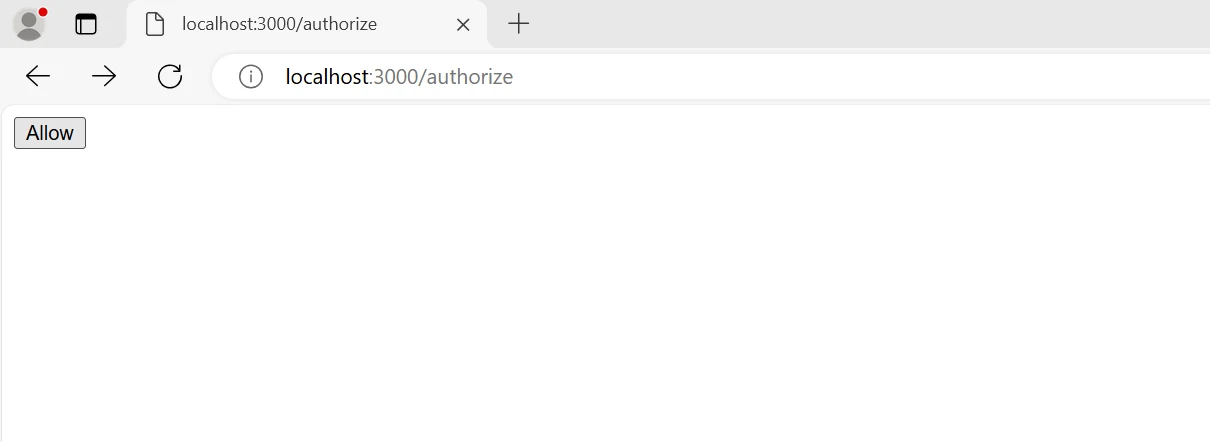
    res.send('<form action="/authorize/decision" method="post"><button type="submit">Allow</button></form>');
});

// Decision endpoint for authorization
app.post('/authorize/decision', (req, res, next) => {
    server.decision()(req, res, next);
});

// Token endpoint for exchanging authorization codes for access tokens
app.post('/token',
    passport.authenticate('basic', { session: false }),
    server.token(),
    server.errorHandler()
);

// Protected resource endpoint
app.get('/resource', passport.authenticate('bearer', { session: false }), (req, res) => {
    res.json({ message: 'Access granted to protected resource!' });
});

// Start the server
const port = 3000;
app.listen(port, () => {
    console.log(`OAuth2orize server is running on http://localhost:${port}`);
});透過遵循這些步驟,您已經成功使用 OAuth2orize 在 Node.js 中建立並配置了一個 OAuth 2.0 授權伺服器。 此配置顯示瞭如何管理授權程式碼的發放、將其轉換為存取權杖,並使用承擔權杖來保護 API 端點。 考慮實施適當的錯誤處理,保護敏感資料,並在生產環境中將使用者、客戶和權杖儲存在持久資料庫中。
要在 Node.js 應用程式中開始整合 OAuth2orize 和 IronPDF,首先需要使用 OAuth2orize 建立 OAuth 2.0 授權伺服器,並使用 IronPDF 實現 PDF 生成。 下方提供了詳細的教程以協助您完成此目標。
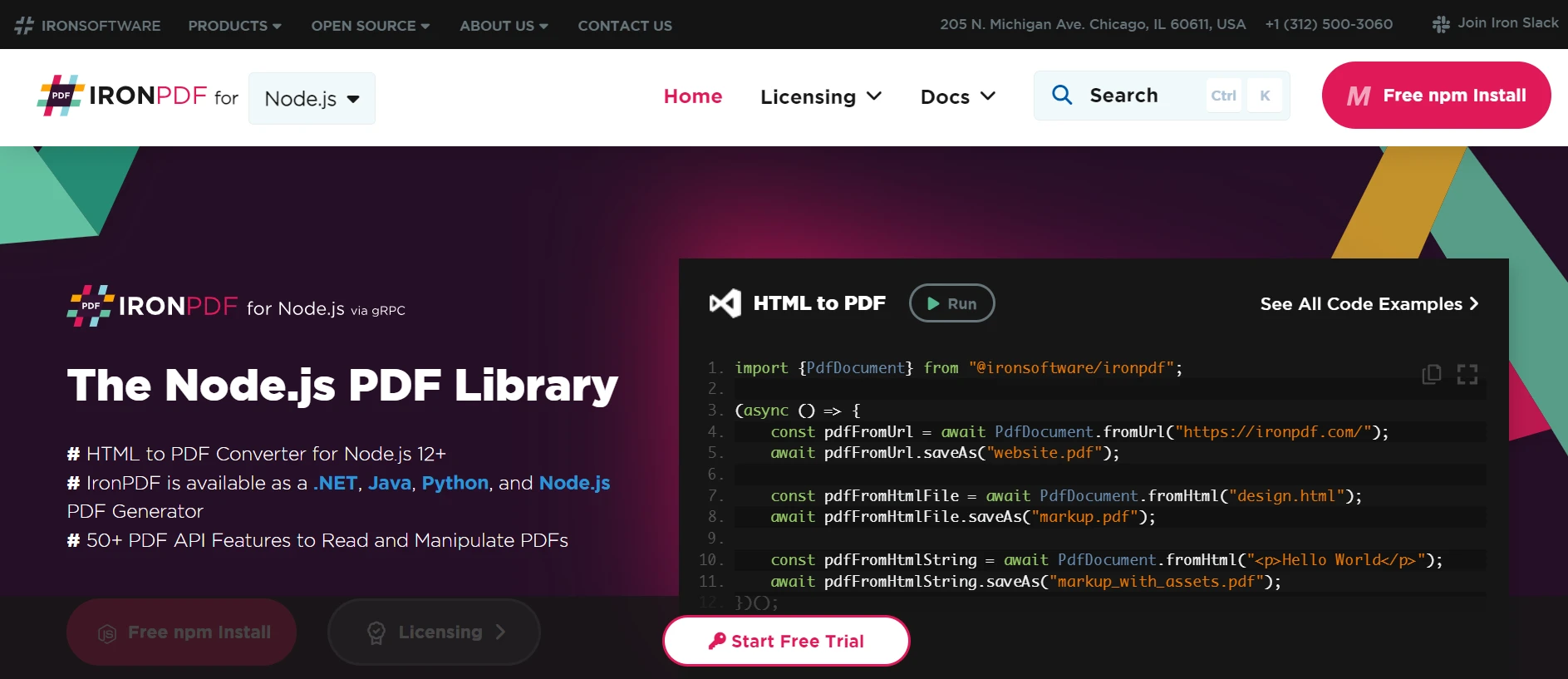
IronPDF for Node.js 是一個使建立和編輯 PDF 文件更簡單的 NPM 包。 開發者可以透過此工具新增標題和浮水印、合併多個 PDF 頁面、從 HTML 文件中提取文字和圖像,還能執行多種其他任務。 IronPDF 的使用者友好 API 和廣泛的文件使得開發者很容易自動建立高質量的 PDF 文件。 IronPDF 擁有增強文件工作流程所需的所有功能和能力,並在多種情境中提供出色的使用者體驗,包括發票的建立、報告和 文件撰寫。
使用節點套件管理器安裝必要的Node.js套件以啟用IronPDF功能。
將以下程式碼新增到 OAuth 2.0 授權伺服器程式碼中,以整合 IronPDF 用於 PDF 生成。
const IronPdf = require("@ironsoftware/ironpdf");
const document = IronPdf.PdfDocument;

// Protected resource endpoint to generate PDF
app.get('/generate-pdf', passport.authenticate('bearer', { session: false }), async (req, res) => {
    // Example HTML content for PDF generation
    const htmlContent = `
    <html>
    <head>
        <title>PDF Report</title>
    </head>
    <body>
        <h1>Secure PDF Report</h1>
        <p>This PDF was generated by IronPDF.</p>
    </body>
    </html>
    `;
    try {
        // Convert HTML content to a PDF document
        const pdf = await document.fromHtml(htmlContent);
        const pdfBuffer = await pdf.saveAsBuffer();
        // Send the PDF as a response
        res.writeHead(200, {
            'Content-Type': 'application/pdf',
            'Content-Disposition': 'attachment; filename=report.pdf',
            'Content-Length': pdfBuffer.length
        });
        res.end(pdfBuffer);
    } catch (error) {
        res.status(500).send('Error generating PDF');
    }
});提供的程式碼展示了如何在 Node.js 中整合 IronPDF 以動態生成 PDF,並使用 OAuth2orize 設置一個 OAuth 2.0 授權伺服器。 如 Express、Passport 和 UUID 這些必要的相依性被包含在設置中。為了簡便,使用者和使用者端保存於記憶體陣列中; 然而,在生產環境中應使用一個資料庫。
通過定義多種 Passport 技術,程式碼處理客戶端驗證和使用者認證。 OAuth2orize 處理授權程式程式碼授權,其中使用者允許客戶端代表他們存取資源。客戶端可以在獲取授權程式碼後將其兌換為存取權杖。 僅允許經過身份驗證的請求生成 PDF,這要歸功於用於保護 /generate-pdf 端點的承擔權杖技術。
端點使用 IronPDF 將 HTML 內容轉換為 PDF 文件,然後返回給客戶端。 這種整合提供了一個範例,說明如何使用 OAuth 2.0 保護 API 端點並若在可擴展且安全的方式中交付動態內容。
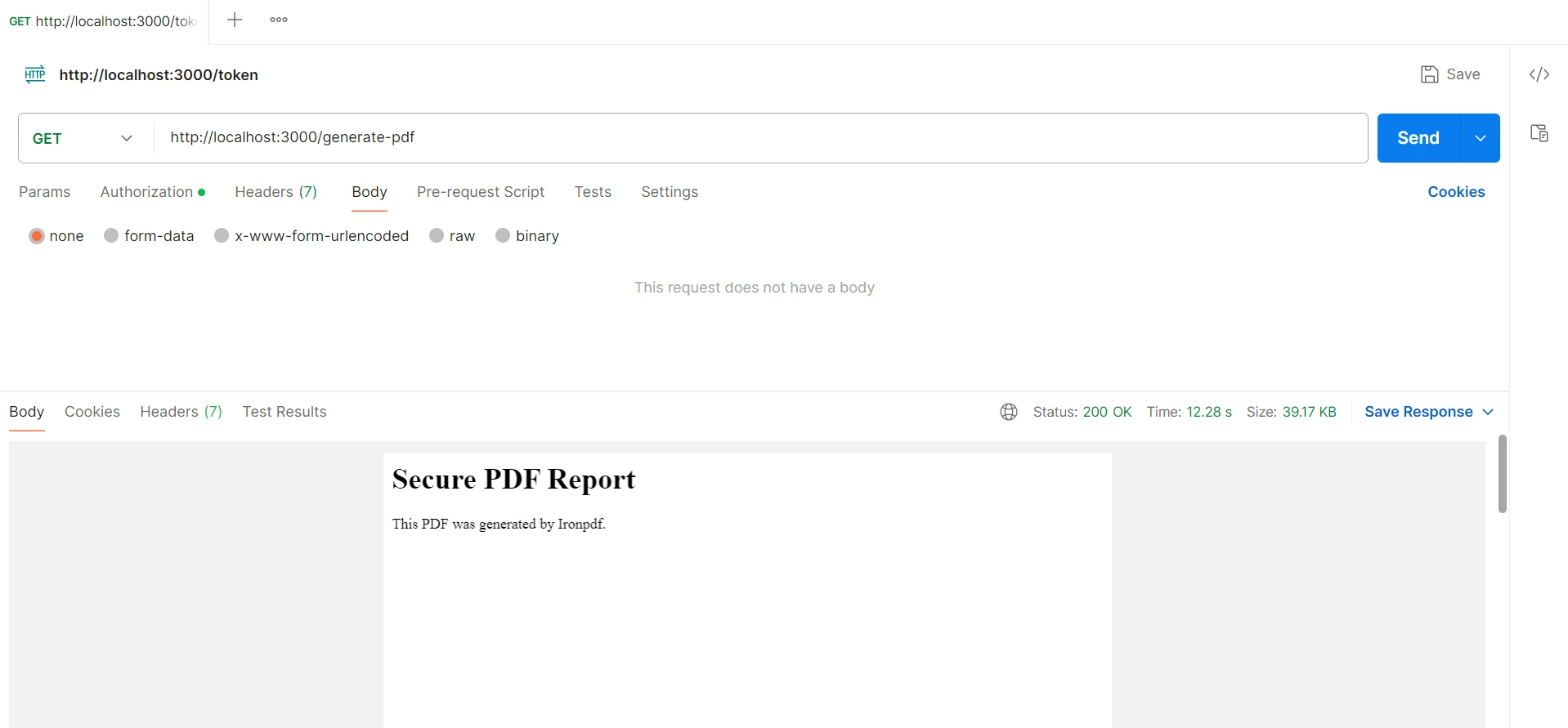
總之,在 Node.js 應用程式中使用 OAuth2orize 和 IronPDF 可以強大且安全地生成高質量的 PDF。 敏感資料受保護,因為 OAuth2orize 提供了完善的 OAuth 2.0 授權,確保只有授權和經過驗證的使用者才能使用 PDF 建立服務。 另一方面,IronPDF 簡單而有效地將 HTML 資訊轉換為專業質量的 PDF 文件。
這種整合為開發者提供了一個可擴展和簡單實施的解決方案,同時也提高了安全性、靈活性和使用者體驗。 借助這些技術,開發人員可以產生既符合當代安全性和功能標準又易於使用的、安全可靠的應用程式。
通過將 IronPDF 和 Iron Software 技術納入您的企業應用程式開發堆疊中,IronPDF 可以為客戶和最終使用者確保功能豐富、高端的軟體解決方案。 此外,這一堅實的基礎還將使專案、後端系統和流程優化變得更加簡單。 IronPDF 可用於 $999。 由於它們的詳細文件、活躍的在線開發者社群和定期升級,這些技術是現代軟體開發專案的出色選擇。

Curtis Chau擁有Carleton大學的電腦科學學士學位,專精於前端開發,擁有Node.js、TypeScript、JavaScript和React的專業知識。Curtis熱衷於建立直觀且美觀的使用者介面,喜愛使用現代框架並建立結構良好、視覺吸引力的手冊。

IronPDF 是 IRONSUITE 的一部分
10 款適用於辦公室文件的 .NET API 產品

當您需要您的PDF看起來像HTML一樣快速。