已更新 2026年4月21日
linkify-react(它是如何工作的:开发者指南)
Linkify React 是一个轻量且易于使用的 npm 包,可自动将包含 URL 的纯文本转换。
阅读更多

Node.js 是一个强大的 JavaScript 运行时,通过提供有效且可扩展的应用开发环境,改变了服务器端编程。 在许多可供开发人员使用的 Node.js 包中,fs-extra 和 IronPDF 因其复杂的文件处理和 PDF 创建功能脱颖而出。
fs-extra 是Node自带的fs模块的增强版本。 它提供了更友好的 API 以及用于复制、移动和删除等文件操作的附加方法。 支持 Promise 异步编程更简单,确保顺利管理文件系统并简化 JSON 文件的处理。
相反,IronPDF 是一个强大的 PDF 库,可以让程序员生成、修改和提取 PDF 文件中的内容。 它对于从 HTML 创建 PDF 文档 或未格式化文本,合并多个 PDF,以及添加页眉、页脚、水印和其他自定义项非常有用。 这使得它成为了创建发票、报告及其他即时报告文档的有价值工具。
通过集成fs-extra和IronPDF,开发人员可以创建复杂的文件管理系统,并在其 Node.js 应用中生成专业品质的 PDF。 这种组合保证了程序能有效地处理复杂的文件和文档处理任务,同时提高生产力。
fs-extra包是一个灵活的Node.js工具,它通过提供更多功能来简化常规文件操作,从而扩展了内置的fs(文件系统)模块。 它提供了诸如fs.remove等功能,使得复制、移动和删除文件和目录的任务变得更加容易。 此外,fs-extra还提供了用于读取和写入JSON文件的工具(fs.ensureFile),以及执行其他便捷操作。 它支持 Promise,允许舒适地使用 async/await 语法来管理异步编程。 所有 fs 方法都返回 Promise,而 fs-extra 也包括同步方法。
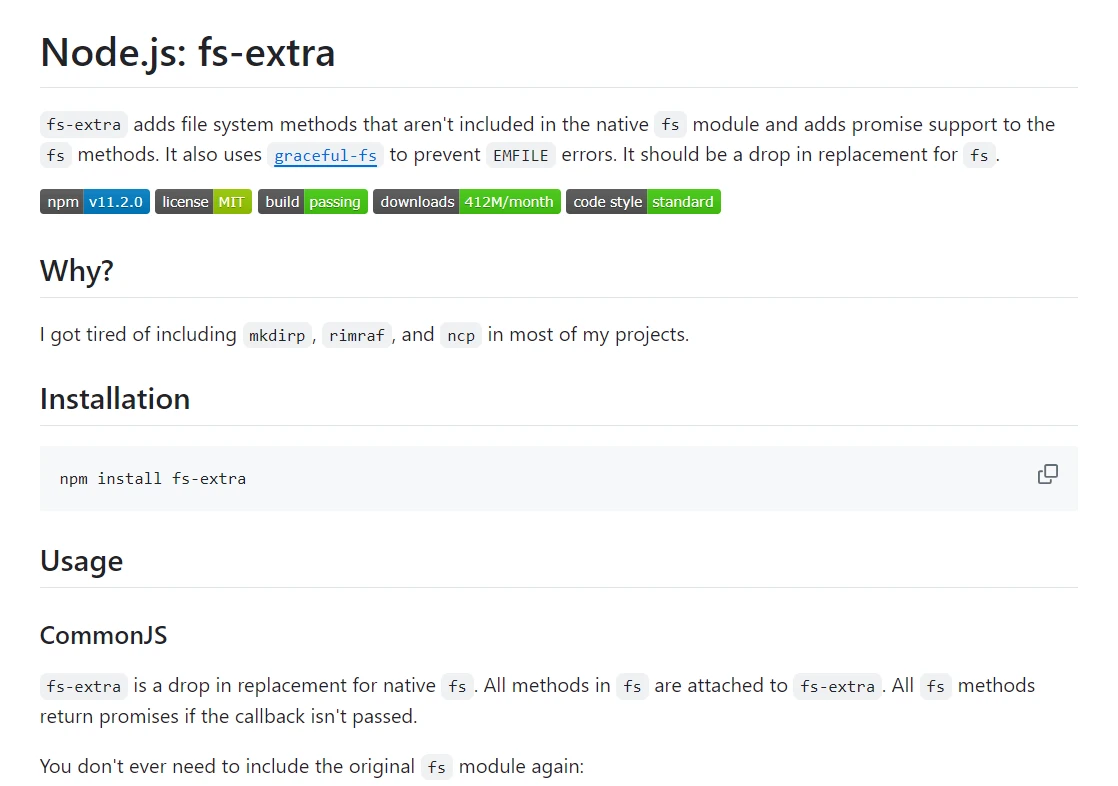
在扩展原生 fs 模块的功能方面,fs-extra 是一个用于 Node.js 的改进文件系统模块。 它是开发人员的热门选择,提供了一系列强大且实用的技术来管理文件和目录。 与原始 fs 模块相比,fs-extra 拥有以下特性,以及对标准 fs 方法增加的 promise 支持:
fs.copy(src, dest):将目录和文件(包括嵌套内容)从源复制到目标。fs.move(src, dest):传输文件夹和文件,并提供重命名选项。fs.remove(path):递归删除文件夹和文件。fs.ensureDir(path):验证目录是否已存在; 如果不存在,则创建该目录。fs.emptyDir(path):删除目录内容,但保留目录本身。fs.ensureFile(path):验证文件是否已存在; 如果不存在,则创建该文件。fs.readJson(path):读取JSON文件并解析其内容。fs.writeJson(path, data):将JavaScript对象作为JSON写入文件。-基于 Promise 的 API:大多数方法返回 Promise,使使用 async/await 语法编写异步代码变得更加容易。
-完全支持 fs 模块: fs-extra 包含了原生 fs 模块的所有标准方法,因此可以作为直接替换,并具有完全向后兼容性。
fs.outputFile(path, data):如果目录不存在,则创建并将数据写入文件。fs.outputJson(path, data):如果文件夹不存在,则在写入JavaScript对象为JSON到文件之前创建。fs.readFile(path):读取文件的内容。fs.writeFile(path, data):将数据写入文件。fs.pathExists(path):检查给定路径是否存在文件或目录。fs.ensureSymlink(srcpath, dstpath):验证是否存在符号链接,如果没有,则创建一个。通过按照以下步骤创建并配置 Node.js 项目来使用 fs-extra 库:
首先为您的项目创建一个新目录,并使用npm启动一个全新的Node.js项目(npm init -y)。 这将为应用提供基本的框架。
using npm 安装 fs-extra 库:
npm install fs-extra为了展示fs-extra的用法,在您喜欢的文本编辑器中打开index.js并添加以下示例代码。
// Import the fs-extra module
const fs = require('fs-extra');

// Asynchronous function to perform various file operations
async function performFileOperations() {
  try {
    // Ensure a directory exists; create it if it doesn't
    await fs.ensureDir('exampleDir');

    // Create a file and write some data to it
    await fs.outputFile('exampleDir/exampleFile.txt', 'Hello, world!');

    // Read the file's content
    const data = await fs.readFile('exampleDir/exampleFile.txt', 'utf-8');
    console.log('File Content:', data);

    // Recursively copy the file
    await fs.copy('exampleDir/exampleFile.txt', 'exampleDir/copyOfExampleFile.txt');

    // Move the file to a new location
    await fs.move('exampleDir/copyOfExampleFile.txt', 'exampleDir/movedExampleFile.txt');

    // Remove the file
    await fs.remove('exampleDir/movedExampleFile.txt');

    // Ensure a file exists; create it if it doesn't
    await fs.ensureFile('exampleDir/newFile.txt');

    // Write JSON data to a file
    const jsonData = { name: 'John Doe', age: 30 };
    await fs.writeJson('exampleDir/data.json', jsonData);

    // Read JSON data from a file
    const jsonFileContent = await fs.readJson('exampleDir/data.json');
    console.log('JSON File Content:', jsonFileContent);
  } catch (err) {
    console.error('Error during file operations:', err);
  }
}

// Execute the file operations
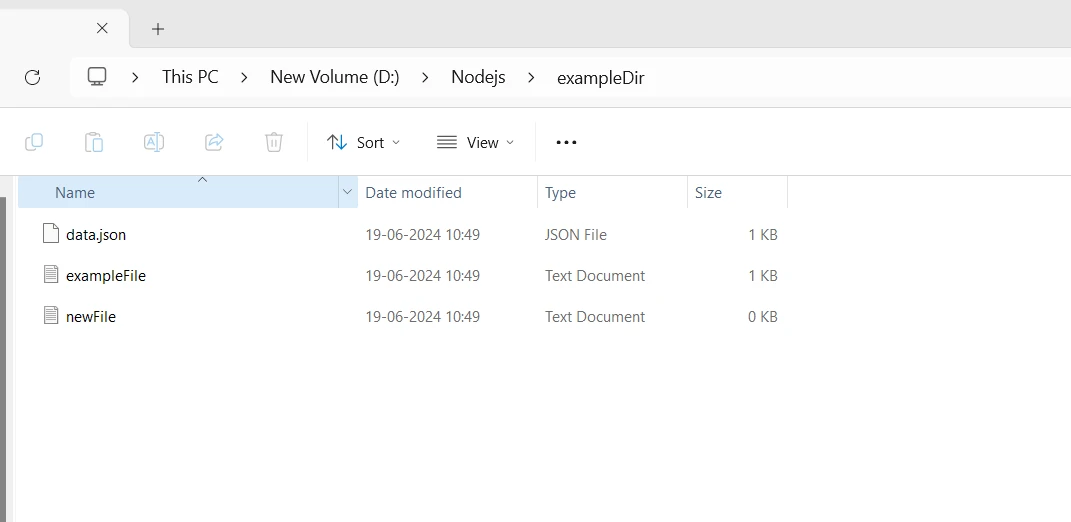
performFileOperations();上面的代码片段展示了改进的 Node.js 文件系统模块,fs-extra 库的特性。 该脚本实现了一个名为 performFileOperations 的异步方法,在导入 fs-extra 之后执行多个文件操作。 使用 fs.ensureDir() 方法,首先验证名为 "exampleDir" 的目录是否存在。 然后,使用 fs.outputFile() 方法,在此目录下创建一个名为 "exampleFile.txt" 的文件,并将文本 "Hello, world!" 写入其中。 使用 fs.readFile(),脚本读取文件内容并将其输出到控制台。
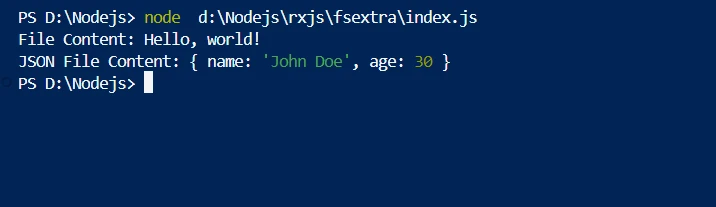
此外,它使用像fs.copy()这样的递归函数,将文件复制到"copyOfExampleFile.txt",然后使用fs.move()将此副本移到"movedExampleFile.txt"。 然后使用 fs.remove() 删除重定位的文件。脚本使用 fs.ensureFile() 函数验证 "newFile.txt" 的存在,并使用 fs.writeJson() 将一个 JSON 对象写入 "data.json" 文件。最后,它使用 fs.readJson() 从文件中读取 JSON 数据并将其输出到控制台。 在这些过程中的错误都被捕获并输出。 通过调用函数 performFileOperations 依次执行这些操作,从而演示了 fs-extra 在 Node.js 中管理文件和目录的实用性和易用性。
通过为可靠的 PDF 生产使用 IronPDF 并结合 fs-extra 进行改进的文件系统操作,为 Node.js 开发人员提供了一种强大的工具包。 本教程将向您展示如何设置使用 IronPDF 和 fs-extra 的 Node.js 项目,并包含显示他们一起使用的示例代码。
IronPDF 是一个强大的 Node.js 库,旨在将 HTML 数据转换为质量极高的 PDF 文件。 它加速了将 HTML、CSS 和其他 JavaScript 文件转换为格式正确的 PDF 的过程,同时不妥协原先的网页内容。 这对需要生成动态、可打印文档(如发票、证书和报告)的 Web 应用来说非常有用。
IronPDF 拥有多种特性,包括可自定义的页面设置、页眉、页脚以及添加字体和图像的选项。 它可以管理复杂的样式和布局,以确保每个测试的 PDF 输出符合规格。 此外,IronPDF 在 HTML 中控制 JavaScript 执行,允许准确的动态和交互式内容呈现。
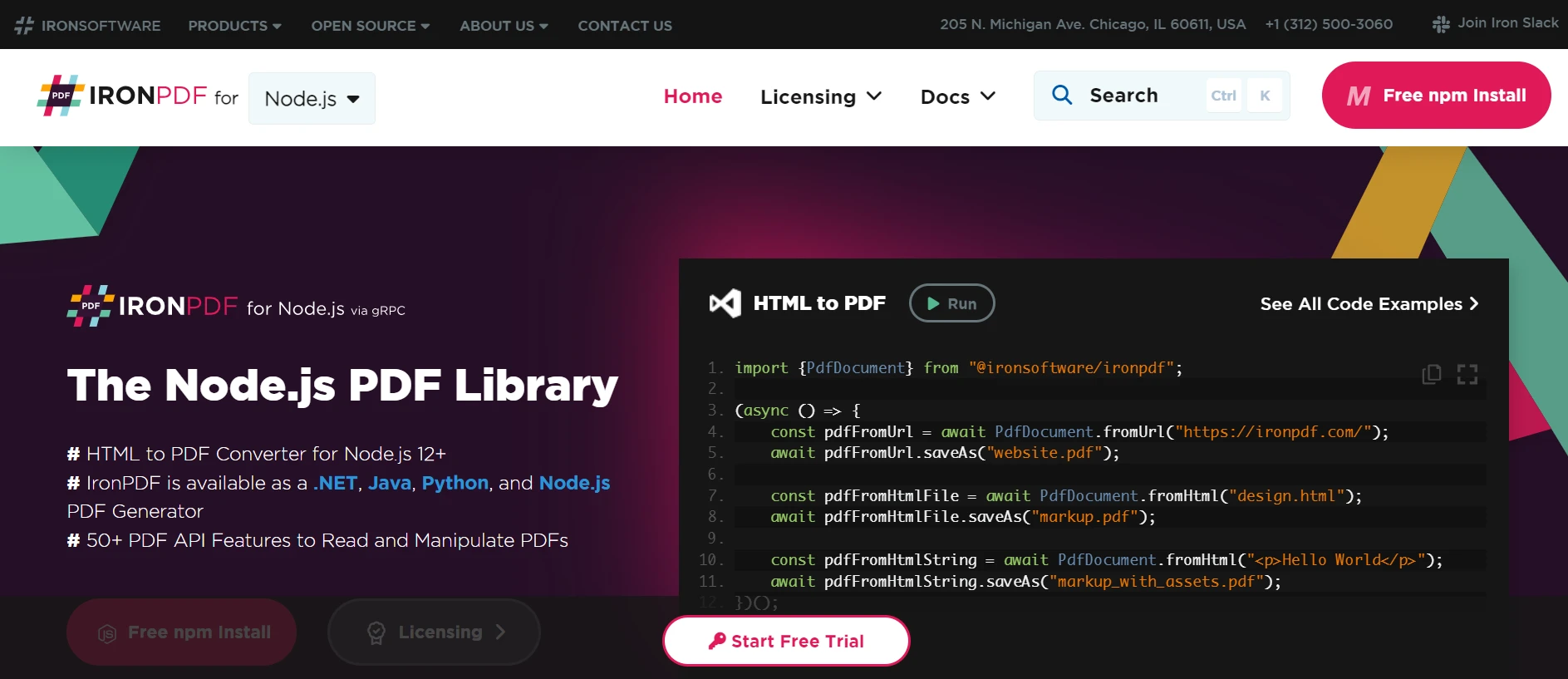
将HTML、CSS和JavaScript转换为PDF。 支持现代 web 标准,如媒体查询和响应式设计,这对于使用 HTML 和 CSS 动态装饰 PDF 文档、报告和账单很方便。
设计特点包括在工业环境中高性能和高可靠性。 它能轻松处理大量文档集。
要获取处理 Node.js 项目中的 PDF 的工具,安装 IronPDF 包。
npm install @ironsoftware/ironpdf为了演示如何将fs-extra和IronPDF结合使用,请在您喜欢的文本编辑器中打开index.js并添加以下代码:
// Import fs-extra and IronPDF libraries
const fs = require('fs-extra');
const IronPdf = require("@ironsoftware/ironpdf");

const document = IronPdf.PdfDocument;
var config = IronPdf.IronPdfGlobalConfig;
config.setConfig({ licenseKey: '' }); // Set your IronPDF license key here

// Asynchronous function to create and manage PDF files
async function createAndManagePDF() {
  try {
    // Ensure the parent directory exists
    const outputDir = 'output';
    await fs.ensureDir(outputDir);

    // Define the HTML content for the PDF
    const htmlContent = `
      <html>
        <head>
          <title>Sample PDF</title>
        </head>
        <body>
          <h1>Hello, world!</h1>
          <p>This is a sample PDF generated using IronPDF and fs-extra.</p>
        </body>
      </html>
    `;

    // Initialize IronPDF and generate a PDF from the HTML content
    let pdf = await document.fromHtml(htmlContent);
    const pdfPath = `${outputDir}/sample.pdf`;
    await pdf.saveAs(pdfPath);
    console.log('PDF generated successfully:', pdfPath);

    // Read the PDF file and check its size
    const pdfData = await fs.readFile(pdfPath);
    console.log('PDF file size:', pdfData.length);

    // Copy the PDF file
    const copiedPdfPath = `${outputDir}/copied_sample.pdf`;
    await fs.copy(pdfPath, copiedPdfPath);
    console.log('PDF copied successfully:', copiedPdfPath);

    // Move the copied PDF file
    const movedPdfPath = `${outputDir}/moved_sample.pdf`;
    await fs.move(copiedPdfPath, movedPdfPath);
    console.log('PDF moved successfully:', movedPdfPath);

    // Remove the original PDF file
    await fs.remove(pdfPath);
    console.log('Original PDF removed successfully:', pdfPath);
  } catch (err) {
    console.error('Error during PDF creation and management:', err);
  }
}

// Execute the PDF creation and management operations
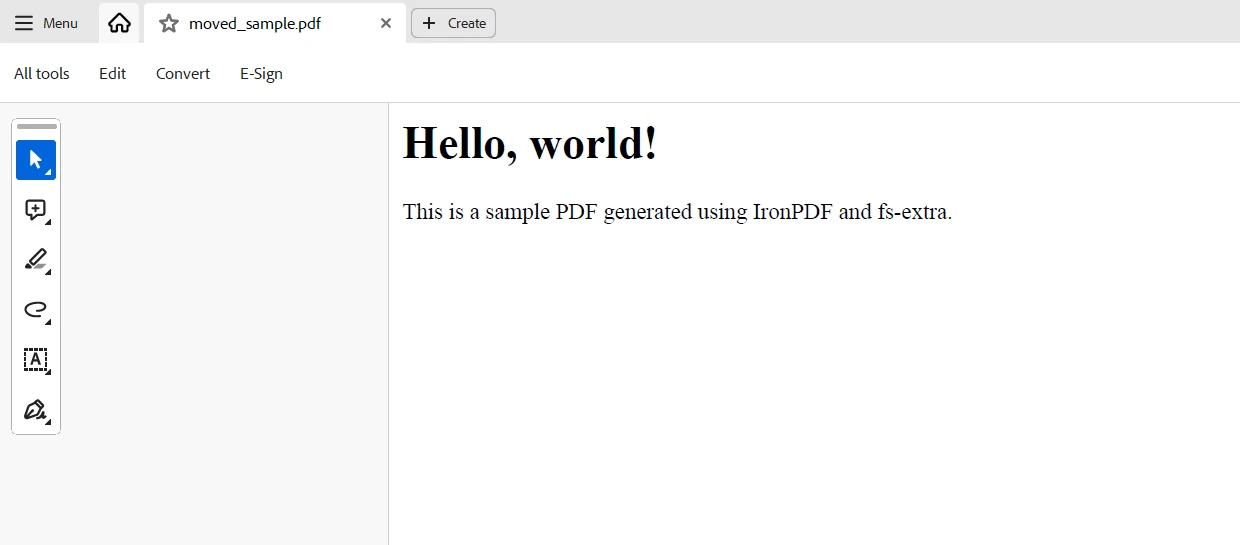
createAndManagePDF();上面的 Node.js 代码示例将 IronPDF 用于创建和管理 PDF 文件,并与 fs-extra 用于高级文件系统操作相结合。 首先确保使用 fs.ensureDir() 函数存在名为 "output" 的目录。 目录是文件和目录的分层分组。 即将创建的 PDF 的结构由 HTML 内容确定,包含在 htmlContent 中。 它使用 IronPDF 的 PdfDocument 类通过 fromHtml() 方法插入 HTML 内容,并使用 saveAs() 函数将生成的 PDF 保存到 "output/sample.pdf"。
最后,fs-extra 和 IronPDF 共同为管理文件系统操作和 Node.js 应用程序中的 PDF 制作提供了一个强大的解决方案。 通过其改进的方法,fs-extra 简化了例如创建目录、复制、移动和删除文件等任务,并为高效的文件管理建立了坚实的基础。 同时,IronPDF 提供了灵活的文档创建和处理功能,允许轻松地将 HTML 内容转换为 PDF 文档。
结合使用,这些库使开发人员能够轻松创建能够创建、管理及处理 PDF 文件的动态应用程序。 集成 fs-extra 和 IronPDF 使得开发人员能够在 Node.js 环境中满足多种文档处理需求,不论其是创建发票、报告还是动态文件,皆可依赖其强大的功能。
在 IronPDF 和Iron Software 的帮助下,您可以扩展用于节点开发的工具包,涵盖 OCR、条码扫描、PDF 生产、Excel 互动及大量其他功能。 Iron Software 提供高度可配置的系统和一系列社区支持的插件,使开发人员能够更快地创建功能和 web 应用程序。
IronPDF提供详细的文档,许可选项从$999等方案开始,为开发人员选择项目所需的最佳模型提供了便利。 这些功能使得开发人员能高效地解决多种问题。
访客:大象参与

Curtis Chau 拥有卡尔顿大学的计算机科学学士学位,专注于前端开发,精通 Node.js、TypeScript、JavaScript 和 React。他热衷于打造直观且美观的用户界面,喜欢使用现代框架并创建结构良好、视觉吸引力强的手册。

当您需要PDF看起来像HTML时,速度快。