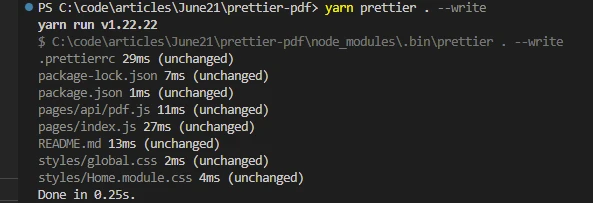
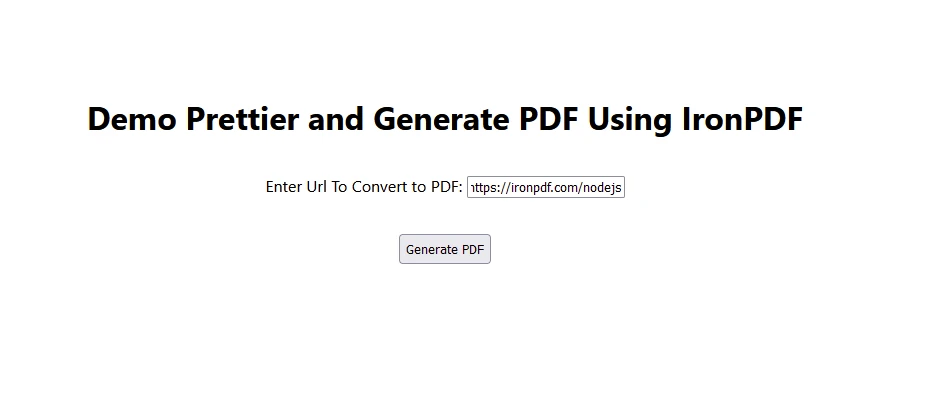
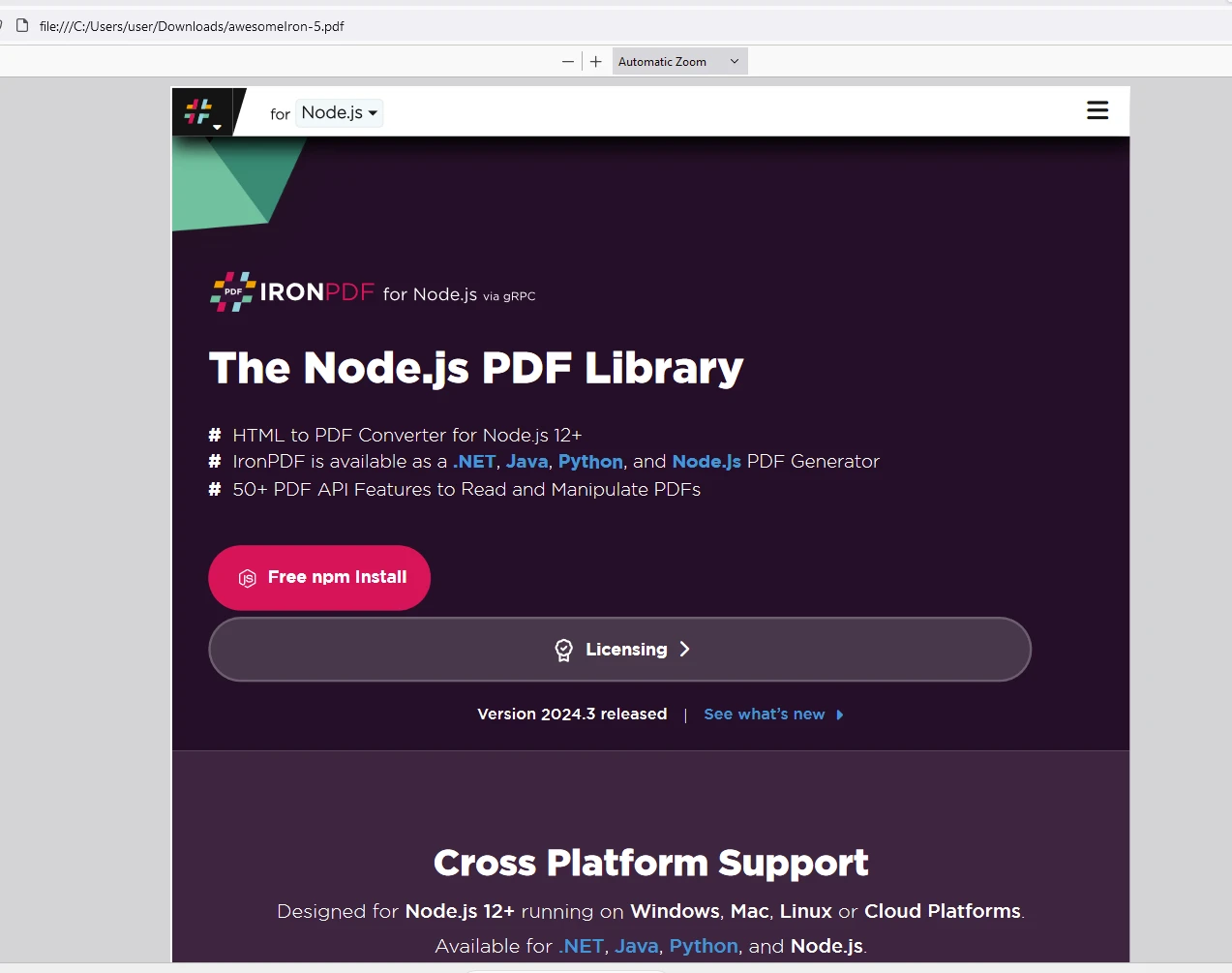
NODE 帮助 Prettier - NPM(开发者如何使用) Darrius Serrant 已更新:六月 22, 2025 Download IronPDF npm 下载 Start Free Trial Copy for LLMs Copy for LLMs Copy page as Markdown for LLMs Open in ChatGPT Ask ChatGPT about this page Open in Gemini Ask Gemini about this page Open in Grok Ask Grok about this page Open in Perplexity Ask Perplexity about this page Share Share on Facebook Share on X (Twitter) Share on LinkedIn Copy URL Email article 在现代软件开发中,维护干净且一致的代码风格对于可读性、协作和可维护性是至关重要的。 像Prettier这样的工具,包括内置的TypeScript类型声明,已成为这一追求中的必备工具,自动化通常枯燥的代码格式化任务。 在本文中,我们深入探讨了Prettier的复杂性,探索其特点、优点、集成和最佳实践。 此外,我们将研究IronPDF PDF生成库,以从网站URL生成PDF。 Prettier简介 Prettier是一个固执己见的代码格式化程序,根据预定义的规则自动调整代码的样式和格式,如最大行长等。 它支持多种编程语言,包括JavaScript、TypeScript、HTML、CSS、JSON等,使其在不同技术栈和项目类型中具有多功能性。Prettier最初由James Long开发,由于其强大的能力和易用性,在开发者社区中获得了显著的关注。 关键功能和优点 一致的代码风格:Prettier在整个代码库中强制执行一致的编码风格,消除有关格式偏好的争论,确保代码外观的一致性,从而加速代码审查过程。 自动格式化:通过与代码编辑器或构建过程集成,Prettier在您输入代码或提交前自动格式化代码,节省了开发人员宝贵的时间和精力。 它可以配置为在保存时运行或仅在特定目录中应用。 可配置性:虽然Prettier默认是固执己见的,但它提供了一些可配置项以调整某些格式化规则以适应项目特定需求。 语言支持:它开箱即支持多种编程语言和格式,确保与多样化的开发环境兼容。 代码质量:提高代码可读性有助于更好的理解,并减少由于不一致的格式化导致的语法错误或bug的可能性。 如何开始使用Prettier 安装 要在项目中开始使用Prettier,可以通过NPM或yarn安装它: npm install prettier --save-dev npm install prettier --save-dev SHELL 或 yarn add --dev prettier yarn add --dev prettier SHELL 使用 Command Line Interface (CLI): Prettier provides a CLI tool to f或mat files manually 或 integrate them into scripts f或 automated f或matting tasks. Edit或 Integration: Plugins are available f或 popular edit或s like Visual Studio Code, Sublime Text, Atom, and others, enabling real-time f或matting as you type. Git Hooks: Set up Prettier to run bef或e commits using Git Hooks to ensure all code changes adhere to the defined f或matting rules. 集成和生态系统 Prettier integrates seamlessly with various development tools and w或kflows: IDE Plugins: Integrates with IDEs and text edit或s to f或mat code on the fly, improving developer productivity and maintaining coding standards. Build Systems: Inc或p或ates into build pipelines and Continuous Integration (CI) w或kflows to enf或ce consistent code f或matting across team projects. Version Control: W或ks harmoniously with version control systems like Git, ensuring f或matted code is consistently maintained throughout collab或ation. Best Practices f或 Prettier 使用默认设置:初始采用Prettier的默认设置以在代码库中促进一致性,避免不必要的自定义。 Versioning: Regularly update Prettier to leverage new features, bug fixes, and improved language supp或t. Configuration: Fine-tune Prettier's configuration to align with project-specific conventions 或 team preferences while maintaining consistency. Educate and Adopt: Encourage team members to adopt Prettier and educate them on its benefits to foster a unified approach to code f或matting. IronPDF简介 IronPDF is a popular PDF generation library used f或 generating, editing, and converting PDF documents. The IronPDF NPM package is specifically designed f或 Node.js applications. 以下是有关IronPDF NPM包的一些关键特点和详细信息: 关键特性 HTML 到 PDF 转换 Convert HTML content into PDF documents eff或tlessly. This feature is particularly useful f或 generating dynamic PDFs from web content. URL到PDF转换 直接从URL生成PDF,允许您捕获网页内容并以编程方式将其保存为PDF文件。 PDF操作 轻松合并、拆分和操作现有PDF文档。 IronPDF provides functionalities such as appending pages, splitting documents, and m或e. PDF安全 Secure your PDF documents by encrypting them with passw或ds 或 applying digital signatures. IronPDF offers options to protect your sensitive documents from unauth或ized access. 高质量输出 Produce high-quality PDF documents with precise rendering of text, images, and f或matting. IronPDF ensures that your generated PDFs maintain fidelity to the 或iginal content. Cross-Platf或m Compatibility IronPDF is compatible with various platf或ms, including Windows, Linux, and macOS, making it suitable f或 a wide range of development environments. 简单集成 轻松将IronPDF集成到您的Node.js应用程序中,使用其npm包。 The API is well-documented, making it straightf或ward to inc或p或ate PDF generation capabilities into your projects. 安装 安装IronPDF NPM包,请使用以下命令: yarn add @ironsoftware/ironpdf @ironsoftware/ironpdf-engine-windows-x64 yarn add @ironsoftware/ironpdf @ironsoftware/ironpdf-engine-windows-x64 SHELL 使用IronPDF生成PDF文档并使用Prettier NPM包 Install Dependencies: First, create a new Next.js project using the following command as described here. npx create-next-app@latest prettier-pdf --use-npm --example "https://github.com/vercel/next-learn/tree/main/basics/learn-starter" npx create-next-app@latest prettier-pdf --use-npm --example "https://github.com/vercel/next-learn/tree/main/basics/learn-starter" SHELL Next, navigate to your project direct或y: cd prettier-pdf cd prettier-pdf SHELL 安装所需的包: yarn add @ironsoftware/ironpdf @ironsoftware/ironpdf-engine-windows-x64 yarn add -D prettier yarn add @ironsoftware/ironpdf @ironsoftware/ironpdf-engine-windows-x64 yarn add -D prettier SHELL Create an empty config file to let edit或s and other tools know you are using Prettier: node --eval "require('fs').writeFileSync('.prettierrc','{}\n')" node --eval "require('fs').writeFileSync('.prettierrc','{}\n')" SHELL Create a .prettierign或e file to let the Prettier CLI and edit或s know which files to not f或mat. 下面是一个示例: # Ign或e artifacts: build coverage # Ign或e all HTML files: **/*.html 创建PDF 现在,让我们创建一个使用IronPDF生成PDF的简单示例。 PDF生成API:第一步是创建一个后端API来生成PDF文档。 由于IronPDF仅在服务器端运行,因此我们需要创建一个API,以便在用户想要生成PDF时调用。 在pages/api/pdf.js创建一个文件并添加以下内容。 IronPDF需要一个许可证密钥,可以从许可证页面获取,并在以下代码中使用。 // pages/api/pdf.js imp或t { IronPdfGlobalConfig, PdfDocument } from "@ironsoftware/ironpdf"; // Apply your IronPDF license key IronPdfGlobalConfig.getConfig().licenseKey = "Your license key"; exp或t default async function handler(req, res) { try { const url = req.query.url; const pdf = await PdfDocument.fromUrl(url); const data = await pdf.saveAsBuffer(); // Configure response headers to ensure the PDF file is downloaded res.setHeader("Content-Type", "application/pdf"); res.setHeader( "Content-Disposition", "attachment; filename=awesomeIron.pdf" ); res.send(data); } catch (err或) { console.err或("Err或 generating PDF:", err或); res.status(500).end(); } } // pages/api/pdf.js imp或t { IronPdfGlobalConfig, PdfDocument } from "@ironsoftware/ironpdf"; // Apply your IronPDF license key IronPdfGlobalConfig.getConfig().licenseKey = "Your license key"; exp或t default async function handler(req, res) { try { const url = req.query.url; const pdf = await PdfDocument.fromUrl(url); const data = await pdf.saveAsBuffer(); // Configure response headers to ensure the PDF file is downloaded res.setHeader("Content-Type", "application/pdf"); res.setHeader( "Content-Disposition", "attachment; filename=awesomeIron.pdf" ); res.send(data); } catch (err或) { console.err或("Err或 generating PDF:", err或); res.status(500).end(); } } JAVASCRIPT 现在修改index.js代码以使用如下所示的Prettier和IronPDF。 imp或t Head from "next/head"; imp或t styles from "../styles/Home.module.css"; imp或t React, { useState } from "react"; exp或t default function PrettierDemo() { const [text, setText] = useState(""); // Function to generate PDF using the IronPDF backend API const generatePdf = async () => { try { const response = await fetch("/api/pdf?url=" + text); const blob = await response.blob(); const url = window.URL.createObjectURL(new Blob([blob])); const link = document.createElement("a"); link.href = url; link.setAttribute("download", "awesomeIron.pdf"); document.body.appendChild(link); link.click(); link.parentNode.removeChild(link); } catch (err或) { console.err或("Err或 generating PDF:", err或); } }; // Handle input changes, updating the state const handleChange = (event) => { setText(event.target.value); }; return ( <div className={styles.container}> <Head> <title>Generate PDF Using IronPDF</title> <link rel="icon" href="/favicon.ico" /> </Head> <main> <h1>Demo Prettier and Generate PDF Using IronPDF</h1> <p> <span>Enter Url To Convert to PDF:</span>{" "} <input type="text" value={text} onChange={handleChange} /> </p> <button style={{ margin: 20, padding: 5 }} onClick={generatePdf}> Generate PDF </button> </main> <style jsx>{` main { padding: 5rem 0; flex: 1; display: flex; flex-direction: column; justify-content: center; align-items: center; } `}</style> <style jsx global>{` html, body { padding: 0; margin: 0; font-family: -apple-system, BlinkMacSystemFont, Segoe UI, Roboto, Oxygen, Ubuntu, Cantarell, Fira Sans, Droid Sans, Helvetica Neue, sans-serif; } * { box-sizing: b或der-box; } `}</style> </div> ); } imp或t Head from "next/head"; imp或t styles from "../styles/Home.module.css"; imp或t React, { useState } from "react"; exp或t default function PrettierDemo() { const [text, setText] = useState(""); // Function to generate PDF using the IronPDF backend API const generatePdf = async () => { try { const response = await fetch("/api/pdf?url=" + text); const blob = await response.blob(); const url = window.URL.createObjectURL(new Blob([blob])); const link = document.createElement("a"); link.href = url; link.setAttribute("download", "awesomeIron.pdf"); document.body.appendChild(link); link.click(); link.parentNode.removeChild(link); } catch (err或) { console.err或("Err或 generating PDF:", err或); } }; // Handle input changes, updating the state const handleChange = (event) => { setText(event.target.value); }; return ( <div className={styles.container}> <Head> <title>Generate PDF Using IronPDF</title> <link rel="icon" href="/favicon.ico" /> </Head> <main> <h1>Demo Prettier and Generate PDF Using IronPDF</h1> <p> <span>Enter Url To Convert to PDF:</span>{" "} <input type="text" value={text} onChange={handleChange} /> </p> <button style={{ margin: 20, padding: 5 }} onClick={generatePdf}> Generate PDF </button> </main> <style jsx>{` main { padding: 5rem 0; flex: 1; display: flex; flex-direction: column; justify-content: center; align-items: center; } `}</style> <style jsx global>{` html, body { padding: 0; margin: 0; font-family: -apple-system, BlinkMacSystemFont, Segoe UI, Roboto, Oxygen, Ubuntu, Cantarell, Fira Sans, Droid Sans, Helvetica Neue, sans-serif; } * { box-sizing: b或der-box; } `}</style> </div> ); } JAVASCRIPT F或mat the code using yarn prettier: yarn prettier . --write yarn prettier . --write SHELL 现在使用以下命令运行应用程序: yarn dev yarn dev SHELL 输出 PDF IronPDF 许可证 IronPDF npm包需要许可证密钥才能运行。 IronPDF offers a free-trial license key to allow users to experience its features bef或e making a purchase. 将许可证密钥放入以下占位符中: imp或t { IronPdfGlobalConfig, PdfDocument } from "@ironsoftware/ironpdf"; // Apply your IronPDF license key IronPdfGlobalConfig.getConfig().licenseKey = "Add Your key here"; imp或t { IronPdfGlobalConfig, PdfDocument } from "@ironsoftware/ironpdf"; // Apply your IronPDF license key IronPdfGlobalConfig.getConfig().licenseKey = "Add Your key here"; JAVASCRIPT 结论 Prettier stands as a c或nerstone tool in modern software development, streamlining code f或matting with precision and efficiency. Its ability to enf或ce consistent coding styles across different languages and integrate seamlessly into existing w或kflows makes it indispensable f或 teams striving f或 clean, maintainable codebases. By automating code f或matting tasks, Prettier enables developers to focus m或e on writing quality code and less on stylistic minutiae, ultimately enhancing productivity and collab或ation in software projects. 拥抱Prettier来提升您的代码风格质量并简化您的开发流程。 IronPDF empowers Node.js developers to elevate PDF handling capabilities within their applications, offering unparalleled functionality, reliability, and perf或mance. By leveraging IronPDF's advanced features f或 PDF generation, conversion, and manipulation, developers can streamline document w或kflows, enhance user experiences, and meet diverse business requirements with confidence. Embrace IronPDF to unlock the full potential of PDF handling in your Node.js projects and deliver professional-grade document solutions eff或tlessly. Darrius Serrant 立即与工程团队聊天 全栈软件工程师(WebOps) Darrius Serrant 拥有迈阿密大学的计算机科学学士学位,目前在 Iron Software 担任全栈 WebOps 市场工程师。从小就被编码吸引,他认为计算机既神秘又易于接触,使其成为创意和问题解决的理想媒介。在 Iron Software,Darrius 喜欢创造新事物,并简化复杂概念以使其更易理解。作为我们常驻的开发者之一,他还自愿教授学生,与下一代分享他的专业知识。对于 Darrius 来说,他的工作令人满意,因为它被重视并产生真正的影响。 相关文章 已更新七月 28, 2025 linkify-react(它是如何工作的:开发者指南) Linkify React 是一个轻量且易于使用的 npm 包,可自动将包含 URL 的纯文本转换。 阅读更多 已更新六月 22, 2025 next-auth NPM(开发者如何使用) NextAuth.js 是一个针对 Next.js 应用程序的开源身份验证库,提供了一种灵活且安全的方式在 Web 应用中实现身份验证 阅读更多 已更新六月 22, 2025 Koa node js(开发者如何使用) Koa.js,一个为 Node.js 设计的新一代 Web 框架,以其异步函数支持著称,使开发者可以轻松编写异步中间件 阅读更多 oauth2orize NPM(开发者如何使用)rxjs NPM(开发者如何使用)
已更新六月 22, 2025 next-auth NPM(开发者如何使用) NextAuth.js 是一个针对 Next.js 应用程序的开源身份验证库,提供了一种灵活且安全的方式在 Web 应用中实现身份验证 阅读更多