using IronPdf;

// Disable local disk access or cross-origin requests
Installation.EnableWebSecurity = true;

// Instantiate Renderer
var renderer = new ChromePdfRenderer();

// Create a PDF from a HTML string using C#
var pdf = renderer.RenderHtmlAsPdf("<h1>Hello World</h1>");

// Export to a file or Stream
pdf.SaveAs("output.pdf");

// Advanced Example with HTML Assets
// Load external html assets: Images, CSS and JavaScript.
// An optional BasePath 'C:\site\assets\' is set as the file location to load assets from
var myAdvancedPdf = renderer.RenderHtmlAsPdf("<img src='icons/iron.png'>", @"C:\site\assets\");
myAdvancedPdf.SaveAs("html-with-assets.pdf");
using IronPdf;// Disable local disk access or cross-origin requestsInstallation.EnableWebSecurity = true;// Instantiate Renderervar renderer = new ChromePdfRenderer();// Create a PDF from a HTML string using C#var pdf = renderer.RenderHtmlAsPdf("<h1>Hello World</h1>");// Export to a file or Streampdf.SaveAs("output.pdf");// Advanced Example with HTML Assets// Load external html assets: Images, CSS and JavaScript.// An optional BasePath 'C:\site\assets\' is set as the file location to load assets fromvar myAdvancedPdf = renderer.RenderHtmlAsPdf("<img src='icons/iron.png'>", @"C:\site\assets\");myAdvancedPdf.SaveAs("html-with-assets.pdf");
PM >Install-Package IronPdf
Install-Package IronPdf
ENTWICKLER-UPDATES
Simple Injector C# (Wie es für Entwickler funktioniert)
Bei der Entwicklung von .NET-Anwendungen ist die Pflege eines handhabbaren und sauberen Codes entscheidend. Dependency Injection (DI) ist ein Entwurfsmuster, das eine lose Kopplung zwischen Klassen erleichtert und die Testbarkeit und Wartbarkeit verbessert. Simple Injector, eine beliebte DI-Bibliothek, ist bekannt für ihre Leistung, Flexibilität und Benutzerfreundlichkeit. Es ermöglicht Entwicklern, Abhängigkeiten mit minimaler Konfiguration zu verwalten.
IronPDF ist eine leistungsstarke .NET-Bibliothek zum Erstellen, Lesen und Ändern von PDF-Dokumenten. Es unterstützt eine Vielzahl von Funktionen, einschließlich der Umwandlung von HTML in PDF und der Manipulation von PDFs, was es zu einer idealen Wahl für Anwendungen macht, die dynamische PDF-Erstellung und -Verarbeitung erfordern.
Dieses Tutorial erklärt, wie man IronPDF nahtlos integriert und Simple Injector verwendet, um Abhängigkeiten in einer C#-Anwendung zu verwalten. Durch die Kombination dieser beiden leistungsstarken Werkzeuge können Entwickler Anwendungen konstruieren, die funktionaler, skalierbarer, wartbarer und effizienter sind, egal ob es sich um eine einfache Konsolenanwendung oder ein ausgeklügeltes Unternehmenssystem handelt.
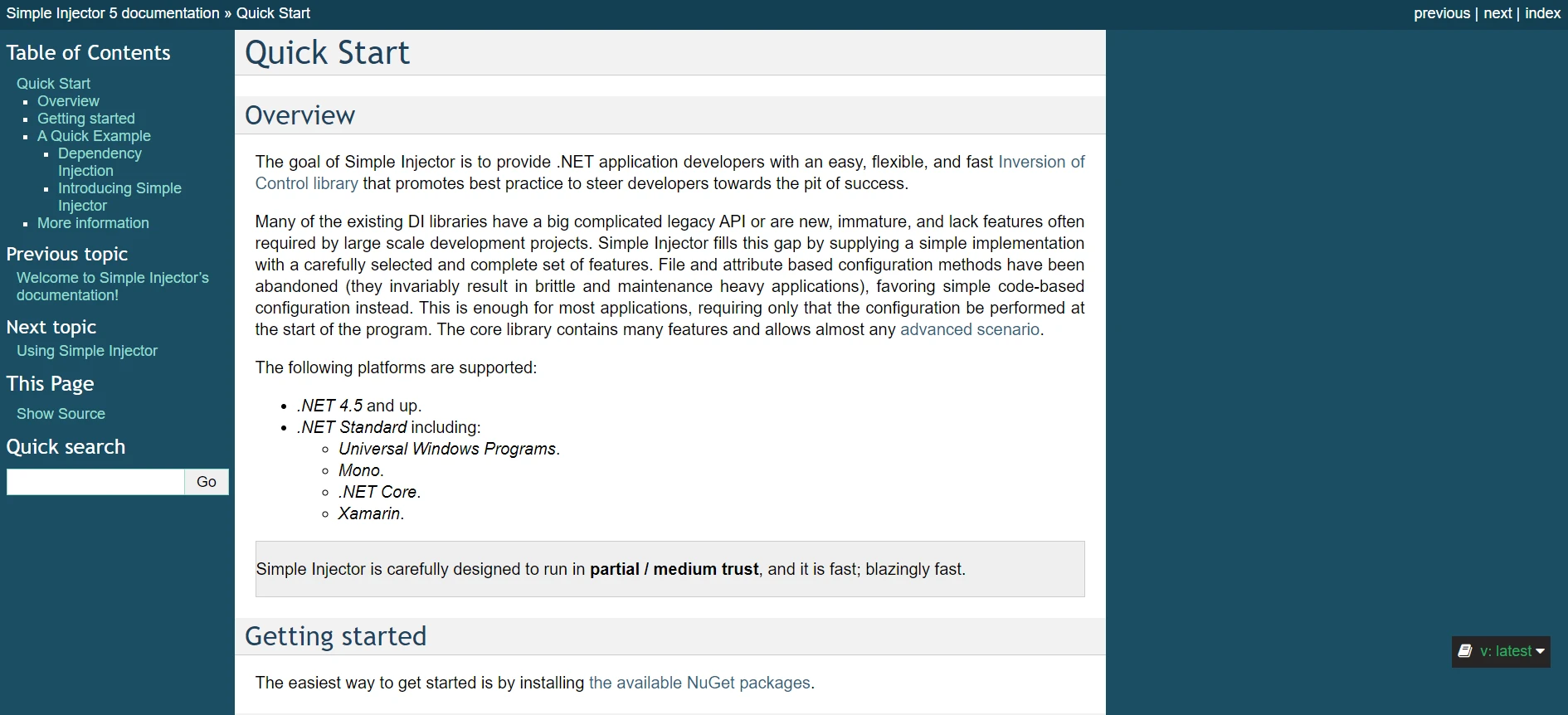
## What is a [Simple Injector](https://docs.simpleinjector.org/en/latest/quickstart.html) in C#?
Für .NET-Anwendungen ist Simple Injector eine zuverlässige und einfach zu verwendende Dependency Injection (DI) Bibliothek. Mit seinen robusten und anpassungsfähigen Funktionen zur Steuerung von Objektlebensdauern und Abhängigkeiten ist es darauf ausgelegt, unkompliziert zu sein. Nachfolgend sind einige der wichtigsten Funktionen aufgeführt, die Simple Injector bietet:
### Hauptmerkmale von Simple Injector
#### Einfachheit und Benutzerfreundlichkeit
Simple Injector hat eine intuitive API, die auch Entwickler, die mit der Konstruktorinjektion nicht vertraut sind, leicht konfigurieren und nutzen können.
- **Minimale Konfiguration:** Entwickler können DI mit minimalem Boilerplate-Code aufgrund der unkomplizierten Einrichtung in ihre Anwendungen einbinden.
#### Leistung
- **Hohe Geschwindigkeit:** Die Auflösung von Abhängigkeiten erfolgt schnell und effizient, wodurch Simple Injector für leistungsstarke Anwendungen geeignet ist, bei denen Millisekunden zählen.
#### Flexibilität
- **Verwaltung verschiedener Lebensstile:** Es unterstützt eine Vielzahl von Lebensstilen, wie kurzlebige (transient), Bereichs- (scoped) und Singleton-Objektlebensdauern, sodass Entwickler den besten Ansatz zur Lebenszyklusverwaltung für ihre Bedürfnisse wählen können.
- **Erweiterte Szenarien:** Unterstützt erweiterte DI-Muster wie dekoratorbasierte Muster und Eigenschaftsinjektion.
#### Umfassende Dokumentation
Simple Injector enthält detaillierte und gut organisierte Dokumentation, Codebeispiele und Best Practices, um Entwicklern beim Verständnis seiner Funktionalität zu helfen.
#### Sicherheit und Diagnostik
- **Verifizierung:** Die Bibliothek bietet einen Verifizierungsschritt, um Konfigurationsfehler früh im Entwicklungsprozess zu erkennen.
- **Diagnoseservices:** Bietet Diagnoseservices, um häufige DI-Probleme zu identifizieren und zu lösen, wodurch die Zuverlässigkeit der Anwendung verbessert wird.
### Creating and Configuring Simple Injector in C#
Die folgenden Schritte zeigen, wie man Simple Injector in einer C#-Anwendung einrichtet und konfiguriert:
#### Ein neues Projekt erstellen
Beginnen Sie mit der Erstellung einer neuen .NET-Konsolenanwendung. Öffnen Sie ein Terminal und führen Sie die folgenden Befehle aus:
```bash
dotnet new console -n SimpleInjectorExample
cd SimpleInjectorExample
```
#### Einfaches Injector-Paket installieren
Fügen Sie als Nächstes das Simple Injector-Paket zu Ihrem Projekt über NuGet hinzu:
```bash
dotnet add package SimpleInjector
```
#### Einrichten des Dependency Injection Containers
Öffnen Sie die `Program.cs`-Datei, um den Simple Injector-Container zu konfigurieren. So richten Sie ihn ein:
```csharp
using SimpleInjector;
using System;
namespace SimpleInjectorExample
{
class Program
{
static void Main(string[] args)
{
// Create the Simple Injector container
var container = new Container();
// Register your types
container.Register<IUserService, UserService>(Lifestyle.Singleton);
// Optionally verify the container configuration
container.Verify();
// Resolve an instance of IUserService and use it
var userService = container.GetInstance<IUserService>();
userService.ProcessUser();
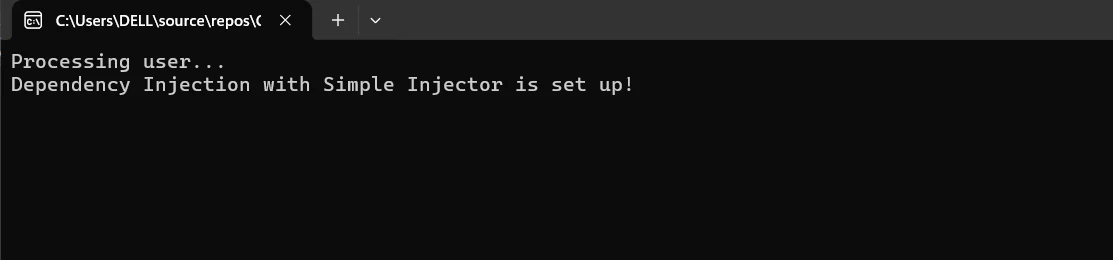
Console.WriteLine("Dependency Injection with Simple Injector is set up!");
}
}
// Define the service interface
public interface IUserService
{
void ProcessUser();
}
// Implement the service
public class UserService : IUserService
{
public void ProcessUser()
{
Console.WriteLine("Processing user...");
}
}
}
```
- **`var container = new Container();`:** Erstellt eine Instanz der Simple Injector-Containerklasse.
- **`container.Register<IUserService, UserService>(Lifestyle.Singleton);`:** Registriert die `IUserService`-Schnittstelle mit ihrer Implementierung `UserService` als Singleton. Andere Lebensstile wie Transient oder Scoped können je nach Anforderung ebenfalls genutzt werden.
- **`container.Verify();`:** Überprüft die Containerkonfiguration und die Gültigkeit der Registrierungen. Dieser Schritt ist optional, hilft aber, Konfigurationsfehler frühzeitig zu erkennen.
- **`var userService = container.GetInstance<IUserService>();`:** Löst eine Instanz von `IUserService` aus dem Container auf.
- **`userService.ProcessUser();`:** Ruft die `ProcessUser`-Methode auf der aufgelösten Instanz auf.
Um die Anwendung auszuführen, verwenden Sie den folgenden Befehl in Ihrem Terminal:
```bash
dotnet run
```
## Einstieg
Die Integration von Simple Injector mit IronPDF in einer C#-Anwendung erfordert die Installation der erforderlichen Pakete, die Konfiguration von Simple Injector für das Dependency Injection-Muster und die Verwendung von IronPDF zur PDF-Erstellung. Hier sind die Schritte für den Einstieg.
### Was ist [IronPDF von Iron Software](/)?
IronPDF ist eine leistungsstarke .NET-Bibliothek, die für die Erstellung, das Lesen und Ändern von PDF-Dokumenten in C#-Anwendungen entwickelt wurde. Es ermöglicht Entwicklern, hochqualitative, druckfertige Dokumente aus HTML-, CSS- und JavaScript-Inhalten programmgesteuert zu erzeugen. Hauptfunktionen sind Wasserzeichen, Kopf- und Fußzeilen, PDFs zusammenführen und splitten sowie HTML in PDF umwandeln. IronPDF unterstützt das .NET Framework und .NET Core und ist damit für eine Vielzahl von Anwendungen geeignet.
Entwickler können dank der umfassenden Dokumentation und der einfachen Integration schnell PDF-Funktionen in ihre Projekte einbauen. IronPDF gewährleistet zudem, dass die erstellten PDFs das ursprüngliche HTML nahe widerspiegeln, indem es komplexe Layouts und Stile mühelos handhabt.
### Funktionen von IronPDF
**PDF-Erstellung aus HTML**
- Konvertiert HTML, CSS und JavaScript in PDF, unterstützt Medienabfragen und responsives Design, was es nützlich macht für das dynamische Styling von PDF-Dokumenten, Berichten und Rechnungen.
**PDF-Bearbeitung**
- Ermöglicht das Hinzufügen und Entfernen von Text, Bildern und anderen Inhalten aus bestehenden PDFs, das Zusammenführen mehrerer PDFs zu einem oder das Aufteilen von PDFs in separate Dokumente. Es unterstützt das Hinzufügen von Wasserzeichen, Anmerkungen, Kopf- und Fußzeilen.
**PDF-Konvertierung**
- Bietet die Umwandlung verschiedener Dateitypen (wie Word, Excel und Bilder) in PDF und von PDF in Bilder (PNG, JPEG usw.) an.
**Leistung und Zuverlässigkeit**
- Hohe Leistung und Zuverlässigkeit sind in industriellen Umgebungen wünschenswert und verwalten effizient große Dokumente.
### IronPDF installieren
Um die Werkzeuge für die Arbeit mit PDFs in .NET-Anwendungen zu erhalten, installieren Sie das IronPDF-Paket.
```shell
:ProductInstall
```
### Einrichten des Dependency Injection Containers mit IronPDF
Öffnen Sie die `Program.cs`-Datei, um den Simple Injector-Container zur Verwendung mit IronPDF zu konfigurieren:
```csharp
using SimpleInjector;
using System;
using IronPdf;
namespace SimpleInjector IronPDFExample
{
class Program
{
static void Main(string[] args)
{
// Create the Simple Injector container
var container = new Container();
// Register your types
container.Register<IPdfService, PdfService>(Lifestyle.Singleton);
// Verify the container configuration
container.Verify();
// Resolve an instance of IPdfService and use it
var pdfService = container.GetInstance<IPdfService>();
pdfService.GeneratePdf("Hello, world!");
Console.WriteLine("PDF generation complete!");
}
}
// Define the PDF service interface
public interface IPdfService
{
void GeneratePdf(string content);
}
// Implement the PDF service
public class PdfService : IPdfService
{
public void GeneratePdf(string content)
{
// Create a new HtmlToPdf renderer
var renderer = new HtmlToPdf();
// Render the HTML content as a PDF
var pdf = renderer.RenderHtmlAsPdf(content);
// Save the PDF to a file
pdf.SaveAs("output.pdf");
}
}
}
```
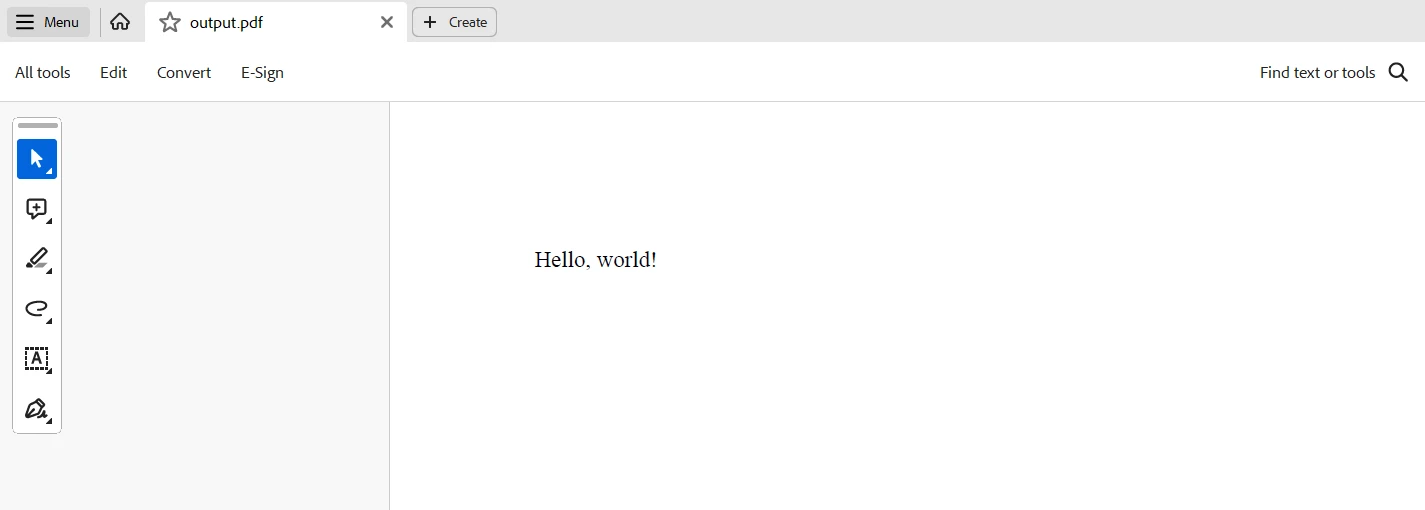
Dieser C#-Code demonstriert die Integration von IronPDF zur PDF-Erstellung und Simple Injector zur Abhängigkeitsinjektion in eine .NET-Konsolenanwendung. Ein Simple Injector-Container wird erstellt, um Abhängigkeiten zu verwalten. `IPdfService` und dessen Implementierung `PdfService` werden als Singletons registriert, um sicherzustellen, dass eine einzelne Instanz in der gesamten Anwendung verwendet wird. Die Containerkonfiguration wird überprüft, um frühzeitig etwaige Registrierungsprobleme zu erkennen.
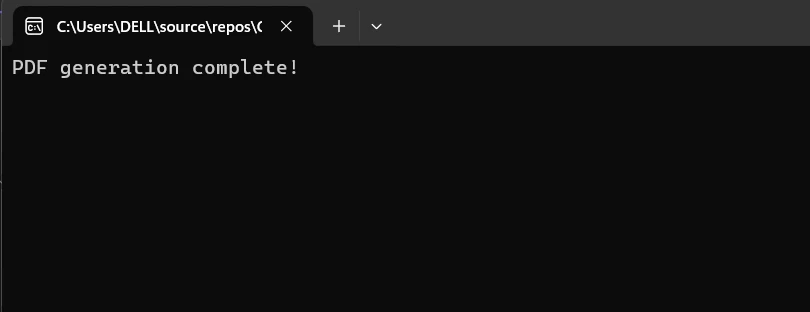
Im `Main`-Methode wird eine Instanz von `IPdfService` aus dem Container aufgelöst und deren `GeneratePdf`-Methode aufgerufen. Diese Methode erzeugt ein PDF, indem die `HtmlToPdf`-Klasse von IronPDF verwendet wird, um eine bereitgestellte HTML-Zeichenkette zu verarbeiten, und speichert das resultierende Dokument als `output.pdf`. Eine Konsolennachricht, die den Abschluss der PDF-Erstellung anzeigt, signalisiert das Ende des Vorgangs. Dieses Setup veranschaulicht, wie man Abhängigkeiten effektiv verwaltet und IronPDF zur Erstellung dynamischer PDF-Dokumente auf strukturierte und wartbare Weise verwendet.
## Abschluss
Die Integration von Simple Injector mit IronPDF in einer C#-Anwendung verwaltet effektiv Abhängigkeiten und vereinfacht die dynamische PDF-Erstellung. Simple Injector bietet robuste Leistung und eine unkomplizierte API für Dependency Injection, die wartbare und lose gekoppelte Komponenten gewährleistet. In Kombination mit den leistungsstarken PDF-Erstellungsmöglichkeiten von IronPDF können Entwickler HTML-Inhalte einfach in hochwertige PDF-Dokumente umwandeln. Durch das Nutzen der attributbasierten Konfigurationsmethoden und das Verstehen dieser Tools können Entwickler ihre Herangehensweise an das Abhängigkeitsmanagement und die Erfüllung von Funktionsanforderungen optimieren.
Diese Kombination verbessert nicht nur die Code-Verwaltung und Skalierbarkeit, sondern vereinfacht auch komplexe Aufgaben wie die PDF-Erstellung. Indem Sie die Schritte in diesem Tutorial befolgen, können Sie eine robuste Architektur aufbauen, die Simple Injector und IronPDF nutzt, was zu strukturierteren, anpassungsfähigeren und leistungsfähigeren .NET-Anwendungen führt.
Berücksichtigen Sie abschließend, IronPDF und [weitere Produkte von Iron Software zu erkunden](https://ironsoftware.com/), um Ihre .NET-Programmierkenntnisse zu erweitern, um mit Barcodes zu arbeiten, PDFs zu erstellen, OCR durchzuführen und mit Excel zu verbinden. Erfahren Sie mehr über die Funktionen von IronPDF für eine effiziente Entwicklung, indem Sie deren Funktionalität mit den flexiblen Systemen und der Suite von Iron Software integrieren, zum Einstiegspreis von `$liteLicense`.
Gut definierte Lizenzoptionen ermöglichen es Entwicklern, Modelle zu konfigurieren, die am besten zu den spezifischen Anforderungen ihres Projekts passen, sodass sie eine Reihe von Problemen auf eine einfach zu integrierende, effektive und transparente Weise ansprechen können.
Bei der Entwicklung von .NET-Anwendungen ist die Pflege eines handhabbaren und sauberen Codes entscheidend. Dependency Injection (DI) ist ein Entwurfsmuster, das eine lose Kopplung zwischen Klassen erleichtert und die Testbarkeit und Wartbarkeit verbessert. Simple Injector, eine beliebte DI-Bibliothek, ist bekannt für ihre Leistung, Flexibilität und Benutzerfreundlichkeit. Es ermöglicht Entwicklern, Abhängigkeiten mit minimaler Konfiguration zu verwalten.
IronPDF ist eine leistungsstarke .NET-Bibliothek zum Erstellen, Lesen und Ändern von PDF-Dokumenten. Es unterstützt eine Vielzahl von Funktionen, einschließlich der Umwandlung von HTML in PDF und der Manipulation von PDFs, was es zu einer idealen Wahl für Anwendungen macht, die dynamische PDF-Erstellung und -Verarbeitung erfordern.
Dieses Tutorial erklärt, wie man IronPDF nahtlos integriert und Simple Injector verwendet, um Abhängigkeiten in einer C#-Anwendung zu verwalten. Durch die Kombination dieser beiden leistungsstarken Werkzeuge können Entwickler Anwendungen konstruieren, die funktionaler, skalierbarer, wartbarer und effizienter sind, egal ob es sich um eine einfache Konsolenanwendung oder ein ausgeklügeltes Unternehmenssystem handelt.
Für .NET-Anwendungen ist Simple Injector eine zuverlässige und einfach zu verwendende Dependency Injection (DI) Bibliothek. Mit seinen robusten und anpassungsfähigen Funktionen zur Steuerung von Objektlebensdauern und Abhängigkeiten ist es darauf ausgelegt, unkompliziert zu sein. Nachfolgend sind einige der wichtigsten Funktionen aufgeführt, die Simple Injector bietet:
Hauptmerkmale von Simple Injector
Einfachheit und Benutzerfreundlichkeit
Simple Injector hat eine intuitive API, die auch Entwickler, die mit der Konstruktorinjektion nicht vertraut sind, leicht konfigurieren und nutzen können.
Minimale Konfiguration: Entwickler können DI mit minimalem Boilerplate-Code aufgrund der unkomplizierten Einrichtung in ihre Anwendungen einbinden.
Leistung
Hohe Geschwindigkeit: Die Auflösung von Abhängigkeiten erfolgt schnell und effizient, wodurch Simple Injector für leistungsstarke Anwendungen geeignet ist, bei denen Millisekunden zählen.
Flexibilität
Verwaltung verschiedener Lebensstile: Es unterstützt eine Vielzahl von Lebensstilen, wie kurzlebige (transient), Bereichs- (scoped) und Singleton-Objektlebensdauern, sodass Entwickler den besten Ansatz zur Lebenszyklusverwaltung für ihre Bedürfnisse wählen können.
Erweiterte Szenarien: Unterstützt erweiterte DI-Muster wie dekoratorbasierte Muster und Eigenschaftsinjektion.
Umfassende Dokumentation
Simple Injector enthält detaillierte und gut organisierte Dokumentation, Codebeispiele und Best Practices, um Entwicklern beim Verständnis seiner Funktionalität zu helfen.
Sicherheit und Diagnostik
Verifizierung: Die Bibliothek bietet einen Verifizierungsschritt, um Konfigurationsfehler früh im Entwicklungsprozess zu erkennen.
Diagnoseservices: Bietet Diagnoseservices, um häufige DI-Probleme zu identifizieren und zu lösen, wodurch die Zuverlässigkeit der Anwendung verbessert wird.
Creating and Configuring Simple Injector in C#
Die folgenden Schritte zeigen, wie man Simple Injector in einer C#-Anwendung einrichtet und konfiguriert:
Ein neues Projekt erstellen
Beginnen Sie mit der Erstellung einer neuen .NET-Konsolenanwendung. Öffnen Sie ein Terminal und führen Sie die folgenden Befehle aus:
dotnet new console -n SimpleInjectorExamplecd SimpleInjectorExample
dotnet new console -n SimpleInjectorExample
cd SimpleInjectorExample
SHELL
Einfaches Injector-Paket installieren
Fügen Sie als Nächstes das Simple Injector-Paket zu Ihrem Projekt über NuGet hinzu:
dotnet add package SimpleInjector
dotnet add package SimpleInjector
SHELL
Einrichten des Dependency Injection Containers
Öffnen Sie die Program.cs-Datei, um den Simple Injector-Container zu konfigurieren. So richten Sie ihn ein:
using SimpleInjector;using System;namespace SimpleInjectorExample{ class Program { static voidMain(string[] args) { // Create the Simple Injector container var container = new Container(); // Register your types container.Register<IUserService, UserService>(Lifestyle.Singleton); // Optionally verify the container configuration container.Verify(); // Resolve an instance of IUserService and use it var userService = container.GetInstance<IUserService>(); userService.ProcessUser();Console.WriteLine("Dependency Injection with Simple Injector is set up!"); } } // Define the service interface public interface IUserService { voidProcessUser(); } // Implement the service public class UserService : IUserService { public voidProcessUser() {Console.WriteLine("Processing user..."); } }}
using SimpleInjector;
using System;

namespace SimpleInjectorExample
{
    class Program
    {
        static void Main(string[] args)
        {
            // Create the Simple Injector container
            var container = new Container();

            // Register your types
            container.Register<IUserService, UserService>(Lifestyle.Singleton);

            // Optionally verify the container configuration
            container.Verify();

            // Resolve an instance of IUserService and use it
            var userService = container.GetInstance<IUserService>();
            userService.ProcessUser();

            Console.WriteLine("Dependency Injection with Simple Injector is set up!");
        }
    }

    // Define the service interface
    public interface IUserService
    {
        void ProcessUser();
    }

    // Implement the service
    public class UserService : IUserService
    {
        public void ProcessUser()
        {
            Console.WriteLine("Processing user...");
        }
    }
}
ImportsSimpleInjectorImportsSystemNamespaceSimpleInjectorExampleModuleProgram Sub Main(args AsString()) ' Create the Simple Injector container Dim container = New Container() ' Register your types container.Register(OfIUserService, UserService)(Lifestyle.Singleton) ' Optionally verify the container configuration container.Verify() ' Resolve an instance of IUserService and use it Dim userService = container.GetInstance(OfIUserService)() userService.ProcessUser()Console.WriteLine("Dependency Injection with Simple Injector is set up!") End SubEndModule ' Define the service interface PublicInterfaceIUserService Sub ProcessUser()EndInterface ' Implement the service Public Class UserServiceImplementsIUserService Public Sub ProcessUser() ImplementsIUserService.ProcessUserConsole.WriteLine("Processing user...") End Sub End ClassEndNamespace
Imports SimpleInjector
Imports System

Namespace SimpleInjectorExample
    Module Program
        Sub Main(args As String())
            ' Create the Simple Injector container
            Dim container = New Container()

            ' Register your types
            container.Register(Of IUserService, UserService)(Lifestyle.Singleton)

            ' Optionally verify the container configuration
            container.Verify()

            ' Resolve an instance of IUserService and use it
            Dim userService = container.GetInstance(Of IUserService)()
            userService.ProcessUser()

            Console.WriteLine("Dependency Injection with Simple Injector is set up!")
        End Sub
    End Module

    ' Define the service interface
    Public Interface IUserService
        Sub ProcessUser()
    End Interface

    ' Implement the service
    Public Class UserService
        Implements IUserService

        Public Sub ProcessUser() Implements IUserService.ProcessUser
            Console.WriteLine("Processing user...")
        End Sub
    End Class
End Namespace
var container = new Container();: Erstellt eine Instanz der Simple Injector-Containerklasse.
container.Register<IUserService, UserService>(Lifestyle.Singleton);: Registriert die IUserService-Schnittstelle mit ihrer Implementierung UserService als Singleton. Andere Lebensstile wie Transient oder Scoped können je nach Anforderung ebenfalls genutzt werden.
container.Verify();: Überprüft die Containerkonfiguration und die Gültigkeit der Registrierungen. Dieser Schritt ist optional, hilft aber, Konfigurationsfehler frühzeitig zu erkennen.
var userService = container.GetInstance<IUserService>();: Löst eine Instanz von IUserService aus dem Container auf.
userService.ProcessUser();: Ruft die ProcessUser-Methode auf der aufgelösten Instanz auf.
Um die Anwendung auszuführen, verwenden Sie den folgenden Befehl in Ihrem Terminal:
dotnet run
dotnet run
SHELL
Einstieg
Die Integration von Simple Injector mit IronPDF in einer C#-Anwendung erfordert die Installation der erforderlichen Pakete, die Konfiguration von Simple Injector für das Dependency Injection-Muster und die Verwendung von IronPDF zur PDF-Erstellung. Hier sind die Schritte für den Einstieg.
IronPDF ist eine leistungsstarke .NET-Bibliothek, die für die Erstellung, das Lesen und Ändern von PDF-Dokumenten in C#-Anwendungen entwickelt wurde. Es ermöglicht Entwicklern, hochqualitative, druckfertige Dokumente aus HTML-, CSS- und JavaScript-Inhalten programmgesteuert zu erzeugen. Hauptfunktionen sind Wasserzeichen, Kopf- und Fußzeilen, PDFs zusammenführen und splitten sowie HTML in PDF umwandeln. IronPDF unterstützt das .NET Framework und .NET Core und ist damit für eine Vielzahl von Anwendungen geeignet.
Entwickler können dank der umfassenden Dokumentation und der einfachen Integration schnell PDF-Funktionen in ihre Projekte einbauen. IronPDF gewährleistet zudem, dass die erstellten PDFs das ursprüngliche HTML nahe widerspiegeln, indem es komplexe Layouts und Stile mühelos handhabt.
Funktionen von IronPDF
PDF-Erstellung aus HTML
Konvertiert HTML, CSS und JavaScript in PDF, unterstützt Medienabfragen und responsives Design, was es nützlich macht für das dynamische Styling von PDF-Dokumenten, Berichten und Rechnungen.
PDF-Bearbeitung
Ermöglicht das Hinzufügen und Entfernen von Text, Bildern und anderen Inhalten aus bestehenden PDFs, das Zusammenführen mehrerer PDFs zu einem oder das Aufteilen von PDFs in separate Dokumente. Es unterstützt das Hinzufügen von Wasserzeichen, Anmerkungen, Kopf- und Fußzeilen.
PDF-Konvertierung
Bietet die Umwandlung verschiedener Dateitypen (wie Word, Excel und Bilder) in PDF und von PDF in Bilder (PNG, JPEG usw.) an.
Leistung und Zuverlässigkeit
Hohe Leistung und Zuverlässigkeit sind in industriellen Umgebungen wünschenswert und verwalten effizient große Dokumente.
IronPDF installieren
Um die Werkzeuge für die Arbeit mit PDFs in .NET-Anwendungen zu erhalten, installieren Sie das IronPDF-Paket.
PM > Install-Package IronPdf
Install-Package IronPdf
Einrichten des Dependency Injection Containers mit IronPDF
Öffnen Sie die Program.cs-Datei, um den Simple Injector-Container zur Verwendung mit IronPDF zu konfigurieren:
using SimpleInjector;using System;using IronPdf;namespace SimpleInjector IronPDFExample{ class Program { static voidMain(string[] args) { // Create the Simple Injector container var container = new Container(); // Register your types container.Register<IPdfService, PdfService>(Lifestyle.Singleton); // Verify the container configuration container.Verify(); // Resolve an instance of IPdfService and use it var pdfService = container.GetInstance<IPdfService>(); pdfService.GeneratePdf("Hello, world!");Console.WriteLine("PDF generation complete!"); } } // Define the PDF service interface public interface IPdfService { voidGeneratePdf(string content); } // Implement the PDF service public class PdfService : IPdfService { public voidGeneratePdf(string content) { // Create a new HtmlToPdf renderer var renderer = new HtmlToPdf(); // Render the HTML content as a PDF var pdf = renderer.RenderHtmlAsPdf(content); // Save the PDF to a file pdf.SaveAs("output.pdf"); } }}
using SimpleInjector;
using System;
using IronPdf;

namespace SimpleInjector IronPDFExample
{
    class Program
    {
        static void Main(string[] args)
        {
            // Create the Simple Injector container
            var container = new Container();

            // Register your types
            container.Register<IPdfService, PdfService>(Lifestyle.Singleton);

            // Verify the container configuration
            container.Verify();

            // Resolve an instance of IPdfService and use it
            var pdfService = container.GetInstance<IPdfService>();
            pdfService.GeneratePdf("Hello, world!");

            Console.WriteLine("PDF generation complete!");
        }
    }

    // Define the PDF service interface
    public interface IPdfService
    {
        void GeneratePdf(string content);
    }

    // Implement the PDF service
    public class PdfService : IPdfService
    {
        public void GeneratePdf(string content)
        {
            // Create a new HtmlToPdf renderer
            var renderer = new HtmlToPdf();

            // Render the HTML content as a PDF
            var pdf = renderer.RenderHtmlAsPdf(content);

            // Save the PDF to a file
            pdf.SaveAs("output.pdf");
        }
    }
}
C#
Dieser C#-Code demonstriert die Integration von IronPDF zur PDF-Erstellung und Simple Injector zur Abhängigkeitsinjektion in eine .NET-Konsolenanwendung. Ein Simple Injector-Container wird erstellt, um Abhängigkeiten zu verwalten. IPdfService und dessen Implementierung PdfService werden als Singletons registriert, um sicherzustellen, dass eine einzelne Instanz in der gesamten Anwendung verwendet wird. Die Containerkonfiguration wird überprüft, um frühzeitig etwaige Registrierungsprobleme zu erkennen.
Im Main-Methode wird eine Instanz von IPdfService aus dem Container aufgelöst und deren GeneratePdf-Methode aufgerufen. Diese Methode erzeugt ein PDF, indem die HtmlToPdf-Klasse von IronPDF verwendet wird, um eine bereitgestellte HTML-Zeichenkette zu verarbeiten, und speichert das resultierende Dokument als output.pdf. Eine Konsolennachricht, die den Abschluss der PDF-Erstellung anzeigt, signalisiert das Ende des Vorgangs. Dieses Setup veranschaulicht, wie man Abhängigkeiten effektiv verwaltet und IronPDF zur Erstellung dynamischer PDF-Dokumente auf strukturierte und wartbare Weise verwendet.
Abschluss
Die Integration von Simple Injector mit IronPDF in einer C#-Anwendung verwaltet effektiv Abhängigkeiten und vereinfacht die dynamische PDF-Erstellung. Simple Injector bietet robuste Leistung und eine unkomplizierte API für Dependency Injection, die wartbare und lose gekoppelte Komponenten gewährleistet. In Kombination mit den leistungsstarken PDF-Erstellungsmöglichkeiten von IronPDF können Entwickler HTML-Inhalte einfach in hochwertige PDF-Dokumente umwandeln. Durch das Nutzen der attributbasierten Konfigurationsmethoden und das Verstehen dieser Tools können Entwickler ihre Herangehensweise an das Abhängigkeitsmanagement und die Erfüllung von Funktionsanforderungen optimieren.
Diese Kombination verbessert nicht nur die Code-Verwaltung und Skalierbarkeit, sondern vereinfacht auch komplexe Aufgaben wie die PDF-Erstellung. Indem Sie die Schritte in diesem Tutorial befolgen, können Sie eine robuste Architektur aufbauen, die Simple Injector und IronPDF nutzt, was zu strukturierteren, anpassungsfähigeren und leistungsfähigeren .NET-Anwendungen führt.
Berücksichtigen Sie abschließend, IronPDF und weitere Produkte von Iron Software zu erkunden, um Ihre .NET-Programmierkenntnisse zu erweitern, um mit Barcodes zu arbeiten, PDFs zu erstellen, OCR durchzuführen und mit Excel zu verbinden. Erfahren Sie mehr über die Funktionen von IronPDF für eine effiziente Entwicklung, indem Sie deren Funktionalität mit den flexiblen Systemen und der Suite von Iron Software integrieren, zum Einstiegspreis von $999.
Gut definierte Lizenzoptionen ermöglichen es Entwicklern, Modelle zu konfigurieren, die am besten zu den spezifischen Anforderungen ihres Projekts passen, sodass sie eine Reihe von Problemen auf eine einfach zu integrierende, effektive und transparente Weise ansprechen können.
Jacob Mellor ist Chief Technology Officer bei Iron Software und ein visionärer Ingenieur, der Pionierarbeit in der C# PDF-Technologie leistet. Als der ursprüngliche Entwickler hinter der Kern-Codebasis von Iron Software hat er die Produktarchitektur des Unternehmens seit seiner Gründung geprägt und es zusammen mit CEO Cameron Rimington in ein Unternehmen mit mehr als 50 Mitarbeitern verwandelt, das die NASA, Tesla und globale Regierungsbehörden beliefert.




























