El manejo de excepciones es un aspecto importante de la programación en Java, permitiendo a los desarrolladores gestionar eficientemente errores inesperados y mejorar la robustez de sus aplicaciones de software. En el diverso entorno de programación de Java, el mecanismo try-catch se presenta como una herramienta fundamental para manejar excepciones. El manejador de excepciones en Java permite buscar la excepción verificada, señalada por el compilador, y también la excepción no verificada, que no es impuesta por el compilador, puede ocurrir durante el tiempo de ejecución.
Este artículo explora los fundamentos de los bloques try-catch en Java, su sintaxis y cómo contribuyen a construir aplicaciones resilientes y tolerantes a errores.
Entendiendo los bloques Try-Catch de Java: Manejando Excepciones Efectivamente
El bloque try-catch en Java es una construcción versátil que desempeña un papel crucial en la gestión de excepciones tanto comprobadas como no comprobadas. Ya sea manejando excepciones múltiples específicas en bloques catch dedicados o empleando un bloque catch más general para categorías de excepciones más amplias, la estructura try-catch mejora la robustez de los programas Java al gestionar los errores con elegancia a medida que ocurren durante la ejecución.
Los fundamentos de los bloques Try-Catch
En Java, un bloque try contiene el código donde las excepciones podrían ocurrir. Los bloques catch asociados especifican cómo manejar estas excepciones. Si ocurre una excepción dentro del bloque try, el bloque catch correspondiente se ejecuta, permitiendo al programa recuperarse con elegancia o registrar información sobre el error.
Aquí está la estructura básica de un bloque try-catch:
try {
    // Code that may cause an exception
} catch (ExceptionType1 exception1) {
    // Handle exception1
} catch (ExceptionType2 exception2) {
    // Handle exception2
} finally {
    // Optional: Code that always executes, regardless of whether an exception occurred
}
try {
    // Code that may cause an exception
} catch (ExceptionType1 exception1) {
    // Handle exception1
} catch (ExceptionType2 exception2) {
    // Handle exception2
} finally {
    // Optional: Code that always executes, regardless of whether an exception occurred
}
Java
- El bloque try encierra el código que puede lanzar una excepción.
- Cada bloque catch especifica el tipo de excepción que puede manejar y proporciona la lógica de manejo correspondiente.
- El bloque finally, si está presente, contiene el código que se ejecuta independientemente de si ocurrió una excepción.
Manejo de excepciones en acción
Exploremos algunos ejemplos para entender cómo funcionan los bloques try-catch en la práctica:
Ejemplo 1: Manejo de una ArithmeticException
public class TryCatchExample {
    public static void main(String[] args) {
        int numerator = 10;
        int denominator = 0;
        try {
            int result = numerator / denominator; // This line may throw ArithmeticException
            System.out.println("Result: " + result);
        } catch (ArithmeticException ex) {
            System.err.println("Error: Division by zero is not allowed.");
        }
    }
}
public class TryCatchExample {
    public static void main(String[] args) {
        int numerator = 10;
        int denominator = 0;
        try {
            int result = numerator / denominator; // This line may throw ArithmeticException
            System.out.println("Result: " + result);
        } catch (ArithmeticException ex) {
            System.err.println("Error: Division by zero is not allowed.");
        }
    }
}
Java
En el ejemplo de código Java anterior, el bloque try intenta realizar una división, lo que puede resultar en una ArithmeticException. El siguiente bloque catch incluye el código que maneja el tipo de excepción generada. La excepción es una excepción aritmética y se imprime un mensaje de error cuando ocurre el error.
Ejemplo 2: Uso de múltiples bloques de captura
public class MultiCatchExample {
    public static void main(String[] args) {
        try {
            String str = null;
            System.out.println(str.length()); // This line may throw NullPointerException
        } catch (NullPointerException ex) {
            System.err.println("Error: Null pointer encountered.");
        } catch (Exception e) {
            System.err.println("Error: An unexpected exception occurred.");
        }
    }
}
public class MultiCatchExample {
    public static void main(String[] args) {
        try {
            String str = null;
            System.out.println(str.length()); // This line may throw NullPointerException
        } catch (NullPointerException ex) {
            System.err.println("Error: Null pointer encountered.");
        } catch (Exception e) {
            System.err.println("Error: An unexpected exception occurred.");
        }
    }
}
Java
Aquí, el bloque try intenta acceder a la longitud de una cadena nula, posiblemente causando una NullPointerException. El primer bloque catch maneja esta excepción específica, mientras que el segundo bloque catch sirve como respaldo para cualquier otra excepción inesperada que no haya entrado en la excepción declarada. Este segundo bloque catch es manejado por la clase padre Exception. Usar múltiples bloques catch nos permite manejar cada excepción de manera diferente.
La importancia del bloque Finally
El bloque finally se utiliza a menudo para operaciones de limpieza o tareas que deben ejecutarse independientemente de si ocurrió una excepción. Por ejemplo:
FileInputStream fileInputStream = null;
try {
    // Code that may throw exceptions while working with the file
    fileInputStream = new FileInputStream("example.txt");
    // ...
} catch (FileNotFoundException ex) {
    System.err.println("Error: File not found.");
} finally {
    // Close the file stream, regardless of whether an exception occurred
    if (fileInputStream != null) {
        try {
            fileInputStream.close();
        } catch (IOException ex) {
            System.err.println("Error: Unable to close the file stream.");
        }
    }
}
FileInputStream fileInputStream = null;
try {
    // Code that may throw exceptions while working with the file
    fileInputStream = new FileInputStream("example.txt");
    // ...
} catch (FileNotFoundException ex) {
    System.err.println("Error: File not found.");
} finally {
    // Close the file stream, regardless of whether an exception occurred
    if (fileInputStream != null) {
        try {
            fileInputStream.close();
        } catch (IOException ex) {
            System.err.println("Error: Unable to close the file stream.");
        }
    }
}
Java
Aquí, el bloque finally asegura que el flujo de archivos se cierre, incluso si ocurre una excepción al trabajar con el archivo.
Utilización de la potencia de IronPDF for Java con bloques Try-Catch
IronPDF for Java: Una breve descripción
IronPDF Library for Java es una poderosa biblioteca Java que permite a los desarrolladores trabajar con archivos PDF de manera fluida. Ya sea que necesite crear, modificar o extraer datos de documentos PDF, IronPDF proporciona un conjunto completo de características para hacer que sus tareas relacionadas con PDF sean eficientes y sencillas. Desde renderizar HTML como PDF hasta convertir archivos existentes, IronPDF simplifica las complejidades de la generación y manipulación de PDF.
Defina IronPDF como una dependencia de Java
Para comenzar a usar IronPDF en tu proyecto Java, necesitas definirlo como una dependencia en la configuración de tu proyecto. Los siguientes pasos demuestran cómo hacer esto usando Configuración de Dependencias Maven.
pom.xml Dependencia
Añade las siguientes dependencias a tu archivo pom.xml:
<dependencies>
    <!-- Adds IronPDF Java. Use the latest version in the version tag. -->
    <dependency>
        <groupId>com.ironsoftware</groupId>
        <artifactId>ironpdf</artifactId>
        <version>20xx.xx.xxxx</version>
    </dependency>
    <!-- Adds the slf4j logger which IronPDF Java uses. -->
    <dependency>
        <groupId>org.slf4j</groupId>
        <artifactId>slf4j-simple</artifactId>
        <version>2.0.3</version>
    </dependency>
</dependencies>
<dependencies>
    <!-- Adds IronPDF Java. Use the latest version in the version tag. -->
    <dependency>
        <groupId>com.ironsoftware</groupId>
        <artifactId>ironpdf</artifactId>
        <version>20xx.xx.xxxx</version>
    </dependency>
    <!-- Adds the slf4j logger which IronPDF Java uses. -->
    <dependency>
        <groupId>org.slf4j</groupId>
        <artifactId>slf4j-simple</artifactId>
        <version>2.0.3</version>
    </dependency>
</dependencies>
XML
Descargar archivo JAR
Alternativamente, puede descargar el archivo JAR manualmente desde el Repositori Sonatype.
Crear un documento PDF con IronPDF
Aquí hay un ejemplo simple que demuestra cómo usar IronPDF para generar un documento PDF de Conversión de HTML a PDF en Java:
import com.ironsoftware.ironpdf.*;

public class IronPDFExample {
    public static void main(String[] args) {
        // Create a PDF document
        PdfDocument myPdf = PdfDocument.renderHtmlAsPdf("<h1>Hello, IronPDF!</h1>");

        // Save the PdfDocument to a file
        myPdf.saveAs("output.pdf");
        System.out.println("PDF created successfully.");
    }
}
import com.ironsoftware.ironpdf.*;

public class IronPDFExample {
    public static void main(String[] args) {
        // Create a PDF document
        PdfDocument myPdf = PdfDocument.renderHtmlAsPdf("<h1>Hello, IronPDF!</h1>");

        // Save the PdfDocument to a file
        myPdf.saveAs("output.pdf");
        System.out.println("PDF created successfully.");
    }
}
Java
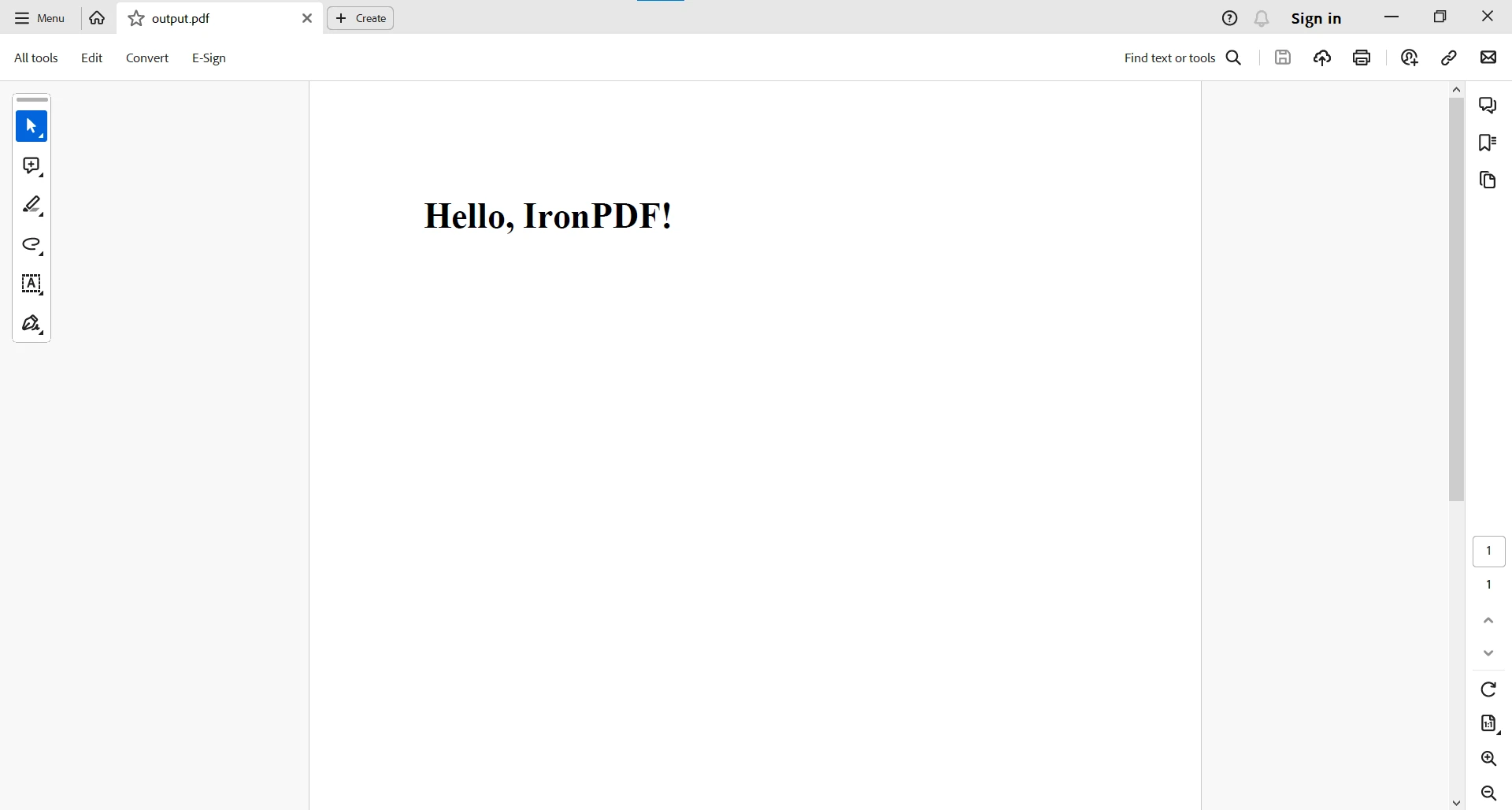
El ejemplo de código genera un PDF creado a partir de una cadena HTML. Aquí está el resultado:
Para tareas más complejas de PDF, puede visitar esta página de Ejemplos de Código Java para PDF.
Utilizando Java Try-Catch con IronPDF
Los bloques try-catch de Java están integrados sin problemas con el Manejo de Errores de IronPDF, proporcionando un enfoque estructurado para manejar excepciones que puedan surgir durante operaciones relacionadas con PDF. Ya sea renderizar HTML a PDF o extraer texto de documentos existentes, el mecanismo try-catch asegura que su aplicación Java permanezca resiliente ante escenarios inesperados.
try {
    PdfDocument pdf = PdfDocument.fromFile(Paths.get(filePath));
    String text = pdf.extractAllText();
    System.out.println(text);
} catch (IOException e) {
    System.err.println("An IOException occurred: " + e.getMessage());
} catch (PdfException e) {
    System.err.println("A PdfException occurred: " + e.getMessage());
} catch (Exception e) {
    System.err.println("An unexpected exception occurred: " + e.getMessage());
}
try {
    PdfDocument pdf = PdfDocument.fromFile(Paths.get(filePath));
    String text = pdf.extractAllText();
    System.out.println(text);
} catch (IOException e) {
    System.err.println("An IOException occurred: " + e.getMessage());
} catch (PdfException e) {
    System.err.println("A PdfException occurred: " + e.getMessage());
} catch (Exception e) {
    System.err.println("An unexpected exception occurred: " + e.getMessage());
}
Java
En el código anterior, el bloque try-catch encapsula el proceso de leer y extraer texto de un archivo PDF usando IronPDF. Al emplear try-catch, se manejan con elegancia posibles excepciones como IOExceptions y PdfExceptions, mejorando la robustez del código.
Conclusión
Entender y usar efectivamente los bloques try-catch en Java es esencial para escribir programas robustos y fiables. Al anticiparse y manejar excepciones, los desarrolladores pueden crear aplicaciones que respondan con gracia a problemas imprevistos, mejorando la confiabilidad general y la experiencia del usuario. La combinación de try, catch y finally proporciona un mecanismo poderoso para la gestión de excepciones, permitiendo a los desarrolladores construir software resiliente que puede manejar una amplia gama de escenarios.
En conclusión, el trabajo en equipo entre los bloques try-catch de Java y Soluciones Java de IronPDF ofrece a los desarrolladores una solución robusta para tareas relacionadas con PDF, asegurando una experiencia de usuario más fluida y segura. La capacidad de manejar IOExceptions, PdfExceptions o cualquier otra excepción inesperada demuestra la versatilidad de combinar IronPDF con los mecanismos excepcionales de manejo de Java. Esta integración no solo simplifica las operaciones de PDF, sino que también contribuye al desarrollo de aplicaciones Java más fiables y tolerantes a errores.
Para más información sobre cómo trabajar con tareas relacionadas con PDF, por favor visite la página de Documentación de IronPDF.
IronPDF es gratuito para propósitos de desarrollo y debe ser Licenciado para Funcionalidad Completa que ayuda a los desarrolladores a probar la funcionalidad completa antes de tomar una decisión informada. Descargue la biblioteca desde la Página de la Biblioteca Java de IronPDF y pruébela.