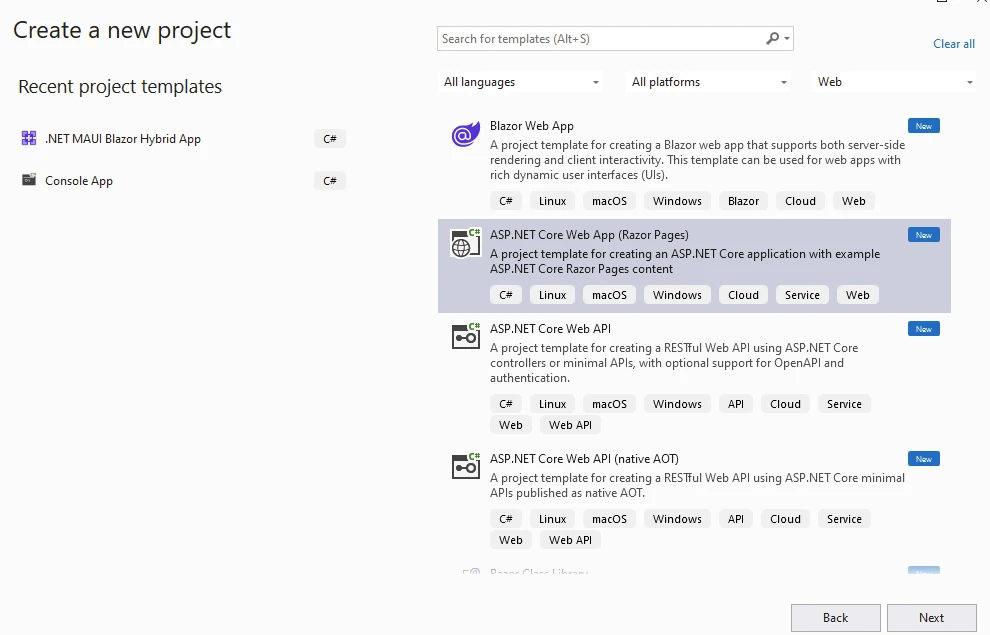
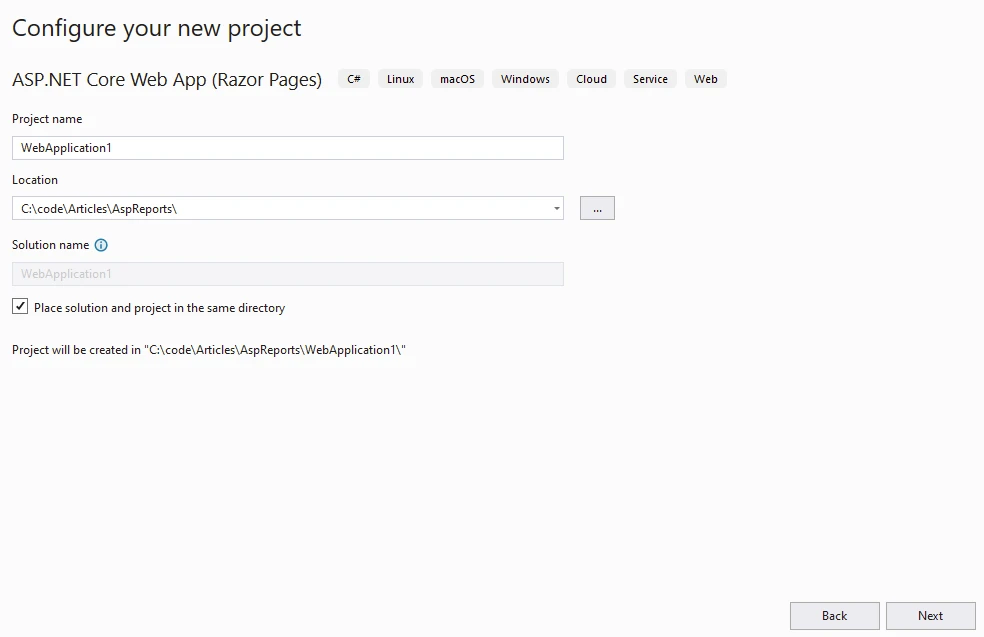
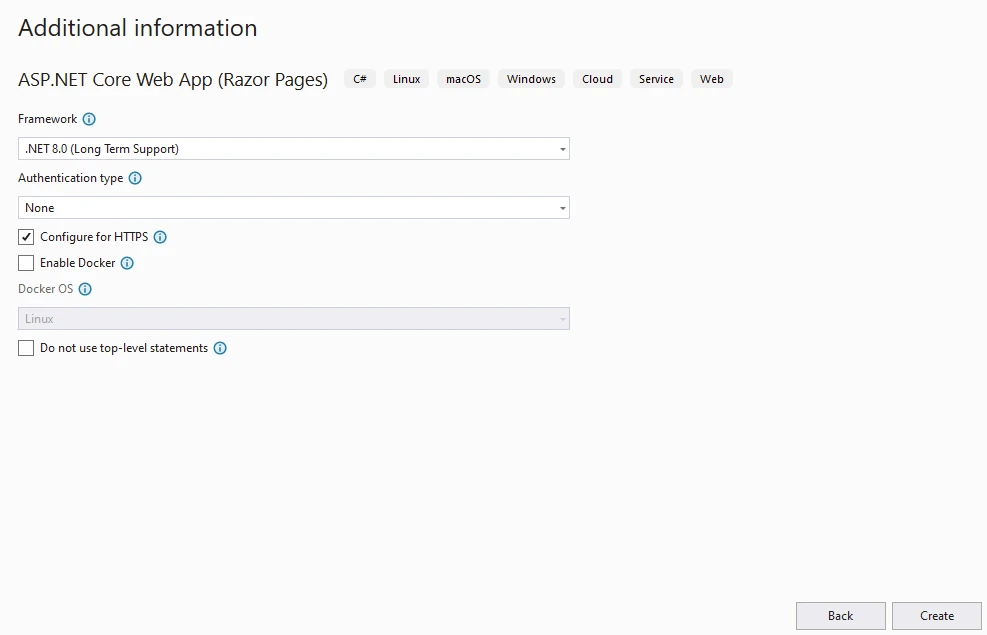
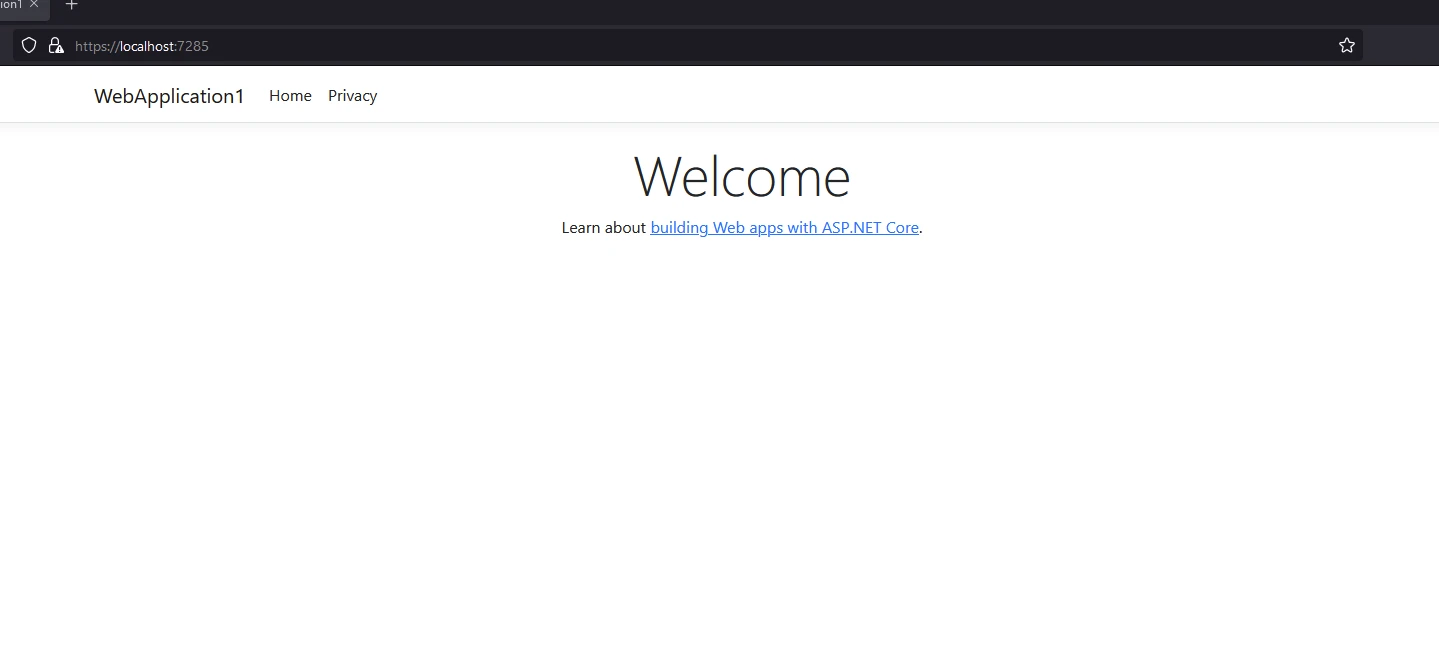
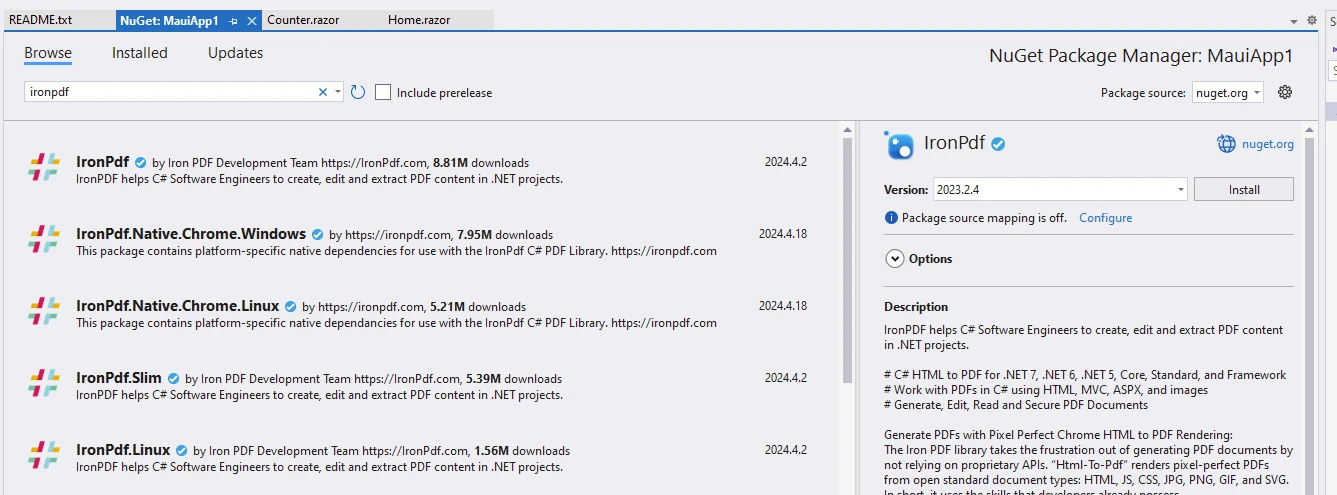
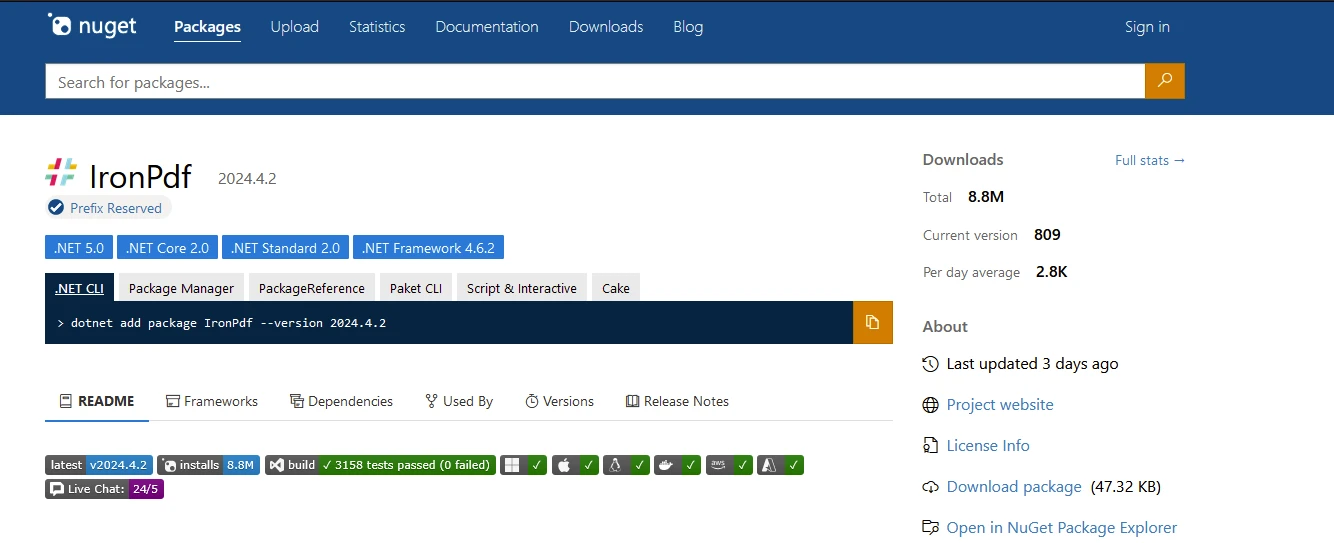
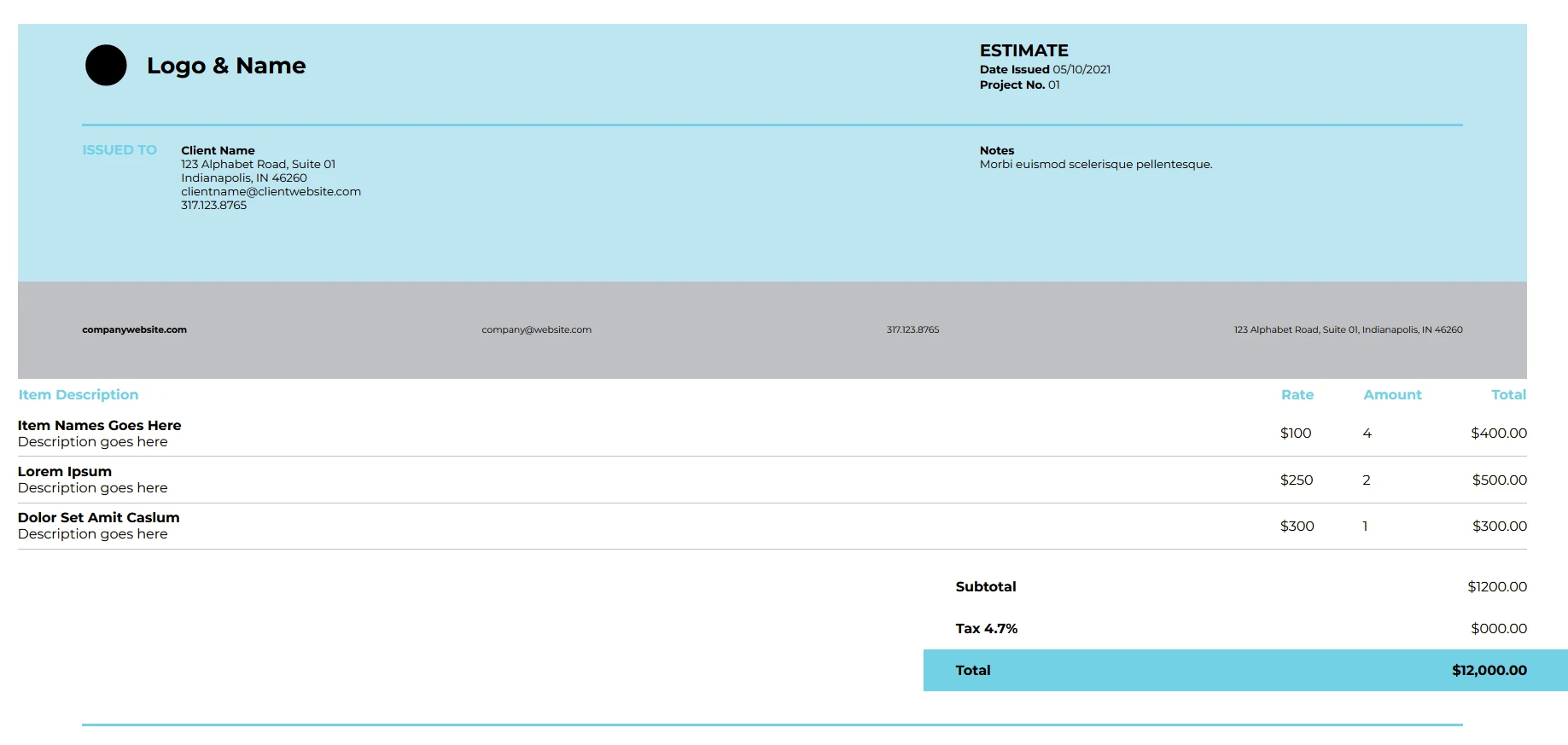
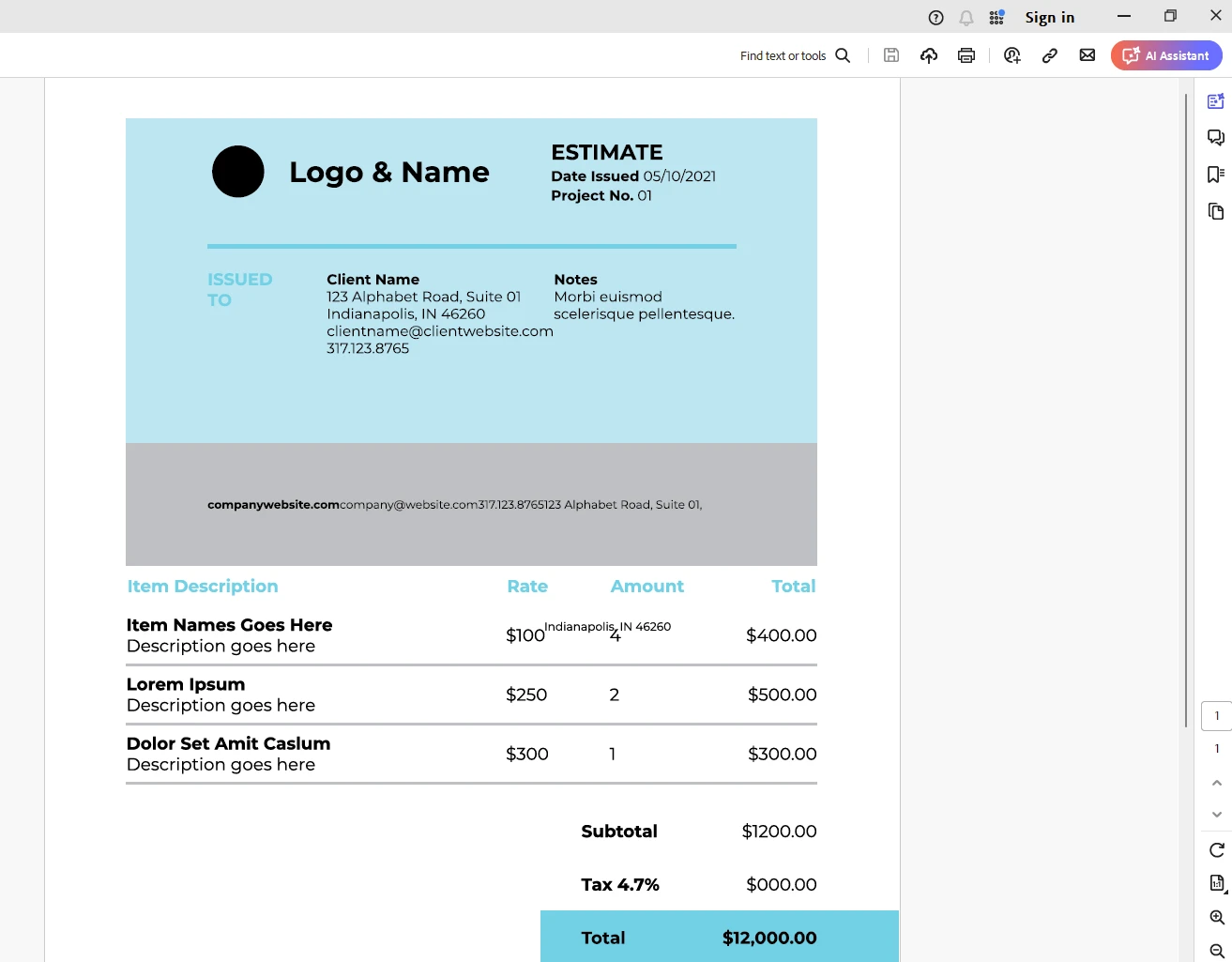
.NET 도움말 How to Generate PDF Reports using the ASP.NET 커티스 차우 업데이트됨:7월 28, 2025 다운로드 IronPDF NuGet 다운로드 DLL 다운로드 윈도우 설치 프로그램 무료 체험 시작하기 LLM용 사본 LLM용 사본 LLM용 마크다운 형식으로 페이지를 복사하세요 ChatGPT에서 열기 ChatGPT에 이 페이지에 대해 문의하세요 제미니에서 열기 제미니에게 이 페이지에 대해 문의하세요 Grok에서 열기 Grok에게 이 페이지에 대해 문의하세요 혼란 속에서 열기 Perplexity에게 이 페이지에 대해 문의하세요 공유하다 페이스북에 공유하기 트위터에 공유하기 LinkedIn에 공유하기 URL 복사 이메일로 기사 보내기 In enterprise application programming, generating active reports is often a critical functionality required by businesses across various industries. Whether it's financial statements, sales summaries, or analytics reports, the ability to quickly and efficiently create reports is indispensable. ASP.NET, a widely used web development framework developed by Microsoft, offers robust tools and libraries for building dynamic and interactive web applications, including features for generating reports seamlessly. In this article, we'll delve into the intricacies of report generation on the .NET platform, exploring .NET reporting tools, techniques, and best practices. We will also look into a PDF report generation library called IronPDF library from Iron Software, which can be easily integrated into ASP.NET reporting tool applications. How to Generate PDF Reports using ASP.NET Create a Visual Studio ASP.NET Core Application Download and install the PDF report generation library: IronPDF Generate the report as an HTML document Generate PDF report using IronPDF library Understanding Report Generation in ASP.NET Report generation in ASP.NET involves creating dynamic reports that can be displayed on the web or exported in various formats such as PDF, Excel, or CSV. ASP.NET provides several approaches to achieve this, including server-side and client-side techniques. However, the server-side approach is more commonly used due to its simplicity, security, and compatibility. Best Practices for Report Generation in ASP.NET Optimize Data Retrieval Efficient data retrieval is crucial for reporting solution performance. Retrieve only the necessary data required for generating reports to minimize database load and improve responsiveness. Utilize techniques such as pagination, filtering, and caching to optimize data retrieval processes. Use Stored Procedures Whenever possible, use stored procedures for complex data retrieval operations in your reports. Stored procedures can improve performance, enhance security by preventing SQL injection attacks, and promote maintainability by centralizing data access logic. Parameterize Queries Parameterize SQL queries to enable dynamic filtering and sorting of data within your reports. Avoid concatenating user inputs directly into SQL queries to mitigate the risk of SQL injection vulnerabilities. Instead, use parameterized queries or ORM frameworks that handle parameterization automatically. Implement Pagination If your reports contain large datasets, implement pagination to display data in manageable chunks. Paginating reports improves performance by reducing the amount of data transferred between the server and the client, enhances usability by preventing overwhelming users with excessive data, and facilitates faster rendering of reports using a report viewer or end-user report designer. Handle Large Datasets Gracefully When dealing with large datasets, handle them gracefully to avoid performance bottlenecks and memory issues. Consider implementing server-side processing or streaming techniques to efficiently process and render large datasets without consuming excessive server resources or causing browser timeouts. Cache Reports Cache frequently accessed reports to reduce server load and improve responsiveness. Implement caching mechanisms at various levels, such as data caching, output caching, or full-page caching, depending on the nature of your reports and their usage patterns. Configure cache expiration policies to ensure that cached data remains up-to-date. Optimize Report Layouts Design report layouts with usability and readability in mind. Organize data logically, use clear and descriptive labels, and employ visual cues such as colors and icons to enhance data interpretation. Optimize report layouts for both online viewing and printing to ensure consistent rendering across different mediums. Provide Export Options Offer users the ability to export reports to various formats such as PDF, Excel, Word, or CSV. Providing export options enhances the usability of your application, allowing users to share, analyze, and archive report data in their preferred formats. Utilize reporting tools or libraries that support multiple export formats, or implement custom export functionality as needed. Secure Report Access Implement authentication and authorization mechanisms to control access to sensitive reports and multiple data sources. Ensure that only authorized users have permission to view, generate, or export reports containing confidential or proprietary information. Consider encrypting report server data during transmission and storage to protect it from unauthorized access. Monitor and Optimize Performance Continuously monitor the performance of your report generation processes and identify areas for optimization. Use performance profiling tools to analyze database queries, server-side processing times, and client-side rendering performance. Optimize database indexes, query execution plans, and caching strategies based on performance metrics to achieve optimal report generation performance. By adhering to these best practices, you can ensure efficient, secure, and user-friendly report generation in your ASP.NET applications, empowering users to derive actionable insights from their data effectively. Reporting Tools Commonly Used with ASP.NET Core Microsoft SQL Server Reporting Services (SSRS) Microsoft SQL Server Reporting Services (SSRS) is a comprehensive reporting platform provided by Microsoft as part of its SQL Server suite of tools. SSRS report server enables businesses to create, manage, and deliver a wide range of interactive and visually appealing reports, helping organizations make informed decisions based on data analysis. DevExpress Reporting DevExpress offers a comprehensive reporting toolset for ASP.NET Core, including a report designer, data visualization controls, and export functionality. It provides a rich set of features for creating interactive and visually appealing reports. Syncfusion Reporting Syncfusion provides a suite of reporting tools compatible with ASP.NET Core, including a report designer, report viewer, and report server. It supports various data sources and export formats, making it suitable for diverse reporting needs. Telerik Reporting Telerik Reporting is another popular choice for ASP.NET Core developers. It offers a user-friendly report designer, support for various data sources, and seamless integration with ASP.NET Core applications. Telerik Reporting also provides features like interactive reports and export to different formats. GrapeCity ActiveReports ActiveReports by GrapeCity is a feature-rich reporting toolset that supports ASP.NET Core. It offers a drag-and-drop report designer, extensive data visualization options, and support for exporting reports to PDF, Excel, and other formats. Crystal Reports Crystal Reports, now owned by SAP, has been a longstanding reporting solution in the .NET ecosystem. Although Crystal Reports has been around for a while, it still supports ASP.NET Core through third-party extensions and provides report builder capabilities for designing, viewing, and exporting reports. Stimulsoft Reports Stimulsoft Reports is a versatile reporting tool that supports ASP.NET Core. It offers a report designer, viewer, and extensive customization options for creating reports. When selecting a reporting tool for ASP.NET Core, it's essential to consider factors such as ease of integration, feature set, licensing costs, support for data sources and export formats, and community/user feedback. Additionally, evaluating trial versions or demos can help assess whether a particular reporting tool meets the specific requirements of your project. Introducing IronPDF Library IronPDF, developed by IronSoftware, stands out as a versatile and comprehensive solution within the .NET ecosystem for generating, modifying, and reading PDF documents. This cross-platform library empowers developers to seamlessly create, edit, and sign PDFs, regardless of the source material, whether it be HTML, images, or other document formats. Below are some key highlights of IronPDF. HTML to PDF Conversion IronPDF facilitates the conversion of HTML content, including CSS, images, and JavaScript, into polished PDF documents. Whether it's rendering web pages, Razor views (such as Blazor Server), CSHTML (MVC), ASPX (WebForms), or XAML (MAUI), IronPDF ensures seamless conversion to PDF format. Pixel-Perfect Rendering With IronPDF, accuracy in rendering is paramount. It maintains the visual integrity of content by supporting UTF-8 character encoding, base URLs, asset encoding, and even TLS website logins, ensuring that the final PDF matches the original content faithfully. Page Templates and Settings Tailor your PDF documents to your exact specifications using IronPDF's extensive customization options. Add headers, footers, page numbers, and page breaks to enhance readability and navigability. Additionally, IronPDF allows for responsive layouts, custom paper sizes, orientations, and a range of color options. Editing and Annotations IronPDF provides robust capabilities for editing PDF metadata, digitally signing documents, and applying annotations. Merge, split, add, copy, and delete pages within PDFs effortlessly. With IronPDF, users can interactively fill out forms and add annotations, enhancing collaboration and document management. Cross-Platform Support One of IronPDF's notable strengths is its broad compatibility across various platforms. Whether you're developing on .NET Core (versions 8, 7, 6, 5, and 3.1+), .NET Standard (version 2.0+), or .NET Framework (version 4.6.2+), IronPDF has you covered. Furthermore, it offers seamless operation on Windows, Linux, and macOS environments, ensuring flexibility and accessibility across diverse development ecosystems. Step 1: Create A Visual Studio ASP.NET Core Application Start with creating an ASP.NET Core Application from Visual Studio. Select the template as shown below. Select the Application Name and location. Select the desired .NET versions and click Create. This will create a Blazor-based ASP.NET web application like below. Step 2: Download and Install the PDF Report Generation Library: IronPDF The IronPDF library can be installed into the project using a Visual Studio package manager like below. Also as below from the NuGet Gallery IronPDF NuGet Gallery. dotnet add package IronPdf --version 2024.4.2 Step 3: Generate the Report as an HTML Document The reports can be generated using various methods and tools as explained in the above section. For the sake of the demo, let us consider a report as shown below, which has already been created using one of the tools. The created report displayed in ASP.NET Core applications can also be saved as HTML. This report is a sample HTML file but can be replaced with any generated report. Step 4: Generate a PDF Report using the IronPDF Library using IronPdf; public class PdfReportGenerator { public void GeneratePdf() { // Create a ChromePdfRenderer instance to convert HTML to PDF var renderer = new ChromePdfRenderer(); // Render the PDF from an existing HTML file var pdf = renderer.RenderHtmlFileAsPdf("sample.html"); // Save the rendered PDF to a file pdf.SaveAs("output.pdf"); } } using IronPdf; public class PdfReportGenerator { public void GeneratePdf() { // Create a ChromePdfRenderer instance to convert HTML to PDF var renderer = new ChromePdfRenderer(); // Render the PDF from an existing HTML file var pdf = renderer.RenderHtmlFileAsPdf("sample.html"); // Save the rendered PDF to a file pdf.SaveAs("output.pdf"); } } $vbLabelText $csharpLabel Code Explanation ChromePdfRenderer: An instance of ChromePdfRenderer is created to handle the conversion of HTML to PDF. RenderHtmlFileAsPdf: This method is called to render a PDF from an HTML file. SaveAs: The resulting PDF is saved to a file named output.pdf. Output Licensing (Free Trial Offer) A license key is necessary for IronPDF to run in solutions, place this in the appsettings.json file { "IronPdf.LicenseKey": "your license key" } A free trial license key can be obtained by registering for a trial license using IronPDF's IronPDF trial license. Conclusion In conclusion, ASP.NET offers a robust platform for generating dynamic and interactive reports, thanks to its built-in reporting tool, Microsoft ReportViewer. By leveraging ReportViewer along with best practices, developers can streamline the process of report generation in ASP.NET applications, empowering businesses to make informed decisions based on actionable insights derived from data. Whether it's financial reports, sales dashboards, or analytics summaries, ASP.NET provides the tools and techniques necessary to meet the diverse reporting needs of modern web applications. IronPDF emerges as a comprehensive and versatile library for all your PDF-related needs within the .NET landscape. Its rich feature set, coupled with cross-platform compatibility, makes it an invaluable tool for developers seeking to integrate PDF functionality seamlessly into their applications. 자주 묻는 질문 ASP.NET을 사용하여 PDF 보고서를 생성하려면 어떻게 해야 하나요? ASP.NET의 IronPDF와 같은 PDF 생성 라이브러리를 사용하여 HTML 보고서를 PDF 형식으로 변환할 수 있습니다. 이 과정은 ASP.NET Core 애플리케이션을 만들고, IronPDF를 설치하고, 보고서를 HTML 문서로 만든 다음, ChromePdfRenderer와 같은 IronPDF의 기능을 사용하여 PDF를 생성하는 과정으로 이루어집니다. ASP.NET에서 보고서를 생성할 때 어떤 모범 사례를 따라야 하나요? ASP.NET 보고서 생성 모범 사례에는 데이터 검색 최적화, 저장 프로시저 사용, 쿼리 매개 변수화, 페이지 매김 구현, 대규모 데이터 세트의 효율적인 관리, 보고서 캐싱, 보고서 레이아웃 최적화, 내보내기 옵션 제공, 보고서 액세스 보안, 성능 모니터링 등이 포함됩니다. ASP.NET Core와 호환되는 리포팅 도구는 무엇인가요? ASP.NET Core와 호환되는 일반적인 보고 도구로는 Microsoft SQL Server Reporting Services(SSRS), DevExpress 보고, Syncfusion 보고, Telerik 보고, GrapeCity ActiveReports, Crystal 보고 및 Stimulsoft 보고 등이 있습니다. PDF 생성 라이브러리는 어떻게 ASP.NET에서 정확한 PDF 렌더링을 보장하나요? IronPDF와 같은 라이브러리는 원본 HTML 콘텐츠의 시각적 무결성을 유지하는 UTF-8 문자 인코딩, 기본 URL 및 자산 인코딩과 같은 기능을 지원하여 정확한 PDF 렌더링을 보장합니다. ASP.NET에서 PDF 생성 라이브러리를 사용하면 어떤 이점이 있나요? ASP.NET에서 IronPDF와 같은 라이브러리를 사용하면 HTML을 PDF로 변환, 완벽한 픽셀 렌더링, 페이지 템플릿 사용자 지정, 편집 및 주석 기능, 다양한 .NET 버전 및 운영 체제에서 크로스 플랫폼 지원 등의 이점을 얻을 수 있습니다. ASP.NET 애플리케이션에서 보고서 액세스 권한을 보호하는 것이 중요한 이유는 무엇인가요? 권한이 있는 사용자만 민감한 정보가 포함된 보고서를 보거나 생성하거나 내보낼 수 있도록 하려면 보고서 액세스 권한을 보호하는 것이 중요합니다. 이는 인증, 권한 부여 및 데이터 암호화와 같은 방법을 통해 달성할 수 있습니다. ASP.NET에서 HTML 콘텐츠를 PDF로 변환하려면 어떻게 해야 하나요? HTML 문자열을 PDF로 변환할 수 있는 IronPDF의 RenderHtmlAsPdf 메서드를 사용하여 ASP.NET에서 HTML 콘텐츠를 PDF로 변환할 수 있습니다. 이 프로세스는 CSS와 JavaScript를 지원하여 출력물이 원본 디자인에 충실하도록 보장합니다. ASP.NET Core용 보고 도구를 선택할 때 고려해야 할 사항은 무엇인가요? ASP.NET Core용 보고 도구를 선택할 때는 통합의 용이성, 기능 세트, 라이선스 비용, 다양한 데이터 소스 및 내보내기 형식 지원, 커뮤니티 피드백 등의 요소를 고려하세요. 평가판 또는 데모를 평가하는 것도 적합성을 판단하는 데 도움이 될 수 있습니다. 커티스 차우 지금 바로 엔지니어링 팀과 채팅하세요 기술 문서 작성자 커티스 차우는 칼턴 대학교에서 컴퓨터 과학 학사 학위를 취득했으며, Node.js, TypeScript, JavaScript, React를 전문으로 하는 프론트엔드 개발자입니다. 직관적이고 미적으로 뛰어난 사용자 인터페이스를 만드는 데 열정을 가진 그는 최신 프레임워크를 활용하고, 잘 구성되고 시각적으로 매력적인 매뉴얼을 제작하는 것을 즐깁니다. 커티스는 개발 분야 외에도 사물 인터넷(IoT)에 깊은 관심을 가지고 있으며, 하드웨어와 소프트웨어를 통합하는 혁신적인 방법을 연구합니다. 여가 시간에는 게임을 즐기거나 디스코드 봇을 만들면서 기술에 대한 애정과 창의성을 결합합니다. 관련 기사 업데이트됨 12월 11, 2025 Bridging CLI Simplicity & .NET : Using Curl DotNet with IronPDF Jacob Mellor has bridged this gap with CurlDotNet, a library created to bring the familiarity of cURL to the .NET ecosystem. 더 읽어보기 업데이트됨 12월 20, 2025 RandomNumberGenerator C# Using the RandomNumberGenerator C# class can help take your PDF generation and editing projects to the next level 더 읽어보기 업데이트됨 12월 20, 2025 C# String Equals (How it Works for Developers) When combined with a powerful PDF library like IronPDF, switch pattern matching allows you to build smarter, cleaner logic for document processing 더 읽어보기 C# Vitrual Vs Abstract (How It Works For Developers)Blazor Hybrid Apps (How It Works Fo...
업데이트됨 12월 11, 2025 Bridging CLI Simplicity & .NET : Using Curl DotNet with IronPDF Jacob Mellor has bridged this gap with CurlDotNet, a library created to bring the familiarity of cURL to the .NET ecosystem. 더 읽어보기
업데이트됨 12월 20, 2025 RandomNumberGenerator C# Using the RandomNumberGenerator C# class can help take your PDF generation and editing projects to the next level 더 읽어보기
업데이트됨 12월 20, 2025 C# String Equals (How it Works for Developers) When combined with a powerful PDF library like IronPDF, switch pattern matching allows you to build smarter, cleaner logic for document processing 더 읽어보기