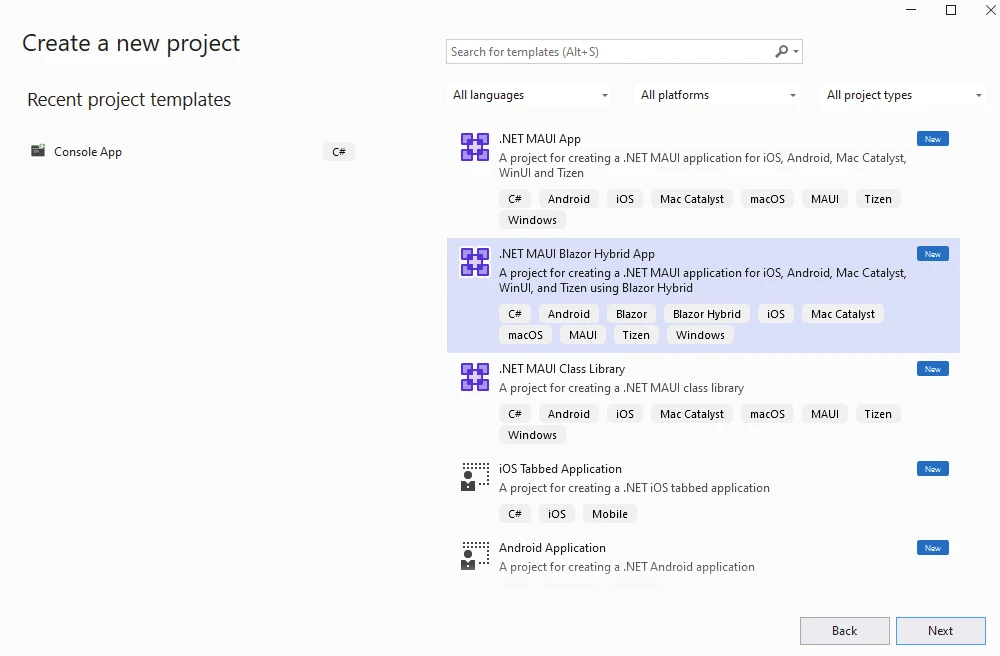
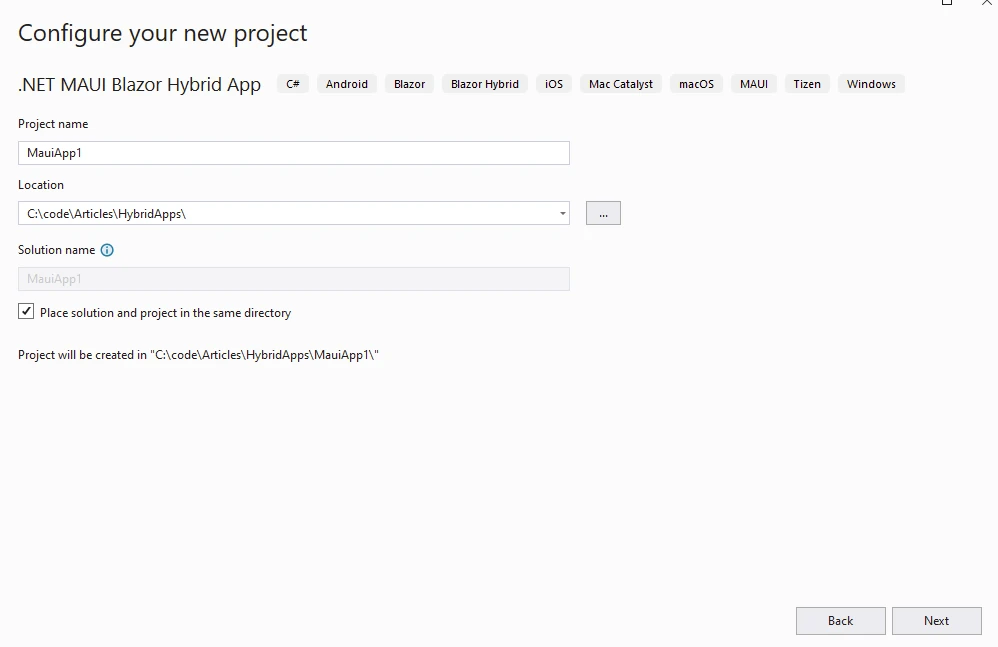
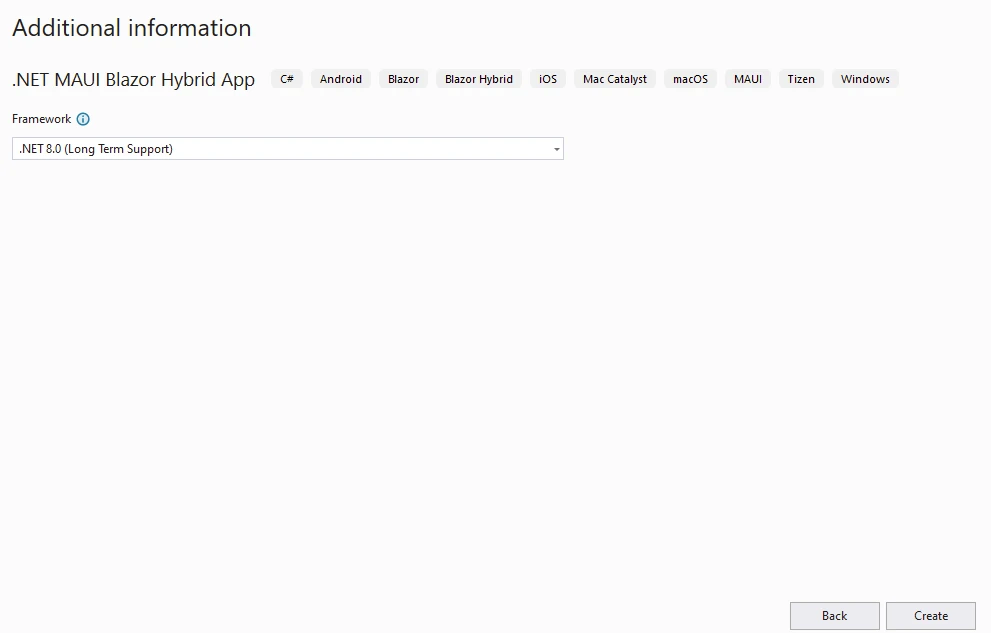
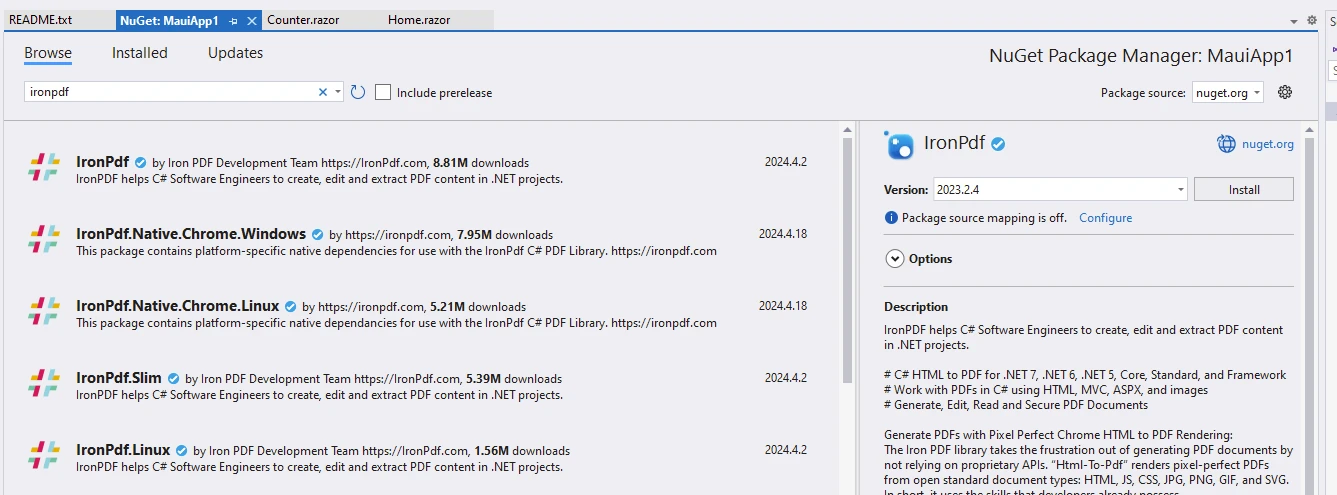
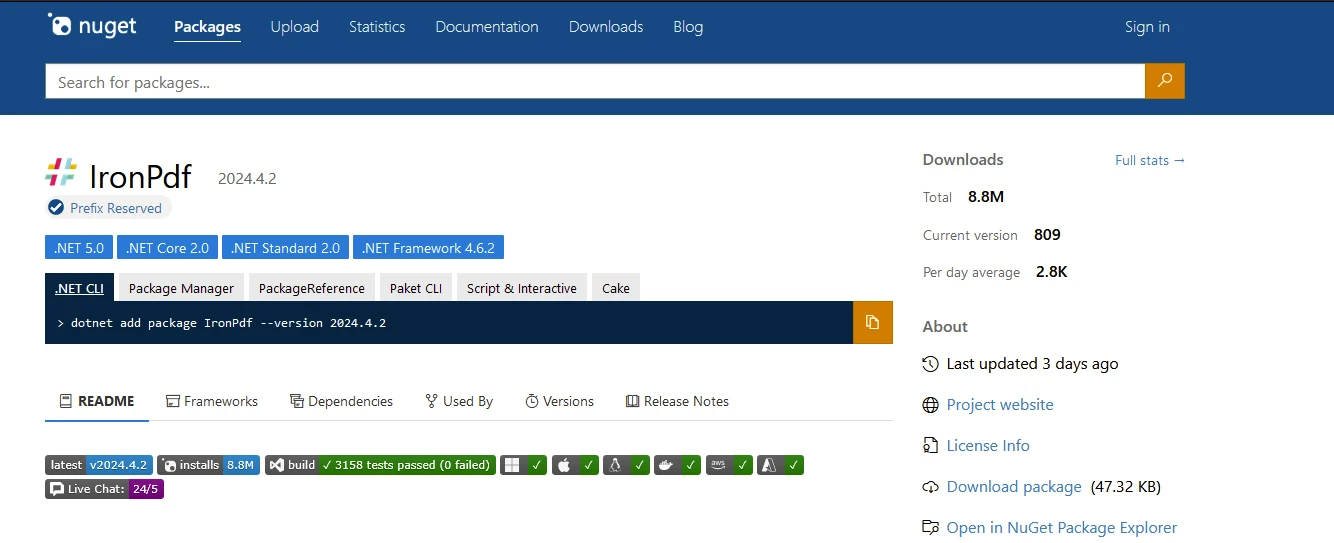
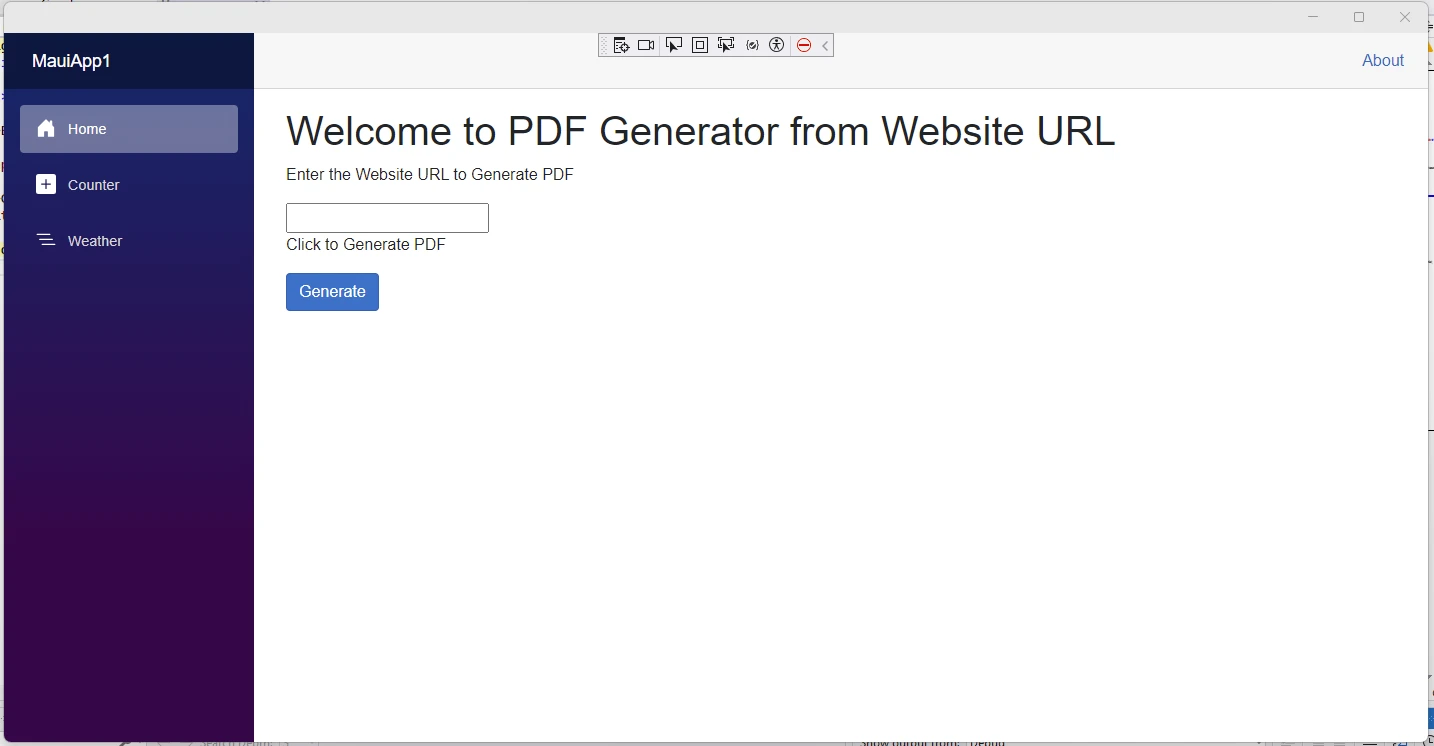
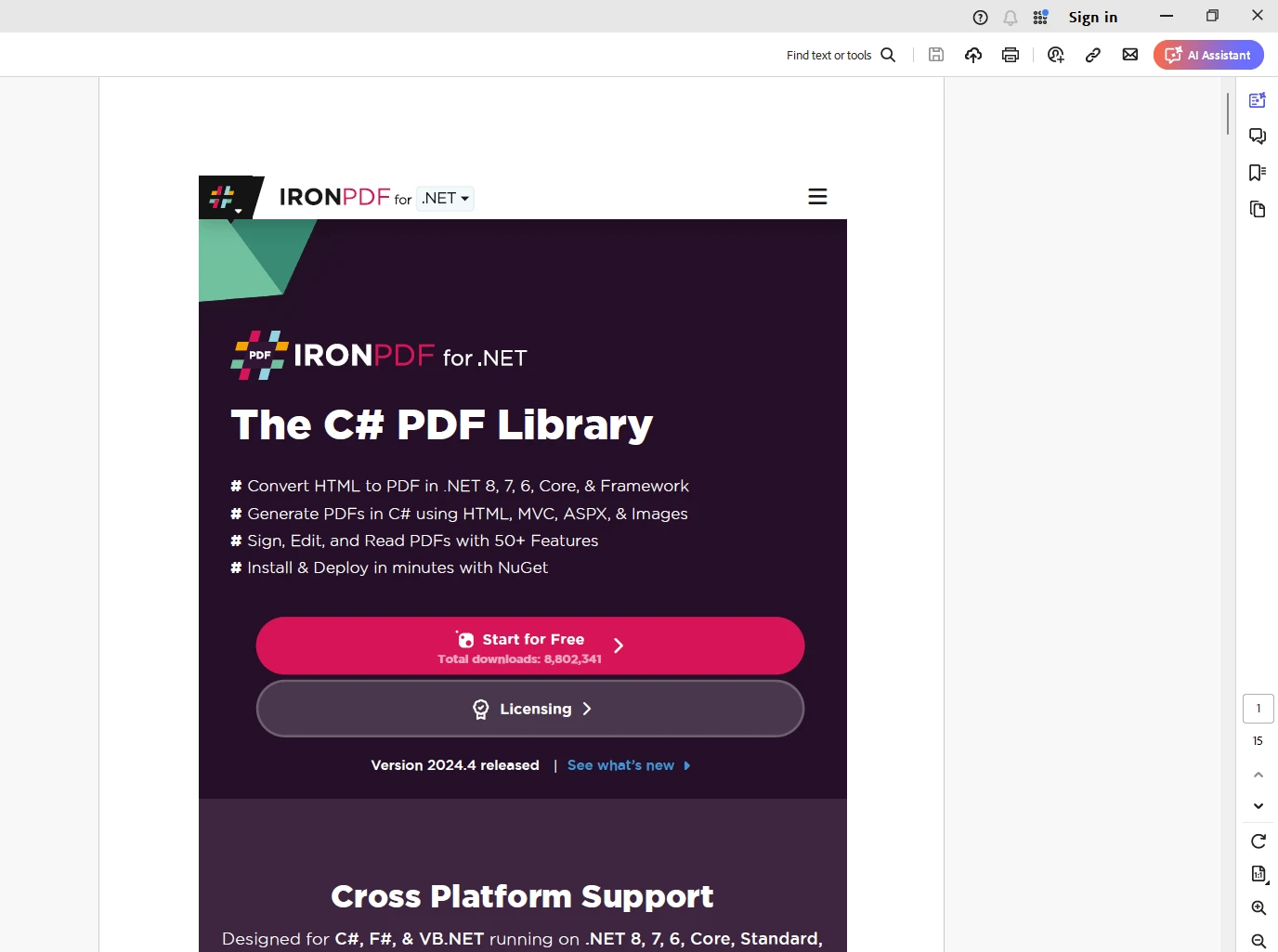
.NET 도움말 Blazor Hybrid Apps (How It Works For Developers) 커티스 차우 업데이트됨:7월 28, 2025 다운로드 IronPDF NuGet 다운로드 DLL 다운로드 윈도우 설치 프로그램 무료 체험 시작하기 LLM용 사본 LLM용 사본 LLM용 마크다운 형식으로 페이지를 복사하세요 ChatGPT에서 열기 ChatGPT에 이 페이지에 대해 문의하세요 제미니에서 열기 제미니에게 이 페이지에 대해 문의하세요 Grok에서 열기 Grok에게 이 페이지에 대해 문의하세요 혼란 속에서 열기 Perplexity에게 이 페이지에 대해 문의하세요 공유하다 페이스북에 공유하기 트위터에 공유하기 LinkedIn에 공유하기 URL 복사 이메일로 기사 보내기 A .NET MAUI Blazor Hybrid app combines the cross-platform capabilities of .NET MAUI with the web development skills/capabilities of Blazor to create applications that can run natively on multiple platforms while sharing code and logic across them. This Blazor hybrid approach provides developers with flexibility, productivity, and the ability to reach a wider audience with their applications. A web developer can seamlessly create emulated mobile device apps with ease using web UI components. In this article, we will build a simple .NET MAUI Blazor Hybrid app using Visual Studio and also later see the IronPDF library overview from Iron Software's PDF Solutions to generate PDF documents. How to Create .NET MAUI Blazor App to Generate PDF from a Website Create a new .NET MAUI Blazor Hybrid Project in Visual Studio Add IronPDF library to Generate PDF from Website URL Add code to Generate PDF using the IronPDF library What is the .NET MAUI Blazor Hybrid App? .NET MAUI Blazor app refers to an application built using .NET Multi-platform App UI (MAUI) and Blazor technologies. Let's break down these components: .NET MAUI (Multi-platform App UI) .NET MAUI is a framework for building cross-platform applications using .NET technologies and C#. It allows developers to write code once and deploy it on multiple platforms, including Windows, macOS, iOS mobile apps, and Android. .NET MAUI provides a single project structure and a unified API surface for developing applications across different platforms. It supports various UI components/elements, including controls, layouts, and navigation patterns, to create modern and responsive applications. Blazor Blazor is a web framework from Microsoft which allows developers to build interactive web development applications using C#. Blazor enables developers to write code that runs on the client side within the browser, as well as on the server side. Blazor applications can be developed using Razor syntax, which combines HTML markup with C# code, and they can leverage the power of .NET libraries and frameworks. Hybrid App A hybrid app combines elements of both native and web applications. In the context of .NET MAUI and Blazor, a hybrid app typically refers to an application that runs natively on various platforms (such as Windows, macOS, iOS, and Android) while also utilizing technologies (such as Blazor for UI rendering and business logic). This approach allows developers to leverage their existing skills in .NET and C# to build cross-platform applications that can take advantage of both native capabilities and web technologies. Features of .NET MAUI Blazor Hybrid Apps Cross-Platform Support You can build your MAUI Blazor app once and deploy it across various devices without significant modifications. Blazor apps work as native apps for both Android and Apple devices. .NET MAUI is engineered to provide robust support to create cross-platform apps in .NET technologies, encompassing Android, iOS, Windows, and macOS. This allows developers to create applications that seamlessly run on a wide array of devices without the need for significant modifications. A Blazor mobile app developed with .NET MAUI will behave like a native app on both Android and Apple devices. Code and Component Sharing One of the key advantages of .NET MAUI is its capability for code and UI components sharing across various platforms. This feature significantly reduces development time and effort, eliminating the necessity to rewrite code for each platform-specific feature. By sharing code and components, developers can streamline the development process and enhance code maintainability. Native UI Controls .NET MAUI Blazor Hybrid apps leverage native UI controls, ensuring a consistent and familiar user experience across different platforms. This allows developers to access platform-specific UI elements while maintaining a unified look and feel across all supported devices. By leveraging native UI controls or Web UI components, developers can create applications that feel native to each platform while maximizing code reuse. Integration with Visual Studio Visual Studio offers comprehensive tooling support for .NET MAUI development, empowering developers with a rich set of features for building, debugging, and managing their applications. With Visual Studio, developers can leverage familiar tools such as IntelliSense, debugging capabilities, and project management functionalities, enhancing productivity and efficiency throughout the development lifecycle. Improved Performance .NET MAUI Blazor Hybrid apps deliver enhanced performance compared to some other cross-platform solutions. The integration of Blazor and .NET MAUI ensures efficient execution of code, resulting in responsive and performant applications. By leveraging the power of the .NET runtime and native platform capabilities, developers can create applications that deliver a smooth and fluid user experience across various devices. Hot Reload Support .NET MAUI offers support for hot reload, allowing developers to instantly see changes during the development process without the need for recompilation or redeployment. This feature accelerates the development cycle, enabling developers to iterate quickly and efficiently. With hot reload support, developers can make real-time adjustments to their applications, accelerating the development process and improving overall productivity. Advantages of Blazor Hybrid Apps with .NET MAUI Single Codebase Blazor Hybrid Apps with .NET MAUI enable developers to write their application's business logic and UI elements just once using C# and Blazor. This single codebase can then be deployed to multiple platforms without the need for extensive platform-specific adjustments, reducing development complexity and effort. Reduced Development Time By sharing code and components across platforms, developers can significantly reduce the time spent on development. Changes made in one place are reflected across all supported platforms, eliminating the need to write and maintain separate codebases for each platform. This streamlined development process translates into faster time-to-market and reduced development costs. Maintenance Efficiency With a single codebase for all platforms, maintenance becomes more straightforward and efficient. Bug fixes, updates, and enhancements can be applied uniformly to all supported platforms, ensuring consistency and reliability across the entire application. This simplifies the maintenance process and reduces the risk of introducing inconsistencies or errors across different versions of the application. Access to Native APIs Despite being based on web technologies, Blazor Hybrid Apps with .NET MAUI retain the capability to access native APIs when needed. This allows developers to leverage platform-specific features and functionalities seamlessly within their applications, providing a bridge between the capabilities of web-based frameworks and the native capabilities of each platform. By combining the power of Blazor with access to native APIs, developers can create feature-rich and versatile applications that cater to the unique requirements of each platform. In summary, .NET MAUI Blazor Hybrid apps offer a seamless blend of web and native capabilities, making them efficient, easy to maintain, and suitable for cross-platform development. Introducing IronPDF Explore the IronPDF Library from Iron Software's PDF Solutions is a versatile library in the .NET world to generate, modify, and read PDF documents. IronPDF is a versatile cross-platform library that allows developers to create, edit, and sign PDF documents from various sources. Whether you’re working with HTML, images, or other document formats, IronPDF provides a comprehensive set of features for handling PDFs. Here are some key points about IronPDF: HTML to PDF Conversion: IronPDF can convert HTML content (including CSS, images, and JavaScript) into PDF documents. You can render web pages, Razor views (Blazor Server), CSHTML (MVC), ASPX (WebForms), and XAML (MAUI) as PDFs. Pixel-Perfect Rendering: IronPDF ensures accurate rendering, maintaining the visual fidelity of your content. It supports UTF-8 character encoding, base URLs, asset encoding, and TLS website logins. Page Templates and Settings: Customize your PDFs by adding headers, footers, page numbers, and page breaks. Set responsive layouts, custom paper sizes, orientations, and color options. Editing and Annotations: Edit PDF metadata, sign documents, and apply digital signatures. Merge, split, add, copy, and delete pages within PDFs. Add annotations and form fields. Cross-Platform Support: IronPDF works on various platforms: .NET Core (8, 7, 6, 5, and 3.1+), .NET Standard (2.0+), .NET Framework (4.6.2+). It’s compatible with Windows, Linux, and macOS. Step 1: Create a New .NET MAUI Blazor Hybrid Project in Visual Studio Start as below by selecting Create New Project in Visual Studio and select .NET MAUI Blazor Hybrid App project template. Provide the project name and location details. Select the required .NET version. Click Create. Step 2: Add IronPDF library to Generate PDF from the Website URL IronPDF library can be installed using a Visual Studio package manager like below. Also, it can be installed from NuGet Gallery. dotnet add package IronPdf --version 2024.4.2 Step 3: Add Code to Generate PDF using IronPDF Add the below code to the Home page to modify the existing autogenerated code to take URL input from the user and generate PDF documents. @page "/" @using IronPdf <h1>Welcome to PDF Generator from Website URL</h1> <p>Enter the Website URL to Generate PDF</p> <input type="text" @bind="InputValue" placeholder="Enter URL" /> <p>Click to Generate PDF</p> <button class="btn btn-primary" @onclick="GeneratePdf">Generate</button> @code { // This property is bound to the input field for the user to enter the website URL private string? InputValue { get; set; } // This method is invoked when the "Generate" button is clicked // It uses IronPdf to generate a PDF from the URL entered by the user private void GeneratePdf() { // Check if the input value is not null or empty if (!string.IsNullOrWhiteSpace(InputValue)) { // Render the URL as a PDF document var pdfDocument = HtmlToPdf.StaticRenderUrlAsPdf(InputValue); // Save the rendered PDF document to the specified location on the disk pdfDocument.SaveAs("C:\\temp\\output.pdf"); } } } Code Explanation Here we are receiving the input from the user using a text input. They have a button to trigger the PDF generation. HtmlToPdf.StaticRenderUrlAsPdf static method is used to generate the PDF document. We ensure that the input is not null or empty before proceeding with the PDF generation, thereby adding a basic validation to the input. When we run the application, we can see the below UI. Output Licensing (Free Trial Offer) A valid license key is necessary for IronPDF, place this into the appsettings.json file as follows: { "IronPdf.LicenseKey": "your license key" } A free trial license key can be obtained by registering for a trial license using IronPDF's trial license registration page. Conclusion Building a .NET MAUI Blazor Hybrid app offers a compelling solution for developers seeking to create cross-platform applications with the combined strengths of .NET MAUI and Blazor technologies. With robust cross-platform support, seamless code and component sharing, access to native UI controls, integration with Visual Studio, and enhanced performance, .NET MAUI Blazor Hybrid apps provide developers with the tools and capabilities needed to build modern, responsive, and feature-rich applications that run natively on various devices. On the other hand, IronPDF is a tailor-made solution for generating PDF documents across multiple platforms like .NET MAUI Blazor Hybrid apps. In summary, building a .NET MAUI Blazor Hybrid app and IronPDF enables developers to deliver high-quality applications that offer a consistent user experience across different platforms, while also benefiting from the productivity and flexibility of the .NET and Blazor ecosystems. 자주 묻는 질문 .NET MAUI Blazor 하이브리드 앱의 목적은 무엇인가요? .NET MAUI Blazor 하이브리드 앱을 사용하면 개발자는 여러 플랫폼에서 기본적으로 작동하는 공유 코드 및 로직을 사용하여 애플리케이션을 빌드할 수 있으며, .NET MAUI의 크로스 플랫폼 기능과 Blazor의 웹 개발 강점을 모두 활용할 수 있습니다. .NET MAUI Blazor 앱에서 PDF 문서를 생성하려면 어떻게 해야 하나요? 다양한 플랫폼에서 HTML-PDF 변환, 편집 및 렌더링을 지원하는 IronPDF 라이브러리를 통합하여 .NET MAUI Blazor 앱에서 PDF 문서를 생성할 수 있습니다. Visual Studio를 사용하여 .NET MAUI Blazor 하이브리드 앱을 만드는 단계는 무엇인가요? .NET MAUI Blazor 하이브리드 앱을 만들려면 Visual Studio를 열고 .NET MAUI Blazor 하이브리드 앱 템플릿을 선택한 다음 프로젝트 설정을 구성하고 원하는 .NET 버전을 선택한 다음 프로젝트 환경을 초기화합니다. IronPDF 라이브러리는 Blazor 앱에서 PDF 기능을 어떻게 향상시키나요? IronPDF 라이브러리는 개발자가 HTML을 PDF로 변환하고, PDF를 편집하고, 정확하게 렌더링할 수 있도록 하여 PDF 기능을 향상시킵니다. 크로스 플랫폼 사용을 지원하므로 .NET MAUI Blazor 앱에 이상적입니다. 크로스 플랫폼 개발에 .NET MAUI를 사용하면 어떤 이점이 있나요? .NET MAUI는 코드를 한 번 작성하여 Windows, macOS, iOS, Android 등 여러 플랫폼에 배포할 수 있고 네이티브 API 및 UI 컨트롤에 액세스하여 일관된 사용자 환경을 제공할 수 있는 이점을 제공합니다. .NET MAUI Blazor 앱에 IronPDF 라이브러리를 추가하려면 어떻게 해야 하나요? IronPDF 라이브러리는 Visual Studio 패키지 관리자를 통해 또는 NuGet 갤러리에서 dotnet add package IronPdf --version 2024.4.2 명령을 실행하여 .NET MAUI Blazor 앱에 추가할 수 있습니다. 하이브리드 접근 방식은 앱 개발에 어떤 이점을 제공하나요? 하이브리드 접근 방식을 사용하면 개발 시간 단축, 코드 및 구성 요소 공유, 네이티브 API 액세스가 가능하므로 네이티브 UI 컨트롤과 향상된 성능으로 다양한 플랫폼에서 원활한 사용자 경험을 제공할 수 있습니다. Blazor 앱에서 PDF로 작업하는 개발자에게 IronPDF를 사용하는 것이 왜 유익한가요? IronPDF는 HTML-PDF 변환 및 픽셀 완벽 렌더링을 지원하는 등 PDF를 생성, 수정 및 읽을 수 있는 강력한 도구를 제공하여 Blazor 앱의 기능을 향상시키는 데 유용합니다. 블레이저는 .NET MAUI 블레이저 하이브리드 앱에서 어떤 역할을 하나요? Blazor를 사용하면 개발자가 C#을 사용하여 대화형 웹 애플리케이션을 구축할 수 있으므로 클라이언트 및 서버 측 모두에서 코드를 실행할 수 있으며, .NET 라이브러리와 통합하여 .NET MAUI Blazor 하이브리드 앱의 개발을 향상시킬 수 있습니다. .NET MAUI 블레이저 하이브리드는 개발 생산성을 어떻게 향상시키나요? 개발자는 여러 플랫폼에 대한 공유 코드를 작성하고, 기본 UI 컨트롤을 활용하고, 핫 리로드를 활용하여 재컴파일 없이 실시간으로 조정할 수 있어 생산성을 향상시킬 수 있는 .NET MAUI Blazor Hybrid를 활용할 수 있습니다. 커티스 차우 지금 바로 엔지니어링 팀과 채팅하세요 기술 문서 작성자 커티스 차우는 칼턴 대학교에서 컴퓨터 과학 학사 학위를 취득했으며, Node.js, TypeScript, JavaScript, React를 전문으로 하는 프론트엔드 개발자입니다. 직관적이고 미적으로 뛰어난 사용자 인터페이스를 만드는 데 열정을 가진 그는 최신 프레임워크를 활용하고, 잘 구성되고 시각적으로 매력적인 매뉴얼을 제작하는 것을 즐깁니다. 커티스는 개발 분야 외에도 사물 인터넷(IoT)에 깊은 관심을 가지고 있으며, 하드웨어와 소프트웨어를 통합하는 혁신적인 방법을 연구합니다. 여가 시간에는 게임을 즐기거나 디스코드 봇을 만들면서 기술에 대한 애정과 창의성을 결합합니다. 관련 기사 업데이트됨 12월 11, 2025 Bridging CLI Simplicity & .NET : Using Curl DotNet with IronPDF Jacob Mellor has bridged this gap with CurlDotNet, a library created to bring the familiarity of cURL to the .NET ecosystem. 더 읽어보기 업데이트됨 12월 20, 2025 RandomNumberGenerator C# Using the RandomNumberGenerator C# class can help take your PDF generation and editing projects to the next level 더 읽어보기 업데이트됨 12월 20, 2025 C# String Equals (How it Works for Developers) When combined with a powerful PDF library like IronPDF, switch pattern matching allows you to build smarter, cleaner logic for document processing 더 읽어보기 How to Generate PDF Reports using the ASP.NETC# Replace Character In String (How...
업데이트됨 12월 11, 2025 Bridging CLI Simplicity & .NET : Using Curl DotNet with IronPDF Jacob Mellor has bridged this gap with CurlDotNet, a library created to bring the familiarity of cURL to the .NET ecosystem. 더 읽어보기
업데이트됨 12월 20, 2025 RandomNumberGenerator C# Using the RandomNumberGenerator C# class can help take your PDF generation and editing projects to the next level 더 읽어보기
업데이트됨 12월 20, 2025 C# String Equals (How it Works for Developers) When combined with a powerful PDF library like IronPDF, switch pattern matching allows you to build smarter, cleaner logic for document processing 더 읽어보기