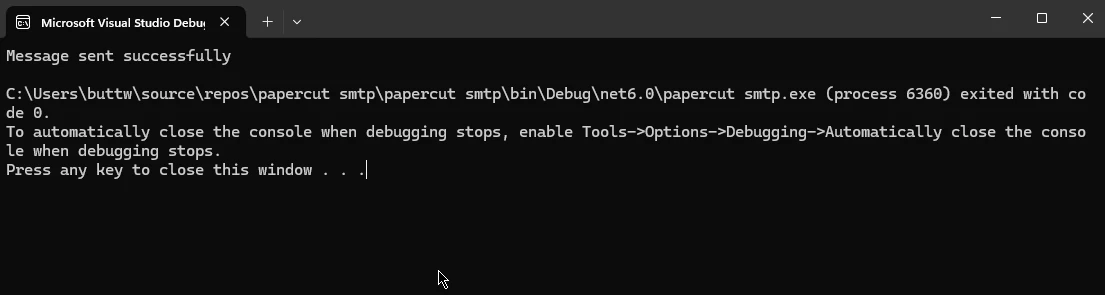
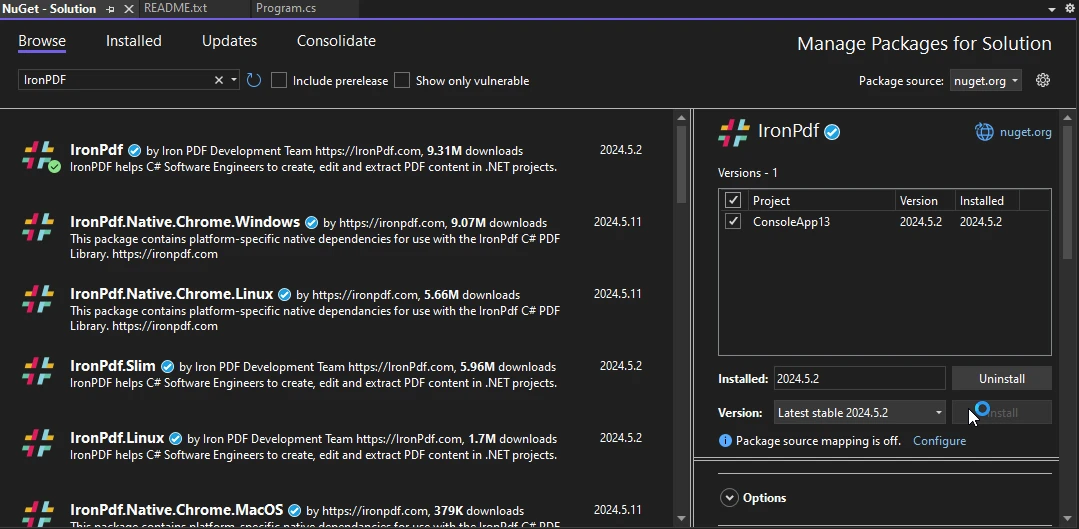
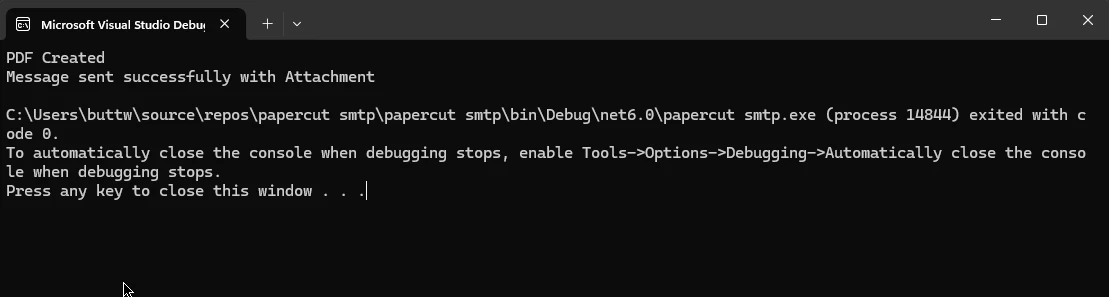
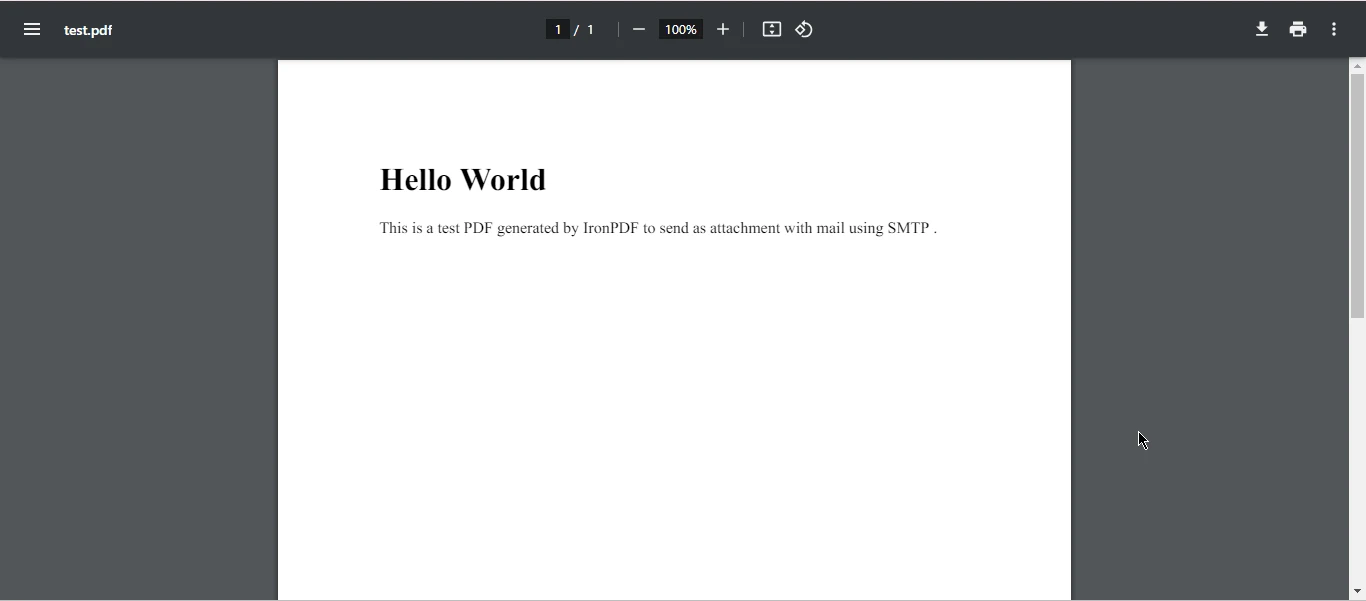
.NET 도움말 Papercut SMTP C# (How It Works For Developers) 커티스 차우 업데이트됨:6월 22, 2025 다운로드 IronPDF NuGet 다운로드 DLL 다운로드 윈도우 설치 프로그램 무료 체험 시작하기 LLM용 사본 LLM용 사본 LLM용 마크다운 형식으로 페이지를 복사하세요 ChatGPT에서 열기 ChatGPT에 이 페이지에 대해 문의하세요 제미니에서 열기 제미니에게 이 페이지에 대해 문의하세요 Grok에서 열기 Grok에게 이 페이지에 대해 문의하세요 혼란 속에서 열기 Perplexity에게 이 페이지에 대해 문의하세요 공유하다 페이스북에 공유하기 트위터에 공유하기 LinkedIn에 공유하기 URL 복사 이메일로 기사 보내기 SMTP and IronPDF Integration Guide SMTP (Simple Mail Transfer Protocol) is a critical component for email communication. Developers often need a reliable way to test email message functionalities within their applications. This is where Papercut SMTP shines. It is a lightweight, easy-to-use simplified SMTP server designed to capture emails for local testing without sending them to the actual recipients. Papercut SMTP for C# is particularly useful for C# developers as it integrates seamlessly with .NET applications. We will also see IronPDF integration with the SMTP server. Features of Papercut SMTP Local Email Capture: Papercut SMTP captures all outgoing emails locally, preventing them from being sent to the actual recipients. This feature is essential during development and testing to avoid unintentional email sends. Easy Setup and Use: It requires minimal setup and can be used right out of the box with a few configurations. UI and CLI Support: Papercut SMTP offers a user-friendly interface and command-line interface, allowing flexibility in how you interact with the tool. Cross-Platform Compatibility: It supports Windows, macOS, and Linux, ensuring that it can be used in various development environments. Logging and Storage: It logs all emails and provides storage, making it easy to review the email content and headers. Setting Up Papercut SMTP in C# To integrate Papercut SMTP with a C# application system, follow these steps: Download Papercut SMTP: Download and install Papercut SMTP from the official Papercut website. Configuration: Configure Papercut SMTP by setting the SMTP host and port in your application's settings. Typically, the default port is 25 or 2525. Modify SMTP Settings in C#: Adjust your application's SMTP settings to point to Papercut SMTP. Here's an example of how to do this: using System.Net; using System.Net.Mail; public void ConfigureSmtpClient() { // Set up the SMTP client using Papercut SMTP server SmtpClient smtpClient = new SmtpClient("localhost", 25) { Credentials = new NetworkCredential("username", "password"), // Credentials are optional EnableSsl = false // Papercut doesn't support SSL connections }; // Create a new email message MailMessage mailMessage = new MailMessage { From = new MailAddress("test@example.com"), Subject = "Test Email", Body = "This is a test email sent using Papercut SMTP.", IsBodyHtml = true, }; // Add a recipient to the email mailMessage.To.Add("recipient@example.com"); // Send the email smtpClient.Send(mailMessage); System.Console.WriteLine("Message sent successfully"); } using System.Net; using System.Net.Mail; public void ConfigureSmtpClient() { // Set up the SMTP client using Papercut SMTP server SmtpClient smtpClient = new SmtpClient("localhost", 25) { Credentials = new NetworkCredential("username", "password"), // Credentials are optional EnableSsl = false // Papercut doesn't support SSL connections }; // Create a new email message MailMessage mailMessage = new MailMessage { From = new MailAddress("test@example.com"), Subject = "Test Email", Body = "This is a test email sent using Papercut SMTP.", IsBodyHtml = true, }; // Add a recipient to the email mailMessage.To.Add("recipient@example.com"); // Send the email smtpClient.Send(mailMessage); System.Console.WriteLine("Message sent successfully"); } $vbLabelText $csharpLabel Output Benefits of Using Papercut SMTP Safety: Prevents emails from being sent to real users during development, which is crucial for avoiding accidental data leaks. Efficiency: Speeds up the development process by providing immediate feedback on email sending functionalities. Debugging: Offers a straightforward way to debug email-related issues since all emails are captured locally. Introduction to IronPDF for .NET IronPDF is a powerful PDF library for C# that allows developers to create, edit, and extract content from PDF documents. It is designed to integrate seamlessly with .NET applications and web, providing a wide range of functionalities, including rendering HTML to PDF, merging documents, adding watermarks, and more. Features of IronPDF HTML to PDF Conversion: Convert HTML, CSS, and JavaScript into PDF documents with high fidelity. Editing PDFs: Modify existing PDFs by adding headers, footers, watermarks, and more. Extracting Content: Extract text and images from PDF documents. Merging and Splitting: Combine multiple PDF documents into one or split a PDF into multiple files. Security: Add passwords, digital signatures, and other security features to PDF documents. Install IronPDF To install IronPDF in Visual Studio, follow these steps: Go to Tools and open the NuGet Package Manager for Solutions. In the NuGet tab, go to the browse tab and search for "IronPDF". A list of packages will appear; select the first one and click on Install. Another alternative to install IronPDF is using the NuGet Package Manager Console and adding the following command: Install-Package IronPdf Using IronPDF with Papercut SMTP in C# Combining IronPDF with Papercut SMTP can be very effective, especially for generating and sending PDF reports or documents via email during app development. Below is an example of how to use IronPDF to generate a PDF and send it using Papercut SMTP. Step-by-Step Example Generate PDF Using IronPDF: Create a PDF document with IronPDF. Send Generated PDF via Papercut SMTP: Use Papercut SMTP to send the generated PDF as an email attachment. Full Example Combining Both Steps Here is a full example combining PDF generation code and sending it via email using Papercut SMTP: using System.Net; using System.Net.Mail; using IronPdf; public class EmailPdfSender { public void GenerateAndSendPdfEmail() { // Generate PDF var Renderer = new ChromePdfRenderer(); var PDF = Renderer.RenderHtmlAsPdf("<h1>Hello World</h1><p>This is a test PDF generated by IronPDF to send as an attachment with mail using SMTP.</p>"); string pdfPath = "test.pdf"; PDF.SaveAs(pdfPath); System.Console.WriteLine("PDF Created"); // Configure SMTP Client for Papercut SmtpClient smtpClient = new SmtpClient("localhost", 25) { Credentials = new NetworkCredential("username", "password"), // Credentials are optional EnableSsl = false // Papercut doesn't support SSL connections }; // Create Mail Message MailMessage mailMessage = new MailMessage { From = new MailAddress("test@example.com"), Subject = "Test PDF Email", Body = "Please find the attached PDF document.", IsBodyHtml = true, }; mailMessage.To.Add("recipient@example.com"); // Attach PDF Attachment attachment = new Attachment(pdfPath); mailMessage.Attachments.Add(attachment); // Send Email smtpClient.Send(mailMessage); System.Console.WriteLine("Message sent successfully with Attachment"); } } using System.Net; using System.Net.Mail; using IronPdf; public class EmailPdfSender { public void GenerateAndSendPdfEmail() { // Generate PDF var Renderer = new ChromePdfRenderer(); var PDF = Renderer.RenderHtmlAsPdf("<h1>Hello World</h1><p>This is a test PDF generated by IronPDF to send as an attachment with mail using SMTP.</p>"); string pdfPath = "test.pdf"; PDF.SaveAs(pdfPath); System.Console.WriteLine("PDF Created"); // Configure SMTP Client for Papercut SmtpClient smtpClient = new SmtpClient("localhost", 25) { Credentials = new NetworkCredential("username", "password"), // Credentials are optional EnableSsl = false // Papercut doesn't support SSL connections }; // Create Mail Message MailMessage mailMessage = new MailMessage { From = new MailAddress("test@example.com"), Subject = "Test PDF Email", Body = "Please find the attached PDF document.", IsBodyHtml = true, }; mailMessage.To.Add("recipient@example.com"); // Attach PDF Attachment attachment = new Attachment(pdfPath); mailMessage.Attachments.Add(attachment); // Send Email smtpClient.Send(mailMessage); System.Console.WriteLine("Message sent successfully with Attachment"); } } $vbLabelText $csharpLabel Console Output Attachment Conclusion Papercut SMTP and IronPDF are powerful tools for C# developers. Papercut SMTP ensures safe and efficient email testing, while IronPDF offers robust PDF file generation and manipulation capabilities. By integrating these tools, developers can streamline their workflows, particularly in scenarios requiring the creation and email distribution of PDF documents during development and testing phases. This combination enhances productivity, safety, and reliability in software development projects. For detailed licensing information, refer to the IronPDF licensing details. Additionally, you can explore our in-depth tutorial on the HTML to PDF Conversion Guide for further information. 자주 묻는 질문 소프트웨어 개발에서 Papercut SMTP의 목적은 무엇인가요? 페이퍼컷 SMTP는 로컬 이메일 테스트용으로 설계되어 실제 수신자에게 전달하지 않고 발신 이메일을 캡처합니다. 이는 개발 단계의 C# 개발자가 실제 사용자에게 테스트 이메일을 보낼 위험 없이 이메일이 올바르게 작동하는지 확인하는 데 매우 중요합니다. Papercut SMTP는 C# 개발자에게 어떤 이점이 있나요? Papercut SMTP는 .NET 애플리케이션과 원활하게 통합되어 C# 개발자가 로컬에서 이메일 기능을 테스트할 수 있습니다. 검토를 위해 이메일을 캡처하여 실제 수신자에게 실수로 전송되는 것을 방지하고 이메일 관련 문제를 효율적으로 디버깅하는 데 도움을 줍니다. .NET 프로젝트에 Papercut SMTP를 설정하려면 어떤 단계를 거쳐야 하나요? .NET 프로젝트에서 Papercut SMTP를 설정하려면 Papercut SMTP를 다운로드하여 설치하고, 애플리케이션 내에서 SMTP 호스트 및 포트 설정이 Papercut SMTP를 가리키도록 구성한 다음, 그에 따라 SMTP 설정을 조정해야 합니다. 이렇게 하면 테스트 목적으로 애플리케이션에서 보낸 이메일을 캡처할 수 있습니다. 개발 중에 SMTP 서버와 PDF 라이브러리를 결합하는 이유는 무엇인가요? Papercut SMTP와 같은 SMTP 서버와 IronPDF와 같은 PDF 라이브러리를 결합하면 개발자가 테스트 목적으로 PDF 문서를 이메일 첨부 파일로 생성하여 보낼 수 있습니다. 이 설정은 실제 사용자에 대한 위험 없이 이메일과 PDF 기능을 동시에 테스트할 수 있어 생산성을 향상시킵니다. 개발자는 C#에서 HTML을 PDF로 어떻게 변환할 수 있나요? 개발자는 IronPDF의 RenderHtmlAsPdf 메서드를 사용하여 HTML 문자열을 PDF로 변환할 수 있습니다. HTML 파일을 변환할 때는 RenderHtmlFileAsPdf 메서드를 사용할 수 있습니다. 이 기능은 웹 애플리케이션에서 PDF 보고서를 생성할 때 특히 유용합니다. .NET 애플리케이션에서 IronPDF를 사용하면 어떤 이점이 있나요? IronPDF는 HTML을 PDF로 변환, PDF 편집, 콘텐츠 추출 및 문서 보안과 같은 강력한 기능을 제공합니다. 이러한 기능을 통해 .NET 애플리케이션과 원활하게 통합할 수 있으므로 프로그래밍 방식으로 PDF 문서를 생성하고 조작하는 데 필수적인 도구입니다. Visual Studio에서 .NET 프로젝트용 PDF 라이브러리를 설치하려면 어떻게 해야 하나요? NuGet 패키지 관리자에 액세스하여 'IronPDF'를 검색하고 적절한 패키지를 선택한 다음 설치를 클릭하여 Visual Studio에서 IronPDF를 설치할 수 있습니다. 또는 NuGet 패키지 관리자 콘솔에서 Install-Package IronPdf 명령을 사용하여 설치할 수도 있습니다. 테스트 중 이메일 첨부 파일을 처리할 수 있나요? 예, Papercut SMTP는 테스트 중에 PDF와 같은 이메일 첨부 파일을 처리할 수 있습니다. 이를 통해 개발자는 실제 수신자에게 첨부 파일을 보내지 않고도 첨부 파일의 형식이 올바르게 지정되고 이메일과 함께 전달되는지 확인할 수 있습니다. 커티스 차우 지금 바로 엔지니어링 팀과 채팅하세요 기술 문서 작성자 커티스 차우는 칼턴 대학교에서 컴퓨터 과학 학사 학위를 취득했으며, Node.js, TypeScript, JavaScript, React를 전문으로 하는 프론트엔드 개발자입니다. 직관적이고 미적으로 뛰어난 사용자 인터페이스를 만드는 데 열정을 가진 그는 최신 프레임워크를 활용하고, 잘 구성되고 시각적으로 매력적인 매뉴얼을 제작하는 것을 즐깁니다. 커티스는 개발 분야 외에도 사물 인터넷(IoT)에 깊은 관심을 가지고 있으며, 하드웨어와 소프트웨어를 통합하는 혁신적인 방법을 연구합니다. 여가 시간에는 게임을 즐기거나 디스코드 봇을 만들면서 기술에 대한 애정과 창의성을 결합합니다. 관련 기사 업데이트됨 12월 11, 2025 Bridging CLI Simplicity & .NET : Using Curl DotNet with IronPDF Jacob Mellor has bridged this gap with CurlDotNet, a library created to bring the familiarity of cURL to the .NET ecosystem. 더 읽어보기 업데이트됨 12월 20, 2025 RandomNumberGenerator C# Using the RandomNumberGenerator C# class can help take your PDF generation and editing projects to the next level 더 읽어보기 업데이트됨 12월 20, 2025 C# String Equals (How it Works for Developers) When combined with a powerful PDF library like IronPDF, switch pattern matching allows you to build smarter, cleaner logic for document processing 더 읽어보기 Autofac .NET 6 (How It Works For Developers)Stripe .NET (How It Works For Devel...
업데이트됨 12월 11, 2025 Bridging CLI Simplicity & .NET : Using Curl DotNet with IronPDF Jacob Mellor has bridged this gap with CurlDotNet, a library created to bring the familiarity of cURL to the .NET ecosystem. 더 읽어보기
업데이트됨 12월 20, 2025 RandomNumberGenerator C# Using the RandomNumberGenerator C# class can help take your PDF generation and editing projects to the next level 더 읽어보기
업데이트됨 12월 20, 2025 C# String Equals (How it Works for Developers) When combined with a powerful PDF library like IronPDF, switch pattern matching allows you to build smarter, cleaner logic for document processing 더 읽어보기