푸터 콘텐츠로 바로가기
.NET 도움말

Resharper C# (How It Works For Developers)

In the world of C# development, maintaining clean, efficient, and bug-free code formatting is paramount. As projects grow in complexity, so do the challenges developers face in maintaining code quality and productivity. Thankfully, tools like ReSharper have emerged to streamline the development process, enabling developers to write better code faster. In this article, we'll explore how ReSharper C# can enhance your C# development workflow and maximize efficiency. We will also explore the IronPDF library from Iron Software to generate PDF documents using clean C# code and code improvements.

What is ReSharper C#?

ReSharper is a powerful productivity tool developed by JetBrains that enhances the coding experience in Visual Studio. JetBrains also provides multiple code editing helpers and alternative language syntax. ReSharper has optimized background code analysis and code smells. ReSharper offers a wide range of features designed to automate repetitive tasks, improve code quality and code style, remove unused code, revitalize legacy code, and assist developers in writing clean, maintainable code. From code analysis to refactoring tools to instant code transformations, ReSharper provides a comprehensive suite of features aimed at boosting developer productivity and helps to safely organize code.

Key Features of ReSharper C#

Elevate Your Code Quality

With ReSharper's code analysis, bid farewell to sloppy code. It scrutinizes your work and serves up automatic quick fixes to tighten up your syntax and squash those pesky bugs.

Turbocharged Editing

Dive into a world of effortless coding with extended IntelliSense, lightning-fast code transformations, and seamless namespace importing. Say goodbye to tedious boilerplate code – ReSharper's got your back!
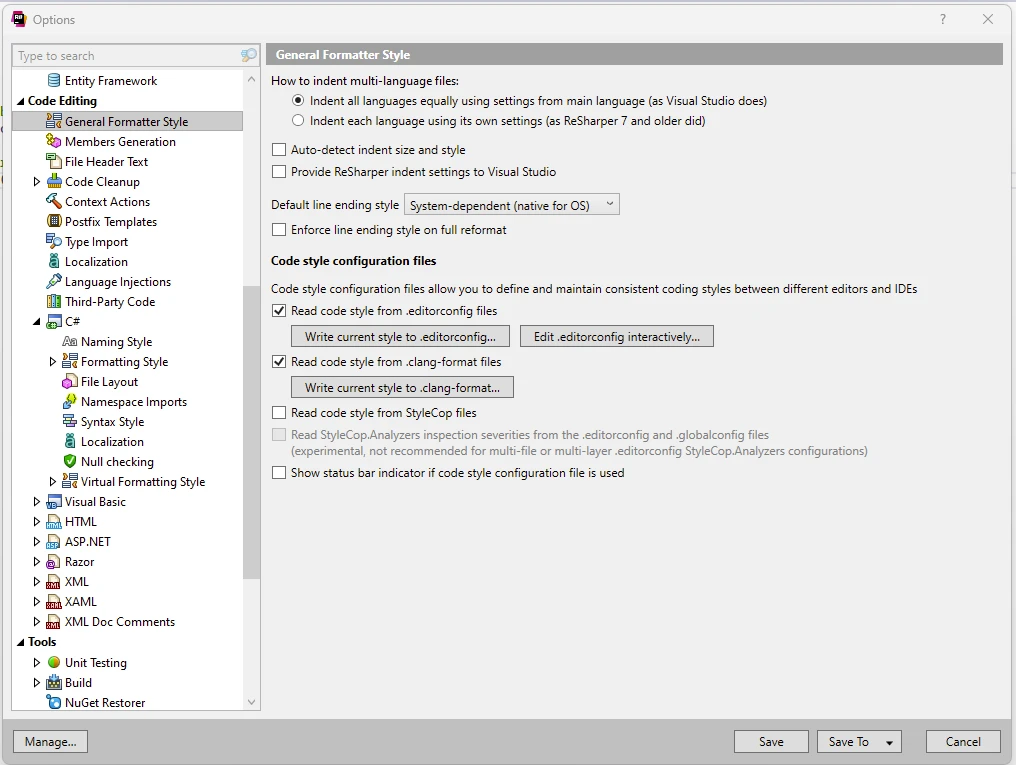
From the ReSharper Options menu, select different code editing helpers options.

ReSharper C# (How It Works For Developers): Figure 1 - ReSharper

Code Analysis and Inspection

Why waste time writing mundane properties and implementations by hand? Let ReSharper handle the grunt work with its arsenal of code-generation actions. Get more done in less time and watch your productivity soar!
On the right-hand side in Visual Studio, there is a green tick mark showing the analysis results.

ReSharper C# (How It Works For Developers): Figure 2 - Visual Studio Extension

Clean Up Unused code

Don't let code smells linger – ReSharper's instant fixes are here to save the day! It not only spots errors but also offers quick fixes to eradicate them with a single click. Keep your codebase pristine and error-free effortlessly.
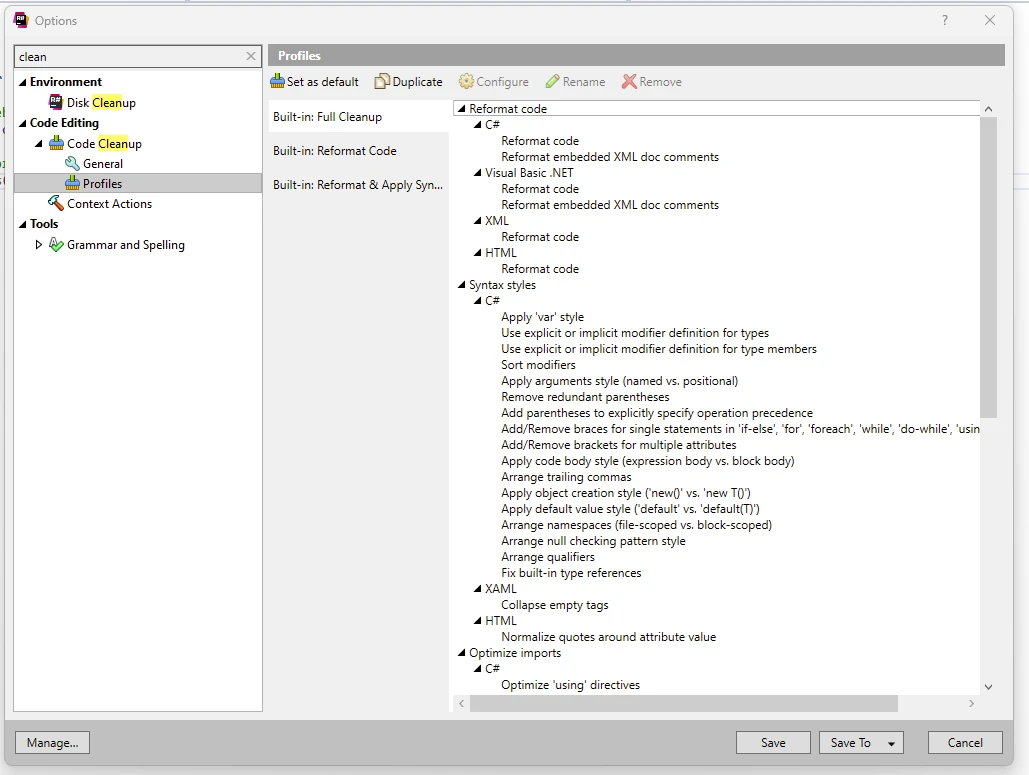
ReSharper offers different options for cleaning the code like formatting the code, using desired keywords, etc., as shown below. You can set these settings for your local machine or for the entire team to follow.

ReSharper C# (How It Works For Developers): Figure 3 - ReSharper Options

Fearlessly Refactor

Revamp your codebase with confidence using ReSharper's solution-wide refactorings. Whether you're untangling legacy spaghetti code or reorganizing your project structure, ReSharper ensures a smooth and safe transition every time.

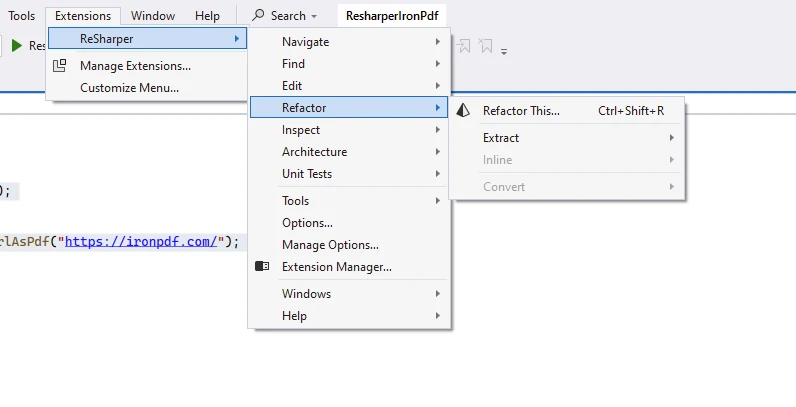
Use the ReSharper menu items to perform the desired refactoring on the code.

ReSharper C# (How It Works For Developers): Figure 4 - ReSharper Refactor

Code Style and Compliance

Maintain coding standards effortlessly with ReSharper's code formatting and cleanup tools. Bid adieu to unused code clutter and ensure your projects apply code style based on industry best practices with ease.

Code Navigation

Navigate your codebase like a seasoned pro with ReSharper's lightning-fast navigation features. Navigating large codebases can be challenging, especially when dealing with unfamiliar code or legacy projects. ReSharper simplifies code navigation and code generation by providing powerful search and navigation features. Whether you need to find a specific class, method, or symbol, ReSharper's navigation tools make it easy to quickly locate and navigate to the desired code element for Visual Studio users. This saves developers valuable time and reduces the cognitive load associated with code exploration.

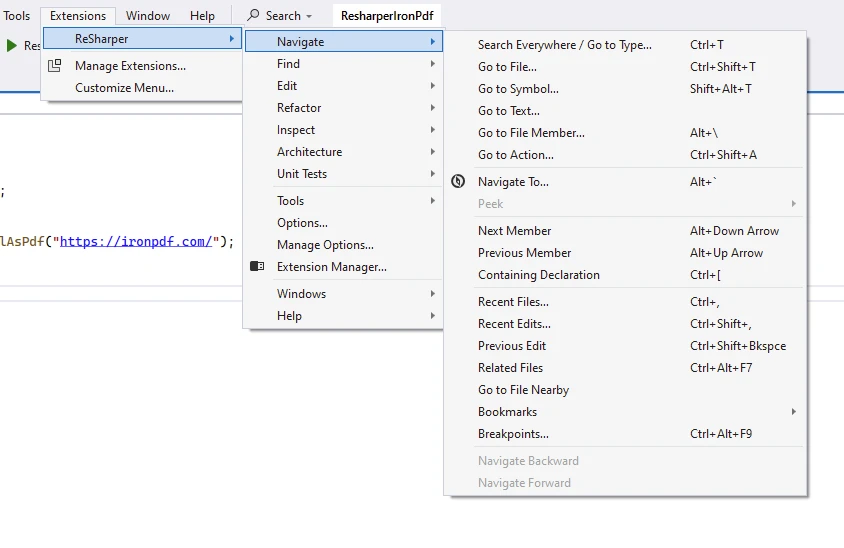
Use the below navigation options to navigate seamlessly through the code.

ReSharper C# (How It Works For Developers): Figure 5 - ReSharper Navigation

Beyond the Basics

But wait, there's more! ReSharper goes above and beyond with a robust unit test runner, customizable code templates, debugging assistance, project dependency viewer, and specialized features for ASP.NET MVC MVC, XAML, and more.

Unit Testing Support

Effective unit testing is essential for ensuring the reliability and maintainability of software projects. ReSharper integrates seamlessly with popular unit testing frameworks such as NUnit, xUnit, and MSTest, providing robust support for writing, running, and debugging unit tests directly within Visual Studio. With ReSharper, developers can easily create test cases, execute tests, and analyze test results, helping them identify and fix defects early in the development process.

How to Install ReSharper

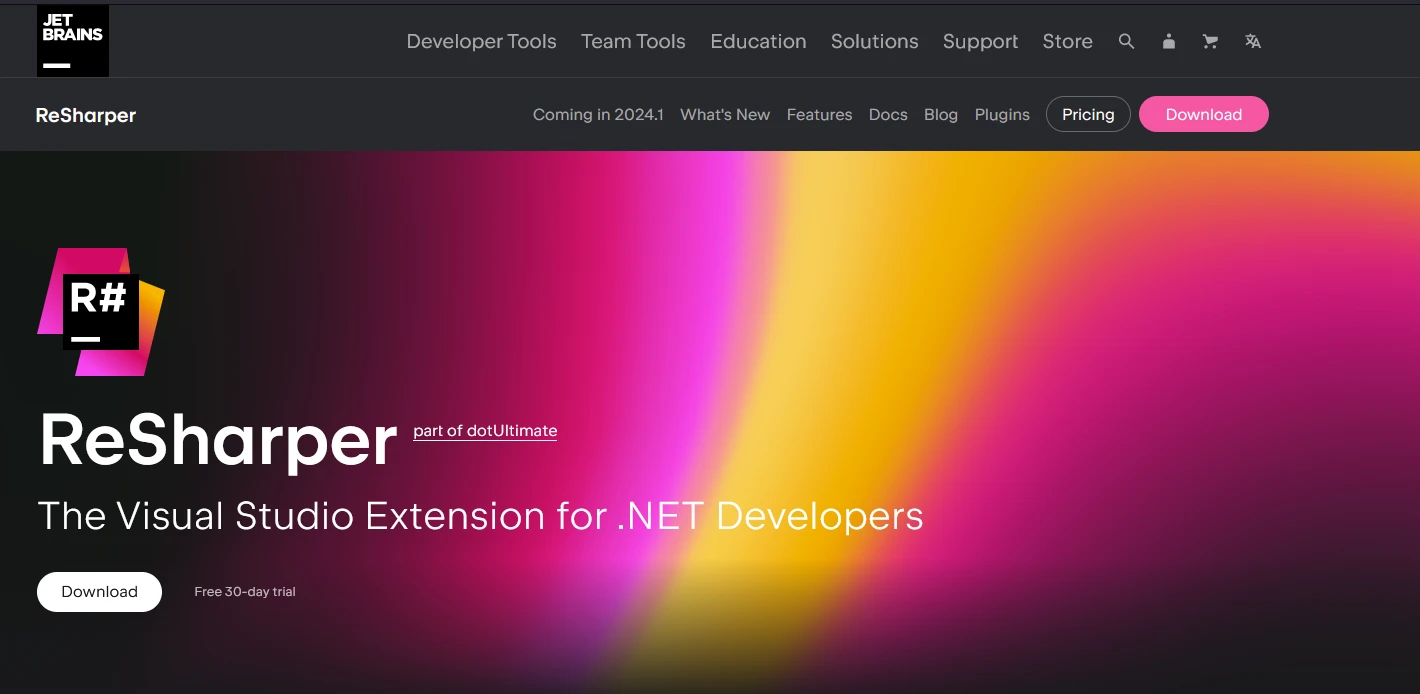
ReSharper can be installed by downloading the EXE from the official JetBrains ReSharper page.

ReSharper C# (How It Works For Developers): Figure 6 - Install ReSharper

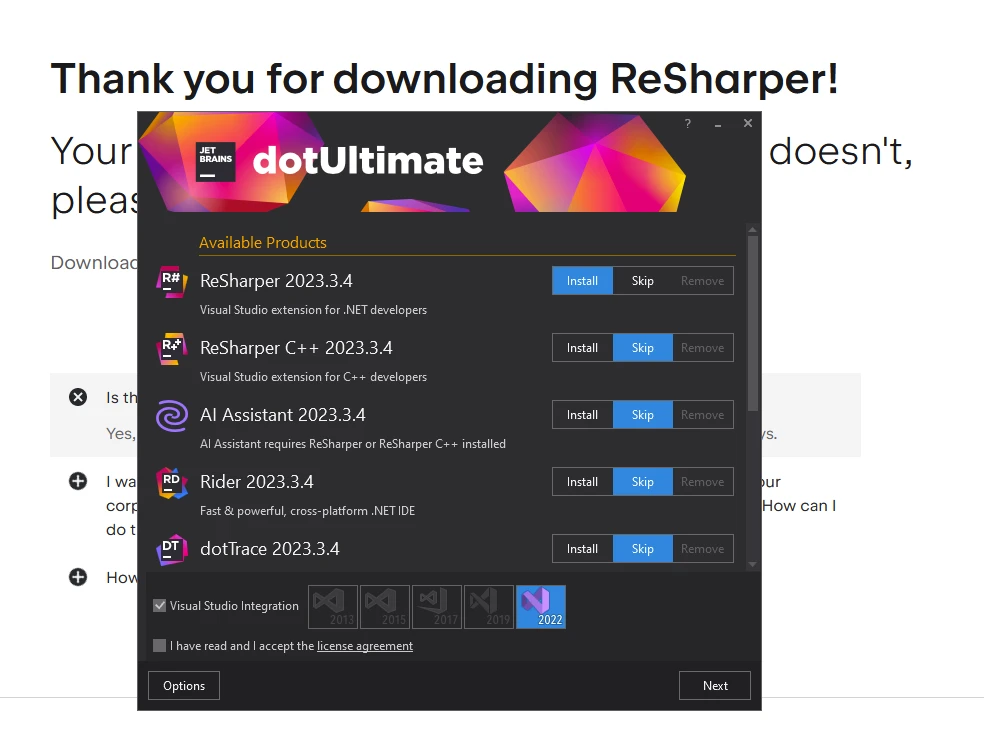
Once the EXE is downloaded, double-click and a window will be opened as below. Select the products you want to install. JetBrains is the provider of ReSharper, they also have other products we showed below for installation. The complete list can be obtained from the JetBrains product list.

ReSharper C# (How It Works For Developers): Figure 7 - JetBrains Products

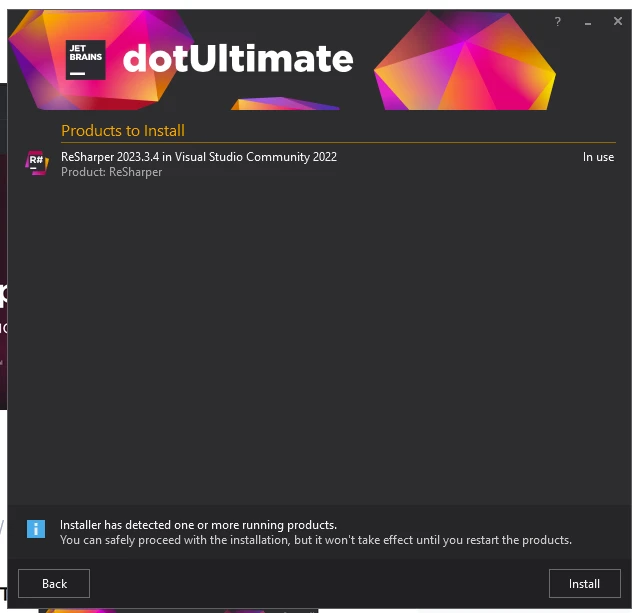
Once you select the products to install from the list, the next step is to select the Visual Studio version to install on. Select the version on which you need ReSharper to be installed.

ReSharper C# (How It Works For Developers): Figure 8 - ReSharper Product

Once completed, ReSharper will be available on restart of Visual Studio.

ReSharper License

Below you can see the available licenses from the ReSharper license purchase page. A trial license is available for the first month.

ReSharper C# (How It Works For Developers): Figure 9 - Licensing

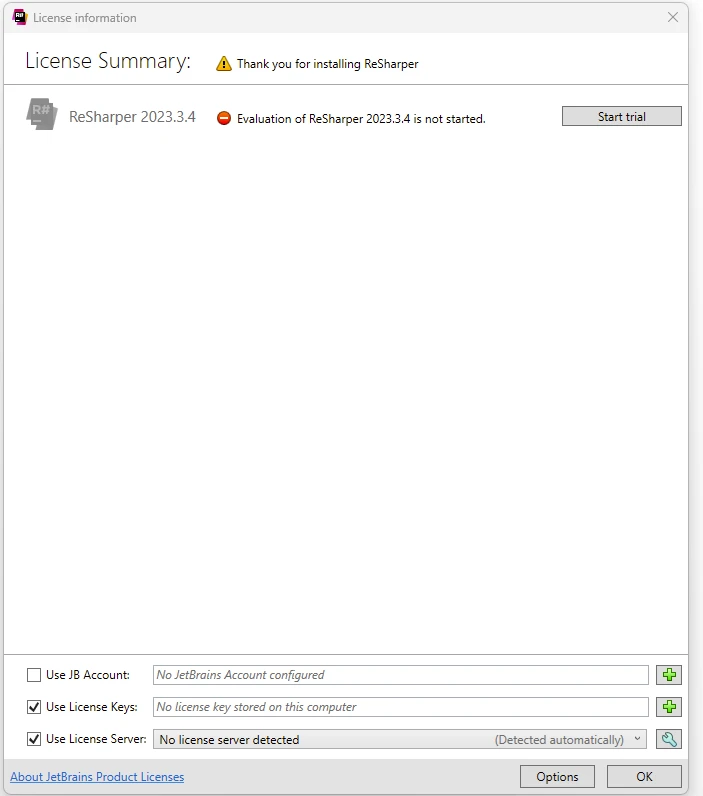
Once you start Visual Studio after the installation of ReSharper, you can start the 1-Month free trial as below.

ReSharper C# (How It Works For Developers): Figure 10 - Free Trial

What is IronPDF

IronPDF is a modern PDF generation library backed by Iron Software to generate stunning PDF documents. It also supports reading, editing, and merging PDF documents.

Installation

To install IronPDF, the NuGet Package Manager or the Visual Studio Package Manager Console can be used.

Using Package Manager Console:

Install-Package IronPdf

Generating PDF from Website URL

using IronPdf;

class Program
{
    static void Main()
    {
        // Create an instance of ChromePdfRenderer.
        var chromePdfRenderer = new ChromePdfRenderer();

        // Generate a PDF from a website URL.
        var renderUrlAsPdf = chromePdfRenderer.RenderUrlAsPdf("https://ironpdf.com/");

        // Export the PDF to a file.
        renderUrlAsPdf.SaveAs("iron.pdf");
    }
}
using IronPdf;

class Program
{
    static void Main()
    {
        // Create an instance of ChromePdfRenderer.
        var chromePdfRenderer = new ChromePdfRenderer();

        // Generate a PDF from a website URL.
        var renderUrlAsPdf = chromePdfRenderer.RenderUrlAsPdf("https://ironpdf.com/");

        // Export the PDF to a file.
        renderUrlAsPdf.SaveAs("iron.pdf");
    }
}
$vbLabelText   $csharpLabel

Code Explanation

  1. ChromePdfRenderer instance: An instance of ChromePdfRenderer is created using the IronPDF namespace, which will be used to render the PDF.
  2. RenderUrlAsPdf: This method is called to render a PDF from the specified website URL.
  3. SaveAs method: The generated PDF is saved to a file named iron.pdf.

Output

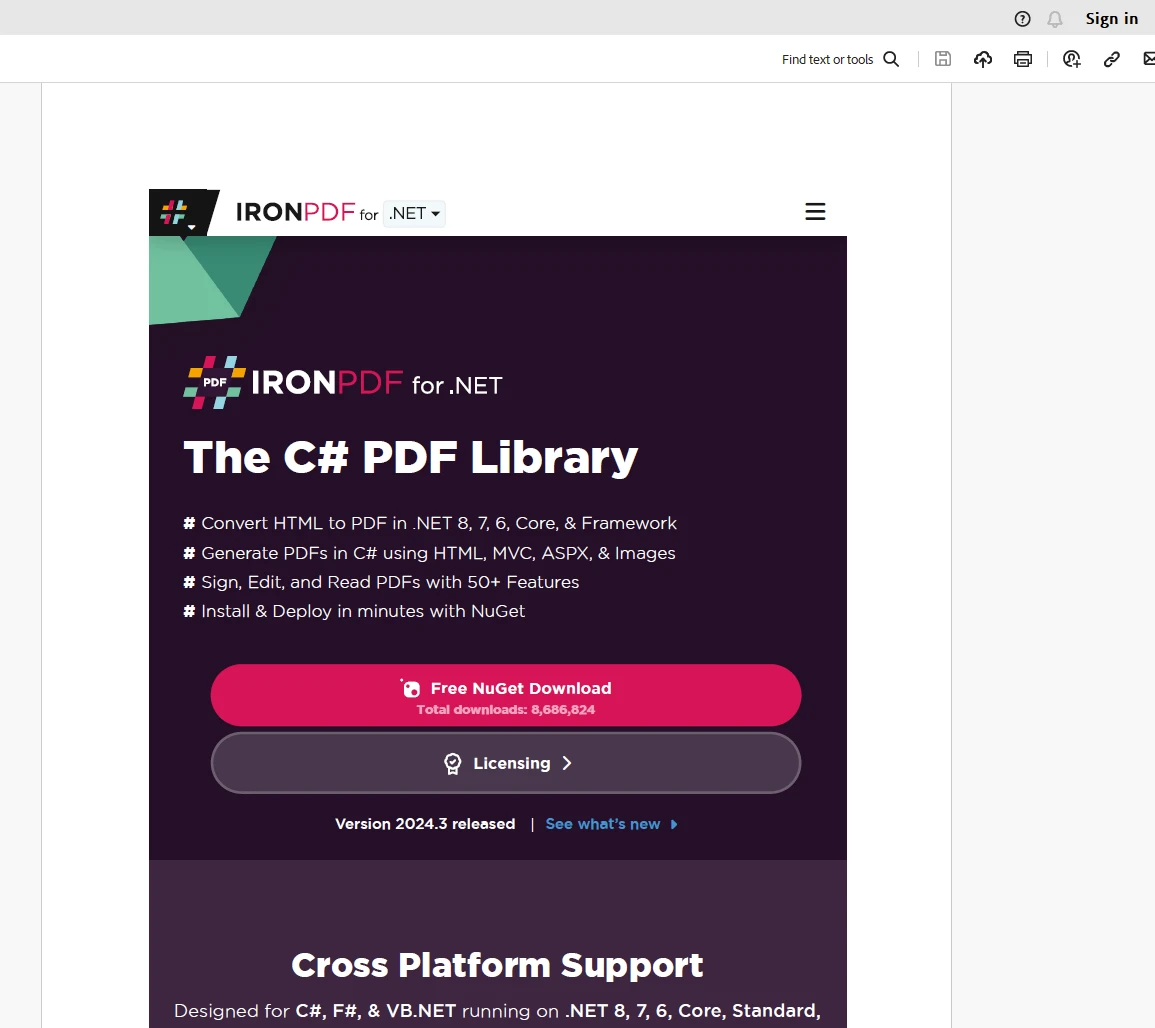
ReSharper C# (How It Works For Developers): Figure 11 - PDF Output

Licensing (Free Trial Offer)

A valid license key is necessary for IronPDF to function, which should be placed into the appsettings.json file as follows:

{
  "IronPdf.LicenseKey": "your_license_key"
}

Developers can obtain a free trial license key by registering for a trial license using IronPDF's trial license registration page.

Conclusion

In conclusion, ReSharper is a valuable tool for C# developers seeking to maximize efficiency and code quality in their projects. By offering advanced code analysis, automated refactorings, powerful navigation tools, and comprehensive unit testing support, ReSharper empowers developers to write better code faster. By incorporating ReSharper into your development workflow, you can streamline your coding process, reduce errors, and deliver high-quality software more efficiently.

IronPDF, on the other hand, is a robust PDF generation library that developers can add to their skill set and will be useful while developing enterprise applications.

자주 묻는 질문

ReSharper로 C# 코드 품질을 어떻게 개선할 수 있나요?

ReSharper는 문제를 감지하고 자동 빠른 수정을 제공하는 포괄적인 코드 분석을 통해 C# 코드 품질을 개선하여 깔끔하고 버그 없는 코드를 유지할 수 있도록 도와줍니다.

Visual Studio에서 ReSharper를 사용하면 어떤 주요 이점이 있나요?

향상된 코드 분석, 리팩터링 도구, 확장된 IntelliSense 지원, 효율적인 코드 탐색 등 생산성 향상에 기여하는 Visual Studio에서 ReSharper를 사용할 때의 주요 이점은 다음과 같습니다.

C# 프로젝트에 ReSharper를 설치하려면 어떻게 해야 하나요?

ReSharper를 설치하려면 공식 JetBrains ReSharper 웹사이트에서 설치 프로그램을 다운로드하세요. 설치 프로그램을 실행하고 원하는 Visual Studio 버전을 선택한 후 설치 프로세스를 완료합니다.

C#에서 HTML을 PDF로 변환하는 신뢰할 수 있는 방법은 무엇인가요?

IronPDF를 사용하여 C#에서 HTML을 PDF로 변환할 수 있습니다. 이 라이브러리는 HTML 문자열 변환을 위한 RenderHtmlAsPdf와 HTML 파일 변환을 위한 RenderHtmlFileAsPdf와 같은 메서드를 제공합니다.

ReSharper는 C#에서 단위 테스트를 어떻게 지원하나요?

ReSharper는 NUnit, xUnit, MSTest와 같은 인기 있는 프레임워크와 통합하여 단위 테스트를 지원하므로 Visual Studio 내에서 직접 테스트를 작성, 실행 및 디버그할 수 있습니다.

C# 라이브러리를 사용하여 웹사이트 URL에서 PDF를 생성할 수 있나요?

예, IronPDF를 사용하면 웹사이트 URL에서 PDF를 생성할 수 있습니다. ChromePdfRenderer 인스턴스를 생성하고, 원하는 URL에 RenderUrlAsPdf 메서드를 사용한 다음 SaveAs 메서드를 사용하여 출력물을 저장하세요.

IronPDF에는 어떤 라이선스 옵션을 사용할 수 있나요?

IronPDF의 모든 기능을 사용하려면 유효한 라이선스 키가 필요합니다. 개발자는 IronPDF 평가판 라이선스 등록 페이지에서 등록하여 무료 평가판 라이선스 키를 받을 수 있습니다.

ReSharper는 코드 탐색을 어떻게 지원하나요?

ReSharper는 강력한 검색 및 탐색 기능을 제공하여 규모가 크거나 익숙하지 않은 코드베이스에서도 클래스, 메서드, 심볼을 쉽게 찾고 탐색할 수 있습니다.

코드 리팩터링을 위해 ReSharper는 어떤 기능을 제공하나요?

ReSharper는 솔루션 전반의 리팩터링을 제공하므로 전체 프로젝트에서 자신 있게 코드를 변경하고 코드 스타일 준수를 보장하며 사용하지 않는 코드를 효율적으로 제거할 수 있습니다.

ReSharper를 무료로 사용해 볼 수 있는 방법이 있나요?

예, ReSharper는 1개월 무료 평가판 기간을 제공합니다. 이 기간 동안 JetBrains 웹사이트에 등록하면 ReSharper를 무료로 다운로드하여 사용할 수 있습니다.

커티스 차우
기술 문서 작성자

커티스 차우는 칼턴 대학교에서 컴퓨터 과학 학사 학위를 취득했으며, Node.js, TypeScript, JavaScript, React를 전문으로 하는 프론트엔드 개발자입니다. 직관적이고 미적으로 뛰어난 사용자 인터페이스를 만드는 데 열정을 가진 그는 최신 프레임워크를 활용하고, 잘 구성되고 시각적으로 매력적인 매뉴얼을 제작하는 것을 즐깁니다.

커티스는 개발 분야 외에도 사물 인터넷(IoT)에 깊은 관심을 가지고 있으며, 하드웨어와 소프트웨어를 통합하는 혁신적인 방법을 연구합니다. 여가 시간에는 게임을 즐기거나 디스코드 봇을 만들면서 기술에 대한 애정과 창의성을 결합합니다.