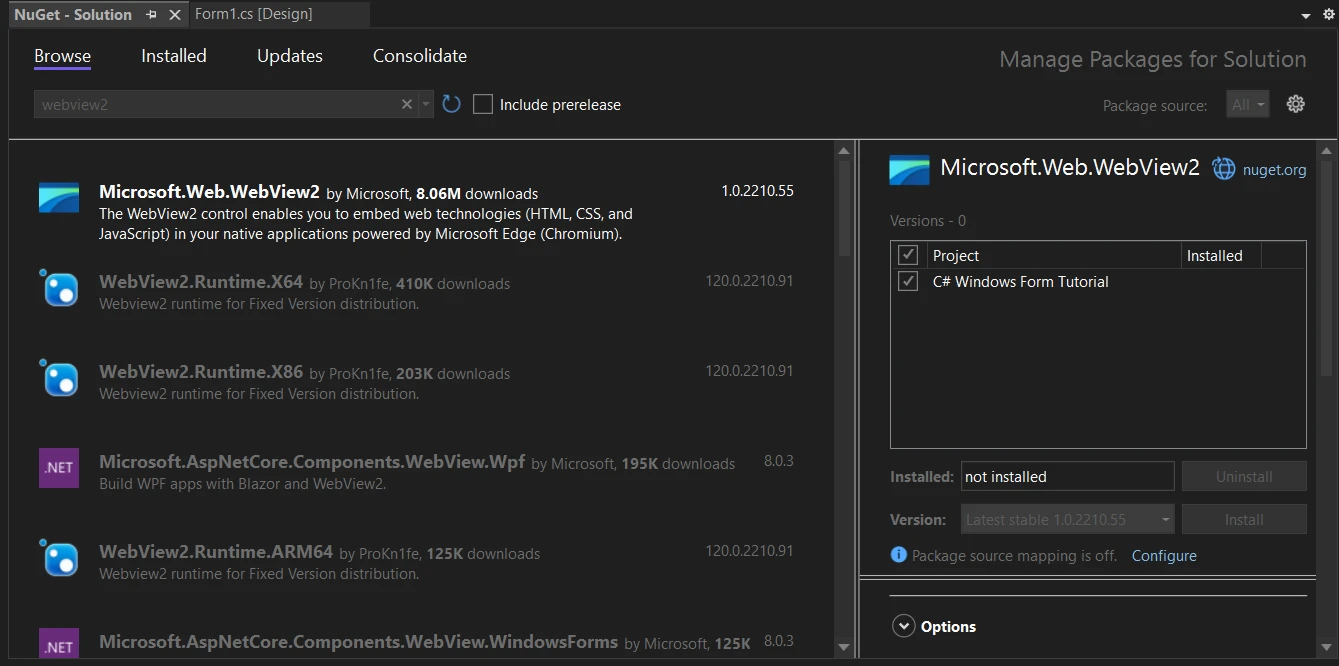
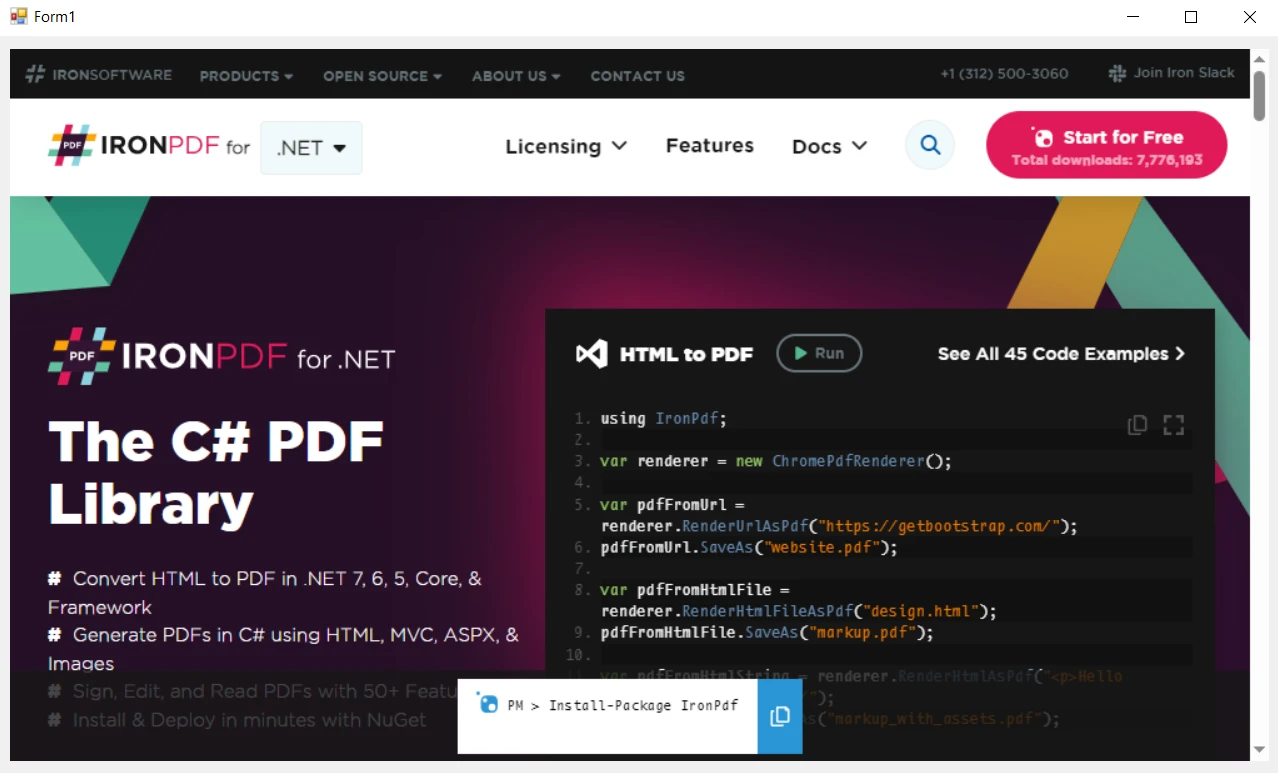
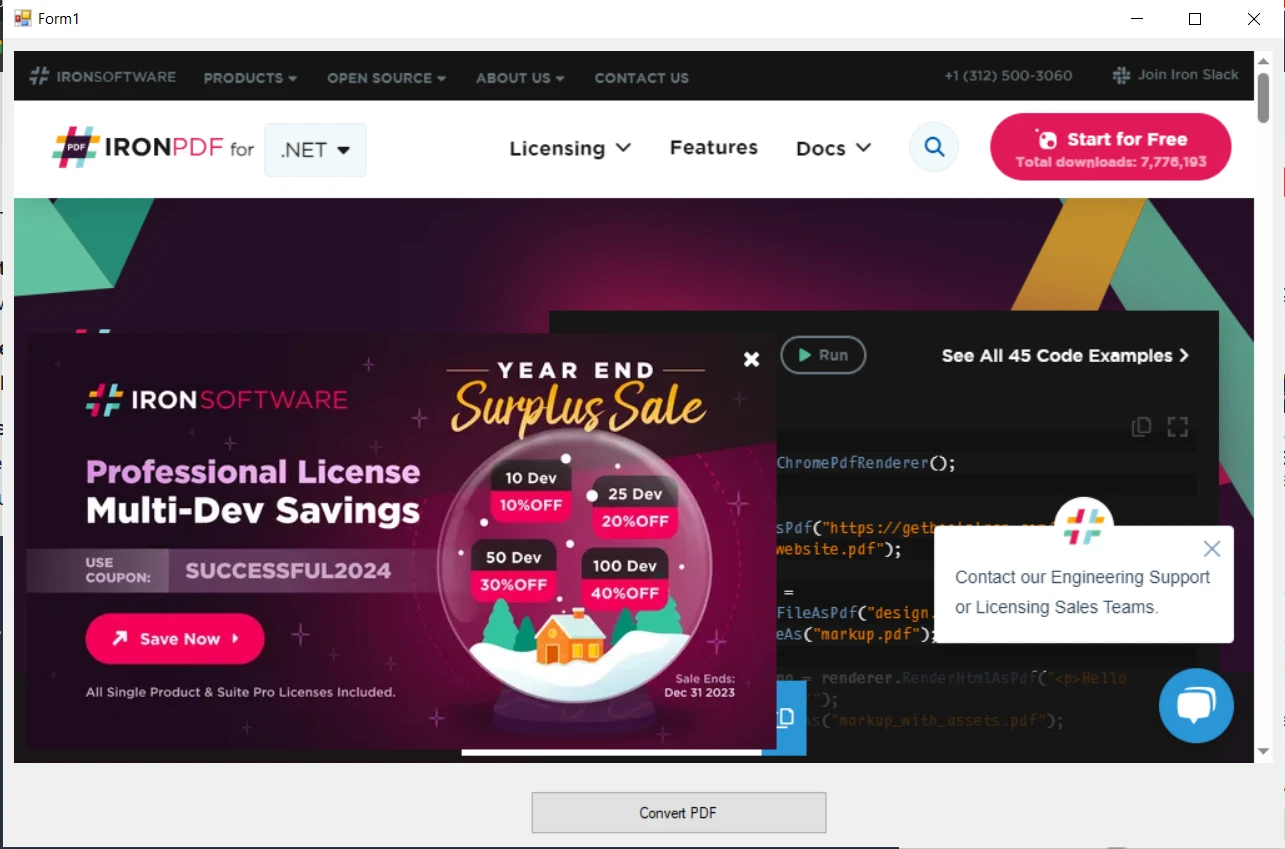
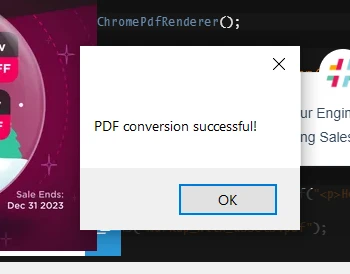
.NET 도움말 Webview2 C# Example (How it Works For Developers) 커티스 차우 업데이트됨:7월 28, 2025 다운로드 IronPDF NuGet 다운로드 DLL 다운로드 윈도우 설치 프로그램 무료 체험 시작하기 LLM용 사본 LLM용 사본 LLM용 마크다운 형식으로 페이지를 복사하세요 ChatGPT에서 열기 ChatGPT에 이 페이지에 대해 문의하세요 제미니에서 열기 제미니에게 이 페이지에 대해 문의하세요 Grok에서 열기 Grok에게 이 페이지에 대해 문의하세요 혼란 속에서 열기 Perplexity에게 이 페이지에 대해 문의하세요 공유하다 페이스북에 공유하기 트위터에 공유하기 LinkedIn에 공유하기 URL 복사 이메일로 기사 보내기 WebView2, the latest iteration of web view technology from Microsoft, is based on the Chromium engine, the same engine that powers the popular Microsoft Edge browser. The fixed version distribution allows C# developers to embed web technologies such as Hyper Text Markup Language, CSS, and JavaScript directly into their native applications. This integration opens a world of possibilities, from displaying dynamic content to building complex user interfaces. IronPDF Overview provides the capability to generate, manipulate, and render PDF documents within C# applications. Whether it's converting online content to PDFs or creating documents from scratch, IronPDF offers a straightforward approach to handling PDFs alongside web-based data and interfaces. This tutorial will guide you through the integration of WebView2 and IronPDF in a C# app. From basic setup to advanced functionalities, we will explore how these tools can be used in tandem to enhance your application's capabilities. Introduction to WebView2 WebView2, powered by the Chromium-based Microsoft Edge browser, represents a significant advancement in embedding web content within C# applications. This technology enables developers to incorporate the full spectrum of the modern web into their Windows applications, offering enhanced performance, compatibility, and functionality. The Chromium Edge Advantage Chromium-Based: Leveraging the same engine as Microsoft Edge, WebView2 offers a more consistent and reliable rendering of web content compared to older web view controls. Modern Web Standards: With support for the latest web standards, developers can ensure that the web content in their Windows applications remains up-to-date with current web technologies. Getting Started with WebView2 Setting Up WebView2 in C# Projects Integrating WebView2 into a C# project is a straightforward process. It involves adding the WebView2 SDK through NuGet, Microsoft's package manager for .NET. This SDK provides the necessary libraries and tools to embed web content into your applications using WebView2. Implementing WebView2 in Windows Forms and WPF WebView2 can be utilized in different types of C# applications, including Windows Forms (WinForms) and Windows Presentation Foundation (WPF). Each framework has its nuances in terms of implementation, but the core concept remains the same: WebView2 acts as a container for web content within your application. A Basic Example of Loading Web Content Once WebView2 is set up, you can start loading web pages into your application. This can be as simple as setting the source URL to display a webpage. Here's a basic example to get you started: using System; using Microsoft.Web.WebView2.WinForms; // Ensure WebView2 is included public class WebViewExample { public void LoadWebPage() { var webView = new WebView2(); webView.Source = new Uri("https://www.ironpdf.com"); // The URI of IronPDF's site is set as the source URL for WebView } } using System; using Microsoft.Web.WebView2.WinForms; // Ensure WebView2 is included public class WebViewExample { public void LoadWebPage() { var webView = new WebView2(); webView.Source = new Uri("https://www.ironpdf.com"); // The URI of IronPDF's site is set as the source URL for WebView } } $vbLabelText $csharpLabel In this code snippet, a new instance of WebView2 is created, and IronPDF's website is loaded into it. This illustrates how WebView2 can be used to render web pages within a C# application. Embedding Basic Web Content Displaying HTML, CSS, and JS in WebView2 WebView2 enables C# applications to embed and display standard web content. This includes HTML pages, Cascading Style Sheets for styling, and JavaScript for interactivity. The control functions are similar to a web browser embedded within your application, rendering web content as it would appear in Microsoft Edge. Loading Web Pages in WebView2 The primary function of WebView2 is to load and display web pages. This is achieved by specifying a URL or loading HTML content directly. For example: public void NavigateWebPage() { var webView = new WebView2(); webView.CoreWebView2.Navigate("https://www.ironpdf.com"); // Navigates to the specified URL displaying the page in the application } public void NavigateWebPage() { var webView = new WebView2(); webView.CoreWebView2.Navigate("https://www.ironpdf.com"); // Navigates to the specified URL displaying the page in the application } $vbLabelText $csharpLabel This code navigates the WebView2 control to a specified web page, displaying it within the application. Interacting with JavaScript WebView2 allows for interactions with JavaScript within the embedded web content. This means you can execute JavaScript code from your C# application and vice versa, enabling dynamic content updates and responsive user interfaces. Customizing the Web Experience With WebView2, you have control over how web content is displayed and can customize various aspects, such as size, visibility, and user interaction settings. This customization makes it possible to integrate the web content seamlessly into the native user interface of your application. Integrating WebView2 and IronPDF IronPDF specializes in converting HTML to PDF, preserving the original layouts and styles with precision. This capability is especially useful for generating PDFs from web-based content like reports, invoices, and documentation. It supports converting HTML files, URLs, and even raw HTML strings into high-quality PDF files. using IronPdf; class PdfConversionExample { static void Main(string[] args) { var renderer = new ChromePdfRenderer(); // 1. Convert HTML String to PDF var htmlContent = "<h1>Hello, IronPDF!</h1><p>This is a PDF from an HTML string.</p>"; var pdfFromHtmlString = renderer.RenderHtmlAsPdf(htmlContent); pdfFromHtmlString.SaveAs("HTMLStringToPDF.pdf"); // 2. Convert HTML File to PDF var htmlFilePath = "path_to_your_html_file.html"; // Specify the path to your HTML file var pdfFromHtmlFile = renderer.RenderHtmlFileAsPdf(htmlFilePath); pdfFromHtmlFile.SaveAs("HTMLFileToPDF.pdf"); // 3. Convert URL to PDF var url = "http://ironpdf.com"; // Specify the URL var pdfFromUrl = renderer.RenderUrlAsPdf(url); pdfFromUrl.SaveAs("URLToPDF.pdf"); } } using IronPdf; class PdfConversionExample { static void Main(string[] args) { var renderer = new ChromePdfRenderer(); // 1. Convert HTML String to PDF var htmlContent = "<h1>Hello, IronPDF!</h1><p>This is a PDF from an HTML string.</p>"; var pdfFromHtmlString = renderer.RenderHtmlAsPdf(htmlContent); pdfFromHtmlString.SaveAs("HTMLStringToPDF.pdf"); // 2. Convert HTML File to PDF var htmlFilePath = "path_to_your_html_file.html"; // Specify the path to your HTML file var pdfFromHtmlFile = renderer.RenderHtmlFileAsPdf(htmlFilePath); pdfFromHtmlFile.SaveAs("HTMLFileToPDF.pdf"); // 3. Convert URL to PDF var url = "http://ironpdf.com"; // Specify the URL var pdfFromUrl = renderer.RenderUrlAsPdf(url); pdfFromUrl.SaveAs("URLToPDF.pdf"); } } $vbLabelText $csharpLabel Using WebView2 and IronPDF Together The combination of WebView2 and IronPDF in a C# project opens up exciting possibilities. While WebView2 is excellent for displaying and interacting with web content, IronPDF excels at converting this content into PDF format. This integration allows developers to create applications that not only display web content but also provide functionality to convert web content to PDF documents. Capturing WebView2 Content with IronPDF Creating a Windows Forms application that includes WebView2 allows users to browse the internet within your app. Start by adding a WebView2 control to your form. This control should fill a significant portion of the form, providing ample space for web browsing. Additionally, include navigational controls like address bars and buttons for a complete browsing experience. Adding the PDF Conversion Feature Introduce a button on your form labeled "Convert to PDF." This button will be the trigger for users to convert the currently viewed web page into a PDF document using IronPDF. Install IronPDF Library Install Using NuGet Package Manager To integrate IronPDF into your WebView2 project using the NuGet Package manager, follow these steps: Open Visual Studio and in the solution explorer, right-click on your project. Choose “Manage NuGet packages…” from the context menu. Go to the browse tab and search for IronPDF. Select IronPDF library from the search results and click the install button. Accept any license agreement prompt. If you want to include IronPDF in your project via Package manager console, then execute the following command in the Package Manager Console: Install-Package IronPdf It’ll fetch and install IronPDF into your project. Install Using NuGet Website For a detailed overview of IronPDF, including its features, compatibility, and additional download options, visit the IronPDF page on the NuGet website at https://www.nuget.org/packages/IronPdf. Install Via DLL Alternatively, you can incorporate IronPDF directly into your project using its DLL file. Download the ZIP file containing the DLL from this DLL download page. Unzip it, and include the DLL in your project. Implementing the Conversion Logic When the user clicks the "Convert to PDF" button, your application should capture the URL or HTML content displayed in the WebView2 control. Utilize IronPDF's capabilities to convert this web content into a PDF. Here's a sample approach: Capture Current Content: When the user initiates the conversion, fetch the current content from the WebView2 control. This could be the URL or directly the HTML content. Generate PDF with IronPDF: Use IronPDF to create a PDF from the captured web content. The RenderUrlAsPdf method of ChromePdfRenderer can render the current webpage into a PDF document. Save and Notify: Save the generated PDF to a predefined location or prompt the user to choose a save location. After the PDF is saved, notify the user of the successful conversion, possibly through a message box. private void ConvertToPdfButton_Click(object sender, EventArgs e) { var renderer = new IronPdf.ChromePdfRenderer(); var pdf = renderer.RenderUrlAsPdf(webView.CoreWebView2.Source.ToString()); pdf.SaveAs("ConvertedWebPage.pdf"); MessageBox.Show("PDF conversion successful!"); } private void ConvertToPdfButton_Click(object sender, EventArgs e) { var renderer = new IronPdf.ChromePdfRenderer(); var pdf = renderer.RenderUrlAsPdf(webView.CoreWebView2.Source.ToString()); pdf.SaveAs("ConvertedWebPage.pdf"); MessageBox.Show("PDF conversion successful!"); } $vbLabelText $csharpLabel Here is the UI output: When you click on the Convert button, it'll convert the web into PDF and show the following message box: Conclusion As we conclude our exploration of WebView2 and IronPDF in the realm of C# development, it's clear that the synergy between these two technologies offers a rich set of capabilities for creating dynamic and versatile applications. By integrating WebView2, you can embed advanced web technologies directly into your C# applications, enhancing their functionality and user experience. IronPDF complements this by providing the tools to convert these web-based interfaces and content into accessible PDF documents, ideal for reporting, documentation, and data sharing. Experience the full potential of IronPDF with a free trial of IronPDF and unlock the complete range of features with licenses beginning at $799. 자주 묻는 질문 WebView2란 무엇이며 C# 개발자에게 중요한 이유는 무엇인가요? WebView2는 Chromium 엔진을 기반으로 하는 Microsoft의 최신 웹 뷰 기술입니다. 이를 통해 C# 개발자는 HTML, CSS, JavaScript와 같은 웹 기술을 애플리케이션에 임베드하여 동적 콘텐츠와 복잡한 사용자 인터페이스를 만들 수 있습니다. WebView2를 C# 애플리케이션에 통합하려면 어떻게 해야 하나요? WebView2를 C# 애플리케이션에 통합하려면 NuGet을 통해 WebView2 SDK를 추가해야 합니다. 그러면 애플리케이션 내에 웹 콘텐츠를 삽입하는 데 필요한 라이브러리가 Windows Forms 또는 WPF 프로젝트에 제공됩니다. WebView2에 표시되는 HTML 콘텐츠를 C# 애플리케이션에서 PDF로 변환하려면 어떻게 해야 하나요? IronPDF를 사용하여 WebView2에 표시된 HTML 콘텐츠를 PDF로 변환할 수 있습니다. WebView2에서 콘텐츠 또는 URL을 캡처한 다음 IronPDF의 RenderUrlAsPdf 또는 RenderHtmlAsPdf 메서드를 사용하여 PDF 문서로 변환합니다. C#의 기존 웹 뷰 기술에 비해 WebView2를 사용하면 어떤 이점이 있나요? WebView2는 최신 웹 표준 지원, Chromium 엔진을 사용한 안정적인 렌더링, 웹 콘텐츠를 네이티브 애플리케이션에 원활하게 통합하여 성능과 사용자 경험을 모두 향상시키는 등의 이점을 제공합니다. Windows Forms와 WPF 애플리케이션 모두에서 WebView2를 사용할 수 있나요? 예, WebView2는 Windows Forms 및 WPF 애플리케이션 모두에서 구현할 수 있으며, 이러한 유형의 C# 애플리케이션 내에서 웹 콘텐츠를 렌더링하는 다목적 컨테이너 역할을 합니다. IronPDF는 WebView2를 사용하는 애플리케이션의 기능을 어떻게 향상시키나요? IronPDF는 WebView2를 사용하는 애플리케이션이 표시된 웹 콘텐츠를 PDF 문서로 변환할 수 있도록 기능을 향상시킵니다. 이는 애플리케이션에서 직접 보고 및 문서 생성과 같은 기능에 유용합니다. NuGet을 사용하여 C# 프로젝트에 IronPDF를 설치하는 단계는 무엇인가요? NuGet을 사용하여 IronPDF를 설치하려면 Visual Studio를 열고 프로젝트를 마우스 오른쪽 버튼으로 클릭한 다음 'NuGet 패키지 관리...'를 선택하고 IronPDF를 검색한 다음 '설치'를 클릭합니다. 또는 패키지 관리자 콘솔에서 Install-Package IronPdf 명령을 사용하세요. IronPDF는 C# 애플리케이션에서 온라인 URL을 PDF로 변환할 수 있나요? 예, IronPDF는 온라인 URL을 PDF 문서로 변환할 수 있습니다. RenderUrlAsPdf 메서드를 사용하여 URL에서 웹 페이지를 가져와서 레이아웃과 스타일을 그대로 유지한 채 PDF로 변환할 수 있습니다. C#용 WebView2에서 웹 콘텐츠를 로드하는 간단한 예는 무엇인가요? 간단한 예로 WebView2의 새 인스턴스를 만들고 소스를 URL로 설정한 다음 C# 애플리케이션 내에 웹 페이지를 표시하여 웹 콘텐츠를 임베드할 수 있도록 하는 것을 들 수 있습니다. 개발자가 애플리케이션에 WebView2와 IronPDF를 결합하면 어떤 이점을 얻을 수 있나요? 개발자는 WebView2와 IronPDF를 결합하여 웹 콘텐츠를 표시하고 PDF로 변환하는 애플리케이션을 만들어 동적 콘텐츠 관리, 보고 및 문서 생성과 같은 기능을 향상시킬 수 있습니다. 커티스 차우 지금 바로 엔지니어링 팀과 채팅하세요 기술 문서 작성자 커티스 차우는 칼턴 대학교에서 컴퓨터 과학 학사 학위를 취득했으며, Node.js, TypeScript, JavaScript, React를 전문으로 하는 프론트엔드 개발자입니다. 직관적이고 미적으로 뛰어난 사용자 인터페이스를 만드는 데 열정을 가진 그는 최신 프레임워크를 활용하고, 잘 구성되고 시각적으로 매력적인 매뉴얼을 제작하는 것을 즐깁니다. 커티스는 개발 분야 외에도 사물 인터넷(IoT)에 깊은 관심을 가지고 있으며, 하드웨어와 소프트웨어를 통합하는 혁신적인 방법을 연구합니다. 여가 시간에는 게임을 즐기거나 디스코드 봇을 만들면서 기술에 대한 애정과 창의성을 결합합니다. 관련 기사 업데이트됨 12월 11, 2025 Bridging CLI Simplicity & .NET : Using Curl DotNet with IronPDF Jacob Mellor has bridged this gap with CurlDotNet, a library created to bring the familiarity of cURL to the .NET ecosystem. 더 읽어보기 업데이트됨 12월 20, 2025 RandomNumberGenerator C# Using the RandomNumberGenerator C# class can help take your PDF generation and editing projects to the next level 더 읽어보기 업데이트됨 12월 20, 2025 C# String Equals (How it Works for Developers) When combined with a powerful PDF library like IronPDF, switch pattern matching allows you to build smarter, cleaner logic for document processing 더 읽어보기 C# String Split (How it Works For Developers)Fluent Assertions C# (How it Works ...
업데이트됨 12월 11, 2025 Bridging CLI Simplicity & .NET : Using Curl DotNet with IronPDF Jacob Mellor has bridged this gap with CurlDotNet, a library created to bring the familiarity of cURL to the .NET ecosystem. 더 읽어보기
업데이트됨 12월 20, 2025 RandomNumberGenerator C# Using the RandomNumberGenerator C# class can help take your PDF generation and editing projects to the next level 더 읽어보기
업데이트됨 12월 20, 2025 C# String Equals (How it Works for Developers) When combined with a powerful PDF library like IronPDF, switch pattern matching allows you to build smarter, cleaner logic for document processing 더 읽어보기