Portable Document Format (PDF)은 다양한 플랫폼에서 문서를 공유하기 위한 형식으로 자리 잡았습니다. 그러나 디지털 아카이빙의 중요성이 증가함에 따라 문서를 장기적으로 보존하고 접근할 수 있는 표준화된 형식으로 보관할 필요성이 증가하고 있습니다. PDF/A (PDFA) 형식은 이를 위해 특별히 설계되어 안정적이고 자급자족하는 형식을 제공하며, 아카이빙에 적합합니다.
PDF/A 이해하기
PDF/A는 ISO 표준화 객체로, 시간이 지나도 문서를 보존하고 콘텐츠 접근성과 무결성을 유지하도록 설계되었습니다. 일반 PDF 파일과 달리 PDF/A 파일은 그 강력함과 자급자족성을 보장하는 특정 제한 사항이 있습니다.
이 기사는 C++의 QPDF 라이브러리를 사용하여 PDF 문서를 PDF/A 형식으로 변환하는 과정을 안내합니다. QPDF는 강력한 C++ 라이브러리로, PDF 문서 관리 및 변환을 프로그래밍 방식으로 수행할 수 있는 기능을 개발자에게 제공하며, PDF를 PDF/A로 변환할 수 있는 코드 몇 줄로 구성되어 있습니다.
QPDF C++ 라이브러리
QPDF는 PDF 파일을 작업, 변환 및 구문 분석하기 위해 설계된 C++ 라이브러리 및 명령행 도구입니다. 개발자가 PDF 파일의 내용을 프로그래밍 방식으로 접근하고 조작할 수 있도록 하며, 광범위한 지원을 제공합니다. QPDF는 암호화, 복호화, 직선화, 최적화 및 PDF/A 적합성을 포함한 다양한 기능을 제공하는 오픈 소스 프로젝트입니다.
필수 조건
시작하기 전에 다음을 설정했는지 확인하십시오:
- Code::Blocks IDE: Code::Blocks 공식 사이트에서 Code::Blocks를 다운로드하여 설치하십시오.
- QPDF 라이브러리: QPDF 웹사이트 (QPDF 공식 사이트)에서 운영 체제에 적합한 최신 QPDF 라이브러리를 다운로드하십시오.
PDF에서 PDF/A로 프로젝트 만들기
- Code::Blocks 열기: 컴퓨터에서 Code::Blocks IDE를 실행합니다.
- 새 프로젝트 만들기: 상단 메뉴에서 File을 클릭한 후 New, 그 다음 Project를 선택합니다.
- 프로젝트 유형 선택: 템플릿에서 새로 만들기 창에서 콘솔 애플리케이션을 선택하고 Go를 클릭합니다. C/C++ 언어를 선택하고 Next를 클릭합니다.
- 프로젝트 세부정보 입력: 프로젝트 제목 필드에 프로젝트 이름을 입력합니다 (예: 'PDFtoPDFA'). 프로젝트 파일을 저장할 위치를 선택하고 Next를 클릭합니다.
- 컴파일러 선택: 컴파일러를 선택하고 필요한 경우 목록에서 수동으로 선택합니다. 마침을 클릭하십시오.
프로젝트에 QPDF 추가하기
Code::Blocks에 QPDF 헤더 파일을 포함하려면 다음 단계를 따르십시오:
- 메뉴에서 Project를 클릭합니다.
- 컨텍스트 메뉴에서 Build options를 선택합니다.
- Build options 대화 상자에서 검색 디렉터리 탭으로 이동합니다.
- 컴파일러 탭에서 추가 버튼을 클릭하고 QPDF 헤더 파일이 포함된 디렉터리(보통 include 폴더)에 이동합니다.
- 그런 다음 Link 탭에서 추가 버튼을 클릭하고 lib 및 bin 디렉터리를 포함합니다.
- Build options 대화 상자를 닫으려면 확인을 클릭하십시오.
또한 연결 단계에서 QPDF 라이브러리와 연결을 설정해야 합니다. 다음 단계를 따르세요:
- 빌드 옵션 대화상자에서, 링커 설정 탭으로 이동하세요.
- 링크 라이브러리 아래에서, 추가를 클릭한 후 QPDF 라이브러리 파일이 있는 디렉토리를 찾아보세요 (보통 Windows에서는 .a 또는 .lib 파일 확장자를 가짐).
- 다시 추가를 클릭하고, QPDF 라이브러리의 이름을 입력하세요 (예: libqpdf.a 또는 qpdf.lib).
- 빌드 옵션 대화상자를 닫으려면 확인을 클릭하세요.
PDF를 PDF/A 파일로 변환하는 단계
필요한 헤더 파일 포함
#include <iostream>
#include <qpdf/QPDF.hh>
#include <qpdf/QPDFWriter.hh>

// The above code includes necessary header files for standard input/output operations and QPDF functionalities.
#include <iostream>
#include <qpdf/QPDF.hh>
#include <qpdf/QPDFWriter.hh>

// The above code includes necessary header files for standard input/output operations and QPDF functionalities.
Text
입출력 파일 경로 설정
C++ 프로그램의 시작점인 main 함수에서 입력 및 출력 파일의 경로를 설정하세요:
std::string input_pdf_path = "input.pdf";
std::string output_pdf_a_path = "output.pdfa";

// These lines declare and initialize strings to store the paths of the input PDF and the output PDF/A file.
std::string input_pdf_path = "input.pdf";
std::string output_pdf_a_path = "output.pdfa";

// These lines declare and initialize strings to store the paths of the input PDF and the output PDF/A file.
Text
PDF 파일용 QPDF 객체 생성
QPDF input_pdf;
input_pdf.processFile(input_pdf_path.c_str());

// Create a QPDF object for the input PDF and process the file to prepare it for conversion.
QPDF input_pdf;
input_pdf.processFile(input_pdf_path.c_str());

// Create a QPDF object for the input PDF and process the file to prepare it for conversion.
Text
PDF/A 파일 작성을 위한 QPDFWriter 객체 생성하기
QPDFWriter writer(input_pdf, output_pdf_a_path.c_str());

// This creates a QPDFWriter object to handle writing the converted PDF/A file.
QPDFWriter writer(input_pdf, output_pdf_a_path.c_str());

// This creates a QPDFWriter object to handle writing the converted PDF/A file.
Text
PDF/A 준수 설정 및 PDF 문서 변환
writer.setQDFMode(true);
writer.write();

// Set the QPDFWriter to operate in PDF/A compliant mode and write the output file.
writer.setQDFMode(true);
writer.write();

// Set the QPDFWriter to operate in PDF/A compliant mode and write the output file.
Text
산출
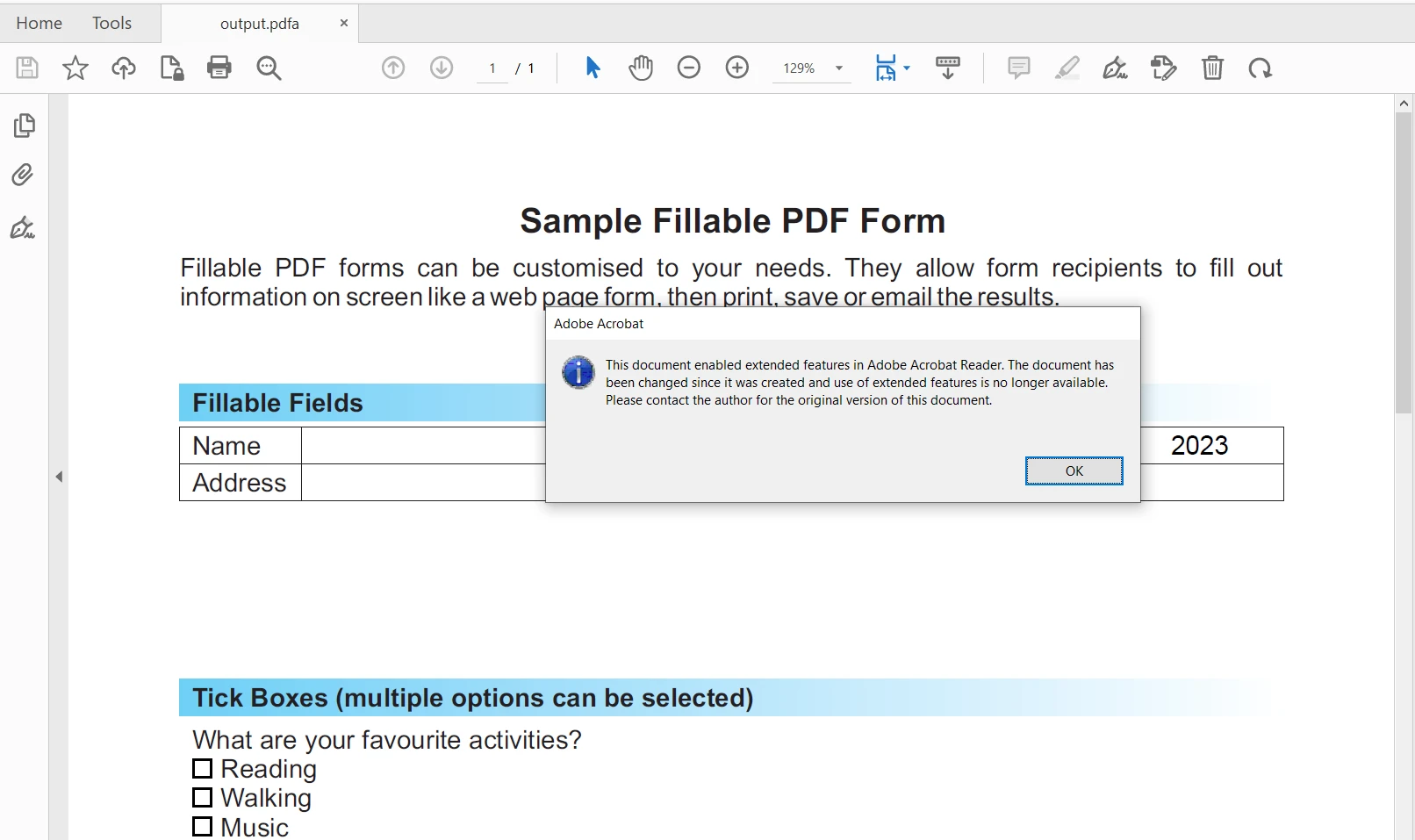
출력 파일은 편집 불가능하고 PDF/A를 준수합니다:
Convert PDF to PDF/A in C#
IronPDF 라이브러리는 PDF 문서를 다루기 위한 포괄적인 기능을 제공하는 .NET PDF 라이브러리입니다. 이를 통해 개발자는 C# 또는 VB.NET을 사용하여 PDF 문서를 생성, 수정 및 변환할 수 있습니다. 사용자는 IronPDF를 사용하여 HTML, ASPX, 워드 문서(.doc) 또는 이미지를 동적으로 PDF 파일로 생성하고 차트, 표, 이미지 데이터(JPG, PNG 형식)와 같은 풍부한 요소를 통합할 수 있습니다. 기존 PDF 파일의 페이지 병합, 분할 및 편집, PDF 데이터의 텍스트 추출 및 콘텐츠 조작도 가능합니다.
IronPDF는 단 몇 줄의 코드로 PDF를 PDF/A-3b 형식 표준으로 변환할 수 있게 합니다. 다음 코드는 이 작업을 수행하는 데 도움이 됩니다.
using IronPdf;

// Create a PdfDocument object or open any PDF file
PdfDocument pdf = PdfDocument.FromFile("wikipedia.pdf");

// Use the SaveAsPdfA method to save to file
pdf.SaveAsPdfA("pdf-a3-wikipedia.pdf", PdfAVersions.PdfA3);

// The above C# code demonstrates the use of IronPDF to convert a PDF document to a PDF/A-3b compliant file.
using IronPdf;

// Create a PdfDocument object or open any PDF file
PdfDocument pdf = PdfDocument.FromFile("wikipedia.pdf");

// Use the SaveAsPdfA method to save to file
pdf.SaveAsPdfA("pdf-a3-wikipedia.pdf", PdfAVersions.PdfA3);

// The above C# code demonstrates the use of IronPDF to convert a PDF document to a PDF/A-3b compliant file.
Imports IronPdf
' Create a PdfDocument object or open any PDF file
Private pdf As PdfDocument = PdfDocument.FromFile("wikipedia.pdf")
' Use the SaveAsPdfA method to save to file
pdf.SaveAsPdfA("pdf-a3-wikipedia.pdf", PdfAVersions.PdfA3)
' The above C# code demonstrates the use of IronPDF to convert a PDF document to a PDF/A-3b compliant file.
Imports IronPdf

' Create a PdfDocument object or open any PDF file
Private pdf As PdfDocument = PdfDocument.FromFile("wikipedia.pdf")

' Use the SaveAsPdfA method to save to file
pdf.SaveAsPdfA("pdf-a3-wikipedia.pdf", PdfAVersions.PdfA3)

' The above C# code demonstrates the use of IronPDF to convert a PDF document to a PDF/A-3b compliant file.
결론
이 문서에서는 QPDF 라이브러리를 사용하여 표준 PDF 문서를 PDF/A 형식으로 변환하는 방법을 소개합니다. PDF/A 준수는 콘텐츠 보존 및 접근성을 보장하여 아카이빙에 이상적입니다.
IronPDF는 HTML, 이미지 및 워드 문서의 PDF 파일로의 다양한 형식 변환도 지원합니다. 자세한 정보는 IronPDF 문서 페이지를 방문하세요.
IronPDF는 상업적 생산을 위한 기능을 테스트할 수 있는 무료 체험판을 제공합니다. IronPDF를 직접 다운로드하세요.