

Apache Commons IO: Java I/O 유틸리티

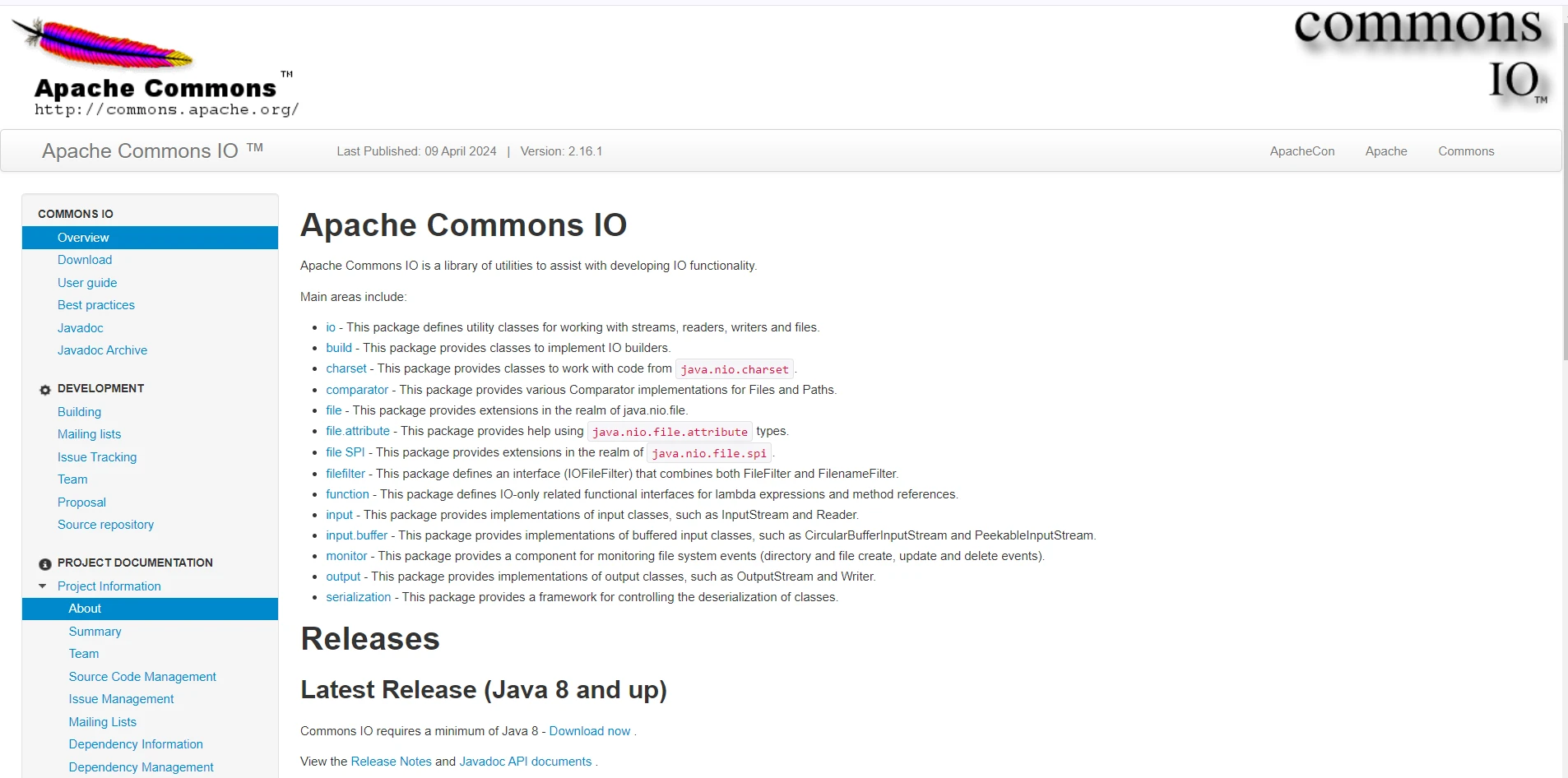
Apache Commons IO는 Java 개발자가 입출력(I/O) 작업을 보다 효율적으로 처리할 수 있도록 도와주는 포괄적인 유틸리티 라이브러리입니다. Apache Commons 프로젝트의 일부인 Commons IO는 Java에서 번거롭고 오류 발생 가능성이 높은 파일 및 스트림 구현을 관리하기 위한 사용하기 쉬운 도구 세트를 제공합니다.
이 글에서는 Apache Commons IO의 주요 특징과 실제 적용 사례를 살펴보고, 이 도구가 모든 자바 개발자의 툴킷에 유용한 이유를 설명합니다.
Apache Commons IO 소개
Apache Commons IO는 개발자가 자주 수행해야 하는 고수준 작업과 저수준 Java I/O 클래스 간의 격차를 해소하도록 설계되었습니다. 최신 릴리스는 파일 읽기 및 쓰기, 파일 시스템 관리, 데이터 스트림 처리와 같은 작업을 간소화하는 최적화된 유틸리티 클래스와 메서드를 제공합니다. 주요 목표는 코드 가독성을 향상시키고, 반복적인 코드 작성을 줄이며, 오류 발생 가능성을 최소화하는 것입니다.
주요 특징
파일 및 디렉터리 유틸리티:
FileUtils: 이 클래스는 파일 복사, 이동, 삭제, 읽기와 같은 일반적인 파일 작업을 위한 정적 메서드를 제공합니다. 예를 들어,FileUtils.copyFile(File srcFile, File destFile)는 파일 복사의 작업을 단순화합니다.DirectoryWalker: 디렉토리 구조의 재귀적 순회를 허용하는 유틸리티로, 디렉토리 트리에서 파일을 쉽게 처리할 수 있습니다.
파일 모니터링:
FileAlterationMonitor: 이 클래스는 파일 시스템의 변경 사항을 모니터링하는 간단한 메커니즘을 제공합니다. 파일 생성, 수정 및 삭제 이벤트를 감지할 수 있습니다.
스트림 및 독자/작성자:
IOUtils: 이 클래스는 스트림, 리더, 라이터를 다루는 정적 메서드를 포함하고 있습니다. 데이터 전송 및 변환을 용이하게 하는IOUtils.copy(InputStream input, OutputStream output)및IOUtils.toString(InputStream input, String encoding)같은 메서드들.EndianUtils: 이진 데이터를 다룰 때 자주 필요한 엔디언별 데이터 변환을 처리하는 유틸리티.
파일 필터:
- 파일 필터의 다양성 (예:
SuffixFileFilter,PrefixFileFilter,WildcardFileFilter)을 통해 개발자가 이름 패턴, 확장자 또는 기타 기준에 따라 파일을 쉽게 필터링할 수 있습니다.
파일 비교 도구:
- 이러한 클래스는 크기, 이름 또는 최종 수정 날짜와 같은 다양한 속성을 기준으로 파일을 비교하는 유연한 방법을 제공하여 파일 정렬 및 정리에 도움이 됩니다.
실제 적용 사례
-
파일 조작: Commons IO는 파일 조작 작업을 간소화합니다. 예를 들어, 한 디렉토리의 내용을 다른 디렉토리로 복사하는 것은 아주 쉽게 할 수 있습니다.
import org.apache.commons.io.FileUtils;
import java.io.File;
import java.io.IOException;

public class FileManipulator {
    public static void main(String[] args) {
        File srcDir = new File("/path/to/source");
        File destDir = new File("/path/to/destination");

        try {
            // Copy contents from source directory to destination directory
            FileUtils.copyDirectory(srcDir, destDir);
        } catch (IOException e) {
            e.printStackTrace();
        }
    }
}
import org.apache.commons.io.FileUtils; import java.io.File; import java.io.IOException; public class FileManipulator { public static void main(String[] args) { File srcDir = new File("/path/to/source"); File destDir = new File("/path/to/destination"); try { // Copy contents from source directory to destination directory FileUtils.copyDirectory(srcDir, destDir); } catch (IOException e) { e.printStackTrace(); } } }JAVA -
파일 읽기 및 쓰기: 파일의 내용을
String로 읽기:import org.apache.commons.io.FileUtils; import java.io.File; import java.io.IOException; import java.nio.charset.StandardCharsets; public class FileReadWriteExample { public static void main(String[] args) { File file = new File("/path/to/file.txt"); try { // Read file content into a String String content = FileUtils.readFileToString(file, StandardCharsets.UTF_8); System.out.println("File Content: " + content); } catch (IOException e) { e.printStackTrace(); } } }import org.apache.commons.io.FileUtils; import java.io.File; import java.io.IOException; import java.nio.charset.StandardCharsets; public class FileReadWriteExample { public static void main(String[] args) { File file = new File("/path/to/file.txt"); try { // Read file content into a String String content = FileUtils.readFileToString(file, StandardCharsets.UTF_8); System.out.println("File Content: " + content); } catch (IOException e) { e.printStackTrace(); } } }JAVAString을 파일에 쓰기:import org.apache.commons.io.FileUtils; import java.io.File; import java.io.IOException; import java.nio.charset.StandardCharsets; public class FileReadWriteExample { public static void main(String[] args) { File file = new File("/path/to/file.txt"); String content = "Hello, World!"; try { // Write String content to the specified file FileUtils.writeStringToFile(file, content, StandardCharsets.UTF_8); } catch (IOException e) { e.printStackTrace(); } } }import org.apache.commons.io.FileUtils; import java.io.File; import java.io.IOException; import java.nio.charset.StandardCharsets; public class FileReadWriteExample { public static void main(String[] args) { File file = new File("/path/to/file.txt"); String content = "Hello, World!"; try { // Write String content to the specified file FileUtils.writeStringToFile(file, content, StandardCharsets.UTF_8); } catch (IOException e) { e.printStackTrace(); } } }JAVA -
파일 모니터링: 디렉터리 변경 사항을 감시하는 파일 모니터 설정:
import org.apache.commons.io.monitor.FileAlterationListenerAdaptor;
import org.apache.commons.io.monitor.FileAlterationMonitor;
import org.apache.commons.io.monitor.FileAlterationObserver;
import java.io.File;

public class FileMonitorExample {
    public static void main(String[] args) {
        // Create an observer for the specified directory
        FileAlterationObserver observer = new FileAlterationObserver(new File("/path/to/directory"));

        // Add a listener to handle file create and delete events
        observer.addListener(new FileAlterationListenerAdaptor() {
            @Override
            public void onFileCreate(File file) {
                System.out.println("File created: " + file.getName());
            }

            @Override
            public void onFileDelete(File file) {
                System.out.println("File deleted: " + file.getName());
            }

            // Other override methods for file modification, etc.
        });

        // Set up the file alteration monitor
        FileAlterationMonitor monitor = new FileAlterationMonitor(5000, observer);

        try {
            // Start the monitoring process
            monitor.start();
        } catch (Exception e) {
            e.printStackTrace();
        }
    }
}
import org.apache.commons.io.monitor.FileAlterationListenerAdaptor; import org.apache.commons.io.monitor.FileAlterationMonitor; import org.apache.commons.io.monitor.FileAlterationObserver; import java.io.File; public class FileMonitorExample { public static void main(String[] args) { // Create an observer for the specified directory FileAlterationObserver observer = new FileAlterationObserver(new File("/path/to/directory")); // Add a listener to handle file create and delete events observer.addListener(new FileAlterationListenerAdaptor() { @Override public void onFileCreate(File file) { System.out.println("File created: " + file.getName()); } @Override public void onFileDelete(File file) { System.out.println("File deleted: " + file.getName()); } // Other override methods for file modification, etc. }); // Set up the file alteration monitor FileAlterationMonitor monitor = new FileAlterationMonitor(5000, observer); try { // Start the monitoring process monitor.start(); } catch (Exception e) { e.printStackTrace(); } } }JAVA
Apache Commons IO와 IronPDF for Java를 사용하여 PDF 생성하기
Iron Software 에서 개발 및 유지 관리하는 IronPDF for Java는 소프트웨어 엔지니어가 Java, Kotlin 및 Scala 프로젝트에서 PDF 콘텐츠를 생성, 편집 및 추출할 수 있도록 지원하는 강력한 라이브러리입니다.
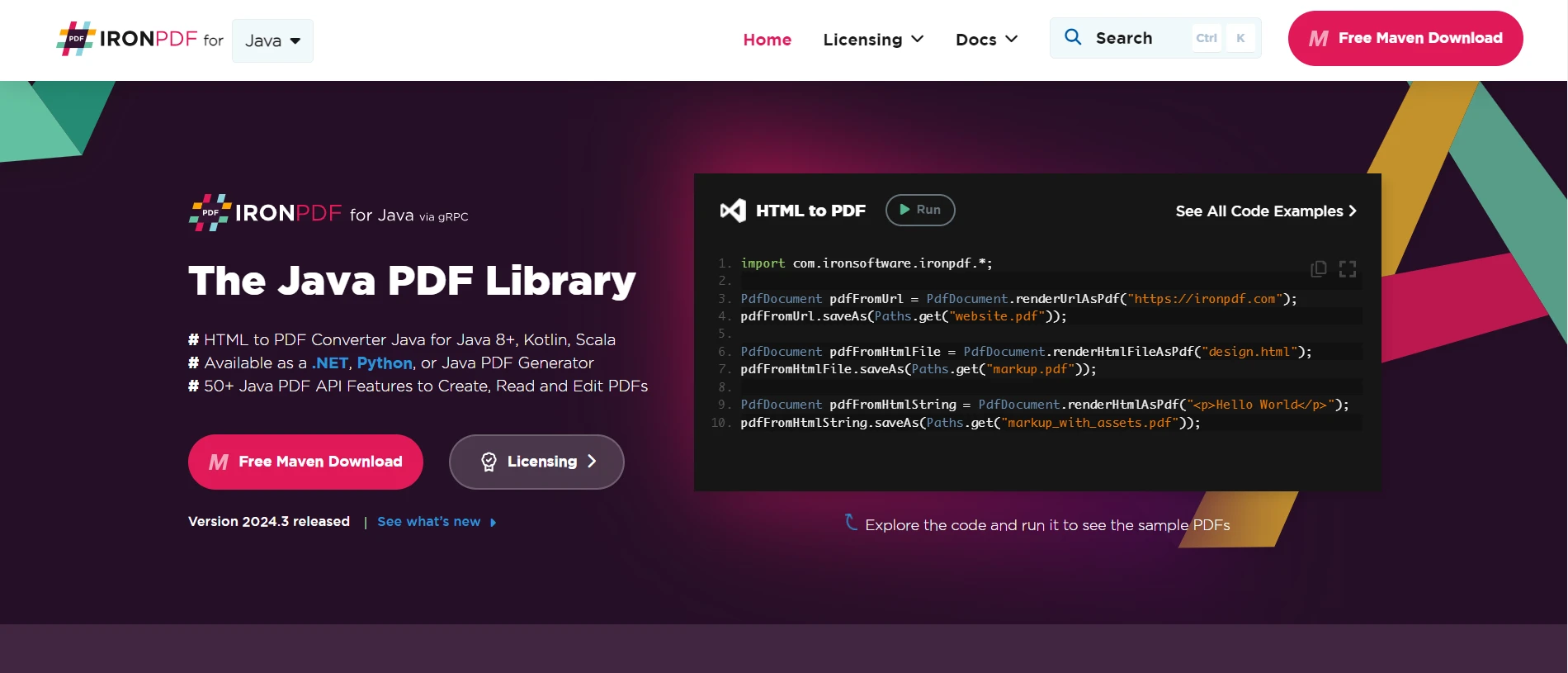
IronPDF 와 Apache Commons IO를 결합하면 개발자는 고급 PDF 생성 기능을 활용하면서 파일 작업을 효율적으로 처리할 수 있습니다. 이 문서에서는 이 두 라이브러리를 함께 사용하여 URL, HTML 파일 및 HTML 문자열에서 PDF를 생성하는 방법을 보여줍니다.
Java용 IronPDF 소개
IronPDF for Java는 .NET 버전의 성공을 기반으로 구축되었으며 다음과 같은 광범위한 기능을 제공합니다.
HTML, URL, JavaScript, CSS 및 다양한 이미지 형식을 사용하여 PDF를 생성합니다.
- 머리글, 바닥글, 서명, 첨부 파일, 비밀번호 및 보안 기능 추가.
- 완벽한 멀티스레딩 및 비동기 지원을 통한 성능 최적화.
필수 조건
시작하기 전에 IronPDF 와 Apache Commons IO에 필요한 종속성이 프로젝트에 추가되었는지 확인하십시오. 다음은 이러한 라이브러리에 필요한 Maven 종속성입니다.
pom.xml
<dependencies>

    <dependency>
        <groupId>commons-io</groupId>
        <artifactId>commons-io</artifactId>
        <version>2.11.0</version>
    </dependency>

    <dependency>
        <groupId>com.ironsoftware</groupId>
        <artifactId>ironpdf</artifactId>
        <version>2024.3.1</version>
    </dependency>

    <dependency>
        <groupId>org.slf4j</groupId>
        <artifactId>slf4j-simple</artifactId>
        <version>2.0.3</version>
    </dependency>
</dependencies>
<dependencies>
<dependency>
<groupId>commons-io</groupId>
<artifactId>commons-io</artifactId>
<version>2.11.0</version>
</dependency>
<dependency>
<groupId>com.ironsoftware</groupId>
<artifactId>ironpdf</artifactId>
<version>2024.3.1</version>
</dependency>
<dependency>
<groupId>org.slf4j</groupId>
<artifactId>slf4j-simple</artifactId>
<version>2.0.3</version>
</dependency>
</dependencies>예시: Apache Commons IO를 사용하여 텍스트 파일에서 PDF 생성하기
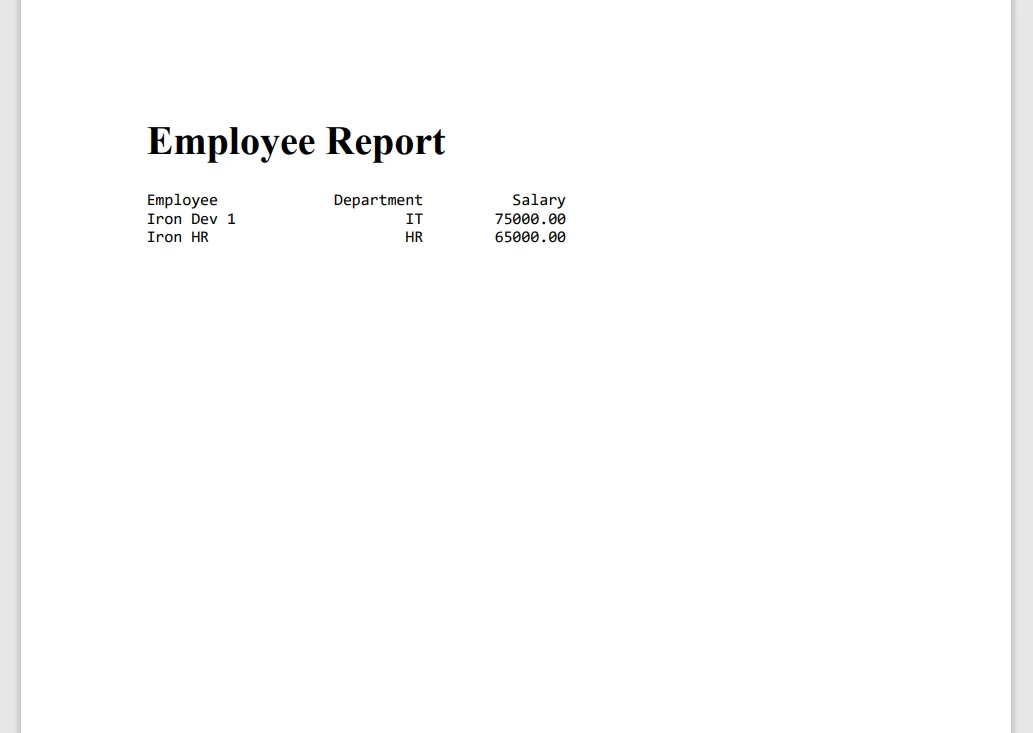
이 예제는 Apache Commons IO를 사용하여 텍스트 파일의 내용을 읽은 다음 IronPDF 사용하여 PDF를 생성하는 방법을 보여줍니다.
Main.java
import com.ironsoftware.ironpdf.License;
import com.ironsoftware.ironpdf.PdfDocument;
import com.ironsoftware.ironpdf.Settings;
import org.apache.commons.io.FileUtils;
import java.io.File;
import java.io.IOException;
import java.nio.charset.StandardCharsets;
import java.nio.file.Paths;

public class PdfFromTextFileExample {
    public static void main(String[] args) {
        try {
            // Apply your IronPDF license key
            License.setLicenseKey("YOUR-LICENSE-KEY");

            // Set a log path for IronPDF logging
            Settings.setLogPath(Paths.get("C:/tmp/IronPdfEngine.log"));

            // Read text content from a file using Apache Commons IO
            File textFile = new File("example.txt");
            String textContent = FileUtils.readFileToString(textFile, StandardCharsets.UTF_8);

            // Render the text content as a PDF
            PdfDocument pdfFromTextContent = PdfDocument.renderHtmlAsPdf("<pre>" + textContent + "</pre>");

            // Save the PdfDocument using IronPDF's saveAs method
            pdfFromTextContent.saveAs(Paths.get("example.pdf"));

            System.out.println("PDF generated and saved as example.pdf");
        } catch (IOException e) {
            e.printStackTrace();
        }
    }
}
import com.ironsoftware.ironpdf.License;
import com.ironsoftware.ironpdf.PdfDocument;
import com.ironsoftware.ironpdf.Settings;
import org.apache.commons.io.FileUtils;
import java.io.File;
import java.io.IOException;
import java.nio.charset.StandardCharsets;
import java.nio.file.Paths;
public class PdfFromTextFileExample {
public static void main(String[] args) {
try {
// Apply your IronPDF license key
License.setLicenseKey("YOUR-LICENSE-KEY");
// Set a log path for IronPDF logging
Settings.setLogPath(Paths.get("C:/tmp/IronPdfEngine.log"));
// Read text content from a file using Apache Commons IO
File textFile = new File("example.txt");
String textContent = FileUtils.readFileToString(textFile, StandardCharsets.UTF_8);
// Render the text content as a PDF
PdfDocument pdfFromTextContent = PdfDocument.renderHtmlAsPdf("<pre>" + textContent + "</pre>");
// Save the PdfDocument using IronPDF's saveAs method
pdfFromTextContent.saveAs(Paths.get("example.pdf"));
System.out.println("PDF generated and saved as example.pdf");
} catch (IOException e) {
e.printStackTrace();
}
}
}코드 설명
다음은 위 코드에 대한 간략한 설명입니다.
-
필요한 라이브러리를 가져옵니다.
- PDF 생성을 위한 IronPDF 입니다.
- 파일 작업을 위한 Apache Commons IO.
-
메인 메서드 설정:
main메서드를 정의하여 실행 로직을 포함합니다.
-
IronPDF 라이선스 설정:
- IronPDF 라이선스 키를
License.setLicenseKey("YOUR-LICENSE-KEY")와 함께 적용합니다. PDF 문서를 생성하려면 라이선스가 필요합니다.
- IronPDF 라이선스 키를
-
로그 경로 설정:
- IronPDF에 대한 로그 파일 경로를
Settings.setLogPath(Paths.get("C:/tmp/IronPdfEngine.log"))와 함께 정의합니다.
- IronPDF에 대한 로그 파일 경로를
-
텍스트 파일 읽기:
- Apache Commons IO를 사용하여
example.txt의 내용을 UTF-8로 인코딩된 문자열로 읽어옵니다.readFileToString메서드는 파일 내용을String로 변환합니다.
- Apache Commons IO를 사용하여
-
PDF로 렌더링:
PdfDocument.renderHtmlAsPdf("<pre>" + textContent + "</pre>")을 사용하여 텍스트 내용을 PDF로 변환합니다.
-
PDF로 저장:
pdfFromTextContent.saveAs(Paths.get("example.pdf"))을 사용하여 생성된 PDF를example.pdf에 저장합니다.
-
완료 메시지 및 예외 처리:
- PDF 생성이 성공적으로 완료되면 성공 메시지를 출력합니다.
IOException을 처리하여 디버깅을 위한 스택 트레이스를 출력합니다.
IronPDF 에 대한 더 자세한 정보는 문서 페이지를 참조하십시오. IronPDF 의 기능을 더 자세히 살펴보려면 이 코드 예제 페이지를 방문하세요.
결론
Apache Commons IO는 파일 및 스트림 작업을 다루는 Java 개발자에게 매우 유용한 라이브러리입니다. Apache Commons IO를 Java용 IronPDF 와 통합하면 PDF 생성 시 파일 처리 기능을 향상시킬 수 있습니다. 이러한 라이브러리들을 함께 사용하면 자바 애플리케이션에서 PDF를 관리하고 생성하는 강력한 솔루션을 제공합니다. 텍스트 파일, URL, HTML 파일 또는 HTML 문자열에서 PDF를 생성하는 경우든, 이 접근 방식은 Java 프로젝트에서 효율적이고 간편한 PDF 관리를 보장합니다.









 무료로 시작하세요
 무료로 시작하세요
 무료 라이브 데모 예약하기





 신용카드나 계정 생성은 필요하지 않습니다.










