푸터 콘텐츠로 바로가기
NODE.JS용 IRONPDF 사용
Pupateer 없이 Node js에서 HTML을 PDF로 변환하는 방법

퍼피티 없이 Node.js에서 HTML을 PDF로 변환하기

In the dynamic and ever-progressing realm of web development, the demand for converting HTML to PDF emerges with remarkable frequency. This necessity spans a spectrum of applications, ranging from the creation of detailed reports and invoices to the essential task of preserving web content in a readily printable format. The seamless conversion of HTML pages to PDF within a Node.js environment stands as a pivotal requirement for developers navigating the intricacies of modern web applications.

This article will discuss HTML to PDF conversion in Node.js without Puppeteer. While Puppeteer runs headless, a headless browser, developers now have access to a diverse array of alternative libraries. Among these, the IronPDF for Node.js library emerges as a standout option—an exceptionally potent tool designed explicitly for executing PDF-related operations within the Node.js (JavaScript) ecosystem.

1. How to Convert HTML To PDF in Node.js Without Puppeteer

  1. Install the PDF Library to convert HTML to PDF in Node.js without Puppeteer.
  2. Import the required dependencies.
  3. Create a PDF file from a URL using the PdfDocument.fromUrl method.
  4. Render an HTML String to PDF using the PdfDocument.fromHtml method.
  5. Save the created PDF files using the saveAs method.

2. Introducing IronPDF

IronPDF is a versatile Node.js PDF library that provides a robust set of features for working with PDF files. One of its key functionalities is the ability to convert HTML to PDF format without the need for Puppeteer. This makes IronPDF an attractive solution for developers looking for a lightweight and efficient way to handle HTML to PDF conversion in their Node.js applications. IronPDF also supports the conversion of CSS versions and headers. IronPDF allows you to generate PDFs from images that work seamlessly in a production environment.

2.1. Noteworthy Features of IronPDF

  1. PDF Generation: IronPDF empowers developers to craft PDF documents from the ground up, granting them complete control over content, formatting, and layout.
  2. PDF Parsing: This library facilitates the extraction of text, images, and other elements from existing PDF files, providing developers with the ability to manipulate the data stored within these documents.
  3. PDF Modification: IronPDF supports the dynamic modification of pre-existing PDF files, enabling the addition, removal, or updating of content as needed.
  4. PDF Rendering: Developers using IronPDF can render PDF files in diverse formats, including from images or from HTML. This versatility expands the options for displaying PDF content within web applications.
  5. Cross-Platform Compatibility: Designed with compatibility in mind, IronPDF seamlessly operates across different operating systems, ensuring consistent behavior regardless of the deployment environment.

3. Installing IronPDF

Getting started with IronPDF is a straightforward process. To install IronPDF in your Node.js project, you can use NPM, the package manager for Node.js libraries. Open your terminal and run the following command:

npm install @ironsoftware/ironpdf
SHELL

This command will download and install the IronPDF library, making it available for use in your project. To install the IronPDF engine that is required for using the IronPDF Library, run the following command on the console:

npm install @ironsoftware/ironpdf-engine-windows-x64
SHELL

4. HTML to PDF Generation

Now that IronPDF is downloaded and installed, let's explore how to use it for HTML to PDF conversion and walk through three common scenarios: converting a URL to PDF, converting an HTML string to PDF, and converting an HTML file to PDF.

4.1. Creating PDF Files from a URL Using IronPDF

Converting a web page to a PDF is a frequent requirement, especially when dealing with dynamic content generated by a server. IronPDF makes this process simple. Here's a basic code example:

import { PdfDocument } from "@ironsoftware/ironpdf";

(async () => {
  // URL of the web page to convert to PDF
  const url = "https://google.com";

  // Create a PDF document from the specified URL
  const pdf = await PdfDocument.fromUrl(url);

  // Save the PDF to a file
  await pdf.saveAs("output_from_url.pdf");
})();
import { PdfDocument } from "@ironsoftware/ironpdf";

(async () => {
  // URL of the web page to convert to PDF
  const url = "https://google.com";

  // Create a PDF document from the specified URL
  const pdf = await PdfDocument.fromUrl(url);

  // Save the PDF to a file
  await pdf.saveAs("output_from_url.pdf");
})();
JAVASCRIPT

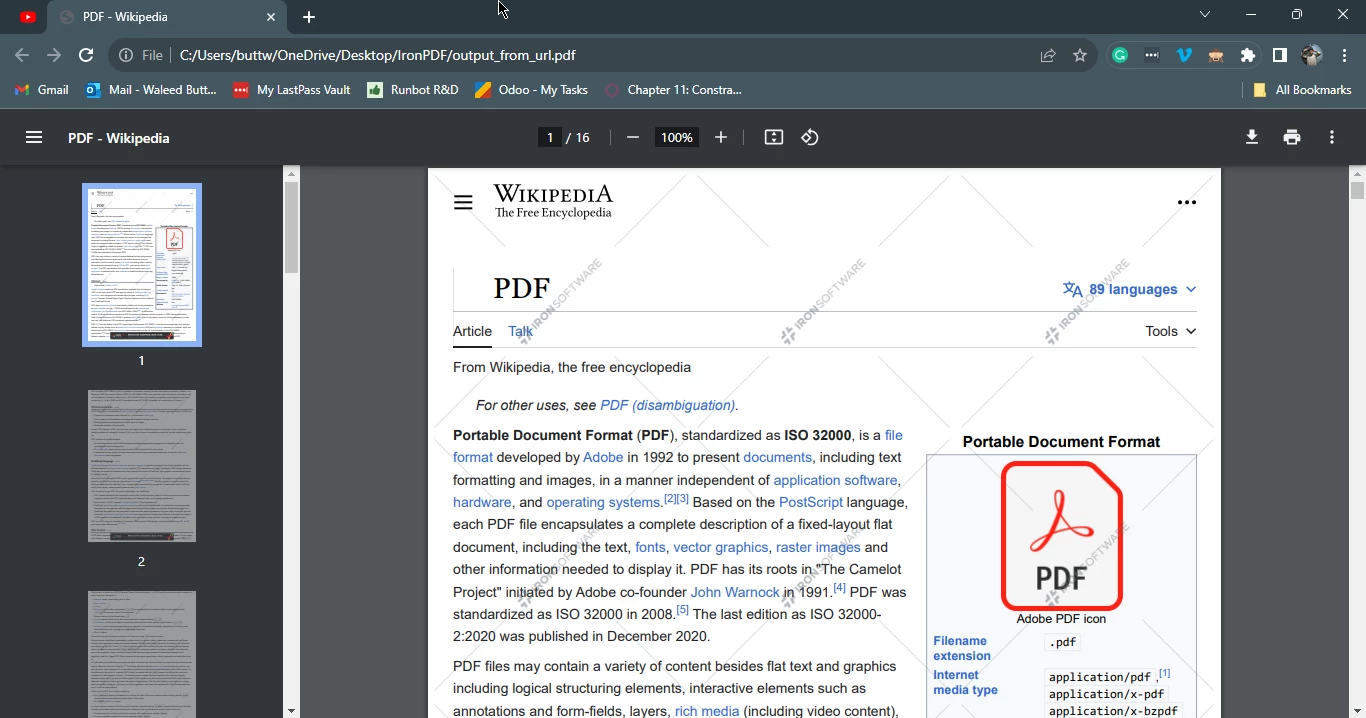
This code uses the IronPDF library to convert a web page (Google's homepage in this example) into a PDF file. It specifies the URL of the page, generates a PDF with the PdfDocument.fromUrl method, and saves it as "output_from_url.pdf". The entire process is wrapped in an asynchronous function to ensure sequential execution. This snippet showcases the simplicity of leveraging IronPDF for HTML to PDF conversions in Node.js.

Convert HTML to PDF in Node.js Without Puppeteer, Figure 1: Output PDF generated from a URL using IronPDF library Output PDF generated from a URL using IronPDF library

4.2. HTML String to PDF File

If you have HTML content as a string and need to convert it to a PDF, IronPDF provides a convenient method for this scenario as well:

import { PdfDocument } from "@ironsoftware/ironpdf";

(async () => {
  // Create a PDF from an HTML string
  const htmlString = "<h1>Hello Developers! This is an Example PDF created with IronPDF</h1>";
  const pdf = await PdfDocument.fromHtml(htmlString);

  // Export the PDF to a file
  await pdf.saveAs("output.pdf");
})();
import { PdfDocument } from "@ironsoftware/ironpdf";

(async () => {
  // Create a PDF from an HTML string
  const htmlString = "<h1>Hello Developers! This is an Example PDF created with IronPDF</h1>";
  const pdf = await PdfDocument.fromHtml(htmlString);

  // Export the PDF to a file
  await pdf.saveAs("output.pdf");
})();
JAVASCRIPT

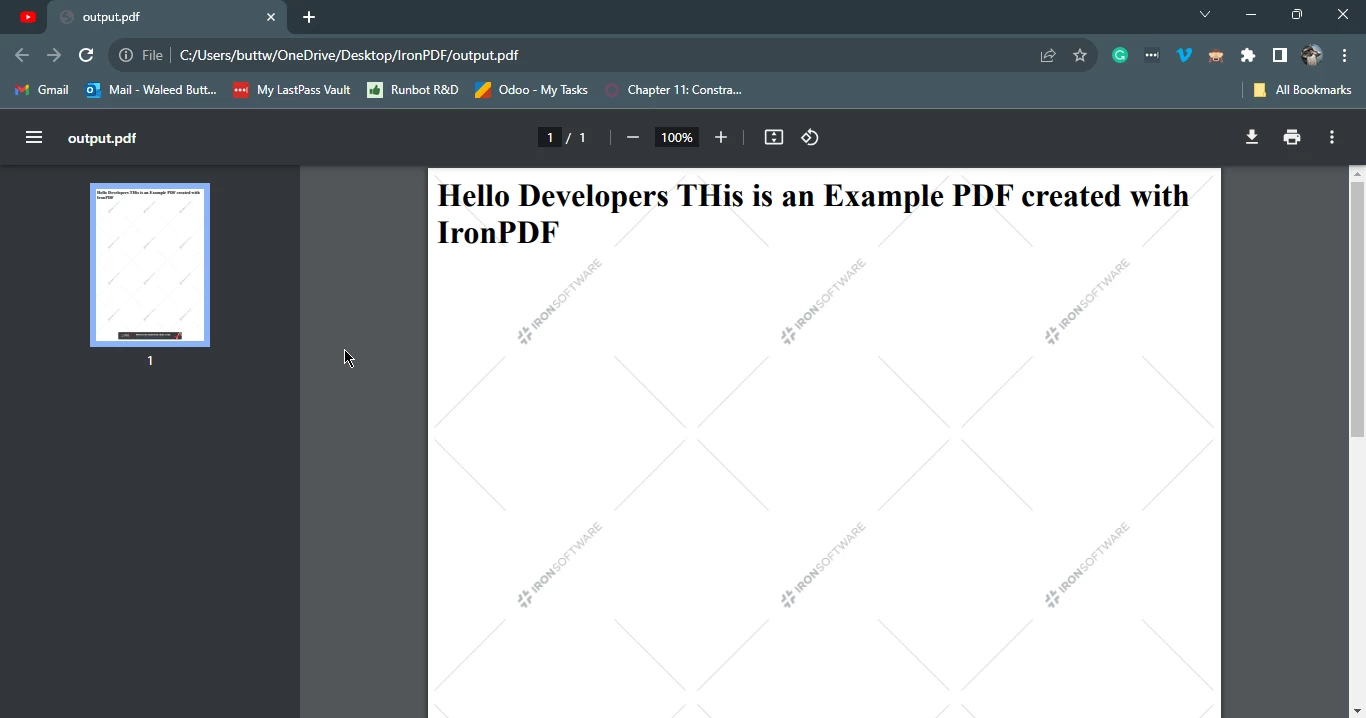
This code example uses the IronPDF library to quickly convert a simple HTML string (a heading tag) into a PDF document. It then saves the generated PDF as "output.pdf." The script is concise, employing an asynchronous function for sequential execution. This showcases the simplicity of creating PDFs from HTML using IronPDF in a Node.js environment.

Convert HTML to PDF in Node.js Without Puppeteer, Figure 2: Output PDF generated from an HTML string using IronPDF library Output PDF generated from an HTML string using IronPDF library

4.3. HTML File to PDF

For situations where the HTML content is stored in a file, IronPDF provides a straightforward method to convert it to a PDF. Here's an example:

import { PdfDocument } from "@ironsoftware/ironpdf";

(async () => {
  // Render the HTML file
  const pdf = await PdfDocument.fromHtml("label.html");

  // Export the PDF document
  await pdf.saveAs("output.pdf");
})();
import { PdfDocument } from "@ironsoftware/ironpdf";

(async () => {
  // Render the HTML file
  const pdf = await PdfDocument.fromHtml("label.html");

  // Export the PDF document
  await pdf.saveAs("output.pdf");
})();
JAVASCRIPT

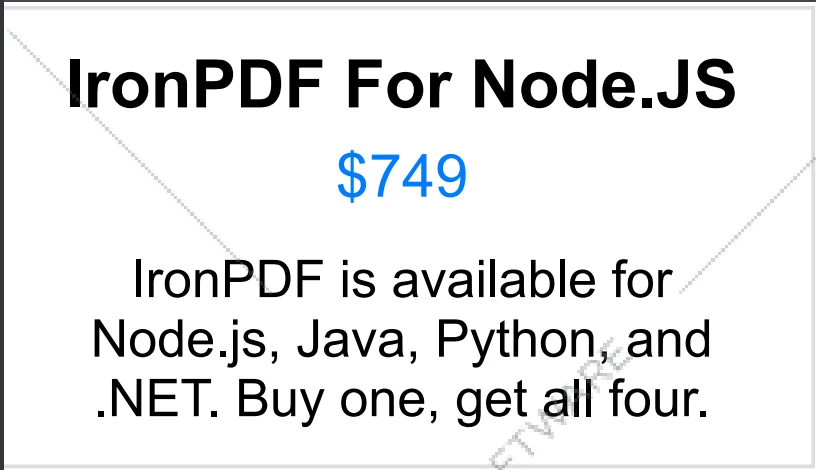
This code snippet utilizes the IronPDF library to convert the content of an HTML file ("label.html") into a PDF document. The rendered PDF is then saved as "output.pdf". The simplicity of this process is highlighted by the concise script, which employs an asynchronous function for sequential execution in a Node.js environment.

Convert HTML to PDF in Node.js Without Puppeteer, Figure 3: Output PDF generated from an HTML file using IronPDF library Output PDF generated from an HTML file using IronPDF library

5. Conclusion

This guide explored the process of converting HTML to PDF in a Node.js environment without relying on Puppeteer. IronPDF proves to be a powerful and efficient alternative, offering a range of features for handling PDF-related tasks. Whether you need to convert a URL, an HTML string, or an HTML file to PDF or generate a PDF file from PNG images, IronPDF provides a seamless solution.

As you integrate HTML to PDF conversion into your Node.js applications, consider the specific requirements of your project and the flexibility that IronPDF offers. With its ease of use and extensive capabilities, IronPDF stands out as a valuable tool for developers seeking a reliable and lightweight solution for PDF generation in Node.js.

To know more about IronPDF for Node.js, please visit the documentation page. The complete tutorial of HTML to PDF conversion using IronPDF for Node.js is available at the following Node.js tutorial link.

IronPDF offers a free trial license for users to get started, before deciding to purchase a perpetual license.

자주 묻는 질문

Puppeteer를 사용하지 않고 Node.js에서 HTML을 PDF로 변환하려면 어떻게 해야 하나요?

IronPDF 라이브러리를 활용하면 Puppeteer를 사용하지 않고도 Node.js에서 HTML을 PDF로 변환할 수 있습니다. IronPDF를 사용하면 PdfDocument.fromHtml 또는 PdfDocument.fromUrl와 같은 간단한 방법을 사용하여 이 변환을 수행할 수 있습니다.

Node.js에서 웹 페이지를 PDF로 변환하려면 어떤 방법을 사용할 수 있나요?

Node.js에서 웹 페이지를 PDF로 변환하려면 웹 페이지를 PDF 문서로 쉽게 렌더링할 수 있는 IronPDF의 PdfDocument.fromUrl 메서드를 사용할 수 있습니다.

Node.js 프로젝트에 IronPDF를 설치하려면 어떻게 하나요?

Node.js 프로젝트에 IronPDF를 설치하려면 터미널에서 npm install @ironsoftware/ironpdf 명령을 사용하세요.

IronPDF를 사용하여 HTML 파일을 PDF로 변환할 수 있나요?

예, IronPDF는 PdfDocument.fromHtmlFile과 같은 방법을 사용하여 HTML 파일을 PDF로 변환할 수 있으므로 파일 기반 변환을 효율적으로 수행할 수 있습니다.

HTML을 PDF로 변환할 때 Puppeteer보다 IronPDF를 사용하면 어떤 주요 이점이 있나요?

IronPDF는 Puppeteer와 같은 헤드리스 브라우저 없이도 HTML을 PDF로 변환할 수 있는 경량 솔루션을 제공합니다. 효율적이고 사용하기 쉬우며 크로스 플랫폼 호환이 가능하도록 설계되어 Node.js 애플리케이션에서 다양한 PDF 작업에 이상적입니다.

IronPDF로 생성한 PDF를 저장하려면 어떻게 해야 하나요?

출력 PDF에 원하는 파일 이름을 지정할 수 있는 saveAs 방법을 사용하여 IronPDF에서 생성한 PDF를 저장할 수 있습니다.

IronPDF는 Node.js 환경에서 크로스 플랫폼 사용을 지원하나요?

예, IronPDF는 다양한 운영 체제에서 원활하게 작동하도록 설계되어 Node.js 환경에서 일관된 동작과 호환성을 보장합니다.

IronPDF에 무료 평가판이 있나요?

예, IronPDF는 개발자가 영구 라이선스 구매를 결정하기 전에 기능을 테스트할 수 있도록 무료 평가판 라이선스를 제공합니다.

커티스 차우
기술 문서 작성자

커티스 차우는 칼턴 대학교에서 컴퓨터 과학 학사 학위를 취득했으며, Node.js, TypeScript, JavaScript, React를 전문으로 하는 프론트엔드 개발자입니다. 직관적이고 미적으로 뛰어난 사용자 인터페이스를 만드는 데 열정을 가진 그는 최신 프레임워크를 활용하고, 잘 구성되고 시각적으로 매력적인 매뉴얼을 제작하는 것을 즐깁니다.

커티스는 개발 분야 외에도 사물 인터넷(IoT)에 깊은 관심을 가지고 있으며, 하드웨어와 소프트웨어를 통합하는 혁신적인 방법을 연구합니다. 여가 시간에는 게임을 즐기거나 디스코드 봇을 만들면서 기술에 대한 애정과 창의성을 결합합니다.