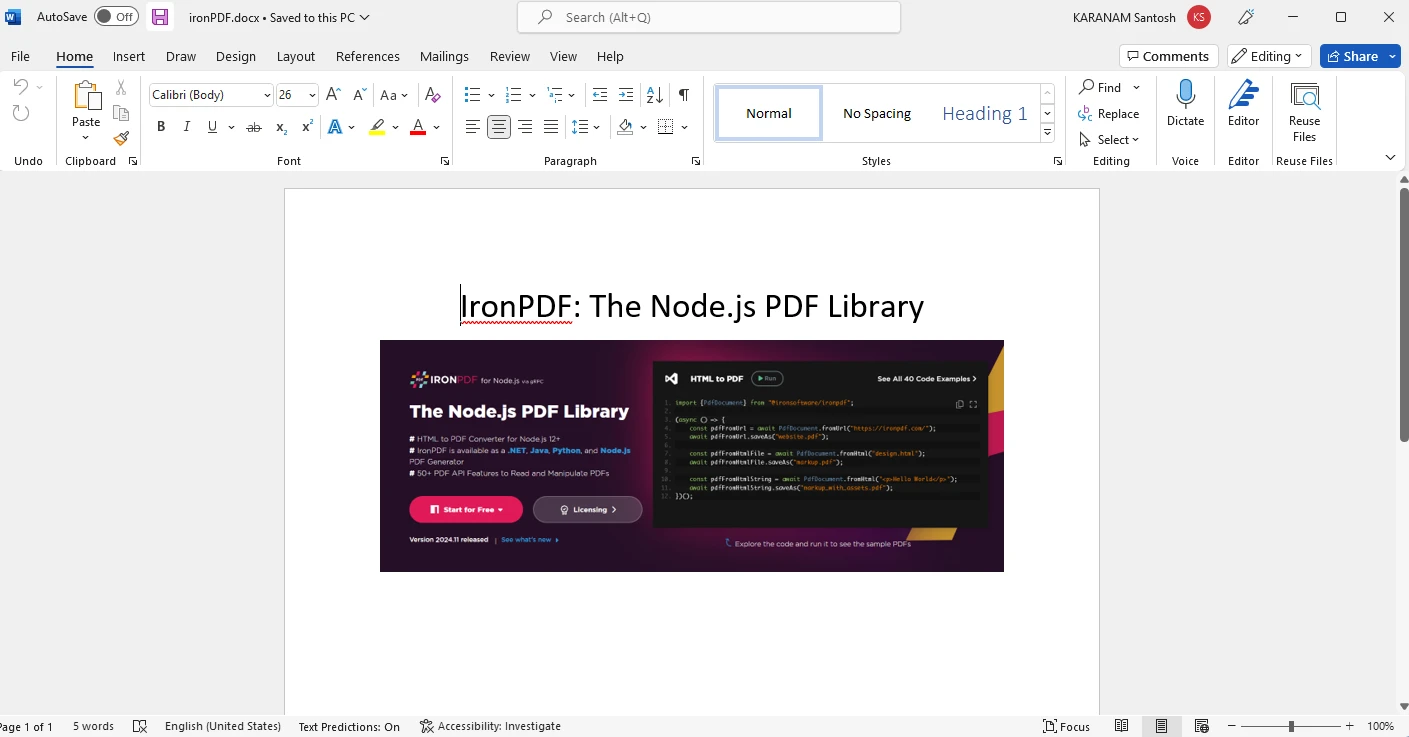
Node.js PDF SDK(개발자 튜토리얼)
This article will discuss a Node.js PDF SDK and how to use this SDK to meet all your PDF manipulation needs using Node.js. The PDF SDK we will discuss today is IronPDF for Node.js, its introduction, details on how to install it, and how to use it to manipulate PDF files.
1. IronPDF for Node.js
IronPDF is a powerful and versatile library that empowers developers to work with PDF documents in Node.js applications with ease and efficiency. Whether you need to create, edit, or manipulate PDF files, IronPDF provides a comprehensive set of tools and features to streamline your workflow.
PDF (Portable Document Format) is a widely used file format for document exchange due to its compatibility and consistency across various platforms. With IronPDF for Node.js, you can automate the generation of PDFs, extract data from existing PDFs, and perform various tasks related to access to PDF documents programmatically.
1.1 Key Features of IronPDF for Node.js
- PDF Creation: IronPDF allows you to generate PDF documents from scratch. You can create invoices, reports, certificates, and other types of documents by combining text, images, and other content in a customizable layout.
- HTML to PDF Conversion: One of IronPDF's standout features is the ability to convert HTML content to PDF. You can take existing HTML documents or web pages and transform them into PDF files.
- PDF Editing: With IronPDF, you can edit existing PDF files programmatically. You can add or modify text, images, hyperlinks, and annotations.
- PDF Form Handling: IronPDF supports working with PDF forms. You can programmatically populate form fields, extract data from filled forms, and even digitally sign documents.
- PDF Merging and Splitting: You can merge multiple PDF documents into a single file or split a PDF into multiple smaller files using IronPDF.
- High-Quality Output: IronPDF ensures that the generated PDF documents maintain high quality and fidelity to the original content. You can control aspects like page size, orientation, resolution, and compression settings.
- Cross-Platform Compatibility: IronPDF is compatible with Node.js and can be used on various operating systems, making it versatile and accessible for developers working on different platforms.
- Extensive Documentation: IronPDF comes with extensive documentation and examples to help developers get started quickly and efficiently. The well-documented API and straightforward code samples make integration into Node.js applications a smooth process.
- Flexible Licensing: IronPDF offers flexible licensing options, allowing developers to choose the plan that best suits their project's needs, whether it's a personal project, a startup, or an enterprise-level application.
2. Installing IronPDF for Node.js
This section will discuss how you can set up the environment and install IronPDF for Node.js.
Before starting, make sure you have Node.js installed on your system.
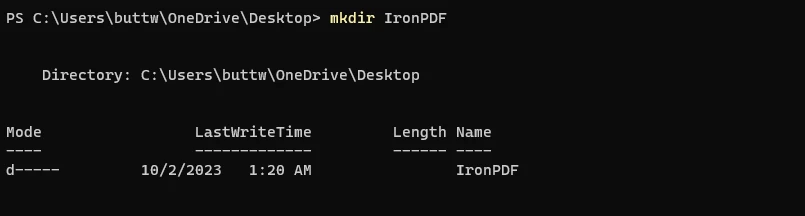
First, open the Command Prompt (CMD) and create a new Node.js project using the following commands.
mkdir IronPDFmkdir IronPDFSHELLThis will create a new directory in which you can set up this demo project.
Create a new folderNavigate to the newly created directory.
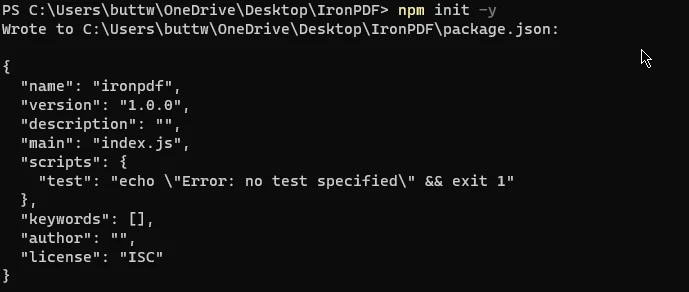
cd IronPDFcd IronPDFSHELLInitialize a new Node.js project within this directory.
npm init -ynpm init -ySHELLThis command will create a
package.jsonfile, which will store project-related metadata and dependencies and all the environment variables.
Init a package.json fileOnce the initial setup is completed, let's install IronPDF using the following command.
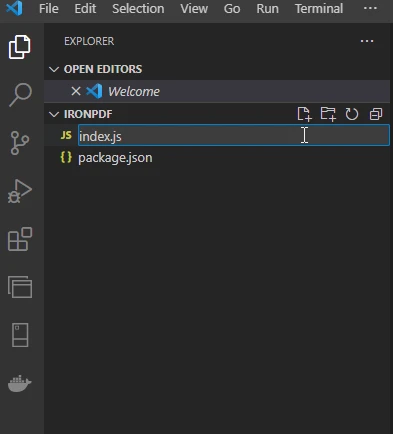
npm install @ironsoftware/ironpdfnpm install @ironsoftware/ironpdfSHELLNow open the project in Visual Studio Code and create a new file named "index.js".
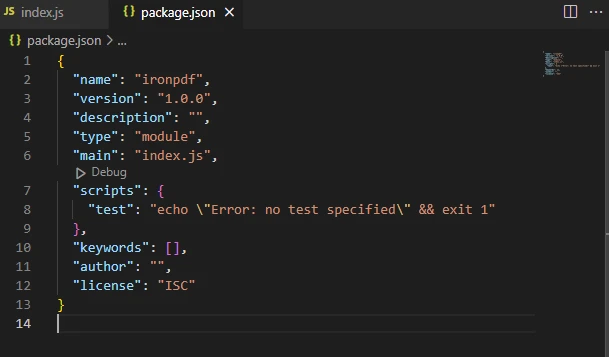
Create a new index.js fileOpen the
package.jsonstructured JSON file and add the following JSON data to add support for ES modules."type": "module",
Sample image of package.json file
Just like that, IronPDF is installed, and the demo environment is ready for running the IronPDF code, document generation, and executing operations.
3. Creating PDF Files Using Node.js PDF SDK
Using IronPDF for Node.js SDK to create PDF files and use other PDF services is a piece of cake, and you can create a PDF file with just a few lines of code. There are two most common ways used to create PDF files:
- HTML to PDF File
- URL to PDF Documents
3.1. HTML to PDF File
This section will see how to create PDF files using IronPDF for Node.js PDF SDK. Using IronPDF, you can convert an HTML string to a PDF file.
import { PdfDocument } from "@ironsoftware/ironpdf";
(async () => {
// Create a PDF document from an HTML string
const pdf = await PdfDocument.fromHtml("<h1 style='padding:100px'>This PDF is Created By Using IronPDF for Node.js PDF SDK</h1>");
// Save the generated PDF to a file
await pdf.saveAs("pdf-from-html.pdf");
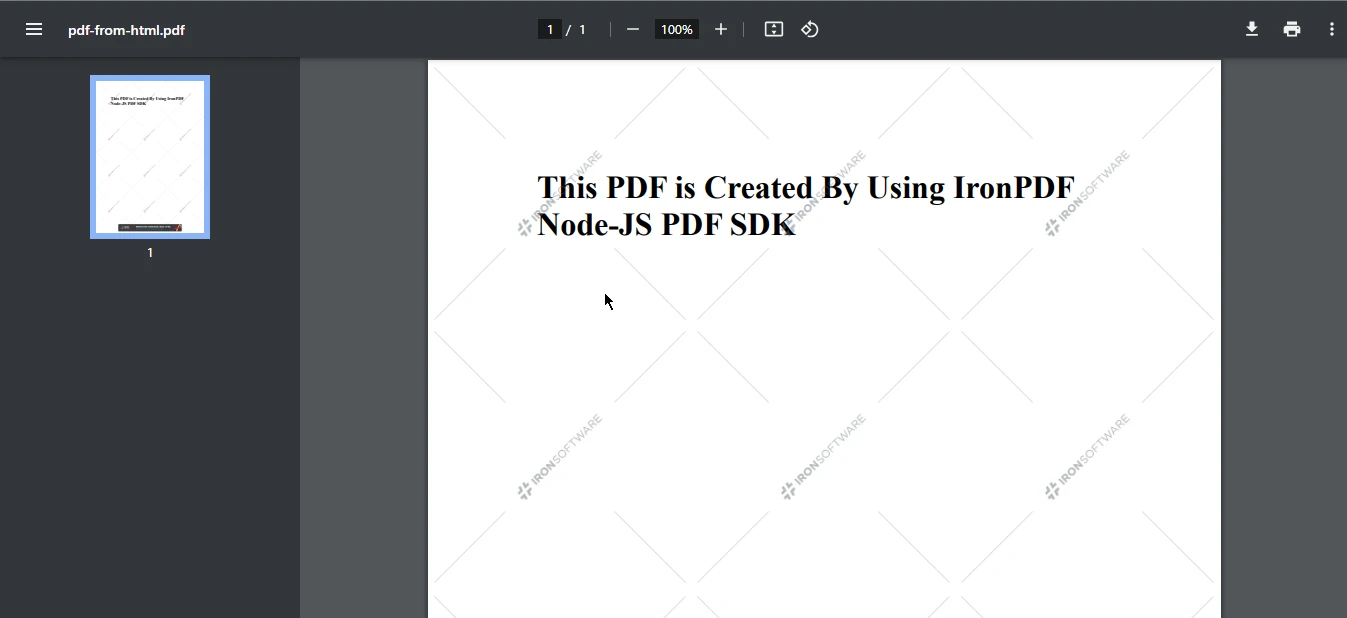
})();This code demonstrates the use of the IronPDF library in a Node.js application to create a PDF document from a provided HTML string. It imports the PdfDocument class, generates a PDF document from the HTML content using the fromHtml method, and then saves a copy of the resulting PDF to a file named "pdf-from-html.pdf". The code leverages an immediately invoked async function to ensure proper asynchronous handling, allowing the PDF creation and saving operations to complete before finishing execution.
Output PDF file
3.2. URL to PDF Documents
Node.js PDF SDK offers the ability to create PDF files from URLs. This package gives developers the ability to convert web pages into PDF files on the go.
import { PdfDocument } from "@ironsoftware/ironpdf";
(async () => {
// Create a PDF document from a URL
const pdf = await PdfDocument.fromUrl("https://www.google.com");
// Save the generated PDF to a file
await pdf.saveAs("pdf-from-url.pdf");
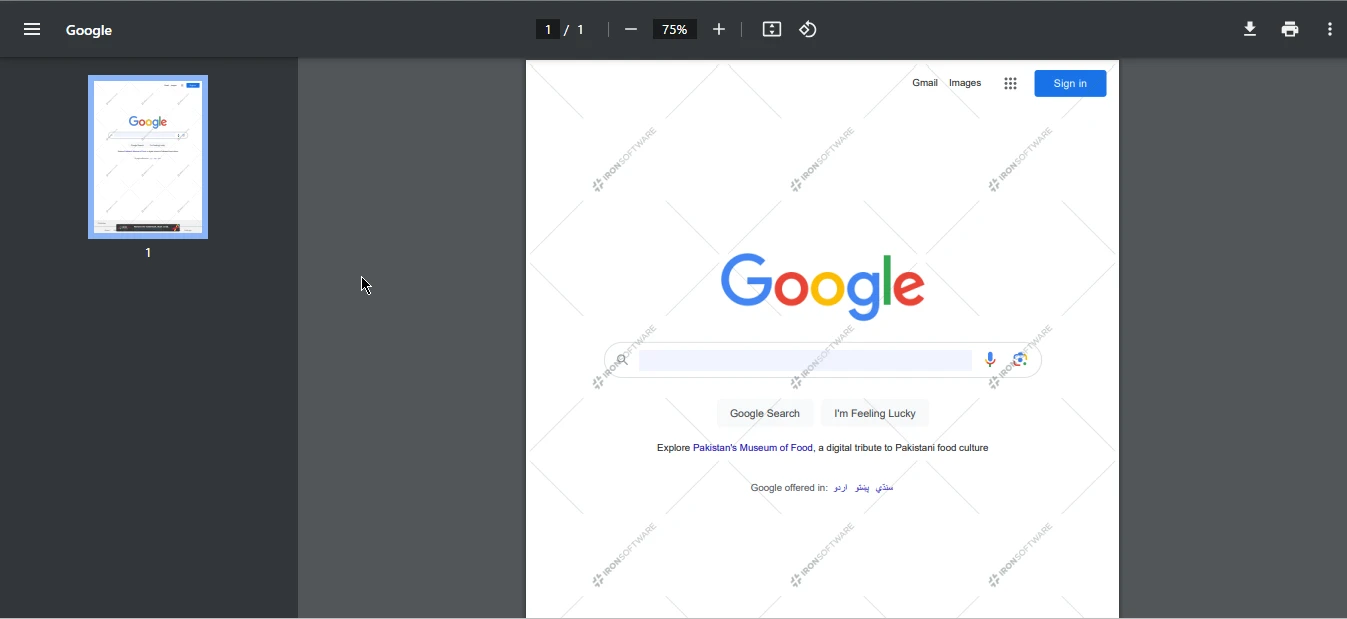
})();This code illustrates the usage of the IronPDF library in a Node.js application to convert a web page, in this case, Google's homepage, into a PDF document. It imports the PdfDocument class, creates a PDF document by fetching content from the specified URL using the fromUrl method, and then saves the resulting PDF as "pdf-from-url.pdf" in the current working directory. The code employs an immediately invoked async function to ensure proper asynchronous handling, allowing the PDF conversion and saving operations to complete before the code's execution concludes.
Output PDF file
4. Merge PDF Files
This section will demonstrate how to merge the two PDF files created above and then create a new PDF file with just a few lines of code. You can merge multiple PDFs to create "dynamic documents" for contracts and agreements, invoices, proposals, reports, forms, branded marketing documents, and more.
import { PdfDocument } from "@ironsoftware/ironpdf";
(async () => {
// Load existing PDF files
const pdf1 = await PdfDocument.fromFile("pdf-from-html.pdf");
const pdf2 = await PdfDocument.fromFile("pdf-from-url.pdf");
// Create an array of PDFs to be merged
const arrayOfPDFs = [pdf1, pdf2];
// Merge the PDFs into a single document
const merge_pdf = await PdfDocument.mergePdf(arrayOfPDFs);
// Save the merged PDF to a file
await merge_pdf.saveAs("merged_PDF.pdf");
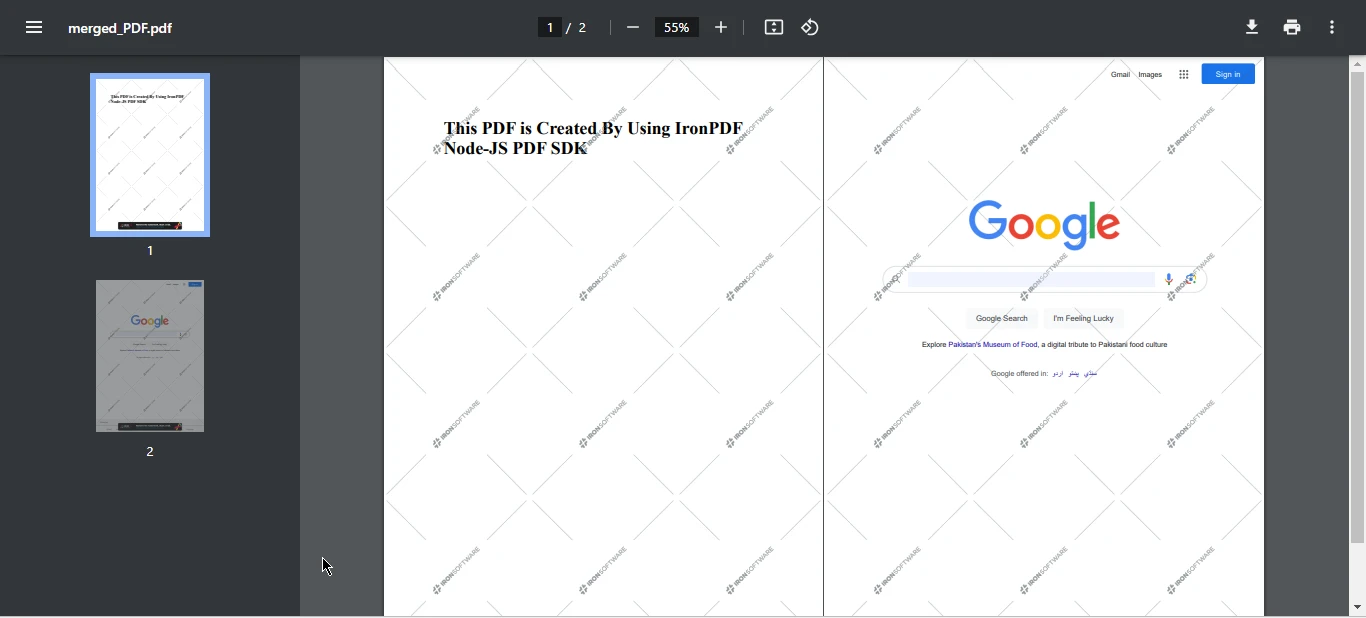
})();This code employs the IronPDF library in a Node.js application to merge two PDF documents, "pdf-from-html.pdf" and "pdf-from-url.pdf," into a single PDF file named "merged_PDF.pdf." It starts by creating two PdfDocument instances from existing PDF files and then assembles them into an array called arrayOfPDFs. Using the PdfDocument.mergePdf method, the code combines the PDFs from the array into a unified document, which is stored in the merge_pdf variable. Finally, the merged PDF source file is saved to the current working directory with the filename "merged_PDF.pdf". The code utilizes an immediately invoked async function to manage asynchronous operations effectively, ensuring that the merging and saving tasks are completed before the code execution concludes.
Output PDF file
5. Conclusion
In a digital age where the exchange of information is ubiquitous, PDF documents have emerged as a cornerstone for sharing and preserving content across diverse platforms and devices. The Node.js PDF SDK, with its capacity to harness the power of Node.js, has become a pivotal tool in the realm of PDF document management, offering a versatile and efficient approach to handling PDF files. This article has focused on IronPDF for Node.js, outlining its introduction, installation, and practical usage for PDF manipulation.
With a range of features at its disposal, including PDF creation, HTML-to-PDF conversion, PDF editing, form handling, and PDF merging, IronPDF empowers developers to work seamlessly with PDFs in a cross-platform environment. The installation process is straightforward, and creating, editing, or merging PDF files is made easy through simple yet powerful code examples. This Node.js PDF SDK has redefined the landscape of PDF document management, making it an indispensable tool for developers looking to streamline their PDF-related workflows.
To know more about IronPDF for Node.js, please refer to the following latest version from npm website. Users can opt for a free trial license to test out all the key features of IronPDF for Node.js library before deciding to purchase a commercial license.
자주 묻는 질문
Node.js에 PDF SDK를 설치하려면 어떻게 해야 하나요?
Node.js에 IronPDF와 같은 PDF SDK를 설치하려면 먼저 Node.js가 설치되어 있는지 확인하세요. 새 Node.js 프로젝트를 생성하고 프로젝트 디렉토리로 이동한 다음 터미널에서 npm install @ironsoftware/ironpdf 명령을 실행합니다.
Node.js PDF SDK로 무엇을 할 수 있나요?
IronPDF와 같은 Node.js PDF SDK를 사용하면 PDF 문서를 생성, 편집 및 조작할 수 있습니다. HTML을 PDF로 변환하고, PDF를 병합 또는 분할하고, 양식 데이터를 처리하고, PDF 관련 작업을 효율적으로 자동화할 수 있습니다.
Node.js에서 HTML을 PDF로 변환하려면 어떻게 해야 하나요?
IronPDF를 사용하여 HTML을 PDF로 변환하려면 PdfDocument.fromHtml 메서드를 사용할 수 있습니다. 이 메서드는 HTML 문자열을 가져와 PDF 문서로 변환한 다음 파일로 저장할 수 있습니다.
Node.js의 URL에서 PDF를 만들 수 있나요?
예, Node.js용 IronPDF를 사용하면 PdfDocument.fromUrl 메서드를 사용하여 URL에서 PDF를 만들 수 있습니다. 이 메서드를 사용하면 지정된 웹 페이지 URL에서 PDF 문서를 생성할 수 있습니다.
Node.js에서 프로그래밍 방식으로 PDF 파일을 병합할 수 있나요?
예, Node.js에서 IronPDF를 사용하여 PDF 파일을 병합할 수 있습니다. 각 PDF를 PdfDocument 인스턴스로 로드하고 PdfDocument.mergePdf 메서드를 사용하여 단일 문서로 결합합니다.
Node.js에서 PDF SDK를 사용하기 위한 몇 가지 문제 해결 팁은 무엇인가요?
Node.js 환경이 올바르게 설정되어 있고 모든 종속성이 설치되어 있는지 확인하세요. 메서드 사용법과 일반적인 문제 해결에 대한 지침은 IronPDF의 문서를 참조하세요.
Node.js용 PDF SDK를 사용하면 어떤 이점이 있나요?
Node.js용 IronPDF와 같은 PDF SDK를 사용하면 고품질 출력, 플랫폼 간 호환성 및 광범위한 문서와 같은 이점을 제공하여 PDF 기능을 애플리케이션에 쉽게 통합할 수 있습니다.
Node.js에서 PDF SDK를 사용하는 예제는 어디에서 찾을 수 있나요?
IronPDF는 웹사이트와 npm 페이지에서 광범위한 문서와 코드 예제를 제공하여 개발자가 SDK를 Node.js 애플리케이션에 효과적으로 통합할 수 있도록 지원합니다.
Node.js에서 PDF SDK를 평가할 수 있는 평가판이 제공되나요?
예, 상용 라이선스를 결정하기 전에 기능을 살펴볼 수 있는 Node.js용 IronPDF 무료 평가판을 사용할 수 있습니다.
Node.js PDF SDK는 크로스 플랫폼 개발을 지원하나요?
예, Node.js용 IronPDF는 크로스 플랫폼 개발을 지원하므로 다양한 운영 체제와 호환되며 다양한 환경에 원활하게 통합할 수 있습니다.