using IronPdf;

// Disable local disk access or cross-origin requests
Installation.EnableWebSecurity = true;

// Instantiate Renderer
var renderer = new ChromePdfRenderer();

// Create a PDF from a HTML string using C#
var pdf = renderer.RenderHtmlAsPdf("<h1>Hello World</h1>");

// Export to a file or Stream
pdf.SaveAs("output.pdf");

// Advanced Example with HTML Assets
// Load external html assets: Images, CSS and JavaScript.
// An optional BasePath 'C:\site\assets\' is set as the file location to load assets from
var myAdvancedPdf = renderer.RenderHtmlAsPdf("<img src='icons/iron.png'>", @"C:\site\assets\");
myAdvancedPdf.SaveAs("html-with-assets.pdf");
using IronPdf;// Disable local disk access or cross-origin requestsInstallation.EnableWebSecurity = true;// Instantiate Renderervar renderer = new ChromePdfRenderer();// Create a PDF from a HTML string using C#var pdf = renderer.RenderHtmlAsPdf("<h1>Hello World</h1>");// Export to a file or Streampdf.SaveAs("output.pdf");// Advanced Example with HTML Assets// Load external html assets: Images, CSS and JavaScript.// An optional BasePath 'C:\site\assets\' is set as the file location to load assets fromvar myAdvancedPdf = renderer.RenderHtmlAsPdf("<img src='icons/iron.png'>", @"C:\site\assets\");myAdvancedPdf.SaveAs("html-with-assets.pdf");
Humanizer to potężna i elastyczna biblioteka .NET, która upraszcza i humanizuje proces pracy z danymi, szczególnie w zakresie wyświetlania informacji w przyjaznym dla użytkownika formacie. Niezależnie od tego, czy potrzebujesz przekształcić daty na względne łańcuchy czasu ("3 dni temu"), pluralizować słowa, formatować liczby jako słowa, czy pracować z enumami, wyświetlać łańcuchy, łańcuchy wejściowe Pascal case jako zdania z niestandardowymi opisami, łańcuchy wejściowe podkreślane do standardowych łańcuchów tytułowych, oraz przycinać długie teksty, Humanizer zapewnia mnóstwo narzędzi i metod rozszerzających do eleganckiego obsłużenia tych zadań w C#.NET, aby przekształcić zdehumanizowane łańcuchy wejściowe w zdania.
W tym artykułe omówimy szczegółowy samouczek Humanizera w C#. Omówimy również, jak generować dokumenty PDF za pomocą Humanizer i IronPDF dla biblioteki PDF dla C#.
### Ustawianie Humanizer w języku C#
Aby rozpocząć pracę z Humanizer, musisz zainstalować bibliotekę przez NuGet. W swoim projekcie możesz to zrobić za pośrednictwem Konsoli Menedżera Pakietów za pomocą następującego polecenia:
```shell
:InstallCmd Install-Package Humanizer
```
Alternatywnie, jeśli używasz .NET Core CLI, możesz dodać Humanizer za pomocą:
```shell
:InstallCmd dotnet add package Humanizer
```
Po zainstalowaniu możesz zacząć używać Humanizer, dodając odpowiednią przestrzeń nazw w swoich plikach C#:
```csharp
using Humanizer;
```
### Humanizowanie Dat i Czasów
Jednym z najczęstszych zastosowań Humanizer jest konwersja dat i czasów do formatów czytelnych dla człowieka, przedziałów czasowych, liczb i ilości przy użyciu metody `Humanize`. Jest to szczególnie przydatne do wyświetlania relatywnych czasów, takich jak "2 godziny temu" lub "za 5 dni".
#### Przykład: Humanizowanie Względnego Czasu
```csharp
using System;

class HumanizerDemo
{
    static void Main()
    {
        DateTime pastDate = DateTime.Now.AddDays(-3);
        // Humanize the past date, which converts it to a relative time format
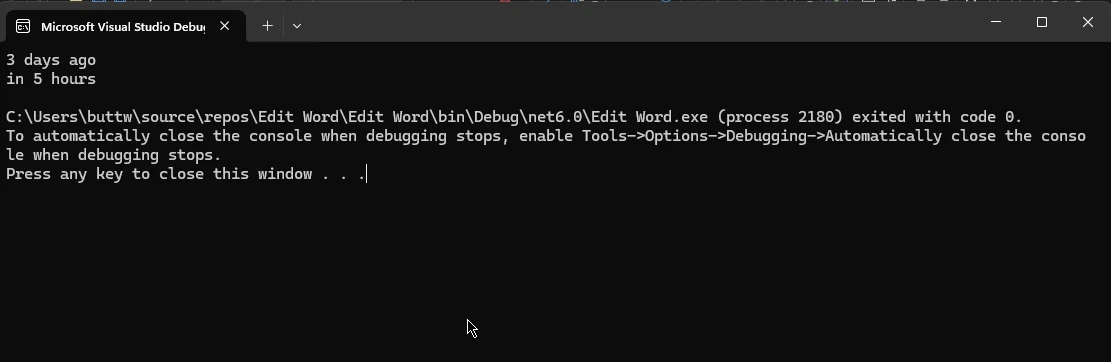
        string humanizedTime = pastDate.Humanize(); // Output: "3 days ago"

        DateTime futureDate = DateTime.Now.AddHours(5);
        // Humanize the future date, presenting it in relative time
        string futureHumanizedTime = futureDate.Humanize(); // Output: "in 5 hours"

        Console.WriteLine("Humanized Past Date: " + humanizedTime);
        Console.WriteLine("Humanized Future Date: " + futureHumanizedTime);
    }
}
```
Metoda rozszerzająca Humanizer automatycznie obsługuje różne jednostki czasu oraz nawet dostosowuje się do poprawności gramatycznej.
### Humanizowanie Czasookresów
Humanizer może również humanizować obiekty `TimeSpan`, co ułatwia wyświetlanie czasów trwania w czytelnym formacie.
#### Przykład: Humanizowanie Czasookresu
```csharp
using System;
class TimeSpanHumanizerDemo
{
static void Main()
{
TimeSpan timeSpan = TimeSpan.FromMinutes(123);
// Humanizing the TimeSpan into hours and minutes
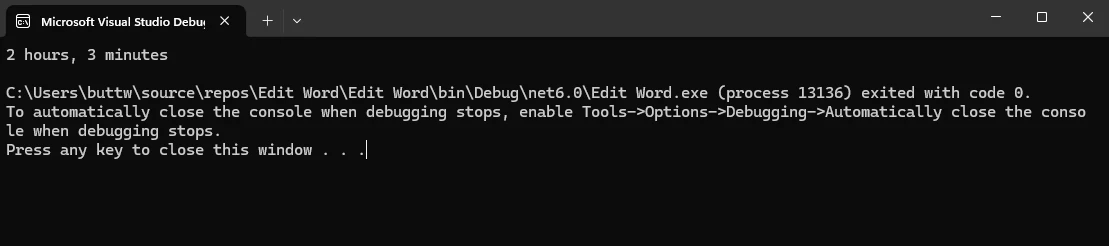
string humanizedTimeSpan = timeSpan.Humanize(2); // Output: "2 hours, 3 minutes"
Console.WriteLine("Humanized TimeSpan: " + humanizedTimeSpan);
}
}
```
### Praca z Liczbami
Humanizer oferuje kilka metod do przekształcania liczb na słowa czytelne dla ludzi oraz do obsługi liczb porządkowych.
#### Przykład: Przekształcanie Liczb na Słowa
```csharp
using System;
class NumberHumanizerDemo
{
static void Main()
{
int number = 123;
// Convert number to words
string words = number.ToWords(); // Output: "one hundred and twenty-three"
Console.WriteLine("Number in Words: " + words);
}
}
```

#### Przykład: Przekształcanie Liczb na Liczby Porządkowe
```csharp
using System;
class OrdinalHumanizerDemo
{
static void Main()
{
int number = 21;
// Convert number to ordinal words
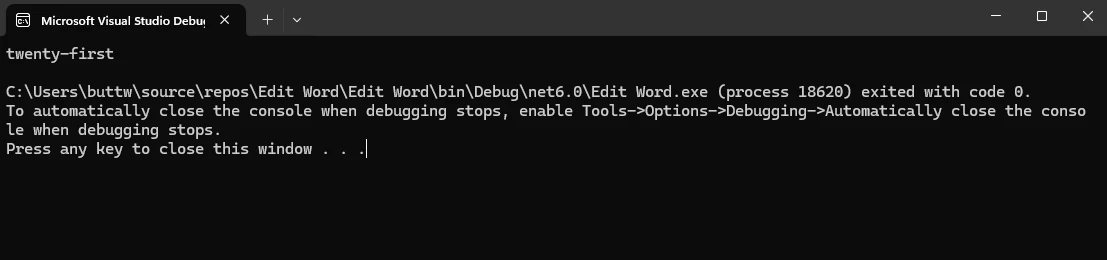
string ordinal = number.ToOrdinalWords(); // Output: "twenty-first"
Console.WriteLine("Ordinal Number: " + ordinal);
}
}
```
### Liczbnik i Jednobiałość
Humanizer ułatwia przekształcanie słów pomiędzy ich formami jednobieżnymi a licznymi, co jest przydatne w dynamicznym generowaniu długiego tekstu na podstawie ilości.
#### Przykład: Licznikowanie i Jednobiałość Słów
```csharp
using System;
class PluralizationDemo
{
static void Main()
{
string singular = "car";
// Pluralize the word
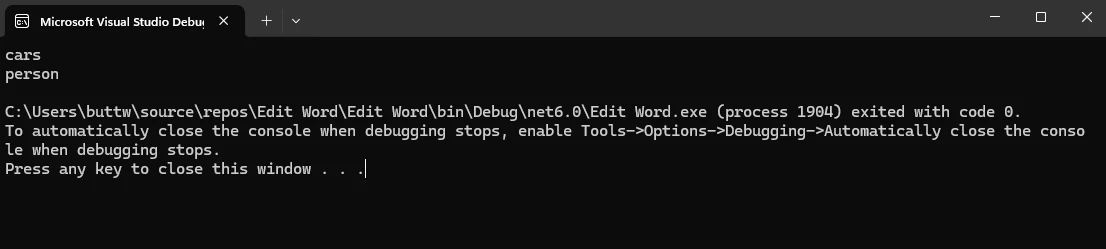
string plural = singular.Pluralize(); // Output: "cars"
string word = "people";
// Singularize the word
string singularForm = word.Singularize(); // Output: "person"
Console.WriteLine("Plural of 'car': " + plural);
Console.WriteLine("Singular of 'people': " + singularForm);
}
}
```
Humanizer obsługuje również nieregularne licznikowanie i jednobiałość, co czyni go robustnym dla różnych zastosowań.
### Formatowanie Enums
Enumy są często używane w aplikacjach C# do reprezentowania zestawu nazwanych stałych. Humanizer może przekształcać wartości enum w łańcuchy czytelne dla ludzi.
#### Przykład: Humanizowanie Enums
```csharp
using System;
public enum MyEnum
{
FirstValue,
SecondValue
}
class EnumHumanizerDemo
{
static void Main()
{
MyEnum enumValue = MyEnum.FirstValue;
// Humanizing enum to a readable format
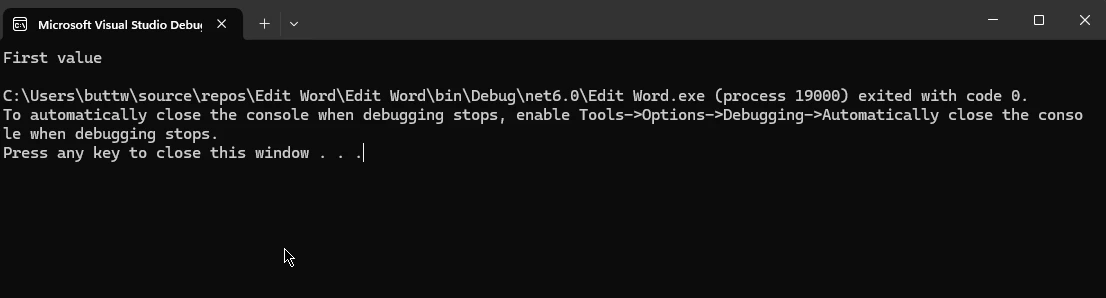
string humanizedEnum = enumValue.Humanize(); // Output: "First value"
Console.WriteLine("Humanized Enum: " + humanizedEnum);
}
}
```
Ta metoda może być szczególnie przydatna do wyświetlania przyjaznych użytkownikowi etykiet w interfejsach użytkownika.
### Humanizowanie Rozmiarów Bajtów
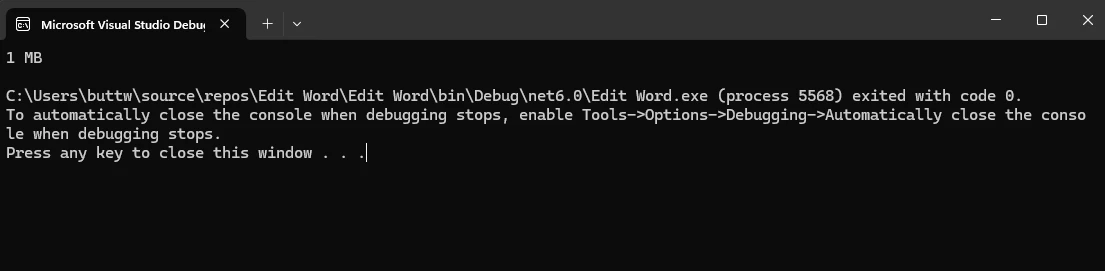
Kolejną przydatną funkcją Humanizera jest możliwość humanizowania rozmiarów bajtów, przekształcając duże wartości bajtowe w czytelne formaty, takie jak KB, MB czy GB.
#### Przykład: Humanizowanie Rozmiarów Bajtów
```csharp
using System;
class ByteSizeHumanizerDemo
{
static void Main()
{
long bytes = 1048576;
// Humanize bytes to a readable size format
string humanizedBytes = bytes.Bytes().Humanize(); // Output: "1 MB"
Console.WriteLine("Humanized Byte Size: " + humanizedBytes);
}
}
```
### Zaawansowane scenariusze
Humanizer nie jest ograniczony do podstawowych scenariuszy opisanych powyżej. Obsługuje szeroki zakres zaawansowanych funkcji, takich jak metoda `Truncate` oraz wiele języków i rozszerzeń.
#### Przykład: Humanizowanie Przesunięć DateTime
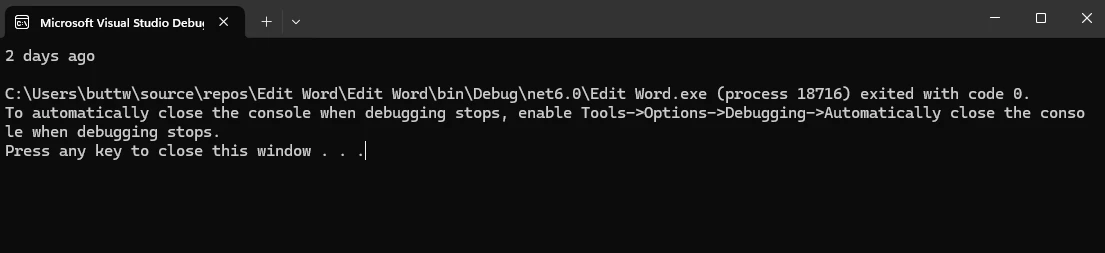
Humanizer może również obsługiwać `DateTimeOffset`, co jest przydatne dla aplikacji zajmujących się strefami czasowymi.
```csharp
using System;
class DateTimeOffsetHumanizerDemo
{
static void Main()
{
DateTimeOffset dateTimeOffset = DateTimeOffset.Now.AddDays(-2);
// Humanize DateTimeOffset
string humanizedDateTimeOffset = dateTimeOffset.Humanize(); // Output: "2 days ago"
Console.WriteLine("Humanized DateTimeOffset: " + humanizedDateTimeOffset);
}
}
```
### Rozważania dotyczące wydajności
Humanizer jest zaprojektowany jako wydajny, ale jak każda biblioteka, jego wydajność zależy od sposobu użycia. Dla aplikacji wymagających wysokiej wydajności, zwłaszcza tych obsługujących duże zbiory danych lub przetwarzanie w czasie rzeczywistym, istotne jest rozważenie wpływu częstych operacji humanizacji.
## IronPDF for C#
IronPDF to kompleksowa biblioteka generowania i manipulacji PDF dla aplikacji .NET. Pozwala deweloperom na tworzenie, odczytywanie, edytowanie i wyodrębnianie treści z plików PDF z łatwością. IronPDF jest zaprojektowany jako przyjazny użytkownikowi, oferując szeroki zakres funkcjonalności, w tym konwersję HTML do PDF, łączenie dokumentów, dodawanie znaków wodnych i wiele więcej. Jego wszechstronność i potężne funkcje czynią go doskonałym wyborem do obsługi dokumentów PDF w projektach C#.
### Instalowanie IronPDF za pomocą Menedżera Pakietów NuGet
Wykonaj te kroki, aby zainstalować IronPDF, używając Menedżera Pakietów NuGet:
1. **Otwórz Swój Projekt w Visual Studio:**
* Uruchom Visual Studio i otwórz istniejący projekt C# lub stwórz nowy.
2. **Otwórz Menedżera Pakietów NuGet:**
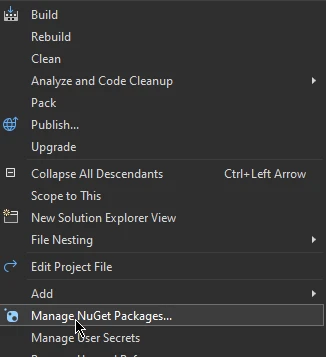
* Kliknij prawym przyciskiem myszy swój projekt w Eksploratorze rozwiązań.
* Wybierz "Zarządzaj Pakietami NuGet…" z menu kontekstowego.
3. **Zainstaluj IronPDF:**
* W Menedżerze Pakietów NuGet przejdź na kartę "Przeglądaj".
* Wyszukaj **IronPDF**.
* Wybierz pakiet **IronPDF** z wyników wyszukiwania.
* Kliknij przycisk "Zainstaluj", aby dodać IronPDF do swojego projektu.
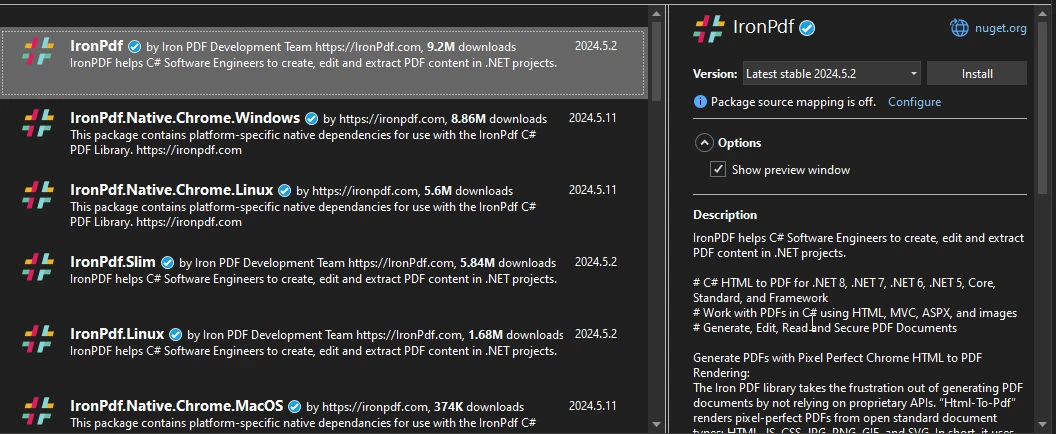
Dzięki tym krokom IronPDF zostanie zainstalowany i gotowy do użycia w twoim projekcie C#, pozwalając wykorzystać potężne możliwości manipulacji PDF.
### Przykład Kodów C# Humanizer i IronPDF
```csharp
using Humanizer;
using IronPdf;
using System;
using System.Collections.Generic;
class PDFGenerationDemo
{
static void Main()
{
// Instantiate the PDF renderer
var renderer = new ChromePdfRenderer();
// Generate humanized content
List<string> content = GenerateHumanizedContent();
// HTML content template for the PDF
string htmlContent = "<h1>Humanizer Examples</h1><ul>";
// Build the list items to add to the HTML content
foreach (var item in content)
{
htmlContent += $"<li>{item}</li>";
}
htmlContent += "</ul>";
// Render the HTML into a PDF document
var pdf = renderer.RenderHtmlAsPdf(htmlContent);
// Save the PDF to a file
pdf.SaveAs("output.pdf");
Console.WriteLine("PDF document generated successfully: output.pdf");
}
/// <summary>
/// Generates a list of humanized content examples
/// </summary>
/// <returns>List of humanized content as strings</returns>
static List<string> GenerateHumanizedContent()
{
List<string> content = new List<string>();
// DateTime examples
DateTime pastDate = DateTime.Now.AddDays(-3);
DateTime futureDate = DateTime.Now.AddHours(5);
content.Add($"DateTime.Now: {DateTime.Now}");
content.Add($"3 days ago: {pastDate.Humanize()}");
content.Add($"In 5 hours: {futureDate.Humanize()}");
// TimeSpan examples
TimeSpan timeSpan = TimeSpan.FromMinutes(123);
content.Add($"TimeSpan of 123 minutes: {timeSpan.Humanize()}");
// Number examples
int number = 12345;
content.Add($"Number 12345 in words: {number.ToWords()}");
content.Add($"Ordinal of 21: {21.ToOrdinalWords()}");
// Pluralization examples
string singular = "car";
content.Add($"Plural of 'car': {singular.Pluralize()}");
string plural = "children";
content.Add($"Singular of 'children': {plural.Singularize()}");
// Byte size examples
long bytes = 1048576;
content.Add($"1,048,576 bytes: {bytes.Bytes().Humanize()}");
return content;
}
}
```
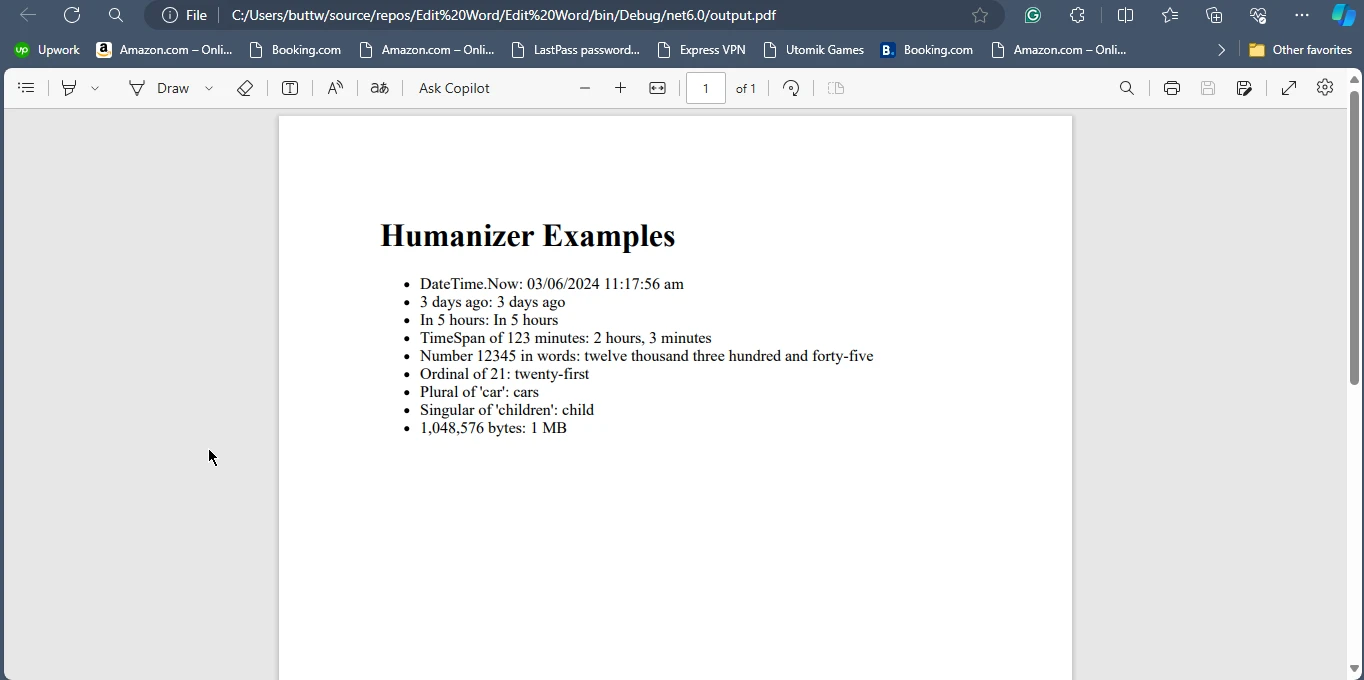
### Wnioski
Humanizer to niezbędna biblioteka dla deweloperów .NET, którzy chcą tworzyć aplikacje prezentujące informacje w przyjaznym dla użytkownika i czytelnym dla ludzi formacie. Szeroki zakres funkcji, od humanizowania dat i czasów po formatowanie liczb i enumów, czyni go wszechstronnym narzędziem do poprawienia użyteczności aplikacji. Dzięki Humanizer deweloperzy mogą zaoszczędzić czas i wysiłek na implementację niestandardowej logiki formatowania, zapewniając, że ich aplikacje skuteczniej komunikują dane do użytkowników końcowych.
Podobnie, IronPDF oferuje kompleksowe możliwości generowania i manipulacji PDF, co czyni go doskonałym wyborem do tworzenia i obsługi dokumentów PDF w projektach C#. Razem, Humanizer i IronPDF mogą znacznie poprawić funkcjonalność i prezentację aplikacji .NET. Więcej szczegółów na temat licencjonowania IronPDF znajdziesz w [Informacjach o Licencjonowaniu IronPDF](/licensing/). Aby dowiedzieć się więcej, sprawdź nasz [Szczegółowy Samouczek dotyczący Konwersji HTML do PDF](/tutorials/html-to-pdf/).
Humanizer to potężna i elastyczna biblioteka .NET, która upraszcza i humanizuje proces pracy z danymi, szczególnie w zakresie wyświetlania informacji w przyjaznym dla użytkownika formacie. Niezależnie od tego, czy potrzebujesz przekształcić daty na względne łańcuchy czasu ("3 dni temu"), pluralizować słowa, formatować liczby jako słowa, czy pracować z enumami, wyświetlać łańcuchy, łańcuchy wejściowe Pascal case jako zdania z niestandardowymi opisami, łańcuchy wejściowe podkreślane do standardowych łańcuchów tytułowych, oraz przycinać długie teksty, Humanizer zapewnia mnóstwo narzędzi i metod rozszerzających do eleganckiego obsłużenia tych zadań w C#.NET, aby przekształcić zdehumanizowane łańcuchy wejściowe w zdania.
W tym artykułe omówimy szczegółowy samouczek Humanizera w C#. Omówimy również, jak generować dokumenty PDF za pomocą Humanizer i IronPDF dla biblioteki PDF dla C#.
Ustawianie Humanizer w języku C#
Aby rozpocząć pracę z Humanizer, musisz zainstalować bibliotekę przez NuGet. W swoim projekcie możesz to zrobić za pośrednictwem Konsoli Menedżera Pakietów za pomocą następującego polecenia:
PM > Install-Package Humanizer
Install-Package Humanizer
Alternatywnie, jeśli używasz .NET Core CLI, możesz dodać Humanizer za pomocą:
> dotnet add package Humanizer
dotnet add package Humanizer
Po zainstalowaniu możesz zacząć używać Humanizer, dodając odpowiednią przestrzeń nazw w swoich plikach C#:
using Humanizer;
using Humanizer;
ImportsHumanizer
Imports Humanizer
Humanizowanie Dat i Czasów
Jednym z najczęstszych zastosowań Humanizer jest konwersja dat i czasów do formatów czytelnych dla człowieka, przedziałów czasowych, liczb i ilości przy użyciu metody Humanize. Jest to szczególnie przydatne do wyświetlania relatywnych czasów, takich jak "2 godziny temu" lub "za 5 dni".
Przykład: Humanizowanie Względnego Czasu
using System;class HumanizerDemo{ static voidMain() { DateTime pastDate = DateTime.Now.AddDays(-3); // Humanize the past date, which converts it to a relative time format string humanizedTime = pastDate.Humanize(); // Output: "3 days ago" DateTime futureDate = DateTime.Now.AddHours(5); // Humanize the future date, presenting it in relative time string futureHumanizedTime = futureDate.Humanize(); // Output: "in 5 hours"Console.WriteLine("Humanized Past Date: " + humanizedTime);Console.WriteLine("Humanized Future Date: " + futureHumanizedTime); }}
using System;

class HumanizerDemo
{
    static void Main()
    {
        DateTime pastDate = DateTime.Now.AddDays(-3);
        // Humanize the past date, which converts it to a relative time format
        string humanizedTime = pastDate.Humanize(); // Output: "3 days ago"

        DateTime futureDate = DateTime.Now.AddHours(5);
        // Humanize the future date, presenting it in relative time
        string futureHumanizedTime = futureDate.Humanize(); // Output: "in 5 hours"

        Console.WriteLine("Humanized Past Date: " + humanizedTime);
        Console.WriteLine("Humanized Future Date: " + futureHumanizedTime);
    }
}
ImportsSystemFriend Class HumanizerDemoShared Sub Main() Dim pastDate AsDateTime = DateTime.Now.AddDays(-3) ' Humanize the past date, which converts it to a relative time format Dim humanizedTime AsString = pastDate.Humanize() ' Output: "3 days ago" Dim futureDate AsDateTime = DateTime.Now.AddHours(5) ' Humanize the future date, presenting it in relative time Dim futureHumanizedTime AsString = futureDate.Humanize() ' Output: "in 5 hours"Console.WriteLine("Humanized Past Date: " & humanizedTime)Console.WriteLine("Humanized Future Date: " & futureHumanizedTime) End SubEnd Class
Imports System

Friend Class HumanizerDemo
	Shared Sub Main()
		Dim pastDate As DateTime = DateTime.Now.AddDays(-3)
		' Humanize the past date, which converts it to a relative time format
		Dim humanizedTime As String = pastDate.Humanize() ' Output: "3 days ago"

		Dim futureDate As DateTime = DateTime.Now.AddHours(5)
		' Humanize the future date, presenting it in relative time
		Dim futureHumanizedTime As String = futureDate.Humanize() ' Output: "in 5 hours"

		Console.WriteLine("Humanized Past Date: " & humanizedTime)
		Console.WriteLine("Humanized Future Date: " & futureHumanizedTime)
	End Sub
End Class
Metoda rozszerzająca Humanizer automatycznie obsługuje różne jednostki czasu oraz nawet dostosowuje się do poprawności gramatycznej.
Humanizowanie Czasookresów
Humanizer może również humanizować obiekty TimeSpan, co ułatwia wyświetlanie czasów trwania w czytelnym formacie.
Przykład: Humanizowanie Czasookresu
using System;class TimeSpanHumanizerDemo{ static voidMain() { TimeSpan timeSpan = TimeSpan.FromMinutes(123); // Humanizing the TimeSpan into hours and minutes string humanizedTimeSpan = timeSpan.Humanize(2); // Output: "2 hours, 3 minutes"Console.WriteLine("Humanized TimeSpan: " + humanizedTimeSpan); }}
using System;

class TimeSpanHumanizerDemo
{
    static void Main()
    {
        TimeSpan timeSpan = TimeSpan.FromMinutes(123);
        // Humanizing the TimeSpan into hours and minutes
        string humanizedTimeSpan = timeSpan.Humanize(2); // Output: "2 hours, 3 minutes"
        Console.WriteLine("Humanized TimeSpan: " + humanizedTimeSpan);
    }
}
ImportsSystemFriend Class TimeSpanHumanizerDemoShared Sub Main() Dim timeSpan AsTimeSpan = System.TimeSpan.FromMinutes(123) ' Humanizing the TimeSpan into hours and minutes Dim humanizedTimeSpan AsString = timeSpan.Humanize(2) ' Output: "2 hours, 3 minutes"Console.WriteLine("Humanized TimeSpan: " & humanizedTimeSpan) End SubEnd Class
Imports System

Friend Class TimeSpanHumanizerDemo
	Shared Sub Main()
		Dim timeSpan As TimeSpan = System.TimeSpan.FromMinutes(123)
		' Humanizing the TimeSpan into hours and minutes
		Dim humanizedTimeSpan As String = timeSpan.Humanize(2) ' Output: "2 hours, 3 minutes"
		Console.WriteLine("Humanized TimeSpan: " & humanizedTimeSpan)
	End Sub
End Class
Praca z Liczbami
Humanizer oferuje kilka metod do przekształcania liczb na słowa czytelne dla ludzi oraz do obsługi liczb porządkowych.
Przykład: Przekształcanie Liczb na Słowa
using System;class NumberHumanizerDemo{ static voidMain() { int number = 123; // Convert number to words string words = number.ToWords(); // Output: "one hundred and twenty-three"Console.WriteLine("Number in Words: " + words); }}
using System;

class NumberHumanizerDemo
{
    static void Main()
    {
        int number = 123;
        // Convert number to words
        string words = number.ToWords(); // Output: "one hundred and twenty-three"
        Console.WriteLine("Number in Words: " + words);
    }
}
ImportsSystemFriend Class NumberHumanizerDemoShared Sub Main() Dim number AsInteger = 123 ' Convert number to words Dim words AsString = number.ToWords() ' Output: "one hundred and twenty-three"Console.WriteLine("Number in Words: " & words) End SubEnd Class
Imports System

Friend Class NumberHumanizerDemo
	Shared Sub Main()
		Dim number As Integer = 123
		' Convert number to words
		Dim words As String = number.ToWords() ' Output: "one hundred and twenty-three"
		Console.WriteLine("Number in Words: " & words)
	End Sub
End Class
Przykład: Przekształcanie Liczb na Liczby Porządkowe
using System;class OrdinalHumanizerDemo{ static voidMain() { int number = 21; // Convert number to ordinal words string ordinal = number.ToOrdinalWords(); // Output: "twenty-first"Console.WriteLine("Ordinal Number: " + ordinal); }}
using System;

class OrdinalHumanizerDemo
{
    static void Main()
    {
        int number = 21;
        // Convert number to ordinal words
        string ordinal = number.ToOrdinalWords(); // Output: "twenty-first"
        Console.WriteLine("Ordinal Number: " + ordinal);
    }
}
ImportsSystemFriend Class OrdinalHumanizerDemoShared Sub Main() Dim number AsInteger = 21 ' Convert number to ordinal words Dim ordinal AsString = number.ToOrdinalWords() ' Output: "twenty-first"Console.WriteLine("Ordinal Number: " & ordinal) End SubEnd Class
Imports System

Friend Class OrdinalHumanizerDemo
	Shared Sub Main()
		Dim number As Integer = 21
		' Convert number to ordinal words
		Dim ordinal As String = number.ToOrdinalWords() ' Output: "twenty-first"
		Console.WriteLine("Ordinal Number: " & ordinal)
	End Sub
End Class
Liczbnik i Jednobiałość
Humanizer ułatwia przekształcanie słów pomiędzy ich formami jednobieżnymi a licznymi, co jest przydatne w dynamicznym generowaniu długiego tekstu na podstawie ilości.
Przykład: Licznikowanie i Jednobiałość Słów
using System;class PluralizationDemo{ static voidMain() { string singular = "car"; // Pluralize the word string plural = singular.Pluralize(); // Output: "cars" string word = "people"; // Singularize the word string singularForm = word.Singularize(); // Output: "person"Console.WriteLine("Plural of 'car': " + plural);Console.WriteLine("Singular of 'people': " + singularForm); }}
using System;

class PluralizationDemo
{
    static void Main()
    {
        string singular = "car";
        // Pluralize the word
        string plural = singular.Pluralize(); // Output: "cars"

        string word = "people";
        // Singularize the word
        string singularForm = word.Singularize(); // Output: "person"

        Console.WriteLine("Plural of 'car': " + plural);
        Console.WriteLine("Singular of 'people': " + singularForm);
    }
}
ImportsSystemFriend Class PluralizationDemoShared Sub Main() Dim singular AsString = "car" ' Pluralize the word Dim plural AsString = singular.Pluralize() ' Output: "cars" Dim word AsString = "people" ' Singularize the word Dim singularForm AsString = word.Singularize() ' Output: "person"Console.WriteLine("Plural of 'car': " & plural)Console.WriteLine("Singular of 'people': " & singularForm) End SubEnd Class
Imports System

Friend Class PluralizationDemo
	Shared Sub Main()
		Dim singular As String = "car"
		' Pluralize the word
		Dim plural As String = singular.Pluralize() ' Output: "cars"

		Dim word As String = "people"
		' Singularize the word
		Dim singularForm As String = word.Singularize() ' Output: "person"

		Console.WriteLine("Plural of 'car': " & plural)
		Console.WriteLine("Singular of 'people': " & singularForm)
	End Sub
End Class
Humanizer obsługuje również nieregularne licznikowanie i jednobiałość, co czyni go robustnym dla różnych zastosowań.
Formatowanie Enums
Enumy są często używane w aplikacjach C# do reprezentowania zestawu nazwanych stałych. Humanizer może przekształcać wartości enum w łańcuchy czytelne dla ludzi.
Przykład: Humanizowanie Enums
using System;public enum MyEnum{FirstValue,SecondValue}class EnumHumanizerDemo{ static voidMain() { MyEnum enumValue = MyEnum.FirstValue; // Humanizing enum to a readable format string humanizedEnum = enumValue.Humanize(); // Output: "First value"Console.WriteLine("Humanized Enum: " + humanizedEnum); }}
using System;

public enum MyEnum
{
    FirstValue,
    SecondValue
}

class EnumHumanizerDemo
{
    static void Main()
    {
        MyEnum enumValue = MyEnum.FirstValue;
        // Humanizing enum to a readable format
        string humanizedEnum = enumValue.Humanize(); // Output: "First value"

        Console.WriteLine("Humanized Enum: " + humanizedEnum);
    }
}
ImportsSystemPublicEnumMyEnumFirstValueSecondValueEndEnumFriend Class EnumHumanizerDemoShared Sub Main() Dim enumValue AsMyEnum = MyEnum.FirstValue ' Humanizing enum to a readable format Dim humanizedEnum AsString = enumValue.Humanize() ' Output: "First value"Console.WriteLine("Humanized Enum: " & humanizedEnum) End SubEnd Class
Imports System

Public Enum MyEnum
	FirstValue
	SecondValue
End Enum

Friend Class EnumHumanizerDemo
	Shared Sub Main()
		Dim enumValue As MyEnum = MyEnum.FirstValue
		' Humanizing enum to a readable format
		Dim humanizedEnum As String = enumValue.Humanize() ' Output: "First value"

		Console.WriteLine("Humanized Enum: " & humanizedEnum)
	End Sub
End Class
Ta metoda może być szczególnie przydatna do wyświetlania przyjaznych użytkownikowi etykiet w interfejsach użytkownika.
Humanizowanie Rozmiarów Bajtów
Kolejną przydatną funkcją Humanizera jest możliwość humanizowania rozmiarów bajtów, przekształcając duże wartości bajtowe w czytelne formaty, takie jak KB, MB czy GB.
Przykład: Humanizowanie Rozmiarów Bajtów
using System;class ByteSizeHumanizerDemo{ static voidMain() { long bytes = 1048576; // Humanize bytes to a readable size format string humanizedBytes = bytes.Bytes().Humanize(); // Output: "1 MB"Console.WriteLine("Humanized Byte Size: " + humanizedBytes); }}
using System;

class ByteSizeHumanizerDemo
{
    static void Main()
    {
        long bytes = 1048576;
        // Humanize bytes to a readable size format
        string humanizedBytes = bytes.Bytes().Humanize(); // Output: "1 MB"

        Console.WriteLine("Humanized Byte Size: " + humanizedBytes);
    }
}
ImportsSystemClass ByteSizeHumanizerDemoShared Sub Main() Dim bytes AsLong = 1048576 ' Humanize bytes to a readable size format Dim humanizedBytes AsString = bytes.Bytes().Humanize() ' Output: "1 MB"Console.WriteLine("Humanized Byte Size: " & humanizedBytes) End SubEnd Class
Imports System

Class ByteSizeHumanizerDemo
    Shared Sub Main()
        Dim bytes As Long = 1048576
        ' Humanize bytes to a readable size format
        Dim humanizedBytes As String = bytes.Bytes().Humanize() ' Output: "1 MB"

        Console.WriteLine("Humanized Byte Size: " & humanizedBytes)
    End Sub
End Class
Zaawansowane scenariusze
Humanizer nie jest ograniczony do podstawowych scenariuszy opisanych powyżej. Obsługuje szeroki zakres zaawansowanych funkcji, takich jak metoda Truncate oraz wiele języków i rozszerzeń.
Przykład: Humanizowanie Przesunięć DateTime
Humanizer może również obsługiwać DateTimeOffset, co jest przydatne dla aplikacji zajmujących się strefami czasowymi.
ImportsSystemFriend Class DateTimeOffsetHumanizerDemoShared Sub Main() Dim dateTimeOffset AsDateTimeOffset = System.DateTimeOffset.Now.AddDays(-2) ' Humanize DateTimeOffset Dim humanizedDateTimeOffset AsString = dateTimeOffset.Humanize() ' Output: "2 days ago"Console.WriteLine("Humanized DateTimeOffset: " & humanizedDateTimeOffset) End SubEnd Class
Imports System

Friend Class DateTimeOffsetHumanizerDemo
	Shared Sub Main()
		Dim dateTimeOffset As DateTimeOffset = System.DateTimeOffset.Now.AddDays(-2)
		' Humanize DateTimeOffset
		Dim humanizedDateTimeOffset As String = dateTimeOffset.Humanize() ' Output: "2 days ago"

		Console.WriteLine("Humanized DateTimeOffset: " & humanizedDateTimeOffset)
	End Sub
End Class
Rozważania dotyczące wydajności
Humanizer jest zaprojektowany jako wydajny, ale jak każda biblioteka, jego wydajność zależy od sposobu użycia. Dla aplikacji wymagających wysokiej wydajności, zwłaszcza tych obsługujących duże zbiory danych lub przetwarzanie w czasie rzeczywistym, istotne jest rozważenie wpływu częstych operacji humanizacji.
IronPDF for C#
IronPDF to kompleksowa biblioteka generowania i manipulacji PDF dla aplikacji .NET. Pozwala deweloperom na tworzenie, odczytywanie, edytowanie i wyodrębnianie treści z plików PDF z łatwością. IronPDF jest zaprojektowany jako przyjazny użytkownikowi, oferując szeroki zakres funkcjonalności, w tym konwersję HTML do PDF, łączenie dokumentów, dodawanie znaków wodnych i wiele więcej. Jego wszechstronność i potężne funkcje czynią go doskonałym wyborem do obsługi dokumentów PDF w projektach C#.
Instalowanie IronPDF za pomocą Menedżera Pakietów NuGet
Wykonaj te kroki, aby zainstalować IronPDF, używając Menedżera Pakietów NuGet:
Otwórz Swój Projekt w Visual Studio:
Uruchom Visual Studio i otwórz istniejący projekt C# lub stwórz nowy.
Otwórz Menedżera Pakietów NuGet:
Kliknij prawym przyciskiem myszy swój projekt w Eksploratorze rozwiązań.
Wybierz "Zarządzaj Pakietami NuGet…" z menu kontekstowego.
Zainstaluj IronPDF:
W Menedżerze Pakietów NuGet przejdź na kartę "Przeglądaj".
Wyszukaj IronPDF.
Wybierz pakiet IronPDF z wyników wyszukiwania.
Kliknij przycisk "Zainstaluj", aby dodać IronPDF do swojego projektu.
Dzięki tym krokom IronPDF zostanie zainstalowany i gotowy do użycia w twoim projekcie C#, pozwalając wykorzystać potężne możliwości manipulacji PDF.
Przykład Kodów C# Humanizer i IronPDF
using Humanizer;using IronPdf;using System;using System.Collections.Generic;class PDFGenerationDemo{ static voidMain() { // Instantiate the PDF renderer var renderer = new ChromePdfRenderer(); // Generate humanized content List<string> content = GenerateHumanizedContent(); // HTML content template for the PDF string htmlContent = "<h1>Humanizer Examples</h1><ul>"; // Build the list items to add to the HTML content foreach (var item in content) { htmlContent += $"<li>{item}</li>"; } htmlContent += "</ul>"; // Render the HTML into a PDF document var pdf = renderer.RenderHtmlAsPdf(htmlContent); // Save the PDF to a file pdf.SaveAs("output.pdf");Console.WriteLine("PDF document generated successfully: output.pdf"); } /// <summary> /// Generates a list of humanized content examples /// </summary> /// <returns>List of humanized content as strings</returns> static List<string> GenerateHumanizedContent() { List<string> content = new List<string>(); // DateTime examples DateTime pastDate = DateTime.Now.AddDays(-3); DateTime futureDate = DateTime.Now.AddHours(5); content.Add($"DateTime.Now: {DateTime.Now}"); content.Add($"3 days ago: {pastDate.Humanize()}"); content.Add($"In 5 hours: {futureDate.Humanize()}"); // TimeSpan examples TimeSpan timeSpan = TimeSpan.FromMinutes(123); content.Add($"TimeSpan of 123 minutes: {timeSpan.Humanize()}"); // Number examples int number = 12345; content.Add($"Number 12345 in words: {number.ToWords()}"); content.Add($"Ordinal of 21: {21.ToOrdinalWords()}"); // Pluralization examples string singular = "car"; content.Add($"Plural of 'car': {singular.Pluralize()}"); string plural = "children"; content.Add($"Singular of 'children': {plural.Singularize()}"); // Byte size examples long bytes = 1048576; content.Add($"1,048,576 bytes: {bytes.Bytes().Humanize()}"); return content; }}
using Humanizer;
using IronPdf;
using System;
using System.Collections.Generic;

class PDFGenerationDemo
{
    static void Main()
    {
        // Instantiate the PDF renderer
        var renderer = new ChromePdfRenderer();

        // Generate humanized content
        List<string> content = GenerateHumanizedContent();

        // HTML content template for the PDF
        string htmlContent = "<h1>Humanizer Examples</h1><ul>";

        // Build the list items to add to the HTML content
        foreach (var item in content)
        {
            htmlContent += $"<li>{item}</li>";
        }
        htmlContent += "</ul>";

        // Render the HTML into a PDF document
        var pdf = renderer.RenderHtmlAsPdf(htmlContent);

        // Save the PDF to a file
        pdf.SaveAs("output.pdf");

        Console.WriteLine("PDF document generated successfully: output.pdf");
    }

    /// <summary>
    /// Generates a list of humanized content examples
    /// </summary>
    /// <returns>List of humanized content as strings</returns>
    static List<string> GenerateHumanizedContent()
    {
        List<string> content = new List<string>();

        // DateTime examples
        DateTime pastDate = DateTime.Now.AddDays(-3);
        DateTime futureDate = DateTime.Now.AddHours(5);
        content.Add($"DateTime.Now: {DateTime.Now}");
        content.Add($"3 days ago: {pastDate.Humanize()}");
        content.Add($"In 5 hours: {futureDate.Humanize()}");

        // TimeSpan examples
        TimeSpan timeSpan = TimeSpan.FromMinutes(123);
        content.Add($"TimeSpan of 123 minutes: {timeSpan.Humanize()}");

        // Number examples
        int number = 12345;
        content.Add($"Number 12345 in words: {number.ToWords()}");
        content.Add($"Ordinal of 21: {21.ToOrdinalWords()}");

        // Pluralization examples
        string singular = "car";
        content.Add($"Plural of 'car': {singular.Pluralize()}");
        string plural = "children";
        content.Add($"Singular of 'children': {plural.Singularize()}");

        // Byte size examples
        long bytes = 1048576;
        content.Add($"1,048,576 bytes: {bytes.Bytes().Humanize()}");

        return content;
    }
}
ImportsHumanizerImportsIronPdfImportsSystemImportsSystem.Collections.GenericClass PDFGenerationDemoShared Sub Main() ' Instantiate the PDF renderer Dim renderer As New ChromePdfRenderer() ' Generate humanized content Dim content AsList(OfString) = GenerateHumanizedContent() ' HTML content template for the PDF Dim htmlContent AsString = "<h1>Humanizer Examples</h1><ul>" ' Build the list items to add to the HTML content For Each item In content htmlContent += $"<li>{item}</li>" Next htmlContent += "</ul>" ' Render the HTML into a PDF document Dim pdf = renderer.RenderHtmlAsPdf(htmlContent) ' Save the PDF to a file pdf.SaveAs("output.pdf")Console.WriteLine("PDF document generated successfully: output.pdf") End Sub ''' <summary> ''' Generates a list of humanized content examples ''' </summary> ''' <returns>List of humanized content as strings</returns>Shared Function GenerateHumanizedContent() AsList(OfString) Dim content As New List(OfString)() ' DateTime examples Dim pastDate AsDateTime = DateTime.Now.AddDays(-3) Dim futureDate AsDateTime = DateTime.Now.AddHours(5) content.Add($"DateTime.Now: {DateTime.Now}") content.Add($"3 days ago: {pastDate.Humanize()}") content.Add($"In 5 hours: {futureDate.Humanize()}") ' TimeSpan examples Dim timeSpan AsTimeSpan = TimeSpan.FromMinutes(123) content.Add($"TimeSpan of 123 minutes: {timeSpan.Humanize()}") ' Number examples Dim number AsInteger = 12345 content.Add($"Number 12345 in words: {number.ToWords()}") content.Add($"Ordinal of 21: {21.ToOrdinalWords()}") ' Pluralization examples Dim singular AsString = "car" content.Add($"Plural of 'car': {singular.Pluralize()}") Dim plural AsString = "children" content.Add($"Singular of 'children': {plural.Singularize()}") ' Byte size examples Dim bytes AsLong = 1048576 content.Add($"1,048,576 bytes: {bytes.Bytes().Humanize()}") Return content End FunctionEnd Class
Imports Humanizer
Imports IronPdf
Imports System
Imports System.Collections.Generic

Class PDFGenerationDemo
    Shared Sub Main()
        ' Instantiate the PDF renderer
        Dim renderer As New ChromePdfRenderer()

        ' Generate humanized content
        Dim content As List(Of String) = GenerateHumanizedContent()

        ' HTML content template for the PDF
        Dim htmlContent As String = "<h1>Humanizer Examples</h1><ul>"

        ' Build the list items to add to the HTML content
        For Each item In content
            htmlContent += $"<li>{item}</li>"
        Next
        htmlContent += "</ul>"

        ' Render the HTML into a PDF document
        Dim pdf = renderer.RenderHtmlAsPdf(htmlContent)

        ' Save the PDF to a file
        pdf.SaveAs("output.pdf")

        Console.WriteLine("PDF document generated successfully: output.pdf")
    End Sub

    ''' <summary>
    ''' Generates a list of humanized content examples
    ''' </summary>
    ''' <returns>List of humanized content as strings</returns>
    Shared Function GenerateHumanizedContent() As List(Of String)
        Dim content As New List(Of String)()

        ' DateTime examples
        Dim pastDate As DateTime = DateTime.Now.AddDays(-3)
        Dim futureDate As DateTime = DateTime.Now.AddHours(5)
        content.Add($"DateTime.Now: {DateTime.Now}")
        content.Add($"3 days ago: {pastDate.Humanize()}")
        content.Add($"In 5 hours: {futureDate.Humanize()}")

        ' TimeSpan examples
        Dim timeSpan As TimeSpan = TimeSpan.FromMinutes(123)
        content.Add($"TimeSpan of 123 minutes: {timeSpan.Humanize()}")

        ' Number examples
        Dim number As Integer = 12345
        content.Add($"Number 12345 in words: {number.ToWords()}")
        content.Add($"Ordinal of 21: {21.ToOrdinalWords()}")

        ' Pluralization examples
        Dim singular As String = "car"
        content.Add($"Plural of 'car': {singular.Pluralize()}")
        Dim plural As String = "children"
        content.Add($"Singular of 'children': {plural.Singularize()}")

        ' Byte size examples
        Dim bytes As Long = 1048576
        content.Add($"1,048,576 bytes: {bytes.Bytes().Humanize()}")

        Return content
    End Function
End Class
Wnioski
Humanizer to niezbędna biblioteka dla deweloperów .NET, którzy chcą tworzyć aplikacje prezentujące informacje w przyjaznym dla użytkownika i czytelnym dla ludzi formacie. Szeroki zakres funkcji, od humanizowania dat i czasów po formatowanie liczb i enumów, czyni go wszechstronnym narzędziem do poprawienia użyteczności aplikacji. Dzięki Humanizer deweloperzy mogą zaoszczędzić czas i wysiłek na implementację niestandardowej logiki formatowania, zapewniając, że ich aplikacje skuteczniej komunikują dane do użytkowników końcowych.
Podobnie, IronPDF oferuje kompleksowe możliwości generowania i manipulacji PDF, co czyni go doskonałym wyborem do tworzenia i obsługi dokumentów PDF w projektach C#. Razem, Humanizer i IronPDF mogą znacznie poprawić funkcjonalność i prezentację aplikacji .NET. Więcej szczegółów na temat licencjonowania IronPDF znajdziesz w Informacjach o Licencjonowaniu IronPDF. Aby dowiedzieć się więcej, sprawdź nasz Szczegółowy Samouczek dotyczący Konwersji HTML do PDF.
Jacob Mellor jest Chief Technology Officer w Iron Software i wizjonerskim inżynierem, pionierem technologii C# PDF. Jako pierwotny deweloper głównej bazy kodowej Iron Software, kształtuje architekturę produktów firmy od jej początku, przekształcając ją wspólnie z CEO Cameron Rimington w firmę liczącą ponad 50 osób, obsługującą NASA, Teslę i światowe agencje rządowe.
























