


Métodos de extensão em C# (Como funcionam para desenvolvedores)

Os métodos de extensão são um recurso poderoso em C# que permite adicionar novas funcionalidades a tipos existentes sem modificar seu código-fonte. Eles podem ser extremamente úteis para tornar seu código mais legível e fácil de manter. Neste guia, exploraremos os conceitos básicos de métodos de extensão e como implementá-los.
O que são métodos de extensão?
Métodos de extensão são métodos estáticos especiais que podem ser chamados como se fossem métodos de instância de um tipo existente. São uma forma prática de adicionar novos métodos a uma classe existente sem alterar o código-fonte original ou herdar da classe.
Para criar um método de extensão, você precisa definir um método estático dentro de uma classe estática. O primeiro parâmetro do método deve ser o tipo que você deseja estender, prefixado com a palavra-chave this. Essa palavra-chave especial informa ao compilador C# que este é um método de extensão.
Implementing Extension Methods in C
Agora que sabemos o que são métodos de extensão, vamos implementar um. Imagine que você tem uma sequência de caracteres que deseja inverter. Em vez de escrever uma função separada para fazer isso, você pode criar um método de extensão para a classe string.
Primeiro, vamos criar uma nova classe estática chamada StringExtensions. O nome da classe não é importante, mas é uma convenção comum usar o nome do tipo que está sendo estendido, seguido por "Extensions". Dentro desta classe, definiremos um método estático chamado Reverse:
public static class StringExtensions
{
    // This extension method reverses a given string.
    public static string Reverse(this string input)
    {
        // Convert the string to a character array.
        char[] chars = input.ToCharArray();
        // Reverse the array in place.
        Array.Reverse(chars);
        // Create a new string from the reversed character array and return it.
        return new string(chars);
    }
}
public static class StringExtensions
{
// This extension method reverses a given string.
public static string Reverse(this string input)
{
// Convert the string to a character array.
char[] chars = input.ToCharArray();
// Reverse the array in place.
Array.Reverse(chars);
// Create a new string from the reversed character array and return it.
return new string(chars);
}
}Public Module StringExtensions
' This extension method reverses a given string.
<System.Runtime.CompilerServices.Extension> _
Public Function Reverse(ByVal input As String) As String
' Convert the string to a character array.
Dim chars() As Char = input.ToCharArray()
' Reverse the array in place.
Array.Reverse(chars)
' Create a new string from the reversed character array and return it.
Return New String(chars)
End Function
End ModuleNeste exemplo, criamos um método público estático de string chamado Reverse com um único parâmetro. A palavra-chave this antes do tipo de string indica que este é um método de extensão para a classe string.
Agora, vamos ver como usar este novo método de extensão em nossa classe Program:
class Program
{
    static void Main(string[] args)
    {
        string example = "Hello, World!";
        // Call the extension method as if it were an instance method.
        string reversed = example.Reverse();
        Console.WriteLine(reversed); // Output: !dlroW ,olleH
    }
}
class Program
{
static void Main(string[] args)
{
string example = "Hello, World!";
// Call the extension method as if it were an instance method.
string reversed = example.Reverse();
Console.WriteLine(reversed); // Output: !dlroW ,olleH
}
}Friend Class Program
Shared Sub Main(ByVal args() As String)
Dim example As String = "Hello, World!"
' Call the extension method as if it were an instance method.
Dim reversed As String = example.Reverse()
Console.WriteLine(reversed) ' Output: !dlroW ,olleH
End Sub
End ClassObserve que não tivemos que criar uma instância da classe StringExtensions. Em vez disso, usamos o método Reverse diretamente na instância de string como se fosse um método de instância.
Sintaxe do método de extensão
Os métodos de extensão têm a mesma aparência e comportamento que os métodos de instância, mas existem algumas diferenças importantes a serem consideradas:
- Os métodos de extensão não podem acessar membros privados do tipo estendido.
- Eles também não participam da hereditariedade ou do polimorfismo.
- Não é possível sobrescrever um método existente com um método de extensão.
Se o tipo estendido tiver um método com a mesma assinatura que um método de extensão, o método de instância sempre terá precedência. Os métodos de extensão só são chamados quando não existe um método de instância correspondente.
Exemplos reais de métodos de extensão
Agora que entendemos os conceitos básicos de métodos de extensão em C#, vamos analisar alguns exemplos práticos.
Contagem de palavras do método de extensão de string
Imagine que você queira contar o número de palavras em uma sequência de caracteres. Você pode criar um método de extensão WordCount para a classe string:
public static class StringExtensions
{
    // This extension method counts the number of words in a string.
    public static int WordCount(this string input)
    {
        // Split the string by whitespace characters and return the length of the resulting array.
        return input.Split(new[] { ' ', '\t', '\r', '\n' }, StringSplitOptions.RemoveEmptyEntries).Length;
    }
}
public static class StringExtensions
{
// This extension method counts the number of words in a string.
public static int WordCount(this string input)
{
// Split the string by whitespace characters and return the length of the resulting array.
return input.Split(new[] { ' ', '\t', '\r', '\n' }, StringSplitOptions.RemoveEmptyEntries).Length;
}
}Imports Microsoft.VisualBasic
Public Module StringExtensions
' This extension method counts the number of words in a string.
<System.Runtime.CompilerServices.Extension> _
Public Function WordCount(ByVal input As String) As Integer
' Split the string by whitespace characters and return the length of the resulting array.
Return input.Split( { " "c, ControlChars.Tab, ControlChars.Cr, ControlChars.Lf }, StringSplitOptions.RemoveEmptyEntries).Length
End Function
End ModuleAgora, você pode facilmente contar o número de palavras em uma sequência como esta:
string text = "Extension methods are awesome!";
int wordCount = text.WordCount();
Console.WriteLine($"The text has {wordCount} words."); // Output: The text has 4 words.
string text = "Extension methods are awesome!";
int wordCount = text.WordCount();
Console.WriteLine($"The text has {wordCount} words."); // Output: The text has 4 words.Dim text As String = "Extension methods are awesome!"
Dim wordCount As Integer = text.WordCount()
Console.WriteLine($"The text has {wordCount} words.") ' Output: The text has 4 words.Método de extensão IEnumerable Mediana
Suponha que você tenha uma coleção de números e queira calcular o valor mediano. Você pode criar um método de extensão para IEnumerable<int>:
using System;
using System.Collections.Generic;
using System.Linq;

public static class EnumerableExtensions
{
    // This extension method calculates the median of a collection of integers.
    public static double Median(this IEnumerable<int> source)
    {
        // Sort the collection and convert it to an array.
        int[] sorted = source.OrderBy(x => x).ToArray();
        int count = sorted.Length;

        if (count == 0)
        {
            throw new InvalidOperationException("The collection is empty.");
        }

        // If the count is even, return the average of the two middle elements.
        if (count % 2 == 0)
        {
            return (sorted[count / 2 - 1] + sorted[count / 2]) / 2.0;
        }
        else
        {
            // Otherwise, return the middle element.
            return sorted[count / 2];
        }
    }
}
using System;
using System.Collections.Generic;
using System.Linq;
public static class EnumerableExtensions
{
// This extension method calculates the median of a collection of integers.
public static double Median(this IEnumerable<int> source)
{
// Sort the collection and convert it to an array.
int[] sorted = source.OrderBy(x => x).ToArray();
int count = sorted.Length;
if (count == 0)
{
throw new InvalidOperationException("The collection is empty.");
}
// If the count is even, return the average of the two middle elements.
if (count % 2 == 0)
{
return (sorted[count / 2 - 1] + sorted[count / 2]) / 2.0;
}
else
{
// Otherwise, return the middle element.
return sorted[count / 2];
}
}
}Imports System
Imports System.Collections.Generic
Imports System.Linq
Public Module EnumerableExtensions
' This extension method calculates the median of a collection of integers.
<System.Runtime.CompilerServices.Extension> _
Public Function Median(ByVal source As IEnumerable(Of Integer)) As Double
' Sort the collection and convert it to an array.
Dim sorted() As Integer = source.OrderBy(Function(x) x).ToArray()
Dim count As Integer = sorted.Length
If count = 0 Then
Throw New InvalidOperationException("The collection is empty.")
End If
' If the count is even, return the average of the two middle elements.
If count Mod 2 = 0 Then
Return (sorted(count \ 2 - 1) + sorted(count \ 2)) / 2.0
Else
' Otherwise, return the middle element.
Return sorted(count \ 2)
End If
End Function
End ModuleCom esse método de extensão, você pode encontrar facilmente o valor mediano de uma coleção:
int[] numbers = { 5, 3, 9, 1, 4 };
double median = numbers.Median();
Console.WriteLine($"The median value is {median}."); // Output: The median value is 4.
int[] numbers = { 5, 3, 9, 1, 4 };
double median = numbers.Median();
Console.WriteLine($"The median value is {median}."); // Output: The median value is 4.Dim numbers() As Integer = { 5, 3, 9, 1, 4 }
Dim median As Double = numbers.Median()
Console.WriteLine($"The median value is {median}.") ' Output: The median value is 4.Método de extensão de data e hora Início da semana
Digamos que você queira descobrir o início da semana para uma determinada data. Você pode criar um método de extensão para a struct DateTime:
public static class DateTimeExtensions
{
    // This extension method calculates the start of the week for a given date.
    public static DateTime StartOfWeek(this DateTime dt, DayOfWeek startOfWeek = DayOfWeek.Monday)
    {
        // Calculate the difference in days between the current day and the start of the week.
        int diff = (7 + (dt.DayOfWeek - startOfWeek)) % 7;
        // Subtract the difference to get the start of the week.
        return dt.AddDays(-1 * diff).Date;
    }
}
public static class DateTimeExtensions
{
// This extension method calculates the start of the week for a given date.
public static DateTime StartOfWeek(this DateTime dt, DayOfWeek startOfWeek = DayOfWeek.Monday)
{
// Calculate the difference in days between the current day and the start of the week.
int diff = (7 + (dt.DayOfWeek - startOfWeek)) % 7;
// Subtract the difference to get the start of the week.
return dt.AddDays(-1 * diff).Date;
}
}Public Module DateTimeExtensions
' This extension method calculates the start of the week for a given date.
'INSTANT VB NOTE: The parameter startOfWeek was renamed since Visual Basic will not allow parameters with the same name as their enclosing function or property:
<System.Runtime.CompilerServices.Extension> _
Public Function StartOfWeek(ByVal dt As DateTime, Optional ByVal startOfWeek_Conflict As DayOfWeek = DayOfWeek.Monday) As DateTime
' Calculate the difference in days between the current day and the start of the week.
Dim diff As Integer = (7 + (dt.DayOfWeek - startOfWeek_Conflict)) Mod 7
' Subtract the difference to get the start of the week.
Return dt.AddDays(-1 * diff).Date
End Function
End ModuleAgora, você pode facilmente encontrar o início da semana para qualquer data:
DateTime today = DateTime.Today;
DateTime startOfWeek = today.StartOfWeek();
Console.WriteLine($"The start of the week is {startOfWeek.ToShortDateString()}.");
// Output will depend on the current date, e.g. The start of the week is 17/06/2024.
DateTime today = DateTime.Today;
DateTime startOfWeek = today.StartOfWeek();
Console.WriteLine($"The start of the week is {startOfWeek.ToShortDateString()}.");
// Output will depend on the current date, e.g. The start of the week is 17/06/2024.Dim today As DateTime = DateTime.Today
Dim startOfWeek As DateTime = today.StartOfWeek()
Console.WriteLine($"The start of the week is {startOfWeek.ToShortDateString()}.")
' Output will depend on the current date, e.g. The start of the week is 17/06/2024.Geração de PDFs com IronPDF e métodos de extensão
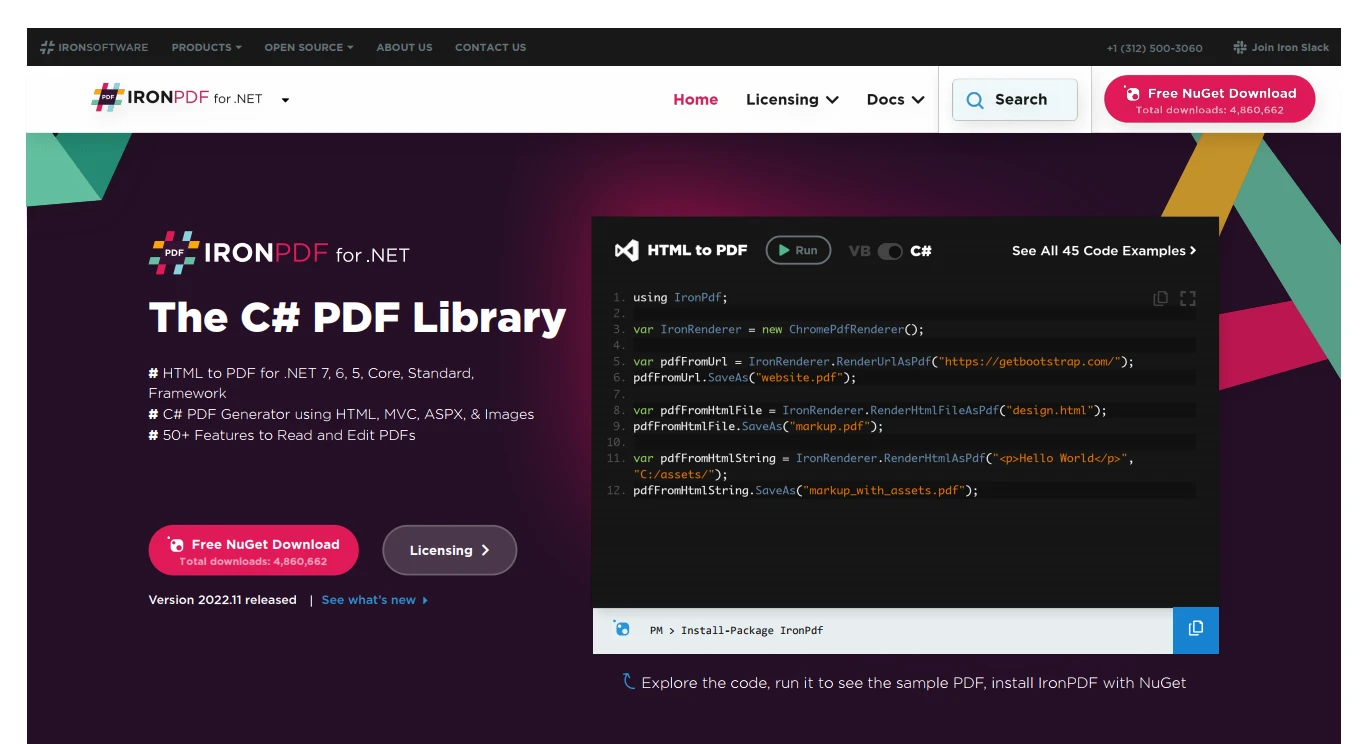
Nesta seção, apresentaremos o IronPDF, nossa biblioteca líder do setor para gerar e trabalhar com arquivos PDF em C#. Veremos também como podemos aproveitar os métodos de extensão para criar uma experiência mais integrada e intuitiva ao trabalhar com esta biblioteca.
O IronPDF converte HTML em PDF de forma a preservar o layout e o estilo do conteúdo tal como apareceria num navegador web. A biblioteca pode trabalhar com HTML bruto proveniente de arquivos, URLs e strings. Aqui está uma breve visão geral:
using IronPdf;

class Program
{
    static void Main(string[] args)
    {
        var renderer = new ChromePdfRenderer();

        // 1. Convert HTML String to PDF
        var htmlContent = "<h1>Hello, IronPDF!</h1><p>This is a PDF from an HTML string.</p>";
        var pdfFromHtmlString = renderer.RenderHtmlAsPdf(htmlContent);
        pdfFromHtmlString.SaveAs("HTMLStringToPDF.pdf");

        // 2. Convert HTML File to PDF
        var htmlFilePath = "path_to_your_html_file.html"; // Specify the path to your HTML file
        var pdfFromHtmlFile = renderer.RenderHtmlFileAsPdf(htmlFilePath);
        pdfFromHtmlFile.SaveAs("HTMLFileToPDF.pdf");

        // 3. Convert URL to PDF
        var url = "http://ironpdf.com"; // Specify the URL
        var pdfFromUrl = renderer.RenderUrlAsPdf(url);
        pdfFromUrl.SaveAs("URLToPDF.pdf");
    }
}
using IronPdf;
class Program
{
static void Main(string[] args)
{
var renderer = new ChromePdfRenderer();
// 1. Convert HTML String to PDF
var htmlContent = "<h1>Hello, IronPDF!</h1><p>This is a PDF from an HTML string.</p>";
var pdfFromHtmlString = renderer.RenderHtmlAsPdf(htmlContent);
pdfFromHtmlString.SaveAs("HTMLStringToPDF.pdf");
// 2. Convert HTML File to PDF
var htmlFilePath = "path_to_your_html_file.html"; // Specify the path to your HTML file
var pdfFromHtmlFile = renderer.RenderHtmlFileAsPdf(htmlFilePath);
pdfFromHtmlFile.SaveAs("HTMLFileToPDF.pdf");
// 3. Convert URL to PDF
var url = "http://ironpdf.com"; // Specify the URL
var pdfFromUrl = renderer.RenderUrlAsPdf(url);
pdfFromUrl.SaveAs("URLToPDF.pdf");
}
}Imports IronPdf
Friend Class Program
Shared Sub Main(ByVal args() As String)
Dim renderer = New ChromePdfRenderer()
' 1. Convert HTML String to PDF
Dim htmlContent = "<h1>Hello, IronPDF!</h1><p>This is a PDF from an HTML string.</p>"
Dim pdfFromHtmlString = renderer.RenderHtmlAsPdf(htmlContent)
pdfFromHtmlString.SaveAs("HTMLStringToPDF.pdf")
' 2. Convert HTML File to PDF
Dim htmlFilePath = "path_to_your_html_file.html" ' Specify the path to your HTML file
Dim pdfFromHtmlFile = renderer.RenderHtmlFileAsPdf(htmlFilePath)
pdfFromHtmlFile.SaveAs("HTMLFileToPDF.pdf")
' 3. Convert URL to PDF
Dim url = "http://ironpdf.com" ' Specify the URL
Dim pdfFromUrl = renderer.RenderUrlAsPdf(url)
pdfFromUrl.SaveAs("URLToPDF.pdf")
End Sub
End ClassCriando um PDF simples
Antes de explorarmos os métodos de extensão, vejamos como criar um PDF simples a partir de HTML usando o IronPDF:
using IronPdf;

class Program
{
    static void Main(string[] args)
    {
        var renderer = new ChromePdfRenderer();
        var PDF = renderer.RenderHtmlAsPdf("Hello, World!");
        PDF.SaveAs("HelloWorld.PDF");
    }
}
using IronPdf;
class Program
{
static void Main(string[] args)
{
var renderer = new ChromePdfRenderer();
var PDF = renderer.RenderHtmlAsPdf("Hello, World!");
PDF.SaveAs("HelloWorld.PDF");
}
}Imports IronPdf
Friend Class Program
Shared Sub Main(ByVal args() As String)
Dim renderer = New ChromePdfRenderer()
Dim PDF = renderer.RenderHtmlAsPdf("Hello, World!")
PDF.SaveAs("HelloWorld.PDF")
End Sub
End ClassEste trecho de código cria um PDF com o texto "Olá, Mundo!" e o salva em um arquivo chamado "HelloWorld.PDF".
Métodos de extensão para IronPDF
Agora, vamos explorar como podemos usar métodos de extensão para aprimorar a funcionalidade do IronPDF e torná-lo mais fácil de usar. Por exemplo, podemos criar um método de extensão que recebe uma instância da classe string e gera um PDF diretamente a partir dela.
using IronPdf;

public static class StringExtensions
{
    // This extension method converts a string containing HTML to a PDF and saves it.
    public static void SaveAsPdf(this string htmlContent, string filePath)
    {
        var renderer = new ChromePdfRenderer();
        var PDF = renderer.RenderHtmlAsPdf(htmlContent);
        PDF.SaveAs(filePath);
    }
}
using IronPdf;
public static class StringExtensions
{
// This extension method converts a string containing HTML to a PDF and saves it.
public static void SaveAsPdf(this string htmlContent, string filePath)
{
var renderer = new ChromePdfRenderer();
var PDF = renderer.RenderHtmlAsPdf(htmlContent);
PDF.SaveAs(filePath);
}
}Imports IronPdf
Public Module StringExtensions
' This extension method converts a string containing HTML to a PDF and saves it.
<System.Runtime.CompilerServices.Extension> _
Public Sub SaveAsPdf(ByVal htmlContent As String, ByVal filePath As String)
Dim renderer = New ChromePdfRenderer()
Dim PDF = renderer.RenderHtmlAsPdf(htmlContent)
PDF.SaveAs(filePath)
End Sub
End ModuleCom esse método de extensão, agora podemos gerar um PDF diretamente a partir de uma string:
string html = "<h1>Extension Methods and IronPDF</h1><p>Generating PDFs has never been easier!</p>";
html.SaveAsPdf("ExtensionMethodsAndIronPdf.PDF");
string html = "<h1>Extension Methods and IronPDF</h1><p>Generating PDFs has never been easier!</p>";
html.SaveAsPdf("ExtensionMethodsAndIronPdf.PDF");Dim html As String = "<h1>Extension Methods and IronPDF</h1><p>Generating PDFs has never been easier!</p>"
html.SaveAsPdf("ExtensionMethodsAndIronPdf.PDF")Geração de PDFs a partir de URLs
Outro método de extensão útil que podemos criar é aquele que gera um PDF a partir de uma URL. Podemos estender a classe Uri para conseguir isso:
using IronPdf;

public static class UriExtensions
{
    // This extension method converts a web URL to a PDF and saves it.
    public static void SaveAsPdf(this Uri url, string filePath)
    {
        var renderer = new ChromePdfRenderer();
        var PDF = renderer.RenderUrlAsPdf(url.AbsoluteUri);
        PDF.SaveAs(filePath);
    }
}
using IronPdf;
public static class UriExtensions
{
// This extension method converts a web URL to a PDF and saves it.
public static void SaveAsPdf(this Uri url, string filePath)
{
var renderer = new ChromePdfRenderer();
var PDF = renderer.RenderUrlAsPdf(url.AbsoluteUri);
PDF.SaveAs(filePath);
}
}Imports IronPdf
Public Module UriExtensions
' This extension method converts a web URL to a PDF and saves it.
<System.Runtime.CompilerServices.Extension> _
Public Sub SaveAsPdf(ByVal url As Uri, ByVal filePath As String)
Dim renderer = New ChromePdfRenderer()
Dim PDF = renderer.RenderUrlAsPdf(url.AbsoluteUri)
PDF.SaveAs(filePath)
End Sub
End ModuleAgora, podemos gerar facilmente um PDF a partir de uma URL como esta:
Uri url = new Uri("https://www.ironpdf.com/");
url.SaveAsPdf("UrlToPdf.PDF");
Uri url = new Uri("https://www.ironpdf.com/");
url.SaveAsPdf("UrlToPdf.PDF");Dim url As New Uri("https://www.ironpdf.com/")
url.SaveAsPdf("UrlToPdf.PDF")Conclusão
E pronto! Exploramos o conceito de métodos de extensão em C#, aprendemos como implementá-los usando métodos estáticos e classes estáticas, e utilizamos exemplos práticos para diversos tipos. Além disso, apresentamos o IronPDF, uma biblioteca para gerar e trabalhar com arquivos PDF em C#. Ao começar a usar métodos de extensão e o IronPDF em conjunto, você perceberá como seu código pode ficar muito mais limpo, legível e eficiente.
Pronto para colocar as mãos no IronPDF? Você pode começar com nosso teste gratuito de 30 dias do IronPDF . Além disso, é totalmente gratuito para uso em desenvolvimento, permitindo que você realmente veja do que ele é capaz. E se você gostar do que vê, o IronPDF começa a partir de liteLicense para detalhes de licenciamento do IronPDF. Para economizar ainda mais, confira as opções de compra do pacote Iron Software Suite , onde você pode obter todas as nove ferramentas do Iron Software pelo preço de duas. Boa programação!
Perguntas frequentes
O que são métodos de extensão em C# e qual a sua utilidade?
Os métodos de extensão em C# são métodos estáticos que permitem aos desenvolvedores adicionar novas funcionalidades a tipos existentes sem alterar o código-fonte. Eles tornam o código mais legível e fácil de manter, permitindo que você chame esses métodos como se fossem métodos de instância do tipo.
Como criar um método de extensão em C#?
Para criar um método de extensão, defina um método estático dentro de uma classe estática. O primeiro parâmetro do método deve ser o tipo que você deseja estender, precedido pela palavra-chave this .
É possível usar métodos de extensão para criar PDFs em C#?
Sim, métodos de extensão podem simplificar a geração de PDFs em C#. Por exemplo, você pode desenvolver um método de extensão para strings que converta conteúdo HTML diretamente em PDF usando uma biblioteca PDF.
Como posso converter conteúdo HTML em PDF usando C#?
Você pode usar um método de uma biblioteca PDF para converter strings HTML em PDFs. Métodos de extensão podem ser implementados para facilitar esse processo, permitindo que você converta conteúdo HTML em PDF com uma simples chamada de método.
Quais são as limitações do uso de métodos de extensão em C#?
Métodos de extensão não podem acessar membros privados dos tipos que estendem. Eles também não participam de herança ou polimorfismo e não podem sobrescrever métodos de instância existentes.
Como os métodos de extensão podem aprimorar o trabalho com uma biblioteca de PDFs?
Os métodos de extensão podem aprimorar o trabalho com uma biblioteca de PDF, fornecendo maneiras simplificadas de interagir com as funções da biblioteca. Por exemplo, você pode criar métodos para converter URLs ou conteúdo HTML diretamente em PDFs, agilizando o processo de codificação.
Como converter uma URL em PDF usando métodos de extensão em C#?
Ao estender a classe Uri com um método de extensão, você pode usar uma biblioteca PDF para converter uma URL da web em um arquivo PDF. Esse método pode receber a URL e salvar o PDF resultante em um caminho de arquivo especificado.
Quais são alguns exemplos práticos de métodos de extensão em C#?
Exemplos práticos de métodos de extensão em C# incluem a adição de um método Reverse para strings, um método WordCount para strings, um método Median para coleções de inteiros e um método StartOfWeek para estruturas DateTime .










 Comece GRATUITAMENTE
 Comece GRATUITAMENTE
 Agende uma demonstração ao vivo gratuita





 Não é necessário cartão de crédito nem criação de conta.










