

OkHttp Java: HTTP İstekleri Basitleştirildi

Modern Java geliştirmede, HTTP isteklerini verimli bir şekilde ele almak, özellikle web servislerine ve API'lere bağlı sağlam uygulamalar geliştirmek için çok önemlidir. OkHttp, Java ve Kotlin için güçlü bir HTTP & HTTP/2 istemcisi, performansı, kullanım kolaylığı ve gelişmiş özellikleri nedeniyle popüler bir seçim haline gelmiştir.
Bu makale, OkHttp'nin anahtar özelliklerini, kurulumunu ve yaygın kullanım durumlarını kapsayan kapsamlı bir rehber sunar.
OkHttp Nedir?
OkHttp, HTTP isteklerini ele almak için kapsamlı bir özellik seti sunan çok yönlü açık kaynaklı bir Java kitaplığıdır. Kapsamlı bir API'si ile yeni bir istek yaratmak veya basit bir POST isteğini yürütmek, sorgu parametreleri ve bir dize URL'si ile yeni bir istek oluşturmak kadar kolaydır.
Ayrıca, OkHttp, ağ trafiğini optimize etmek ve sunucu kullanılabilirliği problemlerini azaltmak amacıyla yanıt gövdesine erişim, yanıt başlıkları sağlama ve yanıt önbelleğe alma desteği sunarak etkin yanıt işlemeye olanak tanır. Senkrone veya senkron olmayan çağrılar yaparken bile, OkHttp'nin bağlantı havuzu birçok IP adresiyle uğraşırken bile optimum performans sağlar.
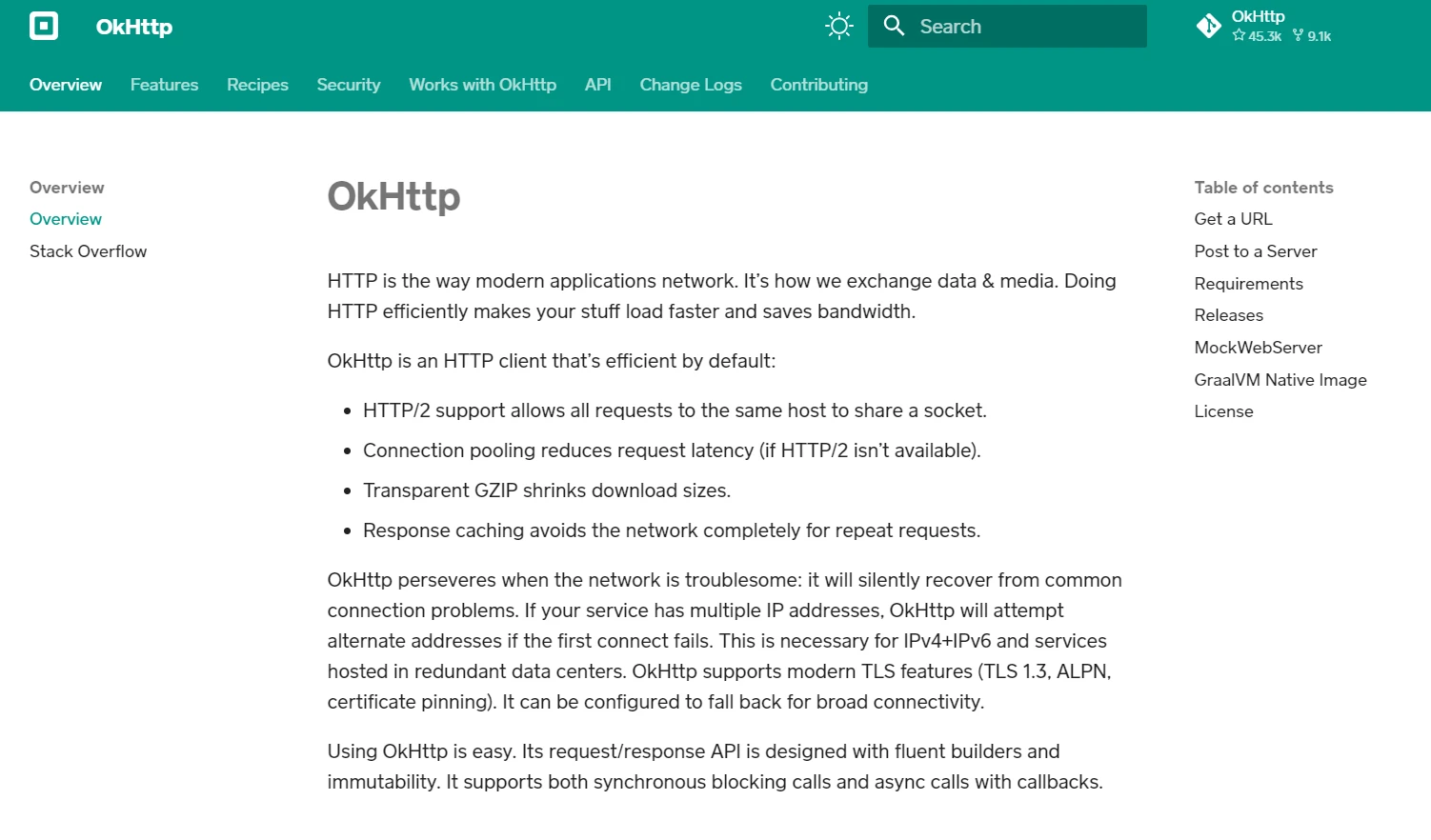
Apache HTTP Client kullanmaya alışkın olan geliştiriciler için, OkHttp, gelişmiş performans ve esneklikle daha modern ve verimli bir alternatif sunar. Senkrone olmayan çağrılar ve geri çağırmalar için sunduğu destek, yanıt verme ve ölçeklenebilirlik gerektiren uygulamalar için tercih edilen bir seçim haline gelir.
OkHttp ile birçok HTTP istemcisi ve isteğini yönetmek zahmetsiz hale gelir ve performans veya işlevsellikten ödün vermeden sağlam ve güvenilir uygulamalar oluşturmaya odaklanmanızı sağlar.
Başlıca Özellikler
OkHttp'nin temel özellikleri arasında:
- Senkrone ve asenkron istek işleme: OkHttp, senkrone (engelleyici) ve asenkron (engelleyici olmayan) işlemlere olanak tanır.
- Bağlantı havuzu: HTTP bağlantılarını yeniden kullanarak istemci bağlanabilirlik sorunlarını minimize eder ve performansı artırır.
- Transparan GZIP sıkıştırma: HTTP yanıtlarının boyutunu azaltarak, bant genişliğinden tasarruf sağlar ve veri aktarımını hızlandırır.
- Önbellekleme: Ağ isteklerini tekrar ihtiyaç duymadan yanıt önbelleğe almayı destekler.
- HTTP/2 desteği: Tek bir bağlantı üzerinden birden fazla istek ve yanıtın çoğullanmasına olanak tanıyarak performansı artırır.
- Zaman aşımları ve yeniden denemeler: başarısız istekler için yeniden deneme mekanizmalarının yanı sıra bağlantı ve okuma zaman aşımları üzerinde hassas kontrol sunar.
OkHttp Kurulumu
Java projenizde OkHttp kullanmaya başlamak için, yapılandırmanıza bağımlılığını eklemeniz gerekir. Eğer Maven kullanıyorsanız, aşağıdaki bağımlılığı pom.xml dosyanıza ekleyin:
<dependency>
    <groupId>com.squareup.okhttp3</groupId>
    <artifactId>okhttp</artifactId>
    <version>5.0.0-alpha.14</version>
</dependency>
<dependency>
<groupId>com.squareup.okhttp3</groupId>
<artifactId>okhttp</artifactId>
<version>5.0.0-alpha.14</version>
</dependency>Gradle için, build.gradle dosyanıza bu satırı ekleyin:
implementation 'com.squareup.okhttp3:okhttp:5.0.0-alpha.14'En son sürüm için Maven Central veya GitHub'ı kontrol etmeyi unutmayın.
Temel Kullanım
OkHttpClient Oluşturma
OkHttpClient sınıfı, HTTP isteklerini çalıştırmak için ana giriş noktasıdır. Bağlantı havuzlamasından yararlanmak için tek bir OkHttpClient örneği oluşturup uygulamanız boyunca yeniden kullanmanız önerilir.
import okhttp3.OkHttpClient;

OkHttpClient client = new OkHttpClient();
import okhttp3.OkHttpClient;
OkHttpClient client = new OkHttpClient();GET İstekleri Yapmak
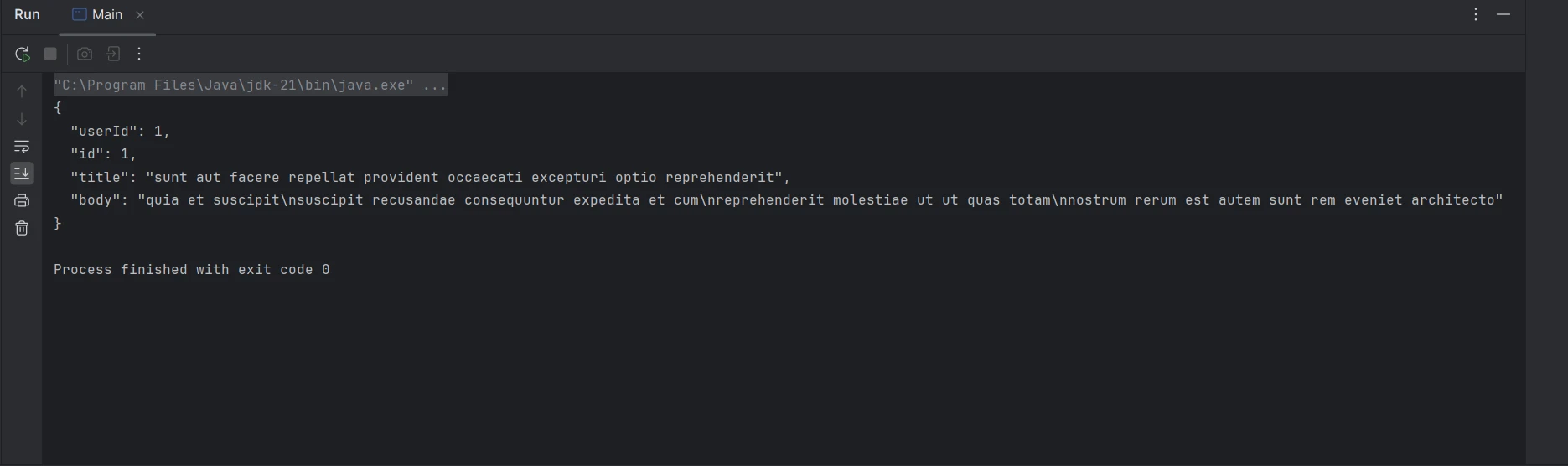
Basit bir GET isteği yapmak için bir Request nesnesi oluşturmalı ve OkHttpClient kullanarak çalıştırmalısınız.
import okhttp3.OkHttpClient;
import okhttp3.Request;
import okhttp3.Response;
import java.io.IOException;

public class OkHttpExample {
    public static void main(String[] args) {
        OkHttpClient client = new OkHttpClient();

        // Create a request specifying the URL
        Request request = new Request.Builder()
                .url("https://jsonplaceholder.typicode.com/posts/1")
                .build();

        // Execute the request and handle the response
        try (Response response = client.newCall(request).execute()) {
            if (response.isSuccessful()) { // Check if the response was successful
                System.out.println(response.body().string()); // Print the response body
            } else {
                System.err.println("Request failed: " + response.code()); // Print error code
            }
        } catch (IOException e) {
            e.printStackTrace(); // Handle exceptions
        }
    }
}
import okhttp3.OkHttpClient;
import okhttp3.Request;
import okhttp3.Response;
import java.io.IOException;
public class OkHttpExample {
public static void main(String[] args) {
OkHttpClient client = new OkHttpClient();
// Create a request specifying the URL
Request request = new Request.Builder()
.url("https://jsonplaceholder.typicode.com/posts/1")
.build();
// Execute the request and handle the response
try (Response response = client.newCall(request).execute()) {
if (response.isSuccessful()) { // Check if the response was successful
System.out.println(response.body().string()); // Print the response body
} else {
System.err.println("Request failed: " + response.code()); // Print error code
}
} catch (IOException e) {
e.printStackTrace(); // Handle exceptions
}
}
}
POST İstekleri Yapmak
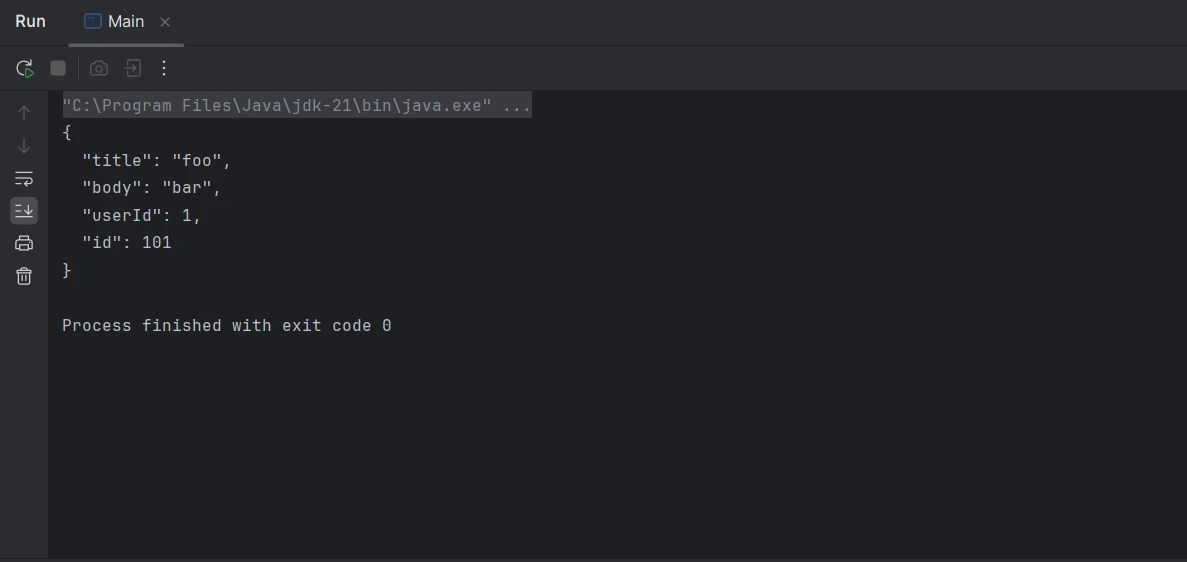
Bir POST isteği için, bir istek gövdesi eklemeniz ve yanıt döndürmeniz gerekmektedir. OkHttp, bunu ele almak için RequestBody sınıfını sağlar.
import okhttp3.MediaType;
import okhttp3.OkHttpClient;
import okhttp3.Request;
import okhttp3.RequestBody;
import okhttp3.Response;
import java.io.IOException;

public class OkHttpExample {
    // Define the JSON media type
    public static final MediaType JSON = MediaType.get("application/json; charset=utf-8");

    public static void main(String[] args) {
        OkHttpClient client = new OkHttpClient();

        // JSON data to be sent
        String json = "{\"title\":\"foo\",\"body\":\"bar\",\"userId\":1}";

        // Create request body with JSON data
        RequestBody body = RequestBody.create(json, JSON);

        // Build the POST request
        Request request = new Request.Builder()
                .url("https://jsonplaceholder.typicode.com/posts")
                .post(body)
                .build();

        // Execute the request and handle the response
        try (Response response = client.newCall(request).execute()) {
            if (response.isSuccessful()) { // Check if the response was successful
                System.out.println(response.body().string()); // Print the response body
            } else {
                System.err.println("Request failed: " + response.code()); // Print error code
            }
        } catch (IOException e) {
            e.printStackTrace(); // Handle exceptions
        }
    }
}
import okhttp3.MediaType;
import okhttp3.OkHttpClient;
import okhttp3.Request;
import okhttp3.RequestBody;
import okhttp3.Response;
import java.io.IOException;
public class OkHttpExample {
// Define the JSON media type
public static final MediaType JSON = MediaType.get("application/json; charset=utf-8");
public static void main(String[] args) {
OkHttpClient client = new OkHttpClient();
// JSON data to be sent
String json = "{\"title\":\"foo\",\"body\":\"bar\",\"userId\":1}";
// Create request body with JSON data
RequestBody body = RequestBody.create(json, JSON);
// Build the POST request
Request request = new Request.Builder()
.url("https://jsonplaceholder.typicode.com/posts")
.post(body)
.build();
// Execute the request and handle the response
try (Response response = client.newCall(request).execute()) {
if (response.isSuccessful()) { // Check if the response was successful
System.out.println(response.body().string()); // Print the response body
} else {
System.err.println("Request failed: " + response.code()); // Print error code
}
} catch (IOException e) {
e.printStackTrace(); // Handle exceptions
}
}
}
Asenkron İstekler
Asenkron istekler, uygulamanızın yanıt beklerken yanıt vermeye devam etmesine olanak tanıyarak geri çağırmalar kullanarak ele alınır.
import okhttp3.Call;
import okhttp3.Callback;
import okhttp3.OkHttpClient;
import okhttp3.Request;
import okhttp3.Response;
import java.io.IOException;

public class OkHttpExample {
    public static void main(String[] args) {
        OkHttpClient client = new OkHttpClient();

        // Create a request specifying the URL
        Request request = new Request.Builder()
                .url("https://jsonplaceholder.typicode.com/posts/1")
                .build();

        // Enqueue the request to be executed asynchronously
        client.newCall(request).enqueue(new Callback() {

            // Handle failure of the request
            @Override
            public void onFailure(Call call, IOException e) {
                e.printStackTrace(); // Handle exceptions
            }

            // Handle successful response
            @Override
            public void onResponse(Call call, Response response) throws IOException {
                if (response.isSuccessful()) { // Check if the response was successful
                    System.out.println(response.body().string()); // Print the response body
                } else {
                    System.err.println("Request failed: " + response.code()); // Print error code
                }
            }
        });
    }
}
import okhttp3.Call;
import okhttp3.Callback;
import okhttp3.OkHttpClient;
import okhttp3.Request;
import okhttp3.Response;
import java.io.IOException;
public class OkHttpExample {
public static void main(String[] args) {
OkHttpClient client = new OkHttpClient();
// Create a request specifying the URL
Request request = new Request.Builder()
.url("https://jsonplaceholder.typicode.com/posts/1")
.build();
// Enqueue the request to be executed asynchronously
client.newCall(request).enqueue(new Callback() {
// Handle failure of the request
@Override
public void onFailure(Call call, IOException e) {
e.printStackTrace(); // Handle exceptions
}
// Handle successful response
@Override
public void onResponse(Call call, Response response) throws IOException {
if (response.isSuccessful()) { // Check if the response was successful
System.out.println(response.body().string()); // Print the response body
} else {
System.err.println("Request failed: " + response.code()); // Print error code
}
}
});
}
}Gelişmiş Özellikler
Kesiciler
Kesiciler, istek ve yanıtları incelemek, değiştirmek veya yeniden denemek için güçlü bir özelliktir. Günlük eklemek, başlık eklemek veya kimlik doğrulama yapmak için kullanılabilirler.
import okhttp3.Interceptor;
import okhttp3.OkHttpClient;
import okhttp3.Request;
import okhttp3.Response;
import java.io.IOException;

public class OkHttpExample {
    public static void main(String[] args) {
        // Add an interceptor for modifying requests
        OkHttpClient client = new OkHttpClient.Builder()
                .addInterceptor(new Interceptor() {
                    @Override
                    public Response intercept(Chain chain) throws IOException {
                        // Modify the request to add the authorization header
                        Request request = chain.request().newBuilder()
                                .addHeader("Authorization", "Bearer your_token_here")
                                .build();
                        return chain.proceed(request);
                    }
                })
                .build();

        // Create a request specifying the URL
        Request request = new Request.Builder()
                .url("https://jsonplaceholder.typicode.com/posts/1")
                .build();

        // Execute the request and handle the response
        try (Response response = client.newCall(request).execute()) {
            if (response.isSuccessful()) { // Check if the response was successful
                System.out.println(response.body().string()); // Print the response body
            } else {
                System.err.println("Request failed: " + response.code()); // Print error code
            }
        } catch (IOException e) {
            e.printStackTrace(); // Handle exceptions
        }
    }
}
import okhttp3.Interceptor;
import okhttp3.OkHttpClient;
import okhttp3.Request;
import okhttp3.Response;
import java.io.IOException;
public class OkHttpExample {
public static void main(String[] args) {
// Add an interceptor for modifying requests
OkHttpClient client = new OkHttpClient.Builder()
.addInterceptor(new Interceptor() {
@Override
public Response intercept(Chain chain) throws IOException {
// Modify the request to add the authorization header
Request request = chain.request().newBuilder()
.addHeader("Authorization", "Bearer your_token_here")
.build();
return chain.proceed(request);
}
})
.build();
// Create a request specifying the URL
Request request = new Request.Builder()
.url("https://jsonplaceholder.typicode.com/posts/1")
.build();
// Execute the request and handle the response
try (Response response = client.newCall(request).execute()) {
if (response.isSuccessful()) { // Check if the response was successful
System.out.println(response.body().string()); // Print the response body
} else {
System.err.println("Request failed: " + response.code()); // Print error code
}
} catch (IOException e) {
e.printStackTrace(); // Handle exceptions
}
}
}Zaman Aşımını Ele Alma
OkHttp, HTTP isteğinin farklı aşamaları için zaman aşımlarını ayarlamak üzere yöntem sağlar.
import okhttp3.OkHttpClient;
import okhttp3.Request;
import okhttp3.Response;
import java.io.IOException;
import java.util.concurrent.TimeUnit;

public class OkHttpExample {
    public static void main(String[] args) {
        // Configure timeouts for connections, writes, and reads
        OkHttpClient client = new OkHttpClient.Builder()
                .connectTimeout(10, TimeUnit.SECONDS)
                .writeTimeout(10, TimeUnit.SECONDS)
                .readTimeout(30, TimeUnit.SECONDS)
                .build();

        // Create a request specifying the URL
        Request request = new Request.Builder()
                .url("https://jsonplaceholder.typicode.com/posts/1")
                .build();

        // Execute the request and handle the response
        try (Response response = client.newCall(request).execute()) {
            if (response.isSuccessful()) { // Check if the response was successful
                System.out.println(response.body().string()); // Print the response body
            } else {
                System.err.println("Request failed: " + response.code()); // Print error code
            }
        } catch (IOException e) {
            e.printStackTrace(); // Handle exceptions
        }
    }
}
import okhttp3.OkHttpClient;
import okhttp3.Request;
import okhttp3.Response;
import java.io.IOException;
import java.util.concurrent.TimeUnit;
public class OkHttpExample {
public static void main(String[] args) {
// Configure timeouts for connections, writes, and reads
OkHttpClient client = new OkHttpClient.Builder()
.connectTimeout(10, TimeUnit.SECONDS)
.writeTimeout(10, TimeUnit.SECONDS)
.readTimeout(30, TimeUnit.SECONDS)
.build();
// Create a request specifying the URL
Request request = new Request.Builder()
.url("https://jsonplaceholder.typicode.com/posts/1")
.build();
// Execute the request and handle the response
try (Response response = client.newCall(request).execute()) {
if (response.isSuccessful()) { // Check if the response was successful
System.out.println(response.body().string()); // Print the response body
} else {
System.err.println("Request failed: " + response.code()); // Print error code
}
} catch (IOException e) {
e.printStackTrace(); // Handle exceptions
}
}
}Yanıtları Önbelleğe Alma
OkHttp, istek gecikmesini azaltmak ve performansı artırmak için yanıtları önbelleğe alabilir. Bu, bir önbellek dizini ve boyutu ayarlamayı gerektirir.
import okhttp3.Cache;
import okhttp3.OkHttpClient;
import okhttp3.Request;
import okhttp3.Response;
import java.io.File;
import java.io.IOException;

public class OkHttpExample {
    public static void main(String[] args) {
        // Define the cache directory and size
        File cacheDirectory = new File("cacheDirectory");
        Cache cache = new Cache(cacheDirectory, 10 * 1024 * 1024); // 10 MB cache

        // Build OkHttpClient with caching capability
        OkHttpClient client = new OkHttpClient.Builder()
                .cache(cache)
                .build();

        // Create a request specifying the URL
        Request request = new Request.Builder()
                .url("https://jsonplaceholder.typicode.com/posts/1")
                .build();

        // Execute the request and handle the response
        try (Response response = client.newCall(request).execute()) {
            if (response.isSuccessful()) { // Check if the response was successful
                System.out.println(response.body().string()); // Print the response body
            } else {
                System.err.println("Request failed: " + response.code()); // Print error code
            }
        } catch (IOException e) {
            e.printStackTrace(); // Handle exceptions
        }
    }
}
import okhttp3.Cache;
import okhttp3.OkHttpClient;
import okhttp3.Request;
import okhttp3.Response;
import java.io.File;
import java.io.IOException;
public class OkHttpExample {
public static void main(String[] args) {
// Define the cache directory and size
File cacheDirectory = new File("cacheDirectory");
Cache cache = new Cache(cacheDirectory, 10 * 1024 * 1024); // 10 MB cache
// Build OkHttpClient with caching capability
OkHttpClient client = new OkHttpClient.Builder()
.cache(cache)
.build();
// Create a request specifying the URL
Request request = new Request.Builder()
.url("https://jsonplaceholder.typicode.com/posts/1")
.build();
// Execute the request and handle the response
try (Response response = client.newCall(request).execute()) {
if (response.isSuccessful()) { // Check if the response was successful
System.out.println(response.body().string()); // Print the response body
} else {
System.err.println("Request failed: " + response.code()); // Print error code
}
} catch (IOException e) {
e.printStackTrace(); // Handle exceptions
}
}
}OkHttp ve IronPDF'i Java ile Entegre Etme
OkHttp ve IronPDF güçlerini birleştirerek Java geliştiricilerinin webden veri alarak bunları PDF'lere dönüştürmelerine olanak tanır. OkHttp, ağ isteklerini ele almak için sağlam bir HTTP istemcisidir, IronPDF ise çeşitli kaynaklardan PDF oluşturma için güçlü bir kütüphanedir.
IronPDF - Genel Bakış
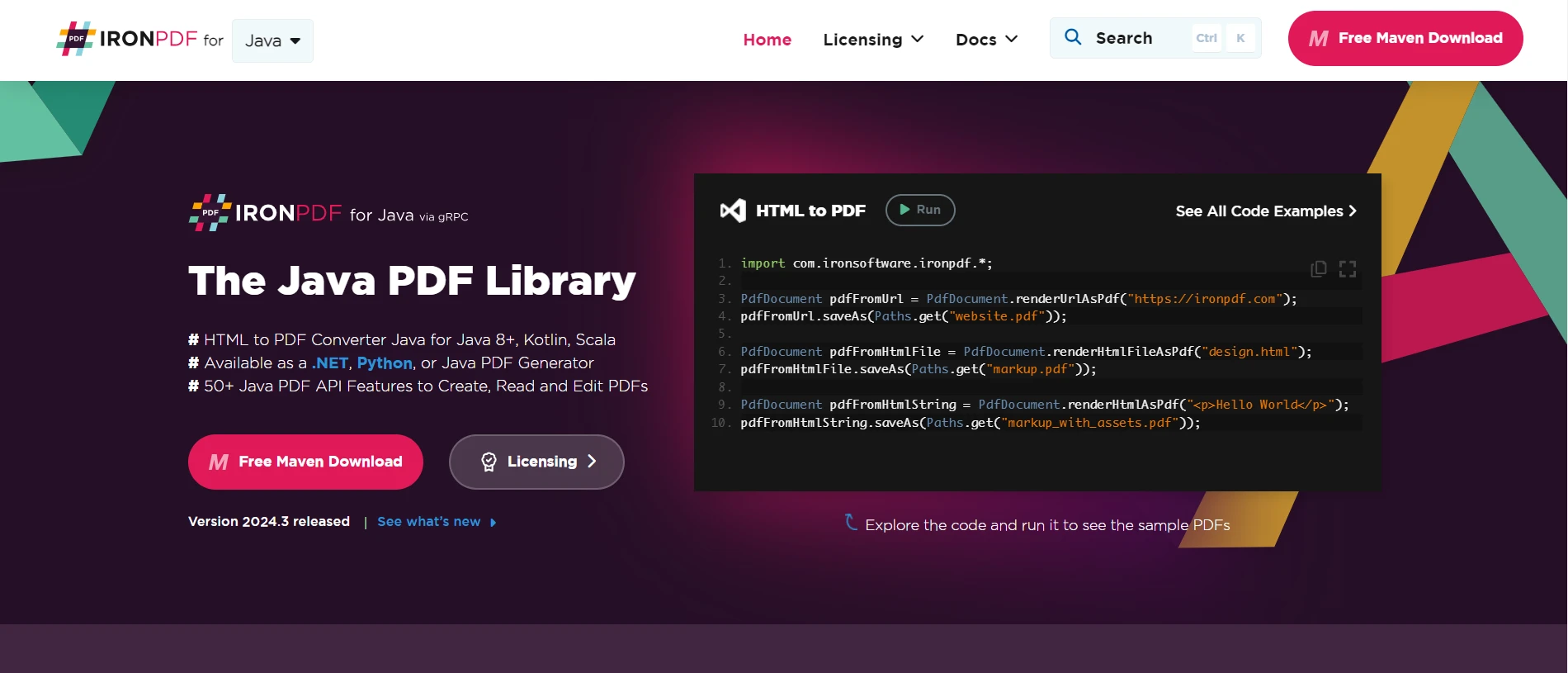
IronPDF for Java, Java uygulamalarında PDF oluşturmayı basitleştirmek için tasarlanmış kapsamlı bir kütüphanedir. Kullanılabilir API'sinden yararlanarak, geliştiriciler HTML, resimler ve metin dahil olmak üzere çeşitli veri kaynaklarından PDF belgeleri oluşturabilir, bunları manipüle edebilir ve yeniden biçimlendirebilir.
PDF şifreleme, dijital imzalar ve etkileşimli form doldurma gibi ileri düzey özellikler desteği ile, IronPDF geliştiricilerin özel gereksinimlerine uygun profesyonel kalitede PDF'ler üretmesini sağlar. Onun sorunsuz entegrasyonu ve kapsamlı belgeleri Java geliştiricileri için uygulamalarını güçlü PDF üretim yetenekleri ile zenginleştirmek isteyenler için gidilecek bir çözümdür.
Bağımlılıkları Ayarlama
İlk olarak, gerekli bağımlılıkları pom.xml (Maven için) dosyanıza veya build.gradle (Gradle için) dosyanıza ekleyin.
Maven
<dependency>
    <groupId>com.ironsoftware</groupId>
    <artifactId>ironpdf</artifactId>
    <version>2024.3.1</version>
</dependency>
<dependency>
<groupId>com.ironsoftware</groupId>
<artifactId>ironpdf</artifactId>
<version>2024.3.1</version>
</dependency>Gradle
implementation 'com.ironsoftware:ironpdf:2024.3.1'OkHttp ve IronPDF'i Entegre Etmek
Şimdi, iki işlevselliği birleştirelim: OkHttp ile HTML içeriği alarak ve IronPDF ile PDF oluşturarak.
import com.ironsoftware.ironpdf.PdfDocument;
import okhttp3.OkHttpClient;
import okhttp3.Request;
import okhttp3.Response;
import java.io.IOException;
import java.nio.file.Paths;

public class OkHttpToPdf {
    private final OkHttpClient client = new OkHttpClient(); // Initialize the OkHttpClient

    // Method to fetch HTML content from a given URL
    public String fetchHtml(String url) throws IOException {
        Request request = new Request.Builder()
                .url(url)
                .build();

        // Execute the request and return the response body as a string
        try (Response response = client.newCall(request).execute()) {
            if (!response.isSuccessful()) throw new IOException("Unexpected code " + response);
            return response.body().string();
        }
    }

    // Method to generate a PDF from a URL
    public void generatePdfFromUrl(String url, String outputFilePath) {
        try {
            String htmlContent = fetchHtml(url); // Fetch the HTML content
            PdfDocument pdf = PdfDocument.renderHtmlAsPdf(htmlContent); // Render HTML as PDF
            pdf.saveAs(Paths.get(outputFilePath)); // Save the PDF to the specified path
            System.out.println("PDF generated successfully at " + outputFilePath);
        } catch (IOException e) {
            System.err.println("Failed to fetch HTML content: " + e.getMessage());
        } catch (Exception e) {
            System.err.println("Failed to generate PDF: " + e.getMessage());
        }
    }

    // Main method to demonstrate fetching HTML and generating a PDF
    public static void main(String[] args) {
        OkHttpToPdf converter = new OkHttpToPdf(); // Create an instance of OkHttpToPdf
        converter.generatePdfFromUrl("https://ironpdf.com/java", "website.pdf"); // Fetch HTML and generate PDF
    }
}
import com.ironsoftware.ironpdf.PdfDocument;
import okhttp3.OkHttpClient;
import okhttp3.Request;
import okhttp3.Response;
import java.io.IOException;
import java.nio.file.Paths;
public class OkHttpToPdf {
private final OkHttpClient client = new OkHttpClient(); // Initialize the OkHttpClient
// Method to fetch HTML content from a given URL
public String fetchHtml(String url) throws IOException {
Request request = new Request.Builder()
.url(url)
.build();
// Execute the request and return the response body as a string
try (Response response = client.newCall(request).execute()) {
if (!response.isSuccessful()) throw new IOException("Unexpected code " + response);
return response.body().string();
}
}
// Method to generate a PDF from a URL
public void generatePdfFromUrl(String url, String outputFilePath) {
try {
String htmlContent = fetchHtml(url); // Fetch the HTML content
PdfDocument pdf = PdfDocument.renderHtmlAsPdf(htmlContent); // Render HTML as PDF
pdf.saveAs(Paths.get(outputFilePath)); // Save the PDF to the specified path
System.out.println("PDF generated successfully at " + outputFilePath);
} catch (IOException e) {
System.err.println("Failed to fetch HTML content: " + e.getMessage());
} catch (Exception e) {
System.err.println("Failed to generate PDF: " + e.getMessage());
}
}
// Main method to demonstrate fetching HTML and generating a PDF
public static void main(String[] args) {
OkHttpToPdf converter = new OkHttpToPdf(); // Create an instance of OkHttpToPdf
converter.generatePdfFromUrl("https://ironpdf.com/java", "website.pdf"); // Fetch HTML and generate PDF
}
}Kod Açıklaması
Yukarıdaki kod, Java'da OkHttp ve IronPDF kütüphanelerini kullanarak bir URL'den HTML içeriği alıp bunu bir PDF dosyasına dönüştürmenin nasıl yapılacağını gösterir:
-
İçeri Aktarma Beyanları: Gerekli kütüphaneler ithal edilir, PDF oluşturma için IronPDF ve HTTP istekleri için OkHttp dahil.
-
OkHttpClient Başlatma: Bir
OkHttpClientörneği oluşturulur. -
fetchHtmlYöntemi: Bu yöntem, belirtilen bir URL'den HTML içeriği getirir.- Sağlanan URL ile bir istek oluşturulur.
- İstek yürütülür ve yanıt elde edilir.
- Yanıt başarılı değilse, bir
IOExceptionfırlatılır. - Yanıt gövdesi bir dize olarak döndürülür.
-
generatePdfFromUrlYöntemi: Bu yöntem, belirtilen bir URL'nin HTML içeriğinden bir PDF oluşturur ve verilen dosya yoluna kaydeder.- HTML içeriği
fetchHtmlyöntemi kullanılarak getirilir. - HTML içeriği,
IronPDFkullanılarak bir PDF olarak işlenir. - PDF belirtilen dosya yoluna kaydedilir.
- Hem HTML alma hem de PDF oluşturma için uygun hata paylaşımı dahil edilmiştir.
- HTML içeriği
-
mainYöntemi: Bu, programın giriş noktasıdır.- Bir
OkHttpToPdförneği oluşturulur. generatePdfFromUrlyöntemi, belirli bir URL ve çıktı dosya yolu ile çağrılır.
- Bir
Çıktı
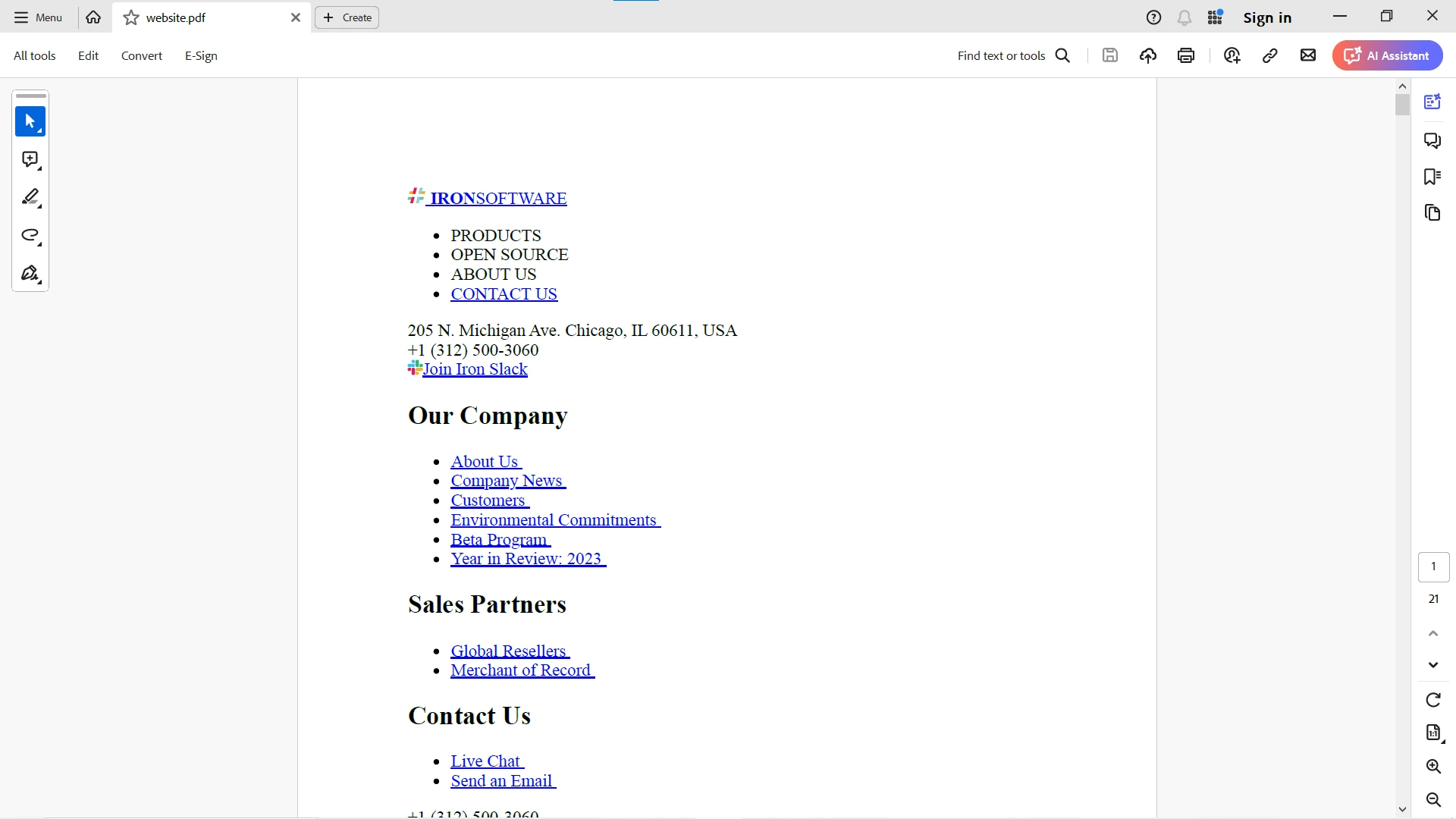
URL verileri OkHttp istemcisi ile alınır ve ardından PDF'ye dönüştürülerek verimli bir şekilde IronPDF kullanılarak aşağıda gösterildiği gibi işlenir:
IronPDF hakkında daha ayrıntılı bilgi için lütfen bu IronPDF Belgeleri sayfasını ziyaret edin. IronPDF'den daha fazla yararlanmanız için lütfen bu IronPDF Kod Örnekleri ve IronPDF API Referansı sayfasını kontrol edin.
Sonuç
OkHttp, Java ve Android için ağ isteklerini basitleştirerek geniş bir kullanım yelpazesi için uygun hale gelen çok yönlü ve güçlü bir HTTP istemcisidir. Senkrone ve asenkron işlemler, bağlantı havuzu, transparan GZIP sıkıştırma, önbellekleme ve HTTP/2 desteği ile, OkHttp istemcisi geniş bir kullanım yelpazesi için uygundur. Java uygulamalarınıza OkHttp'yi entegre ederek, performanslarını, güvenilirliklerini ve verimliliklerini artırabilirsiniz.
OkHttp'yi IronPDF ile entegre ederek, web kaynaklarından HTML içeriğini etkili bir şekilde alabilir ve bunları PDF belgelerine dönüştürebilirsiniz. Bu yaklaşım, rapor üretmesi, web sayfalarını kaydetmesi veya web içeriklerini çevrimdışı belgelere dönüştürmesi gereken uygulamalar için özellikle faydalıdır.
Projelerinize profesyonel kalitede PDF üretiminin sorunsuz entegrasyonunu sağlayan IronPDF'in ücretsiz denemesi ile Java uygulamalarınızda PDF üretiminin potansiyelini keşfedin. Şimdi indir ve PDF üretim deneyimini yükseltin!










 Ücretsiz Başlayın
 Ücretsiz Başlayın
 Ücretsiz Canlı Demo Rezervasyonu





 Kredi kartı veya hesap oluşturma gerektirmez










