




已更新 2026年8月16日
How to Sign a PDF on iPhone: Every Method Explained (2026)
Need to add your signature to a PDF from your iPhone? Learn every method, from the built-in Markup tool in Files to dedicated e-signature apps, no download required.
阅读更多

在使用Python编程时,您经常需要在列表中搜索元素。无论您是寻找指定的元素值,检查项目的存在,还是查找列表元素的所有出现次数,Python都提供了几种技术来有效地完成这些任务。 在本教程中,我们将探索各种方法来在Python列表中查找元素,并附上示例代码。 此外,我们还将研究如何使用IronPDF 适用于 Python软件包生成PDF文档。
1.**安装 Python:**确保本地计算机上已安装 Python,或者访问python.org按照步骤安装 Python。 2. Visual Studio Code:安装至少一个Python开发环境。 为了本教程,我们将考虑Visual Studio Code编辑器。
检查列表中是否存在元素的最简单方法是使用in操作符。 该运算符返回False。
my_list = [1, 2, 3, 4, 5]
# Here, 3 is the target element; check if 3 is present in the list
if 3 in my_list:
    print("3 is present in the list")
else:
    print("3 is not present in the list")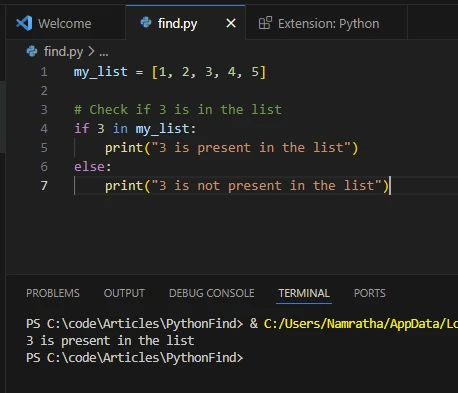
ValueError。 当您需要知道元素在列表中的位置时,此方法很有用。
my_list = [1, 2, 3, 4, 5]
# Index of specified element
# The index method returns the index of the first occurrence of the element
index = my_list.index(4)
print("Index of 4:", index)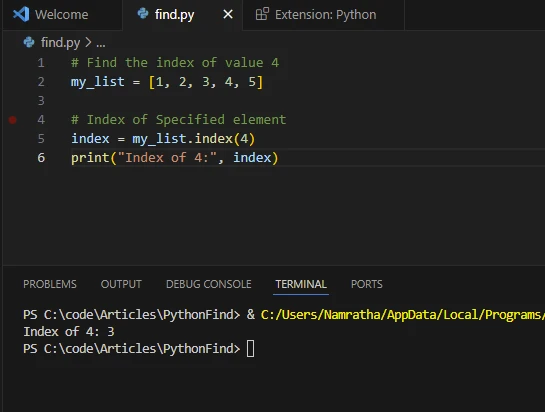
列表推导式提供了一种简洁的方法来查找符合特定条件的列表中的元素。您可以将其与条件表达式结合使用,根据指定条件过滤元素。
my_list = [1, 2, 3, 4, 5]
# Find all even numbers in the list using linear search
even_numbers = [x for x in my_list if x % 2 == 0]
print("Even numbers:", even_numbers)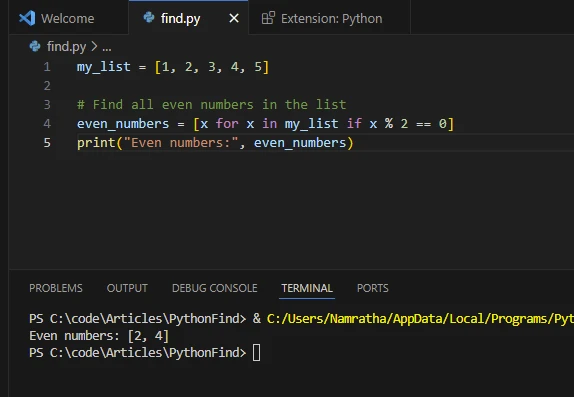
如下面示例所示,列表推导式也可用于查找重复项。
from collections import Counter

def find_duplicates_counter(lst):
    counter = Counter(lst)
    # Return a list of items that appear more than once
    return [item for item, count in counter.items() if count > 1]

# Example usage:
my_list = [1, 2, 3, 4, 2, 5, 6, 1, 7, 8, 9, 1]
# Print the duplicate elements using Counter
print("Duplicate elements using Counter:", find_duplicates_counter(my_list))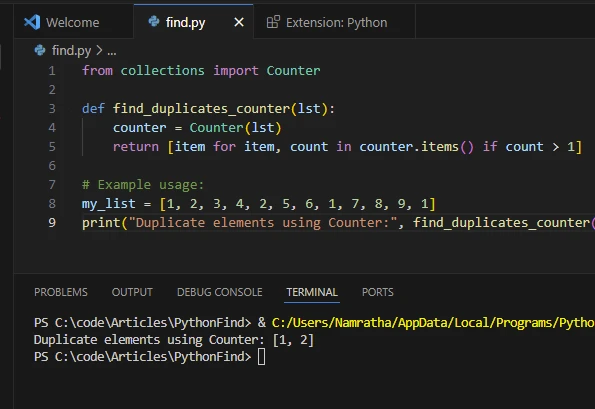
filter()函数对列表中的每个元素应用过滤条件,并返回包含满足条件元素的迭代器。 可以使用list()函数将迭代器转换为列表。
my_list = [1, 2, 3, 4, 5]
# Filter out elements greater than 3
filtered_list = list(filter(lambda x: x > 3, my_list))
print("Elements greater than 3:", filtered_list)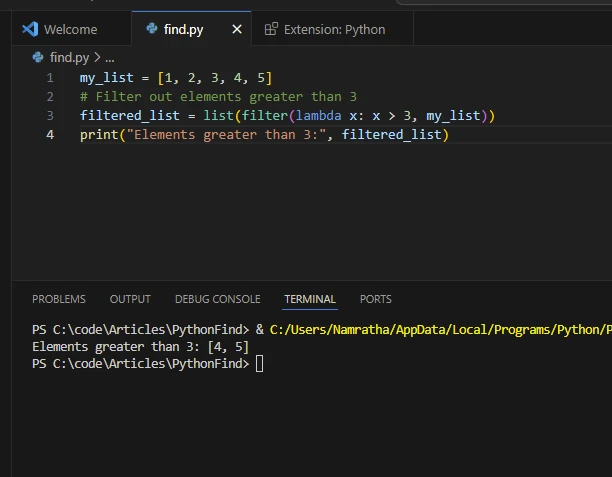
除了内建方法,您还可以利用诸如NumPy和pandas这样的外部库进行更高级的列表和数组操作。 这些库提供高效的函数用于搜索、过滤和操作数据。
NumPy是一个用于数值计算的Python库。 它提供对大型多维数组和矩阵的支持,以及用于高效操作这些数组的数学函数集合。 NumPy在Python中的科学计算中起着基础性的作用,广泛应用于机器学习、数据分析、信号处理和计算科学中。
要使用NumPy,请使用以下命令安装它:
pip install numpyimport numpy as np
my_list = [1, 2, 3, 4, 5]
# Convert list to a NumPy array
arr = np.array(my_list)
# Find indices of elements greater than 2
indices = np.where(arr > 2)[0]
print("Indices of elements greater than 2:", indices)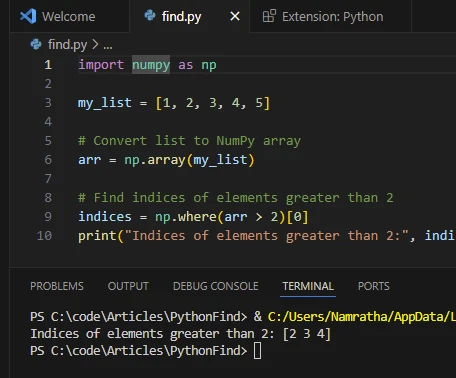
不同编程语言中的高效搜索由于其关键的实际应用非常重要:
在数据分析任务中,您经常会处理大数据集,这些数据集存储为列表或数组。 查找特定数据点、过滤掉离群值或识别数据中的模式是涉及在列表中搜索和操作元素的常见操作。
在与数据库一起工作时,查询数据通常涉及检索满足某些条件的记录集。 经常处理数据库记录列表以根据特定条件从记录中提取、过滤或聚合信息。
在自然语言处理任务中,文本数据通常表示为单词或标记的列表。 查找特定单词的出现次数、识别模式或从文本语料库中提取相关信息需要有效的搜索和处理列表元素的方法。
在零售和供应链管理系统中,列表通常用于表示库存。 根据产品名称、类别或库存可用性查找项目对库存跟踪、订单履行和供应链优化至关重要。
电子商务平台和推荐系统依赖于有效搜索和过滤产品列表来为用户提供个性化推荐。 根据用户偏好、浏览历史或相似度指标查找相关产品涉及搜索和分析产品列表中的元素。
社交媒体平台生成大量数据,包括用户档案、帖子、评论和交互的列表。 分析社交媒体数据通常需要在帖子和评论列表中搜索特定用户、话题、标签或趋势。
在科学计算和模拟应用中,列表用于存储数值数据、模拟结果和计算模型。 在科学分析和可视化工作流程中,查找关键数据点、识别异常或从大型数据集中提取特征是必不可少的任务。
在游戏开发和模拟软件中,列表用于表示游戏对象、角色、地形特征和模拟状态。 查找游戏世界中的对象、检测碰撞或跟踪玩家交互通常涉及搜索和处理列表中的元素。
金融应用和算法交易系统使用列表存储历史市场数据、股票价格和交易信号。 分析市场趋势、识别交易机会或实施交易策略需要有效地搜索和处理财务数据列表中的元素的方法。
这些实际应用案例展示了在不同领域和应用中查找列表元素的重要性。 用于搜索和处理列表的高效算法和数据结构在支持广泛的计算任务和应用中起着重要作用。
IronPDF for Python是由Iron Software开发的强大库,使软件开发人员能够在Python 3项目中创建、修改和提取PDF内容。 基于IronPDF for .NET的成功和广泛采用,IronPDF for Python继承了它的成功。
让我们看看如何使用上述示例并使用Python "在列表中查找" 元素生成PDF文档。
import sys
sys.prefix = r'C:\Users\user1\AppData\Local\Packages\PythonSoftwareFoundation.Python.3.7_qbz5n2kfra8p0\LocalCache\local-packages'
from ironpdf import *

# Instantiate Renderer
renderer = ChromePdfRenderer()

# Prepare HTML content
msg = "<h1>Python: Find in List - A Comprehensive Guide</h1>"
msg += "<h3>Find Element Exists Using the IN Operator</h3>"
msg += "<p>if 3 in my_list</p>"
msg += "<p>3 is present in the list</p>"
msg += "<h3>Find Element Exists Using the index() Method</h3>"
msg += "<p>my_list.index(4)</p>"
msg += "<p>Index of 4: 3</p>"
msg += "<h3>Find Element Exists Using List Comprehension</h3>"
msg += "<p>x for x in my_list if x % 2 == 0</p>"
msg += "<p>Even numbers: [2,4]</p>"
msg += "<h3>Find Duplicate Elements Using List Comprehension</h3>"
msg += "<p>item for item, count in counter.items() if count > 1</p>"
msg += "<p>Duplicate elements using Counter: [1,2]</p>"
msg += "<h3>Find Element Exists Using the filter() Function</h3>"
msg += "<p>list(filter(lambda x: x > 3, my_list))</p>"
msg += "<p>Elements greater than 3: [4,5]</p>"

# Write HTML content to a file
f = open("demo.html", "a")
f.write(msg)
f.close()

# Create a PDF from an existing HTML file using IronPDF for Python
pdf = renderer.RenderHtmlFileAsPdf("demo.html")
# Export to a file
pdf.SaveAs("output.pdf")ChromePdfRenderer的实例。
2.**准备内容:**使用 HTML 元素定义要打印到 PDF 中的文本。RenderHtmlFileAsPdf将HTML转换为PDF。
4.保存 PDF: PDF 将以指定的文件名保存到本地磁盘。由于许可证密钥未初始化,您可能会看到水印; 在获得有效许可证密钥后会被移除。
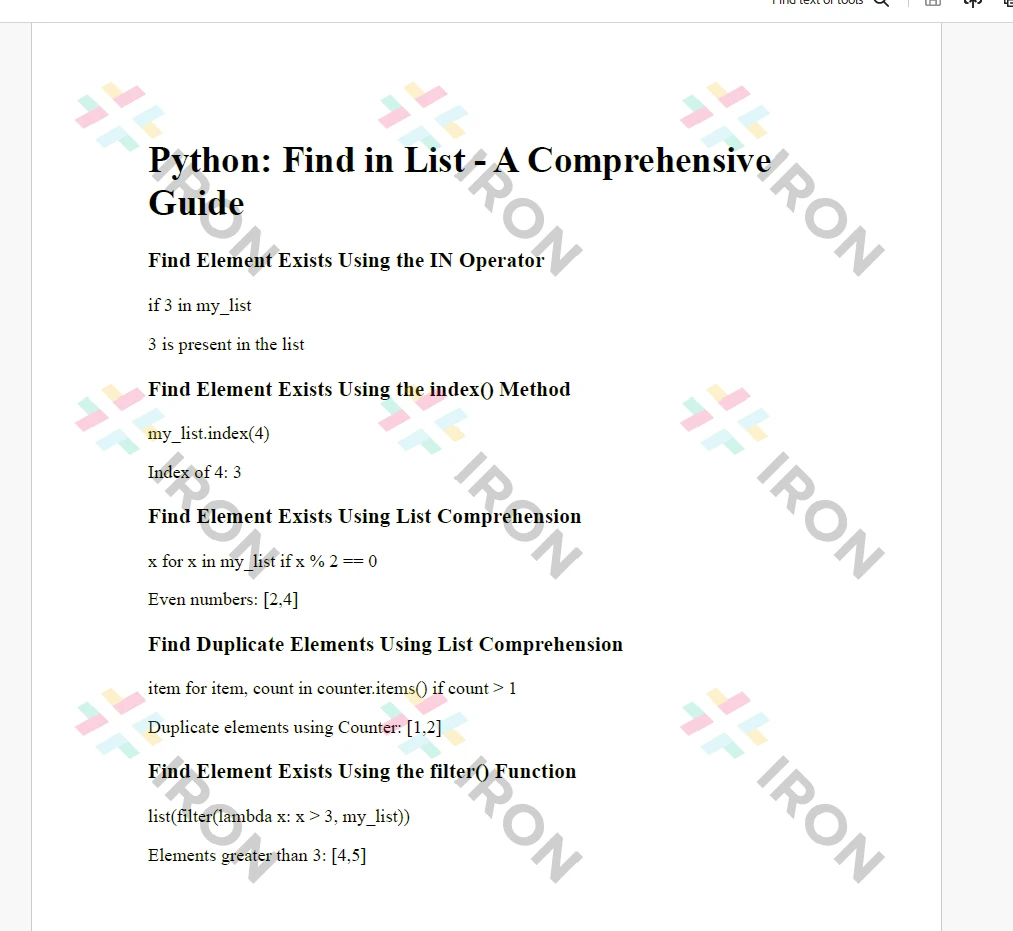
IronPDF许可证详细信息需要许可证密钥才能工作。 通过在Python脚本开头设置License Key属性来应用许可证密钥或试用密钥:
# Apply your license key
License.LicenseKey = "MyKey"注册试用许可证后,开发人员可以获得试用许可证。
在本教程中,我们介绍了在Python列表中查找元素的各种方法。根据您的具体要求和任务复杂性,您可以选择最合适的方法。 无论是使用in运算符进行简单的存在性检查,还是使用列表解析或外部库进行更高级的过滤操作,Python在处理列表操作任务时提供了灵活性和高效性。 尝试这些技术以便在您的Python项目中高效处理搜索和过滤任务。 与IronPDF模块一起,开发人员可以轻松地将结果输出到PDF文档中,如本文所示。

Curtis Chau 拥有卡尔顿大学的计算机科学学士学位,专注于前端开发,精通 Node.js、TypeScript、JavaScript 和 React。他热衷于打造直观且美观的用户界面,喜欢使用现代框架并创建结构良好、视觉吸引力强的手册。


当您需要PDF看起来像HTML时,速度快。














