




已更新 2026年8月16日
How to Sign a PDF on iPhone: Every Method Explained (2026)
Need to add your signature to a PDF from your iPhone? Learn every method, from the built-in Markup tool in Files to dedicated e-signature apps, no download required.
閱讀更多

在使用Python處理時,您經常需要搜尋列表中的元素。不論是要查找指定的元素值、檢查項目的存在,還是找到列表元素的所有出現次數,Python提供了多種技術來有效完成這些任務。 在本教程中,我們將探索在Python列表中查找元素的各種方法,並附有說明性程式碼範例。 此外,我們還將探討如何使用IronPDF for Python套件從Iron Software生成PDF文件。
檢查元素是否在列表中存在的最簡單方法是使用in運算符。 如果元素存在於列表中,此運算符返回False。
my_list = [1, 2, 3, 4, 5]
# Here, 3 is the target element; check if 3 is present in the list
if 3 in my_list:
    print("3 is present in the list")
else:
    print("3 is not present in the list")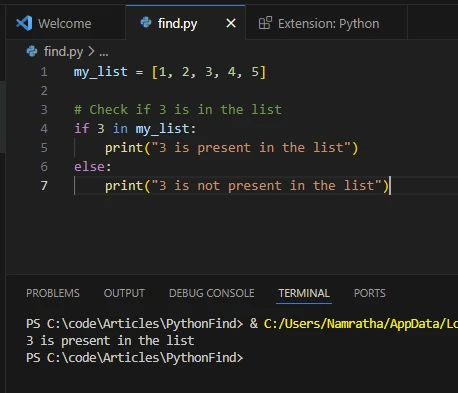
ValueError。 當您需要知道列表中元素的位置時,此方法很有用。
my_list = [1, 2, 3, 4, 5]
# Index of specified element
# The index method returns the index of the first occurrence of the element
index = my_list.index(4)
print("Index of 4:", index)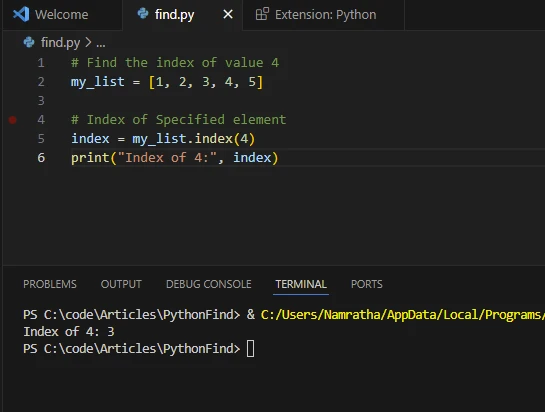
列表推導式提供了一種簡潔的方法來在列表中查找符合特定條件的元素。您可以將其與條件運算結合使用,根據指定的準則篩選出元素。
my_list = [1, 2, 3, 4, 5]
# Find all even numbers in the list using linear search
even_numbers = [x for x in my_list if x % 2 == 0]
print("Even numbers:", even_numbers)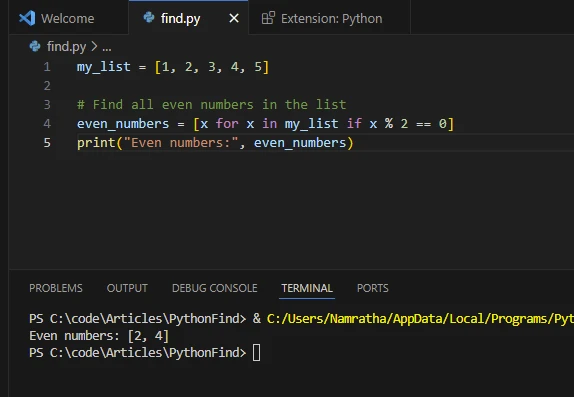
列表推導式還可以用於查找重複元素,如下所示。
from collections import Counter

def find_duplicates_counter(lst):
    counter = Counter(lst)
    # Return a list of items that appear more than once
    return [item for item, count in counter.items() if count > 1]

# Example usage:
my_list = [1, 2, 3, 4, 2, 5, 6, 1, 7, 8, 9, 1]
# Print the duplicate elements using Counter
print("Duplicate elements using Counter:", find_duplicates_counter(my_list))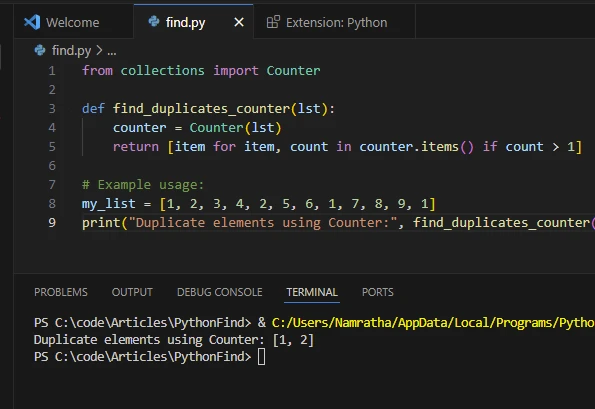
filter()函式對列表中的每個元素應用過濾條件,並返回一個包含滿足條件的元素的迭代器。 您可以使用list()函式將迭代器轉換為列表。
my_list = [1, 2, 3, 4, 5]
# Filter out elements greater than 3
filtered_list = list(filter(lambda x: x > 3, my_list))
print("Elements greater than 3:", filtered_list)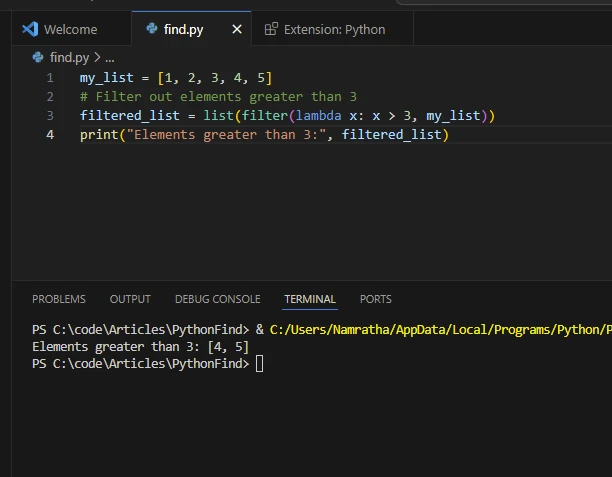
除內建方法外,您還可以利用像NumPy和pandas這樣的外部庫來進行更高級別的列表和陣列操作。 這些庫提供了用於搜索、篩選及操控資料的高效函式。
NumPy是用於數值計算的Python庫。 它提供對大型多維陣列和矩陣的支持,並包含一組用於高效操作這些陣列的數學函式。 NumPy是Python科學計算的基礎,廣泛用於機器學習、資料分析、信號處理和計算科學。
要使用NumPy,可使用以下命令進行安裝:
pip install numpyimport numpy as np
my_list = [1, 2, 3, 4, 5]
# Convert list to a NumPy array
arr = np.array(my_list)
# Find indices of elements greater than 2
indices = np.where(arr > 2)[0]
print("Indices of elements greater than 2:", indices)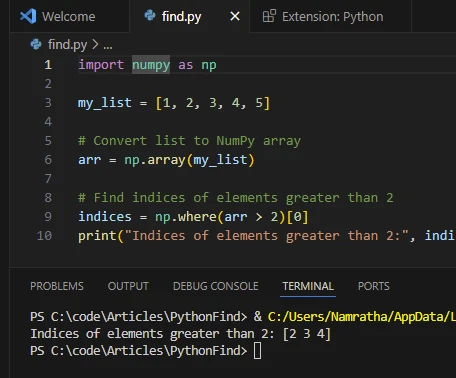
由於編程語言的實際應用非常關鍵,因此在不同的編程語言中進行有效搜索非常有必要:
在資料分析任務中,經常會處理作為列表或陣列儲存的大型資料集。 查找特定資料點、篩選異常值或識別資料中的模式是涉及搜索和操控列表元素的常見操作。
在與資料庫合作時,查詢資料通常涉及檢索符合特定條件的記錄集。 資料庫記錄列表經常被用於基於特定條件提取、篩選或匯總記錄中的資訊。
在自然語言處理任務中,文字資料通常以單詞或標記列表的形式表示。 查找特定單詞的出現次數、識別模式或從文字語料庫中提取相關資訊需要高效搜尋和處理列表元素的方法。
在零售和供應鏈管理系統中,列表通常用來表示庫存。 根據產品名稱、類別或庫存可用性等屬性查找項目對於庫存追蹤、訂單履行和供應鏈優化至關重要。
電子商務平台及推薦系統依賴於高效搜尋及篩選產品列表來為使用者提供個性化推薦。 根據使用者偏好、瀏覽歷史或相似性指標查找相關產品涉及對產品列表元素的搜索和分析。
社交媒體平台生成大量資料,包括使用者資料、帖子、評論和互動的列表。 分析社交媒體資料經常需要在帖子和評論列表中搜索特定使用者、主題、標籤或趨勢。
在科學計算和仿真應用中,列表用於儲存數值資料、仿真結果和計算模型。 在科學分析和可視化工作流程中,查找關鍵資料點、識別異常或從大型資料集中提取特徵是必不可少的任務。
在遊戲開發和仿真軟體中,列表用於表示遊戲物件、角色、地形特徵和仿真狀態。 在遊戲世界中查找物件、檢測碰撞或追蹤玩家互動通常涉及搜尋和處理列表元素。
金融應用和算法交易系統使用列表來儲存歷史市場資料、股票價格以及交易信號。 分析市場趨勢、識別交易機會或實施交易策略需要高效方法來搜尋和處理金融資料列表中的元素。
這些實際應用案例展示了在各領域和應用中查找列表元素的重要性。 高效的搜索和處理列表的算法和資料結構在促進多領域的計算任務和應用中起著至關重要的作用。
IronPDF for Python是一個由Iron Software設計的強大程式庫,賦予軟體開發人員在Python 3專案中建立、修改和提取PDF內容的能力。 基於IronPDF for .NET的成功和廣泛使用,IronPDF for Python繼承了其成功。
讓我們來看看如何使用以上的範例並使用Python"查找列表"元素生成PDF文件。
import sys
sys.prefix = r'C:\Users\user1\AppData\Local\Packages\PythonSoftwareFoundation.Python.3.7_qbz5n2kfra8p0\LocalCache\local-packages'
from ironpdf import *

# Instantiate Renderer
renderer = ChromePdfRenderer()

# Prepare HTML content
msg = "<h1>Python: Find in List - A Comprehensive Guide</h1>"
msg += "<h3>Find Element Exists Using the IN Operator</h3>"
msg += "<p>if 3 in my_list</p>"
msg += "<p>3 is present in the list</p>"
msg += "<h3>Find Element Exists Using the index() Method</h3>"
msg += "<p>my_list.index(4)</p>"
msg += "<p>Index of 4: 3</p>"
msg += "<h3>Find Element Exists Using List Comprehension</h3>"
msg += "<p>x for x in my_list if x % 2 == 0</p>"
msg += "<p>Even numbers: [2,4]</p>"
msg += "<h3>Find Duplicate Elements Using List Comprehension</h3>"
msg += "<p>item for item, count in counter.items() if count > 1</p>"
msg += "<p>Duplicate elements using Counter: [1,2]</p>"
msg += "<h3>Find Element Exists Using the filter() Function</h3>"
msg += "<p>list(filter(lambda x: x > 3, my_list))</p>"
msg += "<p>Elements greater than 3: [4,5]</p>"

# Write HTML content to a file
f = open("demo.html", "a")
f.write(msg)
f.close()

# Create a PDF from an existing HTML file using IronPDF for Python
pdf = renderer.RenderHtmlFileAsPdf("demo.html")
# Export to a file
pdf.SaveAs("output.pdf")ChromePdfRenderer的實例。RenderHtmlFileAsPdf將HTML轉換為PDF。由於尚未初始化授權金鑰,您可能會看到水印; 這將會在有效的授權金鑰下被移除。
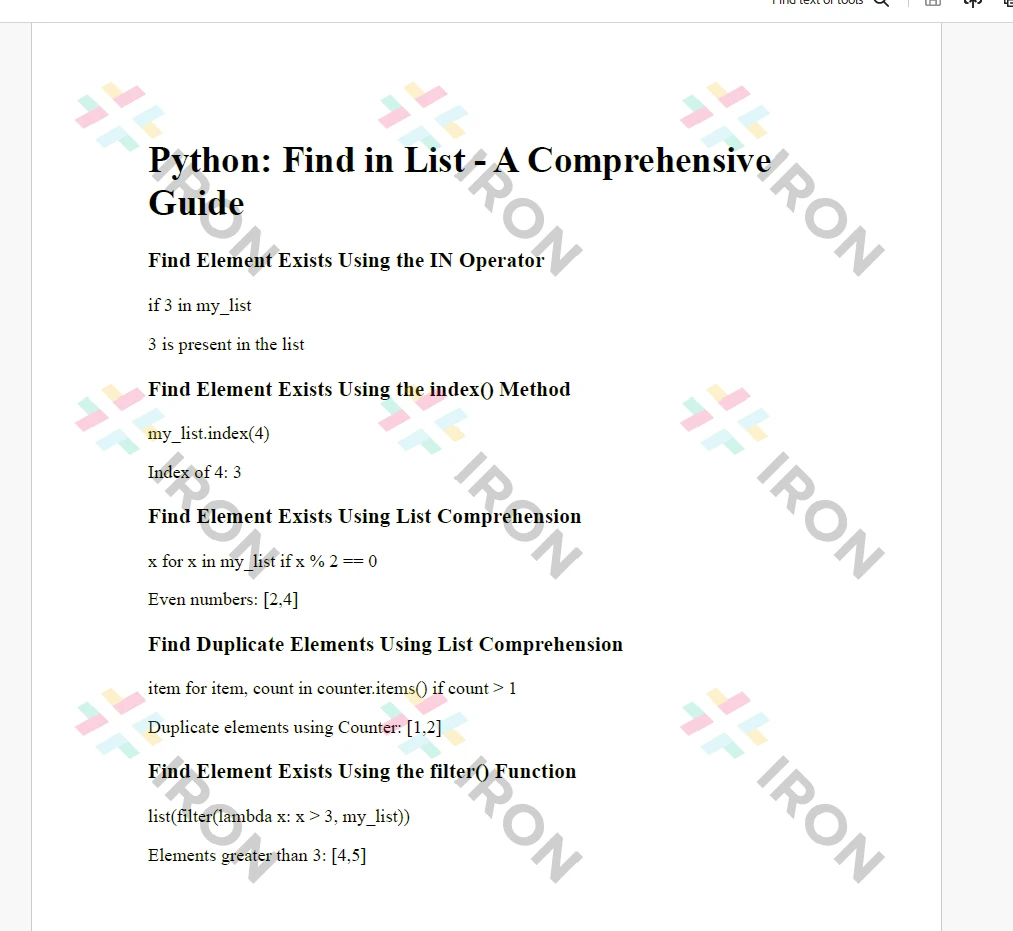
IronPDF授權詳情需要授權金鑰才能使用。 通過在Python腳本的開頭設置授權金鑰屬性來應用授權金鑰或試用金鑰:
# Apply your license key
License.LicenseKey = "MyKey"在註冊試用授權後,可獲得開發人員試用授權。
在本教程中,我們探討了在Python列表中查找元素的多種方法。根據您的具體要求和任務的複雜性,您可以選擇最合適的方法。 不論是使用in運算符進行的簡單存在檢查,還是使用列表推導式或外部庫的更高級篩選操作,Python在處理列表操作任務上提供了靈活性和高效性。 試驗這些技術以有效處理您Python專案中的搜尋和篩選任務。 結合IronPDF模組,開發人員可以輕鬆將結果列印成PDF文件,如本文所示。

Curtis Chau擁有Carleton大學的電腦科學學士學位,專精於前端開發,擁有Node.js、TypeScript、JavaScript和React的專業知識。Curtis熱衷於建立直觀且美觀的使用者介面,喜愛使用現代框架並建立結構良好、視覺吸引力的手冊。


IronPDF 是 IRONSUITE 的一部分
10 款適用於辦公室文件的 .NET API 產品

當您需要您的PDF看起來像HTML一樣快速。












