

Grakn Python(如何运作:开发人员指南)

在今天的编码世界中,数据库正在演变以跟上新应用程序的需求。 虽然传统关系型数据库仍在使用,但我们现在有了像对象-关系映射(ORM)这样的进步,它允许开发人员使用更高级别的编程抽象与数据库交互,而不只是依赖于SQL。 这种方法简化了数据管理,促进了更清晰的代码组织。 此外,NoSQL数据库已经成为处理非结构化数据的有用工具,特别是在大数据应用和实时分析中。
云原生数据库也正在产生重大影响,提供可扩展、可靠和托管的服务,减少了维护底层基础设施的负担。 此外,NewSQL和图形数据库结合了SQL和NoSQL的优势,提供了关系型数据库的可靠性和NoSQL的灵活性。 这种结合使其适用于许多现代应用程序。 通过将这些各种类型的数据库与创新的编程范式相结合,我们可以创建可扩展和自适应的解决方案,以满足当今数据为中心的需求。 Grakn,现在被称为TypeDB,通过支持管理和查询知识图谱体现了这一趋势。在本文中,我们将探讨Grakn(TypeDB)及其与IronPDF的集成,这是一个用于以编程方式生成和操作PDF的关键工具。
什么是Grakn?
Grakn(现在是TypeDB),由Grakn Labs创建,是一个知识图谱数据库,旨在管理和分析复杂的数据网络。 它擅长在现有数据集中建模复杂的关系,并提供对存储数据的强大推理能力。 Grakn的查询语言Graql允许精确的数据操作和查询,使得可以从复杂数据集中开发提取有价值见解的智能系统。 通过利用Grakn的核心功能,组织可以通过强大和智能的知识表示来管理数据结构。
Graql,Grakn的查询语言,专门设计用于有效地与Grakn的知识图谱模型交互,实现详细和细微的数据转换。 由于其水平可扩展性和处理大型数据集的能力,TypeDB非常适合需要理解和管理复杂图谱结构的领域,如金融、医疗保健、药物发现和网络安全。
在Python中安装和配置Grakn
安装Grakn
对于有兴趣使用Grakn(TypeDB)的Python开发者来说,安装typedb-driver库是必不可少的。 这个官方客户端有助于与TypeDB进行交互。 使用以下pip命令安装此库:
pip install typedb-driverpip install typedb-driver设置TypeDB服务器
在编写代码之前,确保您的TypeDB服务器已启动并正在运行。 请按照TypeDB网站上提供的针对您的操作系统的安装和设置说明进行操作。 安装完成后,您可以使用以下命令来启动TypeDB服务器:
./typedb server./typedb server在Python中使用Grakn
Python代码与TypeDB交互
本节说明了如何与TypeDB服务器建立连接,设置数据库模式,并执行基本操作如数据插入和检索。
创建数据库模式
在下面的代码块中,我们通过创建一个名为age来定义数据库结构。 我们在SCHEMA模式下打开一个会话,允许进行结构修改。 以下是如何定义并提交架构的:
from typedb.driver import TypeDB, SessionType, TransactionType

# Connect to TypeDB server
client = TypeDB.core_driver("localhost:1729")

# Create a database (if not already created)
database_name = "example_db"
if not client.databases().contains(database_name):
    client.databases().create(database_name)

with client.session(database_name, SessionType.SCHEMA) as session:
    with session.transaction(TransactionType.WRITE) as transaction:
        transaction.query().define("""
        define
        person sub entity, owns name, owns age;
        name sub attribute, value string;
        age sub attribute, value long;
        """)
        transaction.commit()
from typedb.driver import TypeDB, SessionType, TransactionType
# Connect to TypeDB server
client = TypeDB.core_driver("localhost:1729")
# Create a database (if not already created)
database_name = "example_db"
if not client.databases().contains(database_name):
client.databases().create(database_name)
with client.session(database_name, SessionType.SCHEMA) as session:
with session.transaction(TransactionType.WRITE) as transaction:
transaction.query().define("""
define
person sub entity, owns name, owns age;
name sub attribute, value string;
age sub attribute, value long;
""")
transaction.commit()插入数据
建立模式后,脚本将数据插入数据库。 我们在DATA模式下打开一个会话,适合数据操作,并执行一个插入查询以添加一个名为"Alice"且年龄为30的person实体:
# Insert data into the database
with client.session(database_name, SessionType.DATA) as session:
    with session.transaction(TransactionType.WRITE) as transaction:
        # Create a person entity
        transaction.query().insert("""
        insert $p isa person, has name "Alice", has age 30;
        """)
        transaction.commit()
# Insert data into the database
with client.session(database_name, SessionType.DATA) as session:
with session.transaction(TransactionType.WRITE) as transaction:
# Create a person entity
transaction.query().insert("""
insert $p isa person, has name "Alice", has age 30;
""")
transaction.commit()查询数据
最后,我们通过查询名为"Alice"的实体来从数据库中检索信息。我们在DATA模式下打开一个新会话,并使用TransactionType.READ启动读取事务。 处理结果以提取和显示名称和年龄:
# Query the data from the database
with client.session(database_name, SessionType.DATA) as session:
    with session.transaction(TransactionType.READ) as transaction:
        # Query entities where the person has the name 'Alice'
        results = transaction.query().match("""
        match
        $p isa person, has name "Alice";
        $p has name $n, has age $a;
        get;
        """)
        for result in results:
            person_name = result.get("n").get_value()
            person_age = result.get("a").get_value()
            print(f"Person Name: {person_name}, Age: {person_age}")
# Query the data from the database
with client.session(database_name, SessionType.DATA) as session:
with session.transaction(TransactionType.READ) as transaction:
# Query entities where the person has the name 'Alice'
results = transaction.query().match("""
match
$p isa person, has name "Alice";
$p has name $n, has age $a;
get;
""")
for result in results:
person_name = result.get("n").get_value()
person_age = result.get("a").get_value()
print(f"Person Name: {person_name}, Age: {person_age}")输出
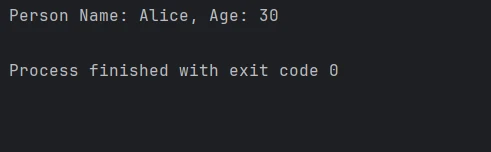
关闭客户端连接
要正确释放资源并防止与TypeDB服务器的进一步交互,请使用client.close()关闭客户端连接:
# Close the client connection
client.close()
# Close the client connection
client.close()IronPDF 简介
IronPDF for Python是一个用于以编程方式创建和操作PDF文件的强大库。 它提供了从HTML创建PDF、合并PDF文件和注释现有PDF文档的全面功能。 IronPDF还可以将HTML或网页内容转换为高质量PDF,这使其成为生成报告、发票和其他固定布局文档的理想选择。
该库提供了高级功能,如内容提取、文档加密和页面布局定制。 通过将IronPDF集成到Python应用程序中,开发人员可以自动化文档生成工作流程并增强其PDF处理的整体功能。
安装 IronPDF 库
要在Python中启用IronPDF功能,请使用pip安装该库:
pip install ironpdfpip install ironpdf将Grakn TypeDB与IronPDF集成
通过在Python环境中结合使用TypeDB和IronPDF,开发人员可以通过Grakn(TypeDB)数据库中的复杂结构化数据来更有效地生成和管理PDF文档。 这是一个集成示例:
from typedb.driver import TypeDB, SessionType, TransactionType
from ironpdf import *
import warnings
# Suppress potential warnings
warnings.filterwarnings('ignore')
# Replace with your own license key
License.LicenseKey = "YOUR LICENSE KEY GOES HERE"
# Initialize data list
data = []
# Connect to TypeDB server
client = TypeDB.core_driver("localhost:1729")
# Query the data from the database
with client.session(database_name, SessionType.DATA) as session:
with session.transaction(TransactionType.READ) as transaction:
# Fetch details of persons named 'Alice'
results = transaction.query().match("""
match
$p isa person, has name "Alice";
$p has name $n, has age $a;
get;
""")
for result in results:
person_name = result.get("n").get_value()
person_age = result.get("a").get_value()
data.append({"name": person_name, "age": person_age})
# Close the client connection
client.close()
# Create a PDF from HTML content
html_to_pdf = ChromePdfRenderer()
content = "<h1>Person Report</h1>"
for item in data:
content += f"<p>Name: {item['name']}, Age: {item['age']}</p>"
# Render the HTML content as a PDF
pdf_document = html_to_pdf.RenderHtmlAsPdf(content)
# Save the PDF to a file
pdf_document.SaveAs("output.pdf")from typedb.driver import TypeDB, SessionType, TransactionType
from ironpdf import *
import warnings
# Suppress potential warnings
warnings.filterwarnings('ignore')
# Replace with your own license key
License.LicenseKey = "YOUR LICENSE KEY GOES HERE"
# Initialize data list
data = []
# Connect to TypeDB server
client = TypeDB.core_driver("localhost:1729")
# Query the data from the database
with client.session(database_name, SessionType.DATA) as session:
with session.transaction(TransactionType.READ) as transaction:
# Fetch details of persons named 'Alice'
results = transaction.query().match("""
match
$p isa person, has name "Alice";
$p has name $n, has age $a;
get;
""")
for result in results:
person_name = result.get("n").get_value()
person_age = result.get("a").get_value()
data.append({"name": person_name, "age": person_age})
# Close the client connection
client.close()
# Create a PDF from HTML content
html_to_pdf = ChromePdfRenderer()
content = "<h1>Person Report</h1>"
for item in data:
content += f"<p>Name: {item['name']}, Age: {item['age']}</p>"
# Render the HTML content as a PDF
pdf_document = html_to_pdf.RenderHtmlAsPdf(content)
# Save the PDF to a file
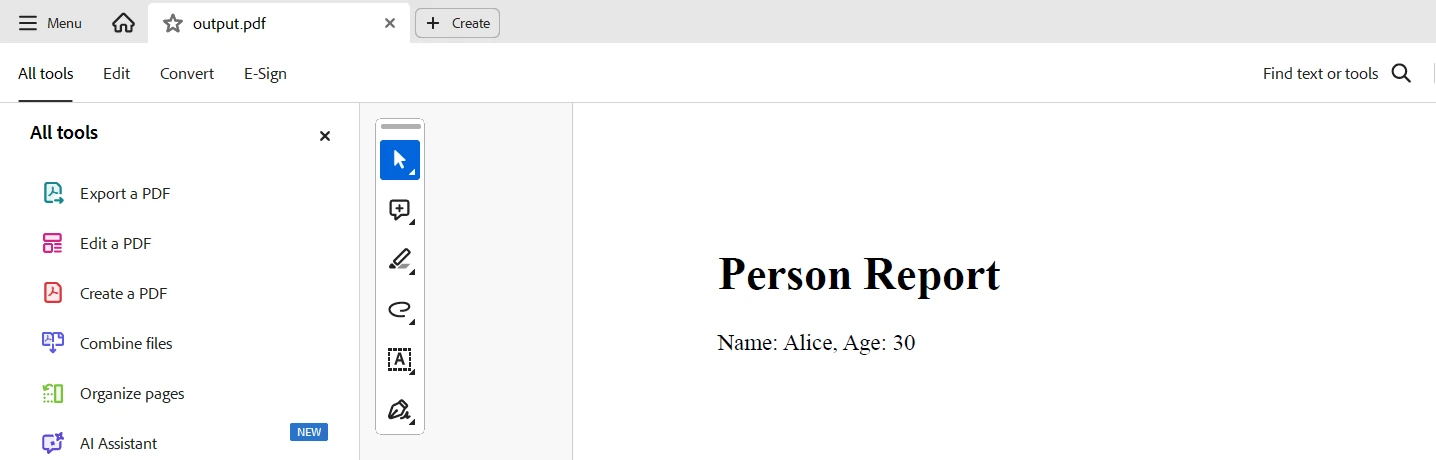
pdf_document.SaveAs("output.pdf")该代码展示了在Python中使用TypeDB和IronPDF从TypeDB数据库中提取数据并生成PDF报告。 它连接到本地TypeDB服务器,获取名为"Alice"的实体,并检索它们的名称和年龄。 然后使用查询结果构建HTML内容,并使用IronPDF的ChromePdfRenderer将其转换为PDF文档,保存为"output.pdf"。
输出
许可
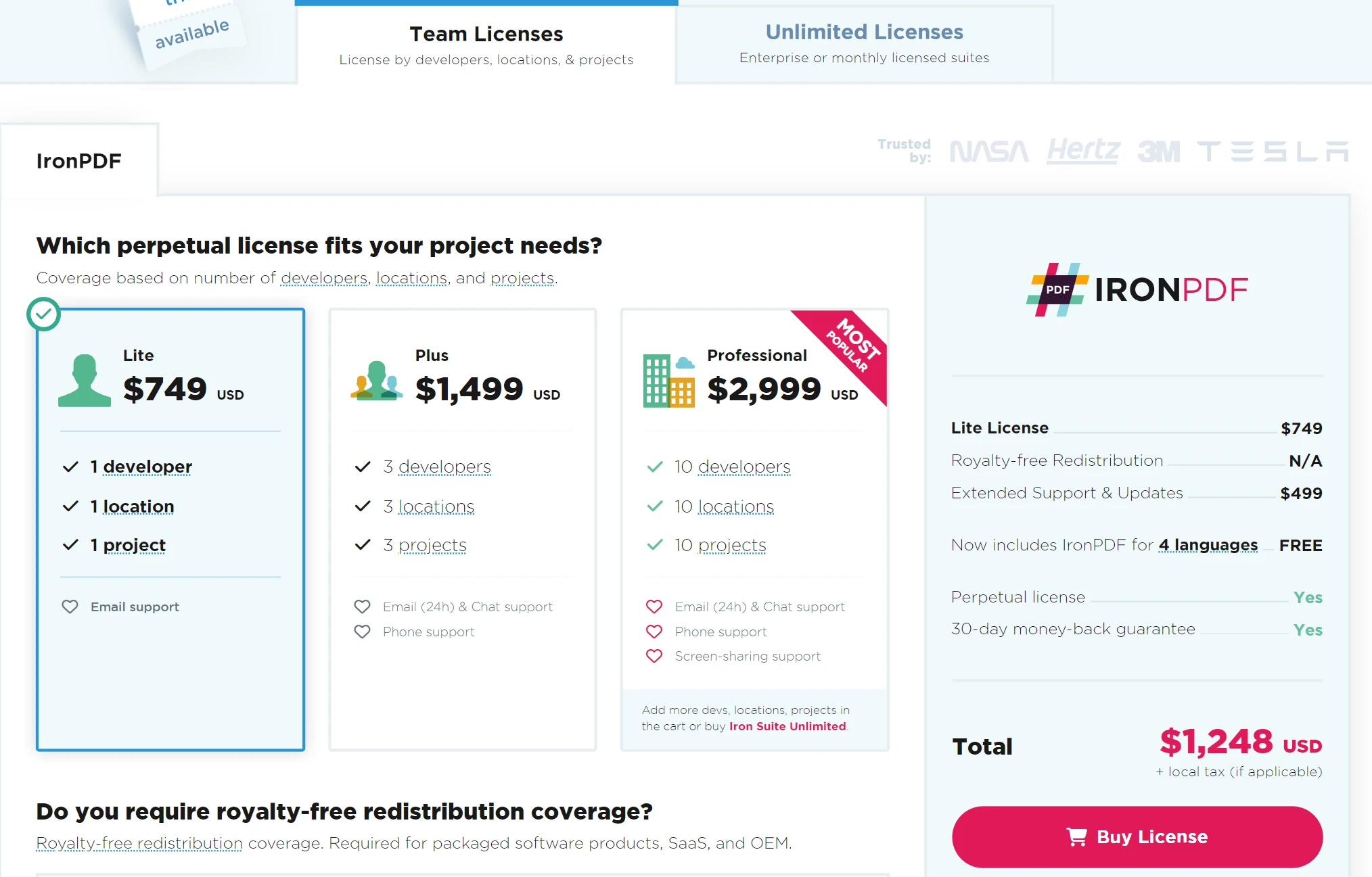
需要许可证密钥才能从生成的PDF中移除水印。 您可以在此链接注册免费试用。 请注意,注册时不需要信用卡; 免费试用版本仅需提供电子邮件地址。
结论
将Grakn(现在是TypeDB)与IronPDF集成提供了一个强大的解决方案,用于从PDF文档管理和分析大量数据。 有了IronPDF在数据提取和操作方面的能力,以及Grakn在建模复杂关系和推理方面的技能,您可以将非结构化文档数据转化为结构化、可查询的信息。
这种集成简化了从PDF中提取有价值洞见的过程,增强了其查询和分析能力,并提高了精确度。 通过结合Grakn的高级数据管理与IronPDF的PDF处理功能,您可以开发更高效地处理信息的方法,以便更好地决策并深入了解复杂的数据集。 Iron Software还提供了多种库,以促进在多个操作系统和平台(包括Windows、Android、macOS、Linux等)上的应用程序开发。









 免费开始
免费开始 免费开始
免费开始 预定免费现场演示



 无需信用卡或创建账户










