

Grakn Python(開發者指南)

在當今的編程世界中,資料庫正演變以滿足新應用程式的需求。 雖然傳統的關聯資料庫仍在使用,但我們現在還有像Object-Relational Mapping (ORM)這樣的進步,使開發人員可以使用更高級的程式設計抽象來與資料庫互動,而不僅僅依賴於SQL。 這種方法簡化了資料管理,並促進了更乾淨的程式碼組織。 此外,NoSQL資料庫作為處理非結構化資料的有用工具出現,特別是在大資料應用程式和實時分析中。
雲原生資料庫也正在產生重大影響,提供可擴展、可靠且受管理的服務,減輕了維護底層基礎設施的負擔。 此外,NewSQL和圖形資料庫結合了SQL和NoSQL的優勢,提供了關聯資料庫的可靠性和NoSQL的靈活性。 這種混合使其適合許多現代應用程式。 通過將這些各種資料庫型別與創新程式設計範式結合,我們可以創造出符合當今以資料為中心需求的可擴展和適應性解決方案。 Grakn,現在被稱為TypeDB,通過支持知識圖譜的管理和查詢,體現了這一趨勢。在本文中,我們將探討Grakn (TypeDB)及其與IronPDF的整合,這是用於程式生成和操作PDF的關鍵工具。
什麼是Grakn?
Grakn(現為TypeDB),由Grakn Labs建立,是一個知識圖譜資料庫,專為管理和分析複雜的資料網路而設計。 它在現有資料集內的建模複雜關係方面表現出色,並提供強大的推理能力。 Grakn 的查詢語言 Graql 允許精確的資料操作和查詢,從而支持開發能夠從複雜資料集中提取有價值見解的智能系統。 通過利用Grakn 的核心特性,組織可以使用強大而智能的知識表示來管理資料結構。
Graql,Grakn 的查詢語言,專門設計用來與Grakn 知識圖譜模型有效互動,使詳細且微妙的資料轉換成為可能。 由於其水平可擴展性和處理大型資料集的能力,TypeDB非常適合需要理解和管理複雜圖結構的領域,如金融、醫療、藥物發現和網路安全。
在Python中安裝和配置Grakn
安裝Grakn
對於有興趣使用Grakn (TypeDB)的Python開發者來說,安裝typedb-driver程式庫至關重要。 這個官方客戶端促進了與TypeDB的互動。 使用以下pip命令來安裝這個程式庫:
pip install typedb-driverpip install typedb-driver設置TypeDB伺服器
在編寫程式碼之前,請確保您的TypeDB伺服器已啟動並運行。 按照TypeDB網站上為您的操作系統提供的安裝和設置指導進行操作。 安裝完成後,您可以使用以下命令啟動TypeDB伺服器:
./typedb server./typedb server在Python中使用Grakn
用Python程式碼與TypeDB互動
本節說明建立與TypeDB伺服器的連接,設置資料庫模式,以及執行資料插入和檢索等基本操作。
建立資料庫模式
在以下程式碼塊中,我們通過建立名為age。 我們在SCHEMA模式下打開一個會話,啟用結構修改。 以下是如何定義和提交模式的過程:
from typedb.driver import TypeDB, SessionType, TransactionType

# Connect to TypeDB server
client = TypeDB.core_driver("localhost:1729")

# Create a database (if not already created)
database_name = "example_db"
if not client.databases().contains(database_name):
    client.databases().create(database_name)

with client.session(database_name, SessionType.SCHEMA) as session:
    with session.transaction(TransactionType.WRITE) as transaction:
        transaction.query().define("""
        define
        person sub entity, owns name, owns age;
        name sub attribute, value string;
        age sub attribute, value long;
        """)
        transaction.commit()
from typedb.driver import TypeDB, SessionType, TransactionType
# Connect to TypeDB server
client = TypeDB.core_driver("localhost:1729")
# Create a database (if not already created)
database_name = "example_db"
if not client.databases().contains(database_name):
client.databases().create(database_name)
with client.session(database_name, SessionType.SCHEMA) as session:
with session.transaction(TransactionType.WRITE) as transaction:
transaction.query().define("""
define
person sub entity, owns name, owns age;
name sub attribute, value string;
age sub attribute, value long;
""")
transaction.commit()插入資料
在建立模式後,腳本將資料插入資料庫中。 我們在DATA模式下打開一個會話,適合資料操作,執行插入查詢以新增一個名為"Alice"、年齡30的person實體:
# Insert data into the database
with client.session(database_name, SessionType.DATA) as session:
    with session.transaction(TransactionType.WRITE) as transaction:
        # Create a person entity
        transaction.query().insert("""
        insert $p isa person, has name "Alice", has age 30;
        """)
        transaction.commit()
# Insert data into the database
with client.session(database_name, SessionType.DATA) as session:
with session.transaction(TransactionType.WRITE) as transaction:
# Create a person entity
transaction.query().insert("""
insert $p isa person, has name "Alice", has age 30;
""")
transaction.commit()查詢資料
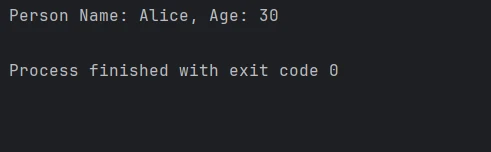
最後,我們通過查詢名稱為"Alice"的實體來從資料庫檢索資訊。我們在DATA模式下打開一個新會話,並使用TransactionType.READ啟動讀取事務。 處理結果以提取並顯示名稱和年齡:
# Query the data from the database
with client.session(database_name, SessionType.DATA) as session:
    with session.transaction(TransactionType.READ) as transaction:
        # Query entities where the person has the name 'Alice'
        results = transaction.query().match("""
        match
        $p isa person, has name "Alice";
        $p has name $n, has age $a;
        get;
        """)
        for result in results:
            person_name = result.get("n").get_value()
            person_age = result.get("a").get_value()
            print(f"Person Name: {person_name}, Age: {person_age}")
# Query the data from the database
with client.session(database_name, SessionType.DATA) as session:
with session.transaction(TransactionType.READ) as transaction:
# Query entities where the person has the name 'Alice'
results = transaction.query().match("""
match
$p isa person, has name "Alice";
$p has name $n, has age $a;
get;
""")
for result in results:
person_name = result.get("n").get_value()
person_age = result.get("a").get_value()
print(f"Person Name: {person_name}, Age: {person_age}")輸出
關閉客戶端連接
為了正確釋放資源並防止與TypeDB伺服器進一步交互,使用client.close()關閉客戶端連接:
# Close the client connection
client.close()
# Close the client connection
client.close()介紹 IronPDF
IronPDF for Python是一個強大的程式庫,用於以程式方式建立和操作PDF文件。 它提供了從HTML建立PDF、合併PDF文件以及註釋現有PDF文件的全面功能。 IronPDF還使HTML或網頁內容轉換為高質量的PDF變得可能,使其成為生成報告、發票和其他固定佈局文件的理想選擇。
這個程式庫提供了高級功能,如內容提取、文件加密和頁面佈局自定義。 通過將IronPDF整合到Python應用程式中,開發人員可以自動化文件生成流程,並增強其PDF處理的整體能力。
安裝IronPDF程式庫
要在Python中啟用IronPDF功能,請使用pip安裝程式庫:
pip install ironpdf
將Grakn TypeDB與IronPDF整合
通過在Python環境中將TypeDB和IronPDF結合,開發人員可以有效生成和管理基於Grakn (TypeDB)資料庫中復雜結構資料的PDF文件。 以下是整合範例:
from typedb.driver import TypeDB, SessionType, TransactionType
from ironpdf import *
import warnings
# Suppress potential warnings
warnings.filterwarnings('ignore')
# Replace with your own license key
License.LicenseKey = "YOUR LICENSE KEY GOES HERE"
# Initialize data list
data = []
# Connect to TypeDB server
client = TypeDB.core_driver("localhost:1729")
# Query the data from the database
with client.session(database_name, SessionType.DATA) as session:
with session.transaction(TransactionType.READ) as transaction:
# Fetch details of persons named 'Alice'
results = transaction.query().match("""
match
$p isa person, has name "Alice";
$p has name $n, has age $a;
get;
""")
for result in results:
person_name = result.get("n").get_value()
person_age = result.get("a").get_value()
data.append({"name": person_name, "age": person_age})
# Close the client connection
client.close()
# Create a PDF from HTML content
html_to_pdf = ChromePdfRenderer()
content = "<h1>Person Report</h1>"
for item in data:
content += f"<p>Name: {item['name']}, Age: {item['age']}</p>"
# Render the HTML content as a PDF
pdf_document = html_to_pdf.RenderHtmlAsPdf(content)
# Save the PDF to a file
pdf_document.SaveAs("output.pdf")from typedb.driver import TypeDB, SessionType, TransactionType
from ironpdf import *
import warnings
# Suppress potential warnings
warnings.filterwarnings('ignore')
# Replace with your own license key
License.LicenseKey = "YOUR LICENSE KEY GOES HERE"
# Initialize data list
data = []
# Connect to TypeDB server
client = TypeDB.core_driver("localhost:1729")
# Query the data from the database
with client.session(database_name, SessionType.DATA) as session:
with session.transaction(TransactionType.READ) as transaction:
# Fetch details of persons named 'Alice'
results = transaction.query().match("""
match
$p isa person, has name "Alice";
$p has name $n, has age $a;
get;
""")
for result in results:
person_name = result.get("n").get_value()
person_age = result.get("a").get_value()
data.append({"name": person_name, "age": person_age})
# Close the client connection
client.close()
# Create a PDF from HTML content
html_to_pdf = ChromePdfRenderer()
content = "<h1>Person Report</h1>"
for item in data:
content += f"<p>Name: {item['name']}, Age: {item['age']}</p>"
# Render the HTML content as a PDF
pdf_document = html_to_pdf.RenderHtmlAsPdf(content)
# Save the PDF to a file
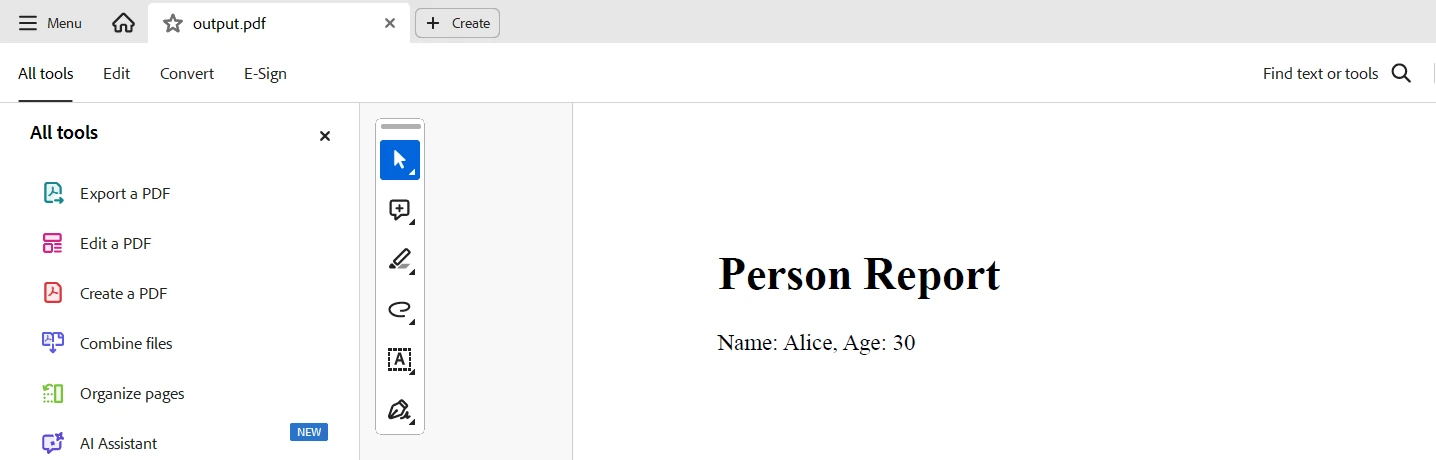
pdf_document.SaveAs("output.pdf")此程式碼演示了如何在Python中使用TypeDB和IronPDF以從TypeDB資料庫提取資料並生成PDF報告。 它連接到本地TypeDB伺服器,獲取名稱為"Alice"的實體,並檢索它們的名稱和年齡。 然後使用IronPDF的ChromePdfRenderer將結果構建為HTML內容並轉換為PDF文件,保存為"output.pdf"。
輸出
授權
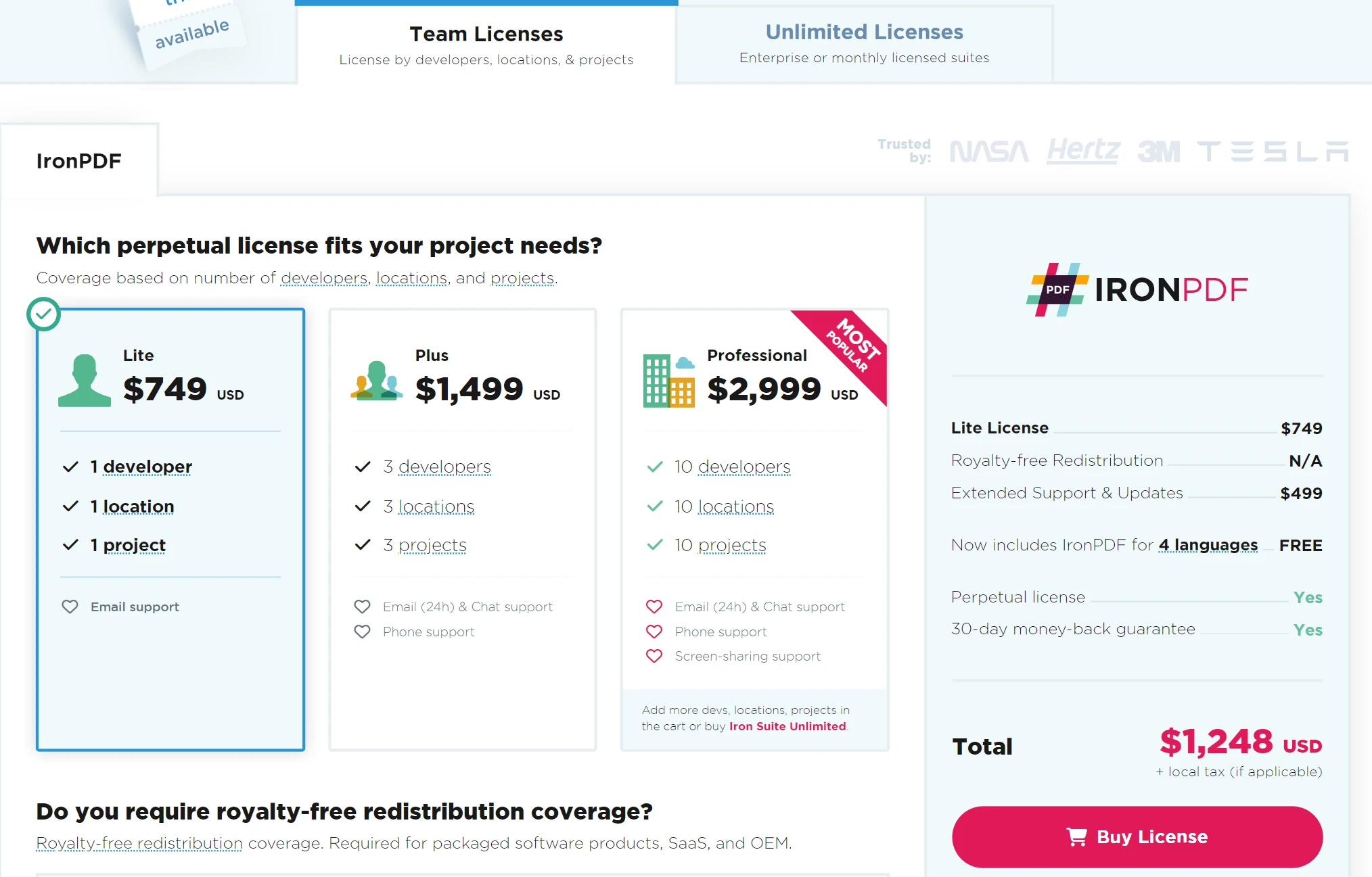
需要授權金鑰才能移除生成PDF中的水印。 您可以在此連結免費註冊試用。 註冊不需要信用卡; 註冊試用版本僅需電子郵件地址。
結論
Grakn(現為TypeDB)與IronPDF整合,為從PDF文件中管理和分析大資料量提供強大的解決方案。 利用IronPDF在資料提取和操作方面的能力,以及Grakn在建模複雜關係和推理方面的專長,您可以將非結構化文件資料轉換為結構化和可查詢的資訊。
這種整合簡化了從PDF中提取有價值見解的過程,通過提高精確性來增強其查詢和分析功能。 通過結合Grakn的高級資料管理和IronPDF的PDF處理功能,您可以開發更高效的資訊處理方式,以便更好地進行決策制定和深入了解複雜的資料集。 Iron Software還提供各種程式庫,以促進在Windows、Android、macOS、Linux等多個操作系統和平台上的應用程式開發。








 免費開始
免費開始 免費開始
免費開始 預訂免費直播演示
















