



已更新 2026年4月23日
deepstream io(開發人員的工作原理)
在這篇文章中,我們將學習如何使用開放即時伺服器 deepstream 和 IronPDF 生成 PDF。
閱讀更多

Scikit-image 是一個設計用於Python圖像處理的算法集合。 它是免費可用且無限制的,擁有來自活躍志願者社區的高質量、同行評審的程式碼。 Scikit-image專案於2009年在Google開始,作為Google夏日程式碼計劃的一部分,由Stefan van der Walt及其他Scikit-image貢獻者指導。 它的目標是建立一個易於使用、有效且可擴展的Python圖像處理庫,以供學術和工業應用。 在這篇文章中,我們將瞭解Scikit-image Python影像庫和來自Iron Software的一個PDF生成庫,名為IronPDF。
要了解Scikit-image,請查看官方網站。此外,Data Carpentry提供了一個使用Scikit在Python中進行圖像處理的精彩課程。
確保您已安裝Python(至少3.10版)。
打開您的終端或命令提示符。
更新pip:
python -m pip install -U pip通過pip安裝scikit-image:
python -m pip install -U scikit-image要存取演示資料集,請使用:
python -m pip install -U scikit-image[data]對於額外的科學包,包括並行處理能力:
python -m pip install -U scikit-image[optional]import skimage.io
import matplotlib.pyplot as plt
# Load an image from file
image = skimage.io.imread(fname='land.jpg')
# Display the image
plt.imshow(image)
plt.show()import skimage as ski
# Load a sample image from the scikit-image default collection
image = ski.data.coins()
# Apply a Sobel filter to detect edges
edges = ski.filters.sobel(image)
# Display the edges
ski.io.imshow(edges)
ski.io.show()Scikit-image,經常縮寫為skimage,是一個強大的Python圖像處理任務庫。 它基於NumPy陣列、SciPy和matplotlib構建,提供各種功能和算法來操縱和分析圖像。 skimage.data.coins() 用於從庫中獲取範例圖像。 skimage.filters 提供存取內建過濾器和實用功能。
from skimage import io, filters

# Load an image
image = io.imread('image.jpg')

# Apply Gaussian blur
blurred_image = filters.gaussian(image, sigma=1.0)

# Apply Sobel edge detection
edges = filters.sobel(image)

# Display the original image, blurred image, and edges
io.imshow_collection([image, blurred_image, edges])
io.show()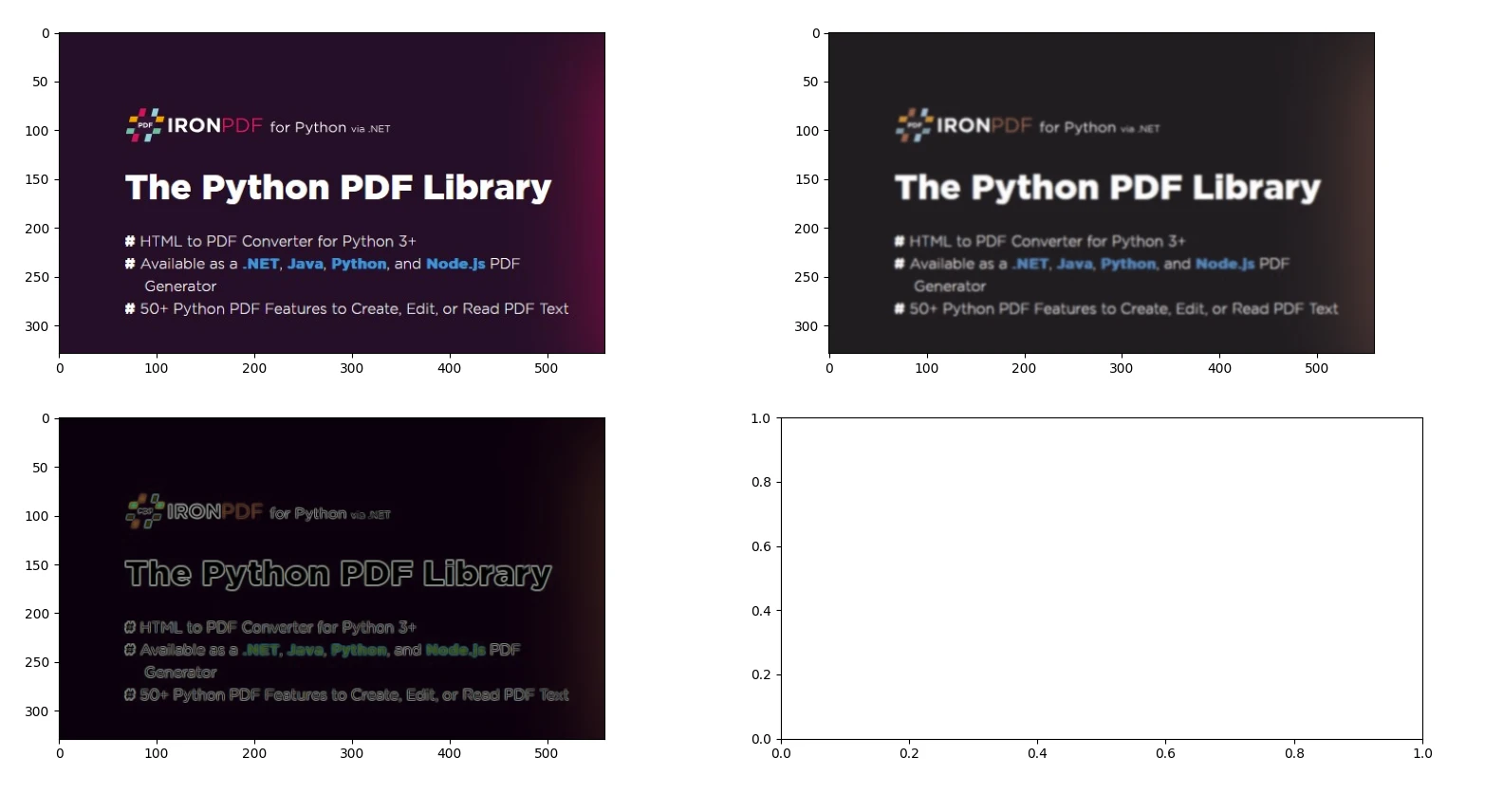
from skimage import io, color, feature

# Load an example image and convert to grayscale
image = io.imread('image.jpg')
gray_image = color.rgb2gray(image)

# Compute HOG features and visualize them
hog_features, hog_image = feature.hog(gray_image, visualize=True)

# Display the original image and the HOG image
io.imshow_collection([image, gray_image, hog_image])
io.show()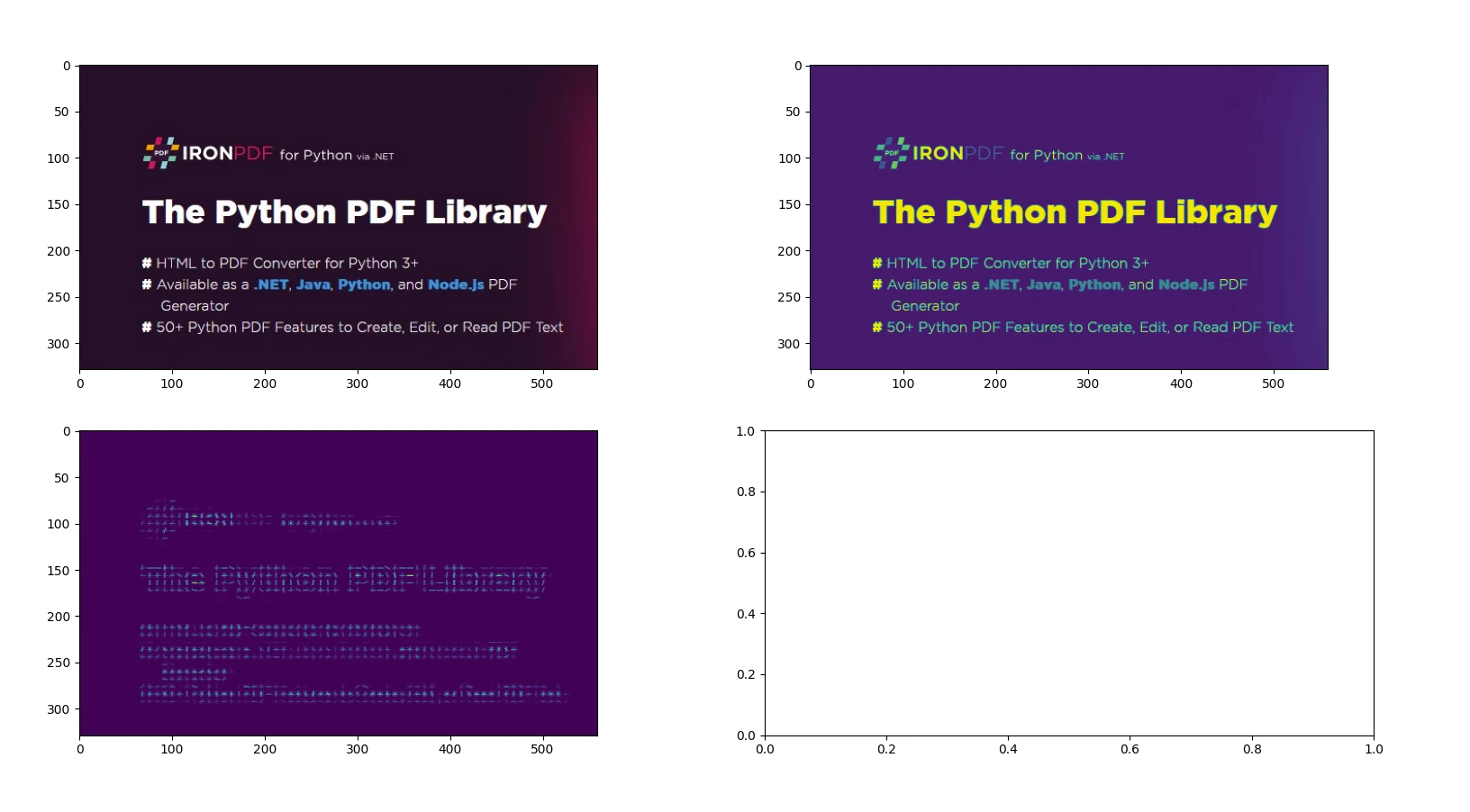
from skimage import io, transform

# Load an image
image = io.imread('image.jpg')

# Resize image by dividing its dimensions by 2
resized_image = transform.resize(image, (image.shape[0] // 2, image.shape[1] // 2))

# Rotate image by 45 degrees
rotated_image = transform.rotate(image, angle=45)

# Display the original image, resized image, and rotated image
io.imshow_collection([image, resized_image, rotated_image])
io.show()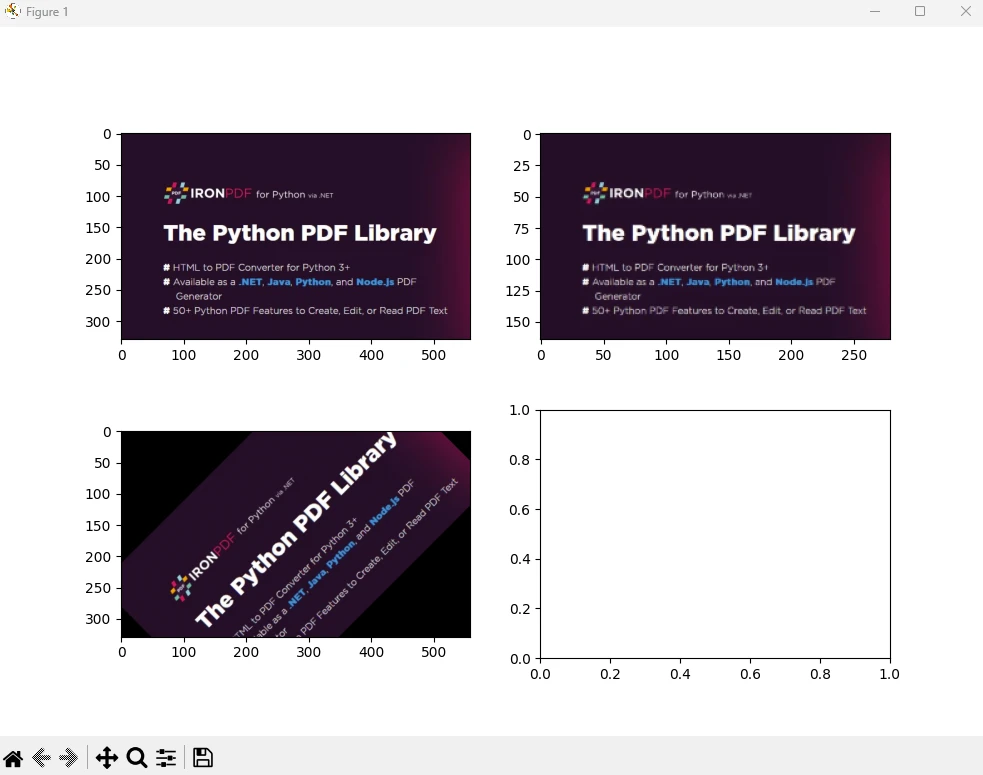
from skimage import io, restoration

# Load a noisy image
image = io.imread('image.jpg')

# Apply total variation denoising
denoised_image = restoration.denoise_tv_chambolle(image, weight=0.1)

# Display the noisy image and the denoised image
io.imshow_collection([image, denoised_image])
io.show()輸出
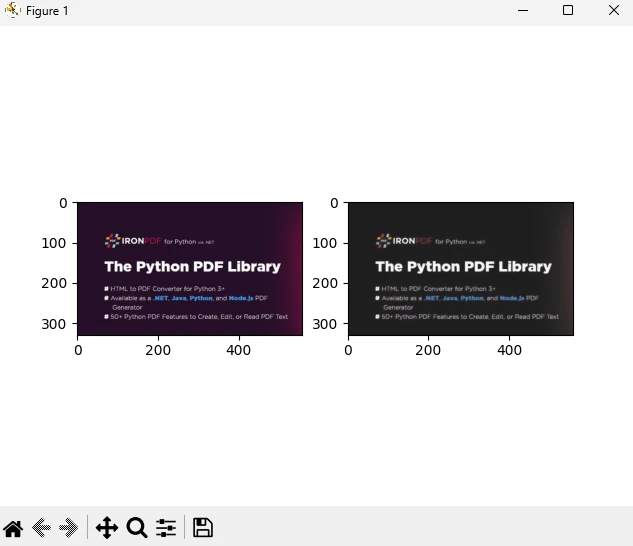
您可以在官方頁面上找到有關圖像處理和NumPy陣列的更多資訊。
IronPDF是一個強大的Python庫,旨在使用HTML、CSS、圖像和JavaScript處理PDF文件的建立、編輯和簽名。 它優先考慮資訊效能,並以最小的記憶體使用量運行。 其主要功能包括:
**HTML到PDF轉換:**將HTML文件、HTML字串和URL轉換為PDF文件,利用如使用Chrome PDF渲染器渲染網頁的能力。
**跨平台支持:**與Python 3+在Windows、Mac、Linux和各種雲平台上的相容。 IronPDF 也適用於 .NET、Java、Python 和 Node.js 環境。
**編輯和簽名:**自定義PDF屬性,強制執行如密碼和權限等安全措施,並順利應用數位簽章。
**頁面模板和設置:**建立具有標題、頁尾、頁碼、可調整邊距、自定義紙張尺寸及響應式設計的PDF佈局。
**標準合規:**嚴格遵循如PDF/A和PDF/UA的PDF標準,確保UTF-8字元編碼相容,並熟練管理如圖像、CSS樣式表和字體等資產。
首先,讓我們建立一個 Python 文件來新增我們的腳本。
打開Visual Studio Code並建立一個文件,scikitDemo.py。
安裝必要的庫:
然後新增以下Python程式碼,以演示IronPDF和scikit-image Python包的用法。
from skimage import io, filters
from ironpdf import *

# Apply your license key
License.LicenseKey = "YOUR_LICENSE_KEY"

# Load an image
image = io.imread('image.jpg')

# Apply Gaussian blur
blurred_image = filters.gaussian(image, sigma=1.0)

# Apply Sobel edge detection
edges = filters.sobel(image)

# Save the results to a file
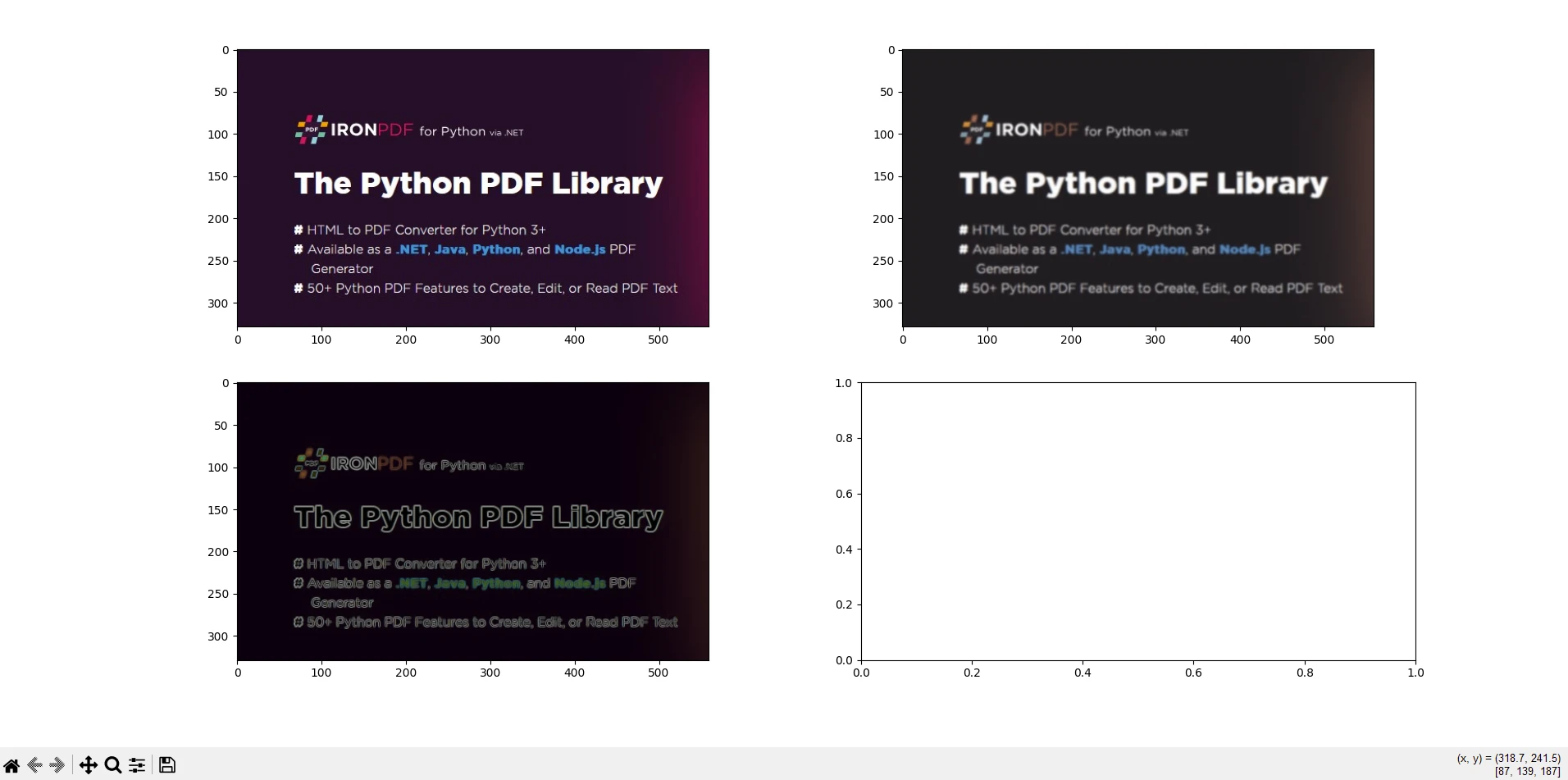
io.imshow_collection([image, blurred_image, edges]).savefig('ironPdf-skimage.png')

# Convert the saved image to a PDF document
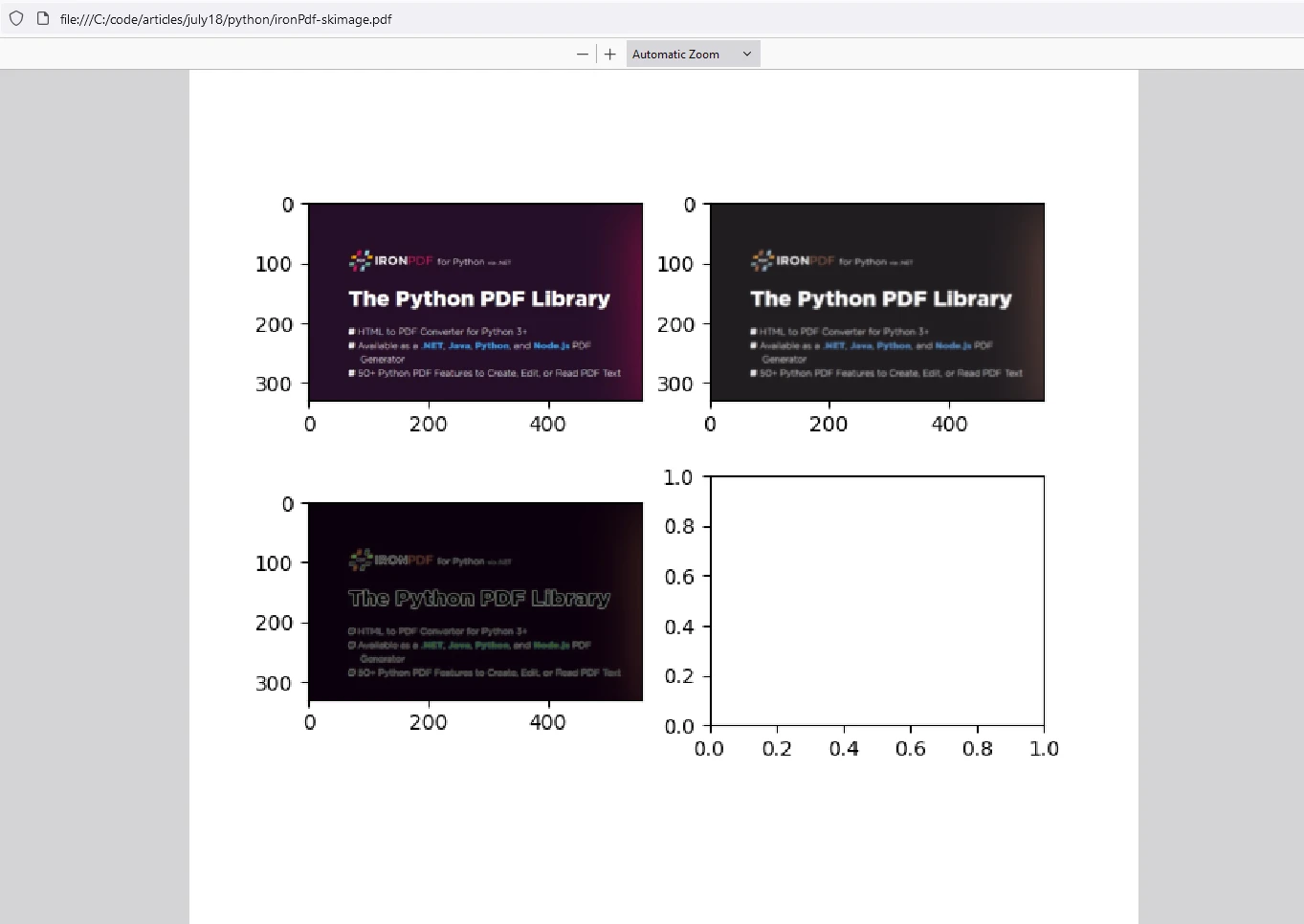
ImageToPdfConverter.ImageToPdf("ironPdf-skimage.png").SaveAs("ironPdf-skimage.pdf")

# Display the images
io.show()此程式碼片段演示如何使用scikit-image(skimage)和IronPDF一起處理圖像並將結果轉換為PDF文件。 這裡是每個部分的說明:
**導入語句:**從scikit-image導入必要的功能用於圖像載入和圖像過濾,並導入IronPDF功能。
**應用授權金鑰:**設置IronPDF的授權金鑰。 此步驟是使用IronPDF功能所必需的。
**載入和處理圖像:**使用scikit-image的'image.jpg'的圖像。 然後使用filters.sobel對載入的圖像應用Sobel邊緣檢測。
顯示和保存結果: 'ironPdf-skimage.png'。
將圖像轉換為PDF: ImageToPdfConverter.ImageToPdf("ironPdf-skimage.png").SaveAs("ironPdf-skimage.pdf"):使用IronPDF的功能將保存的PNG圖像轉換為PDF文件。
顯示圖像: io.show():在圖形窗口中顯示圖像。
此程式碼片段結合了scikit-image的圖像處理功能和IronPDF的圖像轉換為PDF文件的功能。 它展示了載入圖像、應用高斯模糊和Sobel邊緣檢測、將它們保存為PNG文件、使用IronPDF將PNG轉換為PDF,並顯示處理過的圖像。 此整合對於需要以PDF格式處理、分析和紀錄圖像的任務非常有用,例如科學研究、圖像分析報告或自動文件生成工作流程。
IronPDF在Python上運行需要授權金鑰。 IronPDF for Python提供免費試用授權供使用者在購買前檢查其豐富功能。
請將授權金鑰放置在腳本開始處,然後再使用 IronPDF 套件:
from ironpdf import *
# Apply your license key
License.LicenseKey = "YOUR_LICENSE_KEY"scikit-image使Python開發者能夠高效地處理圖像相關任務。 無論您正在從事計算機視覺、醫學影像或藝術專案,這個包都能滿足您的需求。 scikit-image是Python圖像處理中的一個多功能且強大的庫,提供廣泛的功能和算法,用於如過濾、分割、特徵提取和幾何變換等任務。 它與其他科學庫的無縫整合使其成為研究人員、開發者和工程師進行圖像分析和計算機視覺應用的首選。
IronPDF是一個Python庫,可促進Python應用中PDF文件的建立、編輯和操作。 它提供的功能包括從各種來源如HTML、圖像或現有PDF生成PDF文件。 此外,IronPDF支援合併或拆分PDF文件、新增註釋、水印或數位簽章、從PDF中提取文字或圖像,並管理文件屬性如元資料和安全設置。 此庫提供了一種程式化處理PDF相關任務的有效方式,使其適用於需要文件生成、報告建立或文件管理功能的應用。
結合這兩個庫,使用者可以處理圖像,將其高效處理,並將結果以PDF文件形式儲存以供存檔。

Curtis Chau擁有Carleton大學的電腦科學學士學位,專精於前端開發,擁有Node.js、TypeScript、JavaScript和React的專業知識。Curtis熱衷於建立直觀且美觀的使用者介面,喜愛使用現代框架並建立結構良好、視覺吸引力的手冊。


IronPDF 是 IRONSUITE 的一部分
10 款適用於辦公室文件的 .NET API 產品

當您需要您的PDF看起來像HTML一樣快速。











