

scikit-image Python(如何运作:开发人员指南)

Scikit-image 是一个为Python中的图像处理设计的算法集合。 它是完全免费的且无限制的,拥有活跃的志愿者社区提供的高质量、经过同行评审的代码。 Scikit-image项目于2009年在Google开始,是Google夏季代码计划的一部分,由Stefan van der Walt和其他Scikit-image贡献者指导。 其目的是创建一个易于使用、高效且可扩展的Python图像处理库,以用于学术和工业应用。 在本文中,我们将学习关于Scikit-image Python图像库和Iron Software的PDF生成库IronPDF。
开始
想了解有关Scikit-image的更多信息,请查看官方网页。此外,Data Carpentry提供了一个关于使用Scikit进行Python图像处理的优秀课程。
通过pip安装
- 确保你已安装Python(至少是3.10版本)。
打开你的终端或命令提示符。
- 更新pip:
python -m pip install -U pippython -m pip install -U pipSHELL- 通过pip安装scikit-image:
python -m pip install -U scikit-imagepython -m pip install -U scikit-imageSHELL- 要访问演示数据集,使用:
python -m pip install -U scikit-image[data]python -m pip install -U scikit-image[data]SHELL- 对于其他科学包,包括并行处理功能:
python -m pip install -U scikit-image[optional]python -m pip install -U scikit-image[optional]SHELL
基本例子
import skimage.io
import matplotlib.pyplot as plt

# Load an image from file
image = skimage.io.imread(fname='land.jpg')

# Display the image
plt.imshow(image)
plt.show()
import skimage.io
import matplotlib.pyplot as plt
# Load an image from file
image = skimage.io.imread(fname='land.jpg')
# Display the image
plt.imshow(image)
plt.show()滤镜
import skimage as ski

# Load a sample image from the scikit-image default collection
image = ski.data.coins()

# Apply a Sobel filter to detect edges
edges = ski.filters.sobel(image)

# Display the edges
ski.io.imshow(edges)
ski.io.show()
import skimage as ski
# Load a sample image from the scikit-image default collection
image = ski.data.coins()
# Apply a Sobel filter to detect edges
edges = ski.filters.sobel(image)
# Display the edges
ski.io.imshow(edges)
ski.io.show()Scikit-image,通常缩写为skimage,是一个强大的Python图像处理任务库。 它建立在NumPy数组、SciPy和matplotlib之上,提供了各种函数和算法来操作和分析图像。 skimage.data.coins()用于从库中获取示例图像。 skimage.filters提供对内置滤镜和实用程序函数的访问。
Scikit-image的关键特性
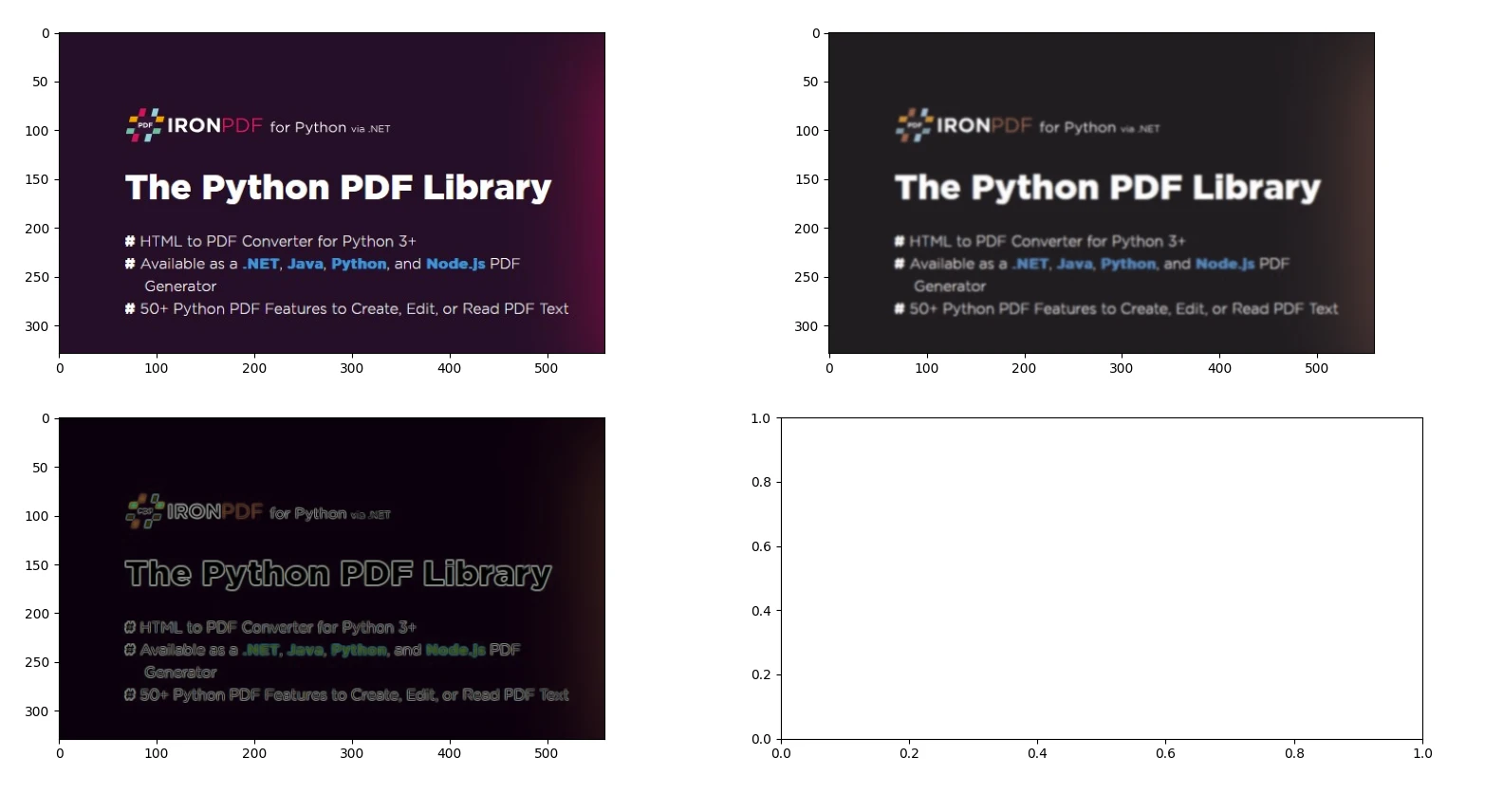
1. 图像过滤和边缘检测
from skimage import io, filters

# Load an image
image = io.imread('image.jpg')

# Apply Gaussian blur
blurred_image = filters.gaussian(image, sigma=1.0)

# Apply Sobel edge detection
edges = filters.sobel(image)

# Display the original image, blurred image, and edges
io.imshow_collection([image, blurred_image, edges])
io.show()
from skimage import io, filters
# Load an image
image = io.imread('image.jpg')
# Apply Gaussian blur
blurred_image = filters.gaussian(image, sigma=1.0)
# Apply Sobel edge detection
edges = filters.sobel(image)
# Display the original image, blurred image, and edges
io.imshow_collection([image, blurred_image, edges])
io.show()输出
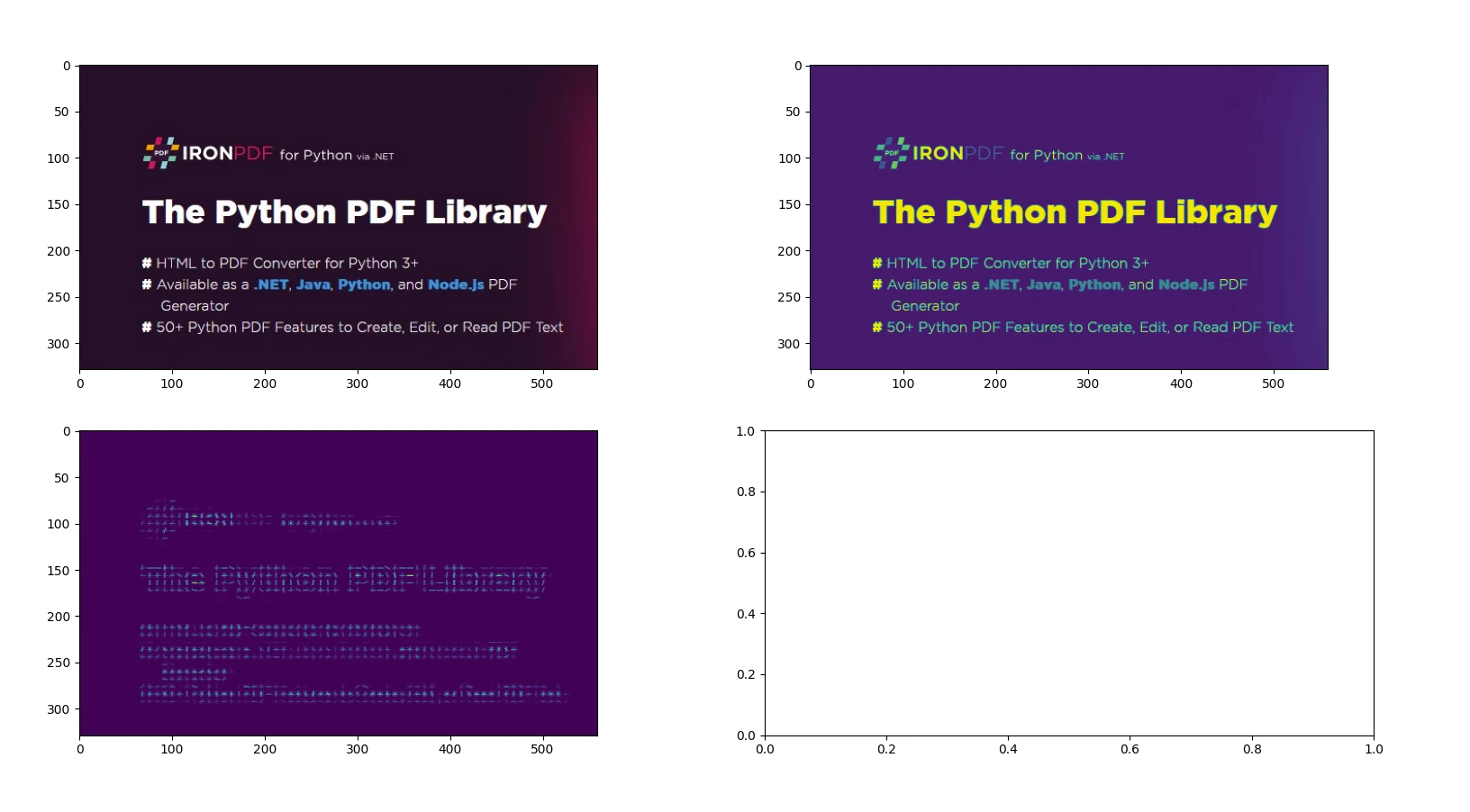
2. 使用HOG(方向梯度直方图)的特征提取
from skimage import io, color, feature

# Load an example image and convert to grayscale
image = io.imread('image.jpg')
gray_image = color.rgb2gray(image)

# Compute HOG features and visualize them
hog_features, hog_image = feature.hog(gray_image, visualize=True)

# Display the original image and the HOG image
io.imshow_collection([image, gray_image, hog_image])
io.show()
from skimage import io, color, feature
# Load an example image and convert to grayscale
image = io.imread('image.jpg')
gray_image = color.rgb2gray(image)
# Compute HOG features and visualize them
hog_features, hog_image = feature.hog(gray_image, visualize=True)
# Display the original image and the HOG image
io.imshow_collection([image, gray_image, hog_image])
io.show()输出
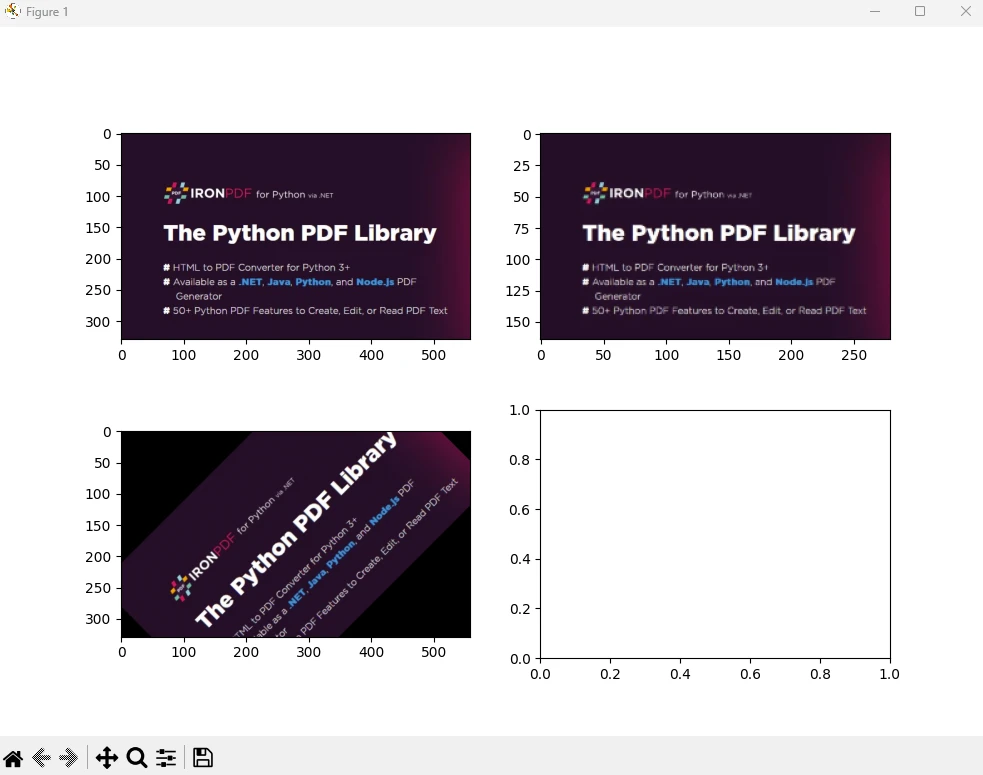
3. 几何变换 - 调整和旋转
from skimage import io, transform

# Load an image
image = io.imread('image.jpg')

# Resize image by dividing its dimensions by 2
resized_image = transform.resize(image, (image.shape[0] // 2, image.shape[1] // 2))

# Rotate image by 45 degrees
rotated_image = transform.rotate(image, angle=45)

# Display the original image, resized image, and rotated image
io.imshow_collection([image, resized_image, rotated_image])
io.show()
from skimage import io, transform
# Load an image
image = io.imread('image.jpg')
# Resize image by dividing its dimensions by 2
resized_image = transform.resize(image, (image.shape[0] // 2, image.shape[1] // 2))
# Rotate image by 45 degrees
rotated_image = transform.rotate(image, angle=45)
# Display the original image, resized image, and rotated image
io.imshow_collection([image, resized_image, rotated_image])
io.show()输出
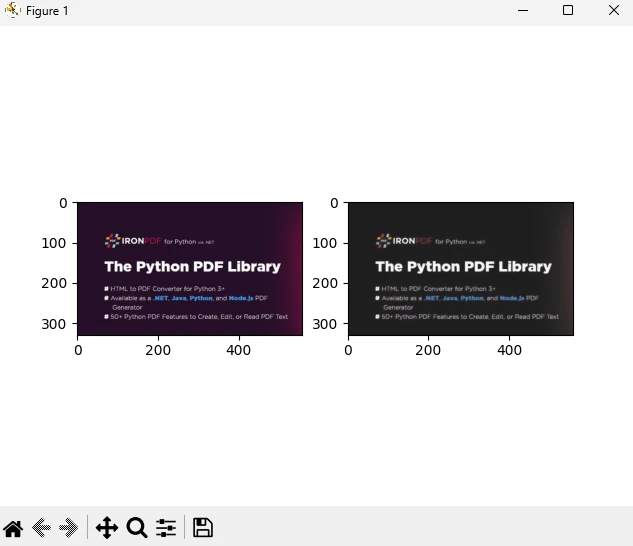
4. 使用总变异滤波的图像去噪
from skimage import io, restoration

# Load a noisy image
image = io.imread('image.jpg')

# Apply total variation denoising
denoised_image = restoration.denoise_tv_chambolle(image, weight=0.1)

# Display the noisy image and the denoised image
io.imshow_collection([image, denoised_image])
io.show()
from skimage import io, restoration
# Load a noisy image
image = io.imread('image.jpg')
# Apply total variation denoising
denoised_image = restoration.denoise_tv_chambolle(image, weight=0.1)
# Display the noisy image and the denoised image
io.imshow_collection([image, denoised_image])
io.show()输出
你可以在官方页面上找到更多关于图像处理和NumPy数组的信息。
介绍IronPDF
IronPDF是一个强大的Python库,旨在通过使用HTML、CSS、图像和JavaScript处理PDF文档的创建、编辑和签名。 它注重性能效率并以最小的内存使用方式运行。 关键特性包括:
HTML到PDF转换:将HTML文件、HTML字符串和URL转换为PDF文档,利用Chrome PDF渲染器进行网页渲染等功能。
跨平台支持:兼容Windows、Mac、Linux和各种云平台上的Python 3+。 IronPDF也适用于.NET、Java、Python和Node.js环境。
编辑和签名:自定义PDF属性,实施安全措施,例如密码和权限,并无缝应用数字签名。
页面模板和设置:创建具备页眉、页脚、页码、可调节边距、定制纸张尺寸和响应式设计的PDF布局。
- 标准合规:严格遵循PDF标准,例如PDF/A和PDF/UA,确保UTF-8字符编码兼容性,并能巧妙管理图像、CSS样式表和字体等资产。
安装
pip install ironpdf
pip install scikit-image
pip install ironpdf
pip install scikit-image使用IronPDF和Scikit Image生成PDF文档
前提条件
- 确保安装了Visual Studio Code作为代码编辑器
- 已安装Python 3版本
首先,让我们创建一个Python文件以添加我们的脚本。
打开Visual Studio Code并创建文件scikitDemo.py。
安装所需的库:
pip install scikit-image
pip install ironpdf
pip install scikit-image
pip install ironpdf然后添加下面的Python代码来示范IronPDF和scikit-image Python包的使用。
from skimage import io, filters
from ironpdf import *

# Apply your license key
License.LicenseKey = "YOUR_LICENSE_KEY"

# Load an image
image = io.imread('image.jpg')

# Apply Gaussian blur
blurred_image = filters.gaussian(image, sigma=1.0)

# Apply Sobel edge detection
edges = filters.sobel(image)

# Save the results to a file
io.imshow_collection([image, blurred_image, edges]).savefig('ironPdf-skimage.png')

# Convert the saved image to a PDF document
ImageToPdfConverter.ImageToPdf("ironPdf-skimage.png").SaveAs("ironPdf-skimage.pdf")

# Display the images
io.show()
from skimage import io, filters
from ironpdf import *
# Apply your license key
License.LicenseKey = "YOUR_LICENSE_KEY"
# Load an image
image = io.imread('image.jpg')
# Apply Gaussian blur
blurred_image = filters.gaussian(image, sigma=1.0)
# Apply Sobel edge detection
edges = filters.sobel(image)
# Save the results to a file
io.imshow_collection([image, blurred_image, edges]).savefig('ironPdf-skimage.png')
# Convert the saved image to a PDF document
ImageToPdfConverter.ImageToPdf("ironPdf-skimage.png").SaveAs("ironPdf-skimage.pdf")
# Display the images
io.show()代码解释
此代码片段演示了如何使用scikit-image (skimage) 和IronPDF一起处理图像并将结果转换为PDF文档。 以下是每部分的解释:
导入语句:导入scikit-image用于图像加载和图像过滤的必要函数,并导入IronPDF的功能。
应用许可证密钥:设置IronPDF的许可证密钥。 此步骤是使用IronPDF功能所必需的。
加载和处理图像:使用scikit-image的
'image.jpg'的图像。 然后使用filters.sobel对加载的图像应用Sobel边缘检测。显示和保存结果:
'ironPdf-skimage.png'。将图像转换为PDF:
ImageToPdfConverter.ImageToPdf("ironPdf-skimage.png").SaveAs("ironPdf-skimage.pdf"):使用IronPDF的功能将保存的PNG图像转换为PDF文档。- 显示图像:
io.show():在图形窗口中显示图像。
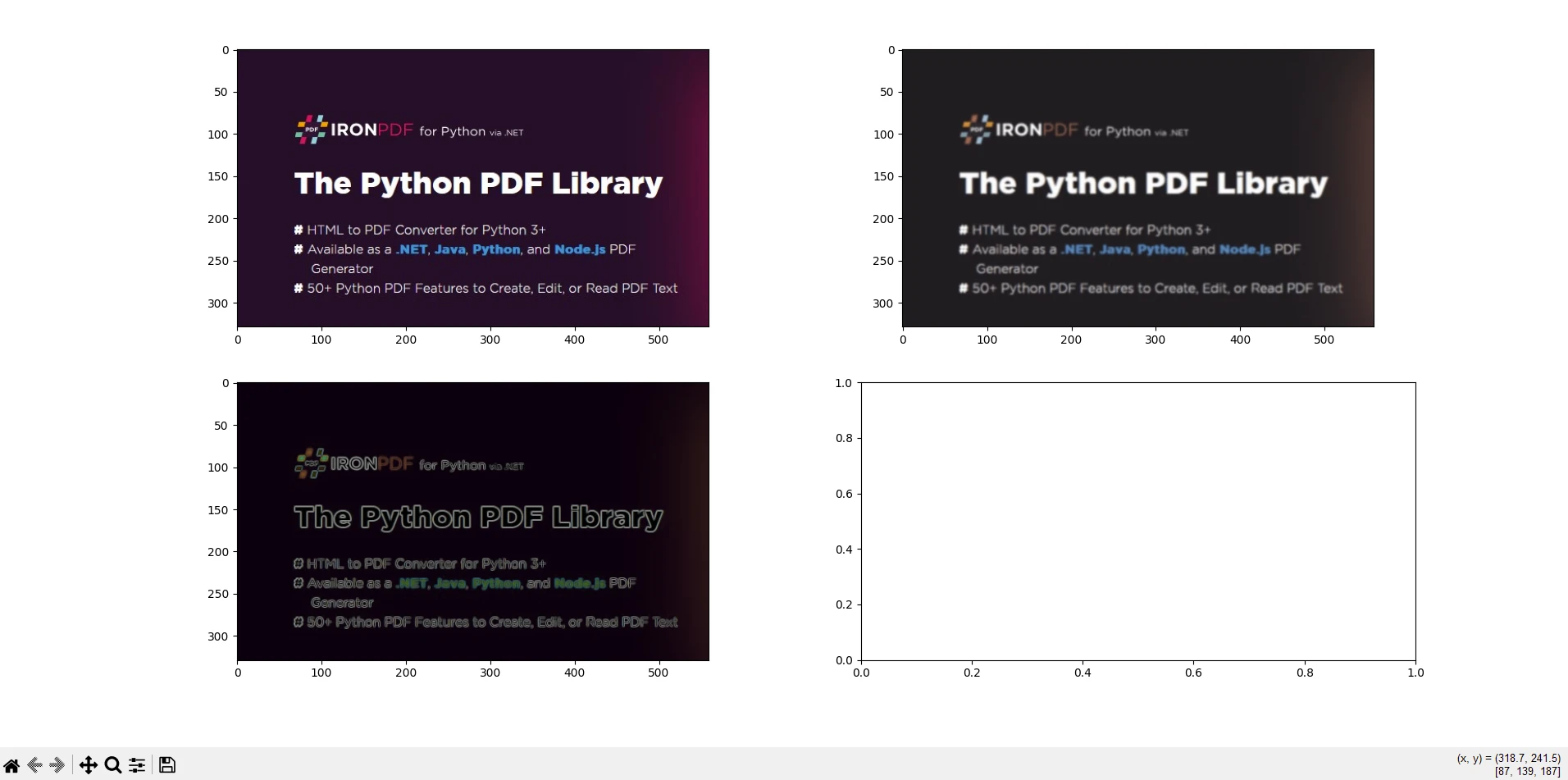
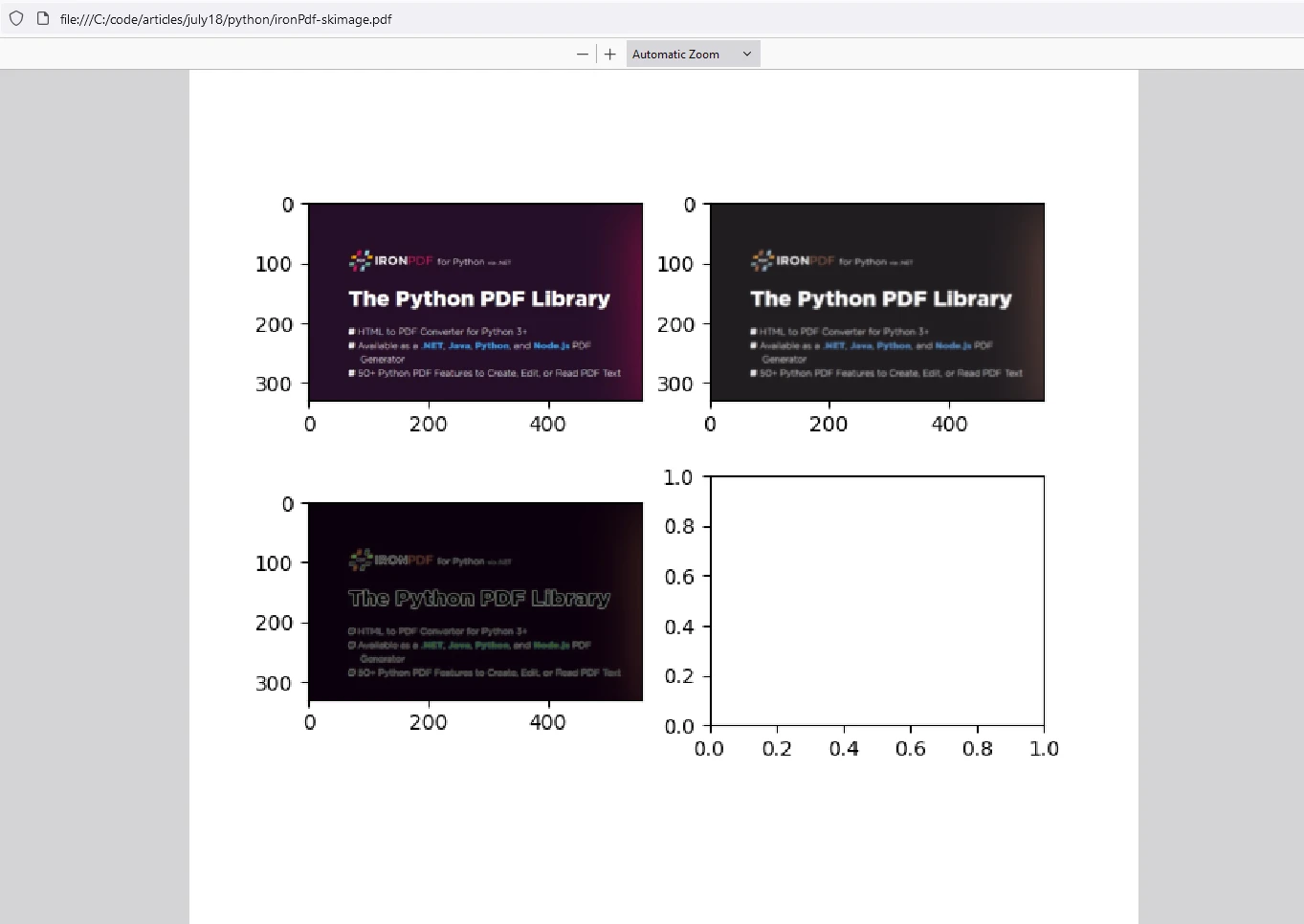
此代码片段结合了scikit-image进行图像处理和IronPDF将处理后的图像转换为PDF文档的能力。 它演示了加载图像、应用高斯模糊和Sobel边缘检测、将图像保存为PNG文件、使用IronPDF将PNG转换为PDF,并显示处理后的图像。 此集成对于需要处理图像、进行分析并以PDF格式进行记录的任务非常有用,例如科学研究、图像分析报告或自动文档生成工作流。
输出
IronPDF 许可证
IronPDF在Python上运行需要许可证密钥。 IronPDF for Python提供免费试用许可证,让用户可以在购买前查看其丰富的功能。
在使用IronPDF包之前,将许可证密钥放在脚本开头:
from ironpdf import *
# Apply your license key
License.LicenseKey = "YOUR_LICENSE_KEY"from ironpdf import *
# Apply your license key
License.LicenseKey = "YOUR_LICENSE_KEY"结论
scikit-image使Python开发人员能够高效地处理图像相关任务。 无论你是在从事计算机视觉、医学影像还是艺术项目,这个包都能满足你的需求。 scikit-image是一个用于Python的多功能且强大的图像处理库,提供了广泛的功能和算法,用于过滤、分割、特征提取和几何变换等任务。 它与其他科学库的无缝集成使其成为从事图像分析和计算机视觉应用的研究人员、开发人员和工程师的首选。
IronPDF是一个Python库,方便在Python应用程序中创建、编辑和操作PDF文档。 它提供的功能包括从HTML、图像或现有PDF等来源生成PDF文件。 此外,IronPDF还支持合并或拆分PDF文档、添加注释、水印或数字签名、提取PDF中的文本或图像,以及管理文档属性如元数据和安全设置。 这个库为编程处理PDF相关任务提供了一种高效的方法,使其适用于需要文档生成、报告创建或文档管理功能的应用程序。
结合这两个库,用户可以处理图像、有效地处理它们,并将结果存储在PDF文档中以用于存档目的。









 免费开始
免费开始 免费开始
免费开始 预定免费现场演示



 无需信用卡或创建账户










