using IronPdf;

// Disable local disk access or cross-origin requests
Installation.EnableWebSecurity = true;

// Instantiate Renderer
var renderer = new ChromePdfRenderer();

// Create a PDF from a HTML string using C#
var pdf = renderer.RenderHtmlAsPdf("<h1>Hello World</h1>");

// Export to a file or Stream
pdf.SaveAs("output.pdf");

// Advanced Example with HTML Assets
// Load external html assets: Images, CSS and JavaScript.
// An optional BasePath 'C:\site\assets\' is set as the file location to load assets from
var myAdvancedPdf = renderer.RenderHtmlAsPdf("<img src='icons/iron.png'>", @"C:\site\assets\");
myAdvancedPdf.SaveAs("html-with-assets.pdf");
using IronPdf;// Disable local disk access or cross-origin requestsInstallation.EnableWebSecurity = true;// Instantiate Renderervar renderer = new ChromePdfRenderer();// Create a PDF from a HTML string using C#var pdf = renderer.RenderHtmlAsPdf("<h1>Hello World</h1>");// Export to a file or Streampdf.SaveAs("output.pdf");// Advanced Example with HTML Assets// Load external html assets: Images, CSS and JavaScript.// An optional BasePath 'C:\site\assets\' is set as the file location to load assets fromvar myAdvancedPdf = renderer.RenderHtmlAsPdf("<img src='icons/iron.png'>", @"C:\site\assets\");myAdvancedPdf.SaveAs("html-with-assets.pdf");
Eine der Hauptmerkmale von C#, [Vererbung](https://learn.microsoft.com/en-us/dotnet/csharp/fundamentals/object-oriented/inheritance), ist bekannt für seine starke Unterstützung der Prinzipien der objektorientierten Programmierung (OOP). Es ist entscheidend für das Schreiben von skalierbarem und effektivem Code. Dieser Beitrag wird das Thema der C#-Vererbung erkunden und Betonungen auf reale Anwendungen der [IronPDF-Bibliothek](/) legen, einer leistungsstarken Bibliothek, die den Umgang mit PDFs in C#-Programmen erleichtert.
## Verwendung von C#-Vererbung
1. Erstellen Sie ein neues C#-Konsolenprojekt.
2. Erstellen Sie eine Basisklasse mit einigen Methoden.
3. Schreiben Sie eine neue abgeleitete Klasse und erben Sie von der Basisklasse.
4. Rufen Sie die Funktion/Methode auf, die in der Basisklasse verfügbar ist.
5. Prozessieren Sie den Vorgang und entsorgen Sie das Objekt.
## Übersicht über die Vererbung in C#
Eine Schlüsselidee in der objektorientierten Programmierung ([OOP](https://learn.microsoft.com/en-us/dotnet/csharp/fundamentals/tutorials/oop)) ist die **Vererbung**, die es einer Klasse (der abgeleiteten oder Unterklasse) ermöglicht, Eigenschaften und Merkmale von einer anderen Klasse (der Basis- oder Superklasse) zu übernehmen. In C# erfolgt die Vererbung, indem der Name der Basisklasse nach dem Doppelpunkt `:`-Symbol angegeben wird.
### Einfache Vererbung
In C# kann eine Klasse nur von einer Basisklasse erben, da nur Einzelvererbung unterstützt wird. Dies ist nützlich, wenn Sie möchten, dass eine abgeleitete Klasse die Fähigkeiten einer einzelnen Basisklasse erweitert.
```csharp
class Animal { /* Base/Parent class */ }

class Dog : Animal { /* Derived class */ }
```
### Hierarchische Vererbung
Mehrere Klassen können in einem hierarchischen Vererbungsschema von derselben Basisklasse erben. Diese Anordnung ermöglicht es mehreren abgeleiteten Klassen, von einer einzelnen Basisklasse zu erben.
```csharp
class Animal { /* Base class */ }
class Dog : Animal { /* Derived class */ }
class Wolf : Animal { /* Derived class */ }
```
### Mehrstufige Vererbung
Bei der Mehrstufigen Vererbung fungiert eine Klasse sowohl als Basisklasse als auch als abgeleitete Klasse. Dies schafft eine Erbfolge, bei der jede Klasse auf ihrem Vorgänger aufbaut.
```csharp
class Animal { /* Base class */ }
class Mammal : Animal { /* Derived class from Animal */ }
class Dog : Mammal { /* Derived class from Mammal */ }
```
### Interface-Vererbung
Eine Klasse in C# kann eine oder mehrere Schnittstellen implementieren und von einer einzelnen Basisklasse erben. Dies ermöglicht es einer Klasse, Methodenimplementierungen zu erben, die in Schnittstellen beschrieben sind, und somit eine Art Mehrfachvererbung zu erreichen.
```csharp
interface ILogger
{
void Log(string message);
}
class ConsoleLogger : ILogger // Derived class
{
public void Log(string message)
{
Console.WriteLine(message);
}
}
class FileLogger : ILogger
{
public void Log(string message)
{
// Code to log to a file
}
}
```
### Abstrakte Klassen und Methoden
In C# dient eine abstrakte Klasse als Basisklasse und kann nicht eigenständig instanziiert werden. Ihr Zweck liegt darin, eine gemeinsame Schnittstelle und eine Reihe von Methoden für ihre abgeleiteten Klassen bereitzustellen. Abstrakte Methoden in einer solchen Basisklasse müssen von abgeleiteten Klassen implementiert werden.
```csharp
abstract class Shape
{
public abstract double Area(); // Abstract method
}
class Circle : Shape
{
public double Radius { get; set; }
public override double Area()
{
return Math.PI * Math.Pow(Radius, 2);
}
}
```
Dies sind Beispiele für Vererbung in C#. Die gewählte Methode hängt von der erforderlichen Flexibilität, der Beziehung zwischen den Klassen und den Designzielen ab.
## IronPDF
Die .NET-Bibliothek [IronPDF](/) ermöglicht es Programmierern, PDF-Dokumente mit C# zu erstellen, zu bearbeiten und zu ändern. IronPDF bietet verschiedene Utilities zur Verwaltung von PDF-Aufgaben, wie das Generieren von PDFs aus HTML, das Konvertieren von HTML in PDF, das Zusammenführen oder Aufteilen von PDF-Dokumenten und das Annotieren von PDFs. Für weitere Informationen siehe die [IronPDF-Dokumentation](/docs/).
### IronPDF installieren
Um IronPDF zu verwenden, müssen Sie es installieren. Sie können den folgenden Befehl in der Package Manager Console verwenden:
```shell
:ProductInstall
```
or
```shell
:ProductInstall
```
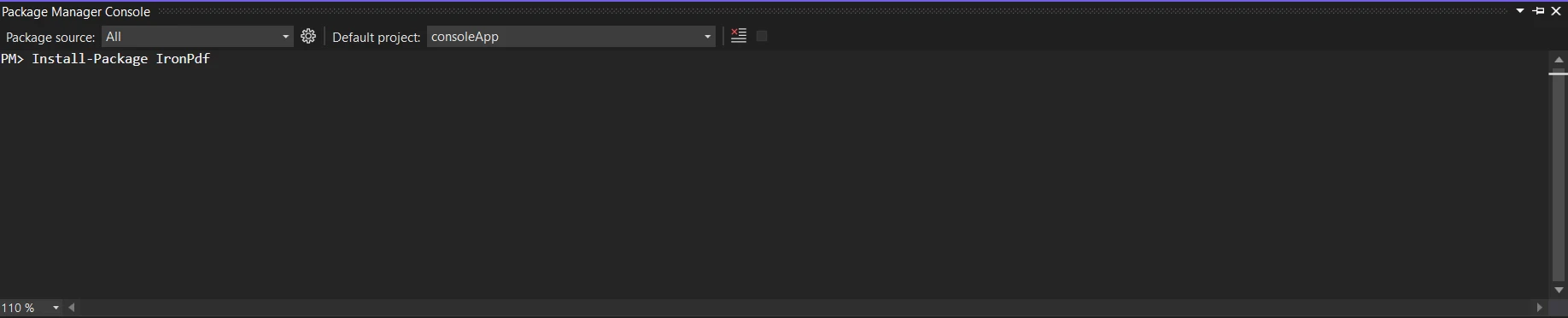
Alternativ können Sie den NuGet Package Manager verwenden, um nach "IronPDF" zu suchen und es zu installieren.
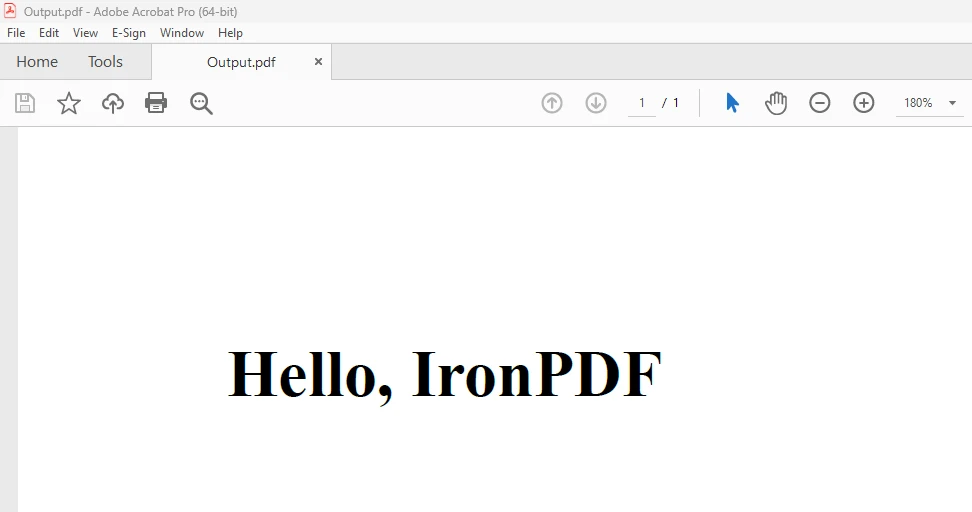
Weitere Informationen zur Umwandlung eines HTML-Strings in PDF finden Sie im [HTML-zu-PDF-Beispiel](/examples/using-html-to-create-a-pdf/).
## Abschluss
Vererbung, wenn sie mit Bibliotheken wie [IronPDF](/) kombiniert wird, ist eine leistungsstarke Funktion, die den Anwendungsentwicklungsprozess verbessert. Dieser Beitrag behandelte die Grundlagen der Vererbung und bot eine praktische Anleitung zur Integration mit IronPDF.
Das Entwickeln von hierarchischen Klassenstrukturen führt zu einer modularen und strukturierten Codebasis. Klassen, die die allgemeinen Funktionen der Basisklassen erben und gleichzeitig spezifische Aufgaben erfüllen, demonstrieren die Vorteile der Wiederverwendbarkeit und Erweiterbarkeit. Die Integration von IronPDF hebt diese Vorteile hervor und bietet nahtlose PDF-Verwaltung in Ihren C#-Anwendungen.
Das `$liteLicense`-Light-Paket von IronPDF enthält eine unbefristete Lizenz, Upgrade-Optionen und ein Jahr Software-Support. Während der wassergekennzeichneten Testphase können Sie die Software in realen Anwendungsszenarien beurteilen. Für Details zu den Preisen, Lizenzen und der Testversion von IronPDF besuchen Sie die [IronPDF-Lizenzierungsseite](/licensing/). Besuchen Sie die offizielle [Iron Software-Website](https://ironsoftware.com/) für mehr Iron Software-Produkte.
Eine der Hauptmerkmale von C#, Vererbung, ist bekannt für seine starke Unterstützung der Prinzipien der objektorientierten Programmierung (OOP). Es ist entscheidend für das Schreiben von skalierbarem und effektivem Code. Dieser Beitrag wird das Thema der C#-Vererbung erkunden und Betonungen auf reale Anwendungen der IronPDF-Bibliothek legen, einer leistungsstarken Bibliothek, die den Umgang mit PDFs in C#-Programmen erleichtert.
Verwendung von C#-Vererbung
Erstellen Sie ein neues C#-Konsolenprojekt.
Erstellen Sie eine Basisklasse mit einigen Methoden.
Schreiben Sie eine neue abgeleitete Klasse und erben Sie von der Basisklasse.
Rufen Sie die Funktion/Methode auf, die in der Basisklasse verfügbar ist.
Prozessieren Sie den Vorgang und entsorgen Sie das Objekt.
Übersicht über die Vererbung in C#
Eine Schlüsselidee in der objektorientierten Programmierung (OOP) ist die Vererbung, die es einer Klasse (der abgeleiteten oder Unterklasse) ermöglicht, Eigenschaften und Merkmale von einer anderen Klasse (der Basis- oder Superklasse) zu übernehmen. In C# erfolgt die Vererbung, indem der Name der Basisklasse nach dem Doppelpunkt :-Symbol angegeben wird.
Einfache Vererbung
In C# kann eine Klasse nur von einer Basisklasse erben, da nur Einzelvererbung unterstützt wird. Dies ist nützlich, wenn Sie möchten, dass eine abgeleitete Klasse die Fähigkeiten einer einzelnen Basisklasse erweitert.
class Animal { /* Base/Parent class */ }class Dog : Animal { /* Derived class */ }
class Animal { /* Base/Parent class */ }

class Dog : Animal { /* Derived class */ }
Friend Class AnimalEnd ClassFriend Class DogInheritsAnimalEnd Class
Friend Class Animal
End Class

Friend Class Dog
	Inherits Animal

End Class
Hierarchische Vererbung
Mehrere Klassen können in einem hierarchischen Vererbungsschema von derselben Basisklasse erben. Diese Anordnung ermöglicht es mehreren abgeleiteten Klassen, von einer einzelnen Basisklasse zu erben.
class Animal { /* Base class */ }class Dog : Animal { /* Derived class */ }class Wolf : Animal { /* Derived class */ }
class Animal { /* Base class */ }
class Dog : Animal { /* Derived class */ }
class Wolf : Animal { /* Derived class */ }
Friend Class AnimalEnd ClassFriend Class DogInheritsAnimalEnd ClassFriend Class WolfInheritsAnimalEnd Class
Friend Class Animal
End Class

Friend Class Dog
	Inherits Animal

End Class
Friend Class Wolf
Inherits Animal
End Class
Mehrstufige Vererbung
Bei der Mehrstufigen Vererbung fungiert eine Klasse sowohl als Basisklasse als auch als abgeleitete Klasse. Dies schafft eine Erbfolge, bei der jede Klasse auf ihrem Vorgänger aufbaut.
class Animal { /* Base class */ }class Mammal : Animal { /* Derived class from Animal */ }class Dog : Mammal { /* Derived class from Mammal */ }
class Animal { /* Base class */ }

class Mammal : Animal { /* Derived class from Animal */ }

class Dog : Mammal { /* Derived class from Mammal */ }
Friend Class AnimalEnd ClassFriend Class MammalInheritsAnimalEnd ClassFriend Class DogInheritsMammalEnd Class
Friend Class Animal
End Class

Friend Class Mammal
	Inherits Animal

End Class

Friend Class Dog
	Inherits Mammal

End Class
Interface-Vererbung
Eine Klasse in C# kann eine oder mehrere Schnittstellen implementieren und von einer einzelnen Basisklasse erben. Dies ermöglicht es einer Klasse, Methodenimplementierungen zu erben, die in Schnittstellen beschrieben sind, und somit eine Art Mehrfachvererbung zu erreichen.
interface ILogger{ voidLog(string message);}class ConsoleLogger : ILogger // Derived class{ public voidLog(string message) {Console.WriteLine(message); }}class FileLogger : ILogger{ public voidLog(string message) { // Code to log to a file }}
interface ILogger
{
    void Log(string message);
}

class ConsoleLogger : ILogger // Derived class
{
    public void Log(string message)
    {
        Console.WriteLine(message);
    }
}

class FileLogger : ILogger
{
    public void Log(string message)
    {
        // Code to log to a file
    }
}
FriendInterfaceILogger Sub Log(ByVal message AsString)EndInterfaceFriend Class ConsoleLogger' Derived classImplementsILogger Public Sub Log(ByVal message AsString) ImplementsILogger.LogConsole.WriteLine(message) End SubEnd ClassFriend Class FileLoggerImplementsILogger Public Sub Log(ByVal message AsString) ImplementsILogger.Log ' Code to log to a file End SubEnd Class
Friend Interface ILogger
	Sub Log(ByVal message As String)
End Interface

Friend Class ConsoleLogger ' Derived class
	Implements ILogger

	Public Sub Log(ByVal message As String) Implements ILogger.Log
		Console.WriteLine(message)
	End Sub
End Class

Friend Class FileLogger
	Implements ILogger

	Public Sub Log(ByVal message As String) Implements ILogger.Log
		' Code to log to a file
	End Sub
End Class
Abstrakte Klassen und Methoden
In C# dient eine abstrakte Klasse als Basisklasse und kann nicht eigenständig instanziiert werden. Ihr Zweck liegt darin, eine gemeinsame Schnittstelle und eine Reihe von Methoden für ihre abgeleiteten Klassen bereitzustellen. Abstrakte Methoden in einer solchen Basisklasse müssen von abgeleiteten Klassen implementiert werden.
abstract class Shape{ public abstract doubleArea(); // Abstract method}class Circle : Shape{ public doubleRadius { get; set; } public override doubleArea() { returnMath.PI * Math.Pow(Radius, 2); }}
abstract class Shape
{
    public abstract double Area(); // Abstract method
}

class Circle : Shape
{
    public double Radius { get; set; }
    public override double Area()
    {
        return Math.PI * Math.Pow(Radius, 2);
    }
}
FriendMustInherit Class Shape PublicMustOverride Function Area() AsDouble ' Abstract methodEnd ClassFriend Class CircleInheritsShape Public Property Radius() AsDouble PublicOverrides Function Area() AsDouble ReturnMath.PI * Math.Pow(Radius, 2) End FunctionEnd Class
Friend MustInherit Class Shape
	Public MustOverride Function Area() As Double ' Abstract method
End Class

Friend Class Circle
	Inherits Shape

	Public Property Radius() As Double
	Public Overrides Function Area() As Double
		Return Math.PI * Math.Pow(Radius, 2)
	End Function
End Class
Dies sind Beispiele für Vererbung in C#. Die gewählte Methode hängt von der erforderlichen Flexibilität, der Beziehung zwischen den Klassen und den Designzielen ab.
IronPDF
Die .NET-Bibliothek IronPDF ermöglicht es Programmierern, PDF-Dokumente mit C# zu erstellen, zu bearbeiten und zu ändern. IronPDF bietet verschiedene Utilities zur Verwaltung von PDF-Aufgaben, wie das Generieren von PDFs aus HTML, das Konvertieren von HTML in PDF, das Zusammenführen oder Aufteilen von PDF-Dokumenten und das Annotieren von PDFs. Für weitere Informationen siehe die IronPDF-Dokumentation.
IronPDF installieren
Um IronPDF zu verwenden, müssen Sie es installieren. Sie können den folgenden Befehl in der Package Manager Console verwenden:
PM > Install-Package IronPdf
Install-Package IronPdf
or
PM > Install-Package IronPdf
Install-Package IronPdf
Alternativ können Sie den NuGet Package Manager verwenden, um nach "IronPDF" zu suchen und es zu installieren.

























