1. Einleitung
Im Bereich der Programmierung ist effiziente Datenverarbeitung ein Eckpfeiler der erfolgreichen Softwareentwicklung. Eine wesentliche Datenstruktur, die eine entscheidende Rolle bei der Verwaltung und Organisation von Informationen spielt, ist die Warteschlange. Im Kontext von C#, einer leistungsstarken und vielseitigen Programmiersprache, sticht die C# Queue als fundamentales Werkzeug zur sequentiellen Datenverwaltung hervor. Um mehr über die Queues in C# zu erfahren, sind hier die empfohlenen Artikel über Queues in C# und die Generic Queue class in .NET.
Eine Queue folgt dem First-In-First-Out (FIFO) Prinzip, bei dem das erste hinzugefügte Element das erste ist, das entfernt wird. Diese Eigenschaft macht sie besonders nützlich in Szenarien, in denen Daten oder Objekte in einer bestimmten Reihenfolge verarbeitet werden müssen, wie z. B. bei der systematischen Aufgabenbearbeitung oder der Verwaltung von Anfragen auf einem Webserver.
In diesem Artikel verwenden wir die C# PDF-Bibliothek IronPDF mit der C# Queue.
2. Arten und Verwendungen von C#-Warteschlangen
2.1. Standard-Warteschlange
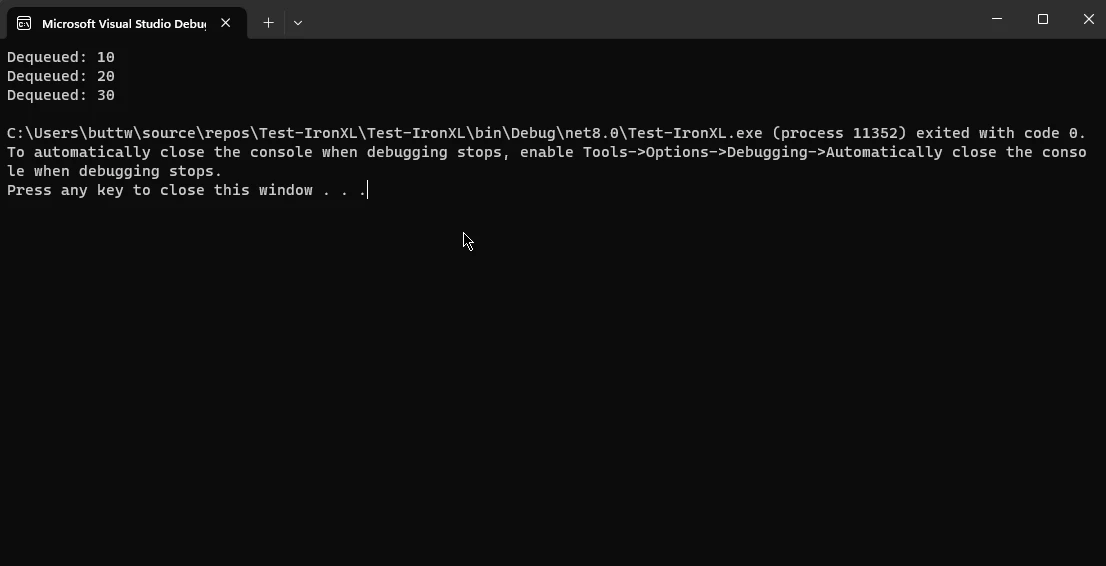
Die Standard-Warteschlange in C# ist eine generische Klasse, die es Entwicklern ermöglicht, eine Warteschlange für jeden Datentyp zu erstellen. Es bietet Methoden wie Enqueue zum Hinzufügen von Elementen am Ende der Warteschlange und Dequeue zum Entfernen von Elementen an der Spitze. Dieser Typ von Queue wird häufig in Szenarien verwendet, in denen die Datenverarbeitung einer strikten Reihenfolge folgt und so Fairness bei der Ressourcenverteilung gewährleistet.
using System;
using System.Collections.Generic;

class Program
{
    static void Main()
    {
        // Create an empty queue
        Queue<int> standardQueue = new Queue<int>();

        // Enqueue elements into the queue
        standardQueue.Enqueue(10);
        standardQueue.Enqueue(20);
        standardQueue.Enqueue(30);

        // Dequeue elements from the queue until it is empty
        while (standardQueue.Count > 0)
        {
            int element = standardQueue.Dequeue();
            Console.WriteLine($"Dequeued: {element}");
        }
    }
}
using System;
using System.Collections.Generic;

class Program
{
    static void Main()
    {
        // Create an empty queue
        Queue<int> standardQueue = new Queue<int>();

        // Enqueue elements into the queue
        standardQueue.Enqueue(10);
        standardQueue.Enqueue(20);
        standardQueue.Enqueue(30);

        // Dequeue elements from the queue until it is empty
        while (standardQueue.Count > 0)
        {
            int element = standardQueue.Dequeue();
            Console.WriteLine($"Dequeued: {element}");
        }
    }
}
Imports System
Imports System.Collections.Generic
Module Program
Sub Main()
' Create an empty queue
Dim standardQueue As New Queue(Of Integer)()
' Enqueue elements into the queue
standardQueue.Enqueue(10)
standardQueue.Enqueue(20)
standardQueue.Enqueue(30)
' Dequeue elements from the queue until it is empty
While standardQueue.Count > 0
Dim element As Integer = standardQueue.Dequeue()
Console.WriteLine($"Dequeued: {element}")
End While
End Sub
End Module
Imports System
Imports System.Collections.Generic

Module Program
    Sub Main()
        ' Create an empty queue
        Dim standardQueue As New Queue(Of Integer)()

        ' Enqueue elements into the queue
        standardQueue.Enqueue(10)
        standardQueue.Enqueue(20)
        standardQueue.Enqueue(30)

        ' Dequeue elements from the queue until it is empty
        While standardQueue.Count > 0
            Dim element As Integer = standardQueue.Dequeue()
            Console.WriteLine($"Dequeued: {element}")
        End While
    End Sub
End Module
Ausgabe
2.2. Prioritäts-Warteschlange
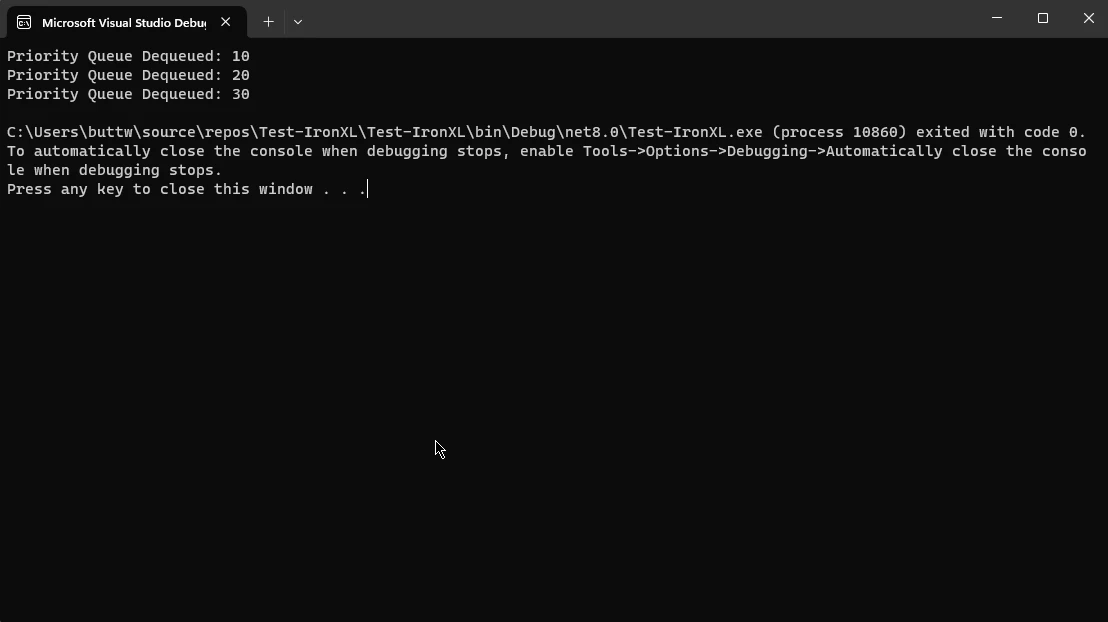
In bestimmten Situationen wird die Priorisierung von Elementen in der Queue entscheidend. C# verfügt über keine eingebaute Prioritätswarteschlange, aber Entwickler können eine implementieren, indem sie eine sortierte Sammlung oder eine benutzerdefinierte Datenstruktur verwenden. Dieser Typ von Queue ist vorteilhaft, wenn bestimmte Elemente basierend auf spezifischen Kriterien wie Dringlichkeit oder Wichtigkeit vor anderen verarbeitet werden müssen.
using System;
using System.Collections.Generic;

class Program
{
    static void Main()
    {
        // Create a priority queue using a sorted set to store elements in order
        SortedSet<int> priorityQueue = new SortedSet<int>();

        // Add elements to the priority queue
        priorityQueue.Add(30);
        priorityQueue.Add(10);
        priorityQueue.Add(20);

        // Dequeue elements from the priority queue based on their priority
        while (priorityQueue.Count > 0)
        {
            // Access the minimum element (highest priority for this example)
            int element = priorityQueue.Min;
            // Remove the element from the queue
            priorityQueue.Remove(element);
            Console.WriteLine($"Priority Queue Dequeued: {element}");
        }
    }
}
using System;
using System.Collections.Generic;

class Program
{
    static void Main()
    {
        // Create a priority queue using a sorted set to store elements in order
        SortedSet<int> priorityQueue = new SortedSet<int>();

        // Add elements to the priority queue
        priorityQueue.Add(30);
        priorityQueue.Add(10);
        priorityQueue.Add(20);

        // Dequeue elements from the priority queue based on their priority
        while (priorityQueue.Count > 0)
        {
            // Access the minimum element (highest priority for this example)
            int element = priorityQueue.Min;
            // Remove the element from the queue
            priorityQueue.Remove(element);
            Console.WriteLine($"Priority Queue Dequeued: {element}");
        }
    }
}
Imports System
Imports System.Collections.Generic
Module Program
Sub Main()
' Create a priority queue using a sorted set to store elements in order
Dim priorityQueue As New SortedSet(Of Integer)()
' Add elements to the priority queue
priorityQueue.Add(30)
priorityQueue.Add(10)
priorityQueue.Add(20)
' Dequeue elements from the priority queue based on their priority
While priorityQueue.Count > 0
' Access the minimum element (highest priority for this example)
Dim element As Integer = priorityQueue.Min
' Remove the element from the queue
priorityQueue.Remove(element)
Console.WriteLine($"Priority Queue Dequeued: {element}")
End While
End Sub
End Module
Imports System
Imports System.Collections.Generic

Module Program
    Sub Main()
        ' Create a priority queue using a sorted set to store elements in order
        Dim priorityQueue As New SortedSet(Of Integer)()

        ' Add elements to the priority queue
        priorityQueue.Add(30)
        priorityQueue.Add(10)
        priorityQueue.Add(20)

        ' Dequeue elements from the priority queue based on their priority
        While priorityQueue.Count > 0
            ' Access the minimum element (highest priority for this example)
            Dim element As Integer = priorityQueue.Min
            ' Remove the element from the queue
            priorityQueue.Remove(element)
            Console.WriteLine($"Priority Queue Dequeued: {element}")
        End While
    End Sub
End Module
2.3. Kreisförmige Warteschlange
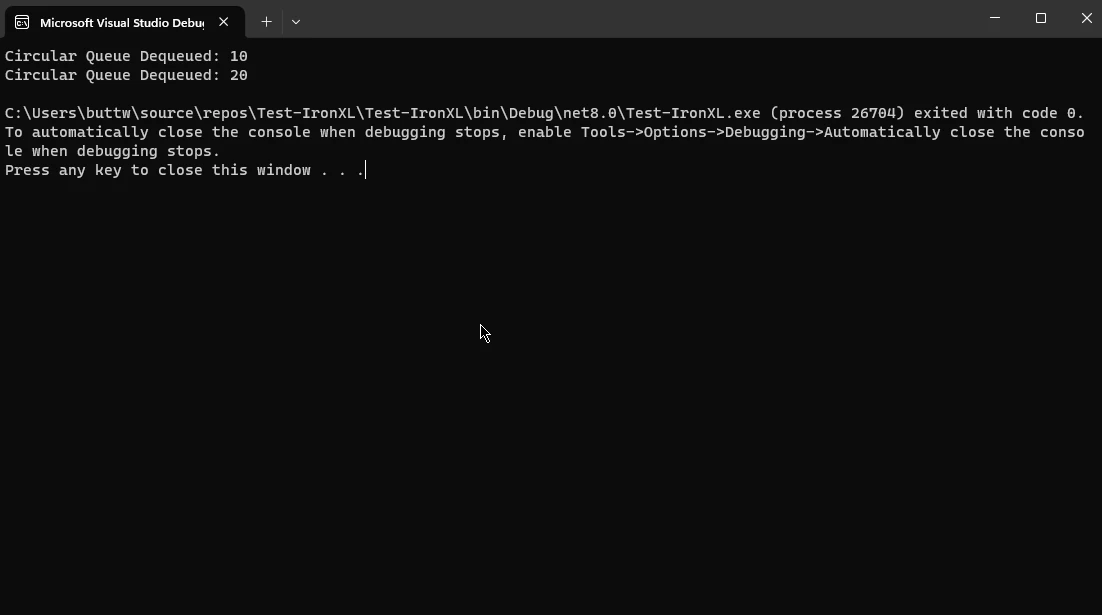
Eine zirkuläre Warteschlange ist eine Variante, bei der das letzte Element mit dem ersten verbunden ist und eine kreisförmige Struktur bildet. Dies kann in Szenarien vorteilhaft sein, in denen die Warteschlange eine feste Größe hat und alte Warteschlangenelemente in zyklischer Weise durch neue ersetzt werden müssen. Die Implementierung einer zirkulären Warteschlange in C# kann die Speichernutzung optimieren und effiziente Datenverarbeitung gewährleisten.
using System;

// CircularQueue class to implement a fixed-size circular queue
class CircularQueue
{
    private int[] array;
    private int front, rear, size;

    public CircularQueue(int size)
    {
        this.size = size;
        array = new int[size];
        front = rear = -1;
    }

    // Enqueue method to add an element to the circular queue
    public void Enqueue(int item)
    {
        if ((front == 0 && rear == size - 1) || (rear == (front - 1) % (size - 1)))
        {
            Console.WriteLine("Queue is full");
            return;
        }
        else if (front == -1)  // Initial insertion case
        {
            front = rear = 0;
            array[rear] = item;
        }
        else if (rear == size - 1 && front != 0)  // Wrap around
        {
            rear = 0;
            array[rear] = item;
        }
        else  // Normal case
        {
            rear++;
            array[rear] = item;
        }
    }

    // Dequeue method to remove an element from the circular queue
    public int Dequeue()
    {
        if (front == -1)  // Queue is empty case
        {
            Console.WriteLine("Queue is empty");
            return -1;
        }

        int item = array[front];
        array[front] = -1;

        if (front == rear)  // Single element case
            front = rear = -1;
        else if (front == size - 1)  // Wrap around
            front = 0;
        else  // Normal case
            front++;

        return item;
    }
}

class Program
{
    static void Main()
    {
        // Create a circular queue with a specified initial capacity
        CircularQueue circularQueue = new CircularQueue(5);

        // Enqueue elements
        circularQueue.Enqueue(10);
        circularQueue.Enqueue(20);
        circularQueue.Enqueue(30);

        // Dequeue elements
        Console.WriteLine($"Circular Queue Dequeued: {circularQueue.Dequeue()}");
        Console.WriteLine($"Circular Queue Dequeued: {circularQueue.Dequeue()}");
    }
}
using System;

// CircularQueue class to implement a fixed-size circular queue
class CircularQueue
{
    private int[] array;
    private int front, rear, size;

    public CircularQueue(int size)
    {
        this.size = size;
        array = new int[size];
        front = rear = -1;
    }

    // Enqueue method to add an element to the circular queue
    public void Enqueue(int item)
    {
        if ((front == 0 && rear == size - 1) || (rear == (front - 1) % (size - 1)))
        {
            Console.WriteLine("Queue is full");
            return;
        }
        else if (front == -1)  // Initial insertion case
        {
            front = rear = 0;
            array[rear] = item;
        }
        else if (rear == size - 1 && front != 0)  // Wrap around
        {
            rear = 0;
            array[rear] = item;
        }
        else  // Normal case
        {
            rear++;
            array[rear] = item;
        }
    }

    // Dequeue method to remove an element from the circular queue
    public int Dequeue()
    {
        if (front == -1)  // Queue is empty case
        {
            Console.WriteLine("Queue is empty");
            return -1;
        }

        int item = array[front];
        array[front] = -1;

        if (front == rear)  // Single element case
            front = rear = -1;
        else if (front == size - 1)  // Wrap around
            front = 0;
        else  // Normal case
            front++;

        return item;
    }
}

class Program
{
    static void Main()
    {
        // Create a circular queue with a specified initial capacity
        CircularQueue circularQueue = new CircularQueue(5);

        // Enqueue elements
        circularQueue.Enqueue(10);
        circularQueue.Enqueue(20);
        circularQueue.Enqueue(30);

        // Dequeue elements
        Console.WriteLine($"Circular Queue Dequeued: {circularQueue.Dequeue()}");
        Console.WriteLine($"Circular Queue Dequeued: {circularQueue.Dequeue()}");
    }
}
Imports System
' CircularQueue class to implement a fixed-size circular queue
Class CircularQueue
Private array() As Integer
Private front, rear, size As Integer
Public Sub New(size As Integer)
Me.size = size
ReDim array(size - 1)
front = -1
rear = -1
End Sub
' Enqueue method to add an element to the circular queue
Public Sub Enqueue(item As Integer)
If (front = 0 AndAlso rear = size - 1) OrElse (rear = (front - 1) Mod (size - 1)) Then
Console.WriteLine("Queue is full")
Return
ElseIf front = -1 Then ' Initial insertion case
front = 0
rear = 0
array(rear) = item
ElseIf rear = size - 1 AndAlso front <> 0 Then ' Wrap around
rear = 0
array(rear) = item
Else ' Normal case
rear += 1
array(rear) = item
End If
End Sub
' Dequeue method to remove an element from the circular queue
Public Function Dequeue() As Integer
If front = -1 Then ' Queue is empty case
Console.WriteLine("Queue is empty")
Return -1
End If
Dim item As Integer = array(front)
array(front) = -1
If front = rear Then ' Single element case
front = -1
rear = -1
ElseIf front = size - 1 Then ' Wrap around
front = 0
Else ' Normal case
front += 1
End If
Return item
End Function
End Class
Class Program
Shared Sub Main()
' Create a circular queue with a specified initial capacity
Dim circularQueue As New CircularQueue(5)
' Enqueue elements
circularQueue.Enqueue(10)
circularQueue.Enqueue(20)
circularQueue.Enqueue(30)
' Dequeue elements
Console.WriteLine($"Circular Queue Dequeued: {circularQueue.Dequeue()}")
Console.WriteLine($"Circular Queue Dequeued: {circularQueue.Dequeue()}")
End Sub
End Class
Imports System

' CircularQueue class to implement a fixed-size circular queue
Class CircularQueue
    Private array() As Integer
    Private front, rear, size As Integer

    Public Sub New(size As Integer)
        Me.size = size
        ReDim array(size - 1)
        front = -1
        rear = -1
    End Sub

    ' Enqueue method to add an element to the circular queue
    Public Sub Enqueue(item As Integer)
        If (front = 0 AndAlso rear = size - 1) OrElse (rear = (front - 1) Mod (size - 1)) Then
            Console.WriteLine("Queue is full")
            Return
        ElseIf front = -1 Then ' Initial insertion case
            front = 0
            rear = 0
            array(rear) = item
        ElseIf rear = size - 1 AndAlso front <> 0 Then ' Wrap around
            rear = 0
            array(rear) = item
        Else ' Normal case
            rear += 1
            array(rear) = item
        End If
    End Sub

    ' Dequeue method to remove an element from the circular queue
    Public Function Dequeue() As Integer
        If front = -1 Then ' Queue is empty case
            Console.WriteLine("Queue is empty")
            Return -1
        End If

        Dim item As Integer = array(front)
        array(front) = -1

        If front = rear Then ' Single element case
            front = -1
            rear = -1
        ElseIf front = size - 1 Then ' Wrap around
            front = 0
        Else ' Normal case
            front += 1
        End If

        Return item
    End Function
End Class

Class Program
    Shared Sub Main()
        ' Create a circular queue with a specified initial capacity
        Dim circularQueue As New CircularQueue(5)

        ' Enqueue elements
        circularQueue.Enqueue(10)
        circularQueue.Enqueue(20)
        circularQueue.Enqueue(30)

        ' Dequeue elements
        Console.WriteLine($"Circular Queue Dequeued: {circularQueue.Dequeue()}")
        Console.WriteLine($"Circular Queue Dequeued: {circularQueue.Dequeue()}")
    End Sub
End Class
3. eine Einführung in IronPDF in C#
Während wir in die Funktionen und Anwendungen der C# Queue eintauchen, ist es wichtig zu erforschen, wie sie nahtlos in reale Anwendungen integriert werden kann. Ein solches leistungsstarkes Werkzeug, das die C#-Fähigkeiten erweitert, ist IronPDF.
IronPDF ist eine C#-Bibliothek, die die Erstellung, Manipulation und Darstellung von PDF-Dokumenten vereinfacht. Ihre intuitive API ermöglicht es Entwicklern, PDFs aus HTML, ASPX oder sogar reinem Text zu generieren. Mit IronPDF wird der Prozess der Aufnahme von C# Queue in eine PDF-generierende Anwendung optimiert und effizient gestaltet.
3.1. Verwenden der C#-Warteschlange mit IronPDF-Code
Werfen wir einen genaueren Blick darauf, wie die C# Queue in Verbindung mit IronPDF genutzt werden kann, um dynamische und organisierte PDF-Dokumente zu erstellen. Betrachten wir ein Szenario, in dem eine Webanwendung einen PDF-Bericht basierend auf Benutzereingaben und -anforderungen erstellen muss.
using IronPdf;
using System;
using System.Collections.Generic;

class PdfGenerator
{
    static void Main()
    {
        // Create a C# Queue to store user requests
        Queue<string> userRequests = new Queue<string>();

        // Simulate user requests being added to the queue
        userRequests.Enqueue("Generate PDF for User 1");
        userRequests.Enqueue("Generate PDF for User 2");
        userRequests.Enqueue("Generate PDF for User 3");

        // Process requests and generate PDFs
        while (userRequests.Count > 0)
        {
            string request = userRequests.Dequeue();
            GeneratePdf(request);
        }
    }

    // Method to generate a PDF file using IronPDF
    static void GeneratePdf(string userRequest)
    {
        // Use IronPDF to generate PDF based on user request
        var Renderer = new HtmlToPdf();

        // Render the provided HTML content as a PDF
        var PDF = Renderer.RenderHtmlAsPdf($"<h1>{userRequest}</h1>");

        // Save the generated PDF with the request name as file name
        PDF.SaveAs($"{userRequest.Replace(" ", "_")}.pdf");
    }
}
using IronPdf;
using System;
using System.Collections.Generic;

class PdfGenerator
{
    static void Main()
    {
        // Create a C# Queue to store user requests
        Queue<string> userRequests = new Queue<string>();

        // Simulate user requests being added to the queue
        userRequests.Enqueue("Generate PDF for User 1");
        userRequests.Enqueue("Generate PDF for User 2");
        userRequests.Enqueue("Generate PDF for User 3");

        // Process requests and generate PDFs
        while (userRequests.Count > 0)
        {
            string request = userRequests.Dequeue();
            GeneratePdf(request);
        }
    }

    // Method to generate a PDF file using IronPDF
    static void GeneratePdf(string userRequest)
    {
        // Use IronPDF to generate PDF based on user request
        var Renderer = new HtmlToPdf();

        // Render the provided HTML content as a PDF
        var PDF = Renderer.RenderHtmlAsPdf($"<h1>{userRequest}</h1>");

        // Save the generated PDF with the request name as file name
        PDF.SaveAs($"{userRequest.Replace(" ", "_")}.pdf");
    }
}
Imports IronPdf
Imports System
Imports System.Collections.Generic
Class PdfGenerator
Shared Sub Main()
' Create a VB.NET Queue to store user requests
Dim userRequests As New Queue(Of String)()
' Simulate user requests being added to the queue
userRequests.Enqueue("Generate PDF for User 1")
userRequests.Enqueue("Generate PDF for User 2")
userRequests.Enqueue("Generate PDF for User 3")
' Process requests and generate PDFs
While userRequests.Count > 0
Dim request As String = userRequests.Dequeue()
GeneratePdf(request)
End While
End Sub
' Method to generate a PDF file using IronPDF
Shared Sub GeneratePdf(userRequest As String)
' Use IronPDF to generate PDF based on user request
Dim Renderer = New HtmlToPdf()
' Render the provided HTML content as a PDF
Dim PDF = Renderer.RenderHtmlAsPdf($"<h1>{userRequest}</h1>")
' Save the generated PDF with the request name as file name
PDF.SaveAs($"{userRequest.Replace(" ", "_")}.pdf")
End Sub
End Class
Imports IronPdf
Imports System
Imports System.Collections.Generic

Class PdfGenerator
    Shared Sub Main()
        ' Create a VB.NET Queue to store user requests
        Dim userRequests As New Queue(Of String)()

        ' Simulate user requests being added to the queue
        userRequests.Enqueue("Generate PDF for User 1")
        userRequests.Enqueue("Generate PDF for User 2")
        userRequests.Enqueue("Generate PDF for User 3")

        ' Process requests and generate PDFs
        While userRequests.Count > 0
            Dim request As String = userRequests.Dequeue()
            GeneratePdf(request)
        End While
    End Sub

    ' Method to generate a PDF file using IronPDF
    Shared Sub GeneratePdf(userRequest As String)
        ' Use IronPDF to generate PDF based on user request
        Dim Renderer = New HtmlToPdf()

        ' Render the provided HTML content as a PDF
        Dim PDF = Renderer.RenderHtmlAsPdf($"<h1>{userRequest}</h1>")

        ' Save the generated PDF with the request name as file name
        PDF.SaveAs($"{userRequest.Replace(" ", "_")}.pdf")
    End Sub
End Class
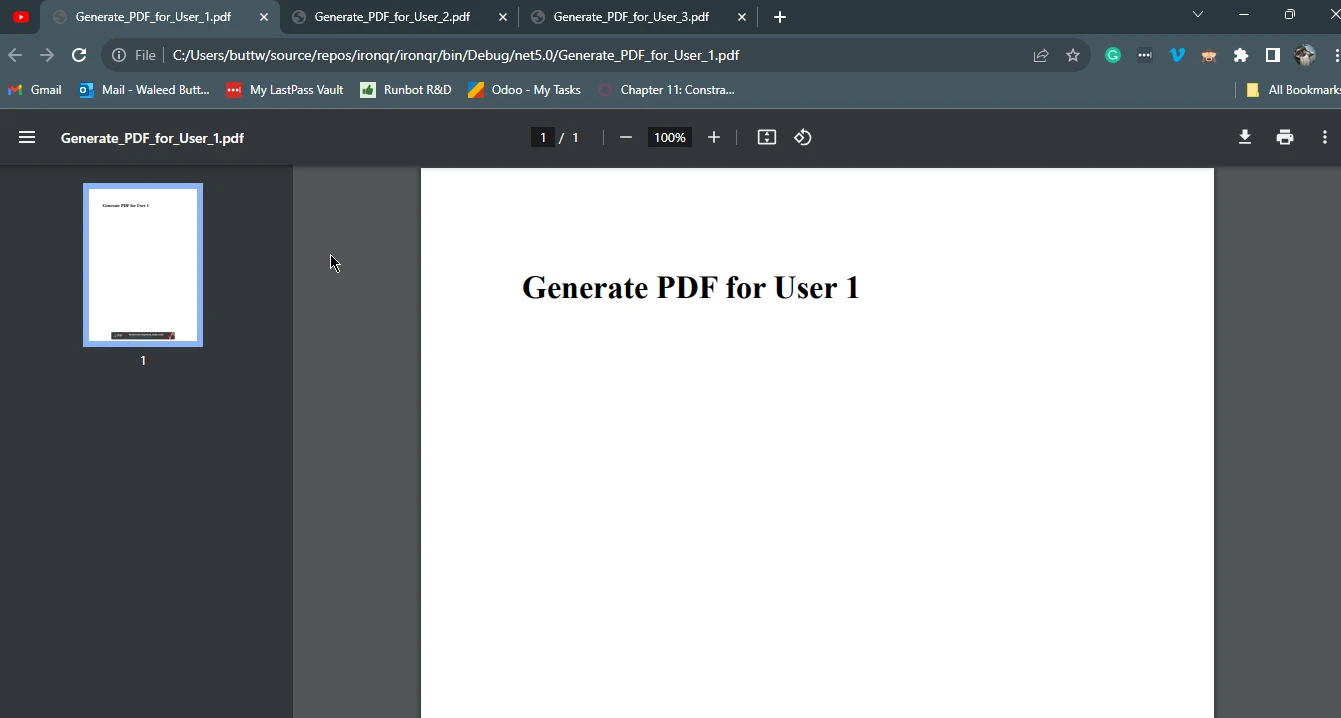
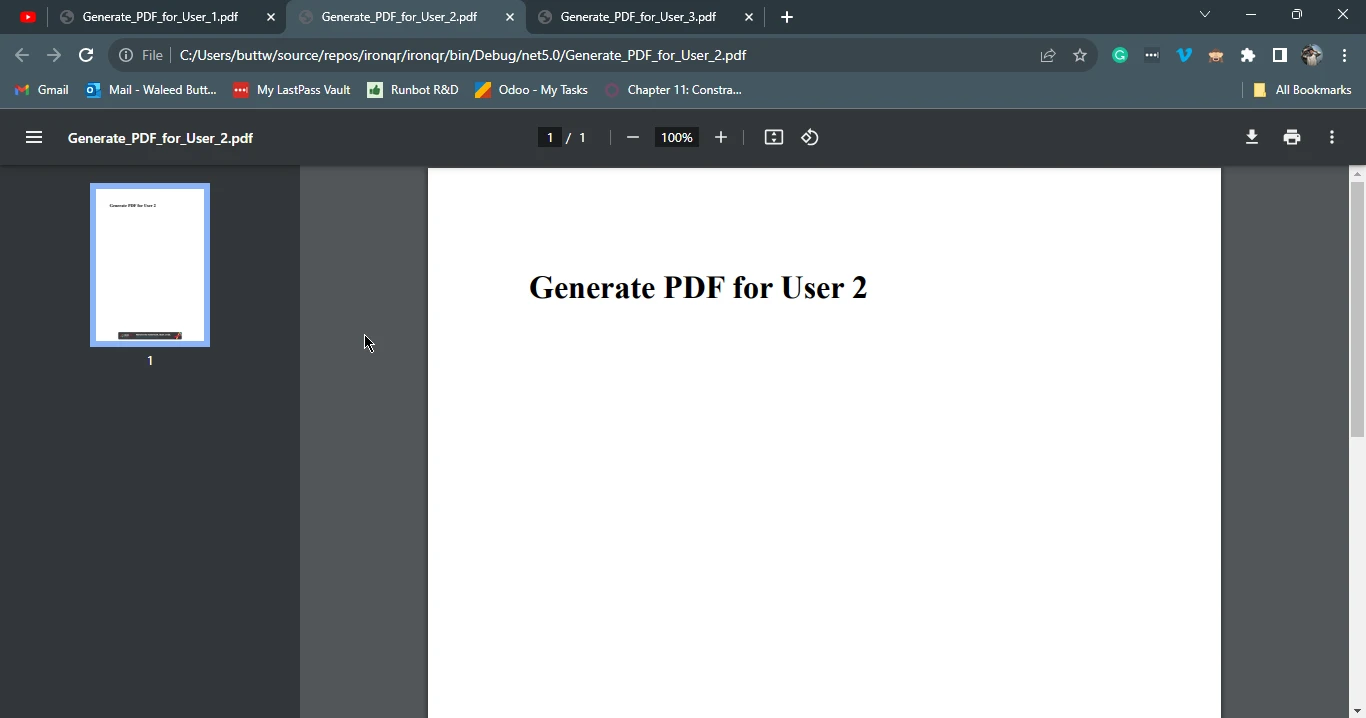
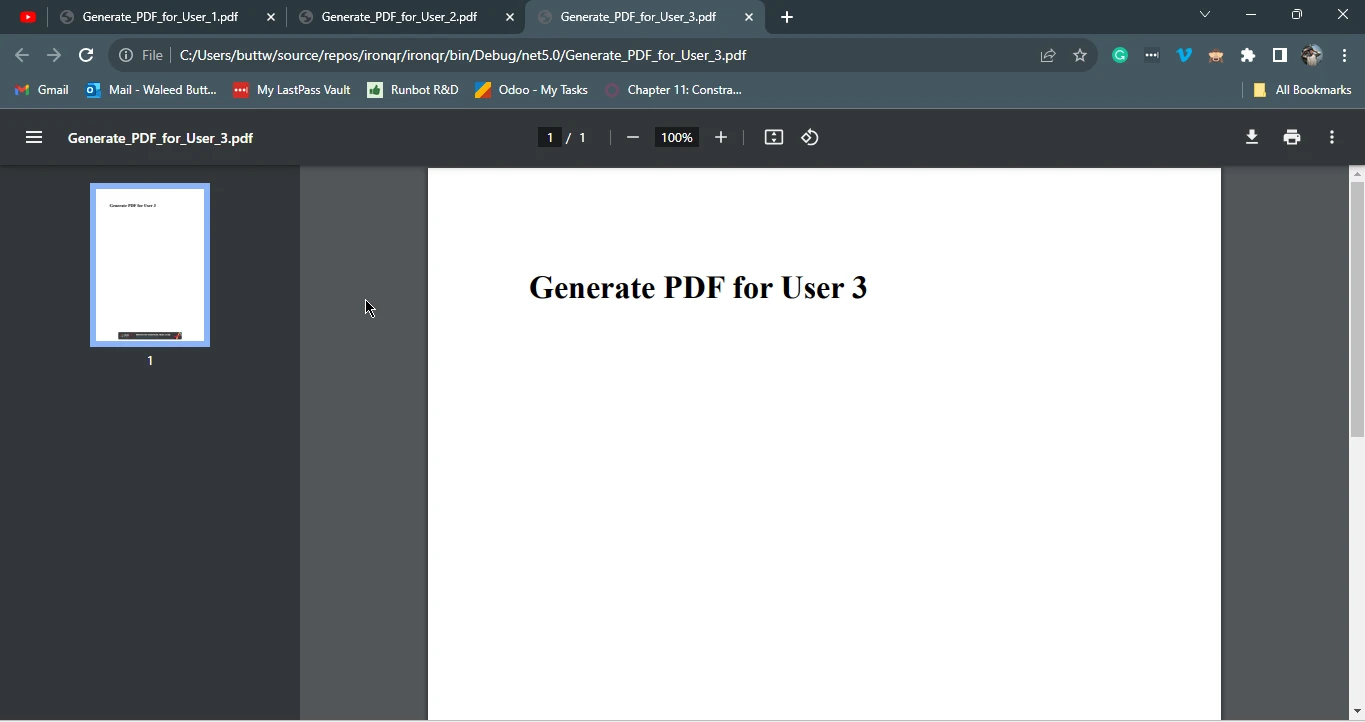
In diesem Beispiel wird eine C# Warteschlange (userRequests) verwendet, um Benutzeranfragen zur PDF-Erstellung zu speichern. Die GeneratePdf Methode nimmt eine Benutzeranfrage entgegen, nutzt IronPDF zur Konvertierung von HTML-Inhalten in ein PDF-Dokument und speichert die erstellte PDF-Datei mit einem relevanten Namen.
Diese Integrationsmethode zeigt auch die Synergie zwischen C# Queue und IronPDF, bei der die geordnete Verarbeitung von Benutzeranfragen zur systematischen Erstellung von PDF-Dokumenten führt.
3.2. Ausgabe #1
3.3. Ausgabe #2
3.4. Ausgabe #3
4. Fazit
Zusammenfassend erweist sich die C# Queue als wertvolles Werkzeug bei der sequentiellen Verwaltung und Verarbeitung von Daten. Ihre Einhaltung des FIFO-Prinzips macht sie für eine Vielzahl von Anwendungen geeignet, von der Aufgabenplanung bis zur Anfragebearbeitung in Webservern. Wenn sie mit leistungsstarken Bibliotheken wie IronPDF kombiniert wird, wird die C# Queue noch leistungsfähiger, sodass Entwickler organisierte und dynamische PDF-Dokumente effizient erstellen können.
Das Verständnis der Feinheiten von C# Queue und die Erforschung ihrer Integration mit Tools wie IronPDF ermöglichen es Entwicklern, robuste und effiziente Lösungen für Datenverwaltung und -verarbeitung zu entwerfen. Da sich die Technologie kontinuierlich weiterentwickelt, wird die Synergie zwischen grundlegenden Datenstrukturen wie der C# Queue und innovativen Bibliotheken eine entscheidende Rolle bei der Gestaltung der Landschaft der Softwareentwicklung spielen.
Für Lizenzinformationen besuchen Sie bitte IronPDF Lizenzdetails. Um mehr über die HTML-zu-PDF-Konvertierung zu erfahren, besuchen Sie das HTML-zu-PDF-Konvertierungstutorial.























