Generar números aleatorios en Java es una operación fundamental en muchos escenarios de programación, desde el desarrollo de juegos y simulaciones hasta seguridad y aprendizaje automático. Java ofrece dos formas principales de generar estos números: mediante el método Math.random() para tareas rápidas y sencillas, y la clase Random para necesidades más especializadas. Entender cómo utilizar estas herramientas de manera efectiva es crucial para los principiantes que buscan añadir un elemento de imprevisibilidad a sus programas. También hablaremos sobre la biblioteca IronPDF for Java y cómo se pueden utilizar números aleatorios en la generación de PDFs.
Sintaxis básica de Math.random() y la clase Random
Matemáticas.random()
El método Math.random() es un método estático que genera un valor pseudoaleatorio double mayor o igual a 0,0 y menor que 1,0. Forma parte de la clase Math, que proporciona varios métodos para realizar operaciones numéricas básicas, como exponenciación, logaritmos y operaciones trigonométricas. La simplicidad de Math.random() lo hace muy accesible para generar números pseudoaleatorios rápidamente.
public class Main {
    public static void main(String[] args) {
        // Generate a random double value between 0.0 and 1.0
        double value = Math.random();
        System.out.println("Random double value: " + value);
    }
}
public class Main {
    public static void main(String[] args) {
        // Generate a random double value between 0.0 and 1.0
        double value = Math.random();
        System.out.println("Random double value: " + value);
    }
}
Java
Este ejemplo muestra cómo generar valores aleatorios double e imprimirlos en la consola.
La clase aleatoria
Para requisitos más diversos, como generar números enteros aleatorios, booleanos o números de coma flotante dentro de un rango especificado, la clase Random del paquete java.util es más adecuada. Requiere crear una instancia de la clase Random, seguida de la llamada a uno de sus métodos para generar un número aleatorio.
import java.util.Random;

public class Main {
    public static void main(String[] args) {
        // Create a Random object
        Random random = new Random();
        // Generates a random integer from 0 to 9
        int randomInt = random.nextInt(10);
        System.out.println("Random integer: " + randomInt);
    }
}
import java.util.Random;

public class Main {
    public static void main(String[] args) {
        // Create a Random object
        Random random = new Random();
        // Generates a random integer from 0 to 9
        int randomInt = random.nextInt(10);
        System.out.println("Random integer: " + randomInt);
    }
}
Java
Este fragmento de código crea un objeto Random y lo utiliza para generar un número entero aleatorio entre 0 y 9.
Beneficios de Math.random() y la clase Random
Simplicidad y facilidad de uso
Math.random() es increíblemente sencillo, ya que no requiere la instanciación de objetos ni una configuración compleja, lo que lo hace ideal para principiantes o para casos de uso en los que solo se necesita un único valor doble aleatorio.
Flexibilidad y control
La clase Random ofrece una gama más amplia de métodos para generar números aleatorios, incluyendo nextInt(), nextDouble(), nextFloat(), nextLong() y nextBoolean(), lo que proporciona una mayor flexibilidad y control sobre los números aleatorios generados.
Reproducibilidad
Al utilizar un valor inicial con la clase Random, es posible generar una secuencia predecible de números pseudoaleatorios, lo que puede resultar extremadamente útil para la depuración o para aplicaciones en las que se desea un cierto grado de previsibilidad.
Casos prácticos de uso de la generación de números aleatorios
Desarrollo de juegos: Tirar un dado
public class Main {
    public static void main(String[] args) {
        int max = 6; // Maximum face value of the die
        // Generate a random integer between 1 and 6
        int roll = (int) (Math.random() * max) + 1;
        System.out.println("You rolled a: " + roll);
    }
}
public class Main {
    public static void main(String[] args) {
        int max = 6; // Maximum face value of the die
        // Generate a random integer between 1 and 6
        int roll = (int) (Math.random() * max) + 1;
        System.out.println("You rolled a: " + roll);
    }
}
Java
Ejemplo de Salida en Consola: Tiraste un: 6
Este ejemplo simula el lanzamiento de un dado de seis caras generando un número entero aleatorio entre 1 y 6. Muestra cómo utilizar Math.random() para generar números dentro de un rango específico multiplicando el resultado por el valor máximo y sumando uno para cambiar el rango de 0-5 a 1-6.
Simulación: Generación de condiciones meteorológicas
import java.util.Random;

public class Main {
    public static void main(String[] args) {
        Random random = new Random();
        // Generate a random temperature from -10 to 20 degrees Celsius
        int temp = random.nextInt(31) - 10;
        // Generate a random boolean to indicate raining condition
        boolean raining = random.nextBoolean();
        System.out.println("Today's temperature is: " + temp + "C, and it is " + (raining ? "raining" : "not raining"));
    }
}
import java.util.Random;

public class Main {
    public static void main(String[] args) {
        Random random = new Random();
        // Generate a random temperature from -10 to 20 degrees Celsius
        int temp = random.nextInt(31) - 10;
        // Generate a random boolean to indicate raining condition
        boolean raining = random.nextBoolean();
        System.out.println("Today's temperature is: " + temp + "C, and it is " + (raining ? "raining" : "not raining"));
    }
}
Java
Ejemplo de Salida en Consola: La temperatura de hoy es: 8C, y está lloviendo
Este fragmento simula condiciones climáticas generando una temperatura aleatoria dentro de un rango especificado y un valor booleano para indicar si está lloviendo. Ilustra el uso de la clase Random para generar valores tanto enteros como booleanos.
Aprendizaje automático: Barajando datos
import java.util.Collections;
import java.util.ArrayList;
import java.util.Arrays;

public class Main {
    public static void main(String[] args) {
        // Initialize an ArrayList with integers
        ArrayList<Integer> data = new ArrayList<>(Arrays.asList(1, 2, 3, 4, 5));
        // Shuffle the list to randomize element order
        Collections.shuffle(data);
        System.out.println("Shuffled data: " + data);
    }
}
import java.util.Collections;
import java.util.ArrayList;
import java.util.Arrays;

public class Main {
    public static void main(String[] args) {
        // Initialize an ArrayList with integers
        ArrayList<Integer> data = new ArrayList<>(Arrays.asList(1, 2, 3, 4, 5));
        // Shuffle the list to randomize element order
        Collections.shuffle(data);
        System.out.println("Shuffled data: " + data);
    }
}
Java
Ejemplo de Salida en Consola: Datos mezclados: [5, 3, 1, 4, 2]
Aunque no utiliza directamente Math.random() ni la clase Random, este ejemplo muestra cómo barajar una lista de números enteros, una operación habitual en la preparación de datos para algoritmos de aprendizaje automático. Collections.shuffle() utiliza internamente Random para mezclar elementos.
Presentación de IronPDF for Java
IronPDF for Java es una biblioteca que permite a los desarrolladores de Java generar, editar y leer documentos PDF en sus aplicaciones. Soporta la conversión de HTML a PDF, asegurando que el formato del origen HTML se mantenga con precisión en la salida PDF. IronPDF está diseñado para Java 8 y versiones más recientes, y puede ser utilizado en varios lenguajes JVM, incluyendo Kotlin y Scala.
Proporciona una amplia gama de características para la manipulación de PDFs, incluyendo la edición de contenido, la fusión, el desensamblado de PDFs y el trabajo con formularios y metadatos. Para usar IronPDF en un proyecto de Java, puedes incluirlo a través de la dependencia de Maven.
Ejemplo
Al integrar Math.random() en el contexto del uso de IronPDF for Java, se puede generar contenido para el PDF de forma dinámica basándose en números aleatorios. Por ejemplo, es posible que desee incluir un número aleatorio dentro de Java PDF Generation from HTML que se convierta en PDF. Así es como podrías hacerlo:
package ironpdf;

import com.ironsoftware.ironpdf.*;
import java.awt.print.PrinterException;
import java.io.IOException;
import java.nio.file.Paths;

public class App {
    public static void main(String[] args) throws IOException, PrinterException {
        // Set license key for IronPDF
        License.setLicenseKey("Key");
        // Generate a random number between 0 and 99
        int randomNumber = (int) (Math.random() * 100);
        // Create HTML content, embedding the random number
        String htmlContent = "<html><body><h1>Random Number</h1><p>" + randomNumber + "</p></body></html>";
        // Render HTML content to PDF
        PdfDocument pdf = PdfDocument.renderHtmlAsPdf(htmlContent);
        // Save the PDF to a specified path
        pdf.saveAs(Paths.get("f:\\IronPdf\\random.pdf"));
    }
}
package ironpdf;

import com.ironsoftware.ironpdf.*;
import java.awt.print.PrinterException;
import java.io.IOException;
import java.nio.file.Paths;

public class App {
    public static void main(String[] args) throws IOException, PrinterException {
        // Set license key for IronPDF
        License.setLicenseKey("Key");
        // Generate a random number between 0 and 99
        int randomNumber = (int) (Math.random() * 100);
        // Create HTML content, embedding the random number
        String htmlContent = "<html><body><h1>Random Number</h1><p>" + randomNumber + "</p></body></html>";
        // Render HTML content to PDF
        PdfDocument pdf = PdfDocument.renderHtmlAsPdf(htmlContent);
        // Save the PDF to a specified path
        pdf.saveAs(Paths.get("f:\\IronPdf\\random.pdf"));
    }
}
Java
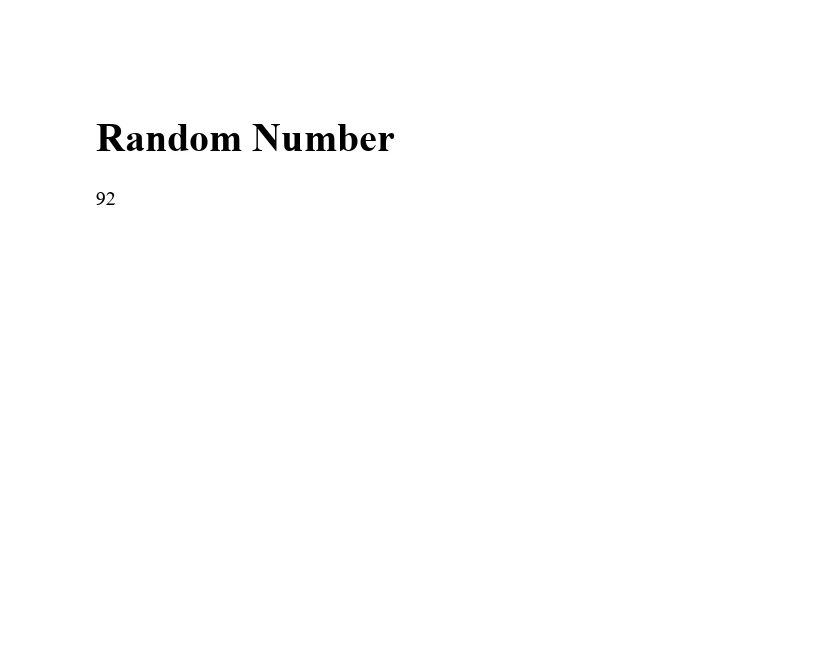
Este ejemplo crea una cadena HTML simple que incluye un encabezado y un párrafo que muestra un número generado aleatoriamente. La función Math.random() genera un valor de tipo double mayor o igual a 0,0 y menor que 1,0, que luego se multiplica por 100 y se convierte a un entero para obtener un número aleatorio entre 0 y 99. A continuación, esta cadena HTML se convierte en un documento PDF utilizando el método renderHtmlAsPdf de IronPDF, y el PDF resultante se guarda con el nombre "random.pdf".
Resultado
Conclusión
La generación de números aleatorios en Java, utilizando tanto el método Math.random() como la clase Random, es una herramienta poderosa en el arsenal de un programador. Desde añadir elementos de imprevisibilidad en juegos hasta simular fenómenos del mundo real y preparar datos para aprendizaje automático, comprender cómo generar números aleatorios es esencial. Al explorar los ejemplos proporcionados y experimentar por tu cuenta, adquirirás la destreza necesaria para incorporar la generación de números aleatorios de manera efectiva en tus aplicaciones Java.
IronPDF ofrece una prueba gratuita para que los usuarios exploren sus características antes de comprometerse a una compra. Las licencias de IronPDF comienzan a partir de $999.