

using Math.random 在 Java 中

在Java中生成隨機數是在許多程式設計場景中的基本操作,從遊戲開發和模擬到安全性和機器學習。 Java提供了兩種主要方法來生成這些數字:透過Random類。 了解如何有效地使用這些工具對於初學者在其程式中新增不可預測性元素至關重要。 我們還會討論IronPDF for Java程式庫以及如何在PDF生成中使用隨機數。
Math.random()和Random類的基本語法
Math.random()
Math類的一部分,該類提供了執行基本數值運算的方法,如指數、對數和三角函式運算。 Math.random()的簡單性使其可高度方便地生成擬隨機數。
public class Main {
    public static void main(String[] args) {
        // Generate a random double value between 0.0 and 1.0
        double value = Math.random();
        System.out.println("Random double value: " + value);
    }
}
public class Main {
public static void main(String[] args) {
// Generate a random double value between 0.0 and 1.0
double value = Math.random();
System.out.println("Random double value: " + value);
}
}此範例展示了如何生成隨機double值並將其列印到控制台。
Random類
對於更廣泛的需求,如生成指定範圍內的隨機整數、布林值或浮點數,更適合使用java.util包。 需要建立Random類的實例,然後調用其中的方法之一來生成隨機數。
import java.util.Random;

public class Main {
    public static void main(String[] args) {
        // Create a Random object
        Random random = new Random();
        // Generates a random integer from 0 to 9
        int randomInt = random.nextInt(10);
        System.out.println("Random integer: " + randomInt);
    }
}
import java.util.Random;
public class Main {
public static void main(String[] args) {
// Create a Random object
Random random = new Random();
// Generates a random integer from 0 to 9
int randomInt = random.nextInt(10);
System.out.println("Random integer: " + randomInt);
}
}此程式碼片段建立了一個Random物件,並使用它來生成0到9之間的隨機整數。
Math.random()和Random類的優點
簡潔和易用性
Math.random()極其簡單,不需要物件實例化或複雜的設置,非常適合初學者或只需一個隨機雙精度值的用例。
靈活性和控制
nextBoolean(),為生成的隨機數提供了更大的靈活性和控制。
可重現性
通過使用帶有Random類的種子值,可以生成一個可預測的擬隨機數序列,這對於除錯或需要一定程度可預測性的應用非常有用。
隨機數生成的實際用例
遊戲開發:擲骰子
public class Main {
    public static void main(String[] args) {
        int max = 6; // Maximum face value of the die
        // Generate a random integer between 1 and 6
        int roll = (int) (Math.random() * max) + 1;
        System.out.println("You rolled a: " + roll);
    }
}
public class Main {
public static void main(String[] args) {
int max = 6; // Maximum face value of the die
// Generate a random integer between 1 and 6
int roll = (int) (Math.random() * max) + 1;
System.out.println("You rolled a: " + roll);
}
}控制台輸出範例: 您擲出的是:6
此範例模擬擲出一個六面骰子,生成1到6之間的隨機整數。展示了如何使用Math.random()在特定範圍內生成數字,方法是將結果乘以最大值並加一,以將範圍從0-5轉換為1-6。
模擬:生成天氣狀況
import java.util.Random;

public class Main {
    public static void main(String[] args) {
        Random random = new Random();
        // Generate a random temperature from -10 to 20 degrees Celsius
        int temp = random.nextInt(31) - 10;
        // Generate a random boolean to indicate raining condition
        boolean raining = random.nextBoolean();
        System.out.println("Today's temperature is: " + temp + "C, and it is " + (raining ? "raining" : "not raining"));
    }
}
import java.util.Random;
public class Main {
public static void main(String[] args) {
Random random = new Random();
// Generate a random temperature from -10 to 20 degrees Celsius
int temp = random.nextInt(31) - 10;
// Generate a random boolean to indicate raining condition
boolean raining = random.nextBoolean();
System.out.println("Today's temperature is: " + temp + "C, and it is " + (raining ? "raining" : "not raining"));
}
}控制台輸出範例: 今天的溫度是:8C,而且正在下雨
此片段模擬了天氣狀況,生成了指定範圍內的隨機溫度和一個布林值以指示是否下雨。 它展示了使用Random類生成整數和布林值的方法。
機器學習:打亂資料
import java.util.Collections;
import java.util.ArrayList;
import java.util.Arrays;

public class Main {
    public static void main(String[] args) {
        // Initialize an ArrayList with integers
        ArrayList<Integer> data = new ArrayList<>(Arrays.asList(1, 2, 3, 4, 5));
        // Shuffle the list to randomize element order
        Collections.shuffle(data);
        System.out.println("Shuffled data: " + data);
    }
}
import java.util.Collections;
import java.util.ArrayList;
import java.util.Arrays;
public class Main {
public static void main(String[] args) {
// Initialize an ArrayList with integers
ArrayList<Integer> data = new ArrayList<>(Arrays.asList(1, 2, 3, 4, 5));
// Shuffle the list to randomize element order
Collections.shuffle(data);
System.out.println("Shuffled data: " + data);
}
}控制台輸出範例: 打亂的資料:[5, 3, 1, 4, 2]
雖然不直接使用Random類,但此範例演示了打亂整數列表,這是為機器學習算法準備資料的常見操作。 Random來打亂元素。
引入IronPDF for Java
IronPDF for Java是允許Java開發人員生成、編輯和讀取PDF文件的程式庫。 它支持將HTML轉換為PDF,確保HTML源的格式在PDF輸出中得到準確保留。 IronPDF適用於Java 8及更新版本,並可用於多種JVM語言,包括Kotlin和Scala。
它提供了一套廣泛的PDF操作功能,包括編輯內容、合併、拆分PDF,以及表單和元資料的操作。 在Java專案中使用IronPDF,可以通過Maven依賴項包含。
範例
結合使用IronPDF for Java的Math.random(),您可以根據隨機數動態生成PDF的內容。 例如,您可能希望在Java PDF Generation from HTML中包含一個隨機數,該數字會轉換為PDF。 以下是您可以這樣做的方法:
package ironpdf;

import com.ironsoftware.ironpdf.*;
import java.awt.print.PrinterException;
import java.io.IOException;
import java.nio.file.Paths;

public class App {
    public static void main(String[] args) throws IOException, PrinterException {
        // Set license key for IronPDF
        License.setLicenseKey("Key");
        // Generate a random number between 0 and 99
        int randomNumber = (int) (Math.random() * 100);
        // Create HTML content, embedding the random number
        String htmlContent = "<html><body><h1>Random Number</h1><p>" + randomNumber + "</p></body></html>";
        // Render HTML content to PDF
        PdfDocument pdf = PdfDocument.renderHtmlAsPdf(htmlContent);
        // Save the PDF to a specified path
        pdf.saveAs(Paths.get("f:\\IronPdf\\random.pdf"));
    }
}
package ironpdf;
import com.ironsoftware.ironpdf.*;
import java.awt.print.PrinterException;
import java.io.IOException;
import java.nio.file.Paths;
public class App {
public static void main(String[] args) throws IOException, PrinterException {
// Set license key for IronPDF
License.setLicenseKey("Key");
// Generate a random number between 0 and 99
int randomNumber = (int) (Math.random() * 100);
// Create HTML content, embedding the random number
String htmlContent = "<html><body><h1>Random Number</h1><p>" + randomNumber + "</p></body></html>";
// Render HTML content to PDF
PdfDocument pdf = PdfDocument.renderHtmlAsPdf(htmlContent);
// Save the PDF to a specified path
pdf.saveAs(Paths.get("f:\\IronPdf\\random.pdf"));
}
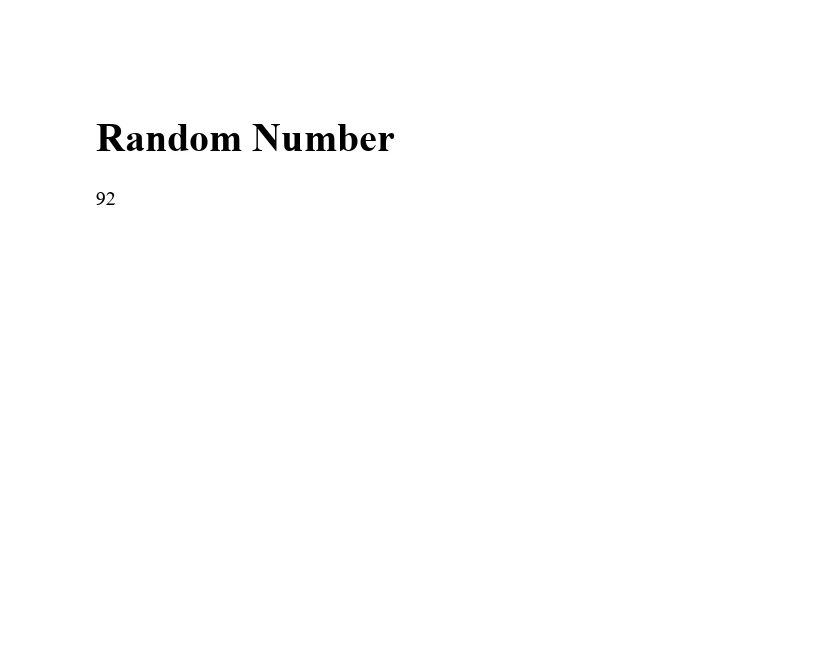
}此範例建立了一個簡單的HTML字串,包括標題和段落,顯示隨機生成的數字。 renderHtmlAsPdf方法轉換為PDF文件,生成的PDF以"random.pdf"的名稱保存。
輸出
結論
在Java中,使用Random類生成隨機數,是程式設計師技能庫中的有力工具。 從增加遊戲中的不可預測性元素,到模擬現實世界現象以至於為機器學習準備資料,理解如何生成隨機數至關重要。 通過探索提供的範例並自行實驗,您將獲得將隨機數生成有效整合到您Java應用中的技能。
IronPDF提供免費試用,使用者可以在購買之前探索其功能。 IronPDF的授權起始於$999。









 免費開始
免費開始 免費開始
免費開始 預訂免費直播演示
















