已更新 2026年4月21日
Java Scanner(開發者運作原理)
在本文中,我們將深入了解 Java Scanner 類的運作原理,並通過範例探索其用法
閱讀更多

在本文中,我們將釐清一個經常導致Java社群困惑的主題:值傳遞與引用傳遞。 我們還將探討IronPDF如何在處理PDF時助力您的Java應用程式。 請繼續關注,因為我們即將解釋一些常見的誤解,並向您介紹一個可能使您的編碼生活更加輕鬆的工具。
Java的參數傳遞機制並不像看起來那麼簡單。 許多開發者認為Java對物件使用引用傳遞,但這是不正確的。 現在,讓我們談談PDF。 在現代應用程式中,從生成報告到建立發票,它們無處不在。 但說實話,如果沒有合適的工具,使用Java處理PDF可能是個真正的麻煩。 這就是IronPDF登場的地方,但稍後會詳細介紹。
在Java編程語言中,參數傳遞總是值傳遞。 在處理物件時,引用變數是以值傳遞的。 這意味著方法接收到的是相同的物件引用值,但不是物件本身。
Java語言規範闡明,方法宣告中的形式參數始終是變數,而不是引用。 當一個方法被調用時,實際參數值成為方法的形式參數在堆疊記憶體中的初始值。 這些方法參數值是原始引用值的副本,指向與原始引用相同的物件。
一個常見的誤解由public static void swap方法展示:
public static void swap(Object a, Object b) {
    Object temp = a; // Store the reference of object 'a' in 'temp'
    a = b;           // Assign reference of object 'b' to 'a'
    b = temp;        // Assign reference of 'temp' (original 'a') to 'b'
}這不會影響調用程式碼中的實際物件或原始引用變數。 它只會交換引用值的本地副本。 同樣,作為參數接收物件引用的方法可以修改相同的實際物件,但無法使原始引用變數引用不同的物件。
無論是基本型別還是物件引用,Java始終以值傳遞。 調用程式碼中的相同變數在方法調用後保持相同的值,繼續引用相同的實際物件。 傳給方法的引用值允許其處理相同的物件,但方法內的任何重新分配僅影響引用的本地副本,而不會影響原始引用變數。 您可以通過方法參數修改相同的物件狀態,但無法更改原始引用指向的物件。
理解這一概念對於編寫可靠的程式碼非常重要。 一個常見的陷阱是假設修改參數會影響原始物件。 儘管您可以修改物件的狀態,卻不能更改原始引用指向的物件。 這裡有個專業提示:如果您需要修改物件的多個方面,請考慮在物件類別內建立一個方法。
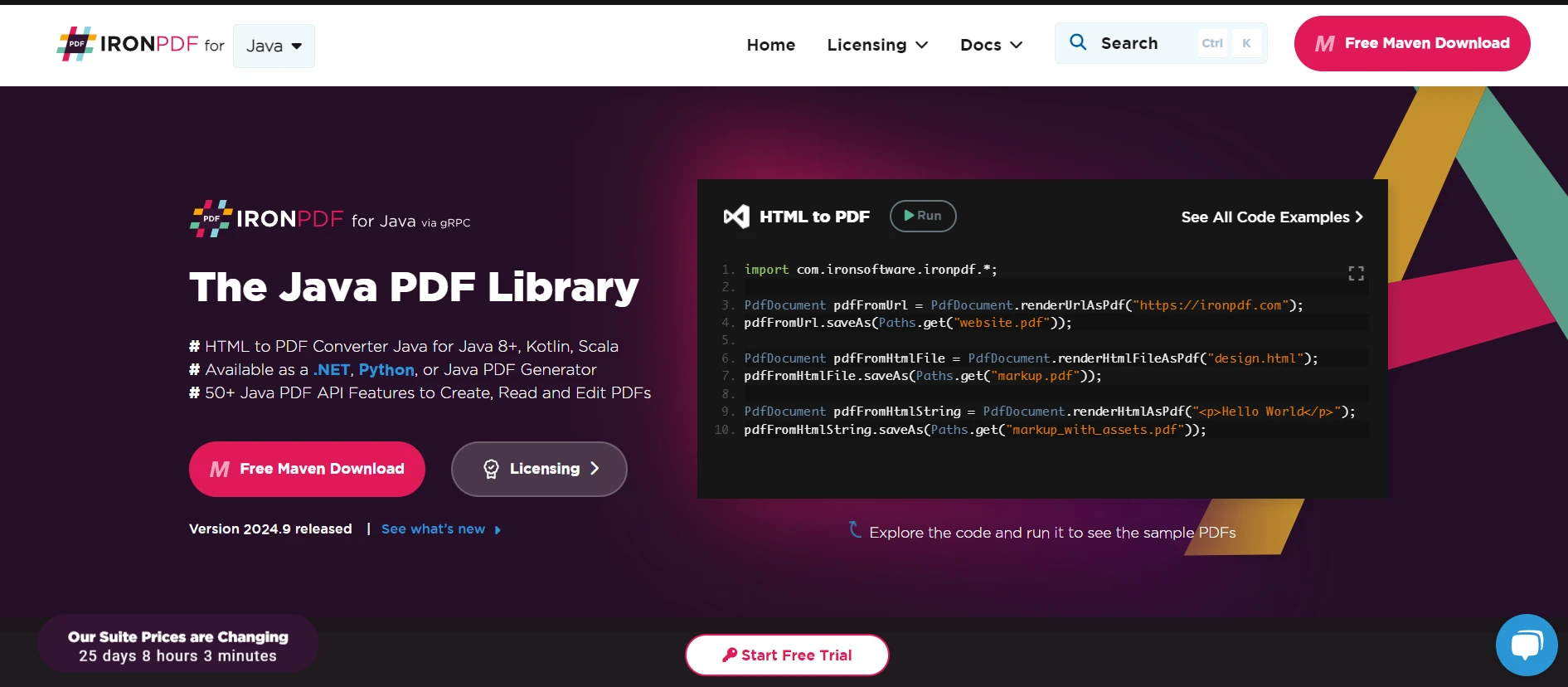
現在,讓我們談談IronPDF。 這是個強大的程式庫,把強大的PDF功能帶到您的Java應用程式中。 無論您使用的是Java SE還是Jakarta EE,IronPDF都能滿足您的需求。
IronPDF在PDF生成和操作方面具有最佳的能力。 只需幾行程式碼,您就能從HTML建立PDF、合併現有PDF或提取文字和圖像。 最棒的是什麼? 它可以無縫整合到您的Java項目中。
IronPDF的核心功能是將HTML轉換為PDF。 我曾經需要為一個客戶建立一個報告生成器,而IronPDF使這一切變得輕而易舉。 我不必為處理複雜的PDF庫煩惱,只需利用我的HTML和CSS技巧來設計報告,然後交給IronPDF進行轉換。
還記得我們關於Java參數傳遞的討論嗎? IronPDF抽象掉了您在處理Java中的PDF時可能遇到的許多複雜性。 您不必擔心管理對大型PDF文件的物件引用或記憶體分配。
例如,假設您需要在多個方法中修改PDF。 使用IronPDF,您可以只載入一次PDF並將其傳遞,而不必擔心無意中的修改:
package IronPDF.ironpdf_java;

import com.ironsoftware.ironpdf.PdfDocument;
import java.io.IOException;
import java.nio.file.Paths;

public class App {
    public static void main(String[] args) {
        // Retrieve license key from environment variable
        String licenseKey = System.getenv("IRONPDF_LICENSE_KEY");
        if (licenseKey == null || licenseKey.isEmpty()) {
            throw new IllegalStateException("Environment variable IRONPDF_LICENSE_KEY not set");
        }
        License.setLicenseKey(licenseKey);

        // Load existing PDF document
        String src = "assets/Image based PDF.pdf";
        PdfDocument pdf = PdfDocument.fromFile(Paths.get(src));

        // Apply watermark to the PDF
        pdf.applyWatermark("<h1>Watermark</h1>");

        // Extract all text from the PDF
        String extractedText = pdf.extractAllText();

        // Save the modified PDF
        String dest = "assets/Compressed.pdf";
        pdf.saveAs(Paths.get(dest));
    }
}每個方法都可以在同一PdfDocument物件上工作,而不會有製造多份拷貝或失去更改的風險。
讓我分享一個現實世界的情境。 我曾經為一家律師事務所工作,他們需要生成作為PDF的法律文件。 現有的解決方案速度很慢,容易出現格式錯誤。 下面是我們如何實施IronPDF以解決這些問題:
import com.ironsoftware.ironpdf.PdfDocument;
import java.io.IOException;
import java.time.LocalDate;
import java.time.format.DateTimeFormatter;

public class LegalDocumentGenerator {

    public static void main(String[] args) {
        // Retrieve license key from the environment
        String licenseKey = System.getenv("IRONPDF_LICENSE_KEY");
        if (licenseKey == null || licenseKey.isEmpty()) {
            throw new IllegalStateException("Environment variable IRONPDF_LICENSE_KEY not set");
        }
        License.setLicenseKey(licenseKey);

        // Create HTML content for the legal document
        String clientName = "Iron Dev";
        String caseNumber = "2024-001";
        String currentDate = LocalDate.now().format(DateTimeFormatter.ISO_LOCAL_DATE);
        String html = "<html><body>" +
                      "<h1>Legal Document</h1>" +
                      "<p>This is a sample legal document generated using IronPDF for Java.</p>" +
                      "<p>Client: " + clientName + "</p>" +
                      "<p>Date: " + currentDate + "</p>" +
                      "<p>Case Number: " + caseNumber + "</p>" +
                      "<h2>Terms and Conditions</h2>" +
                      "<p>Lorem ipsum dolor sit amet, consectetur adipiscing elit. Sed do eiusmod tempor incididunt ut labore et dolore magna aliqua. Ut enim ad minim veniam, quis nostrud exercitation ullamco laboris nisi ut aliquip ex ea commodo consequat.</p>" +
                      "</body></html>";

        try {
            // Convert HTML content to PDF
            PdfDocument pdf = PdfDocument.renderHtmlAsPdf(html);
            pdf.saveAs("legalDocument.pdf");
            System.out.println("PDF generated successfully: legalDocument.pdf");
        } catch (IOException e) {
            System.err.println("Error saving PDF: " + e.getMessage());
        }
    }
}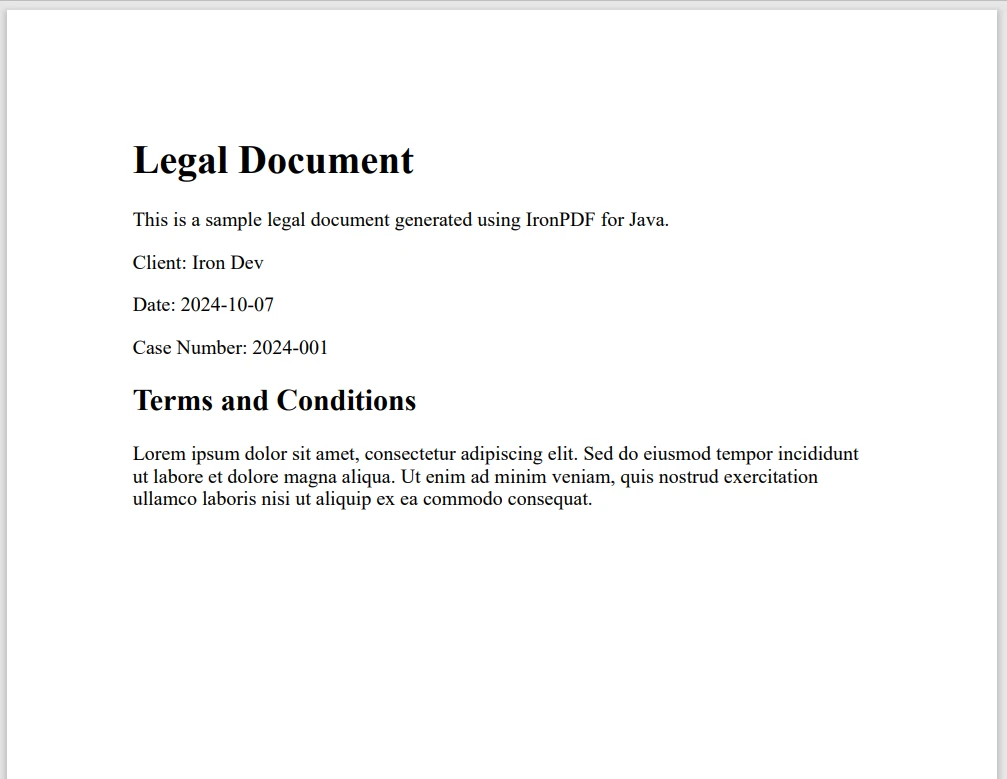
結果令人印象深刻。文件生成時間減少了60%,而且格式始終完美無瑕。 律師們非常滿意,我們的開發團隊可以專注於其他功能,而不是解決PDF問題。
今天我們已經涵蓋了很多內容,從揭穿Java的引用傳遞迷思到探索IronPDF的強大之處。 理解Java真實的參數傳遞機制將使您成為更好的開發者,幫助您寫更可預測和維護的程式碼。
至於IronPDF,對於使用PDF的Java開發者來說,它是一個遊戲改變者。 它簡化了複雜的任務,提高了性能,並與您現有的Java知識無縫整合。 所以,為什麼不試試看呢? IronPDF提供免費試用,讓您可以親身體驗它的功能。 其授權起始於$999.

Curtis Chau擁有Carleton大學的電腦科學學士學位,專精於前端開發,擁有Node.js、TypeScript、JavaScript和React的專業知識。Curtis熱衷於建立直觀且美觀的使用者介面,喜愛使用現代框架並建立結構良好、視覺吸引力的手冊。

IronPDF 是 IRONSUITE 的一部分
10 款適用於辦公室文件的 .NET API 產品

當您需要您的PDF看起來像HTML一樣快速。