

Java用Google HTTPクライアントライブラリ(開発者向けにどのように機能するか)

Google HTTP クライアント ライブラリ Java 向け は、Java アプリケーションで HTTP リクエストを作成し、レスポンスを処理するプロセスを簡素化するために設計された堅牢なライブラリです。 これはGoogleアプリエンジンとGoogle APIクライアントの一部として、Google APIの一部です。Googleによって開発および維持されているこの強力なJavaライブラリは、幅広いHTTPメソッドをサポートし、JSONデータモデルやXMLデータモデルとシームレスに統合されているため、ウェブサービスとのやり取りを求める開発者にとって優れた選択肢です。 さらに、IronPDF Java 向け を探求し、Google HTTP クライアント ライブラリと統合して、HTTP レスポンス データから PDF ドキュメントを生成する方法を示します。
主要機能
1.簡素化された HTTP リクエスト:このライブラリは、HTTP リクエストの作成と送信の複雑さの多くを抽象化し、開発者の作業を容易にします。 2.さまざまな認証方法のサポート:最新の API と対話するために不可欠な OAuth 2.0 やその他の認証スキームをサポートしています。
- JSON および XML 解析:ライブラリは JSON および XML 応答を Java オブジェクトに自動的に解析し、定型コードを削減します。 4.非同期リクエスト:非同期リクエストをサポートしており、ネットワーク操作をバックグラウンド スレッドにオフロードすることでアプリケーションのパフォーマンスを向上できます。 5.組み込みの再試行メカニズム:ライブラリには、一時的なネットワーク エラーを処理するための組み込みの再試行メカニズムが含まれており、アプリケーションの堅牢性を向上させることができます。
- 安定性と保守: ライブラリは、安定した非ベータ機能を提供し、本番環境での信頼性のあるパフォーマンスを保証します。
Google HTTP クライアント ライブラリ Java 向け のセットアップ
Google HTTP クライアント ライブラリを Java で使用するには、プロジェクトに完全なクライアント ライブラリおよび必要な依存関係を追加する必要があります。 Maven を使用している場合は、pom.xml ファイルに次の依存関係を追加できます。
<dependencies>
    <dependency>
        <groupId>com.google.http-client</groupId>
        <artifactId>google-http-client</artifactId>
        <version>1.39.2</version>
    </dependency>
    <dependency>
        <groupId>com.google.http-client</groupId>
        <artifactId>google-http-client-jackson2</artifactId>
        <version>1.39.2</version>
    </dependency>
</dependencies>
<dependencies>
<dependency>
<groupId>com.google.http-client</groupId>
<artifactId>google-http-client</artifactId>
<version>1.39.2</version>
</dependency>
<dependency>
<groupId>com.google.http-client</groupId>
<artifactId>google-http-client-jackson2</artifactId>
<version>1.39.2</version>
</dependency>
</dependencies>基本的な使い方
さまざまな例を通して、Google HTTP クライアント ライブラリ Java 向け の基本的な使用方法を探ります。
1. シンプルな GET リクエストの作成
次のコードは、Google HTTP クライアント ライブラリを使用してシンプルな GET リクエストを作成する方法を示しています。
import com.google.api.client.http.HttpRequest;
import com.google.api.client.http.HttpRequestFactory;
import com.google.api.client.http.HttpResponse;
import com.google.api.client.http.javanet.NetHttpTransport;
import com.google.api.client.http.GenericUrl;

public class HttpClientExample {
    public static void main(String[] args) {
        try {
            // Create a request factory using NetHttpTransport
            HttpRequestFactory requestFactory = new NetHttpTransport().createRequestFactory();
            // Define the URL for the GET request
            GenericUrl url = new GenericUrl("https://jsonplaceholder.typicode.com/posts/1");
            // Build the GET request
            HttpRequest request = requestFactory.buildGetRequest(url);
            // Execute the request and get the response
            HttpResponse response = request.execute();
            // Parse the response as a String and print it
            System.out.println(response.parseAsString());
        } catch (Exception e) {
            // Print the stack trace if an exception occurs
            e.printStackTrace();
        }
    }
}
import com.google.api.client.http.HttpRequest;
import com.google.api.client.http.HttpRequestFactory;
import com.google.api.client.http.HttpResponse;
import com.google.api.client.http.javanet.NetHttpTransport;
import com.google.api.client.http.GenericUrl;
public class HttpClientExample {
public static void main(String[] args) {
try {
// Create a request factory using NetHttpTransport
HttpRequestFactory requestFactory = new NetHttpTransport().createRequestFactory();
// Define the URL for the GET request
GenericUrl url = new GenericUrl("https://jsonplaceholder.typicode.com/posts/1");
// Build the GET request
HttpRequest request = requestFactory.buildGetRequest(url);
// Execute the request and get the response
HttpResponse response = request.execute();
// Parse the response as a String and print it
System.out.println(response.parseAsString());
} catch (Exception e) {
// Print the stack trace if an exception occurs
e.printStackTrace();
}
}
}この例では、HttpRequestFactoryを作成し、それを使用してプレースホルダーAPIへのGETリクエストを構築および実行します。 リクエストが失敗した場合に発生する可能性のある例外を処理するために、ここでは try-catch ブロックを使用します。 その後、レスポンスをコンソールに出力します。

2. JSON データを伴う POST リクエストの作成
次のコードは、JSON データを伴う POST リクエストを作成する方法を示しています。
import com.google.api.client.http.HttpRequest;
import com.google.api.client.http.HttpRequestFactory;
import com.google.api.client.http.HttpResponse;
import com.google.api.client.http.javanet.NetHttpTransport;
import com.google.api.client.http.GenericUrl;
import com.google.api.client.http.json.JsonHttpContent;
import com.google.api.client.json.JsonFactory;
import com.google.api.client.json.jackson2.JacksonFactory;
import java.util.HashMap;
import java.util.Map;

public class HttpClientExample {
    public static void main(String[] args) {
        try {
            // Create a request factory using NetHttpTransport
            HttpRequestFactory requestFactory = new NetHttpTransport().createRequestFactory();
            // Define the URL for the POST request
            GenericUrl url = new GenericUrl("https://jsonplaceholder.typicode.com/posts");
            // Create a map to hold JSON data
            Map<String, Object> jsonMap = new HashMap<>();
            jsonMap.put("title", "foo");
            jsonMap.put("body", "bar");
            jsonMap.put("userId", 1);
            // Create a JSON content using the map
            JsonFactory jsonFactory = new JacksonFactory();
            JsonHttpContent content = new JsonHttpContent(jsonFactory, jsonMap);
            // Build the POST request
            HttpRequest request = requestFactory.buildPostRequest(url, content);
            // Execute the request and get the response
            HttpResponse response = request.execute();
            // Parse the response as a String and print it
            System.out.println(response.parseAsString());
        } catch (Exception e) {
            // Print the stack trace if an exception occurs
            e.printStackTrace();
        }
    }
}
import com.google.api.client.http.HttpRequest;
import com.google.api.client.http.HttpRequestFactory;
import com.google.api.client.http.HttpResponse;
import com.google.api.client.http.javanet.NetHttpTransport;
import com.google.api.client.http.GenericUrl;
import com.google.api.client.http.json.JsonHttpContent;
import com.google.api.client.json.JsonFactory;
import com.google.api.client.json.jackson2.JacksonFactory;
import java.util.HashMap;
import java.util.Map;
public class HttpClientExample {
public static void main(String[] args) {
try {
// Create a request factory using NetHttpTransport
HttpRequestFactory requestFactory = new NetHttpTransport().createRequestFactory();
// Define the URL for the POST request
GenericUrl url = new GenericUrl("https://jsonplaceholder.typicode.com/posts");
// Create a map to hold JSON data
Map<String, Object> jsonMap = new HashMap<>();
jsonMap.put("title", "foo");
jsonMap.put("body", "bar");
jsonMap.put("userId", 1);
// Create a JSON content using the map
JsonFactory jsonFactory = new JacksonFactory();
JsonHttpContent content = new JsonHttpContent(jsonFactory, jsonMap);
// Build the POST request
HttpRequest request = requestFactory.buildPostRequest(url, content);
// Execute the request and get the response
HttpResponse response = request.execute();
// Parse the response as a String and print it
System.out.println(response.parseAsString());
} catch (Exception e) {
// Print the stack trace if an exception occurs
e.printStackTrace();
}
}
}この例では、JSONオブジェクトを作成し、JsonHttpContentを使用してPOSTリクエストで送信します。レスポンスはコンソールに出力されます。

IronPDF Java 向け の導入
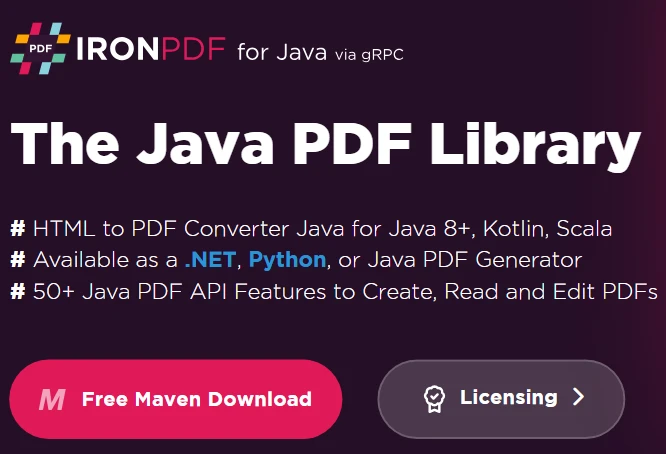
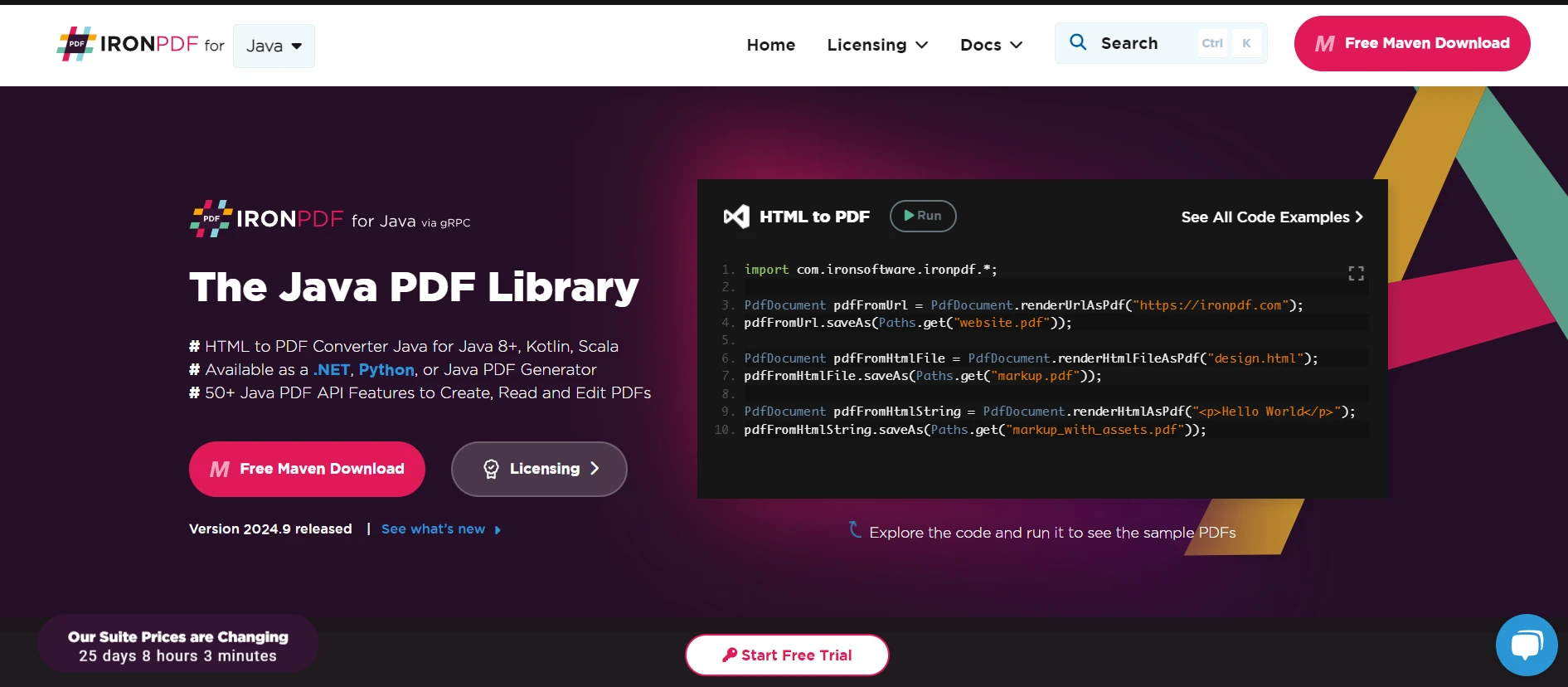
IronPDF は、PDF ドキュメントの作成、編集、および管理を簡素化する Java 開発者向けの強力なライブラリです。 HTML から PDF への変換、既存の PDF ファイルの操作、PDF からのテキストや画像の抽出など、多くの機能を提供します。
IronPDFの主な機能
- HTML から PDF への変換: HTML コンテンツを忠実に PDF に変換します。 2.既存の PDF の操作:既存の PDF ドキュメントを結合、分割、変更します。 3.テキストと画像の抽出: PDF ドキュメントからテキストと画像を抽出し、さらに処理します。 4.透かしと注釈: PDF ファイルに透かし、注釈、その他の拡張機能を追加します。 5.セキュリティ機能:パスワードと権限を追加して PDF ドキュメントを保護します。
IronPDF Java 向け のセットアップ
Java プロジェクトで IronPDF を使用するには、IronPDF ライブラリを含める必要があります。 IronPDF ウェブサイトから JAR ファイルをダウンロードするか、Maven のようなビルドツールを使用してプロジェクトに含めることができます。 Maven を使用しているユーザーは、pom.xml に次のコードを追加します。
<dependency>
    <groupId>com.ironsoftware</groupId>
    <artifactId>ironpdf</artifactId>
    <version>2023.12.1</version>
</dependency>

<dependency>
    <groupId>org.slf4j</groupId>
    <artifactId>slf4j-simple</artifactId>
    <version>2.0.3</version>
</dependency>
<dependency>
    <groupId>com.ironsoftware</groupId>
    <artifactId>ironpdf</artifactId>
    <version>2023.12.1</version>
</dependency>

<dependency>
    <groupId>org.slf4j</groupId>
    <artifactId>slf4j-simple</artifactId>
    <version>2.0.3</version>
</dependency>Google HTTP クライアント ライブラリと IronPDF の併用
このセクションでは、Web サービスから HTML コンテンツを取得するために Google HTTP クライアント ライブラリを使用し、その HTML コンテンツを PDF ドキュメントに変換するために IronPDF を使用する方法を示します。
例: HTML の取得と PDF への変換
import com.google.api.client.http.HttpRequest;
import com.google.api.client.http.HttpRequestFactory;
import com.google.api.client.http.HttpResponse;
import com.google.api.client.http.javanet.NetHttpTransport;
import com.google.api.client.http.GenericUrl;
import com.ironsoftware.ironpdf.PdfDocument;

public class HtmlToPdfExample {
    public static void main(String[] args) {
        try {
            // Fetch HTML content using Google HTTP Client Library
            HttpRequestFactory requestFactory = new NetHttpTransport().createRequestFactory();
            GenericUrl url = new GenericUrl("https://jsonplaceholder.typicode.com/posts/1");
            HttpRequest request = requestFactory.buildGetRequest(url);
            HttpResponse response = request.execute();
            String htmlContent = response.parseAsString();

            // Convert HTML content to PDF using IronPDF
            PdfDocument pdf = PdfDocument.renderHtmlAsPdf(htmlContent);
            pdf.saveAs("output.pdf");

            System.out.println("PDF created successfully!");
        } catch (Exception e) {
            // Print the stack trace if an exception occurs
            e.printStackTrace();
        }
    }
}
import com.google.api.client.http.HttpRequest;
import com.google.api.client.http.HttpRequestFactory;
import com.google.api.client.http.HttpResponse;
import com.google.api.client.http.javanet.NetHttpTransport;
import com.google.api.client.http.GenericUrl;
import com.ironsoftware.ironpdf.PdfDocument;
public class HtmlToPdfExample {
public static void main(String[] args) {
try {
// Fetch HTML content using Google HTTP Client Library
HttpRequestFactory requestFactory = new NetHttpTransport().createRequestFactory();
GenericUrl url = new GenericUrl("https://jsonplaceholder.typicode.com/posts/1");
HttpRequest request = requestFactory.buildGetRequest(url);
HttpResponse response = request.execute();
String htmlContent = response.parseAsString();
// Convert HTML content to PDF using IronPDF
PdfDocument pdf = PdfDocument.renderHtmlAsPdf(htmlContent);
pdf.saveAs("output.pdf");
System.out.println("PDF created successfully!");
} catch (Exception e) {
// Print the stack trace if an exception occurs
e.printStackTrace();
}
}
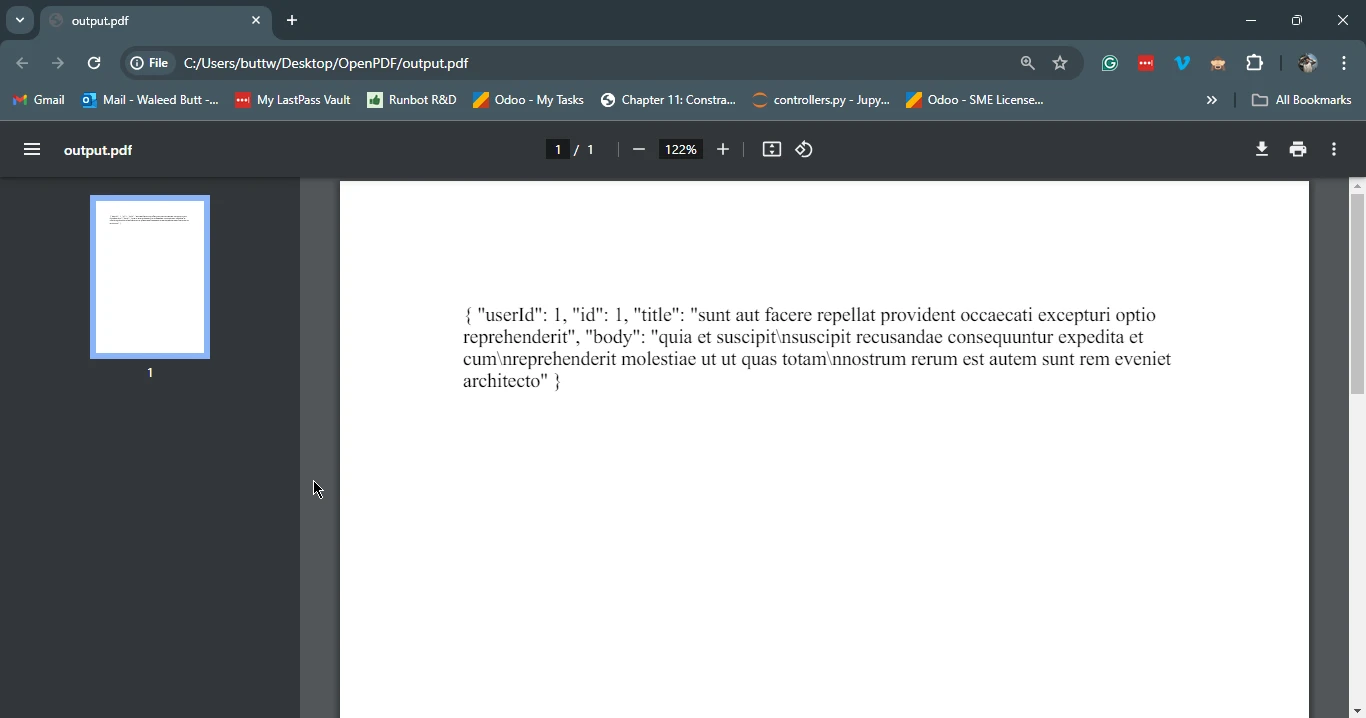
}この例では、Google HTTP クライアント ライブラリを使用してプレースホルダー API から HTML コンテンツを取得します。 次に、IronPDFを使用して取得したHTMLコンテンツをPDFドキュメントに変換し、output.pdfとして保存します。
結論
Google HTTP クライアント ライブラリ Java 向け は、Web サービスと対話するための強力なツールであり、簡素化された HTTP リクエスト、さまざまな認証方法のサポート、JSON および XML の解析とのシームレスな統合、およびさまざまな Java 環境への互換性を提供します。 IronPDF と組み合わせることで、開発者は Web サービスから HTML コンテンツを簡単に取得して PDF ドキュメントに変換でき、レポートの生成から Web アプリケーション用のダウンロード可能なコンテンツの作成まで、さまざまなアプリケーションに対応できるフルライブラリを提供できます。 これらの 2 つのライブラリを活用することで、Java 開発者は、コードの複雑さを削減しながら、アプリケーションの機能を大幅に強化できます。
次の リンク を参照してください。







 無料で始めましょう
 無料で始めましょう
 無料ライブデモを予約
















