

Google HTTP 客戶端庫 Java(開發者運作原理)

Google HTTP客戶端程式庫適用於Java,是一個強大的程式庫,旨在簡化在Java應用程式中進行HTTP請求和處理響應的過程。 它是Google app engine和Google API客戶端的一部分,作為Google API的一部分。由Google開發和維護,這款強大的Java程式庫支援廣泛的HTTP方法,並與JSON資料模型和XML資料模型無縫整合,是希望與網路服務互動的開發者的絕佳選擇。 此外,我們將探索IronPDF適用於Java,並展示如何將其與Google HTTP客戶端程式庫整合,以從HTTP回應資料生成PDF文件。
主要功能
- 簡化HTTP請求:該程式庫抽象了建立和發送HTTP請求的大部分複雜性,讓開發者更易於操作。
- 支援各種身份驗證方法:它支援OAuth 2.0及其他身份驗證方案,這是與現代API互動的重要元素。
- JSON和XML解析:該程式庫可以自動將JSON和XML回應解析為Java物件,減少樣板程式碼。
- 非同步請求:它支援非同步請求,可以通過將網路操作轉移到背景執行緒來提高應用程式性能。
- 內建重試機制:該程式庫包含內建的重試機制,用於處理短暫的網路錯誤,這有助於提高應用程式的穩定性。
- 穩定性和維護:該程式庫提供穩定的非beta功能,確保在生產環境中的可靠表現。
設置Google HTTP客戶端程式庫適用於Java
要使用Google HTTP客戶端程式庫適用於Java,您必須將完整的客戶端程式庫和所需的依賴項新增到您的專案中。 如果您使用Maven,可以將以下依賴項新增到您的pom.xml文件中:
<dependencies>
    <dependency>
        <groupId>com.google.http-client</groupId>
        <artifactId>google-http-client</artifactId>
        <version>1.39.2</version>
    </dependency>
    <dependency>
        <groupId>com.google.http-client</groupId>
        <artifactId>google-http-client-jackson2</artifactId>
        <version>1.39.2</version>
    </dependency>
</dependencies>
<dependencies>
<dependency>
<groupId>com.google.http-client</groupId>
<artifactId>google-http-client</artifactId>
<version>1.39.2</version>
</dependency>
<dependency>
<groupId>com.google.http-client</groupId>
<artifactId>google-http-client-jackson2</artifactId>
<version>1.39.2</version>
</dependency>
</dependencies>基本使用
讓我們通過各種範例來探索Google HTTP客戶端程式庫適用於Java的基本使用。
1. 發送簡單的GET請求
下面的程式碼展示了如何使用Google HTTP客戶端程式庫進行簡單的GET請求:
import com.google.api.client.http.HttpRequest;
import com.google.api.client.http.HttpRequestFactory;
import com.google.api.client.http.HttpResponse;
import com.google.api.client.http.javanet.NetHttpTransport;
import com.google.api.client.http.GenericUrl;

public class HttpClientExample {
    public static void main(String[] args) {
        try {
            // Create a request factory using NetHttpTransport
            HttpRequestFactory requestFactory = new NetHttpTransport().createRequestFactory();
            // Define the URL for the GET request
            GenericUrl url = new GenericUrl("https://jsonplaceholder.typicode.com/posts/1");
            // Build the GET request
            HttpRequest request = requestFactory.buildGetRequest(url);
            // Execute the request and get the response
            HttpResponse response = request.execute();
            // Parse the response as a String and print it
            System.out.println(response.parseAsString());
        } catch (Exception e) {
            // Print the stack trace if an exception occurs
            e.printStackTrace();
        }
    }
}
import com.google.api.client.http.HttpRequest;
import com.google.api.client.http.HttpRequestFactory;
import com.google.api.client.http.HttpResponse;
import com.google.api.client.http.javanet.NetHttpTransport;
import com.google.api.client.http.GenericUrl;
public class HttpClientExample {
public static void main(String[] args) {
try {
// Create a request factory using NetHttpTransport
HttpRequestFactory requestFactory = new NetHttpTransport().createRequestFactory();
// Define the URL for the GET request
GenericUrl url = new GenericUrl("https://jsonplaceholder.typicode.com/posts/1");
// Build the GET request
HttpRequest request = requestFactory.buildGetRequest(url);
// Execute the request and get the response
HttpResponse response = request.execute();
// Parse the response as a String and print it
System.out.println(response.parseAsString());
} catch (Exception e) {
// Print the stack trace if an exception occurs
e.printStackTrace();
}
}
}在這個範例中,我們建立了一個HttpRequestFactory,並用它構建和執行一個GET請求到一個占位符API。 我們在此使用try-catch區塊來處理請求失敗時可能發生的異常。 然後我們將響應列印到控制台。

2. 使用JSON資料發送POST請求
以下程式碼示範如何使用JSON資料發送POST請求:
import com.google.api.client.http.HttpRequest;
import com.google.api.client.http.HttpRequestFactory;
import com.google.api.client.http.HttpResponse;
import com.google.api.client.http.javanet.NetHttpTransport;
import com.google.api.client.http.GenericUrl;
import com.google.api.client.http.json.JsonHttpContent;
import com.google.api.client.json.JsonFactory;
import com.google.api.client.json.jackson2.JacksonFactory;
import java.util.HashMap;
import java.util.Map;

public class HttpClientExample {
    public static void main(String[] args) {
        try {
            // Create a request factory using NetHttpTransport
            HttpRequestFactory requestFactory = new NetHttpTransport().createRequestFactory();
            // Define the URL for the POST request
            GenericUrl url = new GenericUrl("https://jsonplaceholder.typicode.com/posts");
            // Create a map to hold JSON data
            Map<String, Object> jsonMap = new HashMap<>();
            jsonMap.put("title", "foo");
            jsonMap.put("body", "bar");
            jsonMap.put("userId", 1);
            // Create a JSON content using the map
            JsonFactory jsonFactory = new JacksonFactory();
            JsonHttpContent content = new JsonHttpContent(jsonFactory, jsonMap);
            // Build the POST request
            HttpRequest request = requestFactory.buildPostRequest(url, content);
            // Execute the request and get the response
            HttpResponse response = request.execute();
            // Parse the response as a String and print it
            System.out.println(response.parseAsString());
        } catch (Exception e) {
            // Print the stack trace if an exception occurs
            e.printStackTrace();
        }
    }
}
import com.google.api.client.http.HttpRequest;
import com.google.api.client.http.HttpRequestFactory;
import com.google.api.client.http.HttpResponse;
import com.google.api.client.http.javanet.NetHttpTransport;
import com.google.api.client.http.GenericUrl;
import com.google.api.client.http.json.JsonHttpContent;
import com.google.api.client.json.JsonFactory;
import com.google.api.client.json.jackson2.JacksonFactory;
import java.util.HashMap;
import java.util.Map;
public class HttpClientExample {
public static void main(String[] args) {
try {
// Create a request factory using NetHttpTransport
HttpRequestFactory requestFactory = new NetHttpTransport().createRequestFactory();
// Define the URL for the POST request
GenericUrl url = new GenericUrl("https://jsonplaceholder.typicode.com/posts");
// Create a map to hold JSON data
Map<String, Object> jsonMap = new HashMap<>();
jsonMap.put("title", "foo");
jsonMap.put("body", "bar");
jsonMap.put("userId", 1);
// Create a JSON content using the map
JsonFactory jsonFactory = new JacksonFactory();
JsonHttpContent content = new JsonHttpContent(jsonFactory, jsonMap);
// Build the POST request
HttpRequest request = requestFactory.buildPostRequest(url, content);
// Execute the request and get the response
HttpResponse response = request.execute();
// Parse the response as a String and print it
System.out.println(response.parseAsString());
} catch (Exception e) {
// Print the stack trace if an exception occurs
e.printStackTrace();
}
}
}在這個範例中,我們建立了一個JSON物件,並使用JsonHttpContent將其發送在POST請求中。然後將響應列印到控制台。

介紹IronPDF適用於Java
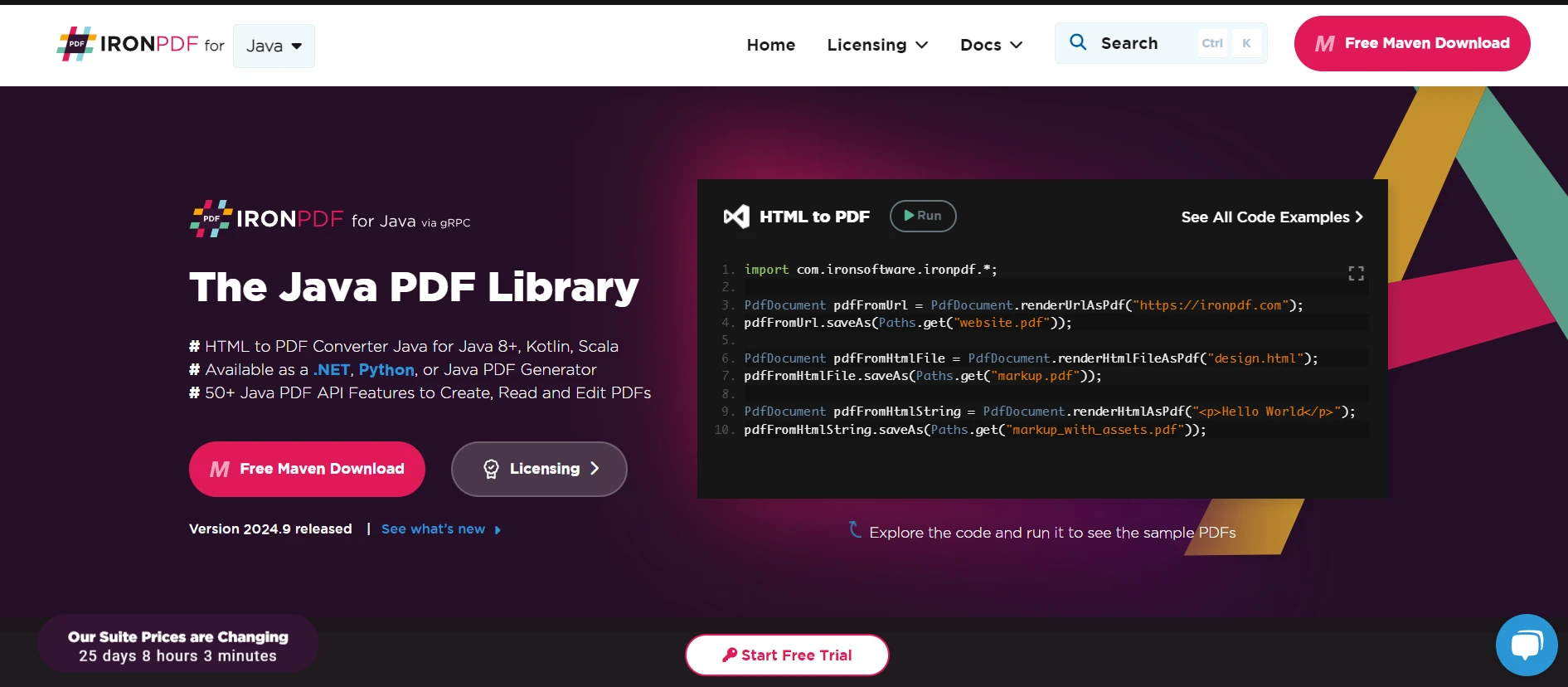
IronPDF是一款強大的Java開發者程式庫,簡化了PDF文件的建立、編輯和管理。 它提供了各種功能,包括將HTML轉換為PDF、操作現有的PDF文件以及從PDF中提取文字和圖像。
IronPDF的主要功能
- HTML轉PDF轉換:將HTML內容轉換為高忠實度的PDF。
- 操縱現有PDF:合併、分割和修改現有的PDF文件。
- 文字和圖像提取:從PDF文件中提取文字和圖像以供進一步處理。
- 水印和註釋:向PDF文件新增水印、註釋和其他增強功能。
- 安全功能:新增密碼和權限以保護PDF文件。
設置IronPDF適用於Java
要在您的Java專案中使用IronPDF,您需要包含IronPDF程式庫。 您可以從IronPDF網站下載JAR文件,或者使用如Maven這樣的構建工具將其包含在您的專案中。 對於使用Maven的使用者,請將以下程式碼新增到pom.xml中:
<dependency>
    <groupId>com.ironsoftware</groupId>
    <artifactId>ironpdf</artifactId>
    <version>2023.12.1</version>
</dependency>

<dependency>
    <groupId>org.slf4j</groupId>
    <artifactId>slf4j-simple</artifactId>
    <version>2.0.3</version>
</dependency>
<dependency>
    <groupId>com.ironsoftware</groupId>
    <artifactId>ironpdf</artifactId>
    <version>2023.12.1</version>
</dependency>

<dependency>
    <groupId>org.slf4j</groupId>
    <artifactId>slf4j-simple</artifactId>
    <version>2.0.3</version>
</dependency>將Google HTTP客戶端程式庫與IronPDF一起使用
在本節中,我們將演示如何使用Google HTTP客戶端程式庫從web服務獲取HTML內容,然後使用IronPDF將該HTML內容轉換為PDF文件。
範例:獲取HTML並轉換為PDF
import com.google.api.client.http.HttpRequest;
import com.google.api.client.http.HttpRequestFactory;
import com.google.api.client.http.HttpResponse;
import com.google.api.client.http.javanet.NetHttpTransport;
import com.google.api.client.http.GenericUrl;
import com.ironsoftware.ironpdf.PdfDocument;

public class HtmlToPdfExample {
    public static void main(String[] args) {
        try {
            // Fetch HTML content using Google HTTP Client Library
            HttpRequestFactory requestFactory = new NetHttpTransport().createRequestFactory();
            GenericUrl url = new GenericUrl("https://jsonplaceholder.typicode.com/posts/1");
            HttpRequest request = requestFactory.buildGetRequest(url);
            HttpResponse response = request.execute();
            String htmlContent = response.parseAsString();

            // Convert HTML content to PDF using IronPDF
            PdfDocument pdf = PdfDocument.renderHtmlAsPdf(htmlContent);
            pdf.saveAs("output.pdf");

            System.out.println("PDF created successfully!");
        } catch (Exception e) {
            // Print the stack trace if an exception occurs
            e.printStackTrace();
        }
    }
}
import com.google.api.client.http.HttpRequest;
import com.google.api.client.http.HttpRequestFactory;
import com.google.api.client.http.HttpResponse;
import com.google.api.client.http.javanet.NetHttpTransport;
import com.google.api.client.http.GenericUrl;
import com.ironsoftware.ironpdf.PdfDocument;
public class HtmlToPdfExample {
public static void main(String[] args) {
try {
// Fetch HTML content using Google HTTP Client Library
HttpRequestFactory requestFactory = new NetHttpTransport().createRequestFactory();
GenericUrl url = new GenericUrl("https://jsonplaceholder.typicode.com/posts/1");
HttpRequest request = requestFactory.buildGetRequest(url);
HttpResponse response = request.execute();
String htmlContent = response.parseAsString();
// Convert HTML content to PDF using IronPDF
PdfDocument pdf = PdfDocument.renderHtmlAsPdf(htmlContent);
pdf.saveAs("output.pdf");
System.out.println("PDF created successfully!");
} catch (Exception e) {
// Print the stack trace if an exception occurs
e.printStackTrace();
}
}
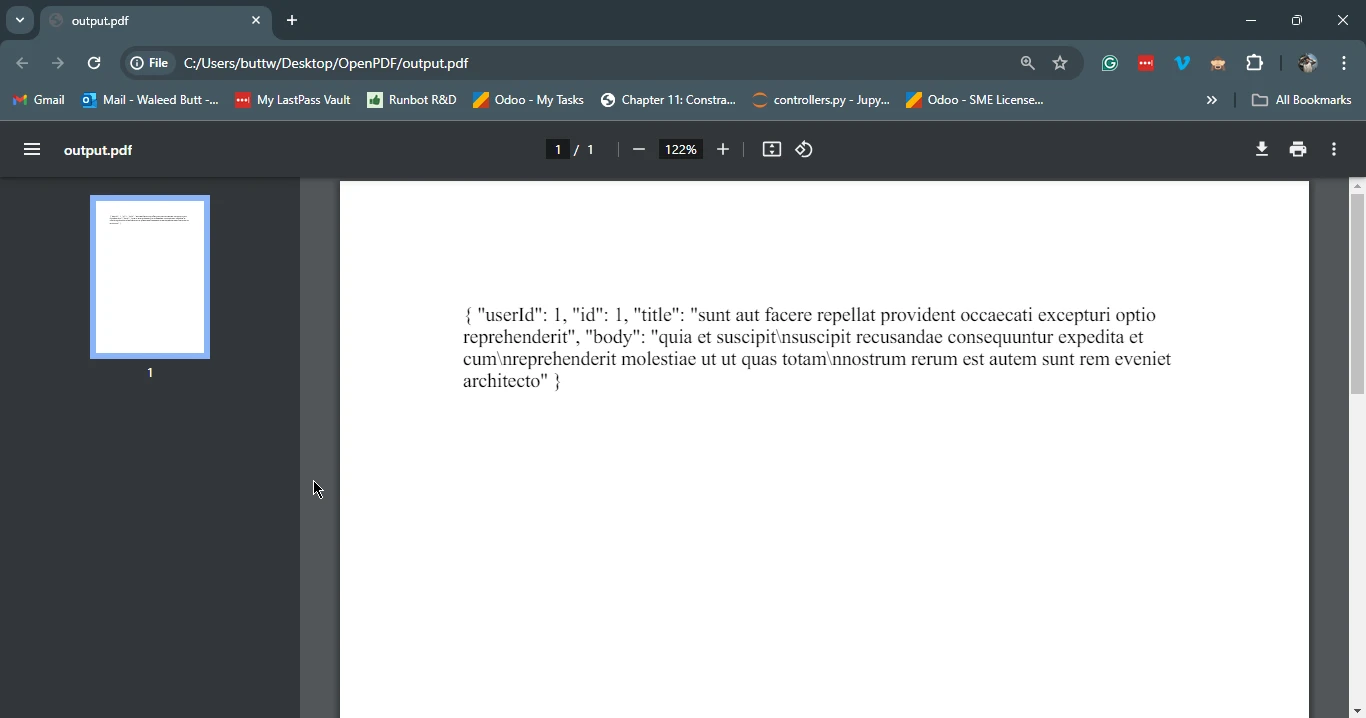
}在這個範例中,我們首先使用Google HTTP客戶端程式庫從占位符API獲取HTML內容。 然後我們使用IronPDF將獲取的HTML內容轉換為PDF文件並保存為output.pdf。
總結
Google HTTP客戶端程式庫適用於Java是一個強大的工具,適用於與網路服務互動,提供了簡化的HTTP請求、各種身份驗證方法的支持、與JSON和XML解析的無縫整合,以及各種Java環境的相容性。 結合IronPDF,開發人員可以輕鬆從網路服務獲取HTML內容並將其轉換為PDF文件,從生成報告到為網路應用程式建立可下載內容,都能輕松使用整個程式庫。 透過利用這兩個程式庫,Java開發者可以大大提高其應用程式的功能,而降低程式碼的複雜性。
請參考以下連結。







 免費開始
免費開始 免費開始
免費開始 預訂免費直播演示
















