


C# 기본 생성자 호출 (개발자에게 어떻게 작동하는가)

상속을 다룰 때, 기본 클래스와 파생 클래스 간의 관계는 생성자 호출 방식에 복잡성을 더합니다. 파생 클래스에서 기본 클래스 생성자를 호출하는 방법을 이해하는 것은 객체 상태와 동작을 올바르게 관리하는 데 유용합니다.
이 가이드는 상속 계층 구조에서 생성자 호출과 관련된 다양한 시나리오와 뉘앙스를 중심으로 이 개념을 포괄적으로 탐구할 것입니다. IronPDF 라이브러리를 주제로 다루는 코드 예제와 함께 탐구할 것입니다.
기본 개념: 클래스 생성자와 상속
C#에서 생성자는 클래스의 객체를 초기화하는 특별한 메서드입니다. 클래스가 다른 클래스를 상속받을 때, 이를 기본 클래스라고 하며, 파생 클래스는 기본 클래스의 생성자를 상속받거나 재정의할 수 있습니다. 파생 클래스에서 기본 클래스의 생성자 메서드를 호출하는 메커니즘은 파생 클래스가 자신의 초기화를 추가하기 전에 기본 클래스가 올바르게 초기화되었는지를 보장합니다.
생성자 호출에서 'base' 키워드
C#에서 base 키워드는 파생 클래스 내에서 기본 클래스를 참조하는 데 사용됩니다. 기본 생성자 대신 기본 클래스의 생성자를 호출해야 할 때 생성자 선언에서 특히 유용합니다. base 키워드를 사용하여 상속된 생성자는 실행해야 하는 기본 클래스 생성자를 지정하여 적절한 생성자 본체를 참여시킬 수 있습니다. 기본 클래스에 공공 매개변수 없는 생성자가 없거나 특정한 초기화가 기본 클래스에서 수행되어야 할 때 이 기능이 중요합니다.
기본 클래스를 상속받는 공공 클래스 파생 클래스와 같은 시나리오를 고려해보십시오. 기본 클래스에는 비공개 생성자나 정수 매개변수를 받는 공공 생성자가 있을 수 있습니다:
public class BaseClass {
public int b;
public BaseClass(int b) {
this.b = b;
}
}public class BaseClass {
public int b;
public BaseClass(int b) {
this.b = b;
}
}Public Class BaseClass
Public b As Integer
Public Sub New(ByVal b As Integer)
Me.b = b
End Sub
End Class파생 클래스는 이 생성자를 호출하여 객체의 기본 클래스 부분을 올바르게 초기화해야 합니다:
public class DerivedClass : BaseClass {
public DerivedClass(int b) : base(b) {
// Additional initialization for DerivedClass
}
}public class DerivedClass : BaseClass {
public DerivedClass(int b) : base(b) {
// Additional initialization for DerivedClass
}
}Public Class DerivedClass
Inherits BaseClass
Public Sub New(ByVal b As Integer)
MyBase.New(b)
' Additional initialization for DerivedClass
End Sub
End Class이 예에서는: base(b)이(가) 매개 변수 b과 함께 명시적으로 기본 클래스 생성자를 호출합니다. 이것은 파생 클래스 생성자가 본문을 진행하기 전에 기본 클래스의 필드 b이(가) 초기화되도록 보장합니다.
상세한 사용 사례 및 변형
다중 생성자 처리
자주 기본 클래스와 파생 클래스 모두 여러 생성자를 가질 수 있습니다. 파생 클래스가 호출할 기본 클래스 생성자를 선택할 수 있습니다. 기본 클래스 생성자들이 서로 다른 초기화를 수행할 때 이 선택은 매우 중요합니다.
public class BaseClass {
public BaseClass() {
// Default constructor
}
public BaseClass(int b) {
this.b = b;
}
}
public class DerivedClass : BaseClass {
public DerivedClass() : base() {
// Calls the parameterless constructor of the base class
}
public DerivedClass(int b) : base(b) {
// Calls the base class constructor that takes an int
}
}public class BaseClass {
public BaseClass() {
// Default constructor
}
public BaseClass(int b) {
this.b = b;
}
}
public class DerivedClass : BaseClass {
public DerivedClass() : base() {
// Calls the parameterless constructor of the base class
}
public DerivedClass(int b) : base(b) {
// Calls the base class constructor that takes an int
}
}Public Class BaseClass
Public Sub New()
' Default constructor
End Sub
Public Sub New(ByVal b As Integer)
Me.b = b
End Sub
End Class
Public Class DerivedClass
Inherits BaseClass
Public Sub New()
MyBase.New()
' Calls the parameterless constructor of the base class
End Sub
Public Sub New(ByVal b As Integer)
MyBase.New(b)
' Calls the base class constructor that takes an int
End Sub
End Class이 설정에서는 DerivedClass이(가) 기본 클래스의 생성자에 대응하여 유연성을 제공하며, 객체 생성 시 니즈에 따라 BaseClass이(가) 제공하는 모든 초기화 형식을 사용할 수 있도록 보장합니다.
IronPDF 소개
IronPDF 소개는 .NET 응용 프로그램에서 PDF 문서를 생성, 읽기 및 편집해야 하는 개발자를 위한 C# 라이브러리입니다. IronPDF를 사용하면 HTML, CSS, 이미지 및 JavaScript에서 직접 PDF를 생성할 수 있다는 것이 가장 큰 장점입니다. 이 라이브러리는 다양한 .NET Framework를 지원하며, 웹 폼, 서버 응용 프로그램, 콘솔 앱 등을 포함한 여러 프로젝트 유형과 호환됩니다.
IronPDF는 HTML을 PDF로 변환하는 데 전문, 원본 레이아웃 및 스타일을 정확하게 유지합니다. 보고서, 청구서, 문서화와 같은 웹 기반 콘텐츠에서 PDF를 생성하는 데 이상적입니다. IronPDF는 HTML 파일, URL, 원시 HTML 문자열에서 고품질 PDF 문서로 변환을 허용합니다.
using IronPdf;
class Program
{
static void Main(string[] args)
{
var renderer = new ChromePdfRenderer();
// 1. Convert HTML String to PDF
var htmlContent = "<h1>Hello, IronPDF!</h1><p>This is a PDF from an HTML string.</p>";
var pdfFromHtmlString = renderer.RenderHtmlAsPdf(htmlContent);
pdfFromHtmlString.SaveAs("HTMLStringToPDF.pdf");
// 2. Convert HTML File to PDF
var htmlFilePath = "path_to_your_html_file.html"; // Specify the path to your HTML file
var pdfFromHtmlFile = renderer.RenderHtmlFileAsPdf(htmlFilePath);
pdfFromHtmlFile.SaveAs("HTMLFileToPDF.pdf");
// 3. Convert URL to PDF
var url = "http://ironpdf.com"; // Specify the URL
var pdfFromUrl = renderer.RenderUrlAsPdf(url);
pdfFromUrl.SaveAs("URLToPDF.pdf");
}
}using IronPdf;
class Program
{
static void Main(string[] args)
{
var renderer = new ChromePdfRenderer();
// 1. Convert HTML String to PDF
var htmlContent = "<h1>Hello, IronPDF!</h1><p>This is a PDF from an HTML string.</p>";
var pdfFromHtmlString = renderer.RenderHtmlAsPdf(htmlContent);
pdfFromHtmlString.SaveAs("HTMLStringToPDF.pdf");
// 2. Convert HTML File to PDF
var htmlFilePath = "path_to_your_html_file.html"; // Specify the path to your HTML file
var pdfFromHtmlFile = renderer.RenderHtmlFileAsPdf(htmlFilePath);
pdfFromHtmlFile.SaveAs("HTMLFileToPDF.pdf");
// 3. Convert URL to PDF
var url = "http://ironpdf.com"; // Specify the URL
var pdfFromUrl = renderer.RenderUrlAsPdf(url);
pdfFromUrl.SaveAs("URLToPDF.pdf");
}
}Imports IronPdf
Friend Class Program
Shared Sub Main(ByVal args() As String)
Dim renderer = New ChromePdfRenderer()
' 1. Convert HTML String to PDF
Dim htmlContent = "<h1>Hello, IronPDF!</h1><p>This is a PDF from an HTML string.</p>"
Dim pdfFromHtmlString = renderer.RenderHtmlAsPdf(htmlContent)
pdfFromHtmlString.SaveAs("HTMLStringToPDF.pdf")
' 2. Convert HTML File to PDF
Dim htmlFilePath = "path_to_your_html_file.html" ' Specify the path to your HTML file
Dim pdfFromHtmlFile = renderer.RenderHtmlFileAsPdf(htmlFilePath)
pdfFromHtmlFile.SaveAs("HTMLFileToPDF.pdf")
' 3. Convert URL to PDF
Dim url = "http://ironpdf.com" ' Specify the URL
Dim pdfFromUrl = renderer.RenderUrlAsPdf(url)
pdfFromUrl.SaveAs("URLToPDF.pdf")
End Sub
End Class코드 예제
C#에서 HTML에서 PDF를 생성하기 위해 IronPDF를 사용하는 방법을 시연하기 위해, IronPDF를 초기화하는 기본 클래스와 이 초기화를 사용하여 PDF를 생성하는 파생 클래스를 사용할 수 있습니다. 다음은 기본 생성자를 활용하여 이 구조를 어떻게 구성할 수 있을지의 예입니다:
using IronPdf;

// Base class for PDF generation
public class PdfGenerator
{
    protected ChromePdfRenderer Renderer;

    // Base constructor initializes the HTML to PDF renderer
    public PdfGenerator()
    {
        Renderer = new ChromePdfRenderer();
        // Additional configuration
    }
}

// Derived class uses the base class to generate a specific PDF
public class SpecificPdfGenerator : PdfGenerator
{
    public void CreateSimplePdf(string htmlContent, string filePath)
    {
        // Uses the Renderer from the base class
        var pdfDocument = Renderer.RenderHtmlAsPdf(htmlContent);
        pdfDocument.SaveAs(filePath);
    }
}

// Usage
class Program
{
    static void Main(string[] args)
    {
        License.LicenseKey = "License-Key";
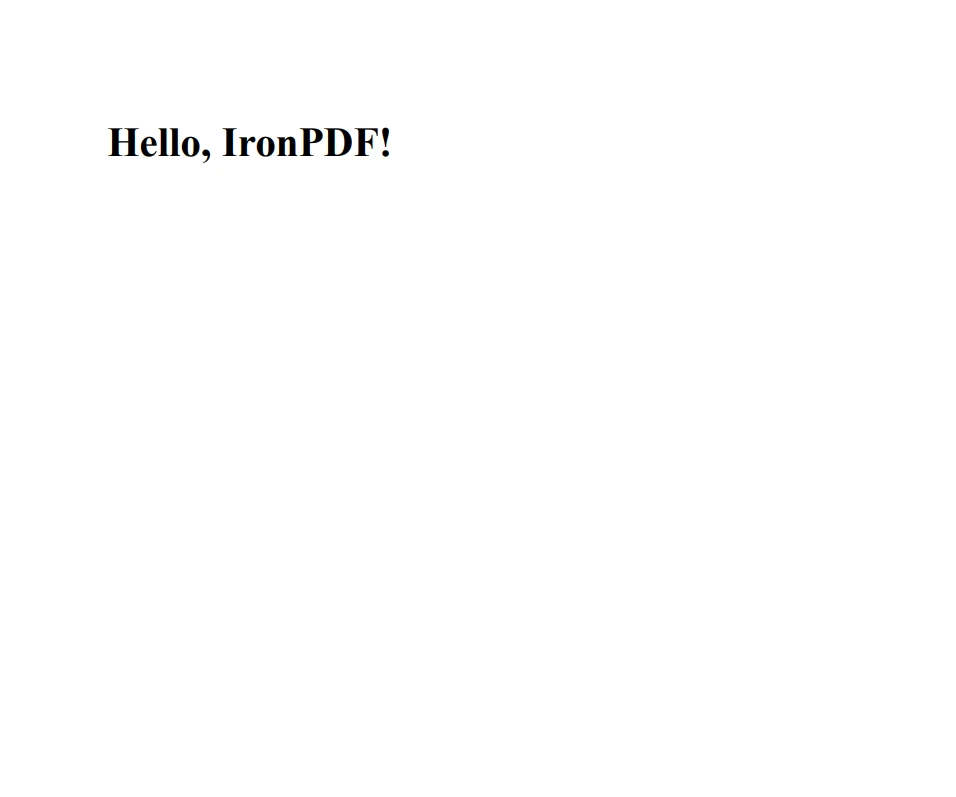
        var htmlContent = "<h1>Hello, IronPDF!</h1>";
        var filePath = "example.pdf";
        var pdfCreator = new SpecificPdfGenerator();
        pdfCreator.CreateSimplePdf(htmlContent, filePath);
    }
}using IronPdf;
// Base class for PDF generation
public class PdfGenerator
{
protected ChromePdfRenderer Renderer;
// Base constructor initializes the HTML to PDF renderer
public PdfGenerator()
{
Renderer = new ChromePdfRenderer();
// Additional configuration
}
}
// Derived class uses the base class to generate a specific PDF
public class SpecificPdfGenerator : PdfGenerator
{
public void CreateSimplePdf(string htmlContent, string filePath)
{
// Uses the Renderer from the base class
var pdfDocument = Renderer.RenderHtmlAsPdf(htmlContent);
pdfDocument.SaveAs(filePath);
}
}
// Usage
class Program
{
static void Main(string[] args)
{
License.LicenseKey = "License-Key";
var htmlContent = "<h1>Hello, IronPDF!</h1>";
var filePath = "example.pdf";
var pdfCreator = new SpecificPdfGenerator();
pdfCreator.CreateSimplePdf(htmlContent, filePath);
}
}Imports IronPdf
' Base class for PDF generation
Public Class PdfGenerator
Protected Renderer As ChromePdfRenderer
' Base constructor initializes the HTML to PDF renderer
Public Sub New()
Renderer = New ChromePdfRenderer()
' Additional configuration
End Sub
End Class
' Derived class uses the base class to generate a specific PDF
Public Class SpecificPdfGenerator
Inherits PdfGenerator
Public Sub CreateSimplePdf(ByVal htmlContent As String, ByVal filePath As String)
' Uses the Renderer from the base class
Dim pdfDocument = Renderer.RenderHtmlAsPdf(htmlContent)
pdfDocument.SaveAs(filePath)
End Sub
End Class
' Usage
Friend Class Program
Shared Sub Main(ByVal args() As String)
License.LicenseKey = "License-Key"
Dim htmlContent = "<h1>Hello, IronPDF!</h1>"
Dim filePath = "example.pdf"
Dim pdfCreator = New SpecificPdfGenerator()
pdfCreator.CreateSimplePdf(htmlContent, filePath)
End Sub
End Class이 코드 구조는 넓은 응용 프로그램 내에서 다른 PDF 생성 요구를 관리하기 쉽게 만들어 재사용성과 모듈성을 촉진합니다.
산출
결론
C#에서 상속 계층 구조 내에서 생성자가 처리되는 방법을 숙달하면 개발자가 더 신뢰할 수 있고 유지 관리 가능한 코드를 작성할 수 있습니다. base 키워드의 역할과 비공개 생성자 및 정적 메서드와 같은 특별한 시나리오에서 다수의 생성자를 효과적으로 관리하는 방법을 이해함으로써 복잡한 객체 계층 구조에서 클래스가 올바르게 초기화되도록 할 수 있습니다.
이 포괄적 이해는 C#에서 객체 지향 프로그래밍을 수행하는 새롭고 경험 많은 개발자 모두에게 필수적입니다. IronPDF의 체험판 라이선스는 구매 결정을 내리기 전에 기능을 테스트하고자 하는 개발자용입니다. 체험 기간이 지나고 IronPDF가 귀하의 요구를 충족한다고 판단되면, 라이선스 옵션은 $999부터 시작합니다.
자주 묻는 질문
C#에서 파생 클래스에서 기본 클래스를 호출할 수 있나요?
C#에서 파생 클래스의 기본 클래스를 호출하려면 적절한 매개변수를 사용하여 base 키워드를 사용하세요. 이렇게 하면 파생 클래스 전에 기본 클래스가 올바르게 초기화됩니다.
C# 상속에서 base 키워드는 왜 중요한가요?
base 키워드는 파생 클래스가 기본 클래스 멤버와 생성자를 접근하고 초기화할 수 있게 하여 올바른 객체 계층 구조와 상태 관리를 보장하기 때문에 C# 상속에서 중요합니다.
특수화된 라이브러리가 C# 애플리케이션을 어떻게 향상시킬 수 있나요?
IronPDF와 같은 특수화된 라이브러리는 HTML을 PDF로 변환하거나 PDF를 읽고 수정하는 등의 특정 작업을 수행하는 도구를 제공함으로써 C# 애플리케이션을 향상시켜 복잡한 코드를 처음부터 작성할 필요 없이 기능을 추가할 수 있습니다.
IronPDF는 무엇이며 C# 프로젝트에서 어떻게 사용할 수 있나요?
IronPDF는 PDF 문서를 생성, 읽기 및 수정하기 위해 C# 프로젝트에서 사용할 수 있는 라이브러리입니다. HTML 콘텐츠를 PDF로 변환하는 기능을 지원하여 .NET 애플리케이션에서 보고서와 문서를 생성하는 데 유용합니다.
기본 클래스에 공개 매개변수 없는 생성자가 없으면 어떻게 되나요?
기본 클래스에 공개 매개변수 없는 생성자가 없으면 파생 클래스는 초기화를 보장하기 위해 base 키워드를 사용하여 사용 가능한 매개변수에 맞는 기본 클래스의 생성자를 명시적으로 호출해야 합니다.
보고서 생성에서 IronPDF를 사용하는 장점은 무엇인가요?
IronPDF는 HTML을 PDF로 쉽게 변환하여 원래 레이아웃과 스타일을 유지하고, PDF 출력의 사용자 지정을 허용함으로써 보고서 생성에서 장점을 제공합니다. 이는 전문 문서를 작성하는 데 필수적입니다.
복잡한 C# 애플리케이션에서 생성자 호출을 이해하는 것이 왜 중요한가요?
생성자 호출을 이해하는 것은 상속 계층 내에서 객체가 올바르게 초기화되도록 보장하여 복잡한 C# 애플리케이션에서 신뢰할 수 있고 유지 보수 가능한 코드를 유지하는 데 필수적이기 때문입니다.
여러 생성자와 함께 base 키워드를 사용하는 예제를 제공할 수 있나요?
네, 기본 클래스에 여러 생성자가 있는 경우, 파생 클래스는 base 키워드를 사용하여 호출할 생성자를 지정할 수 있습니다. 이 유연성은 상황에 따른 맞춤 초기화를 가능하게 합니다.










 무료로 시작하세요
 무료로 시작하세요
 무료 라이브 데모 예약하기





 신용카드나 계정 생성은 필요하지 않습니다.










