




업데이트됨 2026년 4월 23일
.NET에서 Microsoft.Extensions.AI로 LLM 통합 간소화
AI는 소프트웨어 개발을 변혁하고 있으나, 대규모 언어 모델(LLM)을 .NET에 통합하는 것은 지금까지 복잡했습니다. 현대에는 OpenAI 기반 PDF 파싱, 데이터 추출 및 콘텐츠 요약을 .NET 애플리케이션에 가져오는 IronPdf.AI로 AI 통합을 더욱 확장하세요.
더 읽어보기

C# 프로그래밍의 점점 증가하는 환경에서 개발자는 nullable 값 유형을 다루는 시나리오에 자주 직면합니다. 이를 해결하기 위해 C#은 Null 병합 연산자(??)라는 우아한 솔루션을 제공합니다.
이 기사에서는 Null 병합 연산자를 사용하는 미묘한 차이점을 살펴보고, 그 기능, 사용 사례 및 C# 코드에서 nullable 유형 값을 처리하는 방식을 어떻게 변화시키는지 알아보겠습니다.
Null 병합 연산자(??)는 C#에서 null 값 처리를 단순화하도록 설계된 간결하고 강력한 이항 연산자입니다. nullable 또는 참조 유형을 만날 때 기본값을 선택하기 위한 간결한 구문을 제공하여 자세한 null 검사의 필요성을 줄입니다.
Null 병합 연산자의 구문은 간단합니다. 이것은 두 개의 연속된 물음표(??)로 구성됩니다. 연산자는 왼쪽의 표현식이 null로 평가될 때 기본값을 제공하는 데 사용됩니다.
string name = possiblyNullName ?? "DefaultName";Dim name As String = If(possiblyNullName, "DefaultName")이 예제에서는 possiblyNullName이 null인 경우 변수 name에 "DefaultName" 값이 할당됩니다.
Null Coalescing Operator의 주요 장점 중 하나는 null 검사를 단순화하여 코드를 더 간결하고 읽기 쉽게 만든다는 점입니다. 다음 시나리오를 연산자 없이 고려해 보세요:
string result;
if (possiblyNullString != null)
{
    result = possiblyNullString;
}
else
{
    result = "DefaultValue";
}Dim result As String
If possiblyNullString IsNot Nothing Then
result = possiblyNullString
Else
result = "DefaultValue"
End If널 병합 연산자를 사용하면 동일한 코드가 다음과 같이 됩니다:
string result = possiblyNullString ?? "DefaultValue";Dim result As String = If(possiblyNullString, "DefaultValue")이러한 보일러플레이트 코드의 감소는 코드의 명확성을 향상시키고 null과 관련된 버그의 가능성을 줄입니다.
널 병합 연산자는 일련의 대체 값을 제공하기 위해 체인할 수 있으며, 기본값에 대한 계단식 접근법을 허용합니다.
string result = possiblyNullString ?? fallbackString ?? "DefaultValue";Dim result As String = If(If(possiblyNullString, fallbackString), "DefaultValue")이 예제에서는 possiblyNullString이 null인 경우 연산자는 fallbackString을 확인합니다. 둘 다 null인 경우 최종 대체값은 "DefaultValue"입니다.
널 병합 연산자는 메서드 매개변수의 기본값을 지정할 때 특히 유용합니다.
public void PrintMessage(string message = null)
{
    string defaultMessage = "Default Message";
    string finalMessage = message ?? defaultMessage;
    Console.WriteLine(finalMessage);
}Public Sub PrintMessage(Optional ByVal message As String = Nothing)
Dim defaultMessage As String = "Default Message"
Dim finalMessage As String = If(message, defaultMessage)
Console.WriteLine(finalMessage)
End Sub이 메소드에서는 message가 null이면 기본값 "Default Message"가 사용됩니다.
널 병합 연산자는 삼항 연산자(? :)
int? nullableValue = possiblyNullInt ?? (anotherNullableInt.HasValue ? anotherNullableInt.Value : 0);Dim nullableValue? As Integer = If(possiblyNullInt, (If(anotherNullableInt.HasValue, anotherNullableInt.Value, 0)))여기서 possiblyNullInt가 null이면 anotherNullableInt에 값이 있는지 확인합니다. 있다면 해당 값을 사용하고; 그렇지 않으면 기본값으로 0을 설정합니다.
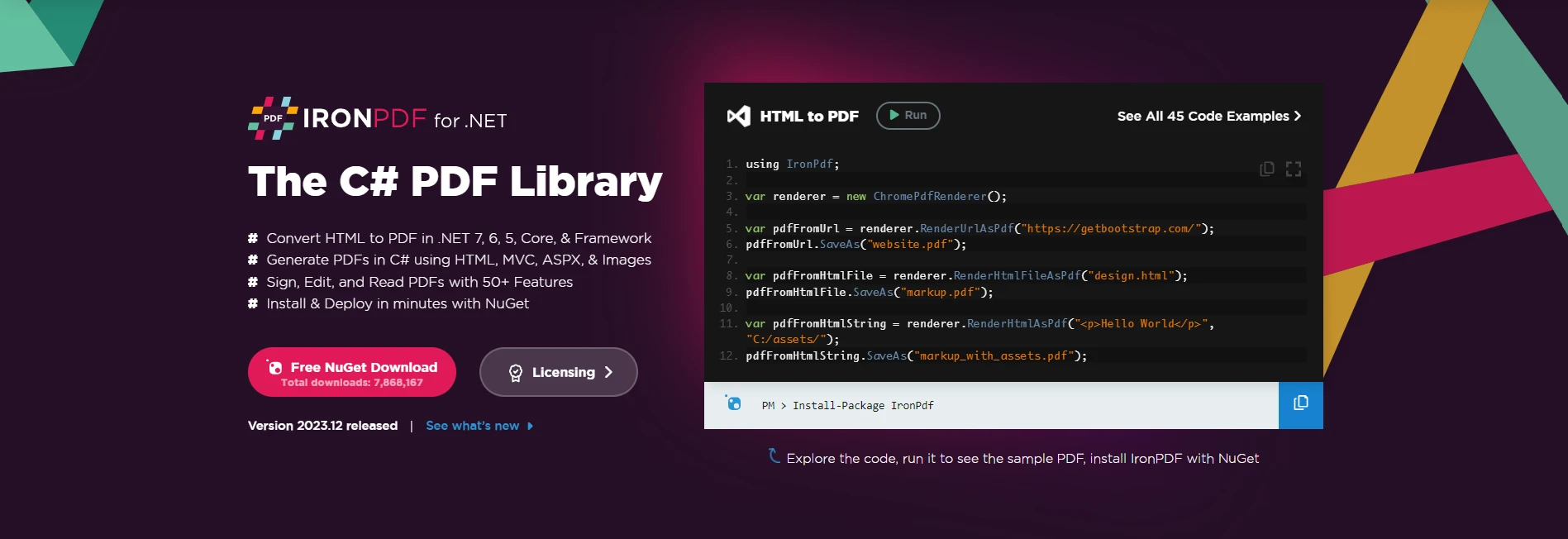
IronPDF의 기능 탐색은 PDF 작업의 복잡성을 단순화하기 위해 설계된 기능이 풍부한 C# 라이브러리입니다. 인보이스, 보고서 또는 기타 문서를 생성하든지 간에, IronPDF는 HTML 내용을 C# 애플리케이션 내에서 세련되고 전문적인 PDF로 매끄럽게 변환할 수 있도록 지원합니다.
IronPDF를 C# 프로젝트에 통합하려면 IronPDF NuGet 패키지를 설치하는 것으로 시작합니다. 패키지 관리자 콘솔에서 다음 명령을 실행하십시오:
또는 NuGet 패키지 관리자에서 "IronPDF"를 찾아 설치를 진행할 수 있습니다.
IronPDF를 사용한 PDF 생성은 간단한 과정입니다. 다음 코드 예제를 고려하십시오.
var htmlContent = "<html><body><h1>Hello, IronPDF!</h1></body></html>";
// Create a new PDF document renderer
var pdfRenderer = new IronPdf.ChromePdfRenderer();
// Render the HTML content as PDF and save the file
pdfRenderer.RenderHtmlAsPdf(htmlContent).SaveAs("GeneratedDocument.pdf");Dim htmlContent = "<html><body><h1>Hello, IronPDF!</h1></body></html>"
' Create a new PDF document renderer
Dim pdfRenderer = New IronPdf.ChromePdfRenderer()
' Render the HTML content as PDF and save the file
pdfRenderer.RenderHtmlAsPdf(htmlContent).SaveAs("GeneratedDocument.pdf")이 예제에서는 IronPDF가 HTML을 PDF로 변환 콘텐츠를 PDF 문서로 렌더링하고 나중에 지정된 위치에 저장하는 데 사용되었습니다.
널 병합 연산자는 기본적으로 다양한 시나리오에서 null 값을 처리하기 위한 언어 기능으로, 변수 할당 및 메서드 매개변수에 포함되어 있으나, IronPDF와의 직접적인 통합은 일반적인 사용 사례가 아닐 수 있습니다. IronPDF는 문서 생성에 중점을 두고 있으며, 널 병합 연산은 기본값이 필요한 시나리오에 더 적용됩니다.
그러나 개발자는 IronPDF 작업과 관련된 변수 또는 매개변수를 사용할 때 널 병합 연산자를 활용할 수 있습니다. 예를 들어, 구성 설정이나 선택적 매개변수를 처리할 때 연산자를 사용하여 기본값을 제공할 수 있습니다. 앞의 예제는 null 참조 타입 오류를 피하기 위해 널 병합 연산자를 사용하는 것의 중요성을 강조합니다:
var defaultRenderOptions = new ChromePdfRenderOptions();
defaultRenderOptions.PaperSize = IronPdf.Rendering.PdfPaperSize.A4;
defaultRenderOptions.MarginTop = 20; // Set top margin in millimeters
defaultRenderOptions.MarginBottom = 20; // Set bottom margin in millimeters
defaultRenderOptions.MarginLeft = 10; // Set left margin in millimeters
defaultRenderOptions.MarginRight = 10; // Set right margin in millimeters
defaultRenderOptions.CssMediaType = IronPdf.Rendering.PdfCssMediaType.Screen; // Set CSS media type
defaultRenderOptions.PrintHtmlBackgrounds = true; // Enable printing of background elements
defaultRenderOptions.TextHeader = new TextHeaderFooter
{
    CenterText = "Page {page} of {total-pages}", // Set center header text
    DrawDividerLine = true // Draw a divider line between the header and content
};

// Function to get user-provided renderOptions
ChromePdfRenderOptions GetUserProvidedRenderOptions()
{
    // Replace this with your logic to retrieve user-provided renderOptions
    return null; // For demonstration purposes, returning null to simulate no user input
}

var pdfRenderer = new IronPdf.ChromePdfRenderer();
// Use null coalescing operator to assign either user-provided or default render options
pdfRenderer.RenderingOptions = GetUserProvidedRenderOptions() ?? defaultRenderOptions;
pdfRenderer.RenderUrlAsPdf("https://ironpdf.com").SaveAs("CustomizedDocument.pdf");Dim defaultRenderOptions = New ChromePdfRenderOptions()
defaultRenderOptions.PaperSize = IronPdf.Rendering.PdfPaperSize.A4
defaultRenderOptions.MarginTop = 20 ' Set top margin in millimeters
defaultRenderOptions.MarginBottom = 20 ' Set bottom margin in millimeters
defaultRenderOptions.MarginLeft = 10 ' Set left margin in millimeters
defaultRenderOptions.MarginRight = 10 ' Set right margin in millimeters
defaultRenderOptions.CssMediaType = IronPdf.Rendering.PdfCssMediaType.Screen ' Set CSS media type
defaultRenderOptions.PrintHtmlBackgrounds = True ' Enable printing of background elements
defaultRenderOptions.TextHeader = New TextHeaderFooter With {
.CenterText = "Page {page} of {total-pages}",
.DrawDividerLine = True
}
' Function to get user-provided renderOptions
'INSTANT VB TODO TASK: Local functions are not converted by Instant VB:
'ChromePdfRenderOptions GetUserProvidedRenderOptions()
'{
' ' Replace this with your logic to retrieve user-provided renderOptions
' Return Nothing; ' For demonstration purposes, returning null to simulate no user input
'}
Dim pdfRenderer = New IronPdf.ChromePdfRenderer()
' Use null coalescing operator to assign either user-provided or default render options
pdfRenderer.RenderingOptions = If(GetUserProvidedRenderOptions(), defaultRenderOptions)
pdfRenderer.RenderUrlAsPdf("https://ironpdf.com").SaveAs("CustomizedDocument.pdf")이 예제에서는 GetUserProvidedRenderOptions() 함수가 사용자가 제공한 PDF 생성 옵션을 검색하는 논리에 대한 자리표시자로 있습니다. 사용자가 renderOptions를 제공하지 않거나 건너뛰는 경우(null을 반환), 널 병합 연산자(??)는 기본 renderOptions를 사용합니다.
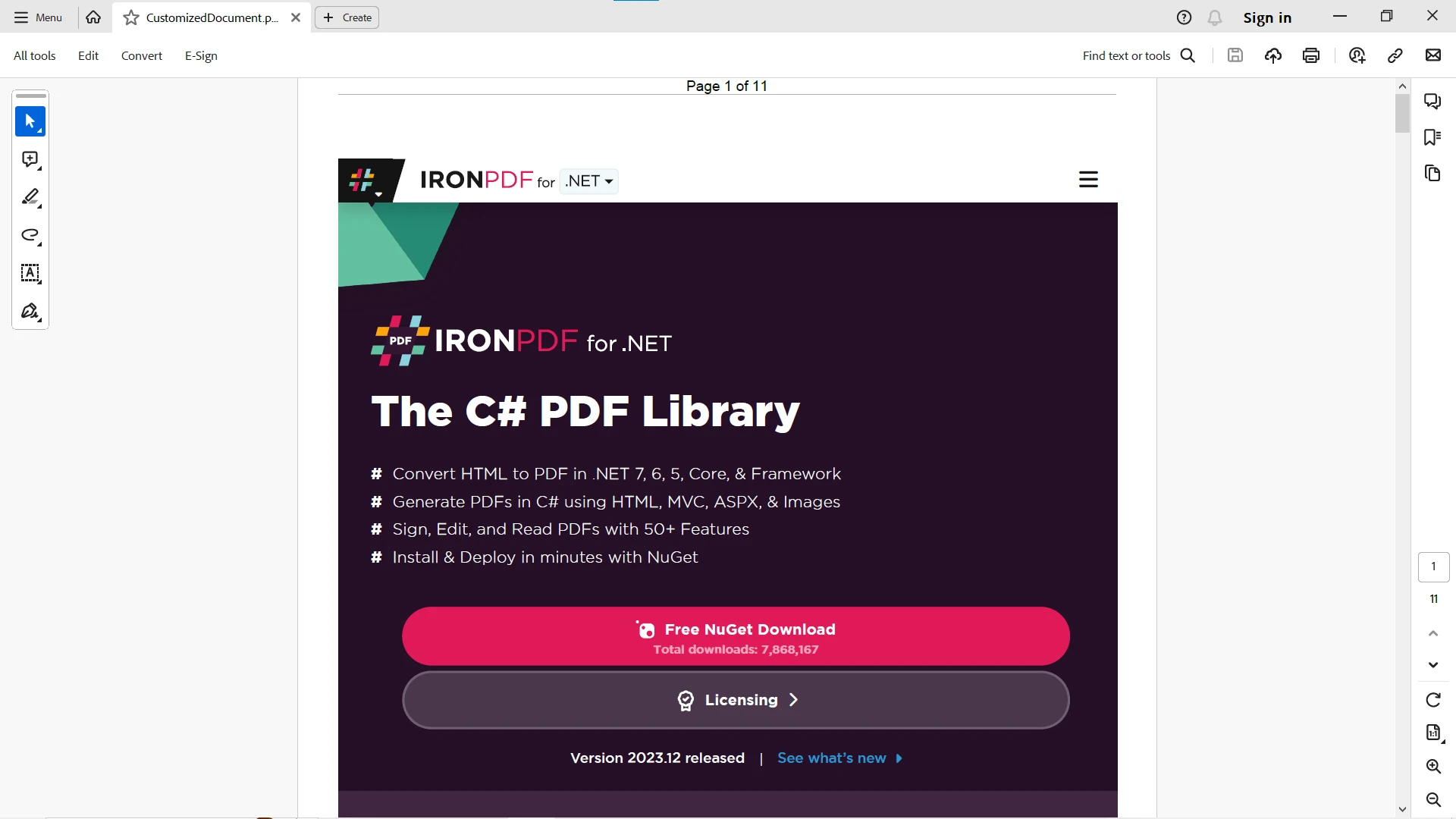
추가 옵션 및 PDF 관련 작업에 대해서는 IronPDF 웹사이트의 이 IronPDF 문서를 방문하십시오.
결론적으로, C#의 널 병합 연산자는 null 값을 처리하는 데 있어 간결하고 표현적인 접근 방식을 제공합니다. 그 간단함과 가독성으로 인해 코드를 개선하고 중복성을 줄이는 데 귀중한 도구입니다. 메서드 매개변수, 변수 할당 또는 복잡한 조건 논리를 다루는 경우, 널 병합 연산자는 C# 프로그래밍의 동적 세계에서 우아하게 null 값을 탐색할 수 있게 해줍니다.
IronPDF와 C# 널 병합 연산자는 개발 환경에서 서로 보완합니다. IronPDF는 PDF 문서 생성에 탁월한 반면, 널 병합 연산자는 C# 코드에서 null 값을 다루는 데 있어 간결하고 우아한 접근 방식을 제공합니다.
그들의 직접적인 통합이 초점이 아닐 수 있지만, IronPDF 관련 변수 및 구성과 HTML 문자열을 제공할 때 널 병합 연산자를 사용하면 문서 생성 코드의 전체적인 견고성과 가독성을 향상시킬 수 있습니다. IronPDF의 힘과 널 병합 연산자의 우아함을 수용하여 C# 문서 생성 워크플로를 향상시키십시오.
IronPDF는 사용자가 결정을 내리기 전에 기능을 완전히 테스트할 수 있도록 하는 PDF 라이브러리의 무료 체험판을 제공합니다.

제이콥 멜러는 Iron Software의 최고 기술 책임자(CTO)이자 C# PDF 기술을 개척한 선구적인 엔지니어입니다. Iron Software의 핵심 코드베이스를 최초로 개발한 그는 창립 초기부터 회사의 제품 아키텍처를 설계해 왔으며, CEO인 캐머런 리밍턴과 함께 회사를 NASA, 테슬라, 그리고 전 세계 정부 기관에 서비스를 제공하는 50명 이상의 직원을 보유한 기업으로 성장시켰습니다.



IronPDF는 IRON SUITE 의 일부입니다.
10개의 .NET API 제품, 당신의 사무 문서를 위해











PDF 파일을 HTML처럼 빠르게 변환해야 할 때.


