


空合併運算符 C#(開發者的工作原理)

在不斷增加的 C# 程式設計領域中,開發人員會遇到處理 nullable 值類型的情境,這是一個常見的挑戰。 為了解決這個問題,C# 提供了一個優雅的解決方案 - Null Coalescing Operator (??)。
在這篇文章中,我們將探討使用 Null Coalescing Operator 的細微差異,瞭解它的功能、使用案例,以及它如何改變您在 C# 程式碼中處理 nullable 類型值的方式。
瞭解空凝聚運算符
Null Coalescing Operator (??) 是 C# 中一個簡潔且功能強大的二進位運算符,設計用來簡化 null 值的處理。 它提供簡潔的語法,讓您在遇到 nullable 或參考類型時,可以選擇預設值,減少冗長的 null 檢查。
基礎知識:語法和用法
Null Coalescing Operator 的語法簡單直接。 它由兩個連續的問號 (??) 組成。 當運算符左側的表達式求值為 null 時,該運算符用於提供預設值。
string name = possiblyNullName ?? "DefaultName";string name = possiblyNullName ?? "DefaultName";Dim name As String = If(possiblyNullName, "DefaultName")在這個範例中,如果 possiblyNullName 為空,變數 name 將會被指定值 "DefaultName"。
簡化空值檢查
Null Coalescing Operator 的主要優點之一是能夠簡化 null 檢查,使程式碼更加簡潔、易讀。 考慮以下沒有操作員的情況:
string result;
if (possiblyNullString != null)
{
    result = possiblyNullString;
}
else
{
    result = "DefaultValue";
}
string result;
if (possiblyNullString != null)
{
result = possiblyNullString;
}
else
{
result = "DefaultValue";
}Dim result As String
If possiblyNullString IsNot Nothing Then
result = possiblyNullString
Else
result = "DefaultValue"
End If使用 Null Coalescing Operator 後,相同的程式碼會變成:
string result = possiblyNullString ?? "DefaultValue";string result = possiblyNullString ?? "DefaultValue";Dim result As String = If(possiblyNullString, "DefaultValue")減少模板程式碼可增強程式碼的清晰度,並減少出現無效 Bug 的機會。
鏈結預設值的空凝聚運算符號
Null Coalescing Operator(空凝聚運算符)可以串連起來,提供一系列的回退值,允許以層遞方式來處理預設值。
string result = possiblyNullString ?? fallbackString ?? "DefaultValue";string result = possiblyNullString ?? fallbackString ?? "DefaultValue";Dim result As String = If(If(possiblyNullString, fallbackString), "DefaultValue")在這個範例中,如果 possiblyNullString 為空,操作者會檢查 fallbackString。 如果兩者皆為空,最後的後備選項為 "DefaultValue"。
方法參數中的應用
Null Coalescing Operator 在指定方法參數的預設值時特別有用。
public void PrintMessage(string message = null)
{
    string defaultMessage = "Default Message";
    string finalMessage = message ?? defaultMessage;
    Console.WriteLine(finalMessage);
}
public void PrintMessage(string message = null)
{
string defaultMessage = "Default Message";
string finalMessage = message ?? defaultMessage;
Console.WriteLine(finalMessage);
}Public Sub PrintMessage(Optional ByVal message As String = Nothing)
Dim defaultMessage As String = "Default Message"
Dim finalMessage As String = If(message, defaultMessage)
Console.WriteLine(finalMessage)
End Sub在此方法中,如果 message 為空,則使用預設值"預設訊息"。
與三元運算符整合
Null Coalescing Operator 可與 Ternary Operator (? :)進階的條件處理。
int? nullableValue = possiblyNullInt ?? (anotherNullableInt.HasValue ? anotherNullableInt.Value : 0);int? nullableValue = possiblyNullInt ?? (anotherNullableInt.HasValue ? anotherNullableInt.Value : 0);Dim nullableValue? As Integer = If(possiblyNullInt, (If(anotherNullableInt.HasValue, anotherNullableInt.Value, 0)))在此,如果 possiblyNullInt 為空,則會檢查 anotherNullableInt 是否有值。 如果有,就使用該值; 否則預設為 0。
介紹 IronPDF:C# PDF 強大功能
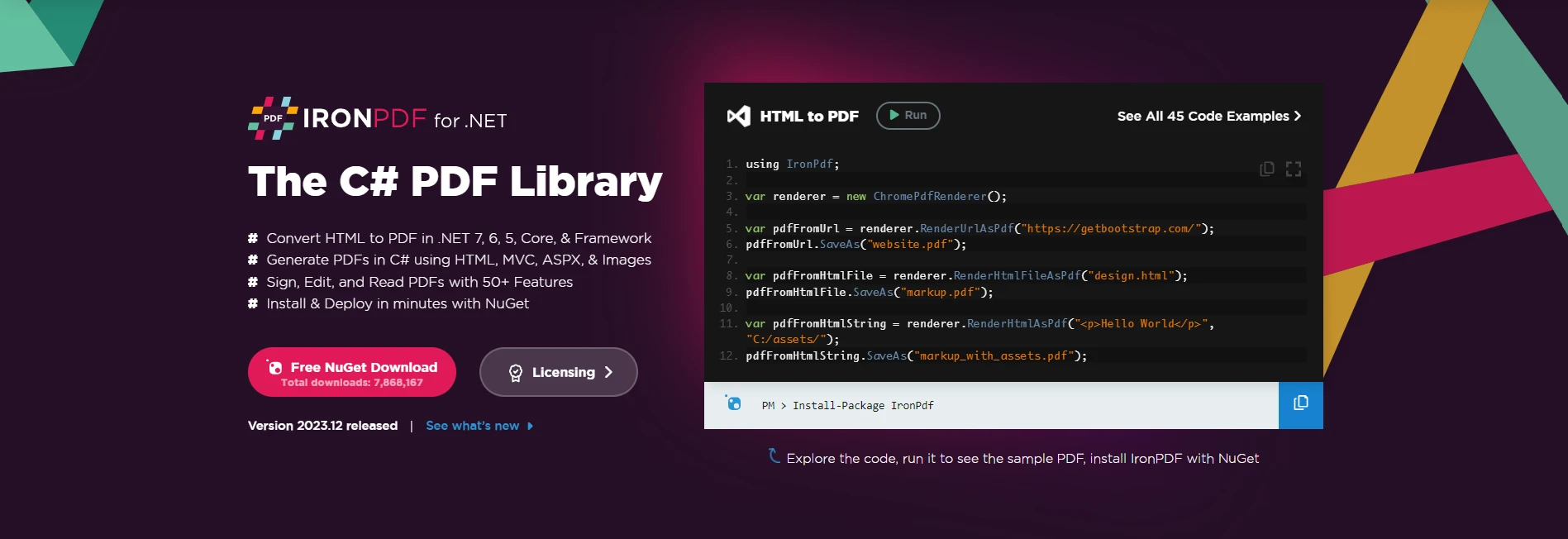
Explore IronPDF's Features 是一個功能豐富的 C# 函式庫,旨在簡化處理 PDF 的複雜性。 無論您是要產生發票、報告或任何其他文件,IronPDF 都能讓您直接在 C# 應用程式中,將 HTML 內容無縫轉換為精緻且專業的 PDF。
安裝 IronPDF:快速入門
若要將 IronPDF 納入您的 C# 專案,請先安裝 IronPDF NuGet 套件。 在套件管理員控制台執行下列指令:
Install-Package IronPdf
另外,您也可以在 NuGet 套件管理員中找到"IronPDF",並從那裡進行安裝。
使用 IronPDF 生成 PDF
使用 IronPDF 創建 PDF 是一個簡單直接的過程。 請考慮以下程式碼範例:
var htmlContent = "<html><body><h1>Hello, IronPDF!</h1></body></html>";
// Create a new PDF document renderer
var pdfRenderer = new IronPdf.ChromePdfRenderer();
// Render the HTML content as PDF and save the file
pdfRenderer.RenderHtmlAsPdf(htmlContent).SaveAs("GeneratedDocument.pdf");
var htmlContent = "<html><body><h1>Hello, IronPDF!</h1></body></html>";
// Create a new PDF document renderer
var pdfRenderer = new IronPdf.ChromePdfRenderer();
// Render the HTML content as PDF and save the file
pdfRenderer.RenderHtmlAsPdf(htmlContent).SaveAs("GeneratedDocument.pdf");Dim htmlContent = "<html><body><h1>Hello, IronPDF!</h1></body></html>"
' Create a new PDF document renderer
Dim pdfRenderer = New IronPdf.ChromePdfRenderer()
' Render the HTML content as PDF and save the file
pdfRenderer.RenderHtmlAsPdf(htmlContent).SaveAs("GeneratedDocument.pdf")在這個範例中,IronPDF 被用來將 HTML 到 PDF 的轉換內容轉換成 PDF 文件,並隨後儲存到指定的位置。
整合 IronPDF 的 Null Coalescing Operator
雖然 Null Coalescing Operator 主要是一種語言功能,用於處理各種情況下的 null 值,包括變數指定和方法參數,但其與 IronPDF 的直接整合可能不是常見的用例。 IronPDF 著重於文件產生,而 null coalescing 作業更適用於需要預設值的情況。
不過,開發人員在處理與 IronPDF 作業相關的變數或參數時,可以利用 Null Coalescing Operator。 例如,在設定組態或處理可選參數時,可使用運算符提供預設值。 前面的範例強調使用 Null Coalescing Operator 以避免任何 null 參照類型錯誤的重要性:
var defaultRenderOptions = new ChromePdfRenderOptions();
defaultRenderOptions.PaperSize = IronPdf.Rendering.PdfPaperSize.A4;
defaultRenderOptions.MarginTop = 20; // Set top margin in millimeters
defaultRenderOptions.MarginBottom = 20; // Set bottom margin in millimeters
defaultRenderOptions.MarginLeft = 10; // Set left margin in millimeters
defaultRenderOptions.MarginRight = 10; // Set right margin in millimeters
defaultRenderOptions.CssMediaType = IronPdf.Rendering.PdfCssMediaType.Screen; // Set CSS media type
defaultRenderOptions.PrintHtmlBackgrounds = true; // Enable printing of background elements
defaultRenderOptions.TextHeader = new TextHeaderFooter
{
    CenterText = "Page {page} of {total-pages}", // Set center header text
    DrawDividerLine = true // Draw a divider line between the header and content
};

// Function to get user-provided renderOptions
ChromePdfRenderOptions GetUserProvidedRenderOptions()
{
    // Replace this with your logic to retrieve user-provided renderOptions
    return null; // For demonstration purposes, returning null to simulate no user input
}

var pdfRenderer = new IronPdf.ChromePdfRenderer();
// Use null coalescing operator to assign either user-provided or default render options
pdfRenderer.RenderingOptions = GetUserProvidedRenderOptions() ?? defaultRenderOptions;
pdfRenderer.RenderUrlAsPdf("https://ironpdf.com").SaveAs("CustomizedDocument.pdf");
var defaultRenderOptions = new ChromePdfRenderOptions();
defaultRenderOptions.PaperSize = IronPdf.Rendering.PdfPaperSize.A4;
defaultRenderOptions.MarginTop = 20; // Set top margin in millimeters
defaultRenderOptions.MarginBottom = 20; // Set bottom margin in millimeters
defaultRenderOptions.MarginLeft = 10; // Set left margin in millimeters
defaultRenderOptions.MarginRight = 10; // Set right margin in millimeters
defaultRenderOptions.CssMediaType = IronPdf.Rendering.PdfCssMediaType.Screen; // Set CSS media type
defaultRenderOptions.PrintHtmlBackgrounds = true; // Enable printing of background elements
defaultRenderOptions.TextHeader = new TextHeaderFooter
{
CenterText = "Page {page} of {total-pages}", // Set center header text
DrawDividerLine = true // Draw a divider line between the header and content
};
// Function to get user-provided renderOptions
ChromePdfRenderOptions GetUserProvidedRenderOptions()
{
// Replace this with your logic to retrieve user-provided renderOptions
return null; // For demonstration purposes, returning null to simulate no user input
}
var pdfRenderer = new IronPdf.ChromePdfRenderer();
// Use null coalescing operator to assign either user-provided or default render options
pdfRenderer.RenderingOptions = GetUserProvidedRenderOptions() ?? defaultRenderOptions;
pdfRenderer.RenderUrlAsPdf("https://ironpdf.com").SaveAs("CustomizedDocument.pdf");Dim defaultRenderOptions = New ChromePdfRenderOptions()
defaultRenderOptions.PaperSize = IronPdf.Rendering.PdfPaperSize.A4
defaultRenderOptions.MarginTop = 20 ' Set top margin in millimeters
defaultRenderOptions.MarginBottom = 20 ' Set bottom margin in millimeters
defaultRenderOptions.MarginLeft = 10 ' Set left margin in millimeters
defaultRenderOptions.MarginRight = 10 ' Set right margin in millimeters
defaultRenderOptions.CssMediaType = IronPdf.Rendering.PdfCssMediaType.Screen ' Set CSS media type
defaultRenderOptions.PrintHtmlBackgrounds = True ' Enable printing of background elements
defaultRenderOptions.TextHeader = New TextHeaderFooter With {
.CenterText = "Page {page} of {total-pages}",
.DrawDividerLine = True
}
' Function to get user-provided renderOptions
'INSTANT VB TODO TASK: Local functions are not converted by Instant VB:
'ChromePdfRenderOptions GetUserProvidedRenderOptions()
'{
' ' Replace this with your logic to retrieve user-provided renderOptions
' Return Nothing; ' For demonstration purposes, returning null to simulate no user input
'}
Dim pdfRenderer = New IronPdf.ChromePdfRenderer()
' Use null coalescing operator to assign either user-provided or default render options
pdfRenderer.RenderingOptions = If(GetUserProvidedRenderOptions(), defaultRenderOptions)
pdfRenderer.RenderUrlAsPdf("https://ironpdf.com").SaveAs("CustomizedDocument.pdf")在這個範例中,GetUserProvidedRenderOptions() 函式是擷取使用者提供的 PDF 生成的渲染選項邏輯的占位符。 如果使用者未提供或跳過 renderOptions(回傳 null),則 null 彙整運算符 (??) 將使用預設的 renderOptions。
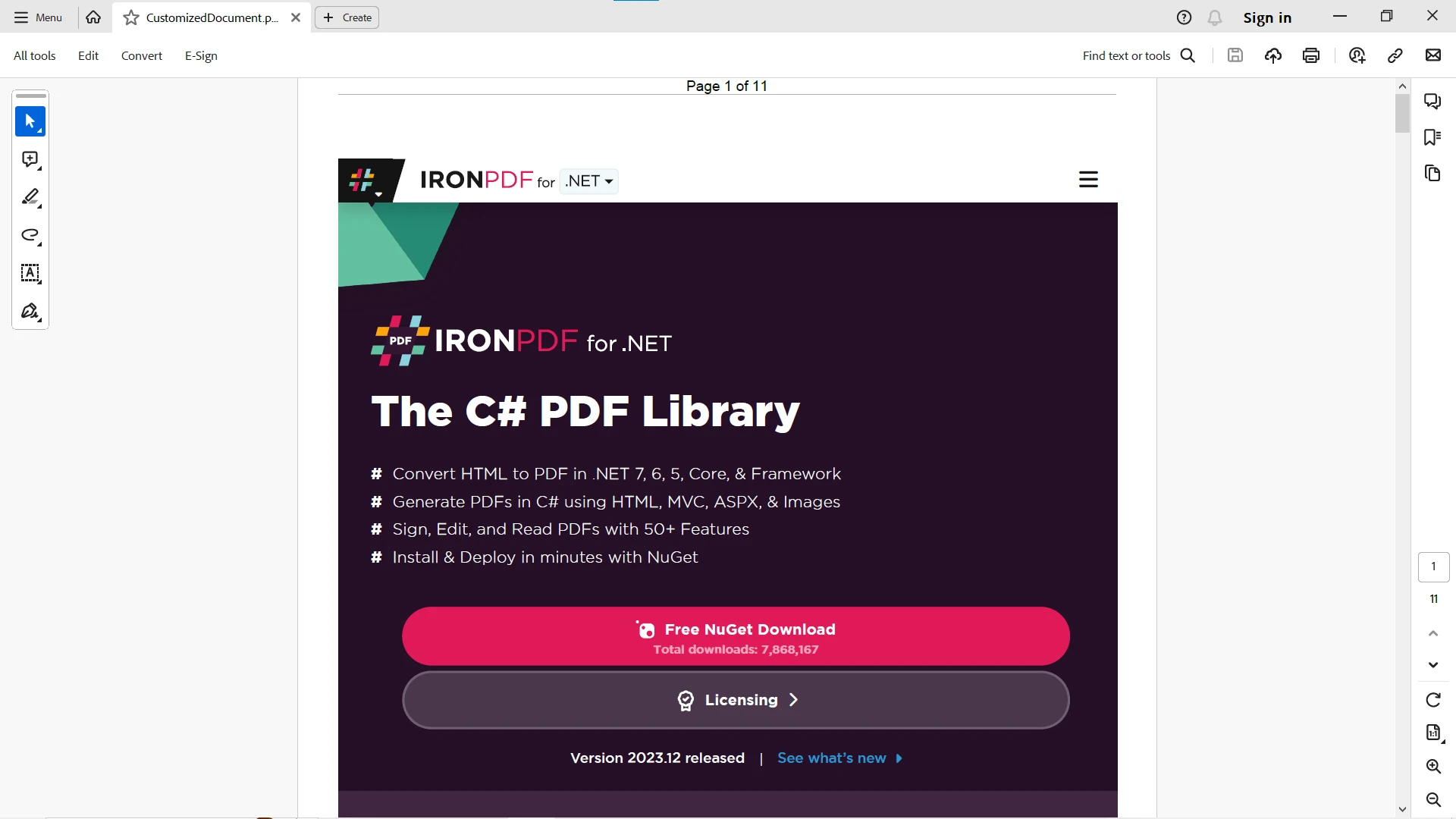
如需更多選項和 PDF 相關任務,請造訪 IronPDF 網站的 IronPDF 文件。
結論
總而言之,C# 中的 Null Coalescing Operator 提供了簡潔且具表達力的方法來處理 null 值。 其簡單性及可讀性使其成為改善程式碼品質及減少冗餘的重要工具。 無論是處理方法參數、變數指派或複雜的條件邏輯,Null Coalescing Operator 都能讓開發人員在 C# 程式設計的動態世界中,優雅地處理 null 值。
IronPDF 和 C# Null Coalescing Operator 在開發領域中相輔相成。 IronPDF 在 PDF 文件生成方面表現優異,而 Null Coalescing Operator 則提供簡潔優雅的方法來處理 C# 程式碼中的 null 值。
雖然它們的直接整合可能不是焦點所在,但使用 Null Coalescing Operator 與 IronPDF 相關的變數和組態串聯,甚至在提供 HTML 字串時,都能提升您的文件產生程式碼的整體穩定性和可讀性。 歡迎使用 IronPDF 的強大功能和優雅的 Null Coalescing Operator 來提升您的 C# 文件生成工作流程。
IronPDF 提供 免費試用其 PDF Library 給使用者,讓他們在做決定之前先測試其完整功能。
常見問題解答
什麼是 C# 中的空合併運算符?
空合併運算符 (??) 是 C# 中的一個二元運算符,旨在簡化空值處理,通過在遇到可空或引用類型時提供預設值來實現。
空合併運算符的語法是如何工作的?
語法由連續的兩個問號 (??) 組成。當左側的表達式評估為 null 時,使用此運算符分配預設值,例如:string name = possiblyNullName ?? 'DefaultName';
使用空合併運算符的優勢是什麼?
主要優勢在於它能簡化空值檢查,使代碼更加簡潔和易讀,從而減少樣板代碼並最小化與空值相關的錯誤。
可以鏈接空合併運算符嗎?
可以,您可以鏈接空合併運算符來提供一系列回退值,允許使用級聯方法指定預設值。
空合併運算符在方法參數中有什麼用處?
它可以用於指定方法參數的預設值,確保在參數為 null 時使用預設值。
空合併運算符可以與三元運算符結合使用嗎?
可以,它能與三元運算符結合使用,以實現更高級的條件處理,允許基於多個條件進行決策。
什麼是用於生成 PDF 的 C# 函式庫?
IronPDF 是一個功能豐富的 C# 函式庫,旨在簡化處理 PDF 的複雜性,允許在 C# 應用程序中將 HTML 內容無縫轉換為 PDF。
如何在 C# 項目中安裝 PDF 庫?
您可以通過在包管理控制台中執行命令 Install-Package IronPDF 或在 NuGet 包管理器中找到 'IronPDF' 來安裝 IronPDF。
空合併操作符與 PDF 函式庫之間是否存在直接整合?
儘管空合併操作符主要用於處理空值,它可以在與 IronPDF 相關的情境中使用,比如設定配置,以提供預設值,從而增強代碼的穩健性和可讀性。
如何在 C# 中生成 PDF 時處理空值?
您可以利用空合併操作符設置可能為空的參數的預設值,當使用 IronPDF 時,確保您的 PDF 生成不會遇到與空值相關的錯誤。
在 C# 使用 PDF 函式庫時,常見的故障排除步驟是什麼?
確保所有可能為空的參數都使用空合併操作符分配了預設值,以防止運行時錯誤。此外,驗證 IronPDF 是否正確安裝並在項目中引用。


















 免費開始使用
 免費開始使用
 預約免費現場演示





 無需信用卡或創建帳戶










